
HP DesignJet T210
4.4Editor score
Affordable entry level pricing
Compact 24 inch design
Simple HP Click software included
Large format plotter printer 2 devices are essential tools for architects, engineers, and designers who need to produce high-quality technical drawings and posters. These machines offer precision line quality and efficient media handling to support professional workflows.
We evaluated ten top-rated models based on print speed, connectivity options, media handling capabilities, and overall value. Each product was assessed for its ability to handle complex CAD files and deliver consistent results across various media types.
Every pick highlights key strengths and potential trade-offs to help you find the right fit for your studio or office. Please note that prices and availability can change frequently, so verify current details before making a purchase decision.
4.4Editor score

5.0Editor score

4.5Editor score
As an Amazon Associate we earn from qualifying purchases.
The following table provides a side-by-side overview of all ten selected models. Compare key specifications like media size, connectivity, and included support to determine which unit aligns best with your specific printing requirements.



The HP DesignJet T650 stands out as the top choice for professionals needing speed and reliability. With a perfect rating, it delivers precise technical drawings and maps efficiently while simplifying workflows.
We may earn a commission when you buy through this link, at no additional cost to you.
Its standout feature is the 26 seconds per page speed, enabling 82 prints per hour. The 1GB memory supports complex files, and included HP Click software prevents waste with PDF checks.
Trade-offs include a higher price and ink costs, but the 2-year onsite warranty offsets these. Automated media switching reduces manual effort, making this a smart long-term investment.
This model is ideal for architecture firms and engineering offices. Its precision and speed ensure high-quality prints that meet strict client standards consistently.
The 26 seconds per page speed allows teams to complete large projects faster without sacrificing line accuracy or text crispness.
Onsite warranty access ensures minimal downtime if technical issues arise, providing peace of mind for business-critical operations.
We may earn a commission when you buy through this link, at no additional cost to you.
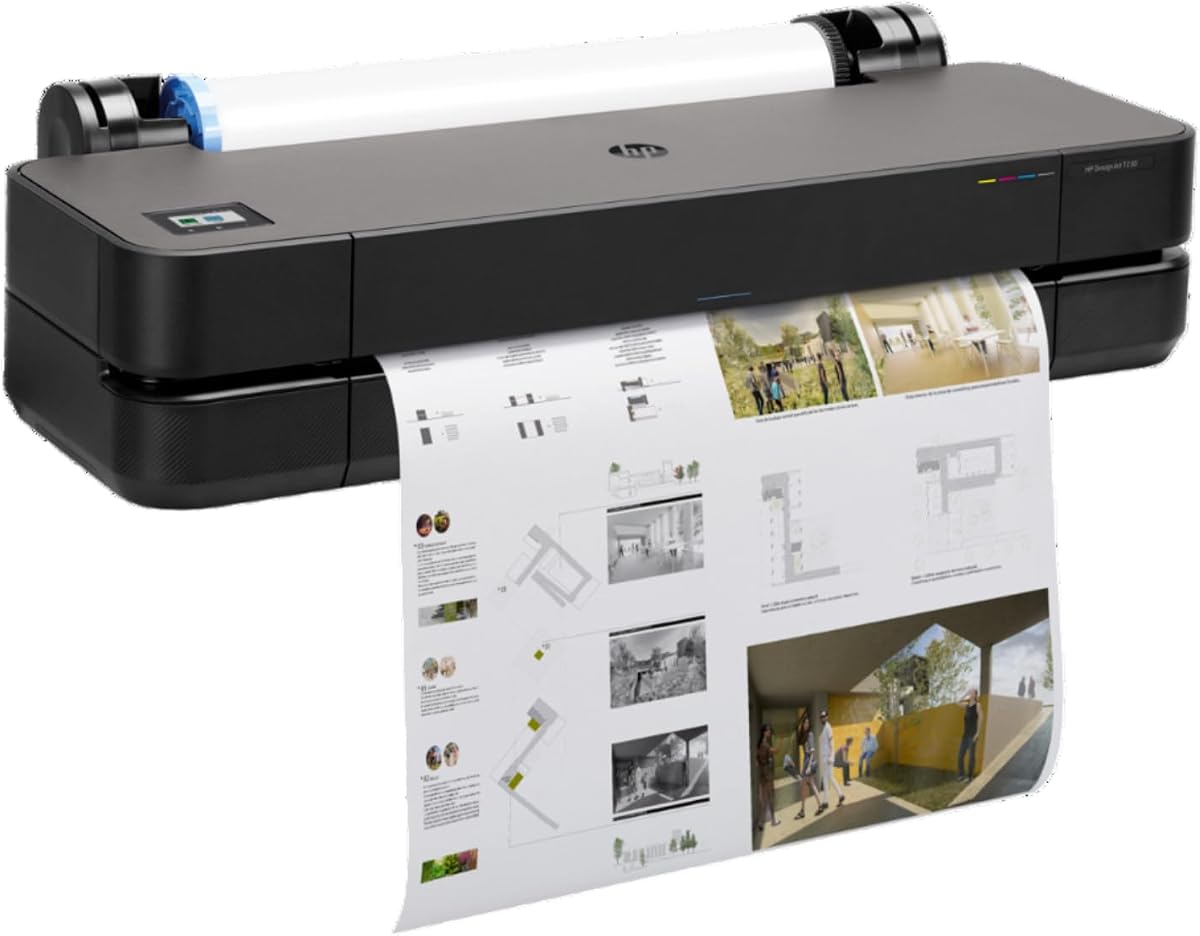
The HP DesignJet T210 offers an accessible entry point for large format printing. It delivers solid quality for CAD drawings and posters at a fraction of the cost of higher-end models.
We may earn a commission when you buy through this link, at no additional cost to you.
Key strengths include cost-saving efficiencies, using 95% less ink for maintenance than competitors. The compact design fits small workspaces, and HP Click software simplifies printing from common CAD apps.
Trade-offs like slower speeds and lower memory are acceptable for occasional users. Automated settings reduce manual switching, keeping operational costs low for startups or individual professionals.
This is a smart pick for students or small businesses. It balances performance and price while still delivering professional-quality prints for standard technical documents.
At the lowest price point, this model makes large format printing viable for individuals and small teams without compromising core functionality.
Reduced maintenance ink usage lowers running costs significantly, making it a sustainable choice for budget-conscious users.
We may earn a commission when you buy through this link, at no additional cost to you.
The HP DesignJet T870 represents the pinnacle of large format efficiency for power users. Its speed and versatility make it ideal for high-volume environments where time and precision are critical.
We may earn a commission when you buy through this link, at no additional cost to you.
It delivers 120 prints per hour, the fastest in this list, with 1GB memory handling complex files effortlessly. The wide media range supports banners, glossy paper, and technical drawings.
Trade-offs include higher costs and setup complexity. However, security features protect sensitive data, and onsite support ensures rapid troubleshooting for business continuity.
This model suits large engineering firms or government offices. It offers top-tier performance and flexibility for diverse professional printing needs.
With 120 prints per hour, this printer drastically reduces turnaround time for large project sets, keeping teams efficient.
Compatibility with various media types from bond to glossy paper expands its use beyond standard technical drawings.
We may earn a commission when you buy through this link, at no additional cost to you.
The HP DesignJet T630 balances features and performance well for professional users. It includes essential accessories like a stand and media bin, saving immediate setup costs.
We may earn a commission when you buy through this link, at no additional cost to you.
Its strengths lie in robust connectivity and automatic sheet feeding. HP Click software optimizes print jobs, reducing waste and ensuring crisp text for technical drawings.
Trade-offs include missing onsite warranty compared to higher models. This may be acceptable for users with existing IT support or less critical workflows.
It is a practical choice for architecture studios needing consistent output. The included accessories make it a convenient turnkey solution for daily use.
Included stand and media bin allow for immediate deployment without needing to purchase extra accessories separately.
HP Click software streamlines file processing, reducing errors and saving paper with automatic nesting tools.
We may earn a commission when you buy through this link, at no additional cost to you.
This version of the T210 adds value with a 2-year HP Care Pack. It combines the affordability of the base model with peace-of-mind onsite support.
We may earn a commission when you buy through this link, at no additional cost to you.
Key features include automatic cutting and reliable line quality for CAD and posters. Its compact design fits small workspaces while maintaining professional output standards.
Trade-offs involve slower speeds and limited memory. However, for moderate usage, this package offers excellent reliability without a premium price tag.
It suits small firms needing warranty protection. The balance of cost and support makes it a smart investment for ongoing project work.
The included Care Pack ensures rapid technical support, reducing downtime compared to the standard base model.
Its small footprint allows placement in cramped offices while delivering consistent 24-inch wide print quality.
We may earn a commission when you buy through this link, at no additional cost to you.
The HP DesignJet T230 focuses on efficiency and cost savings. It includes a 2-year Care Pack and uses significantly less ink for maintenance, lowering total cost of ownership.
We may earn a commission when you buy through this link, at no additional cost to you.
Its strengths are operational efficiencies, ideal for teams printing frequently. HP Click software and automatic switching streamline workflows, ensuring consistent technical drawing quality.
Trade-offs include a lower user rating and fewer advanced specs. However, for users prioritizing budget and maintenance savings, it remains a viable choice.
It is suitable for construction offices needing budget-friendly printing. The maintenance efficiencies and warranty support justify its selection for cost-focused buyers.
Using 95% less ink for routine maintenance reduces recurring costs, making it economical for high-volume printing environments.
HP Click software simplifies job management, allowing users to define settings once and print easily across formats.
We may earn a commission when you buy through this link, at no additional cost to you.
The HP DesignJet T850 stands out for its 36-inch print width. It targets professionals who need larger prints beyond the standard 24-inch limit.
We may earn a commission when you buy through this link, at no additional cost to you.
Key strengths include a 1GB memory and input tray, allowing simultaneous roll and sheet printing. Pigment-based Flex Tech inks ensure durability and precise line quality.
Trade-offs include higher costs and mixed user feedback. However, its size capability and warranty make it essential for specialized GIS or MCAD work.
It suits industries requiring broad map or architectural prints. The added width provides versatility unmatched by smaller models in the list.
The 36-inch capability supports broader project requirements, ideal for large-scale maps or engineering diagrams.
Pigment-based inks deliver water-resistant and fade-resistant prints, ensuring longevity for critical technical documents.
We may earn a commission when you buy through this link, at no additional cost to you.
The Canon imagePROGRAF TC-21M offers unique value with a built-in flatbed scanner. This allows direct enlargements and scanning without needing extra hardware.
We may earn a commission when you buy through this link, at no additional cost to you.
Its strengths include USB drive printing and cloud support. The touchscreen interface simplifies navigation, and cloud features enable easy remote printing access.
Trade-offs involve a scanner limited to standard sizes. However, for teams needing both printing and scanning, it offers a convenient all-in-one solution.
It is ideal for general office environments needing large prints. The integrated scanner adds functionality not found in other dedicated plotters.
The built-in scanner allows direct enlargement of smaller documents, reducing steps for large reproduction tasks.
Cloud printing and scanning enable seamless workflow integration, letting users access and print files remotely.
We may earn a commission when you buy through this link, at no additional cost to you.
The Canon PRO 2100 is optimized for fine art printing. With an excellent rating, it delivers high-fidelity outputs ideal for artists and photographers.
We may earn a commission when you buy through this link, at no additional cost to you.
Its strengths include professional-grade quality and onsite warranty support. The 24-inch width is perfect for portfolios, prints, and creative visuals.
Trade-offs involve a focus on art rather than technical CAD work. However, for creative professionals, its color accuracy and build are unmatched.
It suits designers needing high-end prints. Its specialized focus ensures vibrant, accurate reproductions for visual projects.
Designed for fine art, this printer ensures accurate colors and smooth gradients for professional visual displays.
Access to a Platinum Reseller means specialized help for fine art printing challenges and technical issues.
We may earn a commission when you buy through this link, at no additional cost to you.
The HP DesignJet T830 combines printing with scanning and copying. Its compact design fits architecture studios needing multifunction capabilities in one unit.
We may earn a commission when you buy through this link, at no additional cost to you.
Key strengths include mobile printing and wireless connectivity. HP Click software helps manage PDF documents and project sets efficiently.
Trade-offs include higher costs and security restrictions. However, the all-in-one nature reduces desk clutter and improves office workflow.
It suits studios needing versatile output. The combination of MFP features and wireless access makes it a flexible tool.
Print, scan, and copy functions in one unit save space and improve communication across project teams.
Mobile apps allow printing from iOS or Android devices, increasing flexibility for on-the-go professionals.
We may earn a commission when you buy through this link, at no additional cost to you.
Choosing the right large format plotter printer 2 requires evaluating several key factors to match your specific project needs and budget.
Print speed determines how quickly your studio can turn around projects. Models like the T870 offer 120 prints per hour, ideal for high-volume workflows, while budget options like the T210 offer slower speeds suitable for occasional use.
Consider your expected monthly output. For busy firms, faster models reduce bottlenecks. For small teams, slower speeds may suffice if time isn't a constraint.
Most models in this guide support 24-inch wide media, which is standard for architectural drawings and engineering prints. The T850 stands out with 36-inch support, useful for GIS and large maps.
Ensure the printer matches your paper needs. If you frequently print wide maps, go for 36-inch options. Otherwise, 24-inch models are more cost-effective and compact.
Memory capacity affects how well the printer handles complex CAD files. Higher-end models offer 1GB RAM, preventing slowdowns with large datasets. Connectivity options like Gigabit Ethernet and Wi-Fi enable seamless network integration.
Look for robust connections for busy offices. Wi-Fi allows printing from anywhere, while Ethernet ensures stable network speeds for large transfers.
HP Click software is a key feature in many models, offering PDF error checking and nesting to reduce waste. Automation features like sheet/roll switching save manual effort during long runs.
Prioritize printers with integrated software tools. They streamline workflows and prevent costly errors by validating files before printing starts.
Operating costs vary based on ink efficiency. Some models use 95% less ink for routine maintenance, significantly lowering long-term expenses. Check ink type and cartridge sizes before buying.
Calculate total cost of ownership. Even a cheaper upfront price may cost more if ink is expensive. High-efficiency models save money over time.
Downtime can delay critical projects. Models like the T650 include 2-year onsite warranties, ensuring quick fixes. Check if support is included or requires a separate pack.
Invest in warranties for mission-critical printers. Onsite support means no waiting for technicians, keeping your workflow smooth and uninterrupted.
Large printers take up significant floor space. Compact models like the T210 fit smaller offices. Ensure your workspace has room for the machine plus accessories like bins or stands.
Measure your space before purchasing. Some models include stands and bins, reducing setup time but requiring more room for operation.
Some professionals need specialized features. Canon offers fine art printing, while others provide scanning. Identify your unique needs before choosing a standard plotter.
If you need scanning or art, opt for multifunction or specialized models. Standard plotters excel at technical drawings but lack creative tools.
Regularly clean the printer rollers and printhead to ensure consistent line quality and prevent paper jams. Use only HP or Canon approved media to maintain optimal results and avoid voiding warranties.
Keep the printer in a dry, dust-free environment to prevent mechanical issues. Use enclosed covers when not in use and schedule weekly cleaning routines for maintenance.
Update firmware and drivers regularly to access new features and security patches. Use HP Click software to manage settings and optimize ink usage for long-term efficiency.
A large format plotter printer 2 is designed for wide media and technical drawings with precise line quality, whereas standard printers handle letter or legal pages. Plotters use continuous rolls, making them ideal for architecture and engineering.
Some models include dynamic security that may block non-HP chips, though third-party options exist. Always check the manufacturer policy to ensure compatibility before buying alternative ink to avoid issues.
Most 24-inch models are compact enough for small offices, typically requiring around 4 to 5 feet of floor space. Consider additional room for paper rolls and accessories like feeders or bins.
Yes, most models support both Mac and Windows. HP Click and HP DesignJet Utility software are available for both systems to enable seamless CAD integration and job management.
They handle bond, coated, and heavyweight paper rolls. Some support glossy, banner, and film media. Always check specific model specs for compatibility with specialty materials like self-adhesive or synthetic paper.
Yes, for professionals relying on daily printing, onsite support minimizes downtime. It ensures quick technician visits if hardware fails, protecting your productivity and project timelines.
Use HP Click software's PDF error checking and auto-nesting tools. These optimize layout and prevent reprinting errors. Also, ensure correct settings are defined before printing to avoid misfires.
Yes, models like the T830 and T210 support mobile printing via the HP Smart app on iOS or Android. Ensure your printer is on the same Wi-Fi network for seamless mobile access.
This guide highlights top models like the HP DesignJet T650 for speed and reliability. The T210 offers budget-friendly entry, while the T870 provides premium efficiency for high-volume use.
Prioritize speed and warranty based on your workflow demands. For technical work, focus on line accuracy and connectivity. For creative work, consider specialized models like the Canon PRO 2100.
Always verify current prices and warranty terms before purchasing. Availability and costs can change, so consult the latest product details to ensure you get the best value today.