
Sonnet Breakaway Box 850 T5 Thunderbolt 5
4.5Editor score
850W variable-speed cooling fan
Triple wide GPU support
Built-in Thunderbolt 5 dock
This guide compares the top 10 eGPU enclosures for 2026, evaluating bandwidth, power delivery, cooling, and compatibility to help you upgrade your laptop
External GPU enclosures transform capable laptops into powerful desktop workstations. They allow users to connect high-performance graphics cards via Thunderbolt or USB4 interfaces. Choosing the right enclosure ensures stability, efficient cooling, and maximum performance for gaming and creative tasks.
We evaluated ten leading models based on bandwidth speed, power supply capacity, chassis design, and port selection. Our analysis covers both premium branded units and budget-friendly options. Each product was assessed for build quality, thermal management, and real-world compatibility with modern laptops.
Every pick highlights specific strengths and ideal use cases for different user needs. Detailed reviews explain how each enclosure performs under load. Please note that availability and pricing can change frequently so verify details before purchasing.
4.5Editor score
5.0Editor score

4.4Editor score
The following table provides a side-by-side comparison of all ten enclosures evaluated in this guide. It highlights key specifications such as connection type, power supply wattage, and physical dimensions to help you quickly identify the best fit for your setup.


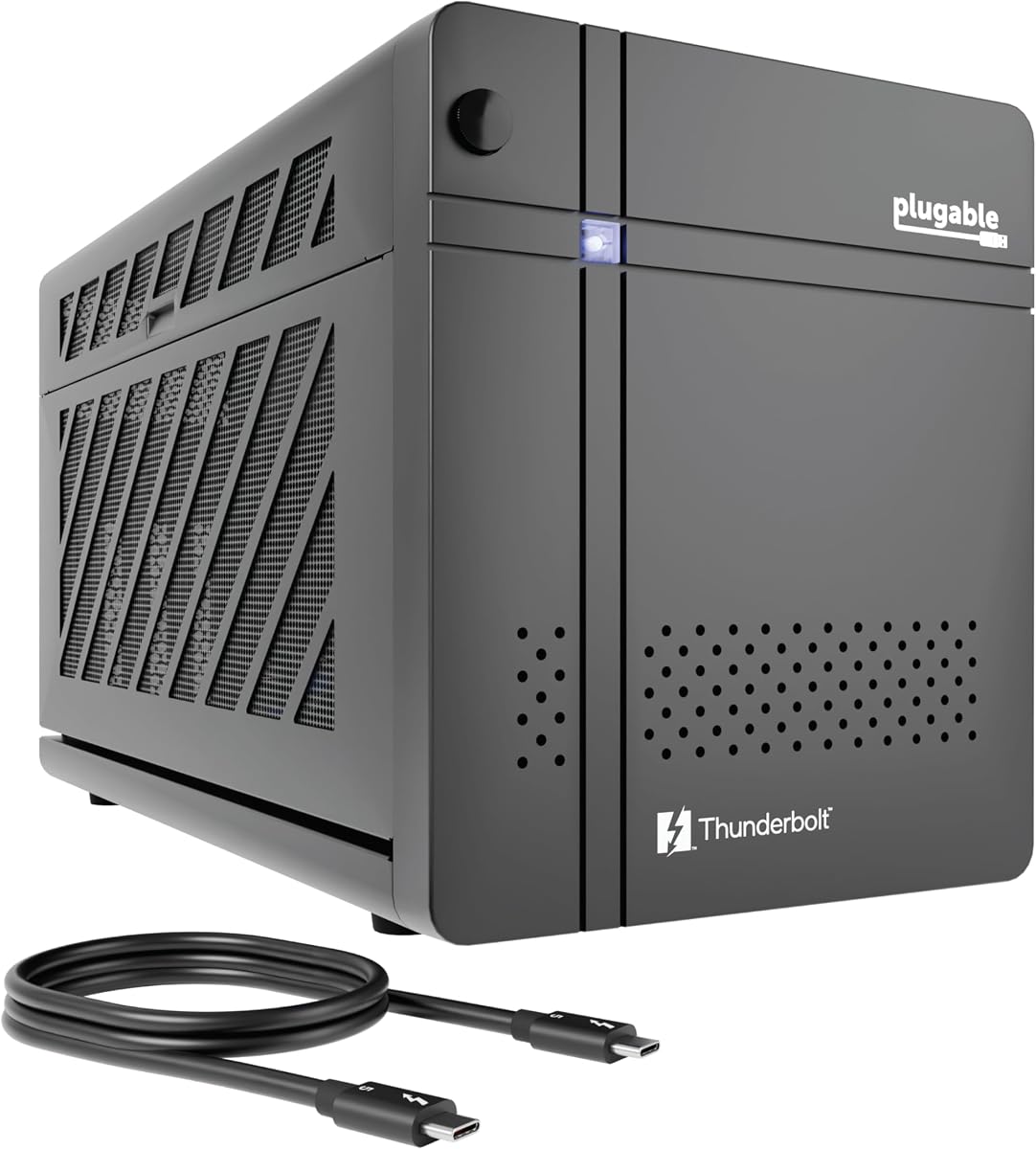
The Plugable TBT5-AI leads our list with its purpose-built design for AI and privacy-conscious users. Boasting a perfect 5.0 rating from verified buyers, this enclosure delivers unmatched performance through its Thunderbolt 5 interface. It stands out by allowing local model running without cloud dependencies.
We may earn a commission when you buy through this link, at no additional cost to you.
Its 80Gbps bandwidth ensures that data transfer bottlenecks are virtually eliminated during intensive tasks. The included 850W PSU supports high-end GPUs with ease. Users appreciate the secure air gap it provides for sensitive prompts and data processing.
The main trade-off is its strict compatibility with Windows 11 systems. Mac and Linux users cannot utilize this unit. However, for those needing a powerful local AI workstation, this limitation is acceptable given the security benefits.
We recommend this enclosure for developers and researchers requiring robust offline computing power. It is ideal for anyone looking to run models like Llama 3 locally. Its lifetime support adds significant value for long-term reliability.
Run sensitive models locally without sending data to the cloud ensuring complete privacy and control over your results.
The cooling system adapts to workload demands ensuring stable performance during extended rendering or inference sessions.
We may earn a commission when you buy through this link, at no additional cost to you.
Sonnet delivers a premium experience with the Breakaway Box 850 T5 designed for heavy-duty workflows. Its high 4.5 rating reflects strong user satisfaction with build quality and thermal performance. This unit excels at supporting power-hungry graphics cards efficiently.
We may earn a commission when you buy through this link, at no additional cost to you.
The 850W power supply and variable-speed fan ensure that GPUs run at peak efficiency without excessive noise. Connectivity is enhanced by built-in Thunderbolt 5 docking capabilities including Ethernet and USB ports. It is ideal for video editing and rendering tasks.
The only notable drawbacks are the higher price point and lack of Mac compatibility. Users seeking a straightforward Windows workstation will find these acceptable compromises. The Intel Thunderbolt certification guarantees stable performance.
We recommend this model for professionals who need a reliable desktop replacement. It suits video editors and 3D artists requiring consistent power. The included dock simplifies workspace management significantly.
The 850W supply handles high draw GPUs while the temperature-controlled fan keeps noise levels low during operation.
Integrated ports allow you to connect multiple devices to the enclosure reducing cable clutter on your desk.
We may earn a commission when you buy through this link, at no additional cost to you.
The MINISFORUM DEG2 offers exceptional versatility by supporting both USB4 V2 and OCuLink interfaces. With a strong 4.4 rating it appeals to users needing high bandwidth at a reasonable cost. Its unique storage slot adds utility for portable setups.
We may earn a commission when you buy through this link, at no additional cost to you.
Users can switch between docking and pure GPU modes instantly using the hardware switch. The M.2 NVMe slot allows for direct storage of large files on the dock. This feature is particularly useful for creators traveling between locations.
Setup may require some technical knowledge to configure the dual modes correctly. Beginners might find the documentation dense but it pays off in performance. The signal booster ensures stable data transfer during heavy loads.
We recommend this dock for tech-savvy users seeking maximum flexibility. It is perfect for handheld gaming rigs and laptops needing high throughput. The storage integration makes it a strong contender in its price range.
The built-in NVMe slot lets you store large project files directly on the dock for easy access anywhere.
Switch between all-in-one docking and pure GPU performance to optimize your workflow for specific tasks.
We may earn a commission when you buy through this link, at no additional cost to you.
The Razer Core X V2 continues to be a solid choice for gamers needing a reliable enclosure. Its 4.0 rating indicates steady performance with major brands. It is designed to handle 4-slot wide cards which is rare in many enclosures.
We may earn a commission when you buy through this link, at no additional cost to you.
Connectivity includes Thunderbolt 5 support ensuring future-ready bandwidth. The included 140W power delivery can charge many modern laptops efficiently while in use. Setup is simplified by thumbscrews that allow tool-free GPU installation.
Mac users with M1 chips or later will not find this unit compatible. Additionally the active cooling fan can be audible under heavy gaming loads. These factors limit its appeal to specific user groups.
We recommend this unit for Windows gamers using high-end NVIDIA or AMD cards. It is great for those prioritizing chassis durability. The ease of swapping cards adds long-term value to the setup.
Accommodating 4-slot wide cards means you can use massive dual-fan GPUs without worrying about space constraints.
The 140W PD output keeps your laptop charged while running graphics tasks ensuring uninterrupted workflow.
We may earn a commission when you buy through this link, at no additional cost to you.
This compact enclosure is designed for portability without sacrificing essential functionality. With a 4.5 rating it is praised for its ease of use and included carrying case. It is ideal for users needing a lightweight solution on the go.
We may earn a commission when you buy through this link, at no additional cost to you.
The unit comes as a complete kit including a 240W PSU and Thunderbolt 4 cable. Its anodized aluminum shell protects internal components while keeping weight low. It supports Windows and Linux systems effectively.
Power delivery is limited to 240W which restricts high-end GPU usage. Additionally it only supports smaller graphics cards up to 205mm in length. Users with larger cards must consider more robust options.
We recommend this kit for travelers and students with smaller laptops. It is perfect for light gaming and rendering tasks. The included case ensures safe transport in a backpack.
The lightweight design and included case make it easy to carry your graphics power anywhere without hassle.
Multiple port options allow you to connect external displays and peripherals directly to the dock efficiently.
We may earn a commission when you buy through this link, at no additional cost to you.
The ANQ-L336 is specifically optimized for modern handheld gaming consoles like the ROG Ally X. A 3.8 rating suggests it has niche appeal but works well for specific needs. It supports a wide range of power supply formats for flexibility.
We may earn a commission when you buy through this link, at no additional cost to you.
It delivers 32Gbps data transfer which is sufficient for most portable gaming scenarios. The 85W PD charging can directly power handhelds via the USB4 connection. Dual Thunderbolt ports allow for daisy chaining devices.
Compatibility with the latest RTX 50 series is currently limited. Users should verify their GPU model before purchasing. The controller module is solid but not as advanced as newer units.
We recommend this unit for handheld enthusiasts needing a dock for their console. It fits well with mobile setups and gaming rigs. The flexible PSU support allows for various power configurations.
Optimized specifically for handhelds like ROG Ally X ensuring stable connections and proper power delivery on devices.
The 85W fast charge feature lets you keep your device powered up while using external graphics power.
We may earn a commission when you buy through this link, at no additional cost to you.
The VK-Y900 is an entry-level option designed to bring desktop power to laptops affordably. With a 3.9 rating it offers basic functionality that suits general users. It supports future-proof GPUs including upcoming RTX and Radeon series.
We may earn a commission when you buy through this link, at no additional cost to you.
It features an official Intel controller for stable data transfer. The dual Thunderbolt ports include one dedicated for 85W charging. This setup allows for a clean single-cable solution connecting laptop and GPU.
Build quality is basic compared to premium units. Mac users can only use it for specific AI development tasks not gaming. This limits its broader appeal but keeps costs down.
We recommend this model for users on a tight budget needing basic GPU power. It is suitable for casual gaming and light rendering. The single-cable convenience makes it practical for shared workspaces.
Providing essential GPU connectivity without breaking the bank makes it accessible for hobbyists and students.
Single cable connectivity reduces clutter on your desk while maintaining power and data transfer capabilities.
We may earn a commission when you buy through this link, at no additional cost to you.
The Sonnet Breakaway Box 750ex remains relevant for those with Thunderbolt 3 laptops. It maintains a 3.9 rating indicating solid reliability for legacy systems. Sonnet's reputation for stability holds true with this unit.
We may earn a commission when you buy through this link, at no additional cost to you.
Its 750W power supply is sufficient for most high-performance cards used in previous years. The model includes extra connectivity including Ethernet and USB ports for versatility. It works seamlessly with older Mac and Windows devices.
The main limitation is its lack of support for Thunderbolt 5 or 4 standards. Newer laptops may not fully utilize its potential. Users must ensure their host supports TB3 before purchasing.
We recommend this box for owners of older laptops seeking upgrade paths. It is ideal for those needing Mac compatibility. The build quality ensures it will last through years of use.
Designed to work reliably with both Mac and Windows systems making it versatile for mixed work environments.
Extra USB and Ethernet ports allow you to expand your workstation without needing additional hubs.
We may earn a commission when you buy through this link, at no additional cost to you.
This mini enclosure is designed for users comfortable with hardware configuration. With a 3.9 rating it offers a compact solution for expansion. It is a good choice for those needing a simple chassis for their GPU.
We may earn a commission when you buy through this link, at no additional cost to you.
It supports a wide range of power supplies including SFX and DC variants. This flexibility allows users to repower existing power bricks. The unit also acts as a USB hub with extra downstream ports.
Users should note that it requires some DIY knowledge for setup. Compatibility checks must be done via Device Manager before purchase. No case is included which might be a downside for travelers.
We recommend this unit for hobbyists and builders needing a compact chassis. It is perfect for budget setups where you already have a PSU. The flexibility makes it adaptable to many power scenarios.
Accepting multiple PSU types allows you to customize power delivery based on your available hardware and needs.
Downstream ports let you connect additional peripherals directly to the enclosure saving extra USB slots on your laptop.
We may earn a commission when you buy through this link, at no additional cost to you.
This complete kit is designed for users who want a hassle-free setup. It holds a perfect 5.0 rating due to its convenience. Everything needed for installation is provided in one box simplifying the process.
We may earn a commission when you buy through this link, at no additional cost to you.
The aluminum shell offers durable protection for the internal components. It supports Windows and Linux systems effectively. The included carrying case makes it easy to transport without additional purchases.
Power output is capped at 240W which suits mid-range GPUs. Large cards exceeding the size limit cannot fit. Users should measure their hardware to ensure compatibility before buying.
We recommend this kit for new users seeking simplicity. It is perfect for those needing a portable graphics solution. The all-in-one nature makes it a stress-free choice.
All necessary cables and power supplies are included so you can start using the dock immediately upon arrival.
The robust aluminum shell protects sensitive electronics during transport ensuring longevity for your investment.
We may earn a commission when you buy through this link, at no additional cost to you.
Selecting the right eGPU enclosure requires balancing performance needs with compatibility constraints. Here are key factors to consider before making a purchase decision.
Ensure your host device supports Thunderbolt 4 5 or USB4 protocols. Without native support the enclosure will not function correctly. Check your laptop specs for official certification marks.
Match the enclosure's PSU wattage to your GPU's requirements. High-end cards often need 750W or more. Insufficient power can cause instability or shutdowns during load.
Measure your graphics card length and width against the enclosure's limits. Large triple-fan GPUs may not fit in compact boxes. Ensure there is enough room for airflow around the card.
Look for active cooling fans that can handle heat output. Good thermal design prevents throttling during extended sessions. Some models offer silent modes for quiet environments.
Choose an enclosure with enough USB and video ports. Built-in docks reduce the need for extra hubs. Ethernet ports are useful for stable network connections.
Decide if you need to move the unit frequently. Compact aluminum cases are lighter and easier to transport. Built-in carrying cases add convenience for travel scenarios.
Verify compatibility with your OS as support varies by model. Some units are Windows only while others support Mac or Linux. Check the manufacturer details before purchasing.
Balance cost against the features offered. Premium units offer better build quality but cost more. Budget options may lack advanced cooling or extra ports.
Begin by installing your graphics card securely into the PCIe slot. Ensure the power connectors from the PSU are firmly attached to the card to prevent loose connections.
Connect the Thunderbolt cable to both the host laptop and the enclosure. Verify that the driver software is installed before launching graphics-intensive applications.
Keep the enclosure in a well-ventilated area to prevent overheating. Periodically clean dust from the fans and vents to maintain optimal airflow.
No they only work with laptops featuring Thunderbolt 3 4 5 or USB4 ports. Standard USB-C ports without these protocols are not supported. Always check your laptop specifications for official certification before purchasing.
Most desktop GPUs fit but you must check physical dimensions. Some units have size limits regarding length or width. Also ensure the card does not exceed the power supply capacity.
Many models support Power Delivery but the wattage varies. Ensure the PD rating matches your laptop's charging requirements for full speed. Lower wattage may only sustain the battery while idle.
Mac compatibility is limited and often restricted to older models. Newer M-series chips generally do not support external GPUs. Always verify specific compatibility with the manufacturer.
Performance loss ranges from 10 to 20 percent due to bandwidth limits. Higher-end protocols like Thunderbolt 5 minimize this gap. Proper settings can also help optimize the data transfer rate.
Install drivers from the GPU manufacturer website first. Then install any enclosure-specific software provided. Restart your laptop after installation to ensure the system recognizes the new hardware.
Yes gaming is a primary use case for these devices. They allow laptops to run modern titles at high settings. Ensure the card and enclosure are powerful enough for the games you play.
Yes most units require their own dedicated power outlet for the PSU. Some smaller models may draw power but this is rare. Plan your workspace to accommodate the extra power cable.
The top three picks offer distinct advantages depending on your specific needs. The Plugable TBT5-AI excels in AI workloads while the Sonnet Breakaway Box 850 T5 provides premium performance for creators. The MINISFORUM DEG2 stands out for budget-conscious users seeking flexibility.
Prioritize compatibility and power capacity when making your final decision. Ensure your host device supports the chosen interface to avoid bottlenecks. Selecting the right enclosure can significantly extend the life of your laptop.
Prices and availability change frequently so verify current stock before buying. We recommend checking multiple retailers for the best deals. Stay updated on new releases to take advantage of the latest technology.