
Razer Viper V4 Pro
4.6Editor score
49g ultra-lightweight build
Focus Pro 50K DPI sensor
Up to 180 hours battery life
Compare the top 10 lightweight mice under 60 grams for FPS gaming. We review sensors, battery life, shape, and value to help you choose the best ergonomic
Finding the right lightweight mouse under 60 grams for FPS gaming can dramatically improve your aim and reaction time. A good mouse combines low weight with precision sensors and ergonomic shapes that fit your grip style perfectly without causing fatigue during long sessions.
We compared ten leading models based on sensor accuracy, build quality, connectivity options, and overall value. Our analysis focuses on real-world performance metrics like polling rates, battery life, and user feedback to ensure you get a reliable tool for competitive play.
Each pick below highlights specific strengths and trade-offs to help you narrow down your choices quickly. Note that product availability and pricing can change frequently, so always verify the latest details before making your final purchase decision online.
4.6Editor score

4.5Editor score
4.4Editor score
This side-by-side comparison highlights the key specifications of all ten lightweight gaming mice selected for this guide. Each entry shows weight, sensor capabilities, connectivity modes, and unique features to help you identify the perfect match for your gaming setup and budget.



The Logitech G PRO X Superlight 2 is a championship-winning wireless mouse designed for competitive FPS players who demand precision. With a rating of 4.5 stars, it stands out for its refined ergonomics and advanced HERO 2 sensor technology that tracks movements flawlessly.
We may earn a commission when you buy through this link, at no additional cost to you.
Its standout quality lies in the zero-additive PTFE mouse feet that ensure seamless gliding across any surface. The mouse maintains a consistent 60g weight without sacrificing durability, allowing for quick flicks and stable tracking during intense matches.
While the price is higher than many competitors, the investment pays off in reliability and performance consistency over time. Some users may miss RGB lighting, but pure FPS enthusiasts often prioritize function over aesthetics anyway.
This mouse is ideal for serious gamers seeking a tool that delivers pro-level precision and endurance. If you want a wireless mouse trusted by top esports pros, the Superlight 2 is the definitive choice for your setup.
The HERO 2 sensor provides precise calibration with zero smoothing or acceleration, ensuring your aim translates directly to in-game movement for accurate shot placement.
With up to 95 hours of battery life and USB-C charging, you can game for days without interruption while enjoying POWERPLAY compatibility for even longer wireless use.
We may earn a commission when you buy through this link, at no additional cost to you.
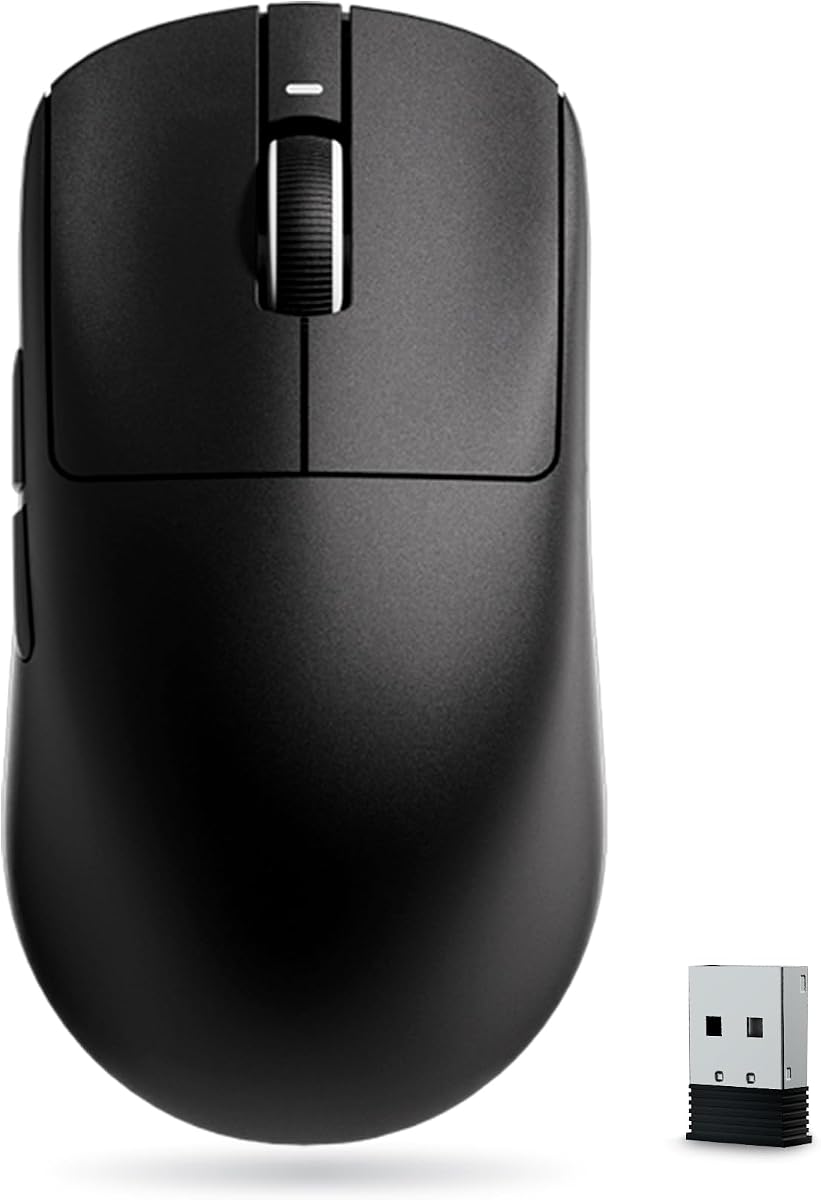
The Razer Viper V4 Pro is built with direct input from pro players to deliver faster and more agile control. It earns a 4.6 rating for its ultra-light 49g build and advanced Focus Pro 50K DPI sensor that tracks high-speed movement perfectly.
We may earn a commission when you buy through this link, at no additional cost to you.
Key strengths include the optical scroll wheel for consistent tracking and responsive optical switches that reduce latency while maintaining tactile feedback. The battery life supports up to 180 hours at 1000 Hz polling, offering flexibility between performance and endurance.
The main trade-off is the premium price compared to standard gaming mice, but the performance gains justify the cost for competitive players. Software customization via Synapse 4 adds depth but requires installation for full feature access.
Buyers seeking the absolute latest in wireless esports tech will find the V4 Pro unmatched. It represents the peak of lightweight design and sensor accuracy for those who refuse to compromise on performance.
At 49 grams, this mouse is 9% lighter than its predecessor, reducing hand fatigue significantly during long competitive matches or daily use.
You can choose between extended battery life or ultra-low latency performance, adjusting settings to match your specific gaming session needs without needing to charge.
We may earn a commission when you buy through this link, at no additional cost to you.
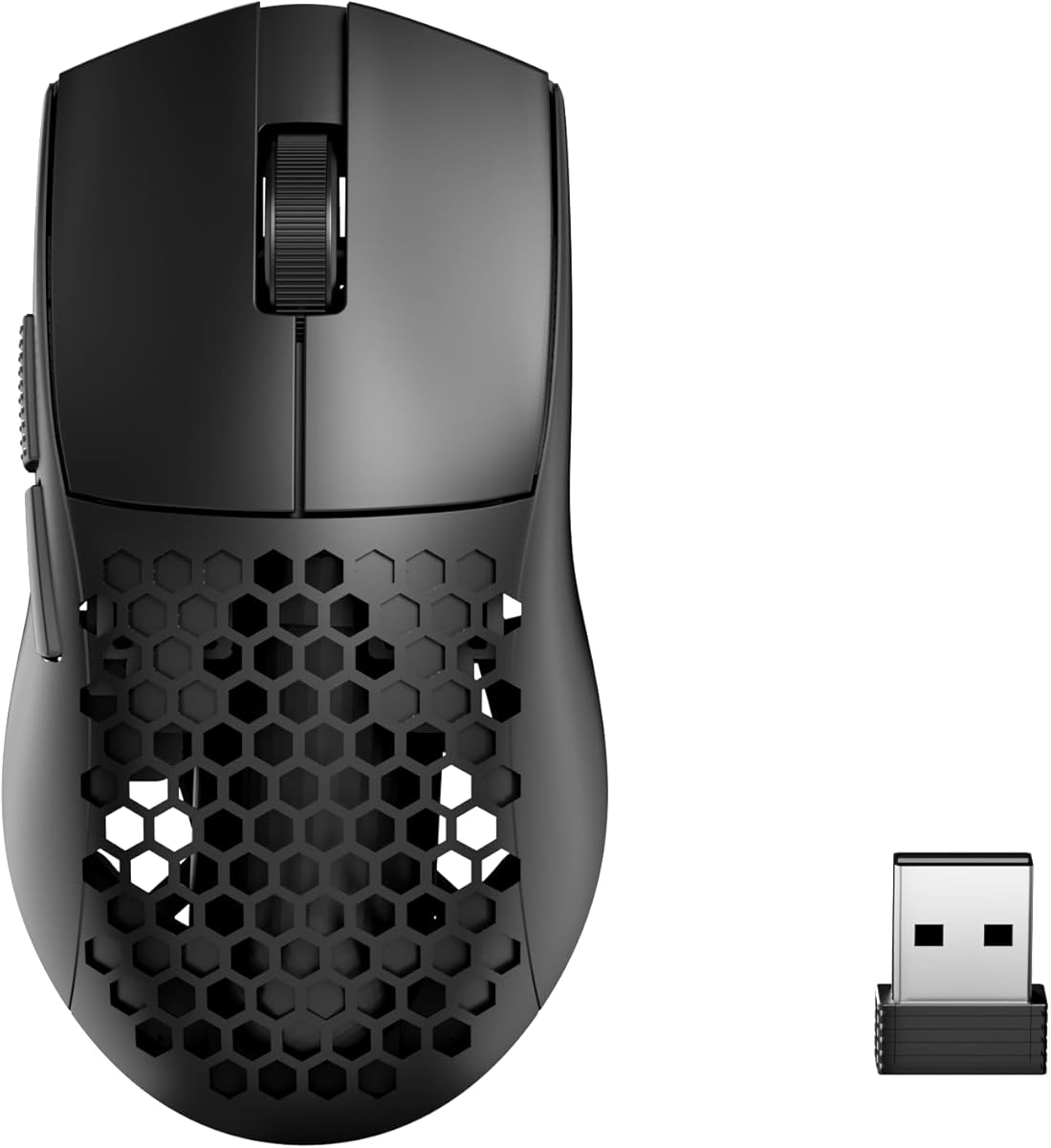
The Redragon M725 offers exceptional value for gamers on a budget who still want a lightweight wireless experience. With a 4.4 rating, it features a honeycomb hollow design that reduces weight to just 49 grams while maintaining durability for daily use.
We may earn a commission when you buy through this link, at no additional cost to you.
It supports three connection modes including Bluetooth and 2.4GHz, making it versatile for both gaming and work tasks. The symmetrical design fits various grip styles comfortably, and the five programmable buttons allow for quick macro access during gameplay.
While the honeycomb shell improves airflow and reduces weight, it can trap dust over time requiring occasional cleaning. The software is functional but lacks the depth of premium brands, though it covers essential customization needs.
For students or casual players seeking performance without overspending, the M725 is an excellent entry point. It delivers core lightweight benefits and wireless freedom at a price that won't break the bank.
The honeycomb pattern significantly reduces weight and enhances palm air circulation to keep hands dry during intense gaming sessions without sacrificing stability.
Switch seamlessly between Type-C wired, Bluetooth, and 2.4GHz modes to connect with multiple devices and optimize performance for different environments.
We may earn a commission when you buy through this link, at no additional cost to you.
The ASUS ROG Harpe Ace Mini is co-developed with professional FPS players to offer a refined shape optimized for fingertip and claw grips. With a 4.4 rating, it weighs just 49 grams and fits a wide spectrum of hand sizes for better control during gaming.
We may earn a commission when you buy through this link, at no additional cost to you.
Its ROG AimPoint Pro optical sensor delivers 36K DPI accuracy with track-on-glass technology for pixel-perfect precision. Tri-mode connectivity allows flexible switching between Bluetooth, 2.4GHz, and wired modes, while the battery supports up to 105 hours of use.
The compact size might feel small for users with larger hands or palm grip styles, limiting versatility across different play styles. However, the specialized design ensures maximum control for those who prefer smaller ergonomic profiles.
Ideal for gamers with smaller hands or claw grip techniques, this mouse offers precision without bulk. It balances compact form with premium performance metrics, making it a top choice for competitive setups.
Built by pros for pros, the semi-symmetrical shape reduces fatigue while maximizing precision for quick flicks and accurate tracking in fast-paced games.
Enjoy seamless switching between multiple devices with ROG Omni Receiver support that links several compatible devices through a single wireless receiver.
We may earn a commission when you buy through this link, at no additional cost to you.
The Razer Orochi V2 stands out for its incredible battery life of up to 950 hours on Bluetooth, making it perfect for long sessions without interruptions. It receives a 4.4 rating for reliable performance and under 60g weight excluding battery, ensuring lightweight handling.
We may earn a commission when you buy through this link, at no additional cost to you.
Its dual wireless connectivity switches between Bluetooth for productivity and Razer HyperSpeed for competitive gaming with zero spinouts. The hybrid battery slot supports AA or AAA cells, letting you choose weight balance based on preference.
Some users may find the battery compartment slightly bulky, and it lacks extensive lighting features compared to desktop gaming mice. However, these trade-offs ensure maximum endurance and portability for travel or daily use.
If you prioritize battery life and portability, the Orochi V2 is a strong contender. It balances performance and endurance effectively for gamers who travel or need a reliable secondary mouse.
With up to 950 hours on Bluetooth, you can game, work, and travel longer with fewer interruptions and less charging downtime than typical wireless mice.
Second-generation Razer Mechanical Mouse Switches feature gold-plated contact points rated for 60 million clicks, delivering reliable long-term durability.
We may earn a commission when you buy through this link, at no additional cost to you.
The ZORNHER X Mloong MX301 PRO offers a premium look and feel with a carbon fiber texture that enhances grip and reduces cheap plastic feel. Rated 4.7 stars, it weighs around 60 grams and includes an anti-slip grip tape to prevent sliding during intense play.
We may earn a commission when you buy through this link, at no additional cost to you.
Equipped with a PAW3315 optical sensor, it provides accurate tracking without unnecessary over-spec that might drain battery life. The web-based driver allows easy customization without bulky software, keeping your system lightweight and clean during use.
Some users may find the design less refined than top-tier brands, but the inclusion of accessories like a carrying case adds significant value. It is a complete set ideal for gifting or entry-level competitive setups.
Gamers seeking an ergonomic budget option with solid specs will appreciate this mouse. It delivers reliable tracking and tactile feedback while keeping costs reasonable for new players.
The carbon fiber-inspired texture delivers a unique tactile feel and enhances grip beyond just a visual pattern, improving control and reducing slip.
Everything is included from grip tape to a carrying case, making this bundle perfect for gaming, work, or as a ready-to-gift option without extra costs.
We may earn a commission when you buy through this link, at no additional cost to you.
The INPHIC IN10P brings high-end specs like 8000Hz polling rate to the lightweight category, enabling smoother tracking and faster reactions. It has a 4.1 rating and weighs just 60g while maintaining a solid shell design without perforations for long-term protection.
We may earn a commission when you buy through this link, at no additional cost to you.
Powered by a custom Kunpeng KP950B chip, it ensures low latency and anti-interference stability for consistent performance. The RGB indicator doubles as a low-power warning and customizable DPI color indicator to provide intuitive feedback during gameplay.
Lower overall ratings suggest quality control inconsistencies compared to larger brands, but the feature set remains competitive. The solid shell design helps avoid dust buildup but prevents airflow cooling found in honeycomb models.
For gamers wanting high polling rates without a premium price tag, this mouse offers compelling specs. It is best suited for users who prioritize raw performance metrics and customization over brand prestige.
Experience super-smooth tracking and razor-sharp accuracy with up to 8000Hz polling rate and 650 IPSs speed in wireless mode to stay ahead of competition.
The custom Kunpeng KP950B chip delivers low latency and power efficiency, which are crucial for serious gamers demanding split-second responsiveness.
We may earn a commission when you buy through this link, at no additional cost to you.
The Redragon M916 is the lightest Redragon mouse at 49 grams, combining ultra-light materials with a Nordic flagship chip for precise tracking. It has a 4.5 rating for its 4000Hz report rate which delivers the fastest moving and lowest consumption performance available.
We may earn a commission when you buy through this link, at no additional cost to you.
With three modes of connectivity, it ensures you experience purest mouse movement without cable interference. The ergonomic shape follows the natural structure of the human hand to reduce fatigue during long sessions or work tasks.
Some advanced users may find the software less refined compared to premium brands, but it handles essential customization well. The natural grip design ensures comfort even after hours of continuous use without causing strain.
Gamers looking for ultra-light performance and fast reporting at an accessible price will like the M916. It balances speed and comfort effectively for competitive gaming and daily productivity.
Armed with Redragon's first 4K transmission tech and Nordic flagship chip, the mighty beast unleashes precise tracking and fast moving for competitive edge.
The M916 is perfectly shaped for long-lasting use to handle am to pm gaming parties with less fatigue due to its natural structure design.
We may earn a commission when you buy through this link, at no additional cost to you.
The ATK VXE Dragonfly R1 SE+ features a 55g ultra-light symmetrical body designed for medium and small hands. With a 4.4 rating, it includes the PAW3395 SE gaming sensor and Smart Speed X wireless transmission for stable signal and ultra-low latency.
We may earn a commission when you buy through this link, at no additional cost to you.
Huano Blue Glow V2 microswitches provide crisp rebound and durability to avoid double-click issues common in lighter mice. A 520mAh rechargeable battery supports up to 70 hours continuous runtime under default polling settings to minimize interruptions.
Driver software is necessary for full customization which adds an extra step for initial setup. The compact dimensions fit well in travel bags and remain comfortable during extended use sessions.
This mouse offers high-end sensor specs at a value price for those seeking symmetrical design. It is ideal for players prioritizing stability and battery life without breaking the budget.
Powered by BEKEN chip with Smart Speed X wireless transmission technology, the signal remains stable with ultra-low latency ideal for office work and esports.
Huano Blue Glow V2 microswitches deliver crisp rebound and outstanding durability to avoid double-click malfunction during long gaming sessions.
We may earn a commission when you buy through this link, at no additional cost to you.
The GLORIOUS Model O Eternal is a wired ultralight gaming mouse weighing just 55g thanks to its signature honeycomb shell that reduces weight without compromising comfort. With a 4.4 rating, it includes dual-zone RGB lighting for customizable aesthetic appeal.
We may earn a commission when you buy through this link, at no additional cost to you.
The symmetrical design ensures your grip always feels natural and secure whether gaming or working. Six programmable buttons allow you to map equipment and shortcuts exactly where they feel right using Glorious CORE software.
Wired connection means no battery concerns but limits mobility and travel convenience. The durable 80-million-rated mechanical switches ensure precise clicks through countless matches without double-clicking issues.
Buyers who prefer wired stability and RGB style will enjoy this reliable option. It delivers consistent performance and visual flair for setups prioritizing reliability over wireless freedom.
Up to 35% lighter than competitors, this honeycomb shell design reduces weight without compromising comfort or durability for faster swipes and precise stops.
Dual-zone RGB lighting floods flared side panels with vibrant color instantly customizable via quick shortcuts or software fine-tuning for a perfect look.
We may earn a commission when you buy through this link, at no additional cost to you.
Choosing a lightweight mouse involves evaluating more than just weight. Consider these factors to find a mouse that balances performance, durability, and comfort for your specific play style and setup.
A lightweight mouse under 60 grams must balance weight evenly to prevent the floating feeling during fast movements. Look for ergonomic shapes that match your grip style, whether claw, fingertip, or palm, to maintain control without sacrificing speed.
Prioritize mice with symmetrical or semi-symmetrical shapes that feel natural to your hand structure for long-term comfort.
High-quality optical sensors ensure pixel-perfect tracking without acceleration or smoothing. Aim for sensors with high DPI ranges and IPS tracking speed to handle rapid flicks and precise adjustments during competitive matches.
Check that the sensor supports your preferred polling rate to guarantee consistent data transmission to your system.
Wireless mice offer freedom of movement but require stable 2.4GHz or Bluetooth connections. Tri-mode mice provide the flexibility to switch between Bluetooth for work and 2.4GHz for gaming, ensuring you can use the mouse in any scenario.
Ensure the wireless receiver has low-latency technology to avoid input lag during critical moments in gameplay.
Long battery life is crucial for uninterrupted gaming sessions without constant recharging. Look for rechargeable models with efficient power management or those that support long battery durations on single charges.
USB-C charging is a modern convenience that ensures quick top-ups and compatibility with standard cables.
Lightweight construction should not compromise durability. Mice with solid shells protect internals better than honeycomb designs which can accumulate dust but both offer unique benefits for airflow and weight reduction.
Inspect the quality of switches and feet materials to ensure longevity and smooth gliding across your desk surface.
Customizable buttons and DPI settings allow you to tailor the mouse to your gameplay style. Reliable software lets you create macros and adjust sensitivity without affecting system performance.
Check that the software runs smoothly in the background and offers intuitive controls for quick adjustments.
Weight price range includes budget-friendly options that deliver solid performance to premium models with advanced features. Determine which features matter most to you before investing to ensure you get the best value for your budget.
Consider long-term durability and warranty support when comparing prices to avoid frequent replacements.
The material of the mouse feet determines how smoothly the device glides across surfaces. High-quality PTFE feet reduce friction and ensure consistent tracking performance on different desk pads or materials.
Look for zero-additive feet that provide maximum glide without coating buildup over time.
Start by adjusting the DPI and polling rate settings to match your preferred sensitivity and responsiveness levels. This ensures your movements translate accurately in-game without requiring excessive hand travel or precision.
Keep the mouse feet clean and free of debris to maintain smooth gliding. Wipe the sensor area regularly to avoid tracking errors that can occur from dust accumulation on optical components.
Store your mouse in a protective case when not in use to preserve the lightweight materials. Avoid leaving it in extreme temperature environments that could impact battery longevity or plastic structural integrity.
Yes, lighter mice reduce hand fatigue and allow faster, more precise movements critical for FPS games. They help you track targets quickly without resistance during long gaming sessions. However, ensure the weight distribution feels comfortable to avoid losing control.
Modern wireless mice with advanced 2.4GHz technology offer latency comparable to wired connections. Brands use proprietary systems to ensure stable signals, making them suitable for competitive play. Always use the provided receiver instead of Bluetooth for best performance.
Use compressed air to blow dust out of the holes and a soft cloth to wipe the exterior. Avoid using liquid cleaners directly on the shell to prevent water damage to internal electronics. Regular maintenance keeps the lightweight structure in top condition.
A polling rate of 1000Hz is standard and sufficient for most players, but 8000Hz models offer even smoother tracking. Higher polling rates reduce latency but require more battery power. Choose based on your system compatibility and gaming priorities.
Most lightweight mice with optical sensors work on a variety of surfaces including desk pads and wood. Ensure the surface is not too reflective or uneven to maintain consistent tracking. High-quality feet help reduce friction across different materials.
Quality switches are rated for millions of clicks, often exceeding 60 to 100 million operations. Lightweight materials do not inherently reduce switch lifespan. Proper use and maintenance ensure longevity even with frequent rapid clicking during gaming.
Yes, many lightweight mice feature compact designs tailored for smaller hands and claw grips. Check the dimensions to ensure the mouse fits your grip comfortably. Pro-approved shapes often enhance control for users with smaller hand sizes.
Lowering the polling rate and avoiding RGB lighting if supported can significantly extend battery life. Use Bluetooth when full speed is not needed. Regularly charge your mouse before it completely drains to maintain battery health.
The top picks highlighted in this guide offer a mix of premium performance and budget-friendly options for FPS gamers. Whether you choose the Logitech G PRO X Superlight 2 or the Redragon M725, each model delivers lightweight benefits that enhance your aim.
Focus on ergonomic fit, sensor accuracy, and connectivity stability to ensure the mouse complements your play style. Investing in a quality lightweight mouse can significantly improve your gaming experience over time with reduced fatigue.
Always check current availability and prices before purchasing since deals change frequently. Prioritize models that match your specific hand size and grip preferences for the best results in competitive and casual gaming.