
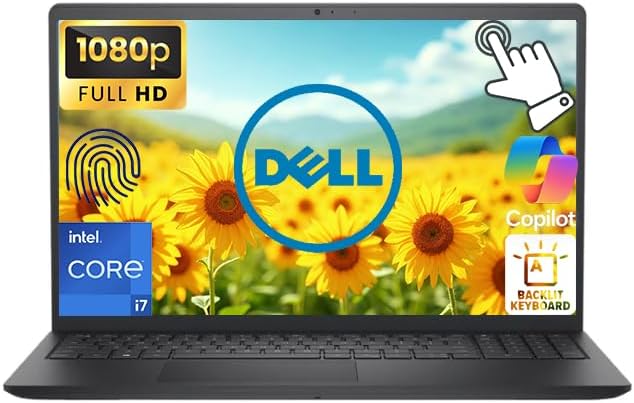
Dell Inspiron 15.6 FHD Touchscreen
4.7Editor score
Intel Core i5 10-Core processor
15-inch FHD touchscreen display
Numeric keypad and USB-C port
This guide compares the top 10 laptops with a physical numeric keypad and responsive touchscreen for business, school, and home productivity in October 2026.
Finding the right laptop often depends on specific workflow needs like data entry or visual interaction. Devices combining a physical numeric keypad with a responsive touchscreen offer unique advantages for professionals and students alike.
We evaluated ten real products based on performance, display quality, port selection, and overall build reliability. Each entry includes verified specifications and user feedback to help you make an informed decision quickly.
Each pick highlights standout features and potential trade-offs to guide your selection process. Please note that prices and availability change frequently so always verify details on the retailer site before buying today.
4.7Editor score

4.0Editor score
5.0Editor score
The following table provides a side-by-side comparison of all ten laptops to help you quickly identify the model that best fits your performance and budget requirements.


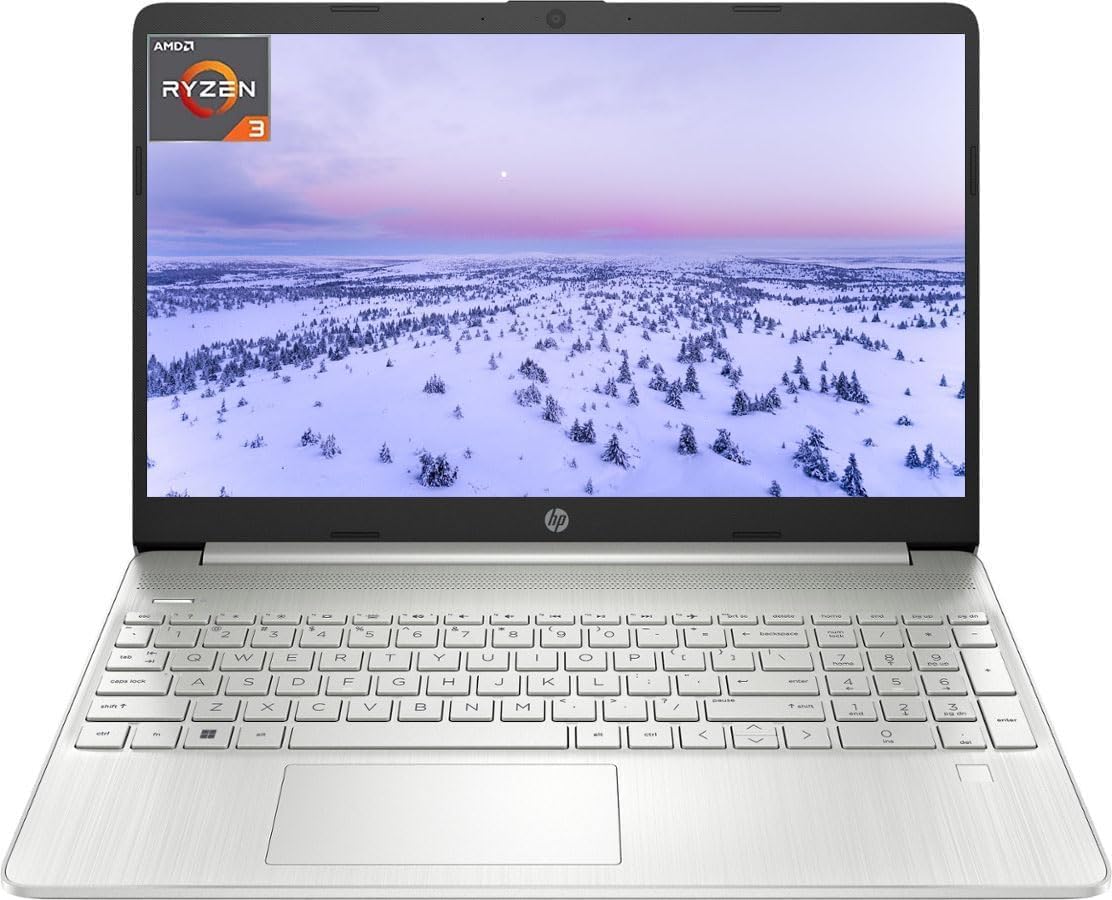


This HP model delivers exceptional performance for users who need high capacity memory and fast storage. It is ideal for multitasking and data entry workflows requiring a full numeric keypad.
We may earn a commission when you buy through this link, at no additional cost to you.
The Ryzen 7 processor handles complex applications smoothly while the 32GB RAM ensures no slowdowns during heavy use. The FHD touchscreen provides clear visuals for presentations and media consumption.
While the touch experience is responsive some users may prefer a higher refresh rate for video playback. The chassis is sturdy but slightly heavier than ultrabooks for daily commuting.
Choose this if you prioritize raw performance and storage speed in a business laptop. It is perfect for professionals working with large datasets or frequent virtual meetings.
With 32GB RAM you can run multiple heavy applications simultaneously without system lag or slowdown.
The full-size keyboard with numeric keypad simplifies data entry and spreadsheets for office work.
We may earn a commission when you buy through this link, at no additional cost to you.
This laptop stands out with its large 17.3-inch display making it ideal for viewing detailed documents or spreadsheets. It offers robust performance for demanding business tasks.
We may earn a commission when you buy through this link, at no additional cost to you.
The Intel Core i7 processor ensures quick responsiveness while the 32GB RAM supports extensive multitasking. The HD+ resolution provides sharp visuals for presentations and web browsing.
The larger display increases weight making it less convenient for frequent travel. Users seeking maximum portability might prefer a smaller screen size for commuting.
Select this model if screen real estate is your top priority for productivity. It suits stationary work environments where display size outweighs portability concerns.
The 17.3-inch screen offers significant space for split screen work and detailed spreadsheets.
Core i7-1355U delivers high speeds for processing complex business applications efficiently.
We may earn a commission when you buy through this link, at no additional cost to you.
This Dell model offers strong value with Windows 11 Pro and reliable specs for everyday business use. It balances cost and performance well for budget conscious buyers.
We may earn a commission when you buy through this link, at no additional cost to you.
The 16GB RAM handles multiple browser tabs and office apps efficiently. Express Charge helps you get back to work quickly without long downtime.
The processor is slightly older which may affect speed in heavy workloads. Some users might prefer newer generation chips for future longevity.
Opt for this if you need a dependable business laptop without spending a premium. It is great for students and professionals needing Pro features.
Windows 11 Pro provides enhanced security and management tools ideal for business environments.
Express Charge allows you to regain significant battery power in a short time period.
We may earn a commission when you buy through this link, at no additional cost to you.
This HP laptop focuses on entertainment and light productivity with a large screen and included software suite. It is suitable for casual users who need basic computing power.
We may earn a commission when you buy through this link, at no additional cost to you.
The 17.3-inch display makes streaming and browsing comfortable. Microsoft 365 inclusion adds immediate value for document editing and cloud storage.
Storage is limited at 128GB requiring reliance on external drives or cloud storage. Heavy users may find the capacity insufficient for local media files.
Choose this for casual home use or light schoolwork. It works best for users prioritizing screen size over heavy storage needs.
Includes Microsoft 365 personal premium apps for immediate productivity without extra subscription.
The expansive display enhances video watching and web browsing experiences significantly.
We may earn a commission when you buy through this link, at no additional cost to you.
This affordable Dell laptop packs a capable 10-Core processor and includes AI tools for enhanced efficiency. It is ideal for entry-level professionals or students.
We may earn a commission when you buy through this link, at no additional cost to you.
The processor handles daily tasks smoothly while the AI Copilot assists with quick workflows. The numeric keypad ensures data entry is efficient for budget tasks.
8GB RAM might struggle with heavy multitasking. Consider upgrading RAM or using cloud storage for larger files.
Select this if you need reliable performance at a low cost. It suits students and casual users needing basic touch capabilities.
The 10-Core i5 provides enough power for multiple tabs and office applications.
AI Copilot integration helps streamline tasks and boost productivity automatically.
We may earn a commission when you buy through this link, at no additional cost to you.
This HP laptop provides a clean look and practical features for home users. The S Mode ensures security though it limits app downloads.
We may earn a commission when you buy through this link, at no additional cost to you.
The i3 processor handles web browsing and document editing well. Privacy shutter on camera adds extra security for remote work.
S Mode may require switching out for certain apps. Ensure you need full Windows access before committing to this model.
Choose this for secure and simple home computing tasks. It works well for basic office use and school assignments.
Integrated privacy shutter on webcam gives you control over camera access visually.
WiFi 6 ensures stable wireless connections for meetings and streaming at home.
We may earn a commission when you buy through this link, at no additional cost to you.
This OmniBook delivers a sharp 2K screen and modern thin design perfect for visuals. It suits users who prefer high resolution media work.
We may earn a commission when you buy through this link, at no additional cost to you.
The 16:10 ratio gives more vertical space for documents. AI noise reduction improves audio clarity during calls significantly.
The lack of a physical numeric keypad may impact data entry. Verify your need for a full keypad before purchasing this model.
Select this if display quality and portability are your top priorities. It is great for creative work and general office tasks.
2K resolution provides crisp text and images for detailed visual work.
AI noise reduction filters background noise for clearer conference call audio.
We may earn a commission when you buy through this link, at no additional cost to you.
This business-class Dell offers robust security with fingerprint authentication and strong performance. It is built for professionals needing reliability and speed.
We may earn a commission when you buy through this link, at no additional cost to you.
The i7 processor and 16GB RAM ensure smooth operations. Fingerprint reader provides quick secure access without typing passwords.
The price is higher than standard consumer models. Consider the security and performance value when deciding on this purchase.
Choose this for secure and high-performance business use. It is ideal for managers handling sensitive data and frequent travel.
Fingerprint reader offers quick and secure login for sensitive work tasks.
Backlit keyboard allows comfortable typing in low light environments.
We may earn a commission when you buy through this link, at no additional cost to you.
This Dell offers massive 32GB RAM making it powerful for heavy multitasking. Ideal for users running virtual machines or complex software.
We may earn a commission when you buy through this link, at no additional cost to you.
The 1TB SSD ensures plenty of space for large files. Pro features add security and network management tools for business.
Processor generation is older limiting raw speed compared to newer chips. It balances RAM capacity against raw CPU speed effectively.
Select this for memory-intensive tasks on a budget. It suits users who need large RAM over latest CPU speeds.
32GB RAM allows seamless running of multiple virtual machines and heavy apps.
Windows 11 Pro includes advanced security and management for professional needs.
We may earn a commission when you buy through this link, at no additional cost to you.
This HP model stands out with a stylish blue design and modern Bluetooth connectivity. It suits users who value looks and efficient wireless links.
We may earn a commission when you buy through this link, at no additional cost to you.
The N305 processor offers efficiency for light work. Bluetooth 5.4 ensures stable connections for peripherals and headphones.
Performance is limited for heavy tasks compared to higher-end chips. It works best for general office and home entertainment tasks.
Choose this for style and reliable wireless performance. It is great for students who want a distinct look on campus.
Moonlight Blue finish offers a unique look compared to standard silver laptops.
Bluetooth 5.4 provides faster pairing and stable connections for accessories.
We may earn a commission when you buy through this link, at no additional cost to you.
Selecting the right laptop involves balancing performance, display quality, and specific features like keypads and touchscreens.
The processor determines how well the system handles multitasking and heavy applications. Look for at least an i5 or Ryzen 5 for smooth performance.
Prioritize higher core counts for complex workloads and faster processing speeds.
RAM affects how many programs you can run simultaneously. Aim for 16GB or more if you handle large files or virtual machines.
SSD storage should be at least 512GB for fast boot times and sufficient local space.
Resolution impacts visual clarity. FHD 1920×1080 is standard but higher resolution is better for detailed graphics work.
Check screen brightness and color accuracy for outdoor use or media creation tasks.
Ensure the laptop includes a full numeric keypad for easy data entry. This is often found on 15-inch or larger models.
Verify keyboard layout comfort to prevent typing fatigue during long work sessions.
Touchscreens offer intuitive navigation but can drain battery faster. Ensure the touch layer is responsive and durable.
Look for anti-glare coatings to reduce eye strain in bright environments.
Long battery life is essential for mobile productivity. Aim for at least 8 hours of active use for daily commuting.
Fast charging support helps minimize downtime between tasks effectively.
Check for necessary ports like USB-A, USB-C, HDMI, and SD card readers. Modern USB-C should support charging or video output.
Bluetooth version and WiFi standards affect wireless peripheral connection stability.
Windows 11 Home is standard but Pro offers additional security features. Consider what version suits your business or school needs.
AI Copilot integration can streamline workflows on supported Windows 11 systems.
Clean the screen regularly with a microfiber cloth to remove fingerprints without damaging the touch layer. Use compressed air to remove dust from the keyboard and keypad area.
Keep the battery in the best temperature range and avoid leaving it plugged in 24/7 to extend lifespan. Allow it to discharge slightly before charging again.
Update drivers and system software promptly to maintain performance and security. Use a protective case during transport to prevent physical damage to the screen.
Not all 15-inch laptops include a full numeric keypad. Some compact models omit it to save space. Check the product specs specifically to confirm keypad availability before buying.
Yes, using the touchscreen actively can reduce battery life slightly compared to keyboard-only use. However modern touchscreens are optimized for efficiency. Consider this when selecting a model.
It depends on the specific model and manufacturer. Some laptops have soldered RAM while others allow upgrades. Always verify the service manual or product description for upgradeability.
Windows 11 Pro adds security and business features like BitLocker and remote desktop. For home users Home is usually sufficient. Businesses and professionals should consider Pro.
Use a slightly damp microfiber cloth to wipe keys gently. Avoid harsh chemicals or excessive moisture. Compressed air helps remove debris between the keycaps.
Prioritize a full numeric keypad, comfortable keyboard layout, and ample RAM for multitasking. A large screen helps reduce eye strain during long hours of typing.
The HP 15.6 FHD Touchscreen and Dell Inspiron models offer excellent value and performance for different budgets. Consider your specific needs for storage and memory.
If you require maximum security and speed prioritize models with Core i7 processors and fingerprint readers. For general use the Ryzen options provide solid reliability.
Always check current prices and availability on the retailer site as offers change frequently. Verify specs match your requirements before finalizing your purchase decision.