
Lenovo IdeaPad 15.6
4.0Editor score
AMD Athlon 7120U
4GB DDR5 RAM
External DVD Player
Explore our 2026 guide comparing the top laptops with DVD drives for business and home use. Find reliable models with optical drives for legacy media needs.
Finding a laptop with a DVD drive is becoming increasingly rare in today digital market. Yet many professionals and educators still rely on optical media for data access and training videos. This guide helps you locate machines built to handle modern tasks while keeping legacy media support intact for daily workflows.
We evaluated ten top rated laptops that include either built in optical drives or external CD DVD bundles. Each device was scored based on performance display quality and software compatibility. The list covers diverse options from budget friendly home users to robust business workstations capable of handling demanding projects.
Every review highlights what the device delivers and where you might notice limitations. You will see detailed specs real world performance notes and accessory details for each model. Remember that availability and pricing can shift frequently so always verify current deals before finalizing your purchase plan.
4.0Editor score

4.5Editor score

3.9Editor score
The table below presents a side-by-side comparison of the ten reviewed machines. We highlight key specs like processor type memory capacity and storage solutions to help you find the best fit for your needs and budget.

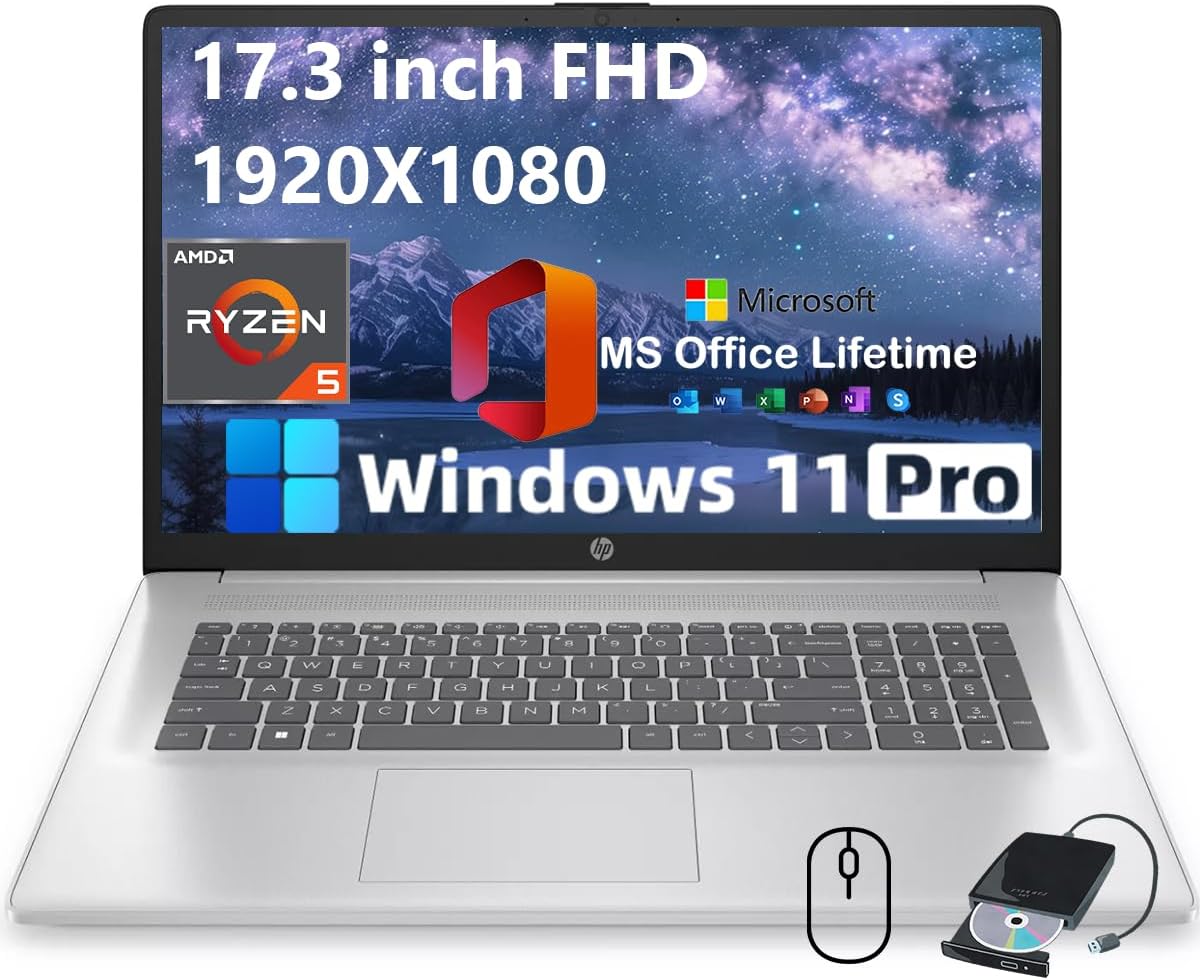



The HP 17.3 Business Laptop stands out as a powerful workhorse that combines modern performance with essential optical media support. Rated 4.5 stars by users it delivers smooth multitasking and handles graphics workloads with ease thanks to the Ryzen 5 CPU and integrated Radeon graphics.
We may earn a commission when you buy through this link, at no additional cost to you.
At its core is the AMD Ryzen 5 7430U processor which features 6 cores and 12 threads for responsive computing. Paired with 16GB of RAM and a fast 512GB SSD it ensures applications launch quickly and data loads fast. The 17.3 inch Full HD display offers vibrant visuals with anti glare coating for eye comfort.
While it handles modern tasks well the inclusion of an external DVD drive makes it suitable for legacy data recovery and media playback. The pre installed Microsoft Office Pro and Windows 11 Pro add significant value for business users. However the large chassis limits portability and battery endurance is modest during heavy use.
This device is perfect for students professionals and content creators who need a big screen and optical drive without paying for a bulky workstation. If you want reliable performance and essential connectivity options this HP laptop delivers a balanced package for daily productivity and light creative work.
The Ryzen 5 processor ensures smooth operation for office applications and media streaming without lag or stuttering issues.
The large FHD IPS screen provides clear colors and sharp text which is ideal for long work sessions.
We may earn a commission when you buy through this link, at no additional cost to you.
The Lenovo IdeaPad 15.6 delivers an affordable entry point for users who need a laptop with a DVD player without breaking the budget. It handles basic web browsing document editing and media playback competently making it ideal for home and student use.
We may earn a commission when you buy through this link, at no additional cost to you.
Powered by the AMD Athlon Silver 7120U processor it offers enough speed for everyday tasks. The device includes 4GB of DDR5 RAM and a 128GB internal SSD supplemented by a 500GB external storage drive for expanded space. The Full HD anti glare display reduces reflections for better viewing comfort during study sessions.
Its main limitation is the 4GB RAM which may limit heavy multitasking. The 1366×768 screen resolution is decent but not as sharp as full HD options. However the external DVD player bundle and SD card reader make it highly practical for accessing digital media and legacy files.
Buyers looking for a reliable machine for light tasks at a low price will find this Lenovo model a smart choice. It is best suited for students or secondary home computers where high performance is not the primary concern.
You get essential accessories like an external drive and SD card reader in the box for added convenience.
The 15.6 inch footprint makes it easy to store and carry for casual home use.
We may earn a commission when you buy through this link, at no additional cost to you.
The HP 17.3 FHD Laptop is a premium option for business users seeking a modern machine that still supports optical media through an external drive. With its powerful Ryzen 5 CPU and Windows 11 Pro it delivers strong security and performance for professional environments.
We may earn a commission when you buy through this link, at no additional cost to you.
The AMD Ryzen 5 7430U ensures quick response times and smooth multitasking for complex tasks. Its 16GB RAM and 512GB SSD provide ample memory and storage for large files. The anti glare IPS display ensures clear visuals and the privacy shutter on the webcam adds an extra layer of security.
While the external drive is separate it allows for a sleeker design while maintaining optical media access. The Windows 11 Pro features like BitLocker encryption are essential for corporate use. However the price is higher than standard models and the external drive adds an extra component to manage.
This laptop is ideal for professionals and students who need robust performance and security without compromising on legacy media support. If you value productivity features and screen quality this HP model stands as a top premium choice.
Windows 11 Pro offers BitLocker and other enterprise level security tools to protect sensitive data.
The Ryzen 5 processor delivers fast speeds for office apps and video streaming.
We may earn a commission when you buy through this link, at no additional cost to you.
The HP 17.3 Laptop Computer stands out with its massive 32GB RAM and 1TB SSD which makes it a power user machine for multitasking. Rated 4.1 stars it offers excellent storage and memory for running multiple applications without slowdowns.
We may earn a commission when you buy through this link, at no additional cost to you.
The Intel Core i3-N305 8 core processor handles light to moderate tasks easily. With 32GB of RAM you can keep dozens of browser tabs and office apps open simultaneously. The 1TB SSD provides room for large media collections and documents without needing external drives.
Windows 11 Pro with Microsoft Office Copilot offers AI assisted productivity tools which improve workflow efficiency. The privacy shutter on the webcam ensures privacy during calls. The external DVD drive is a key addition for users needing optical media access.
This laptop is best for users who need high RAM capacity and storage without the overhead of a high end CPU. It suits students and small office workers who need reliable performance and security features.
The 32GB RAM allows for seamless multitasking and smooth operation with large files.
Office Copilot helps with writing and data analysis for better work efficiency.
We may earn a commission when you buy through this link, at no additional cost to you.
This HP 17.3 FHD Laptop is built for business users and students who need reliable performance and legacy media support. Rated 4 stars it includes Office Lifetime License and Windows 11 Pro which ensures compatibility with enterprise software.
We may earn a commission when you buy through this link, at no additional cost to you.
The AMD Ryzen 5 7430U provides strong single and multi core performance for office applications. It comes with 16GB RAM and 512GB SSD for quick loading of programs. The 17.3 inch IPS display gives a spacious workspace for spreadsheets and reports.
The external DVD drive allows for data backup or software installation from discs. The battery life is optimized for long work sessions reducing the need for constant charging. Its full numeric keypad supports quick data entry for accounting and analysis tasks.
Buyers needing a business grade laptop for daily tasks with optical media support will appreciate this model. It balances performance security and usability for professional settings.
The keyboard and display are tuned for long typing and reading sessions.
Windows 11 Pro offers advanced security tools for corporate data protection.
We may earn a commission when you buy through this link, at no additional cost to you.
This HP 17 Business Laptop is tailored for students and professionals needing a large screen and optical drive for school projects. Rated 4 stars it combines performance with Office Lifetime License for seamless productivity on campus.
We may earn a commission when you buy through this link, at no additional cost to you.
The AMD Ryzen 5 7430U provides fast response times for research and writing. With 16GB RAM and 512GB SSD it handles multiple applications smoothly. The 17.3 inch anti glare display reduces eye strain during long study sessions.
It includes an external optical drive for accessing CD content or installing software. Wi-Fi 6 ensures fast internet speeds on campus networks. The webcam with privacy shutter supports secure online classes.
Students who need a robust machine for coursework and media access will find this model suitable. It offers a good balance of performance and convenience for academic tasks.
The screen size and anti glare coating reduce eye fatigue for long use.
Wi-Fi 6 ensures quick downloads and smooth streaming on campus.
We may earn a commission when you buy through this link, at no additional cost to you.
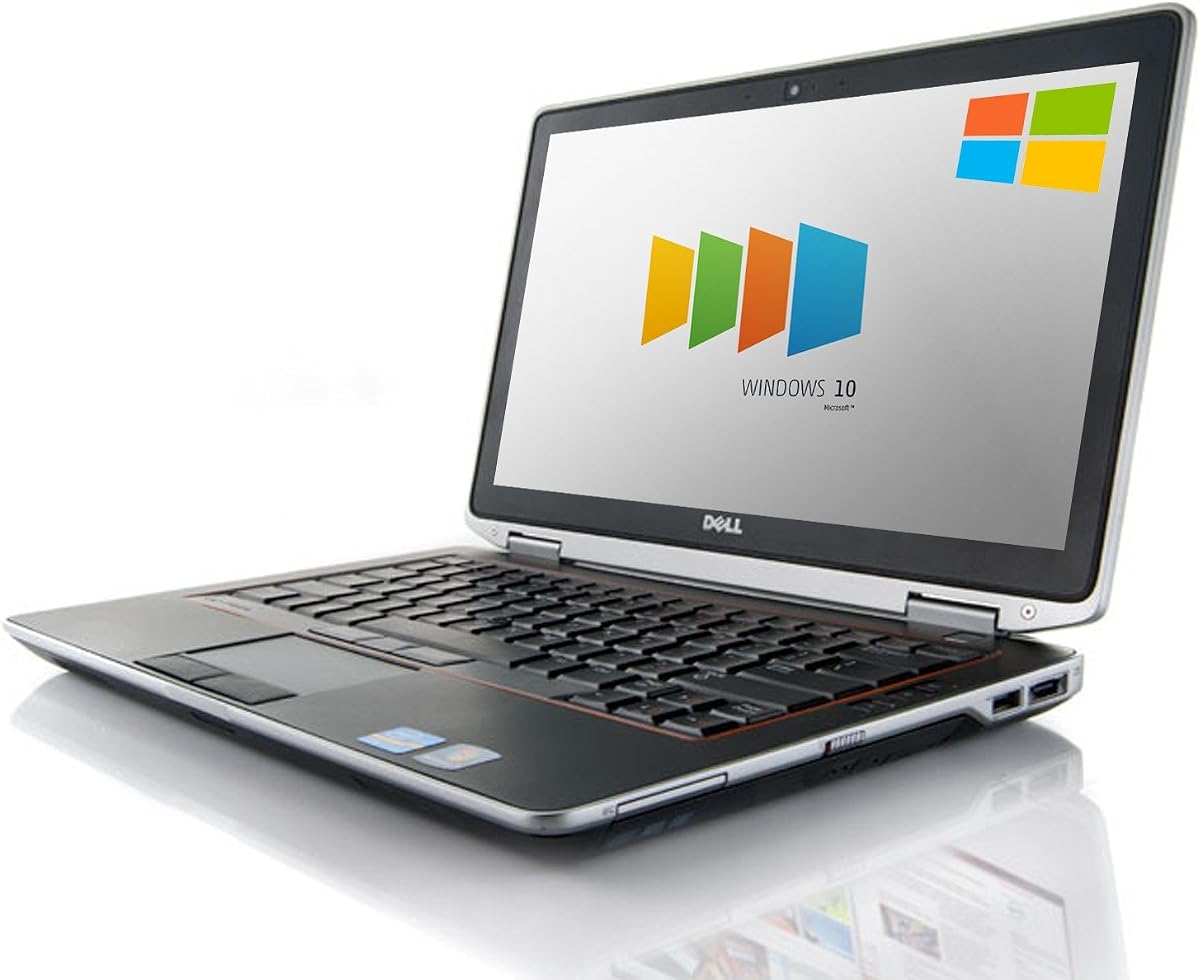
The Dell Latitude E6530 is a certified refurbished workstation with a built-in DVD drive. Rated 3.5 stars it is an affordable choice for budget conscious buyers who need optical media access without modern specs.
We may earn a commission when you buy through this link, at no additional cost to you.
It features an Intel Core i7 3520M processor which is older but handles office tasks. The 8GB RAM and 240GB SSD offer solid performance for web browsing. The built-in DVD drive is a distinct advantage for legacy software.
It comes with Windows 10 Pro and multi language support making it versatile for different regions. The chassis is durable and includes useful ports like VGA and HDMI for projectors. However it lacks modern connectivity like USB-C.
This laptop is ideal for budget users who need a reliable machine for office and media playback. It is best for stationary work where portability is not the main concern.
Certified refurbished units offer a lower price with a warranty for peace of mind.
Business laptops like the Latitude are built to last longer than consumer models.
We may earn a commission when you buy through this link, at no additional cost to you.
The DELL Latitude D531 is a legacy laptop featuring a built-in DVD/CDRW optical drive. It serves as a backup machine for accessing old media on a budget but performance is limited by old hardware.
We may earn a commission when you buy through this link, at no additional cost to you.
It is powered by an AMD Turion X2 dual core processor with 2GB RAM. The 80GB hard drive provides minimal storage space. The built-in DVD drive allows reading of CDs and DVDs for archival purposes.
Windows Vista Business is included but it lacks support for modern apps. The wireless adapter connects to legacy networks. The machine is heavy and battery life is short due to age.
This model is only useful for users needing a cheap device for reading discs. It is not recommended for daily work or browsing today.
The optical drive can read old discs that newer laptops cannot handle.
Due to low memory and old OS it is not suitable for current apps.
We may earn a commission when you buy through this link, at no additional cost to you.
The Dell Latitude E6520 is a renewed workstation that includes a built-in DVD drive for media playback. It is a budget choice for users who need optical access but can tolerate older performance.
We may earn a commission when you buy through this link, at no additional cost to you.
It features an Intel Core i7-2620M processor with 8GB DDR3 RAM. The 500GB hard drive offers decent storage space for files. Windows 10 Professional provides a stable OS environment for daily tasks.
The built-in DVD drive is a rare feature now which makes it valuable for specific needs. The chassis supports VGA and HDMI for external displays. It is durable but heavy compared to modern laptops.
This machine is suitable for secondary use or legacy app support in small offices. Users looking for cheap optical access will find it reliable for basic tasks.
The refurbishing process tests components to ensure the device works like new.
The optical drive allows reading of older CDs and DVDs for data retrieval.
We may earn a commission when you buy through this link, at no additional cost to you.
This Lenovo IdeaPad is an affordable laptop with a DVD+/-RW drive allowing you to read and write discs. Rated 4.2 stars it offers a compact design with decent connectivity for basic media tasks.
We may earn a commission when you buy through this link, at no additional cost to you.
It features an AMD A9-9425 dual core processor with 4GB RAM. The 128GB SSD ensures faster boot times compared to older hard drives. It includes HDMI and Bluetooth for connecting to TVs and headphones.
The DVD+/-RW drive allows you to burn data onto discs which is useful for backups. The OS is Windows 10 Home providing a familiar interface. However performance is limited for heavy multitasking.
This laptop suits users who need to burn discs or read DVDs on a budget. It is a functional choice for light home and media tasks.
The DVD+/-RW drive allows you to create your own backup discs easily.
Bluetooth and HDMI ensure you can connect to modern peripherals and displays.
We may earn a commission when you buy through this link, at no additional cost to you.
Selecting a laptop with optical media support requires careful analysis of several key factors to ensure compatibility with your specific needs and budget.
The central processing unit or CPU determines how fast your laptop handles tasks. For general office work web browsing and media playback an Intel Core i3 or AMD Ryzen 3 processor is usually sufficient. If you need to run complex applications or multitask heavily consider an Intel Core i5 or AMD Ryzen 5 or better to maintain responsiveness.
Always choose a modern processor generation to ensure longevity and performance for years to come.
RAM or Random Access Memory allows your computer to run multiple applications simultaneously. A minimum of 8GB RAM is recommended for smooth performance in modern software. If you plan on running virtual machines or heavy video editing consider 16GB or 32GB to avoid lag.
More RAM ensures your system remains fast even with many browser tabs and programs open.
Storage drives are available as hard disk drives HDD or solid state drives SSD. SSDs offer significantly faster boot times and file access speeds. Aim for at least 256GB SSD capacity. If you need more storage for media files consider models with 512GB or 1TB.
Prioritize SSD over HDD for better performance and reliability in daily use.
The screen size affects portability and viewing comfort. 15.6 inch screens balance portability and usability for most users. 17.3 inch screens offer more workspace for spreadsheets or media consumption. Look for Full HD resolution 1920×1080 for sharp text and images.
IPS panels provide better color accuracy and viewing angles than standard TN panels.
Most modern laptops do not include built-in DVD drives. You must choose models with an external USB drive or specific legacy models. Ensure the external drive supports USB 3.0 for faster data transfer. Verify the drive can read and write discs if you need to burn backups.
An external DVD drive is a necessary accessory for accessing older software or media discs.
Windows 11 Pro offers advanced security features and enterprise tools. Windows 11 Home is suitable for general users. If you require older software compatibility check if the device supports Windows 10 Pro or has drivers for legacy apps.
Always verify the operating system version matches your software requirements before buying.
Modern laptops should include USB Type-C for fast data transfer and charging. USB Type-A ports are needed for legacy peripherals like mice or printers. HDMI ports are essential for connecting to external monitors or projectors.
Check that the port selection matches your daily workflow needs.
Battery life varies by usage and hardware. Look for at least 6 hours of use if you plan to move around. Business laptops often feature durable chassis built to withstand daily wear and tear. Check reviews for real-world battery performance.
A sturdy build quality ensures your device lasts longer in demanding environments.
To use the external DVD drive insert the USB cable into a Type-A or Type-C port on your laptop. Allow Windows to recognize the drive automatically. Insert a disc and wait for the auto play window to open. You can also access the drive via File Explorer by clicking on its name.
Keep your discs clean and dry to prevent read errors. Use soft microfiber cloth to wipe fingerprints and dust off the surface. Avoid touching the shiny side of the disc with your fingers. Store discs in protective cases when not in use to avoid scratches.
Regularly update your laptop drivers and operating system to ensure compatibility with optical media. Clean your USB ports and vents with compressed air to prevent dust buildup. If the drive stops responding check for updates in Device Manager or try a different USB port.
Most manufacturers removed optical drives to reduce device thickness and weight. Streaming services and cloud storage have reduced reliance on physical media. Some business laptops include external drives to support legacy workflows.
Yes as long as your laptop has a free USB port most external drives are plug and play. Ensure the USB version matches your device for best speed. USB-C adapters are available for newer laptops without standard ports.
Many external drives support both reading and writing. Look for DVD-RW or DVD+RW labels. These allow you to burn data to discs for backup. Verify specifications before purchase to confirm write capabilities.
Refurbished business laptops often have a built-in optical drive at a lower cost. They are a good choice for budget users needing legacy media access. Always check warranty coverage to ensure the device is fully functional.
Windows 10 and 11 have basic support for media playback. You may need third-party apps for specific codecs or formats. Most business licenses include standard media players ready to use.
Use a USB-C to USB-A adapter to connect the drive. Most modern laptops have USB-C ports for data and charging. Ensure the adapter supports data transfer not just power for the drive to work.
Our top picks like the HP 17.3 Business Laptop offer a strong combination of power and optical support for professionals. Budget friendly options such as the Lenovo IdeaPad provide reliable access for students and home users.
When selecting your machine prioritize memory and storage to ensure longevity. A large screen and robust security features enhance productivity in work environments. Verify the optical drive support before purchase to meet your specific needs.
Prices and availability change regularly so check current listings for the best deals. Always review the warranty and return policy to ensure satisfaction with your purchase decision.