
Video Conference Lighting & Computer Light
4.1Editor score
Plug-and-play USB connection
Three color modes available
Magnetic and clip mount
Finding the right lighting for your computer setup is essential for maintaining comfort and productivity throughout the day. Internal PC work lights offer targeted illumination that reduces glare and eye strain while keeping your desk clutter-free and organized.
We have evaluated ten leading models based on brightness, adjustability, eye care features, and ease of installation. Our comparison covers monitor bars, clamp lights, and webcam-specific options to ensure you find the perfect fit for your workspace.
Each selection highlights unique strengths and ideal use cases to help you make an informed decision quickly. Please note that product availability and specific features may vary over time, so verify details before purchasing.
4.1Editor score

4.2Editor score

4.5Editor score
As an Amazon Associate we earn from qualifying purchases.
The following table provides a side-by-side overview of the top ten internal PC work lights, highlighting key specifications and design features to help you compare options at a glance.
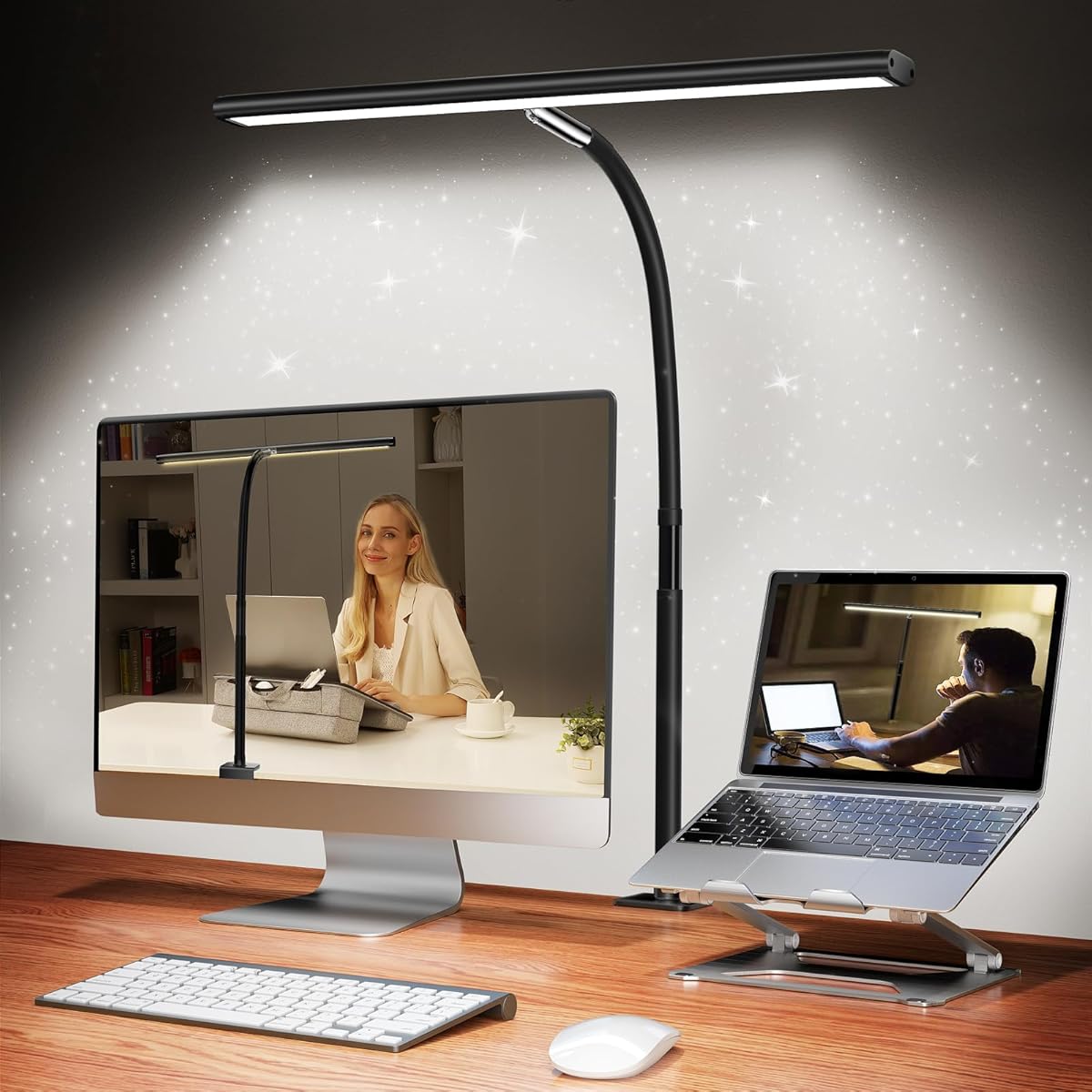




This monitor light bar delivers exceptional workspace illumination with its 11.8-inch wide design. Rated highly for comfort, it focuses light on your desk and screen while avoiding glare into your eyes.
We may earn a commission when you buy through this link, at no additional cost to you.
The 800 lux central brightness ensures tasks remain visible without harsh shadows. Stepless dimming and three color temperatures let you customize the tone to match your environment or time of day.
While it lacks a remote, the mechanical switch on the side offers reliable control. The counterweight clip installs securely without tools, fitting most monitor thicknesses and keeping your desk clear of clutter.
Ideal for daily work or gaming sessions, this light balances performance and simplicity effectively. It remains a top recommendation for users seeking eye-friendly task lighting directly above their monitor.
The 45-degree beam angle directs light downward, eliminating direct eye exposure and reducing strain during long sessions.
Mounting directly on the monitor saves valuable desk space while providing bright, uniform coverage for your keyboard and work area.
We may earn a commission when you buy through this link, at no additional cost to you.
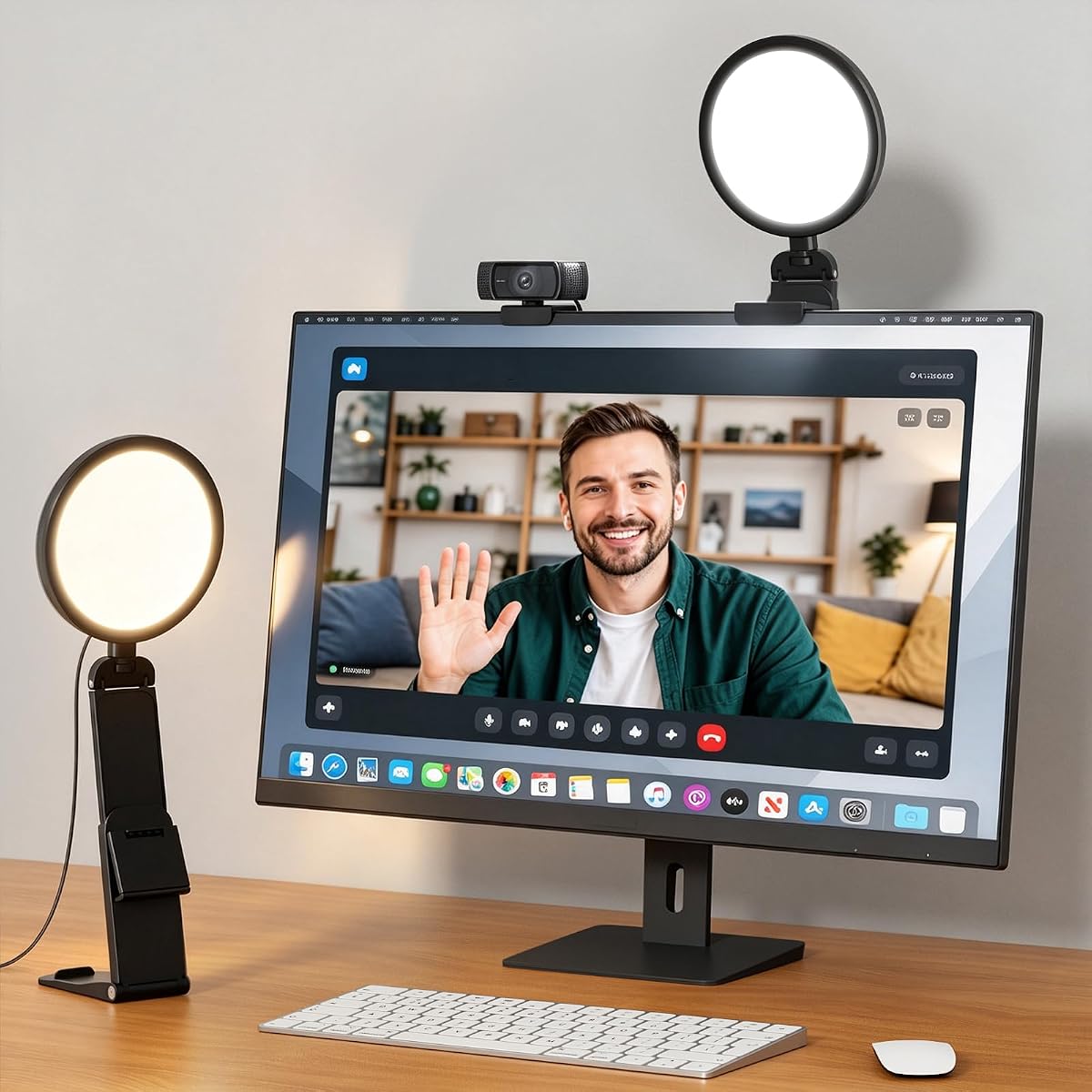
This USB LED panel offers a cost-effective solution for improving video call appearance and desk lighting. Its simple plug-and-play design makes it ideal for quick setups on laptops or desktops.
We may earn a commission when you buy through this link, at no additional cost to you.
With three color modes and ten brightness levels, users can quickly adjust to suit different lighting conditions. The inline controller provides straightforward access to settings without needing additional software.
The clip and magnetic mount options ensure it attaches securely without damaging screens. While less powerful than full monitor bars, it suffices for webcam visibility and small task areas.
Recommended for remote workers or students needing basic illumination on a tight budget. It delivers essential light quality without complicating your workspace with extra hardware or wiring.
Simply connect to a USB port for instant illumination with no drivers or installation steps required for immediate use.
Lightweight and portable, this light fits easily in bags for travel or temporary use across different desks and workstations.
We may earn a commission when you buy through this link, at no additional cost to you.
Designed for streamers and gamers, this premium light delivers balanced full-spectrum LED output for professional-quality visuals. Its TrueSoft technology ensures natural skin tones and cinematic accuracy on camera.
We may earn a commission when you buy through this link, at no additional cost to you.
Brightness and color temperature can be adjusted precisely to match gameplay or lighting conditions. The 3-way adjustable stand and multiple mount points offer exceptional flexibility in positioning for unique desktop layouts.
While it comes with a higher cost, the build quality and feature depth justify the investment for serious content creators. On-board controls and Bluetooth connectivity via G HUB enable quick access to preferred lighting presets.
This model is ideal for those prioritizing visual fidelity and customization. It stands out as a top-tier choice for gaming setups needing reliable, high-fidelity illumination throughout extended sessions.
Balanced full-spectrum lighting reduces harsh contrasts, ensuring a radiant look that enhances video quality without causing eye fatigue.
Multiple mount points and an adjustable stand allow you to position the light at any angle for optimal gameplay or streaming coverage.
We may earn a commission when you buy through this link, at no additional cost to you.
This desk lamp features a 17-inch bar that provides broad illumination for dual monitors or large desks. Its flexible gooseneck allows for 360-degree positioning to target light exactly where needed.
We may earn a commission when you buy through this link, at no additional cost to you.
Stepless dimming and a wide color temperature range let you fine-tune output for any task. The sturdy metal clamp secures to desks up to 2.36 inches thick, offering stability without taking up space.
While the gooseneck requires occasional readjustment to maintain angle, it offers unmatched versatility for crafting or reading. The included reliable adapter ensures consistent performance without relying on USB ports.
Best suited for users needing versatile task lighting beyond just the monitor area. Its wide coverage and adjustable design make it a practical choice for diverse home office needs.
The extra-wide 17-inch lamp bar ensures uniform lighting across large surfaces, reducing dark spots and enhancing visibility for detailed tasks.
A long flexible gooseneck with 360-degree adjustability gives full control over light direction for personalized and ergonomic workspace lighting.
We may earn a commission when you buy through this link, at no additional cost to you.
Specifically designed for content creators, this streaming light uses TrueSoft technology to deliver balanced full-spectrum illumination. It ensures natural skin tones and eliminates harsh shadows during video conferencing or live broadcasts.
We may earn a commission when you buy through this link, at no additional cost to you.
The frameless diffuser radiates wide soft light that flatters the subject on camera. Adjustments via the G HUB desktop app allow precise control over brightness and color temperature for consistent looks.
While optimized for face lighting rather than desk work, it excels at professional on-camera appearance. UL testing clearance confirms safety for all-day use without overheating or flicker during extended streams.
Ideal for streamers, podcasters, and remote workers prioritizing video quality. It remains a reliable choice for anyone looking to enhance their visual presentation in digital meetings or content creation.
Cinematic color accuracy and balanced lighting produce natural, radiant results that are optimized for webcam and video streaming quality.
A 3-way monitor mount with adjustable height and tilt ensures precise positioning for optimal lighting angles on desktops or laptops.
We may earn a commission when you buy through this link, at no additional cost to you.
This architect-style lamp offers versatile lighting combinations suitable for drafting, studying, or computer work. With 25 modes across five color temperatures and brightness levels, it adapts to various tasks throughout the day.
We may earn a commission when you buy through this link, at no additional cost to you.
Adjustable swing arms and a rotatable head allow targeting light to specific areas of your workspace. The wireless remote adds convenience for changing settings without reaching for the lamp directly.
Though the remote may occasionally need re-pairing, the flexibility in positioning is a major advantage. Its eye-friendly LED technology reduces strain while providing even illumination for extended work periods.
Well-suited for users needing customizable task lighting beyond standard monitor bars. It combines functional design with ample brightness to support detailed work across different desktop setups.
25 lighting combination modes and multiple brightness settings allow users to tailor the environment for reading, drafting, or relaxation effortlessly.
360-degree standing rotation and foldable swing arms enable precise light placement to suit any workspace layout or activity type.
We may earn a commission when you buy through this link, at no additional cost to you.
This bar combines essential task lighting with ambient RGB effects for a versatile desktop experience. The frontlight eliminates screen glare while the backlight adds customizable atmosphere for gaming or relaxation.
We may earn a commission when you buy through this link, at no additional cost to you.
Both lights operate independently, allowing you to prioritize focus or mood as needed. The 15.75-inch length covers wide monitors comfortably, and the retractable clip secures it without damaging screen surfaces.
While the RGB modes can be distracting for pure work sessions, they offer a fun edge for entertainment. Memory function ensures your preferred settings return instantly upon restarting the device.
A strong option for gamers who want both utility and style in one device. It balances eye comfort with vibrant visuals to enhance overall desktop aesthetics and functionality.
Combine focused front task lighting with vibrant RGB ambient backlighting for a comprehensive experience that serves both work and play.
Dual tactile buttons allow seamless switching between front and back lights, giving full command over your personalized lighting setup instantly.
We may earn a commission when you buy through this link, at no additional cost to you.
Designed for large workspaces, this dual-head lamp spans 31.5 inches to light up to 71-inch wide desks. Its dual-head design ensures even coverage across dual monitors without dark gaps between screens.
We may earn a commission when you buy through this link, at no additional cost to you.
With 50 lighting modes and adjustable brightness, it accommodates diverse tasks from reading to drafting. Auto-off timers help save energy, while the memory function restores your last settings conveniently.
The metal clamp secures firmly, but the size requires a desk capable of supporting its width. Assembly is straightforward, and the high-quality LEDs promise long-term reliability for daily office use.
Perfect for professionals managing large setups or multiple screens. Its breadth and customizable settings make it a standout for comprehensive workstation illumination.
An expandable dual-head design spanning 31.5 inches provides uniform lighting across extensive desks, ideal for dual monitors and large work areas.
50 customizable modes combining five color temperatures and ten brightness levels ensure precise illumination tailored to any task or mood.
We may earn a commission when you buy through this link, at no additional cost to you.
These ring lights prioritize color accuracy with a CRI above 97.8 to ensure natural true-to-life lighting. Each unit delivers up to 450 Lumens for a clear, glare-free viewing experience during calls.
We may earn a commission when you buy through this link, at no additional cost to you.
The edge-lit technology minimizes direct exposure to the light source, protecting your eyes during extended sessions. Foldable brackets and screen-safe clips allow for stable attachment without scratching screens.
While sold as a 2-pack, they offer excellent value for dual setups or backup options. The 50 dimmable modes allow enough flexibility for different environments, though control is handled via inline buttons.
Best for remote professionals needing accurate video lighting at an accessible price. Their compact and portable design makes them easy to deploy across various workspaces quickly and effectively.
A CRI over 97.8 ensures vibrant, natural colors in your video, maintaining accurate appearance and reducing shadows on your face.
Edge-lit technology and a 4-layer light guide plate prevent direct exposure, creating a comfortable environment that minimizes glare and eye strain.
We may earn a commission when you buy through this link, at no additional cost to you.
This monitor light bar combines sleek design with advanced optical features for superior illumination. Asymmetric polishing and textured hooding prevent screen reflections, ensuring comfort during prolonged use.
We may earn a commission when you buy through this link, at no additional cost to you.
A high Ra95 color rendering index reveals natural colors and details clearly. The wireless remote offers easy adjustments for brightness and color temperature without cluttering your workspace with buttons.
Power features like automatic activation when your computer turns on add convenience. While pricier, the build quality and visual performance make it a standout choice for those seeking premium desk lighting.
Ideal for users valuing aesthetics and technical performance equally. Its integration with modern setups ensures a clean, efficient lighting solution that supports both work and creative tasks.
Asymmetric polished design and fine-textured hood prevent screen glare, ensuring a comfortable visual experience during extended work or creative sessions.
USB Type-C connection with automatic power-on syncs the light with your computer, offering seamless convenience without manual setup steps.
We may earn a commission when you buy through this link, at no additional cost to you.
Selecting the right internal PC work light involves balancing brightness, adjustability, and eye-care features to match your specific workspace needs and usage habits.
The size of your workspace dictates how much coverage you need. For standard single monitors, a 11 to 15-inch bar provides sufficient reach. Larger desks or dual setups may benefit from double-headed lamps spanning over 30 inches to eliminate dark zones.
Look for models offering at least 800 lux or high lumen output to ensure tasks remain clearly visible. Adequate brightness reduces the need to strain your eyes in dim environments.
Flexible arms and clamp mechanisms are crucial for positioning light exactly where it is needed. Goosenecks, swing arms, or 360-degree rotation enable customization based on screen height and task location.
Choose a mounting method that suits your desk thickness and monitor type. Retactable clips and counterweights ensure stability without damaging surfaces or obstructing desk space.
Adjustable color temperatures allow you to switch between warm and cool tones depending on the task or time of day. A range from 3000K to 6500K offers versatility for focus and relaxation.
Stepless dimming provides precise control over brightness levels, helping reduce glare and eye strain. Memory functions save your preferred settings for quick access at any time.
LEDs designed for workspaces often include features to minimize flicker and blue light exposure. Beam angles that direct light away from the eyes are essential for prolonged comfort.
High CRI values ensure natural color rendering, which is particularly important for designers and content creators. Look for certifications or claims of eye-friendly performance to safeguard long-term health.
USB-powered lights offer flexibility, allowing connection to computers, adapters, or power banks. USB-C ports are becoming standard for faster charging and better compatibility with modern devices.
Models with included adapters ensure consistent output without relying on computer ports. Wireless remotes enhance convenience, enabling changes without reaching for physical switches.
Determine whether you need pure task lighting or ambient effects like RGB. While bars are ideal for desk work, webcam-specific lights improve visibility during calls without impacting desk space.
For content creation, lights with true-spectrum output and app integration provide superior color accuracy. Choose based on whether you prioritize utility or visual aesthetics.
High-quality materials like metal and heat-dissipating aluminum extend the lifespan of your light. LED lifespans often reach 50,000 hours, reducing maintenance needs.
Invest in reputable brands that offer customer support and warranties. Durable construction ensures the light withstands daily adjustments and long-term use without degradation.
Entry-level models provide essential lighting at low costs, suitable for basic needs. Premium options offer advanced features like app control and superior optics for professional environments.
Consider long-term value by evaluating durability and energy efficiency. A slightly higher initial investment often results in better performance and reliability over time.
Begin by attaching the clamp or bracket to the top edge of your monitor, ensuring it sits securely without blocking ports. Adjust the angle so light falls directly on your desk and keyboard rather than the screen surface.
Set your preferred brightness and color temperature based on the task. Use warm tones for evening work and cool tones for daytime focus. Save these settings if your model supports memory functions for consistent daily use.
Clean the lens regularly with a soft, dry cloth to maintain clarity and brightness. Avoid using chemical cleaners that could damage the LED coating. Periodically check the mounting stability to prevent accidental falls or misalignment.
Most clamp-style lights include adjustable clips that accommodate curved screens up to specific thickness limits. Check the product specs to confirm compatibility with your monitor's curvature and depth before purchasing.
Yes, many models are designed with eye-care features to reduce strain during extended use. Look for flicker-free LEDs and adjustable color temperatures to maintain comfort over hours of gameplay.
Simply place the mounting clip over the top edge of your monitor and tighten the screw or latch until secure. The counterweight design helps stabilize the light without needing additional hardware.
Yes, models with direct light output improve facial illumination during calls. Ensure the light is positioned above the camera for even coverage without harsh shadows on your face.
Most rely on physical buttons or remotes for control, but some premium gaming models offer app integration. Check product descriptions to confirm if software is optional or required for advanced features.
Some lights support both connectors via included adapters. If your computer has only USB-A ports, verify the package includes an adapter to ensure plug-and-play functionality without extra purchases.
We have explored ten diverse options that balance brightness, adjustability, and eye comfort for various needs. From budget-friendly USB panels to premium creator lights, each model offers unique advantages for specific setups.
Prioritize features that match your daily tasks, such as wide coverage for dual screens or color accuracy for design work. Choosing a light that fits both your desk space and visual requirements ensures lasting satisfaction.
Remember that product availability and offers may shift, so check current listings for the most accurate details. Investing in quality lighting enhances productivity and comfort for any workstation environment.