
BITFUNX NGC to HDMI Adapter
4.4Editor score
Supports Wii with GC ports
GC2SD Gen2 storage expansion
Line doubling and scanlines
This guide compares the top GameCube HDMI adapters for modern TVs, evaluating image quality, compatibility, and ease of use to help you choose the right
Playing classic games on modern screens requires quality adapters that preserve original visuals. A good GameCube HDMI adapter ensures sharp, clear output without introducing lag or compatibility issues.
We evaluated ten real products based on signal fidelity, build quality, and user feedback. Our list includes dedicated NGC models and universal converters for retro gaming enthusiasts.
Each pick highlights specific strengths like GCVideo support or simple plug-and-play design. Prices vary by feature set and may change, so verify current offers before purchasing.
4.4Editor score

4.6Editor score

4.2Editor score
The following table compares all ten selected adapters across key specifications like resolution support, power needs, and console compatibility to help you make an informed decision.

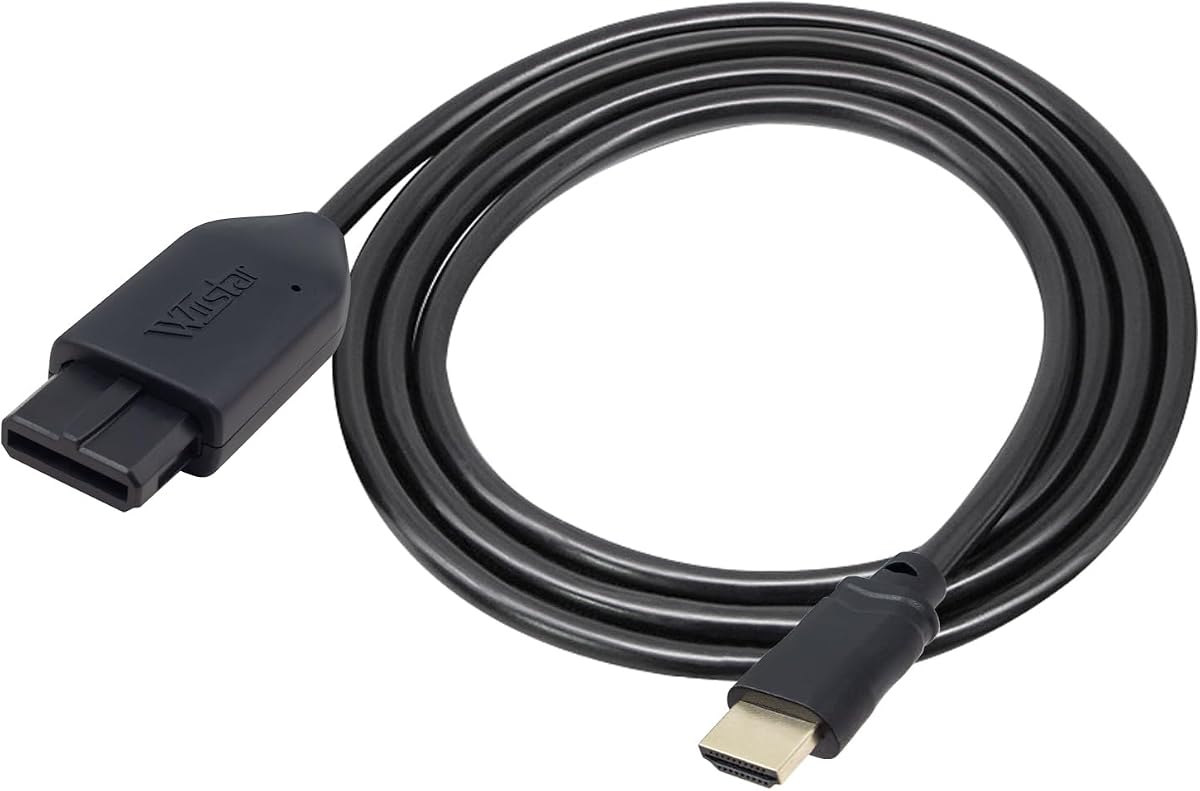


The Kaico Gamecube HDMI Adapter stands out as a dedicated solution for DOL-001 consoles. It earns its top rating by delivering clear, precise visuals without needing external power during normal operation.
We may earn a commission when you buy through this link, at no additional cost to you.
Its standout feature is the GCVideo Operating System which supports up to 480p or 576p resolution. A programmed remote allows you to toggle Line Doubling and Scanlines instantly for an authentic retro feel.
The main trade-off is console compatibility. You need a GameCube with a Digital Port. While not all units have this, the improved durability and 3D printed shelf make the effort worthwhile for enthusiasts.
If you own a compatible console and want the best visual fidelity, this adapter is the top recommendation. It balances performance, ease of use, and support better than most universal alternatives.
You can access menus for Line Doubling and Scanlines easily using the included remote without navigating the console itself.
The USB port lets you update firmware quickly, ensuring compatibility with new displays or feature enhancements over time.
We may earn a commission when you buy through this link, at no additional cost to you.
This adapter offers a straightforward budget option for connecting legacy consoles to modern TVs. It supports the GameCube along with N64 and SNES making it a versatile starter choice for casual gamers.
We may earn a commission when you buy through this link, at no additional cost to you.
It converts signals to 720P or 1080P ensuring your games look sharp on high definition displays. The plug and play design means you can set it up quickly without complex configurations.
The main consideration is the external power requirement. You will need a separate supply to keep the adapter running which adds a small step to the setup but ensures stable video output.
For those seeking a cost effective way to play retro games on HDTVs this adapter delivers solid performance. It prioritizes simplicity and value which fits well for budget conscious players.
One box handles GameCube N64 and SNES allowing you to switch systems without buying multiple converters.
The conversion to 1080P provides clear smooth video that looks significantly better than standard AV cables.
We may earn a commission when you buy through this link, at no additional cost to you.
The BITFUNX NGC to HDMI Adapter is a premium choice that extends functionality beyond basic video conversion. It works with both DOL-001 consoles and select Wii models featuring GameCube ports.
We may earn a commission when you buy through this link, at no additional cost to you.
It includes GC2SD Gen2 support enabling storage expansion up to 512GB via microSD cards. This allows for game backups and homebrew software like Swiss without extra hardware modifications.
While powerful it requires specific software versions to function correctly for homebrew features. The bracket and USB port for updates add durability but increase the learning curve for new users.
Choose this if you want advanced features like storage expansion and full digital signal output. It provides a complete ecosystem for serious retro enthusiasts willing to invest in quality hardware.
Support for software like Swiss in SLOT B enables faster loading speeds and enhanced gameplay experiences.
MicroSD card support up to 512GB lets you back up game files and protect your save data easily.
We may earn a commission when you buy through this link, at no additional cost to you.
The Tengchi RCA to HDMI Converter is a generic adapter that can be used with the GameCube via RCA cables. It is a good choice if you already have composite cables and want a cheap HDMI conversion option.
We may earn a commission when you buy through this link, at no additional cost to you.
It converts analog inputs to 1080p output for clear visuals on modern TVs. The device supports multiple TV standards including PAL and NTSC ensuring compatibility with different regional consoles.
You will need to power the unit using a 5V USB source which is not included in the box. While simple this adds a cable to your setup and limits portability compared to self powered units.
This adapter is ideal for casual users or those connecting multiple systems like DVD players. It offers a quick way to modernize older hardware without significant cost or technical knowledge.
Beyond consoles it works with VHS VCR and DVD players making it a versatile tool for all retro devices.
The plug and play design means you just connect RCA inputs and HDMI outputs without installing drivers.
We may earn a commission when you buy through this link, at no additional cost to you.
This adapter uses an All-in-One design that plugs directly into the console eliminating extra cables. It extracts S-Video signals for better quality than standard composite cables on the GameCube.
We may earn a commission when you buy through this link, at no additional cost to you.
The signal processing delivers sharper images with improved color precision. Since it does not need extra power it simplifies your setup by removing the need for USB or wall adapters.
It is limited to 1080p60hz output which works well for most TVs but may not support 720p60hz. If you experience a blue screen it usually means a connection check is needed for success.
For users wanting a cleaner setup with improved video quality this adapter is a solid middle ground. It balances cost and performance while reducing cable clutter significantly.
Built-in ports eliminate the need for extra cables keeping your setup simple and clutter free.
The S-Video signal path provides a brighter sharper image compared to standard AV connections.
We may earn a commission when you buy through this link, at no additional cost to you.
This 3-in-1 HD Link adapter supports GameCube along with N64 and SNES. A key feature is the physical toggle switch that lets you choose between 4:3 and 16:9 aspect ratios instantly.
We may earn a commission when you buy through this link, at no additional cost to you.
It uses S-Video signals for better quality and includes a detachable HDMI cable so you can extend length if needed. The signal processing ensures low latency for responsive gameplay.
Since the cable is detachable it offers flexibility for different TV setups without buying a new adapter. This design helps maintain stable performance while keeping the system tidy.
Ideal for players who switch between different retro consoles this adapter provides convenient control. It is reliable for standard gaming without needing advanced homebrew features.
The switch allows you to adjust 4:3 or 16:9 formats instantly for different game experiences.
You can use any standard HDMI cable with this adapter for longer or higher quality connections.
We may earn a commission when you buy through this link, at no additional cost to you.
The OLCLSS HDMI Adapter works with GameCube N64 and SNES to deliver digital video. It upscales analog signals to 1080p for sharp visuals on modern displays without needing complex setup.
We may earn a commission when you buy through this link, at no additional cost to you.
It features a switch to toggle between 4:3 and 16:9 aspect ratios for better compatibility. While it normally runs on console power connecting a USB source can ensure stability if needed.
This adapter is designed for instant nostalgia with simple plug and play functionality. It removes the need for drivers or software making it accessible for any retro gaming setup.
If you want a straightforward option for retro gaming this adapter meets basic needs. It is a practical choice for those who prioritize ease of use over advanced features.
Converts analog signals to digital HDMI 1080p output for sharp picture quality on modern TVs.
Ultra-low input lag and stable signal transmission ensure responsive gameplay without noticeable delay.
We may earn a commission when you buy through this link, at no additional cost to you.
This adapter works with Nintendo N64 SNES and Gamecube through proprietary ports. It is designed for a clean setup without messy cables requiring no additional power to function properly.
We may earn a commission when you buy through this link, at no additional cost to you.
It uses passthrough HDMI technology to convert analog signals efficiently. The plug and play interface means you do not need to install any software or hardware before using it.
Kaico offers 12 months of support and warranty which adds value for peace of mind. Packaging may vary but performance remains consistent across units for reliable video conversion.
For users wanting a simple reliable option this adapter is effective. It prioritizes straightforward connection without extra steps ensuring you can game quickly.
The design eliminates extra wires and power supplies making your setup cleaner and simpler.
No software installation is required just connect the adapter and start playing retro games.
We may earn a commission when you buy through this link, at no additional cost to you.
This adapter offers clear smooth picture quality for legacy systems on modern TVs. It comes with an HDMI cable and does not require an additional power supply for normal operation.
We may earn a commission when you buy through this link, at no additional cost to you.
It supports 16:9 conversion on HDTVs which allows for better aspect ratio handling. The plug and play nature ensures no screen lag while you play your favorite retro titles.
Customer service includes 30 days return and refund plus 1 year replacement for defects. If you face connection issues checking the HDMI link will usually resolve signal errors.
For those seeking a reliable budget friendly converter this adapter provides solid performance. It balances cost and value without demanding extra components for standard play.
The included HDMI cable ensures you have everything needed to connect to your TV right away.
Supports 16:9 conversion for a better aspect ratio on modern high definition displays.
We may earn a commission when you buy through this link, at no additional cost to you.
This adapter connects directly to the AV Multi-Out port to extract S-Video signals for HDMI. It provides a cleaner image than standard RCA composite cables for sharper retro gaming visuals.
We may earn a commission when you buy through this link, at no additional cost to you.
It does not upscale to HD keeping the original console resolution intact for authenticity. A 1.5m HDMI cable with nickel plated connectors is included to resist oxidation and ensure stability.
No external power is required for normal operation as the console usually provides sufficient power. This makes setup extremely simple but limits advanced features or higher resolution output options.
Ideal for purists this adapter keeps your signal path simple. It is a great way to play classic games with clear video without complex setups.
The adapter extracts S-Video from the Multi-Out port for a cleaner image than standard RCA.
Outputs the original console resolution without upscaling which preserves the game's intended look.
We may earn a commission when you buy through this link, at no additional cost to you.
Selecting the right adapter depends on your console model desired resolution and willingness to handle power requirements.
Ensure the adapter matches your specific GameCube model. Only DOL-001 models with a Digital Port support advanced adapters like Kaico or BITFUNX.
Check your console's AV port before buying to avoid compatibility issues and returns.
Look for adapters that support S-Video extraction for better clarity than composite RCA. Dedicated adapters preserve colors and edges more effectively.
Higher signal fidelity means sharper images and less visual noise during gameplay.
Check if the adapter supports 480p or 1080p output. Some models scale to 720p/1080p while others keep original resolution.
Choose based on your TV type; 480p suits CRTs while 1080p works best on modern HDTVs.
Some adapters need external power via USB or wall plug while others draw power from the console. Power stability prevents blue screens or signal loss.
Self powered units reduce clutter but external power ensures reliable operation on older systems.
Advanced adapters offer Line Doubling Scanlines and firmware updates. These features enhance visuals and allow customization for different displays.
Consider if you need these tools or just basic HDMI conversion for casual play.
Brands like Kaico offer 12 months support and warranty. This protects against defects and ensures long term usability.
Always verify warranty terms before purchasing to ensure you have recourse if issues arise.
Some packages include HDMI cables and adapters others require you to buy separately. This affects the total setup cost.
Check if cables are included to budget correctly and avoid missing components.
Durability matters for long term use. Look for sturdy connectors and brackets that protect the digital port.
Better build quality extends the lifespan of both the adapter and your console.
Plug the adapter into the GameCube AV or Digital Port first before connecting to your TV. Ensure the cable is firmly seated to avoid loose signals.
Connect the HDMI output to your TV and power on both devices. If using external power, plug the USB cable into a USB 5V source for stability.
Clean adapters with a dry cloth and avoid moisture. Store them safely when not in use to protect ports from dust and physical damage.
No only DOL-001 models with a Digital Port support specialized adapters. Standard models need RCA converters instead. Always verify your console model first.
Some adapters draw power from the console but others require a USB 5V supply. Check product specs to see which type you are buying.
This usually means the connection is not recognized. Check that the HDMI cable and power supply are securely connected.
Some multi console adapters work with SNES and N64 but specific GC adapters do not. Check compatibility before buying.
Many do support 1080p but some preserve original resolution. Look at the specs list for supported output resolutions.
Some adapters have a USB port for updates. Download software from the vendor site and follow the guide.
Check the warranty terms. Many offer 12 months support so contact the vendor directly for service or replacement.
Yes most are plug and play with no drivers needed. Simply connect and use your TV to start gaming immediately.
We recommend the Kaico adapter for DOL-001 consoles due to its GCVideo support and superior clarity.
Prioritize power stability and compatibility with your TV type to ensure smooth gameplay experiences.
Always verify current prices and offers before purchasing as costs vary by model and availability.