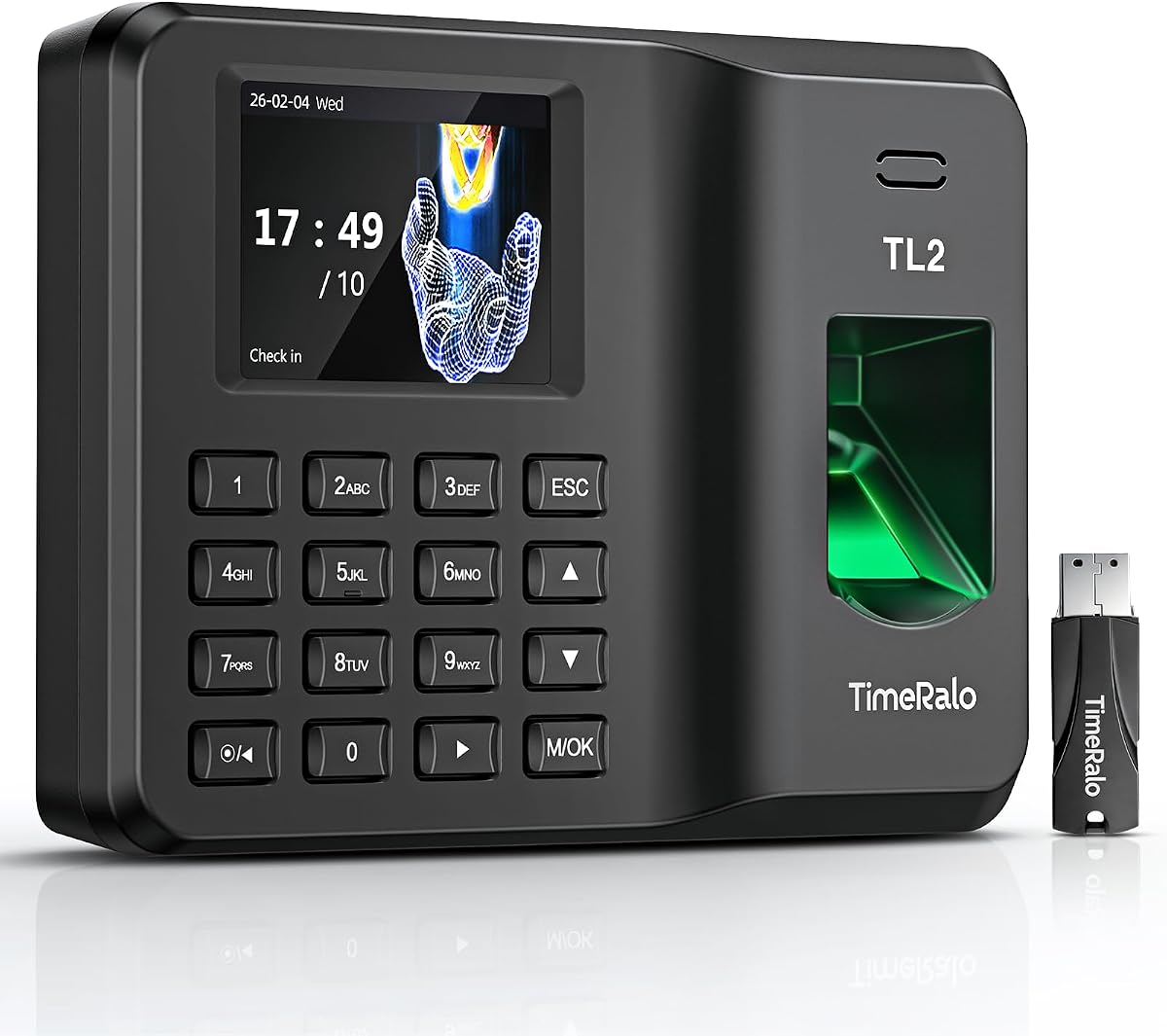
Standalone Time Clock
4.4Editor score
USB report export
50,000 punch storage
Wall or desktop mount
This guide compares the top 10 fingerprint time clocks for employees to help you find the most accurate and reliable attendance tracking system for your
Finding the right attendance system is crucial for modern business efficiency and payroll accuracy. Fingerprint time clocks eliminate buddy punching and ensure every employee logs hours correctly without manual errors or administrative overhead.
We evaluated ten leading models based on recognition speed, storage capacity, connectivity options, and ease of use. Our analysis covers standalone units, cloud-connected devices, and hybrid systems suitable for small to mid-sized workforces.
Each pick highlights key strengths and limitations to help you match a device to your specific operational needs. Prices and availability fluctuate frequently, so verify current details before purchasing to ensure you get the best value.
4.4Editor score

4.8Editor score

4.4Editor score
The following table provides a quick side-by-side view of the most important technical specifications and features for each time clock model reviewed in this guide.


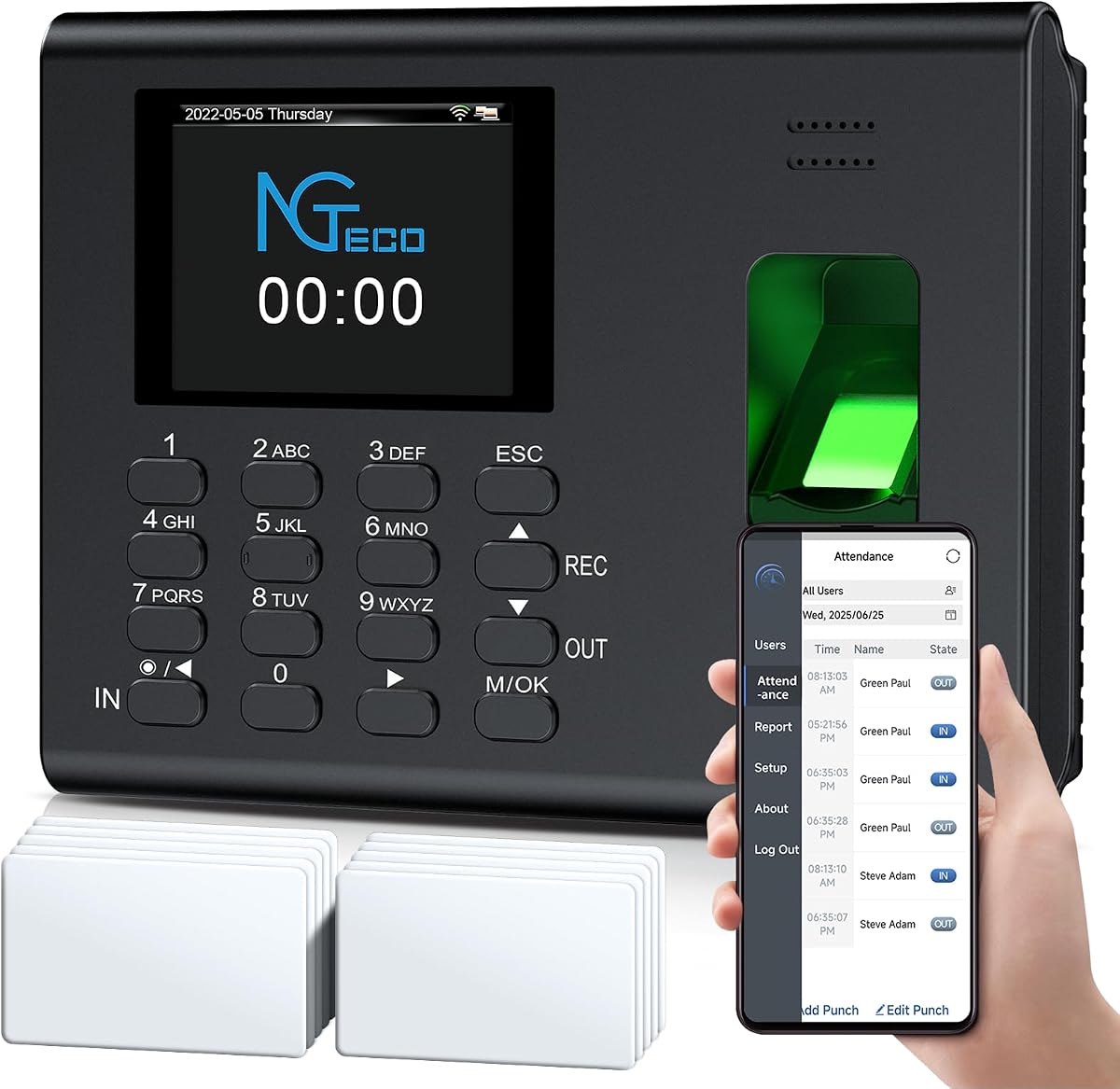
The HapAttend H4 stands out as the top choice for businesses needing reliable, cost-effective time tracking without ongoing subscription costs. Its ability to operate completely offline while maintaining robust data security makes it ideal for locations with unstable internet connections.
We may earn a commission when you buy through this link, at no additional cost to you.
This device offers versatile verification through fingerprint, RFID card, or PIN entry, significantly reducing the risk of buddy punching. The built-in backup system ensures that punch records survive power outages, protecting your data integrity and eliminating the need for manual recalculations during shifts.
While it lacks cloud connectivity for remote access, this limitation ensures maximum privacy and reduces dependency on external servers. The automatic hours calculation and night shift recognition features streamline administrative work, making payroll preparation faster and less error-prone for business owners.
Businesses prioritizing a one-time purchase with zero recurring fees will find this unit exceptionally valuable. If you prefer full local control and straightforward setup without needing remote monitoring, the HapAttend H4 delivers high performance and long-term savings for small to medium workforces.
Unlike subscription-based systems, this clock allows you to access all features with a single purchase, eliminating hidden charges and keeping long-term operating expenses low.
A built-in backup system safeguards attendance data during power outages, ensuring that employee records remain secure and retrievable without needing to reset the device.
We may earn a commission when you buy through this link, at no additional cost to you.
For small businesses operating on tight budgets, this standalone time clock provides essential biometric tracking without requiring internet connectivity or complex software setups. It focuses on delivering accurate punch records through a simple, user-friendly process that employees can learn instantly.
We may earn a commission when you buy through this link, at no additional cost to you.
The device stores up to 500 unique fingerprints and 50,000 punch records, making it suitable for growing teams that need reliable long-term data retention. You can easily export attendance data via a USB flash drive and process payroll using ready-to-use Excel reports without additional subscriptions.
Its industrial-grade ABS plastic construction ensures durability in demanding environments like warehouses or retail floors. The flexible mounting options allow you to install it on a wall or place it on a desktop, adapting to various workspace layouts and security needs.
If your priority is keeping upfront costs minimal while still eliminating buddy punching, this model offers excellent value. It is best suited for managers who do not need remote access or cloud features and prefer a straightforward system that works independently without network dependencies.
This clock allows you to own the system outright, avoiding ongoing monthly costs that often accompany cloud-connected time tracking solutions.
You can secure the device to a wall or place it on a desk, giving you flexibility to install it where it is most convenient for your team.
We may earn a commission when you buy through this link, at no additional cost to you.
This premium time clock combines advanced biometric capabilities with a modern touchscreen interface, offering a high-end user experience for businesses that need robust tracking and remote oversight. The variety of verification methods, including facial recognition, ensures high security and employee convenience.
We may earn a commission when you buy through this link, at no additional cost to you.
With dual-band WiFi support, the device maintains stable connectivity for real-time data syncing to the cloud. This allows managers to monitor attendance, adjust schedules, and generate reports from any location using the NGTeco Office web software or mobile app.
Although the basic management app is free, accessing advanced features like GPS check-ins and intelligent reminders requires a separate subscription. This model is best for businesses willing to invest in premium hardware and software integration for comprehensive workforce management capabilities.
The secure AWS cloud storage and end-to-end encryption provide peace of mind regarding data privacy and compliance. If you need a sophisticated system that scales with your business and provides detailed insights into labor patterns, this device delivers premium performance and flexibility.
The high-definition touchscreen simplifies the punch process, enhancing efficiency and reducing wait times during busy start-of-shift periods.
All attendance records are stored on compliant U.S.-based AWS servers with encryption, ensuring confidentiality and strict privacy standards for your team data.
We may earn a commission when you buy through this link, at no additional cost to you.
The NGTeco Time Clock is designed for businesses that want tight integration between attendance tracking and shift management through a dedicated mobile application. Its auto-calculated work hours feature simplifies scheduling, especially for overnight shifts that span across multiple calendar days.
We may earn a commission when you buy through this link, at no additional cost to you.
The advanced fingerprint sensor reliably authenticates both wet and dry fingerprints in just half a second, ensuring quick and secure clock-ins for all employees. This fast performance minimizes queues and keeps operations moving smoothly during peak arrival and departure times.
Attendance records are backed up automatically to prevent data loss during power outages, and you can export timesheets via email or USB to match any payroll cycle. US-based customer support and a one-year warranty provide additional confidence in long-term reliability.
This unit is a strong choice for teams that need flexible attendance editing and real-time synchronization across devices. If you value easy payroll alignment and quick data export options alongside fast biometric verification, this clock offers a balanced mix of convenience and functionality.
The system automatically calculates work hours including overnight schedules, which simplifies attendance management and removes manual calculation errors.
Wet or dry fingerprints are recognized quickly by the advanced sensor, reducing frustration and wait times for employees with varying skin conditions.
We may earn a commission when you buy through this link, at no additional cost to you.
For businesses preferring a fully independent time tracking solution, this NGTeco standalone model offers everything you need without relying on WiFi or complex software. It is ready to use within minutes, allowing you to focus on operations rather than IT configuration.
We may earn a commission when you buy through this link, at no additional cost to you.
The memory supports up to 500 user profiles and 50,000 punch records, making it scalable for expanding teams that need consistent data tracking. All attendance data exports via an included USB drive as ready-to-use Excel reports, facilitating instant payroll integration.
An internal backup system preserves every punch record during unexpected power loss, ensuring your employee records and timesheets stay secure without requiring a reset. This reliability makes it ideal for workplaces where consistent uptime is critical and internet access may be limited.
This unit is perfect for environments like retail counters or warehouses where simplicity and durability are paramount. If you need a cost-effective system that ditches wasteful paper cards while maintaining precise and instant records, this standalone clock delivers efficient performance.
You can get started in minutes without any WiFi or software complexity, making setup accessible for anyone without technical knowledge.
An internal backup system safeguards all punch data during unexpected power loss, ensuring your employee records stay fully secure and retrievable.
We may earn a commission when you buy through this link, at no additional cost to you.
This NGTeco cloud model enables busy managers to monitor real-time clock-ins and generate detailed reports from anywhere using a mobile app or web portal. It offers dual-band WiFi for stable connectivity, reducing connection lags that can disrupt attendance tracking during busy shifts.
We may earn a commission when you buy through this link, at no additional cost to you.
The device supports diverse shift types including fixed, rotating, or part-time schedules, with easy customization to match your workflow. You can configure weekly overtime rules and dual OT rates, automatically computing overtime hours to simplify payroll processing and reduce administrative effort.
Data is protected on AWS US servers with end-to-end encryption, ensuring secure and private storage for your business information. A built-in 2000mAh battery ensures the clock keeps running even during power cuts, preventing data loss during unexpected outages.
This system is ideal for businesses that require remote management capabilities without needing expensive hardware on-site. If you want to access attendance data on the go and ensure secure, encrypted storage, this cloud clock provides flexible tools for modern team oversight.
Managers can monitor real-time clock-ins and generate reports from anywhere using a mobile app or web portal, keeping you connected to your office.
Configure weekly overtime and dual rates to automatically compute overtime hours, simplifying payroll work and reducing manual errors.
We may earn a commission when you buy through this link, at no additional cost to you.
The uAttend JR2000 offers a comprehensive cloud-based system designed for business efficiency, integrating time tracking with payroll tasks like tax filings. It provides real-time data access from any device, giving managers control over attendance trends regardless of their physical location.
We may earn a commission when you buy through this link, at no additional cost to you.
With support for fingerprint, RFID, and PIN entry, it offers flexible verification methods to fit different security needs. The automatic cloud backups ensure employee data remains secure and available, providing peace of mind and reliable access whenever needed for audits or reviews.
Reporting tools provide insights into labor costs and productivity, helping businesses optimize staffing and reduce unnecessary expenses. While it requires a subscription service for premium features, the low-cost model brings advanced reporting and management tools to growing businesses effectively.
This system is well-suited for organizations that want to automate complete payroll tasks and streamline administrative workflows. If you need a feature-rich cloud service that simplifies tax and payroll compliance alongside time tracking, the uAttend JR2000 delivers a robust all-in-one solution.
With this system, you can automate payroll with time and attendance data, handle tax filings, and make switching easy for efficient HR management.
Gain valuable insights into attendance trends, productivity, and labor costs with comprehensive reporting tools that help optimize your workforce.
We may earn a commission when you buy through this link, at no additional cost to you.
This NGTeco cloud time clock offers free cloud services for basic attendance tracking, making it accessible for businesses that want remote access without recurring fees. It supports up to 200 users and 30,000 logs, fitting medium-sized teams with straightforward tracking requirements.
We may earn a commission when you buy through this link, at no additional cost to you.
Flexible shift configurations including rotating or split shifts help eliminate manual scheduling errors and match diverse team structures. Multi-language support for seven languages ensures international workforces can use the system comfortably without language barriers affecting productivity.
Offline punch capture ensures data syncs to the cloud once the network is restored, so you never lose records due to temporary network issues. Bank-grade security powered by AWS servers keeps your sensitive workforce records protected against unauthorized access and data breaches.
If you need a cost-effective cloud system that handles complex shift patterns and offers multilingual support, this unit is a strong candidate. The free lifetime access to core features like auto calculation and basic reports provides significant value for budget-conscious managers.
Fully flexible shift configurations suit all team structures and eliminate manual scheduling errors, perfect for part-time staff and complex operations.
Offline punch capture syncs automatically to the cloud once the network is restored, ensuring no data loss during temporary network interruptions.
We may earn a commission when you buy through this link, at no additional cost to you.
This cloud time clock empowers staff with self-service access to their timesheets, reducing admin hassle and increasing transparency within the team. Employees can verify fingerprints and scan QR codes on their phones to view hours, breaks, and overtime logs without needing approval.
We may earn a commission when you buy through this link, at no additional cost to you.
It supports three verification modes and allows smart automatic calculation of overtime and break deductions to ensure payroll accuracy. The device uploads data automatically once connected to the network, and you can send visual attendance reports directly to email to streamline processes.
Remote management is handled through a dedicated mobile app rather than a web portal, simplifying setup and use for non-technical managers. The system supports fixed, rotating, and night shifts, making it a versatile choice for businesses with diverse operational schedules.
If you want a simple, fee-free solution that cuts admin time and lets staff manage their own records, this clock is an excellent option. The reliable support and one-time purchase model make it a practical upgrade from traditional systems for small to mid-sized teams.
Staff can view their timesheets on their phone without approval needed, which eliminates delays and boosts transparency across the organization.
Built-in intelligence calculates working hours and auto-deducts break time to ensure accurate timesheets and significant time savings for HR.
We may earn a commission when you buy through this link, at no additional cost to you.
The NGTeco APP Time Clock offers seamless integration with a mobile app on the same local network, allowing remote management of attendance data and real-time alerts. It effectively prevents buddy punching through fingerprint, PIN, and card swiping, ensuring fair and precise payroll calculations.
We may earn a commission when you buy through this link, at no additional cost to you.
With a built-in 2000mAh backup battery, the device maintains offline recording during network instability or power outages, syncing data automatically once stable. This reliability supports continuous operations and reduces the risk of data loss during technical disruptions or unexpected maintenance issues.
You can auto-generate and export standardized reports with one click, streamlining HR statistics and boosting office efficiency. The plug-and-play design means no complex configuration is needed, saving installation time and deployment costs for businesses setting up quickly.
If you prefer full paperless operation and need a system that can support up to 500 staff members efficiently, this model delivers. It combines durable construction with flexible installation options, making it a practical choice for businesses prioritizing efficiency and data security.
Remotely view and edit attendance data and auto-generate standardized reports with one click, which streamlines HR statistics and boosts office efficiency.
Equipped with a backup battery for continuous operation during power outages, supporting stable offline recording under unstable networks.
We may earn a commission when you buy through this link, at no additional cost to you.
Selecting the right fingerprint time clock requires evaluating several technical and operational factors that impact accuracy and ease of use for your workforce.
Decide whether you need a standalone unit that works offline or a cloud-connected model that offers remote access. Cloud systems allow managers to view attendance from anywhere but depend on reliable internet and may have subscription costs.
Standalone units are ideal for locations with poor internet and typically involve one-time costs. Consider your office infrastructure and whether remote management is critical before choosing between these two categories.
Most modern clocks offer multiple ways to clock in, such as fingerprint, PIN, RFID cards, or facial recognition. Multiple methods reduce friction if an employee's fingerprint is unreadable due to skin conditions or work environment factors.
Biometric scanning is the most secure option to prevent buddy punching. However, if your team wears gloves or handles chemicals that obscure fingerprints, supplementing with PIN or card access ensures reliability.
Check how many users and punch records the device can store. Units typically support between 100 to 500 employees, with memory ranging from 30,000 to 100,000 records. Choosing a model with higher capacity ensures longevity as your business grows.
Insufficient storage may force you to clear data prematurely, causing issues with payroll audits. Always pick a device that can handle your current headcount plus some margin for future expansion.
Look for models that offer intuitive software or mobile apps for managing shifts and generating reports. Features like automatic overtime calculation, night shift recognition, and export to Excel save significant administrative time.
A user-friendly interface reduces training time for staff. Ensure the software supports multi-language options if your workforce is diverse to avoid confusion and increase adoption rates.
Attendance data is sensitive employee information that must be protected from unauthorized access. Cloud systems should use encryption and secure servers, while standalone devices need local backup features to prevent loss during power outages.
Review the security protocols and warranty terms of the manufacturer. Reliable data protection ensures compliance with privacy regulations and prevents disruptions during payroll processing.
Power outages can happen unexpectedly, so check if the device has an internal battery or backup system. A built-in battery ensures the clock keeps running and saving data during brief interruptions in electricity supply.
This feature is critical for 24/7 operations or locations prone to unstable power grids. It prevents the need for manual re-entry of punch data after a power failure.
Consider the build quality and installation flexibility of the device. Industrial-grade materials like ABS plastic withstand daily wear and tear in high-traffic areas like warehouses or retail counters.
Wall-mounting options allow you to secure the device out of reach, while desktop placement suits small offices. Ensure the design fits your physical workspace and allows easy access for all employees.
Look beyond the initial purchase price and consider subscription fees, maintenance costs, and replacement parts. Some models offer lifetime access to features for free, while others charge monthly for advanced cloud services.
Calculating the long-term cost helps you determine the best value for your budget. A slightly higher upfront cost can be worth it if it eliminates recurring charges and includes comprehensive support.
To start, install the device on a flat wall or secure desktop surface at a comfortable height for all users. Connect it to a power outlet and ensure you have access to a USB drive for exporting reports if the model is standalone.
Register employee fingerprints by accessing the admin settings or app interface. Ask staff to place their fingers on the sensor firmly for a few seconds until the device confirms successful recording. Repeat this process for every employee to build the user database.
Regularly clean the sensor with a soft, dry cloth to remove dirt or oils that could affect recognition speed. Back up your data weekly using the export function or check the cloud sync status to ensure all records are safely stored for payroll.
Yes, many standalone models function entirely offline without needing internet access. They store data locally on the device and allow you to export reports via USB. However, remote access and real-time syncing features require an active connection.
Fingerprint time clocks require unique biometric data to clock in, making it difficult for employees to punch for one another. Adding PIN or facial recognition layers further ensures that only the authorized person can complete the action securely.
Most quality models include a built-in backup battery or internal memory to preserve punch data during power interruptions. This prevents loss of attendance records and ensures the clock resumes normal operation without needing manual recalibration.
It depends on the model. Standalone units typically require a one-time purchase with no ongoing fees. Cloud-based systems may offer free tiers but often charge subscriptions for advanced features like remote access or detailed analytics.
Capacity varies by device, ranging from 100 to 500 employees. Always check the specific product specifications to ensure it can handle your current team size and any projected growth before making a purchase decision.
Most devices allow you to export data to a USB drive or email formatted Excel files. Cloud models usually provide downloadable reports through a web portal or mobile app, streamlining the process of integrating data into payroll.
Facial recognition offers non-contact convenience but can be affected by lighting or facial coverings. Fingerprint scanners are generally more accurate in low-light conditions and work well even if the face is partially obscured or masked.
Many modern clocks allow you to configure overtime rules and auto-calculate break deductions. This automation ensures payroll compliance and reduces manual calculations, helping managers generate accurate timesheets with minimal effort.
We reviewed ten top options ranging from standalone units to advanced cloud models to help you select the right fit for your business needs. The HapAttend H4 remains our top overall choice for its reliability and lack of ongoing fees.
When prioritizing your selection, consider whether remote access and cloud integration are essential or if a secure offline solution suffices. Balance your budget with the total cost of ownership, including subscription fees and maintenance requirements.
Prices and inventory levels change frequently on Amazon and other retailers. Always verify current specifications and availability before purchasing to ensure you secure the best deal for your workforce today.