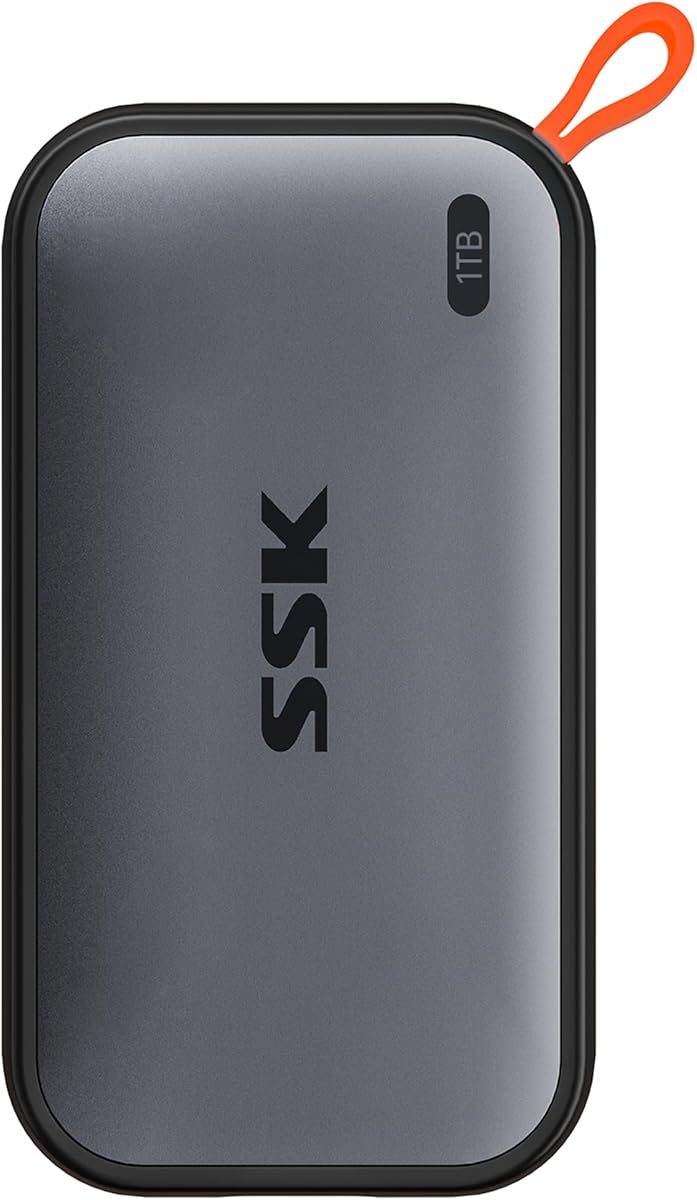
SSK Portable SSD 1TB
4.5Editor score
Up to 1050MB/s read
Lightweight aluminum case
SLC caching technology
This guide compares the top external SSDs for Mac Mini M4 covering speed, capacity, durability, and compatibility to help you choose the right drive.
Finding the right external storage for your Mac Mini M4 is essential for expanding capacity without sacrificing speed. The M4 chip demands high performance, so your drive must keep up with demanding workflows like video editing and large file transfers.
We evaluated ten leading external SSDs based on speed, compatibility, durability, and value. Our analysis focuses on drives that integrate seamlessly with macOS and the Thunderbolt or USB-C ports found on the Mac Mini M4.
Each pick highlights key features, performance metrics, and real-world usability. Note that availability and specifications can change, so verify current details before purchasing to ensure the best fit for your needs.
4.5Editor score
4.6Editor score

3.9Editor score
The following table provides a side-by-side comparison of the top external SSDs compatible with Mac Mini M4. It highlights key specifications to help you quickly identify the right storage solution for your workflow.
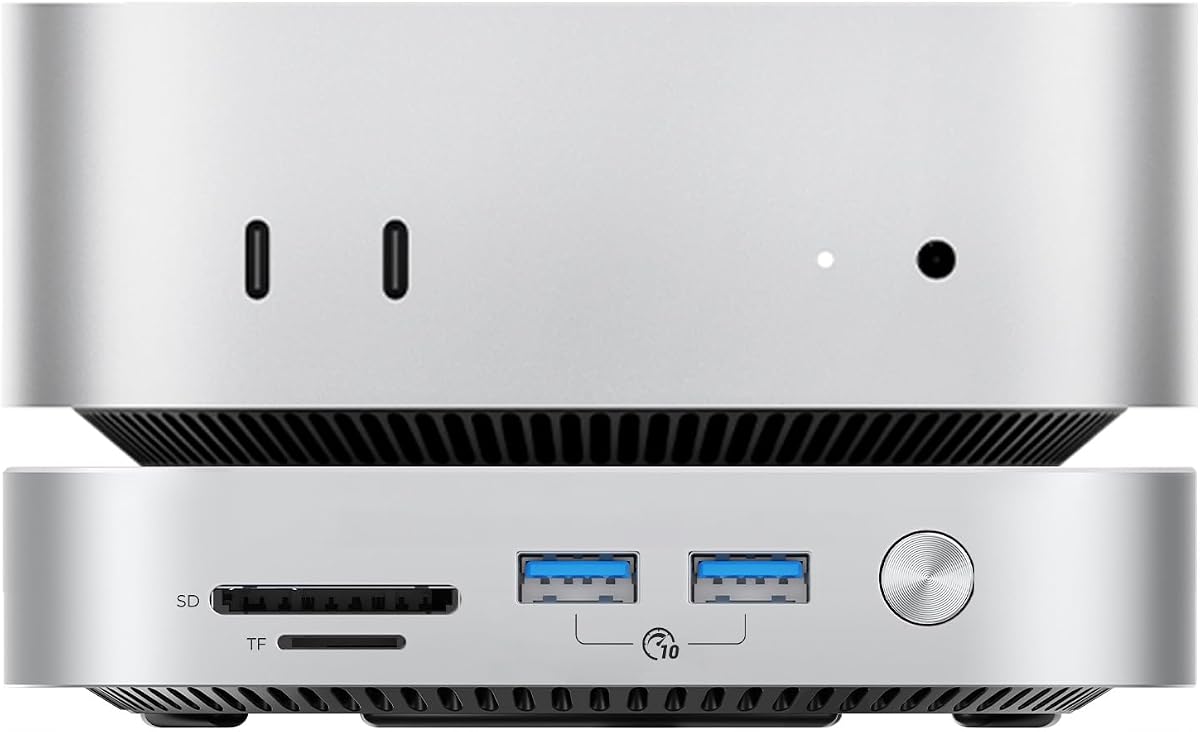


The ORICO 2TB External SSD is designed specifically for desktop expansion on Mac Mini units. It offers a unique dual-SSD expansion solution that attaches directly to the Mac Mini, doubling storage capacity while maintaining an elegant desktop setup. With a rating reflecting its specialized functionality, it stands out for users needing integrated storage solutions.
We may earn a commission when you buy through this link, at no additional cost to you.
This drive features 3200MB/s transfer speeds, making it ideal for 4K and 8K video workflows. The inclusion of three USB 3.0 ports and an SD card reader expands connectivity significantly. Its aerospace-grade aluminum body ensures intelligent cooling, sustaining peak speeds during prolonged use without overheating.
While it excels as a desktop accessory, it lacks the portability of standard external drives. The size is optimized for a desk setup rather than travel. However, for Mac Mini users seeking permanent expansion with added ports, these trade-offs are acceptable given the performance benefits.
If you need a dedicated storage hub for your Mac Mini M4, this ORICO bundle is the top recommendation. It offers plug-and-play setup with macOS and supports Time Machine backups seamlessly. It is perfect for developers and creatives requiring robust, always-on storage.
Seamlessly attaches to Mac Mini M6 with integrated NVMe storage for doubled capacity.
Three USB 3.0 ports and card readers allow connection of multiple peripherals.
We may earn a commission when you buy through this link, at no additional cost to you.
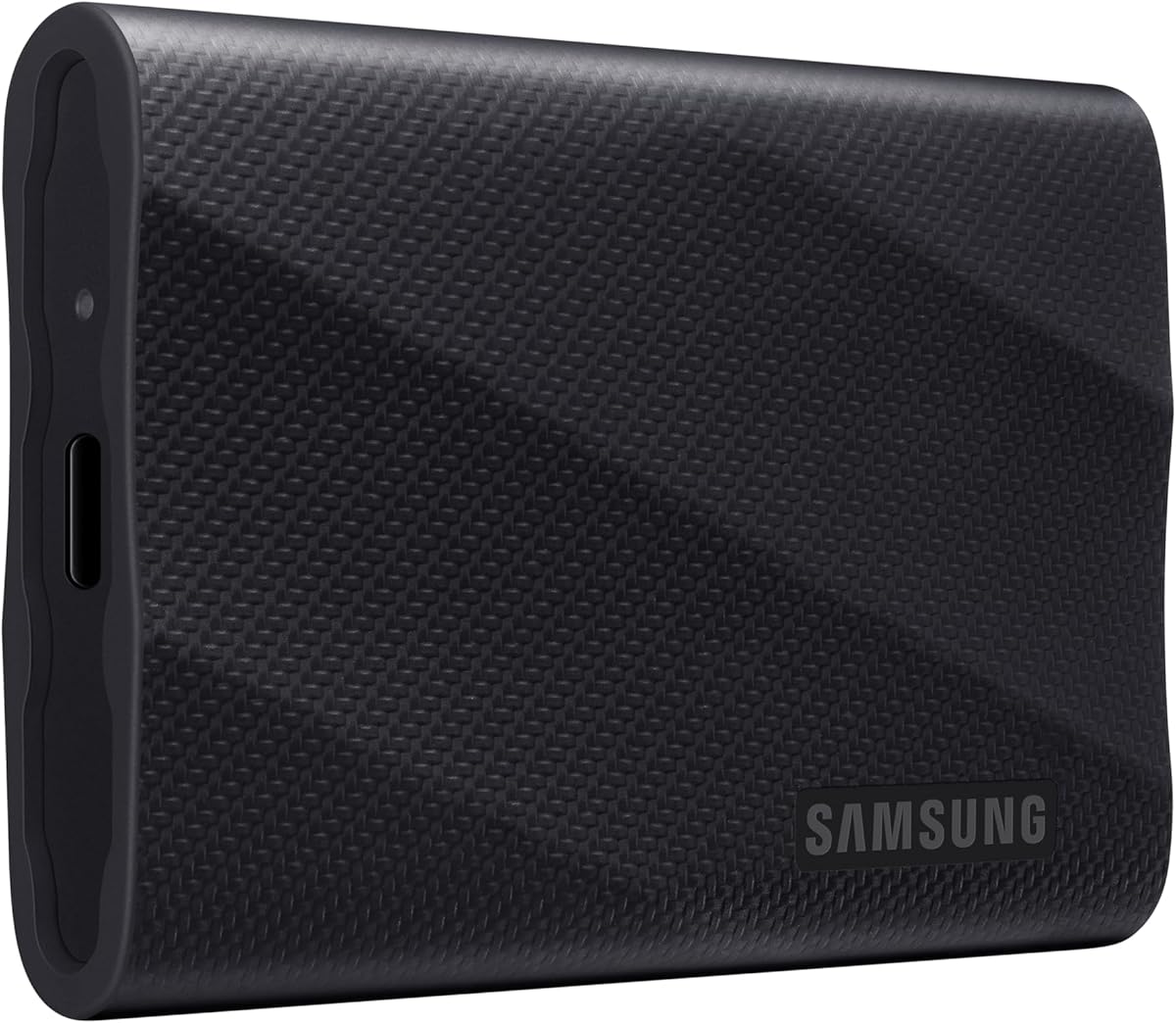
The Samsung T7 Portable SSD is a trusted name in portable storage, offering reliable performance for creators. With a strong rating of 4.7, it is known for delivering fast speeds and durable features to back up any endeavor. It balances speed and durability effectively for everyday use.
We may earn a commission when you buy through this link, at no additional cost to you.
Built with PCIe NVMe technology, it delivers speeds up to 1050MB/s, nearly twice as fast as the T5. The compact design fits easily in pockets, while the solid aluminum unibody provides shock resistance up to six feet. It supports high-resolution recording directly onto the drive.
While robust, it lacks dedicated hardware encryption features found in some competitors. Users relying on sensitive data may need to use software solutions. However, for general backups and creative work, the reliability and speed make it a solid contender.
This drive is an excellent choice for users seeking a balance of performance and durability. It works seamlessly with Mac Mini M4 and other devices, making it a versatile option for video editing and file backups. Its reputation as a world brand adds to its appeal.
NVMe technology provides read speeds up to 1050MB/s for instant access.
Solid aluminum construction ensures resistance to drops and everyday wear.
We may earn a commission when you buy through this link, at no additional cost to you.
The Lexar 2TB ES3 External SSD offers substantial capacity for professionals needing extensive storage. It stands out for its sleek design and sturdy build, featuring built-in double layer graphite sheets to keep the drive cool. With a rating of 4.5, it is a reliable option for fast backups.
We may earn a commission when you buy through this link, at no additional cost to you.
Transfers are significantly faster than HDDs, with read speeds up to 1050MB/s. The drive is drop-resistant up to two meters, ensuring durability in various environments. Its compatibility is broad, working with Mac, PC, and mobile devices via a 2-in-1 cable.
One trade-off is the price relative to lower capacity options. Additionally, the design is functional but limited in aesthetic choices. However, the performance and heat management justify the cost for users prioritizing reliability and transfer speed.
For Mac Mini users needing quick storage expansion, this Lexar drive is a strong pick. It handles large files efficiently and maintains performance under load. If you need 2TB of space with excellent cooling, this is a top contender.
Double layer graphite sheets conduct heat to keep the drive cool during transfers.
Drop resistance up to 2 meters protects against accidental falls.
We may earn a commission when you buy through this link, at no additional cost to you.
The Sandisk 1TB Extreme Portable SSD delivers ultra-fast speeds, moving files up to 2000MB/s. It is designed for creatives who need to offload content quickly. With a solid 4.6 rating, it combines performance with rugged durability for outdoor use.
We may earn a commission when you buy through this link, at no additional cost to you.
This new model improves on previous generations, allowing users to move 1000 photos in under 60 seconds. It features IP65 rating for protection against spills and drops, plus 256-bit AES encryption for secure files. Its pocket-sized form factor fits easily in bags.
While highly efficient, the drive can run warm during sustained transfers. Users may need to manage cables carefully to avoid tangling. However, the speed and protection features make it a worthy investment for demanding tasks.
If you require high-speed storage for fieldwork, this Sandisk drive is ideal. It supports high-res content downloads and editing on the go. Its durability and speed make it a reliable partner for photographers and videographers.
Up to 2000MB/s speeds allow rapid transfer of high-res photos and clips.
IP65 rating protects against dust, water, and accidental drops.
We may earn a commission when you buy through this link, at no additional cost to you.
The Lexar ES3 1TB Portable SSD in Silver offers a slim, stylish design weighing just 42g. It fits easily in pockets and supports fast data transfer speeds up to 1050MB/s. With a rating of 4.4, it is a lightweight option for mobile professionals.
We may earn a commission when you buy through this link, at no additional cost to you.
It supports USB 3.2 Gen 2 for efficient work, and includes Lexar DataShield encryption software to protect files. While it does not support MagSafe, it works well with modern devices including iPhones. Its thin 10.5mm profile enhances portability.
Performance may vary if the host system does not support USB 3.2 Gen 2. Users must ensure compatibility for best results. However, for those prioritizing weight and size, this drive delivers excellent value.
This Lexar SSD is a great fit for travelers needing extra storage. It provides secure file protection and fast transfers without adding bulk. If portability is your main concern, this model is worth considering.
Weighs only 42g and is 10.5mm thick for easy carrying.
Includes 256-bit AES encryption software to protect sensitive data.
We may earn a commission when you buy through this link, at no additional cost to you.
The SSK Portable SSD 1TB delivers impressive performance at a budget-friendly price point. With speeds up to 1050MB/s and SLC caching, it maintains steady transfer rates for large files. It boasts a rating of 4.5, making it a popular choice for value seekers.
We may earn a commission when you buy through this link, at no additional cost to you.
Its aluminum alloy case ensures superior heat dissipation, keeping the drive cool even during heavy use. The drive supports 4K60Hz ProRes HDR video capture for iPhone, and weighs just 36.6g. It comes with both USB-C and USB-A cables for flexibility.
Users may notice capacity differences on Windows due to binary calculation, but it remains consistent on Mac. While less known than top brands, its performance metrics compete well with expensive alternatives. The build quality is surprisingly robust for the price.
If you need a high-performance drive without breaking the bank, this SSK SSD is the best budget option. It is ideal for mobile content creators and daily backups. The included cables and lightweight design add to its appeal.
SLC caching ensures consistent 10Gbps performance for transfers within cache.
Supports seamless file transfers between Mac, PC, and mobile devices.
We may earn a commission when you buy through this link, at no additional cost to you.
The Crucial X10 2TB Portable SSD is designed for creators and gamers needing robust storage. It delivers ultra-fast speeds up to 2100MB/s and features a durable matte blue design. With a rating of 4.5, it stands out for its reliability and weather resistance.
We may earn a commission when you buy through this link, at no additional cost to you.
Built to withstand harsh conditions, it offers IP65 dust and water resistance and drop resistance up to 9.8 feet. It connects easily with Mac and Windows via USB-C, and includes bonus software like Acronis True Image. The 2TB capacity is ideal for large datasets.
While the price is higher than 1TB models, the added capacity and durability justify it. Users may find limited color options compared to other brands. However, the performance and protection features make it a strong contender for travel.
If you need secure, reliable storage for travel, this Crucial drive is excellent. Its weatherproof design and high speeds make it suitable for students and pros alike. The included software adds extra value to the purchase.
IP65 rating protects against dust and water exposure during travel.
Includes three months of Mylio Photos plus and Acronis True Image.
We may earn a commission when you buy through this link, at no additional cost to you.
The Samsung T9 Portable SSD is one of the fastest drives available, offering up to 2000MB/s speeds. It is built for creators who need to edit and transfer projects without delay. With a 4.6 rating, it combines performance with thermal management.
We may earn a commission when you buy through this link, at no additional cost to you.
Its dynamic thermal guard controls heat during heavy use, ensuring sustained speeds. The Magician software allows for firmware updates and health monitoring. It supports iPhone 15 Pro 4K video recording, making it versatile for mobile professionals.
To achieve top speeds, users need USB 3.2 Gen 2×2 ports, which may not be on all systems. However, it is backward compatible with USB-C at slower speeds. This ensures broad compatibility without sacrificing core functionality.
For users needing maximum throughput on Mac Mini, the T9 is a top pick. Its consistent performance and software tools make it ideal for daily creative work. It delivers speed and reliability where it counts.
Dynamic thermal guard keeps the SSD at ideal temperatures during long sessions.
Magician Software provides updates and drive health monitoring.
We may earn a commission when you buy through this link, at no additional cost to you.
The SABRENT Rocket Nano XTRM offers 2TB storage with Thunderbolt 3 speeds up to 2700MB/s. It is designed for professionals who cannot afford to wait on transfers. With a rating of 4.4, it delivers high performance in a tiny form factor.
We may earn a commission when you buy through this link, at no additional cost to you.
Its aluminum body improves heat dissipation, and includes a silicone sleeve for drop protection. It supports both Thunderbolt and USB 3.2 at lower speeds. The included cables mean no extra purchases are needed to get started.
While expensive, the speed makes it worth it for heavy video workflows. Users need a Thunderbolt port to reach 2700MB/s; otherwise, speeds fall back to 900MB/s. This limits top-tier performance to specific Mac setups.
If you need portable Thunderbolt storage for high-end editing, this drive is ideal. It offers reliable performance and solid warranty support. For Mac Mini users with Thunderbolt ports, it is a premium option.
2700MB/s over Thunderbolt; falls back to 900MB/s on USB.
3-year standard coverage extendable to 5 years upon registration.
We may earn a commission when you buy through this link, at no additional cost to you.
The SanDisk Professional 4TB PRO-G40 SSD is a professional-grade storage solution designed for extreme conditions. It delivers speeds up to 3000MB/s and offers IP68 protection against dust and water. While the rating is lower, its robust features justify the premium.
We may earn a commission when you buy through this link, at no additional cost to you.
It features an ultra-rugged design with 3m drop resistance and 4000lb crush resistance. The aluminum core pulls heat away from the internal drive to maintain fast speeds. It is formatted Mac-ready with APFS, making it ready to use immediately.
The price is significantly higher than other options, reflecting its durability. It is built for professionals who need to transport drives to harsh environments safely. For general use, other models may offer better value.
If you work in extreme environments like film sets or field research, this drive is unmatched. Its protection and speed ensure data safety in tough conditions. It is the best premium option for rugged storage.
4000lb crush resistance and IP68 dust/water resistance ensure safety.
Up to 3000MB/s speeds over Thunderbolt 3 for large data sets.
We may earn a commission when you buy through this link, at no additional cost to you.
Selecting the right external SSD involves evaluating performance, capacity, durability, and connectivity. This guide breaks down the factors to ensure your drive complements the Mac Mini M4.
Transfer speeds are crucial for video editing and large file management. Look for drives with at least 1000MB/s read speeds for smooth performance. USB 3.2 Gen 2 and Thunderbolt 3 offer the fastest rates available for creative workflows.
Prioritize drives with high speed ratings to avoid bottlenecks. Higher speeds ensure efficient workflow and faster backups.
Capacity should match your storage needs. 1TB is sufficient for most users, while 2TB or more is ideal for 4K/8K video libraries. Consider current needs and future growth when selecting drive size.
Higher capacity drives offer better long-term value. Balance price and storage requirements carefully.
Ensure the drive matches the Mac Mini M4 ports. USB-C and Thunderbolt 3 compatibility are essential. Some drives support both USB-A and USB-C, increasing versatility for different devices.
Check cable compatibility to avoid adapter needs. Universal cable support simplifies setup and connection.
Portable drives should be resistant to drops and shocks. Look for models with IP ratings for dust and water resistance. Aluminum bodies provide better heat dissipation and physical protection.
Durability ensures longevity for traveling or rough handling. Invest in sturdy builds for peace of mind.
The drive should be formatted for macOS or support APFS. Check for Time Machine compatibility to ensure seamless backups. Some drives include software tools for Mac management.
Native macOS support prevents formatting issues. Verify system requirements before purchasing.
Most external SSDs are bus-powered and draw power from the Mac Mini. Low power consumption ensures stable operation without external adapters. Check if the drive requires extra power for high-performance modes.
Power-efficient drives enhance portability and reliability. Avoid models requiring wall adapters for standard use.
Security features like AES encryption protect sensitive data. Password protection ensures unauthorized users cannot access files. Some drives include software suites for advanced encryption.
Prioritize drives with built-in security for privacy. Software tools add extra protection layers.
A solid warranty ensures reliability and service. Most premium drives offer 3-year warranties with extendable options. Check manufacturer support availability and claim processes.
Strong warranty coverage adds value to the purchase. Support teams resolve hardware issues efficiently.
To use your external SSD, connect it directly to a USB-C or Thunderbolt port on the Mac Mini M4. The drive will appear on your desktop or Finder. Format it to APFS via Disk Utility for optimal performance.
Maintain your SSD by avoiding extreme heat and direct sunlight. Store it in a cool, dry place when not in use. Proper thermal management extends the lifespan of internal components and prevents throttling.
Regularly eject the drive safely before disconnecting to prevent data corruption. Update the drive firmware using manufacturer tools to ensure compatibility. Keep backups of critical data in multiple locations for safety.
Yes, the Mac Mini M4 supports external SSDs through its USB-C and Thunderbolt ports. Most modern external SSDs are compatible with macOS. Ensure the drive is formatted correctly for best performance.
For best performance, look for speeds of 1000MB/s or higher. SSDs with USB 3.2 Gen 2 or Thunderbolt 3 interfaces are recommended. Higher speeds support demanding tasks like 4K video editing.
Yes, most external SSDs can be used for Time Machine backups. Simply connect the drive and configure it in System Settings. SSDs offer faster backup times compared to traditional hard drives.
Some drives come pre-formatted for Mac. If not, you may need to format it to APFS or ExFAT via Disk Utility. Formatting ensures full compatibility and optimal speed.
Samsung, SanDisk, and Crucial are known for reliability with macOS. They offer strong software support and Mac-friendly formatting. Always verify compatibility before purchase.
It depends on your usage. 1TB is sufficient for general use. Professionals handling large media files may prefer 2TB or more. Consider your file sizes before choosing capacity.
Thunderbolt drives offer faster speeds than standard USB. They are ideal for high-resolution video work. However, USB drives are cheaper and work with most setups.
Choosing the right external SSD for your Mac Mini M4 enhances both productivity and storage. The top picks cover various needs from budget-friendly options to high-performance Thunderbolt drives.
Prioritize speed and durability based on your workflow. Creative professionals may need top-tier performance, while casual users can save with reliable budget models.
Prices and models change frequently, so always check current details before buying. Verify compatibility and warranty terms to ensure a smooth experience with your new storage solution.