
Franklin Collins English Digital Dictionary Express Edition
3.7Editor score
118000 words definitions
500000 synonyms antonyms
Phonetic spell correction tool
This guide compares the top electronic dictionaries and thesaurus devices to help you find the best portable tool for vocabulary, spelling, and translation
Electronic dictionaries and thesaurus devices offer reliable tools for students and professionals seeking accurate definitions without internet access. They provide quick word lookups, grammar assistance, and vocabulary building features in a compact handheld form factor that fits easily in a pocket or bag for daily use anywhere.
We evaluated ten leading models based on dictionary size, pronunciation quality, translation capabilities, and additional learning tools like games and solvers. Our analysis covers battery life, screen readability, and ease of use to ensure you select a device that meets your specific language learning or professional reference requirements effectively.
Each pick highlights key strengths and potential limitations to help you match a device to your budget and language needs. Note that prices fluctuate frequently, so verify current listings before purchasing to ensure you get the best value available for the selected electronic dictionary or thesaurus model.
3.7Editor score

3.9Editor score

3.9Editor score
The following table provides a side-by-side comparison of all ten reviewed models. It highlights key specifications like word count, language support, and unique features to help you quickly identify which device aligns best with your personal or professional language needs.





The Franklin MES-2400 stands out as a top choice for travelers and language students needing reliable offline translation and pronunciation help. With a 3.9-star rating, this device bridges the gap between basic dictionaries and full translation apps by offering human-like voice output and extensive phrasebooks in a compact unit.
We may earn a commission when you buy through this link, at no additional cost to you.
Its core strength lies in the offline translation capability across English, Spanish, Italian, German, and French without requiring any internet connection. This feature ensures you can communicate confidently abroad even in remote areas. The native human voice pronunciation helps learners understand correct intonation and stress patterns crucial for fluency.
While the language selection is limited to five major European tongues, the depth of content including frequently used phrases makes it practical for common travel scenarios. The phonetic spell correction assists users who type words as they hear them reducing lookup friction significantly during quick interactions.
We recommend this device for students or professionals who travel frequently to regions speaking these languages and need immediate verbal feedback. It balances portability with functionality better than most competitors making it a strong default pick for general multilingual needs in the current market.
This device handles translation between English and four other major languages without needing Wi-Fi or cellular data ensuring you stay connected wherever you go.
Words and phrases are spoken in true native human voices which aids in mastering pronunciation and listening skills more effectively than robotic synthetic voices.
We may earn a commission when you buy through this link, at no additional cost to you.
The Franklin DBE-1200 excels for Spanish and English speakers who need deep bilingual support including grammar and translation prep tools. With over one million translations built in and a robust dictionary it serves as a comprehensive reference that replaces phone apps and ensures distraction-free focus during study or work.
We may earn a commission when you buy through this link, at no additional cost to you.
Its standout feature is the bilingual grammar support offering inflection rules for Spanish nouns verbs and adjectives alongside English verb conjugations. This level of detail is rare in handheld devices and provides genuine value for students preparing for standardized tests or professionals requiring precise language usage.
The device is entirely offline requiring no internet connection or recurring subscription fees which adds to its long-term value. The inclusion of test prep vocabulary banks for TOEFL SAT GRE TOEIC further solidifies its role as an educational tool beyond simple word lookup and translation.
We recommend this model specifically for users focused on Spanish-English communication who want serious language-building features in a portable format. Its distraction-free design ensures you can concentrate fully on learning without notifications or browser tabs pulling your attention away from the task at hand.
With over one million translations and a full dictionary thesaurus you have access to nuanced word usage and context far beyond simple dictionary definitions.
Built-in grammar support for verb conjugations and noun inflections helps learners master sentence structure and proper usage across both languages accurately.
We may earn a commission when you buy through this link, at no additional cost to you.
The Franklin Collins English Digital Dictionary Express offers exceptional value for users seeking core dictionary and thesaurus features without a high price tag. With a solid 3.7-star rating it delivers a large word count and synonym database that supports everyday writing and vocabulary expansion effectively for students and general users.
We may earn a commission when you buy through this link, at no additional cost to you.
Its 500000 synonyms and antonyms provide ample support for finding the right word during writing tasks. The phonetic spell correction helps fix common errors easily while utility tools like currency converters and calculators add practical versatility making it a useful tool for various daily tasks beyond just word lookup.
While the screen resolution is basic and advanced grammar tools are minimal compared to premium models this device covers the essentials well. It serves as a reliable companion for spell checking and vocabulary building without overwhelming the user with complex features or unnecessary distractions.
We recommend this budget-friendly pick for casual users or students who need a dependable reference for English without needing multilingual translation or extensive grammar analysis. It provides a strong foundation for language improvement at a fraction of the cost of more feature-heavy devices.
Access to over half a million synonyms and antonyms helps you expand your vocabulary and find precise expressions for your writing projects easily.
Built-in calculators and currency converters make this device useful for travel and general reference needs beyond simple dictionary lookups and definitions.
We may earn a commission when you buy through this link, at no additional cost to you.
The Franklin MDE-1200 combines core dictionary functions with engaging word games and grammar tools designed to make language learning fun. This device is ideal for students who enjoy interactive study methods and want to improve fluency through play rather than rote memorization alone.
We may earn a commission when you buy through this link, at no additional cost to you.
It includes a comprehensive suite of word solvers like crossword and anagram solvers alongside classic games like Hangman and Flashcards. These features transform study sessions into interactive experiences which can significantly increase retention rates and motivation for learners of various ages including casual users.
The grammar tools cover irregular verbs and verb conjugations providing structured practice for test preparation. While the word count is smaller than some premium models the inclusion of interactive solvers and games makes this device stand out as a tool designed to engage users actively in the learning process.
We recommend this model for students or families looking to make language study more interactive and enjoyable. Its focus on gamified learning provides a unique advantage for those who find traditional study methods tedious or less effective for long-term retention.
Features like Hangman Crossword Solver and Anagram Solver turn vocabulary practice into engaging play to boost motivation and word retention.
Built-in grammar lessons on verbs and test prep tools for SAT TOEFL support academic goals alongside general language improvement.
We may earn a commission when you buy through this link, at no additional cost to you.
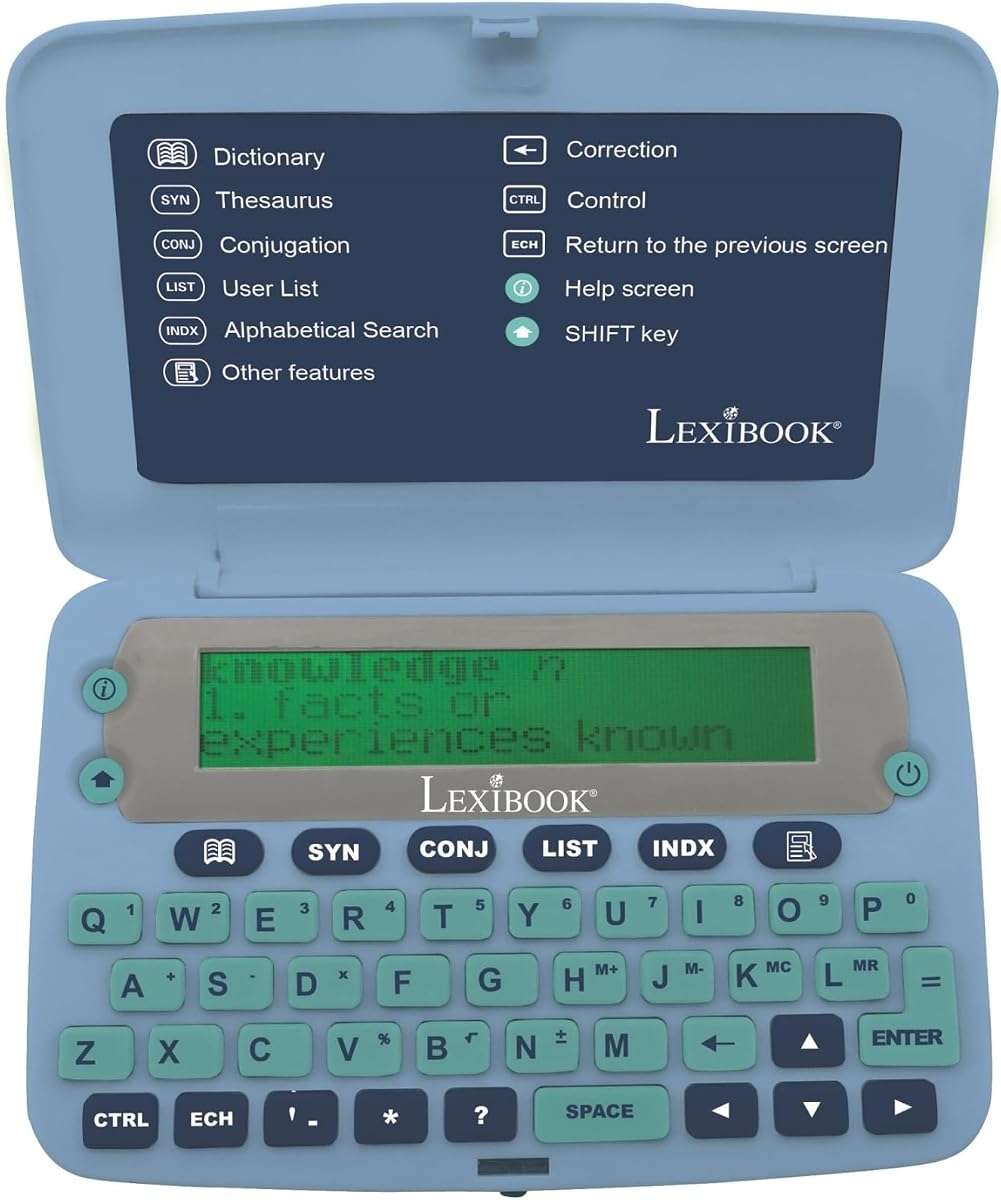
The LEXiBOOK D850EN offers access to the Collins English Dictionary 13th Edition providing an impressive 725000 words and definitions in a portable handheld device. This makes it a strong contender for users who need deep lexical resources and reliable definitions without carrying physical books.
We may earn a commission when you buy through this link, at no additional cost to you.
Its verb conjugation feature covers over 7000 verbs with multiple tenses supporting proper grammar usage in writing and speaking. The ergonomic design with large buttons and a magnifying function improves readability making it accessible for users with vision challenges or those who need to read quickly in various lighting conditions.
Despite the extensive dictionary content the device received a lower average rating which may reflect interface limitations or build quality concerns reported by some users. However the sheer volume of words and the specific Collins edition content make it valuable for those who prioritize text depth over advanced features.
We recommend this device for English enthusiasts or researchers who need a massive word database and reliable reference data. The focus on core dictionary utility and large screen functionality ensures you can access precise meanings efficiently when deep linguistic resources are required.
Access to the updated Collins English Dictionary 13th edition ensures you have the most current definitions and phrases available in a portable format.
Large buttons and a magnifying function enhance usability making the device easier to read and operate for extended periods comfortably.
We may earn a commission when you buy through this link, at no additional cost to you.
The LEXiBOOK D650EN is a reliable choice for writers and students needing grammar support and quick lookups. With a 3.8-star rating it balances essential dictionary features with utility tools like memo-lists that help you organize vocabulary lists or notes directly on the device for study sessions.
We may earn a commission when you buy through this link, at no additional cost to you.
Its grammar tools support verb conjugations with over 8000 verbs helping users maintain correct tense usage. The help on screen feature provides guidance whenever needed reducing the learning curve and ensuring you can navigate the device efficiently without manual searches.
While the screen is smaller than some competitors the ergonomic layout and large buttons ensure comfortable input. This device excels as a daily writing companion offering spell checking and synonyms in a format that keeps you focused on your work rather than external distractions.
We recommend this model for writers or professionals who need quick grammar support and vocabulary building tools during their workday. Its simplicity and utility features make it a practical choice for those who value straightforward access to language references without complex setups.
A built-in memo-list feature allows you to create and store custom word lists helping you organize vocabulary targets or study goals effectively.
Help prompts available at any time on the screen ensure you can quickly learn how to use features without consulting external manuals.
We may earn a commission when you buy through this link, at no additional cost to you.
The Franklin MWS-1840 provides access to trusted Merriam-Webster definitions and audio pronunciation making it a solid choice for those who prefer authoritative dictionary sources. Its speaking feature ensures accurate pronunciation learning while the spelling verification list helps avoid common writing errors efficiently during daily use.
We may earn a commission when you buy through this link, at no additional cost to you.
It includes nearly 274000 contemporary definitions providing a comprehensive resource for general usage and professional writing. The slot for a Book Card allows potential expansion of content giving users the option to add specialized dictionaries or vocabulary sets as their needs evolve over time.
The spelling verification list of over 83000 words supports writers in catching potential errors before they finalize text. While the design is older compared to newer touchscreen devices the reliability of the content and the spoken feedback make it a trusted tool for consistent reference.
We recommend this device for users who value the Merriam-Webster standard and need spoken feedback for pronunciation. It remains a reliable option for students and professionals who prioritize accurate definitions and spelling support in a straightforward handheld device.
Access to trusted Merriam-Webster definitions ensures you have reliable authoritative content for all your word lookup and writing needs.
A comprehensive spelling verification list helps identify potential errors early improving writing accuracy and confidence in your communications.
We may earn a commission when you buy through this link, at no additional cost to you.
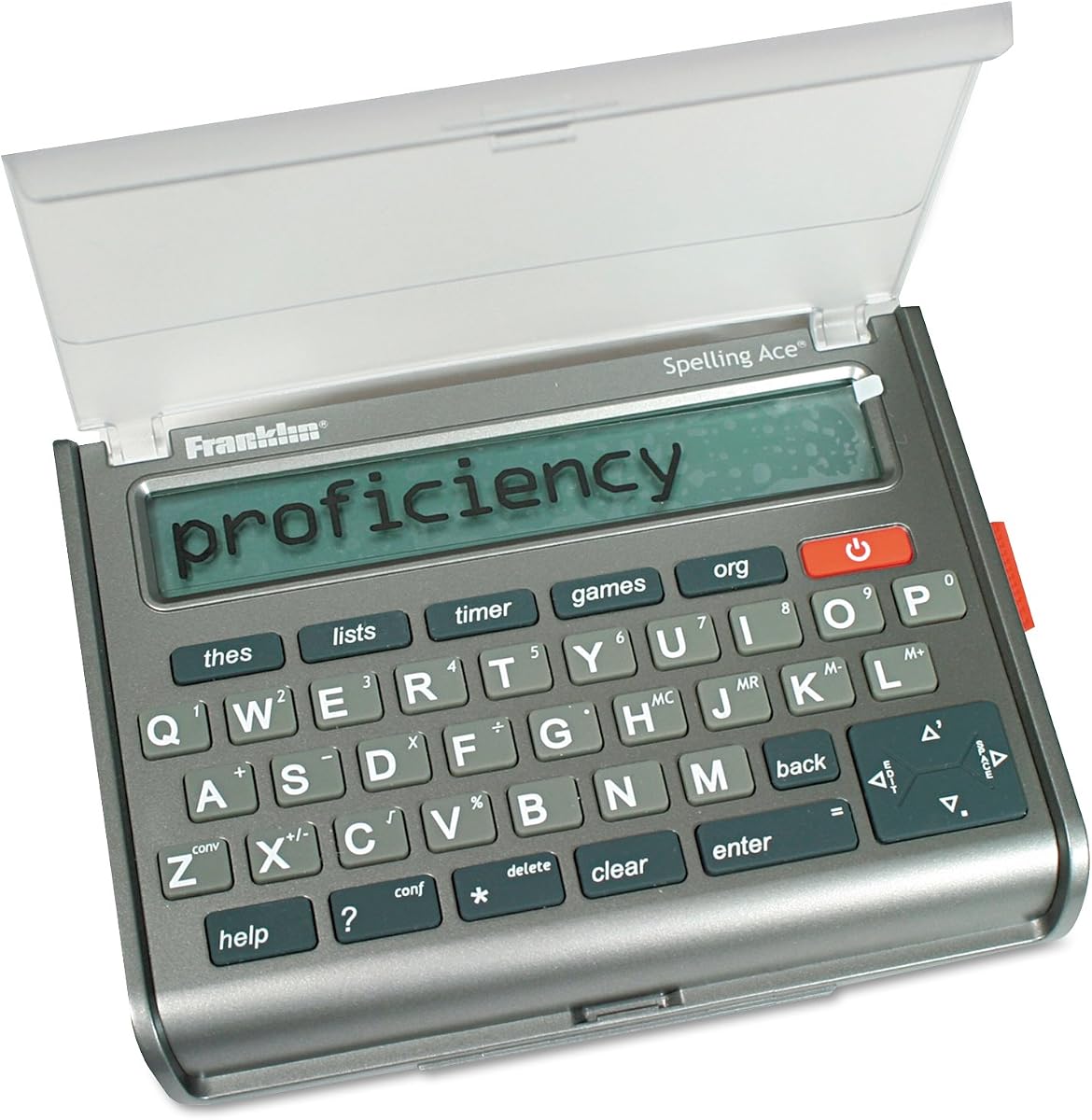
The Franklin SA-309 is uniquely tailored for word puzzle enthusiasts with a powerful Merriam-Webster-based crossword solver and word builder tools. With a high 4.2-star rating it appeals to users who enjoy solving crosswords or word games and need a reliable tool to assist with clue solving.
We may earn a commission when you buy through this link, at no additional cost to you.
It features a robust thesaurus with half a million synonyms and antonyms supporting extensive vocabulary exploration. The confusables function helps clarify frequently confused words such as their vs. they're which improves writing accuracy alongside puzzle-solving capabilities for a well-rounded language tool.
The Word Builder feature takes entered letters and generates possible words helping users find solutions during gameplay. This specialized focus makes it the top choice for game players though it also serves general users who need strong synonym and spelling tools for everyday writing tasks.
We recommend this device for crossword lovers or anyone needing advanced word manipulation tools. Its high user rating reflects satisfaction with the puzzle features making it a standout pick for those who prioritize word games and vocabulary depth over other functions.
A dedicated crossword solver using Merriam-Webster data helps you find solutions efficiently and expand your knowledge during puzzle solving.
The confusables feature explains similar sounding words helping you avoid common mistakes in writing and speech accurately and confidently.
We may earn a commission when you buy through this link, at no additional cost to you.
The Merriam-Webster BookMan offers a classic pocket-sized electronic experience combining trusted dictionary and thesaurus content in a compact form. While it may lack modern multimedia features its focus on portability and reliable content makes it a good backup for those needing quick definitions without bulk.
We may earn a commission when you buy through this link, at no additional cost to you.
It brings the authority of Merriam-Webster definitions into a lightweight device that fits easily in a shirt pocket or small bag. This simplicity ensures you can look up words quickly without navigating complex menus or interfaces which suits users who prefer a no-frills reference tool.
The rating reflects its age and limited feature set compared to newer models but the core function of providing definitions and synonyms remains solid. It serves well as a dedicated reference tool for travel or professional settings where carrying a phone is not desirable or practical.
We recommend this model for users who value simplicity and a trusted brand in a purely portable format. It is an excellent secondary device for quick lookups where you want reliable information without distraction or complex setup requirements.
Its compact design fits easily in pockets or small bags ensuring you always have a reliable reference tool available when you need it.
Featuring Merriam-Webster content ensures you access accurate and authoritative definitions for reliable language reference on the go.
We may earn a commission when you buy through this link, at no additional cost to you.
The Franklin MWD-1450 stands out for its downloadable content capability allowing users to expand the base dictionary with specialized vocabularies. This flexibility makes it a versatile tool for professionals in technical fields who need specific terminology not included in the base dictionary package.
We may earn a commission when you buy through this link, at no additional cost to you.
It includes 100000 definitions and 9 learning exercises to support vocabulary building and grammar practice. The 5-line display offers adequate space for reading definitions and viewing multiple results without excessive scrolling which improves the lookup speed and usability during active work sessions.
While the base dictionary is smaller than competitors the expandable nature via BookCards and downloadable options means you can tailor the device to your niche needs. This customization ensures you can keep the device relevant as your professional vocabulary or language requirements grow over time.
We recommend this model for users who need flexibility and specialized content. It is particularly useful for professionals or students who benefit from targeted vocabulary sets alongside general dictionary functions for a personalized learning experience.
Support for BookCards allows you to add specialized dictionaries tailoring the device to specific industries or learning goals easily.
Built-in learning exercises help reinforce vocabulary retention through interactive practice making it a supportive tool for language study.
We may earn a commission when you buy through this link, at no additional cost to you.
Selecting the right electronic dictionary requires balancing features like word count, translation needs, and portability with your budget. This guide breaks down the critical factors to consider before making your purchase.
Determine whether you need a single-language English device or a bilingual/multilingual translator. Bilingual devices like the DBE-1200 are essential for travelers or students working with two languages and offer offline translation to avoid data costs.
Check that the device supports the specific languages you need and includes phrasebooks for common travel or business interactions.
Larger word counts and definition databases provide more nuanced meanings and rare vocabulary. Look for devices offering at least 100,000 words for general use and over 300,000 for advanced academic or professional needs.
Ensure the dictionary edition is recent to capture modern usage and slang that might appear in daily communication.
Talking dictionaries are crucial for language learners who need to hear correct pronunciation. Devices with native human voice outputs are far superior to robotic voices for accurate listening skills and intonation practice.
Audio feedback also aids in spelling retention and helps users understand proper word stress which is vital for fluent communication.
Consider the physical size and weight especially if you plan to carry the device daily. Pocket-sized models ensure convenience while robust builds protect against drops during travel.
Verify the battery type and expected life to ensure the device lasts through your typical usage patterns without frequent recharging or replacements.
Look for extra features like grammar checkers conjugation tables and word games that enhance learning. Tools like confusables guides and spelling checkers add value for students and professionals aiming to improve writing accuracy.
Some devices include specific prep tools for standardized tests like the SAT or TOEFL which can be a deciding factor for students.
A clear LCD screen with good contrast makes long reading sessions comfortable. Magnifying functions or high-resolution displays help users with visual impairments see words clearly.
The interface should be intuitive with accessible buttons or touchscreen support depending on your preference to navigate dictionaries quickly and efficiently.
Basic models offer great value for simple lookups while premium devices justify higher costs with extensive translation and specialized tools. Consider whether the device will meet your needs over several years before buying.
Check for any required subscriptions or content purchases after the initial buy to understand the true cost of ownership for the model.
Many electronic dictionaries work entirely offline which is vital for travel or areas without reliable internet. Ensure the device does not depend on cloud connectivity for core dictionary or translation functions.
Offline functionality ensures your reference tool is always available when needed without worrying about data usage or signal strength.
Begin by installing the batteries and reading the quick start guide to understand the key layout. Test the dictionary function by looking up a common word to ensure the screen and audio features are working properly before you use it extensively.
Use the search function effectively by typing partial words if you are unsure of the full spelling to find suggestions. Take advantage of bookmarking or memo features to save frequent words and phrases for quick access during your daily tasks.
Keep the device in a protective case when not in use to prevent screen scratches and physical damage. Regularly clean the screen with a soft cloth and store the device in a dry cool place to maintain battery health and extend its lifespan.
Electronic dictionaries offer dedicated focus without notifications and often work offline without draining phone battery. They provide a distraction-free environment ideal for students who need to concentrate on learning without internet interruptions.
Most of the models reviewed are designed to work completely offline for core functions like dictionary lookups and translation. This ensures you can use them anywhere without relying on mobile data or Wi-Fi connections.
Some models like the Franklin MWD-1450 support expandable content via memory cards or downloads but many standalone devices rely on preloaded content. Always check product specs for update capabilities before purchasing.
A confusables tool helps explain and differentiate between words that are often mixed up due to similar spelling or pronunciation such as their and they're. It aids in improving writing accuracy and grammar proficiency significantly.
Many models include educational games and word builders that make learning fun and interactive for younger users. Look for devices with simple interfaces and engaging content to keep kids motivated during study sessions.
Battery life varies by model and usage but many devices offer weeks of standby time and several hours of active use on standard batteries. Rechargeable options are available on some newer models for extended convenience.
Several devices offer multi-language support for translation such as the Franklin MES-2400 which covers five major languages. However some models are limited to English only so verify language options carefully.
Our top recommendations include the Franklin MES-2400 for its robust offline translation and the Franklin DBE-1200 for bilingual depth. For budget-conscious buyers the Franklin Collins English Digital Dictionary Express offers great core features at an affordable price.
Prioritize devices that offer offline capability if you travel frequently or need reliable access without internet. Ensure the word count and language options match your specific needs whether for casual learning or professional study.
Prices for these devices fluctuate so check current listings to find the best deals before buying. Investing in a reliable reference tool now can save time and enhance your language skills effectively over the long term.