
acer SB240Y G0bi
4.6Editor score
Zero-frame edge to edge design
Up to 120Hz refresh rate
1ms VRB response time
Edge to edge monitors deliver immersive visual experiences by minimizing bezels and maximizing screen real estate. These displays are ideal for professionals seeking expansive workspaces and gamers wanting cinematic immersion without distracting frames.
We evaluated ten top-rated models based on resolution, refresh rate, panel technology, and connectivity options. Our analysis ensures you find a monitor that balances performance, comfort, and value for your specific setup requirements.
Each pick highlights key strengths and trade-offs to help you decide quickly. Keep in mind that prices fluctuate frequently, so verify current deals before purchasing to secure the best value for your investment today.
4.6Editor score

4.5Editor score

4.3Editor score
As an Amazon Associate we earn from qualifying purchases.
This side-by-side comparison highlights the core specifications of each model to help you identify the right fit for your desk setup and usage scenarios.





This Z-Edge 49 inch model stands out as our top pick with its massive DQHD resolution and immersive curved design. It combines productivity features with gaming performance to deliver a versatile edge to edge experience.
We may earn a commission when you buy through this link, at no additional cost to you.
The DQHD 5120×1440 resolution provides sharp visuals equivalent to two standard monitors. With a 165Hz refresh rate and KVM switch, multitasking across devices becomes seamless and efficient.
While it demands a powerful graphics card to drive such detail, the trade-off is worth the immersive depth. The curvature ensures consistent focus across the entire screen surface.
Ideal for power users and creators needing extra screen real estate without cluttering their desk with multiple physical units.
The 32:9 aspect ratio wraps content around your field of view for true cinematic immersion.
Built-in KVM allows one mouse and keyboard to control two separate systems simultaneously.
We may earn a commission when you buy through this link, at no additional cost to you.
The Dell UltraSharp U4924DW targets professionals needing reliable edge to edge performance with its DQHD resolution. It ensures data transfer efficiency through robust USB-C connections and consistent visuals.
We may earn a commission when you buy through this link, at no additional cost to you.
Its Edge WLED backlight technology delivers clear and smooth displays suitable for long work sessions. The 49-inch size showcases photos and documents with striking clarity.
It prioritizes stability over gaming specs, which limits its appeal for competitive players. However, for corporate or creative workflows, it offers a dependable solution.
Choose this if you value durability and color consistency over high refresh rates or advanced gaming assist tools.
USB Type-C allows powerful and efficient transfer of data for maximum productivity without cables.
VESA mount compatibility lets you attach the display on a wall or custom stand as needed.
We may earn a commission when you buy through this link, at no additional cost to you.
The LG 45GX950A-B brings world-class 5K2K OLED gaming to the edge to edge category. Its unmatched clarity and contrast redefine visual fidelity for both work and play.
We may earn a commission when you buy through this link, at no additional cost to you.
The 125 PPI density reduces color fringing for crisp text clarity. Dual Mode lets you switch to WFHD at 330Hz for ultra-responsive competitive gaming when needed.
While it comes with a premium price, the OLED benefits like infinite contrast and 0.03ms response justify the cost. It supports advanced HDR and G-Sync technologies.
This is the ultimate choice for enthusiasts seeking the absolute best picture quality and performance available today.
Play with a near-instantaneous 0.03ms response time which minimizes ghosting for sharp visuals.
FreeSync Premium Pro and G-SYNC compatibility deliver smooth tear-free visuals across PC and console.
We may earn a commission when you buy through this link, at no additional cost to you.
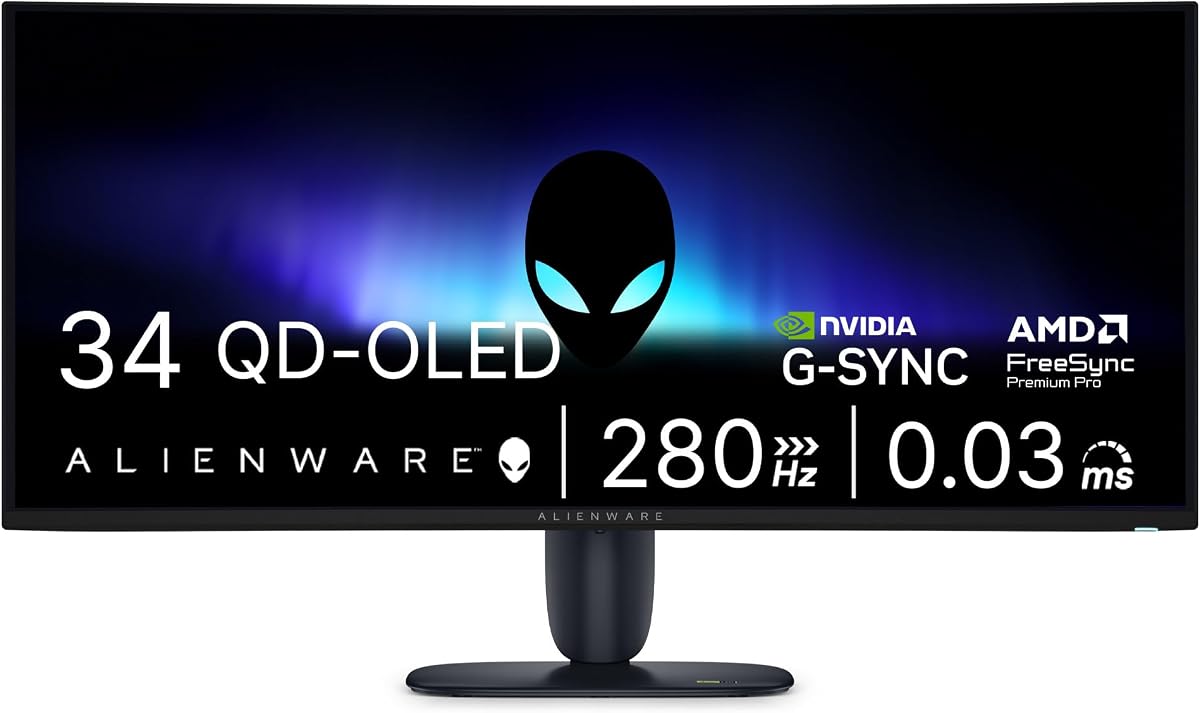
The Alienware 34 Gaming model offers a compact yet immersive UWQHD QD-OLED edge to edge display. It combines OLED brightness with high refresh rates for elite gaming performance.
We may earn a commission when you buy through this link, at no additional cost to you.
Its 280Hz refresh rate ensures ultra-smooth motion for competitive titles. The 0.03ms response time eliminates motion blur effectively for precise aiming.
Compared to larger ultrawides, the 34-inch size takes up less space but still delivers stunning visual depth. The QD-OLED panel provides deeper blacks than standard LCDs.
Pick this if you prioritize refresh rates and color accuracy in a slightly more manageable desk footprint.
Quantum dot OLED technology enhances color volume and brightness for vivid and true-to-life visuals.
Native G-Sync compatibility guarantees synchronized frame rates to eliminate screen tearing completely.
We may earn a commission when you buy through this link, at no additional cost to you.
The Dell 34 Monitor S3425DW delivers a balanced mix of comfort and performance with its WQHD VA panel. It focuses on reducing eye strain during extended use without sacrificing color fidelity.
We may earn a commission when you buy through this link, at no additional cost to you.
Improved ComfortView Plus reduces harmful blue light emissions significantly for all-day comfort. The VA panel ensures vivid colors with 99% sRGB coverage for accurate viewing.
While it lacks the highest refresh rates, 120Hz remains smooth for general gaming and work. USB-C connectivity simplifies cable management by reducing cable clutter.
Ideal for users who prioritize visual comfort and workspace organization over extreme gaming speeds.
Reduces harmful blue light emissions to less than 35% for all-day comfort without color loss.
Single USB-C cable supports up to 65W power delivery to keep your desk clutter-free.
We may earn a commission when you buy through this link, at no additional cost to you.
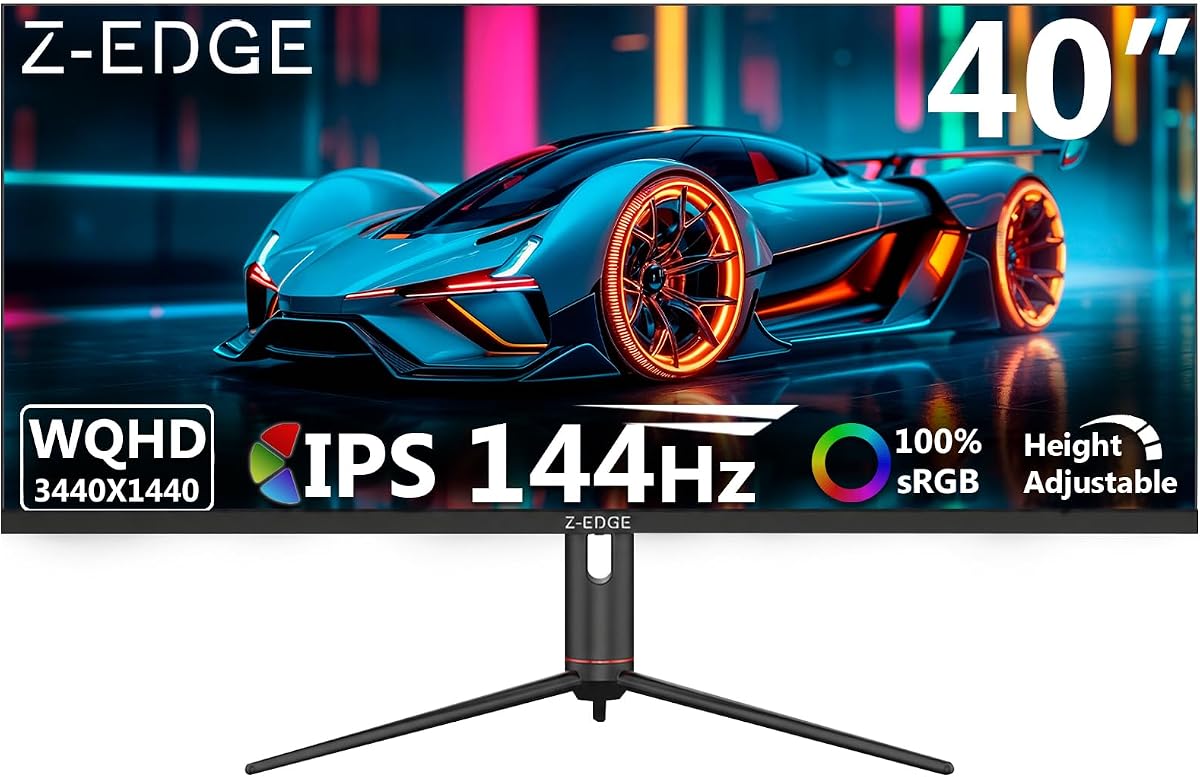
The Z-Edge 40 inch Ultrawide offers an accessible entry into edge to edge gaming with its IPS panel. It balances performance and ergonomics for a comfortable user experience.
We may earn a commission when you buy through this link, at no additional cost to you.
Built with an advanced IPS panel, it delivers consistent colors from nearly any viewing angle. The 144Hz refresh rate ensures fluid motion for gaming and video playback.
It includes a versatile Type-C port for convenient connectivity and efficient data transmission. The fully adjustable stand supports tilt and height adjustments for long hours.
Choose this if you want a solid mid-range option with strong color consistency and ergonomics.
Built with an advanced IPS panel delivering 178-degree wide viewing angles for consistent colors.
Fully adjustable stand includes height, tilt, and swivel support for maximum comfort.
We may earn a commission when you buy through this link, at no additional cost to you.
The acer SB240Y G0bi redefines budget edge to edge monitors with its zero-frame design and competitive specs. It brings impressive visual clarity and responsiveness to entry-level users.
We may earn a commission when you buy through this link, at no additional cost to you.
The zero-frame design provides maximum visibility of the screen from edge-to-edge for stunning high-quality images. Adaptive-Sync Support matches your graphics card for a smooth, tear-free experience.
Fast response time of 1ms ensures smooth 2D motion scenes without ghosting effects. While limited to Full HD, it remains ideal for general office work and casual gaming.
This model is perfect for those seeking an immersive screen without the high price tag of premium ultrawides.
Zero-frame design provides maximum visibility of the screen from edge-to-edge for stunning visuals.
Adaptive-Sync Support matches the refresh rate of your monitor with your graphics card smoothly.
We may earn a commission when you buy through this link, at no additional cost to you.
The Samsung 57" Odyssey Neo G9 offers the widest edge to edge experience available with its Dual 4K UHD resolution. It wraps your world in vivid scenes for heart-pounding intensity.
We may earn a commission when you buy through this link, at no additional cost to you.
Its 240Hz refresh rate reduces lag significantly while the Quantum Mini LED technology creates controlled brightness. Local dimming zones ensure deep blacks and enhanced depth for spotting enemies.
Support for DisplayPort 2.1 enables blazing performance without compromising on variable refresh rates. This monitor transforms your setup into a competitive station for gaming.
Opt for this if you crave the ultimate field of view and have the space and budget to support it.
57 DUHD resolution brings you a display as wide as 2 UHD monitors with pin-sharp images.
Revolutionary Quantum Mini LEDs create controlled brightness and improved contrast for realistic visuals.
We may earn a commission when you buy through this link, at no additional cost to you.
The Sceptre Curved 34-inch Prime Gaming Monitor delivers high refresh speeds at a competitive price. It provides seamless connectivity and vibrant visuals for both work and play.
We may earn a commission when you buy through this link, at no additional cost to you.
With up to 240Hz refresh rate it ensures a buttery-smooth visual experience. Built-in speakers and Audio Out Jack provide diverse audio options without external clutter.
True to Life Colors ensure accurate visuals for multimedia tasks with 100% sRGB. Blue-Light Shift technology protects your eyes and promotes healthier viewing habits.
Ideal for budget-conscious gamers wanting high refresh performance and built-in audio convenience.
Seamlessly link devices via two HDMI and two DisplayPort ports for up to 240Hz refresh.
Experience vibrant colors with 100% sRGB performance ensuring accurate visuals for creative tasks.
We may earn a commission when you buy through this link, at no additional cost to you.
The Corsair XENEON Edge 14.5" offers a unique take on edge to edge displays by being portable and touch-enabled. It serves as a standout secondary display for system metrics and widgets.
We may earn a commission when you buy through this link, at no additional cost to you.
The five-point multi-touch capacitive touchscreen makes interacting with applications easy like a smartphone. Set it up vertically or horizontally depending on your setup needs and preferences.
For internal installation, magnets and screws provide strong adhesion to fan mounting positions. This versatility allows you to showcase system stats and even play games on the go.
Best suited as a secondary monitor for enthusiasts who want a secondary interactive screen or portable companion.
Install the screen inside your case, mount it outside, or use it as a standalone monitor.
Five-point multi-touch capacitive touchscreen makes interacting with widgets and applications effortless.
We may earn a commission when you buy through this link, at no additional cost to you.
Choosing the right edge to edge monitor involves balancing resolution, panel type, and connectivity to meet your specific workflow needs.
Resolution determines how much content fits on screen without pixelation. Ultrawide monitors often use 32:9 or 21:9 aspect ratios to replace dual setups.
Prioritize DQHD or 4K for sharp text clarity in professional environments while HD suits general use.
Panel types like IPS, VA, and OLED differ in color accuracy and contrast. IPS offers wide angles while VA provides deeper blacks for media.
OLED panels deliver the best contrast but may cost more. Match the panel to your primary use case for optimal viewing.
High refresh rates and fast response times are critical for smooth gaming motion. Look for 120Hz or higher for fluid visuals without tearing.
Response times under 5ms prevent ghosting. Prioritize these specs if gaming or fast-paced editing is a priority.
Modern monitors should support HDMI, DisplayPort, and USB-C to simplify cable management. USB-C can also provide power delivery to laptops.
Ensure the monitor supports your graphics card outputs to avoid bottlenecks and enable higher resolutions or refresh rates.
Extended viewing sessions require features like Blue Light Shift and flicker-free technology to reduce strain. Certified Eye Comfort displays adjust light output automatically.
Prioritize these ergonomic features if you work long hours to maintain visual health and productivity over time.
Adjustable stands allow height, tilt, and swivel to maintain proper posture during use. VESA compatibility adds flexibility for custom mounting.
A sturdy stand ensures stability. Check for ergonomic adjustments if you move positions frequently throughout the day.
Built-in speakers save desk space but often lack high fidelity. Check for headphone jacks if you require external audio solutions.
Models with enhanced audio quality improve entertainment immersion. Decide if integrated audio meets your needs before purchase.
Edge to edge monitors range widely in price. Set a budget that balances performance needs with financial constraints.
Higher costs often bring better build quality and features. Weigh long-term utility against initial expense for the best value.
Start by calibrating your monitor using built-in tools to ensure accurate colors and brightness levels. This step is vital for design work and media consumption.
Keep the screen clean using a soft microfiber cloth and mild solution to avoid scratching the anti-glare coating. Regular dusting prevents buildup over time.
Use cable management to organize connections and reduce strain on ports. Proper ventilation around the unit helps maintain performance and longevity.
Edge to edge monitors provide a seamless workspace without bezels interrupting your view. They simplify setup with fewer cables and offer wider aspect ratios for better immersion.
DQHD is ideal for productivity and gaming on ultrawides. For professional graphics, consider 4K or 5K2K for finer detail without pixelation.
Most support gaming but look for high refresh rates and adaptive sync. Panels like OLED or QD-OLED provide superior contrast for dark game scenes.
Curved screens enhance immersion and reduce eye strain by matching natural viewing arcs. Flat panels suit professional work needing straight lines and calibration.
Yes, many ultrawide monitors support KVM switches or Picture-by-Picture. This lets you control two systems with one keyboard and mouse setup.
Use a soft microfiber cloth and avoid harsh chemicals. Gently wipe the screen while powered off to prevent streaks and protect coatings.
We highlighted the Z-Edge 49 inch, LG 45GX950A-B, and acer SB240Y as top performers for productivity, OLED gaming, and budget needs respectively.
Prioritize resolution and panel type based on whether you work or game more. Ergonomics and eye care features matter for long daily usage sessions.
Prices for these models change often so verify current deals before buying. Check compatibility with your current setup to ensure smooth integration.