
Redragon M612 Wired RGB Optical Gaming Mouse 8000 DPI Remapping Keys
4.6Editor score
8000 DPI adjustment
9 programmable buttons
Ergonomic claw grip
This guide compares the top ten drag click mice for gaming and productivity, evaluating sensors, ergonomics, and programmable buttons to help you find the
Finding the right mouse can transform your gaming experience or daily workflow. Drag click mice offer unique benefits for users who need rapid input registration without physical strain.
We compared ten top models based on sensor precision, build quality, and customizable features. Our analysis covers wired and wireless options to suit every preference and budget.
Each pick highlights specific strengths and ideal use cases for different players. Note that availability and specifications may change, so verify details before purchasing.
4.6Editor score

4.6Editor score

4.6Editor score
The following table provides a side-by-side comparison of all ten models reviewed in this guide. Check the specs to find the mouse that fits your hand and play style best.

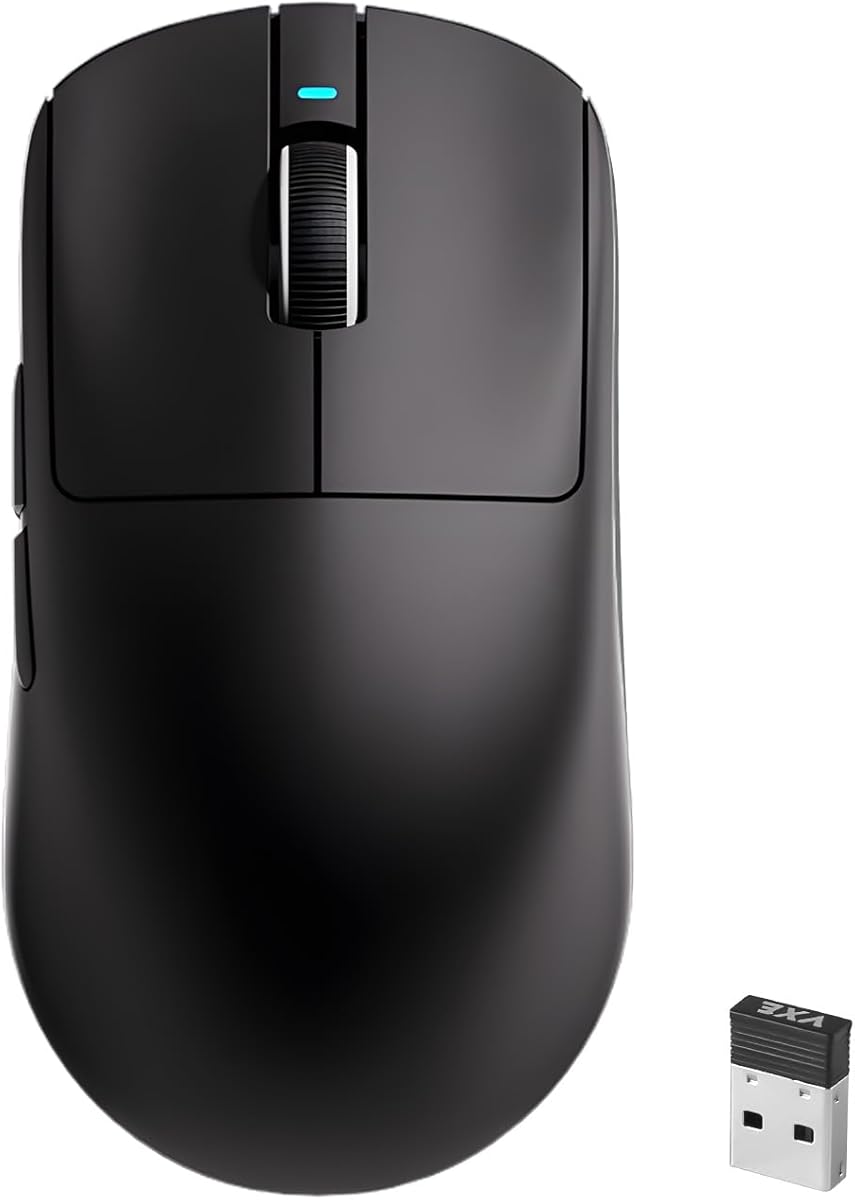


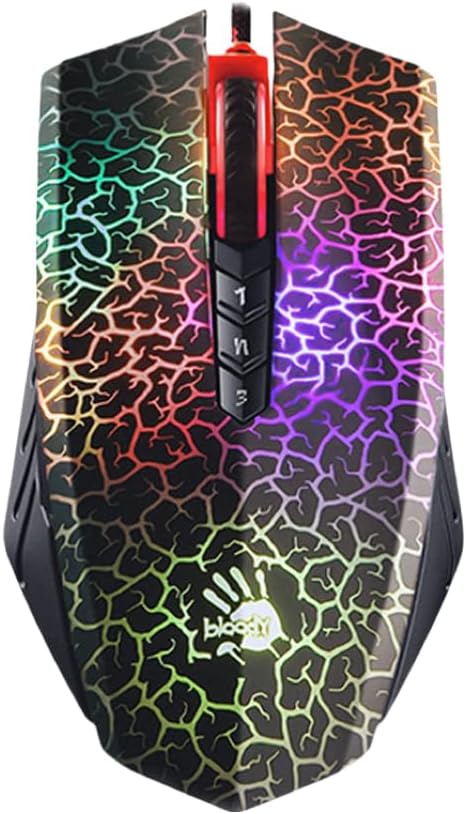

The Redragon M612 offers a solid entry point for users seeking a reliable drag click mouse without spending a fortune. With a 4.6 rating, it balances performance and ergonomics effectively.
We may earn a commission when you buy through this link, at no additional cost to you.
Its frosted coating provides excellent friction, preventing slips during intense gaming sessions. The 8000 DPI range ensures you can tailor sensitivity to any game or task.
While it lacks wireless connectivity, the wired design ensures zero latency. The software allows for key remapping which enhances usability for productivity too.
This mouse is ideal for budget-conscious gamers who prioritize tactile feedback and customization over wireless convenience. It delivers high value for the price.
The skin-friendly frosted coating ensures a secure hold even during sweaty gaming sessions.
Nine programmable buttons allow you to bind macros and shortcuts for various applications.
We may earn a commission when you buy through this link, at no additional cost to you.
The Redragon M923 PRO stands out with its high DPI capabilities and versatile connectivity. It supports Bluetooth, 2.4GHz, and wired modes for maximum flexibility.
We may earn a commission when you buy through this link, at no additional cost to you.
Users appreciate the 24K DPI sensor which offers precise tracking across different surfaces. The ergonomic design reduces strain during extended use.
However, battery life may vary based on RGB usage. The driver software is essential for unlocking all features and customization options.
This mouse suits users who need high precision and wireless freedom. It is a strong choice for both work and play.
Choose between Bluetooth for multitasking or 2.4GHz for lag-free gaming performance.
The high DPI sensor allows for granular adjustments to suit different play styles.
We may earn a commission when you buy through this link, at no additional cost to you.
The Razer Viper V3 Pro represents the pinnacle of esports gaming mice. It features an incredibly lightweight design and advanced polling technology.
We may earn a commission when you buy through this link, at no additional cost to you.
The 8000Hz polling rate ensures instantaneous response which is crucial for competitive drag clicking. The optical switches prevent double clicking issues.
Although the price is higher than budget options, the performance and durability justify the investment. It is built for serious gamers who demand the best.
This mouse is perfect for esports athletes and enthusiasts who need speed and accuracy. It sets a new standard for wireless performance.
Experience real-time responsiveness with a true polling rate of up to 8000 Hz.
Gen 3 optical switches offer a 90 million click lifecycle with zero debounce delay.
We may earn a commission when you buy through this link, at no additional cost to you.
The ATK R1 SE+ offers a competitive alternative to top-tier wireless mice. It is incredibly light at 55 grams which reduces fatigue significantly.
We may earn a commission when you buy through this link, at no additional cost to you.
Equipped with a PAW3395SE sensor it ensures precise tracking. The web-driven interface makes customization accessible without heavy software installation.
While it lacks some premium features like RGB lighting, it excels in core performance. It is a practical choice for those who prioritize utility.
This mouse fits well for users who need a reliable lightweight option for drag clicking. It delivers strong performance at a reasonable cost.
Adjust DPI and polling rates directly through a browser for quick and easy setup.
At 55 grams, the mouse allows for swift flicks and effortless control.
We may earn a commission when you buy through this link, at no additional cost to you.
The Redragon M910-K provides specific features tailored for rapid inputs. It includes a dedicated fire button for quick double clicks.
We may earn a commission when you buy through this link, at no additional cost to you.
With nine programmable buttons it offers robust macro capabilities. The five user profiles allow switching between different game settings easily.
Its ergonomic contour ensures comfort during long sessions. While it is wired, it delivers consistent performance without connectivity issues.
This mouse is suitable for players who need specific button layouts. It balances functionality and comfort for a great user experience.
A dedicated fire button allows one click to register as multiple rapid clicks.
Software supports customizable tactical keybinds for any game or work scenario.
We may earn a commission when you buy through this link, at no additional cost to you.
The MOJO Pro Performance focuses on a silent experience without compromising performance. It is ideal for shared spaces where noise is a concern.
We may earn a commission when you buy through this link, at no additional cost to you.
It includes a sniper key for precise aim and adjustable force settings. The ergonomic design ensures it fits comfortably in the hand.
Despite being heavier than modern mice, the build quality is solid. It offers a unique solution for users prioritizing silence and comfort.
This mouse works well for streamers or office workers needing a quiet gaming peripheral. It delivers a distinct advantage in noise control.
Fully silent buttons prevent disturbance during night gaming or focused work sessions.
Hand sculpted design reduces strain and provides a natural grip for long periods.
We may earn a commission when you buy through this link, at no additional cost to you.
The Redragon M913 is designed for MMO enthusiasts who need extensive button access. It features twelve side buttons for complex skill rotations.
We may earn a commission when you buy through this link, at no additional cost to you.
With sixteen programmable buttons in total it offers massive customization. The battery life supports long gaming sessions without frequent charging.
It may feel bulky for smaller hands but it offers unmatched functionality. It is a strong tool for specialized gaming needs.
This mouse is perfect for MMO players who require high customization. It delivers flexibility and endurance for intensive gaming use.
Twelve side buttons allow easy access to complex macros and abilities.
Switch between 2.4GHz wireless and USB-C wired mode easily.
We may earn a commission when you buy through this link, at no additional cost to you.
The Bloody A70 II utilizes Light Strike optical switches for rapid response. It is designed for users who need speed and durability.
We may earn a commission when you buy through this link, at no additional cost to you.
The 0.2ms response time ensures immediate action registration. The XGLIDE armor improves glide and adds durability to the mouse feet.
Software support is straightforward for basic customization. It is a reliable choice for those focused on performance.
This mouse is suitable for gamers seeking fast switches without a premium price. It delivers solid performance and longevity.
Optical switches reduce response time to 0.2ms for instant action.
XGLIDE Armor protects the mouse feet and improves movement on pads.
We may earn a commission when you buy through this link, at no additional cost to you.
The Logitech G PRO X2 SUPERSTRIKE sets a new standard for premium gaming mice. It offers industry-leading speed and haptic feedback.
We may earn a commission when you buy through this link, at no additional cost to you.
The HERO 2 sensor delivers precise tracking. Haptic Inductive Trigger System adds immersion through tactile feedback on clicks.
With 90 hours of battery life it ensures longevity. The build quality is exceptional with thin-wall case for reduced weight.
This mouse is ideal for professionals and enthusiasts who demand the best. It delivers unmatched performance and innovative features.
Real-time feedback creates a more immersive gaming experience for any scenario.
Clicks are 30 ms faster than traditional switches for peak performance.
We may earn a commission when you buy through this link, at no additional cost to you.
The Razer Basilisk V3 is favored for its ergonomic design and features. It includes a thumb rest for long comfort.
We may earn a commission when you buy through this link, at no additional cost to you.
The HyperScroll wheel allows free-spinning for quick navigation. It supports Chroma RGB for vibrant customization.
With eleven programmable buttons it offers flexibility. It is a strong choice for palm grip users.
This mouse is suitable for users who need a balance of comfort and performance. It delivers a satisfying experience for various games.
The iconic ergonomic design includes a thumb rest for long-term comfort.
Switch between free-spinning and tactile modes for precision or speed.
We may earn a commission when you buy through this link, at no additional cost to you.
Selecting the right mouse involves evaluating several key factors. Understanding these elements will help you find the perfect drag click mouse for your needs.
The sensor is the heart of any gaming mouse. It tracks movement and translates it into cursor actions. A high DPI sensor ensures precision and speed.
Look for optical sensors with high DPI and IPS ratings for reliable tracking.
Comfort is crucial for long gaming sessions. An ergonomic design reduces hand fatigue and prevents strain. Consider your grip style when choosing a shape.
Choose a mouse that fits your hand size and grip style comfortably.
Drag clicking often requires multiple clicks per action. Extra programmable buttons allow for macro usage and customization. Ensure buttons are easily accessible.
Aim for at least nine buttons for flexible configuration.
Wired mice offer consistent performance without latency. Wireless mice provide freedom of movement but may introduce slight delays. Modern wireless tech has improved significantly.
Decide between stability and convenience based on your setup.
Driver software allows you to map keys and adjust DPI. Good software is intuitive and supports profiles. It enhances the overall utility of the mouse.
Ensure the manufacturer provides robust and easy-to-use software.
Durable materials ensure longevity and consistent performance. Switches should be reliable to prevent double clicking. Check ratings and reviews for durability.
Prioritize mice with high switch ratings and solid construction.
Polling rate determines how often the mouse reports position to the PC. Higher rates reduce input lag and increase smoothness. It is vital for competitive gaming.
Opt for 1000Hz or higher polling rates for better responsiveness.
Prices vary widely depending on features and brand. Budget mice offer basic functions while premium ones offer advanced tech. Balance cost with your performance needs.
Set a realistic budget and prioritize essential features over extras.
Start by installing the manufacturer software to customize your DPI and buttons. This ensures the mouse is ready for your specific needs.
Keep your mouse surface clean to maintain smooth movement. Dust can affect tracking performance and glide quality over time.
Store your mouse in a dry place when not in use. Moisture can damage internal components and reduce longevity.
Drag clicking is a technique where you swipe your finger across the mouse button to generate multiple rapid clicks. It is popular in games requiring fast actions.
Wired mice provide zero latency and consistent connection. They are ideal for competitive scenarios where every millisecond counts.
Use the provided driver software to assign macros and functions to buttons. Ensure you save profiles for different applications or games.
DPI preferences vary by user. Lower DPI allows precision while higher DPI offers speed. Find a balance that suits your play style.
Clean your mouse weekly to remove dust and oils. Use a soft cloth and avoid liquids near the sensors or buttons.
Battery life depends on usage and features like RGB. Modern wireless mice offer optimized power management for long gaming sessions.
We reviewed ten top options ranging from budget to premium models. Each offers unique features for different preferences and needs.
Prioritize ergonomics and sensor performance when making your choice. A comfortable and responsive mouse will improve your experience.
Always check current availability and features before buying. The market evolves quickly so verify specifications for the best results.