
Cable Matters DisplayPort to DVI Cable, DP to DVI Cable, 6ft
4.6Editor score
Bare copper conductors improve signal
Foil and braid shielding reduces noise
Compact six feet length fits desks
This guide compares the top Displayport to DVI Cable options for reliable video connectivity, resolution support, and build quality across various use cases.
Finding a reliable Displayport to DVI cable ensures your monitor receives crisp video signals without compatibility issues. Quality cables prevent signal loss and support high resolutions for smooth viewing experiences.
We evaluated ten models based on build materials, shielding, connector durability, and user feedback. Each option was assessed for its ability to maintain stable connections across different devices and setups.
Each selection highlights key strengths like length options, latch designs, and warranty coverage. Prices vary by features and brand reputation, so checking current listings helps you find the best value today.
4.6Editor score

4.6Editor score
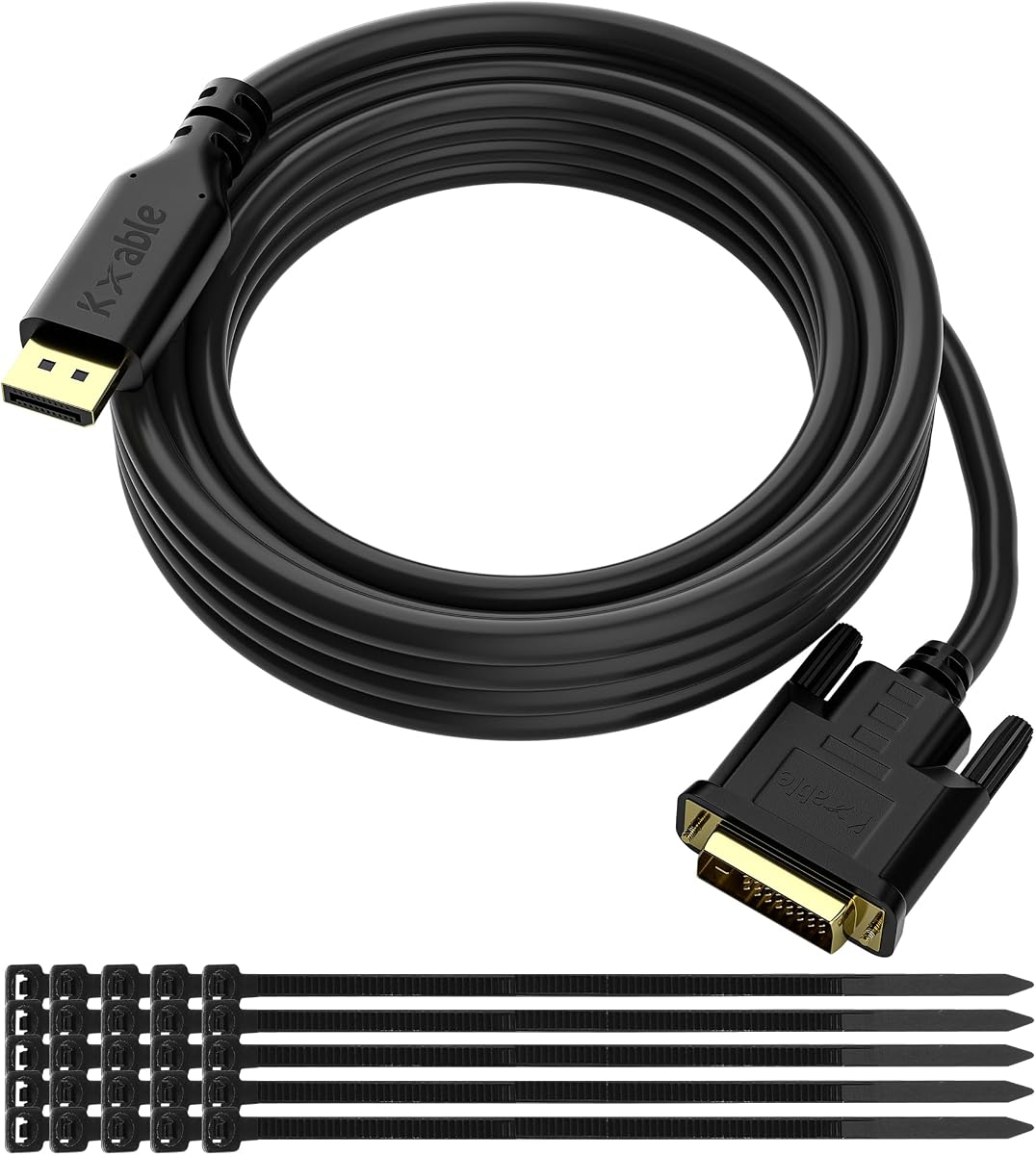
4.8Editor score
This comparison table lists all ten models side by side so you can quickly see which cable matches your length and performance needs for video transmission.

This cable delivers reliable video transmission from Displayport sources to DVI monitors. It holds a strong rating from users who appreciate its sturdy build and consistent performance during daily use.
We may earn a commission when you buy through this link, at no additional cost to you.
The built-in IC chip ensures precise signal conversion for resolutions up to 1080p at 60Hz. Gold plating on the connectors helps resist corrosion while the latch mechanism keeps the connection steady during operation.
Users should note this cable works only from Displayport to DVI, not the reverse. The six-foot length suits most desktop setups but might limit flexibility in larger rooms with distant equipment.
Anyone needing a stable connection for office or home media setups will find this a solid choice. Its long warranty and responsive service make it a dependable option for long-term reliability.
The latch system requires pressing a release button before unplugging which prevents accidental disconnects during active use.
Multiple shielding layers protect the video signal from interference ensuring clean image output on compatible displays.
We may earn a commission when you buy through this link, at no additional cost to you.
This long cable supports setups where the computer sits far from the monitor. It earns high praise for maintaining signal quality across its full length with pure copper conductors inside.
We may earn a commission when you buy through this link, at no additional cost to you.
Its 24K gold connectors and multi-layer shielding deliver clear video up to 1080p at 60Hz. The soft PVC jacket improves texture and flexibility while the included ties help keep cables organized.
The cable is unidirectional meaning it converts Displayport to DVI only. Its length makes it ideal for large desks or living rooms but could feel excessive for compact workstation areas.
Anyone needing extended reach without signal degradation will find this a premium solution. The included accessories and sturdy build justify the cost for users who value organization and performance.
Pure copper wiring ensures the video signal remains strong even when traveling twenty five feet from source to display.
Complimentary zip ties allow users to bundle excess cable and keep workspaces tidy and professional looking.
We may earn a commission when you buy through this link, at no additional cost to you.
This model offers excellent value for users seeking a simple and reliable video link. It features bare copper conductors and shielding to maintain signal integrity across typical desk distances.
We may earn a commission when you buy through this link, at no additional cost to you.
The gold-plated connectors and secure latch design ensure a solid connection without constant adjustment. Users can configure extended or mirrored displays easily through the stable link it provides.
While it lacks premium extras like extended length, its compact size suits standard workstation setups well. The basic design keeps costs low while still delivering the needed performance for daily tasks.
Those prioritizing affordability without sacrificing core quality should consider this pick. Its balanced features and reasonable price make it a smart choice for routine computer to monitor connections.
Standard materials like bare copper and foil shielding keep the price accessible for budget conscious shoppers.
Six feet provides enough slack for typical desk layouts without creating excess cable clutter around equipment.
We may earn a commission when you buy through this link, at no additional cost to you.
This cable uses active technology to ensure compatibility with complex multi-screen setups. It performs well for users who need to connect multiple monitors using Eyefinity or similar display technologies.
We may earn a commission when you buy through this link, at no additional cost to you.
The ABS shell provides lightweight durability while tin copper conductors maintain signal quality. Gold-plated connectors and shielding help reduce interference for consistent performance during gaming or media playback.
Support is a key advantage here with lifetime technical support available for buyers. The six-foot length works for most desktops but may fall short in rooms where devices are spaced farther apart.
Multi-monitor users seeking reliable signal conversion will find this model useful. Its active design and strong support make it a practical pick for advanced graphics setups on a moderate budget.
Active Altmode compatibility allows connections to up to six screens using advanced graphics card features.
Lifetime technical support helps troubleshoot any setup issues ensuring users get the most out of the cable.
We may earn a commission when you buy through this link, at no additional cost to you.
This listing currently shows no detailed product information or customer ratings. Without verified specs or user feedback, it is difficult to assess its actual performance or build quality compared to others.
We may earn a commission when you buy through this link, at no additional cost to you.
Lacking specific details on shielding or connector type makes it a hard recommendation for those seeking reliability. Buyers should look for models with clear technical descriptions and strong user reviews before purchasing.
The absence of warranty or support details adds risk to selecting this option. Products with transparent information allow for safer choices that meet expected standards for video transmission and durability.
This model is best avoided until more data becomes available. For dependable connectivity, opting for a cable with documented features and proven customer satisfaction will provide greater peace of mind.
Without known specs buyers cannot confirm if this cable meets specific resolution or length requirements they may need.
Lacking warranty terms or support info makes it hard to know if replacements are available if the cable fails.
We may earn a commission when you buy through this link, at no additional cost to you.
Choosing the right cable ensures smooth video transmission and long-term reliability for your monitor setup.
Most Displayport to DVI cables are uni-directional meaning they work only from Displayport source to DVI display. Confirm your setup needs this direction before purchasing as reverse conversion requires active adapters.
Always verify the cable direction matches your device ports to avoid buying a product that does not fit your needs.
Measure the distance between your computer and monitor to choose an appropriate length. Cables range from short desk-friendly sizes to longer ones for living rooms or large workspaces.
Pick a length that reaches without creating excessive slack which can cause tripping hazards or signal interference.
Gold-plated connectors help resist corrosion and oxidation for better contact over time. Look for models with solid housings to protect internal wiring from bending or physical stress.
High-quality connectors extend the lifespan of the cable and ensure stable connections during regular use.
Foil and braided shielding reduce electromagnetic interference that can degrade video quality. Multi-layer shielding is ideal for environments with many electronic devices nearby.
Good shielding guarantees clear images without flickering or noise even in electrically noisy settings.
Check that the cable supports the maximum resolution of your monitor. Most options support up to 1080p at 60Hz but older models might limit performance on modern displays.
Ensure the cable matches your desired resolution to avoid capped image quality during use.
Cables with latch designs prevent accidental unplugging and secure the connection firmly during use. A release button is required to detach them ensuring they stay in place.
Latches improve stability and reduce wear from frequent insertion or removal cycles over time.
A longer warranty indicates the manufacturer stands behind their product durability. Look for terms like twelve or eighteen months to protect your investment against defects.
Prioritize brands that offer reliable warranties and responsive customer support for peace of mind.
Some cables include accessories like cable ties or storage pouches that help organize your workspace. Others offer extended support like lifetime technical assistance for setup help.
Consider if these extras add value to your specific use case before deciding on a model.
To install, connect the Displayport end to your computer and the DVI end to your monitor. Press the release button on the connector if present before unplugging to avoid damage.
Keep the cable away from high heat sources and avoid bending it sharply near the connectors to prevent internal breakage. Store extra length loosely coiled to reduce stress on the wires.
Periodically check the connectors for dust or oxidation and clean them gently with a dry cloth if needed. Avoid using liquids to maintain the integrity of the metal contacts.
No these cables are typically unidirectional converting signals from Displayport to DVI only. To connect a DVI source to a Displayport display you will need an active converter that supports that direction.
Standard Displayport to DVI cables generally carry video only not audio. If you need audio you must connect separate speakers or headphones directly to your computer instead.
Most Displayport to DVI cables max out at 1080p resolution. For 4K displays you would need a different cable type such as Displayport to Displayport or HDMI depending on your monitor inputs.
DVI signals degrade after about 15 feet without active boosting. Longer lengths may require active extenders or signal boosters to maintain stable video quality across the room.
Yes you can plug or unplug them while the devices are powered on. However it is best to minimize frequent changes to protect the connectors from physical wear over time.
No drivers are required for a passive Displayport to DVI cable. The operating system detects the display automatically as long as the cable supports your monitor resolution.
We found that the top models provide solid performance with key features like gold connectors and secure latches. Each option meets specific needs for length and reliability in common setups.
Prioritize build quality and clear direction support to avoid connectivity issues. Choosing a cable with strong shielding ensures stable video output across varied devices.
Remember that current availability and pricing may shift over time so verify listings before buying. Comparing warranty terms and user feedback helps confirm you pick the right model today.