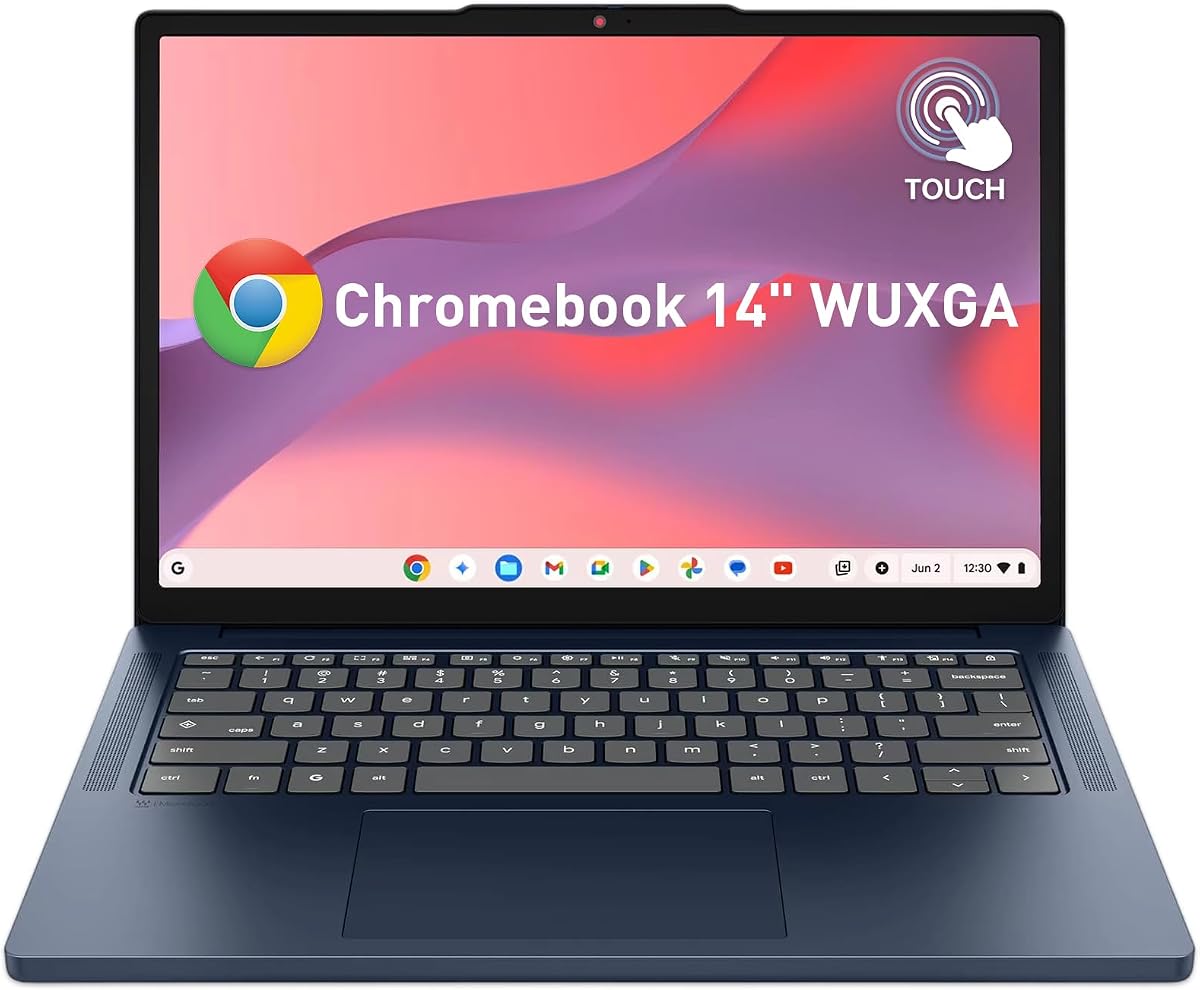
Lenovo 2026 Chromebook 14"
5.0Editor score
MediaTek Kompanio 540 CPU
14 Inch WUXGA Touch
Lightweight Portable Design
Chromebooks for AI represent a new era of cloud computing where generative tools are built directly into the operating system. These devices leverage powerful processors and optimized software to deliver seamless AI experiences without heavy local hardware requirements.
We compared ten leading models based on processor speed, memory capacity, display quality, and specific AI feature integration. Each device was evaluated for its ability to run Gemini and other generative tools efficiently while maintaining strong battery life and portability.
Every pick highlights unique strengths from budget-friendly options to premium 2-in-1 designs. Note that availability and promotional offers may change frequently so verify current stock before making your final purchasing decision today.
5.0Editor score

4.9Editor score

4.0Editor score
As an Amazon Associate we earn from qualifying purchases.
The following table provides a side by side comparison of key specifications and features across all ten selected Chromebooks to help you identify the model that best fits your specific needs and budget constraints.


The Acer Chromebook Plus 514 stands out as the top choice for users seeking AI capabilities integrated directly into their workflow. It boasts a high rating of 4.9 stars and includes a 12-month subscription to Google AI Pro which provides massive storage and advanced Gemini features.
We may earn a commission when you buy through this link, at no additional cost to you.
Its Intel Core i3-1315U processor delivers significantly faster performance compared to standard Chromebooks while the 8GB LPDDR5 RAM ensures smooth multitasking. The device supports Wi-Fi 7 which is crucial for downloading large AI models and streaming high resolution content without latency.
While the 256GB SSD is ample for cloud storage workflows some users might prefer more local space for offline files. The non-upgradeable memory is a trade-off for thinness but 8GB remains sufficient for most web based AI tasks and productivity apps.
Students professionals and creatives will find this laptop ideal for daily tasks ranging from document editing to photo enhancement using AI tools. We recommend this model for anyone prioritizing performance battery life and access to the latest Google AI features.
Built-in Gemini tools allow you to convert handwriting to text and simplify complex content directly within the OS for enhanced productivity.
The Titan C2 security chip provides hardware level protection ensuring your data remains safe while using cloud based AI services.
We may earn a commission when you buy through this link, at no additional cost to you.
The ASUS Chromebook Plus CX34 offers an affordable entry point into the world of AI enhanced computing with solid hardware specifications. It features an Intel Core i3-1215U processor and 8GB RAM which provides reliable performance for everyday tasks and AI tool usage.
We may earn a commission when you buy through this link, at no additional cost to you.
This model comes with 12 months of Google One AI Premium plan granting access to Gemini Advanced and significant cloud storage. The NanoEdge anti-glare display ensures comfortable viewing even in bright environments making it suitable for outdoor study or office work.
The UFS storage is generally slower than the PCIe SSDs found in higher end models which may affect load times for large files. Additionally its user rating is slightly lower than other top picks suggesting mixed experiences with build quality or software stability.
Ideal for students or casual users on a budget this Chromebook delivers essential AI features without breaking the bank. It is a practical choice for those who need basic productivity tools and cloud integration without requiring heavy local processing power.
Users can design unique backgrounds and reimagine photos using built-in generative AI features directly within ChromeOS.
AI-powered noise cancellation and lighting enhancement ensure professional quality during virtual meetings without external software.
We may earn a commission when you buy through this link, at no additional cost to you.
For users preferring a larger viewing area the Acer Chromebook Plus 515 delivers a spacious 15.6 inch Full HD touch display. It is powered by the Intel Core i3-1305U processor and features fast LPDDR5X memory for efficient multitasking and quick AI processing.
We may earn a commission when you buy through this link, at no additional cost to you.
This device includes a 12-month subscription to Google AI Pro which notably features NotebookLM for advanced research and note-taking capabilities. The Wi-Fi 6E connectivity ensures stable high speed internet essential for running AI tools over the cloud without interruption.
The larger screen adds weight and bulk compared to 14 inch alternatives which might impact portability during travel. Battery life is rated up to 10 hours which is decent but may require frequent charging during long study sessions without access to power.
Researchers students and professionals working with extensive documents will appreciate the extra screen real estate for side-by-side viewing. We suggest this model for stationary work environments where screen size and research tools take precedence over extreme portability.
NotebookLM helps organize and summarize source material making it easier to digest large amounts of research data.
DTS Audio provides immersive sound quality for media consumption and clear audio during video conferencing calls.
We may earn a commission when you buy through this link, at no additional cost to you.
The Acer Chromebook Plus Spin 714 distinguishes itself with the latest Intel Core Ultra 5 processor designed specifically to unlock advanced AI experiences. This premium device offers a convertible design allowing users to switch between laptop and tablet modes for versatile interaction.
We may earn a commission when you buy through this link, at no additional cost to you.
Its Intel Core Ultra 5 processor includes a dedicated engine for AI tasks ensuring smooth performance for generative tools and complex workflows. The inclusion of Thunderbolt 4 provides ultra-fast data transfer speeds and support for multiple high resolution external displays simultaneously.
While the performance is top-tier the higher price point may not be justified for users with basic web browsing needs. The N/A rating suggests limited review data so buyers should weigh the premium features against the cost carefully before purchasing.
Power users and professionals needing a high performance portable device will appreciate the versatility and speed of this Chromebook. It is ideal for creative workflows that benefit from touch input and powerful processing capabilities on the go.
The dedicated NPU handles AI workloads efficiently freeing up the main CPU for other demanding tasks simultaneously.
The 360-degree hinge allows for natural tablet usage when sketching or reviewing content in different environments.
We may earn a commission when you buy through this link, at no additional cost to you.
This variant of the Acer Chromebook Plus 514 stands out for its generous 512GB storage capacity which is rare for mid-range Chromebooks. It is powered by an 8-Core Intel Core i3-N355 processor that ensures smooth performance for everyday tasks and AI applications.
We may earn a commission when you buy through this link, at no additional cost to you.
The dedicated Quick Insert key simplifies the process of creating high-resolution images and writing assistance directly within the OS. Users also benefit from MIL-STD 810H military standards ensuring the device can withstand harsh conditions and accidental drops during travel.
Weighing 3.09 lbs it is heavier than other 14 inch models which might be noticeable during long commutes. The price is slightly higher due to the increased storage and durability features but it offers significant value for those needing more local space.
Business professionals and travelers who need rugged reliability and ample storage will find this model compelling. It is highly recommended for those who need to store large media files locally while still enjoying advanced cloud-based AI features.
Integrated AI tools help organize creative drafts and optimize materials efficiently for content creation workflows.
Military-grade testing ensures the laptop can endure extreme temperatures shocks and spills without performance degradation.
We may earn a commission when you buy through this link, at no additional cost to you.
The Lenovo 2026 Chromebook 14" is an excellent budget option designed specifically for students who need reliable portable hardware. It features a vibrant 14-inch WUXGA touchscreen and an 8-core MediaTek Kompanio 540 processor that handles web browsing smoothly.
We may earn a commission when you buy through this link, at no additional cost to you.
Weighing just 2.99 lbs this device is highly portable and includes a long-lasting battery to last through a full day of classes. The anti-glare display ensures clear visibility even in bright classrooms or outdoors making it ideal for campus research.
The 64GB storage and 4GB RAM are limitations for heavy multitasking but sufficient for standard web-based tasks. Users needing more storage may rely heavily on cloud services which aligns well with the ChromeOS ecosystem and AI tools.
Students on a tight budget will find this model perfect for online classes and basic productivity tasks. We recommend it for those who prioritize portability and display quality over high-end local processing power.
Multi-touch technology supports intuitive navigation perfect for digital textbooks and interactive educational apps.
Physical privacy shutter on the webcam ensures students can protect their privacy during virtual meetings easily.
We may earn a commission when you buy through this link, at no additional cost to you.
This Acer Chromebook Plus 514 variant offers a balance of performance and storage making it suitable for power users. It features an Intel Core i3-N355 processor and 512GB SSD which provides ample space for files and quick access to apps.
We may earn a commission when you buy through this link, at no additional cost to you.
The capability to support up to three external monitors via HDMI and USB-C allows for expanded workspace setups without a dock. This makes it a strong choice for professionals who need to manage multiple windows or presentations simultaneously on a single device.
At 3.09 lbs it remains a bit heavy for daily commuting but acceptable for stationary office environments. The backlit keyboard ensures comfortable typing in low-light conditions which is essential for late night work sessions.
Business professionals and remote workers needing multi-monitor setups will find this laptop highly practical. We recommend it for those who value screen real estate and local storage while still enjoying modern AI productivity tools.
Support for external displays enables efficient multitasking without needing complex docking solutions.
Quick Insert keys and AI tools streamline the creation of high-resolution content for marketing and design.
We may earn a commission when you buy through this link, at no additional cost to you.
The Acer Chromebook Plus 514 with Intel Core 3 Processor N355 offers solid entry-level specs for AI tasks. It features a 14-inch WUXGA display and 512GB PCIe Gen4 SSD providing good resolution and storage for media and documents.
We may earn a commission when you buy through this link, at no additional cost to you.
With 8GB onboard memory this device handles multitasking better than many budget Chromebooks ensuring smooth operation across multiple tabs. The Wi-Fi 6E support ensures stable connectivity which is vital for accessing cloud-based AI tools like Gemini.
User ratings suggest it may have minor usability quirks but overall performance remains consistent with its price range. It lacks premium features like military standards or high-end processors but delivers reliable functionality for basic users.
Casual users and families needing a secondary device for browsing and writing will find this laptop sufficient. It is a good choice for those who want basic AI integration without investing in high-end hardware.
WUXGA resolution provides crisp text and images making reading and browsing more comfortable for users.
Large SSD ensures quick boot times and fast loading of applications and files consistently.
We may earn a commission when you buy through this link, at no additional cost to you.
This Acer Chromebook Plus 514 variant distinguishes itself with an AMD Ryzen 3 7320C processor offering efficient performance for daily tasks. It features a 14-inch WUXGA display and includes up to 12 hours of battery life for all-day productivity.
We may earn a commission when you buy through this link, at no additional cost to you.
The built-in AI-powered video call tools automatically enhance clarity and lighting ensuring professional quality during meetings. MIL-STD-810H durability ensures the device can withstand accidental drops making it suitable for active students or field workers.
Limited 128GB storage requires reliance on cloud storage which is standard for Chromebooks but may be inconvenient for some. The battery life is strong but may vary based on usage intensity and network conditions in real world scenarios.
Users seeking a reliable durable device with strong battery life will appreciate this AMD-powered model. It is ideal for those who prioritize endurance and hardware robustness over massive local storage capacity.
AI tools adjust lighting and cancel noise for better video call quality without manual adjustments.
Extended battery supports full work days without needing to carry a charger constantly.
We may earn a commission when you buy through this link, at no additional cost to you.
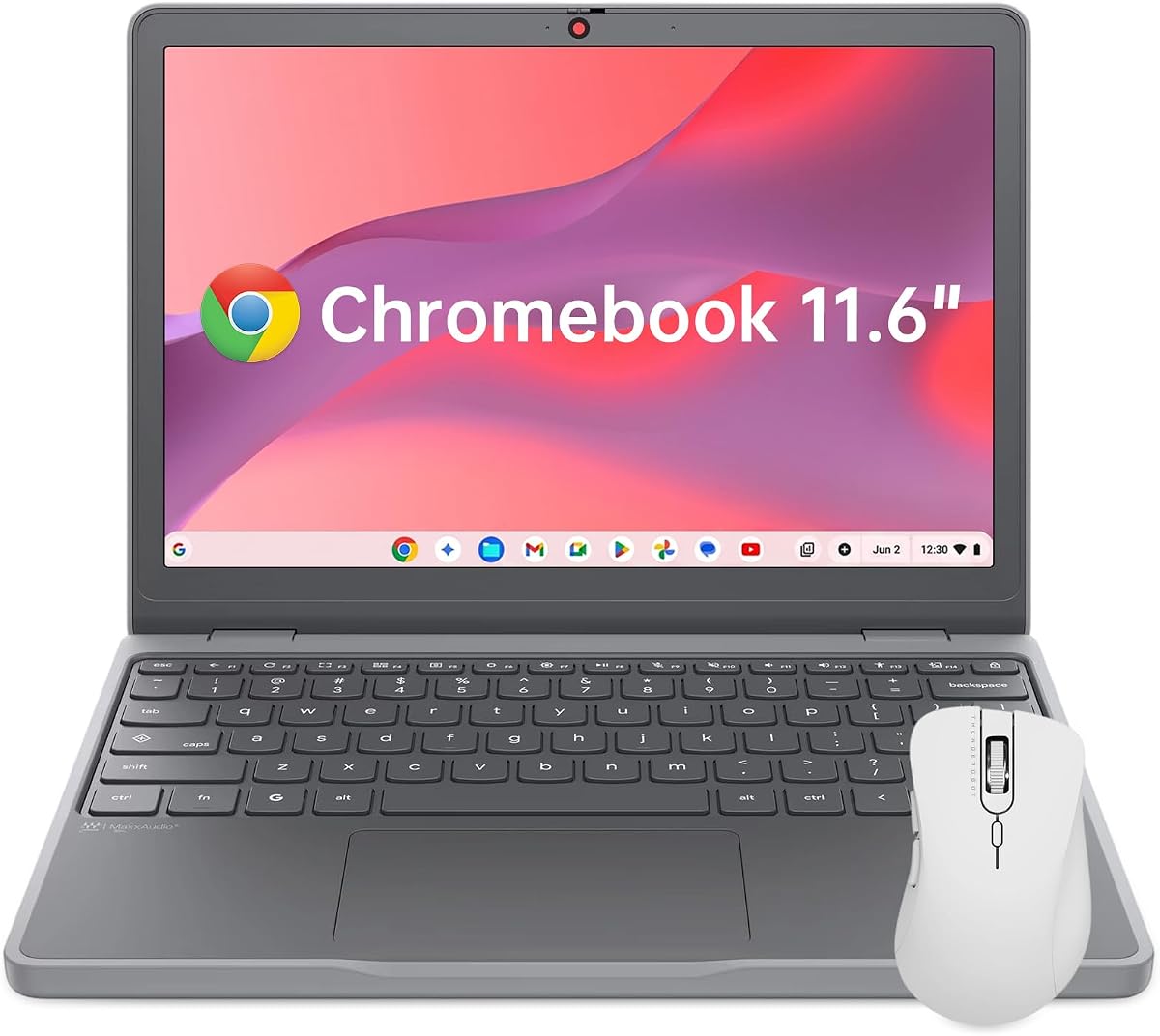
The Lenovo Chromebook 11.6" is designed for maximum portability weighing just 2.69 lbs and featuring a slim profile for easy carrying. It uses an Intel N150 processor and 4GB RAM which is sufficient for basic browsing and writing tasks.
We may earn a commission when you buy through this link, at no additional cost to you.
Security is a priority with an integrated Google H1 Security Chip and physical privacy shutter ensuring data remains protected. The device meets MIL-STD-810H durability standards meaning it can withstand drops and wear during daily travel.
The smaller 11.6 inch screen may limit productivity for users needing to view multiple documents side by side. The 4GB RAM might struggle with heavy multitasking but works well for single tab usage or basic school work.
Students travelers and anyone needing a lightweight secondary device will find this model highly convenient. It is best suited for on-the-go usage where portability and security are more important than screen size or processing power.
Slim design fits easily into backpacks making it ideal for daily commutes and travel.
H1 Security Chip provides robust protection for personal data against unauthorized access threats.
We may earn a commission when you buy through this link, at no additional cost to you.
Selecting the right Chromebook for AI requires understanding specific hardware and software capabilities. This guide outlines the essential factors to consider before making your purchase.
AI tasks like summarizing documents or generating images require efficient processing. Look for Intel Core i3 or newer processors such as Intel Core Ultra or AMD Ryzen 3 for better performance.
Prioritize newer generation chips to ensure smooth handling of AI workloads without lag.
Chromebooks typically use onboard RAM which cannot be upgraded. Aim for at least 8GB to allow seamless switching between AI apps and multiple browser tabs.
8GB RAM is the sweet spot for multitasking and running AI tools simultaneously without slowdowns.
While AI models run in the cloud large files and offline apps require local storage. Models with 256GB or 512GB SSDs offer better long-term value.
Choose higher storage options to avoid constant reliance on cloud syncing for large media.
AI tools often involve visual outputs and precise edits. Look for WUXGA or higher resolution screens with anti-glare coatings for comfortable viewing.
Higher resolution ensures crisp text and accurate color representation for creative tasks.
Fast internet is critical for streaming AI services. Ensure the device supports Wi-Fi 6 or Wi-Fi 6E for stable and rapid connections.
Modern Wi-Fi standards reduce latency during cloud-based AI processing and large downloads.
Many Chromebooks come with a 12-month trial of Google AI Pro or similar plans. Verify what is included such as storage and advanced Gemini features.
Check the duration and limits of included AI plans to maximize value during the trial.
AI tools can drain power faster than standard browsing. Look for models offering 10 hours or more of battery life for all-day productivity.
Long battery life ensures uninterrupted work during travel or long meetings without finding power.
Protecting data is vital when using cloud AI. Look for hardware-level security chips like Titan C2 or Google H1 and physical privacy shutters.
Hardware security ensures sensitive data remains safe even when accessing online AI services.
To maximize AI features enable Google AI Pro and verify your account permissions for Gemini tools. Install compatible apps like Adobe Photoshop or Microsoft 365 to enhance productivity workflows.
Keep your system updated by allowing automatic OS updates to access the latest security patches and AI optimizations. Regularly clear cache files to maintain performance speed over time.
Protect your hardware by avoiding exposure to extreme heat or moisture. Use a protective sleeve during travel and clean the screen with a microfiber cloth to prevent damage.
Chromebooks for AI are laptops designed to seamlessly integrate generative AI tools directly into the ChromeOS ecosystem. These devices offer built-in access to Gemini AI features like summarizing emails and generating images without needing complex local installations.
Most AI tools run in the cloud so heavy hardware is not strictly required. However newer processors and at least 8GB RAM ensure smooth performance when managing multiple AI apps and browser tabs simultaneously.
Google AI Pro is a subscription plan that includes advanced Gemini features and extra cloud storage. Many Chromebooks offer a 12-month trial for free but after that period a subscription fee applies to continue using premium tools.
Chromebooks generally rely on cloud processing for AI models due to hardware constraints. While some lightweight models may run locally most powerful generative tools require an active internet connection to function properly.
Yes Chromebooks are designed with strong security including hardware chips and automatic updates. These features protect your data while you use cloud-based AI services ensuring a safe computing experience.
Battery life varies by model but most top Chromebooks last 10 to 17 hours under normal use. Using AI features heavily may reduce this time so consider carrying a charger for extended travel or work sessions.
We reviewed ten top-rated Chromebooks ranging from budget student models to premium 2-in-1 devices offering advanced AI capabilities. Each model balances performance and features to cater to different user needs and budgets.
Prioritize processor speed memory capacity and subscription benefits when selecting your device to ensure a smooth AI experience. Consider portability and display quality if you work frequently in varied environments.
Always check current pricing and stock availability as offers change frequently. Verify that the device includes the latest AI tools and guarantees to maximize your investment for the future.