
GIGABYTE B550M K
4.4Editor score
AMD AM4 socket support
Digital 3 plus 3 VRM
Two M.2 slots included
This guide compares the top ten cheap motherboard options for budget builds, evaluating performance, connectivity, and compatibility to help you choose wisely.
Finding a cheap motherboard does not mean sacrificing reliability or core performance for your computer build. You need a board that supports your chosen processor, offers enough connectivity, and fits your case while staying within a tight budget limit.
We evaluated ten real products based on their chipset support, power delivery design, expansion slots, and user ratings. Our list covers various socket types and form factors to ensure you find the right match for your specific hardware needs today.
Each pick highlights key strengths, trade-offs, and ideal use cases so you can decide quickly. Prices and availability fluctuate often so please verify current stock before finalizing your purchase to avoid any unexpected delays or cost changes.
4.4Editor score
4.5Editor score

4.5Editor score
The following table provides a side by side comparison of all ten products including their key specifications and form factors to help you narrow down your choices efficiently.





This Gigabyte board stands out as one of the most affordable B550 options available for AMD builders. It received strong ratings for its reliable power delivery and essential connectivity features that modern systems require without excessive cost overhead.
We may earn a commission when you buy through this link, at no additional cost to you.
The digital 3 plus 3 power phase design ensures stable voltage for Ryzen 5000 series CPUs even under moderate loads. You get two M.2 slots including one PCIe 4.0 capable drive which is rare at this price tier.
While it lacks advanced features like built in WiFi or extensive RGB headers the board focuses on what matters most for budget builds. The integrated heatsinks help manage thermals adequately during everyday computing tasks.
Buyers seeking a straightforward entry into the AM4 platform with upgrade potential will find this board highly suitable. It balances cost and functionality effectively making it a top choice for tight budget scenarios.
The enhanced power solution with digital VRM design and premium chokes provides steady current to the CPU which helps maintain performance stability during long gaming or work sessions.
Two M.2 slots allow you to install multiple fast NVMe drives for operating system and storage needs while maintaining high data transfer speeds through the PCIe 4.0 interface.
We may earn a commission when you buy through this link, at no additional cost to you.
This board targets enthusiasts looking to revive older Intel systems with modern storage capabilities. It supports second and third generation Core processors and adds an M.2 interface that many legacy H61 boards lack completely.
We may earn a commission when you buy through this link, at no additional cost to you.
The inclusion of M.2 NVME support via PCIe lanes allows for significant speed upgrades over traditional SATA drives. This makes it a practical choice for repurposing old hardware into lightweight desktops or network servers.
DDR3 memory limits maximum capacity and speed compared to modern standards but it remains functional for basic tasks. The package excludes manual and battery so be prepared to source these separately if needed.
If you already own compatible CPUs and RAM this board offers a cost effective way to add fast storage. It is ideal for budget constrained projects where upgrading the entire system is not feasible.
Adding an M.2 NVME slot to an older platform transforms system responsiveness dramatically even with legacy processors by reducing boot times and application load speeds significantly.
Support for Xeon and Core i7 3770 series means you can reuse high performance processors from previous generations without investing in new expensive platform components immediately.
We may earn a commission when you buy through this link, at no additional cost to you.
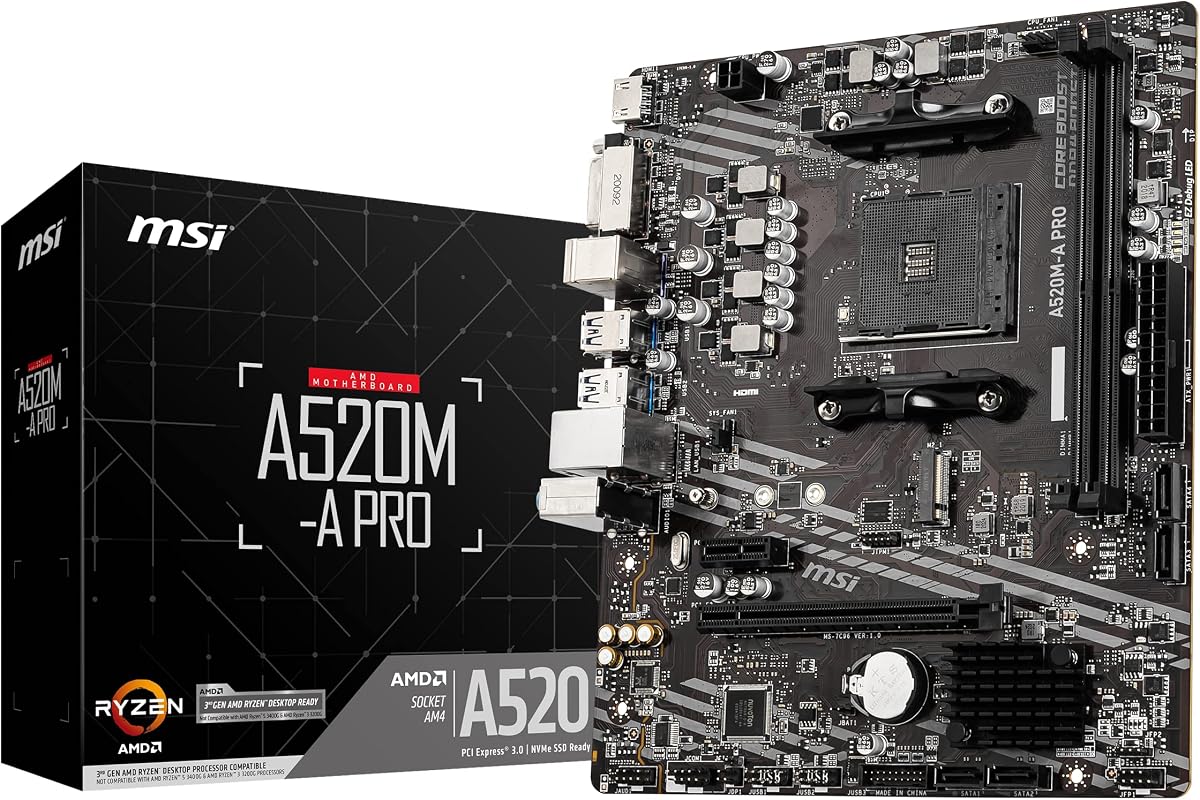
MSI delivers a solid A520 board that balances cost and performance for mainstream users. It gained recognition for its Turbo M.2 slot and consistent BIOS support for newer Ryzen 5000 processors without requiring complex tweaks.
We may earn a commission when you buy through this link, at no additional cost to you.
The turbo M.2 runs at PCIe 3.0 speeds ensuring fast storage performance even without the latest generation lanes. Audio boost technology enhances sound quality which is a nice touch for budget builds without dedicated sound cards.
Although it lacks PCIe 4.0 support the board handles most gaming workloads efficiently. Dragon center software provides easy control over system monitoring and fan settings which appeals to users preferring straightforward interfaces.
This board is an excellent middle ground for those who need reliability without premium features. It fits well in compact builds and offers enough features to support a balanced system configuration.
Audio boost circuitry reduces background noise and delivers clearer sound through onboard audio jacks making it suitable for casual gaming or media consumption without extra hardware.
Dragon center integrates system tools into one interface allowing easy access to hardware monitoring updates and performance settings without needing third party applications.
We may earn a commission when you buy through this link, at no additional cost to you.
ASRock offers a versatile B550 board with extensive video output options for multi monitor setups. It supports Ryzen 5000 series and includes PCIe 4.0 readiness for future graphics cards while keeping costs competitive.
We may earn a commission when you buy through this link, at no additional cost to you.
The trio of HDMI DVI and VGA outputs ensures compatibility with nearly any monitor you might have on hand. High speed memory support up to 4733 MHz allows for responsive performance in memory sensitive applications.
Protection features like full spike protection guard against power surges which adds longevity to connected components. The board includes enough USB ports for peripherals without needing extra hubs or adapters.
Ideal for office or home use where reliability and connectivity matter most. The board provides essential modern features without unnecessary extras that drive up the price unnecessarily.
Three distinct video outputs allow connection to older VGA displays and modern HDMI panels simultaneously making it perfect for diverse workstation configurations without extra adapters.
Full spike protection on ports shields components from electrical surges which helps maintain system stability and prevents damage during unstable power conditions.
We may earn a commission when you buy through this link, at no additional cost to you.
MSI includes AI based cooling features in this PRO series board to optimize fan behavior based on system load. It supports Ryzen 5000 series and offers dual M.2 slots for fast storage solutions at a reasonable price.
We may earn a commission when you buy through this link, at no additional cost to you.
Core boost technology enhances power delivery stability for your CPU which helps prevent throttling during intensive tasks. The Frozr AI cooling adjusts fans automatically to reduce noise while maintaining safe temperatures.
Dual M.2 connectors support different generation speeds allowing flexible storage configurations. You can pair a high speed system drive with a secondary storage drive efficiently without sharing bandwidth.
This board is best for users prioritizing thermal management and storage flexibility. It provides essential gaming and work features without complex extras that might complicate your setup.
Frozr AI cooling analyzes CPU and GPU temperatures to adjust fan speeds automatically ensuring quiet operation without sacrificing thermal performance during demanding workloads.
Core boost technology optimizes voltage delivery to ensure consistent performance and system stability especially when running high performance processors under load.
We may earn a commission when you buy through this link, at no additional cost to you.
This PRO series board stands out with integrated WiFi and Bluetooth which is rare in this price range. It supports Ryzen 5000 series and includes features like Flash BIOS for easy updates without extra hardware.
We may earn a commission when you buy through this link, at no additional cost to you.
The M.2 Shield Frozr helps maintain storage speeds by dissipating heat from NVMe drives during sustained transfers. Audio boost ensures high fidelity sound through onboard jacks which enhances media experiences.
Core boost technology provides steady current delivery to the CPU helping maintain peak performance during long sessions. The Flash BIOS button lets you update firmware easily even if you do not have a CPU installed.
Ideal for users needing wireless connectivity without additional adapters. It combines essential performance features with convenient utilities that save time during setup and maintenance tasks.
Integrated WiFi and Bluetooth modules eliminate the need for separate cards making it convenient for builds without dedicated network adapters or USB dongles.
The Flash BIOS button enables firmware updates using a USB drive without installing CPU or memory which simplifies future compatibility and troubleshooting processes.
We may earn a commission when you buy through this link, at no additional cost to you.
Gigabyte delivers a robust ATX board with premium power phases and modern connectivity options. It supports Ryzen 5000 series and includes Q Flash Plus for effortless BIOS updates without CPU or memory installed.
We may earn a commission when you buy through this link, at no additional cost to you.
The 10 plus 3 power phase design ensures stable delivery for high end CPUs making it suitable for overclocking or intensive workloads. Front USB Type C provides modern convenience for case accessories and peripherals.
Advanced thermal armor with VRM heatsinks keeps temperatures lower than standard boards under load. RGB Fusion allows customization of lighting effects which appeals to users building aesthetic focused systems.
Buyers wanting a larger board with extra power headroom and connectivity should consider this option. It bridges the gap between budget and premium tiers with useful modern features.
A high phase count VRM design ensures consistent voltage delivery even under heavy loads which helps maintain system stability and allows for future CPU upgrades.
Q Flash Plus allows BIOS updates using only a USB drive and power supply removing the need to install CPU or RAM during maintenance tasks.
We may earn a commission when you buy through this link, at no additional cost to you.
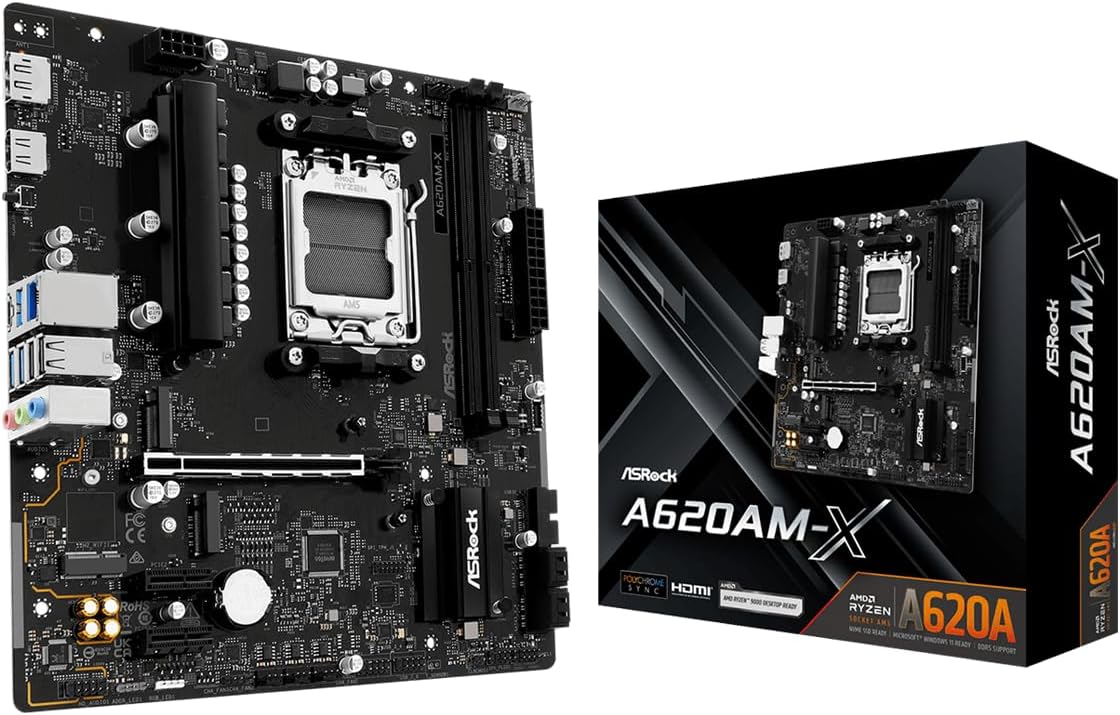
This compact A520 board fits well in small cases while providing essential support for modern AMD processors. It balances cost and features making it ideal for straightforward desktop builds.
We may earn a commission when you buy through this link, at no additional cost to you.
Support for DDR4 memory allows for reasonable performance upgrades compared to older DDR3 systems. The video outputs ensure compatibility with standard monitors without requiring dedicated graphics cards.
While feature count is lower than premium options it covers all basics needed for daily computing tasks. The smaller form factor helps keep overall system costs lower by reducing case and PSU needs.
Suitable for office PCs or home media centers where size and cost are primary concerns. It offers reliable functionality without unnecessary extras that increase the total build price.
Micro ATX design allows fitting the board into smaller cases which reduces material costs and improves airflow in compact desktop environments.
Stable voltage regulation and essential connectivity ensure dependable performance for routine tasks without requiring advanced overclocking or expansion capabilities.
We may earn a commission when you buy through this link, at no additional cost to you.
This board provides an affordable entry to the AM5 platform supporting Ryzen 9000 series and future CPUs. It includes DDR5 memory support and dual M.2 slots for modern storage configurations.
We may earn a commission when you buy through this link, at no additional cost to you.
BIOS flashback support allows firmware updates without a CPU making future upgrades easier. The 2.5G LAN ensures fast wired networking which is vital for high speed internet connections.
Efficient power design maintains stability for supported processors despite the budget classification. Two PCIe Gen4 M.2 slots allow flexible storage setups with high speed drives for both OS and data.
Ideal for builders planning long term upgrades within the AM5 ecosystem. It balances current performance with future compatibility at a reasonable entry cost.
Support for upcoming Ryzen processors ensures the system remains viable for several years without requiring a new motherboard when newer CPUs are released.
2.5G LAN provides faster wired internet speeds compared to standard Gigabit which benefits users with high speed fiber connections or local file transfers.
We may earn a commission when you buy through this link, at no additional cost to you.
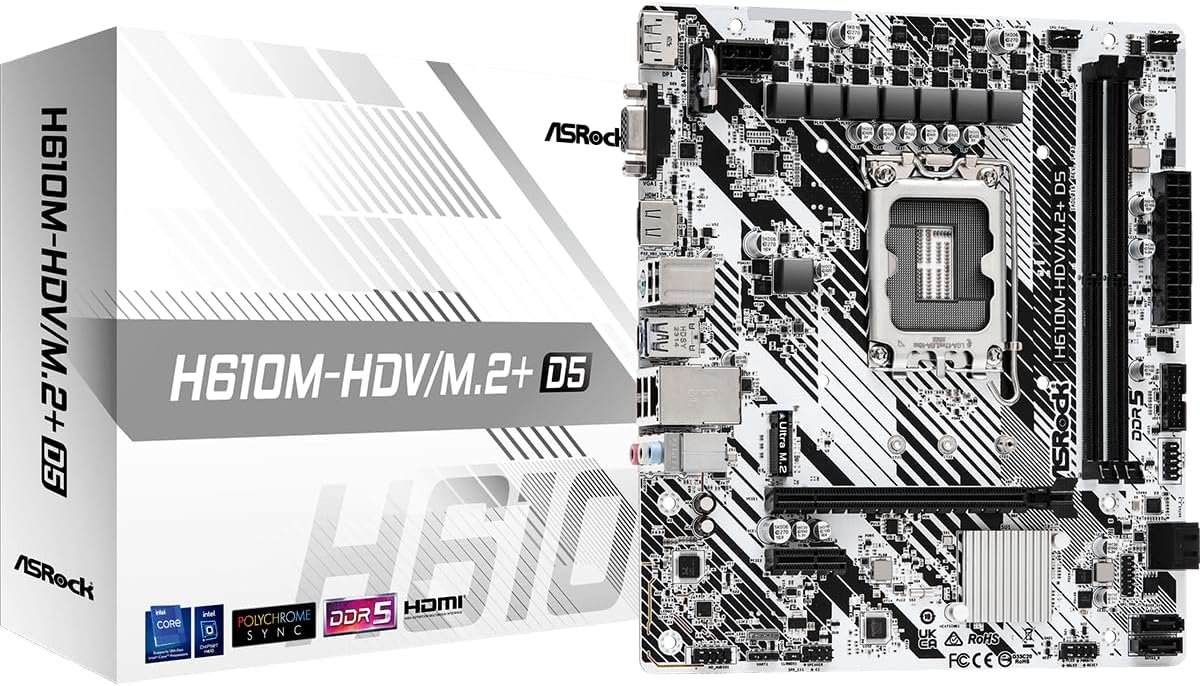
ASRock offers a budget friendly Intel option supporting 12th to 14th gen processors with DDR5 memory. It fits in compact builds and provides essential video outputs for monitor connectivity.
We may earn a commission when you buy through this link, at no additional cost to you.
The H610 chipset supports modern CPUs while keeping costs low for entry level systems. Video output options include HDMI and DisplayPort ensuring compatibility with most displays without a GPU.
Basic power design is sufficient for standard processors but limits overclocking potential. This board is best for stable office or home use where extreme performance is not required.
Ideal for users preferring Intel platforms on a tight budget. It provides modern memory support and essential features without unnecessary extras that drive up cost.
Support for multiple generations of Intel Core processors allows flexible CPU choices depending on availability and specific performance needs.
DDR5 memory support provides faster data throughput compared to DDR4 which benefits memory dependent applications and multitasking environments.
We may earn a commission when you buy through this link, at no additional cost to you.
Selecting the right motherboard involves balancing budget constraints with necessary features for your intended system usage.
Ensure the motherboard supports your chosen processor model as sockets vary by brand and generation. Mismatched sockets will prevent the CPU from fitting or functioning correctly.
Always verify the CPU support list on the manufacturer website before purchasing to confirm compatibility.
Choose between ATX Micro ATX or Mini ITX based on your case size and expansion needs. Larger boards offer more slots but require larger cases and PSUs.
Measure your case dimensions to ensure the motherboard fits without obstruction.
Check if the board supports DDR4 or DDR5 memory as this affects cost and performance. Most budget boards use DDR4 while newer AM5 and LGA1700 models use DDR5.
Confirm maximum supported speed and capacity to meet your system requirements.
Look for M.2 slots for fast NVMe SSDs and SATA ports for larger drives. At least one PCIe Gen4 M.2 slot is recommended for modern performance.
Count available ports to ensure you can connect all necessary drives without adapters.
Evaluate rear USB ports and headers for front panel devices to ensure enough connections. Modern standards like USB 3.2 Gen2 provide faster transfer rates.
Consider USB Type C ports for modern peripheral compatibility.
Gigabit LAN is standard but 2.5G is becoming common on budget boards. Integrated WiFi reduces cable clutter but costs more.
Decide if wireless connectivity is necessary based on your setup location.
If using integrated graphics ensure the board has HDMI or DisplayPort outputs. Some boards also include VGA for legacy monitor compatibility.
Match output types to your monitor inputs to avoid needing extra adapters.
VRM phase count impacts stability and overclocking potential. Higher phase counts deliver steadier power for demanding CPUs.
Choose boards with adequate VRM heatsinks to manage temperatures effectively.
Install the motherboard into your case using standoffs to prevent shorts and secure screws in the corners first before tightening fully.
Connect front panel USB and audio headers carefully by matching pin layouts to the manual to avoid damage during assembly.
Update the BIOS to the latest version soon after installation to ensure compatibility with newer processors and fix known bugs.
AM4 supports Ryzen 3000 and 5000 series with DDR4 memory while AM5 supports Ryzen 7000 8000 and 9000 series with DDR5 memory. AM5 boards generally offer faster performance and future upgrades but cost more due to new memory standards.
Most budget models exclude built in WiFi to keep costs low. You will likely need to add a USB adapter or PCIe card unless you purchase a model specifically listing wireless features which usually increases the price.
No DDR3 memory is incompatible with modern DDR4 or DDR5 slots. You must purchase memory that matches the board supported type to ensure the system boots and runs correctly without hardware conflicts.
Micro ATX and Mini ITX boards fit smaller cases and are ideal for compact builds. Micro ATX usually offers better value with more expansion slots while Mini ITX is ultra compact but costs more.
The number of M.2 slots depends on the chipset and board layout. Higher end chipsets provide more lanes allowing multiple slots while budget boards often include one or two to reduce manufacturing costs.
Sometimes newer CPUs require BIOS updates to boot on existing boards. Check the motherboard support page for CPU compatibility notes and update the BIOS first if your CPU was released after the board launched.
We reviewed ten distinct models ranging from basic AM4 boards to new AM5 and Intel options. Top picks like the Gigabyte B550M K and MSI A520M-A PRO offer the best value for most builders today.
Prioritize socket compatibility and memory type when narrowing down choices to avoid returning parts later. Connectivity options like USB and M.2 slots also impact long term usability significantly.
Prices and stock change frequently so verify details and availability before buying. This guide helps identify reliable options but always check current listings for the most accurate information.