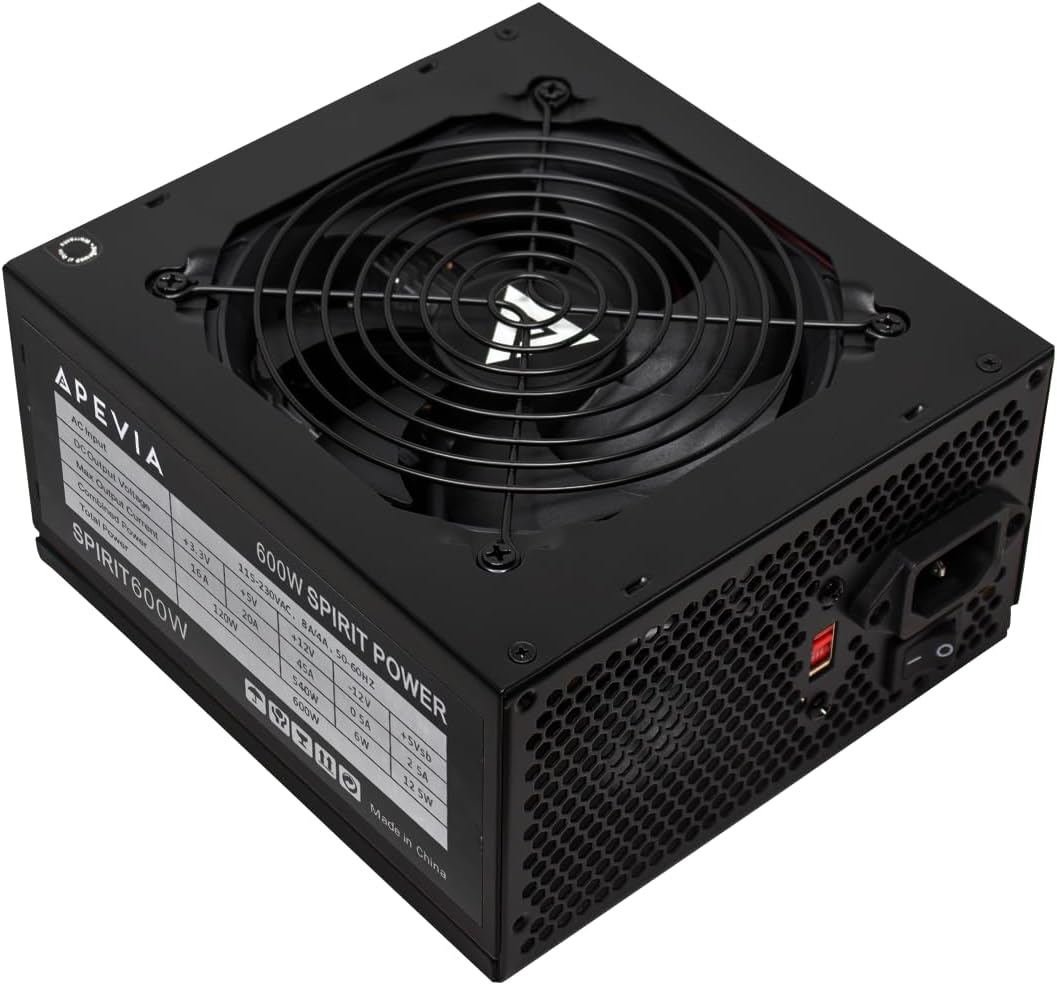
Apevia SPIRIT600W Spirit 600W ATX Power Supply
4.3Editor score
600W continuous output
120mm fan cooling
Full protection suite
Explore our expert comparison of the top budget power supplies for gaming PCs to find reliable, efficient models that fit your build needs without overspending.
Choosing the right power supply is crucial for any gaming PC build. A reliable unit ensures stable performance and protects your hardware from damage during intense gaming sessions or system updates.
We compared ten highly rated budget power supplies based on efficiency, protection features, build quality, and user feedback. Each option offers unique strengths for different build requirements and budget constraints.
Each pick below highlights specific capabilities and trade-offs to help you decide. Prices and availability change frequently so verify current details before finalizing your purchase decision for your next upgrade.
4.3Editor score

4.6Editor score

4.6Editor score
This side by side comparison evaluates every model on key specifications including wattage, efficiency ratings, connector types, warranty terms, and special features to help you find the right fit.



The Apevia SPIRIT600W stands out as an entry level option for budget builds with its 600W capacity and comprehensive protection features. It holds a solid 4.3 rating from users who value straightforward functionality over advanced specs.
We may earn a commission when you buy through this link, at no additional cost to you.
This unit supports multiple CPU and GPU configurations with split connectors that adapt to 4pin or 6pin needs. Its 120mm fan provides adequate cooling while the black casing blends well into standard cases.
While it lacks premium features like gold certification or modular cables the split pin design offers flexibility rare at this price point. The protections cover essential risks ensuring safe operation during daily tasks.
Ideal for first time builders or office PCs requiring basic gaming power the SPIRIT600W delivers reliable performance without unnecessary extras. Check current availability before purchasing since stock varies by region.
Split connectors allow one cable to fit multiple motherboard and GPU requirements reducing confusion during installation.
Multiple protection layers guard against short circuits and overvoltage keeping your components safe from electrical surges.
We may earn a commission when you buy through this link, at no additional cost to you.
The Segotep 650W delivers impressive efficiency with its 80 Plus Gold certification at a price that rivals basic Bronze units. Its 4.6 rating reflects satisfaction among users seeking energy savings and stable power.
We may earn a commission when you buy through this link, at no additional cost to you.
A single 12V rail ensures consistent power delivery to high draw components like modern GPUs. Global voltage adaptation makes it suitable for travelers or international builds without needing a converter.
While cable management is less flexible due to the non modular design the clean internal layout and airflow help maintain cooler temperatures. This balance of cost and performance makes it a strong contender.
Best for gamers wanting Gold efficiency without paying premium prices the Segotep 650W is a practical choice for mid range builds. Verify connector counts match your specific GPU requirements before ordering.
Gold certification means less wasted electricity and lower monthly bills while maintaining consistent system performance.
Supports varying input voltages making it easy to use across different regions without additional hardware.
We may earn a commission when you buy through this link, at no additional cost to you.
The ASRock PRO 750G brings next gen standards to the budget segment with native ATX 3.1 and PCIe 5.1 readiness. Its 4.6 rating highlights appreciation for future proofing and quality components.
We may earn a commission when you buy through this link, at no additional cost to you.
A native 12V-2×6 connector supports high power GPUs without adapters ensuring safer and cleaner connections. The 120mm fan runs quietly while maintaining effective thermal management during extended gaming sessions.
While it costs more than entry level units the investment pays off with longevity and compatibility with upcoming hardware. The 3 year warranty provides peace of mind for critical system builds.
Recommend for those planning to upgrade GPUs soon the ASRock PRO 750G bridges the gap between budget and premium. Confirm case clearance before installation as form factors can vary slightly.
Native cables for new GPUs reduce clutter and improve safety by eliminating risky adapter chains.
Optimized fan design ensures low noise levels without sacrificing cooling efficiency under load.
We may earn a commission when you buy through this link, at no additional cost to you.
The ARESGAME AGV Series offers a dependable 500W solution with Bronze certification for small gaming setups. Its 4.4 rating comes from users who prioritize basic reliability and clean looks over extra power.
We may earn a commission when you buy through this link, at no additional cost to you.
All black cables simplify cable management inside the case giving a cleaner look without needing a custom set. The 120mm fan keeps noise levels low while protecting components from overheating.
While 500W limits high end GPU compatibility it suits mid range systems well. The 5 year warranty adds trust in the brand though actual performance data is limited compared to larger makers.
Perfect for entry gaming rigs or home office PCs the AGV Series provides a balanced start. Ensure your GPU power needs stay within 500W total draw before purchasing this model.
Uniform black cabling improves interior looks without requiring extra expense for custom cables.
A five year warranty signals confidence in durability and protects your investment over time.
We may earn a commission when you buy through this link, at no additional cost to you.
The MSI MAG A750GL combines compact form with modular convenience making it ideal for tight cases. Its 4.6 rating reflects appreciation for the flexible cabling and robust warranty coverage.
We may earn a commission when you buy through this link, at no additional cost to you.
Full modularity lets you use only needed cables reducing clutter and improving airflow. The 10 year warranty is exceptional for budget friendly units showing strong confidence in build quality.
ATX 3.1 readiness ensures compatibility with latest hardware although actual PCIe 5.1 stock can be limited. Gold efficiency keeps energy costs low while performance remains stable under load.
Best for compact or ITX builds needing clean cable management the A750GL offers great value. Verify current stock for specific cable types before ordering to avoid delays.
Fully modular ports let you connect only required cables for a tidier and cooler interior.
A decade of warranty coverage ensures support and peace of mind for your entire build life.
We may earn a commission when you buy through this link, at no additional cost to you.
The MSI MAG A650BE delivers a balanced 650W performance with semi modular ports for easier management. Its 4.7 rating shows high satisfaction among users seeking compact efficiency and quiet operation.
We may earn a commission when you buy through this link, at no additional cost to you.
Semi modular design keeps essential power cables attached while allowing optional ones to be added. The low noise fan and active PFC ensure stable efficient power delivery with minimal disturbance.
While Bronze efficiency is standard for this price the DC DC design improves stability for sensitive components. This model suits mid range gaming PCs where space and noise matter.
Recommend for builders wanting partial cable flexibility the A650BE offers solid value. Check case dimensions since compact designs may fit smaller enclosures better than standard units.
Semi modular setup offers a balance between fixed power connections and removable peripheral cables.
Active PFC corrects power factor improving electrical efficiency and reducing waste heat.
We may earn a commission when you buy through this link, at no additional cost to you.
The MSI MAG A650BN is a compact non modular 650W PSU with strong user approval. Its 4.7 rating reflects trust in MSI reliability and effective thermal management.
We may earn a commission when you buy through this link, at no additional cost to you.
Fixed cables simplify internal routing since no extra ports exist to manage. The DC DC circuit design ensures stable voltage output for components sensitive to fluctuations.
While non modular limits flexibility the low noise fan keeps systems quiet during gaming. This unit is great for builds where space and noise are priorities over modularity.
Best for standard ATX cases needing simple power the A650BN is a safe choice. Confirm cable length suits your case layout before installation to avoid strain.
Non modular design reduces complexity making setup easier for standard cases.
DC DC design provides consistent voltages essential for long term component health.
We may earn a commission when you buy through this link, at no additional cost to you.
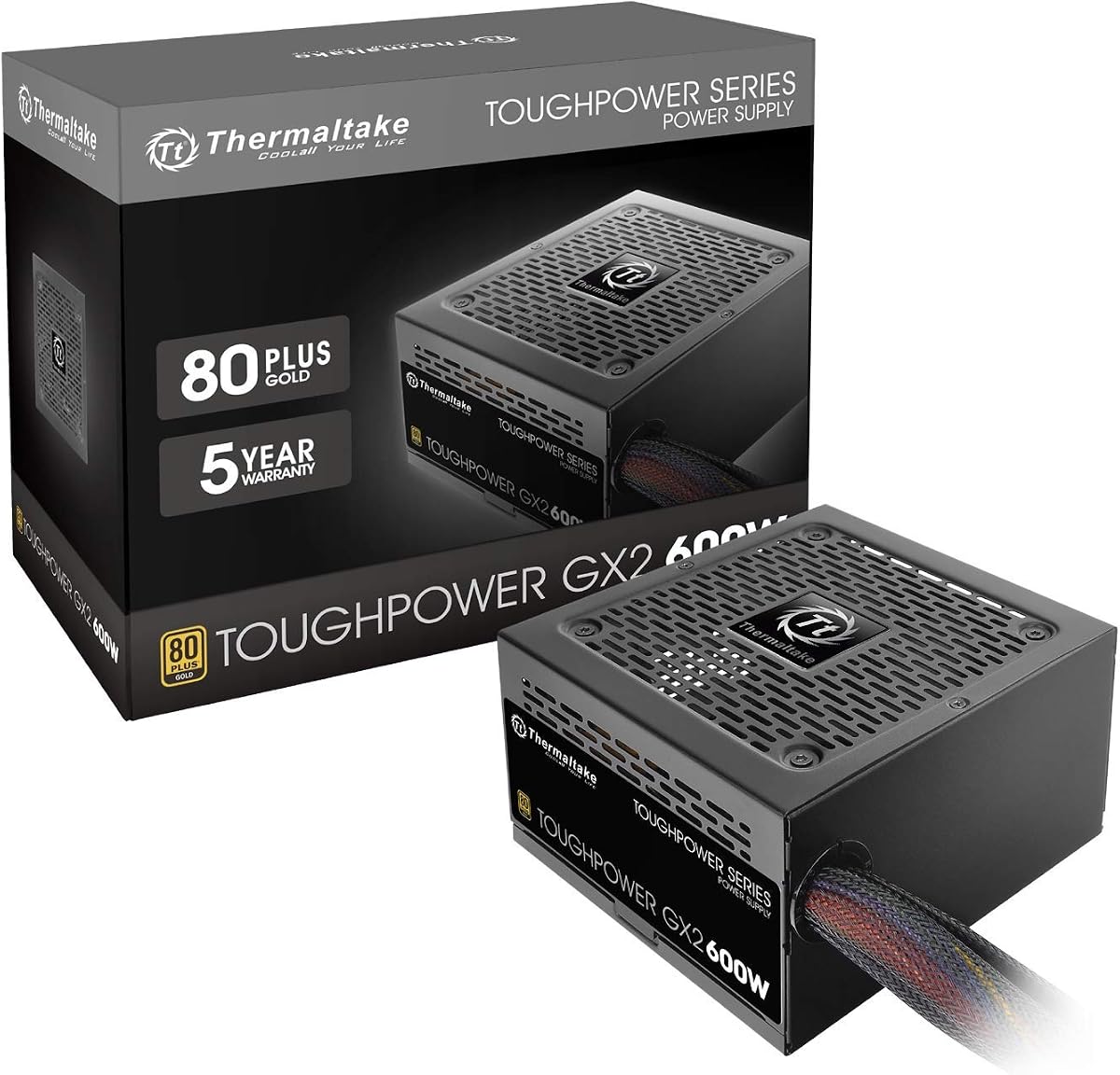
The Thermaltake Toughpower GX2 offers Gold efficiency for mid range dual GPU setups. Its 4.6 rating highlights appreciation for stable power and high quality internal components.
We may earn a commission when you buy through this link, at no additional cost to you.
Low ripple noise ensures clean power for sensitive parts like GPUs and SSDs. The single 12V rail supports demanding systems requiring higher amperage across multiple devices.
Non modular cables may complicate tight builds but the Gold rating keeps energy costs low. SLI/Crossfire readiness makes this a unique option for older multi GPU configurations.
Best for builders with multiple GPUs needing Gold efficiency the GX2 is reliable. Check connector counts since non modular options may not match all custom cable needs.
Low ripple design reduces electrical noise improving performance of sensitive electronics.
Designed for SLI/Crossfire setups ensuring sufficient power for dual graphics cards.
We may earn a commission when you buy through this link, at no additional cost to you.
The Rosewill VSB 650W brings modern ATX 3.0 support to the budget semi modular segment. Its 4.5 rating reflects positive user feedback on build quality and compact design.
We may earn a commission when you buy through this link, at no additional cost to you.
Japanese capacitors rated for high temperatures ensure longevity in warm environments. The compact chassis helps fit smaller cases while the semi modular setup aids cable routing.
Bronze efficiency is standard for this price but future readiness offsets this trade off. A 5 year warranty adds confidence in the units durability over time.
Best for modern builds needing compact size and partial modularity the VSB 650W is a strong pick. Check availability since regional stock may differ.
Japanese capacitors handle heat well extending lifespan in warmer environments.
ATX 3.0 support ensures your PSU works with newer hardware standards.
We may earn a commission when you buy through this link, at no additional cost to you.
The MSI MAG A750GL again appears as a top pick for premium budget buyers needing long term reliability. Its 4.6 rating confirms strong user confidence in build quality and performance.
We may earn a commission when you buy through this link, at no additional cost to you.
Full modularity and a 10 year warranty make this a standout for those wanting hassle free upgrades. Gold efficiency ensures low power waste during long gaming sessions.
While it costs more than basic units the investment reduces replacement costs later. Verify stock availability since this model may sell out during high demand periods.
Best for premium budget builds focusing on longevity the A750GL is worth the cost. Check current listings to confirm availability before making your final decision.
A decade of warranty coverage protects your investment against early failure or defects.
Compact size and modular ports work well in smaller or tighter PC cases.
We may earn a commission when you buy through this link, at no additional cost to you.
Choosing the right budget power supply requires understanding wattage, efficiency, and connectivity needs. This guide breaks down key factors to simplify your selection process.
Wattage determines how much power the supply can deliver. Gaming PCs typically need 600W to 750W depending on the GPU. Calculate your system draw using an online calculator before buying.
Always leave a 20 percent buffer above your estimated needs for safety and future upgrades.
Efficiency ratings like 80 Plus Bronze or Gold affect electricity costs and heat. Bronze is fine for entry builds while Gold offers better savings over time.
Higher efficiency reduces waste heat and extends PSU lifespan.
Verify that the unit has enough PCIe and CPU connectors. Some GPUs need multiple 6+2pin connectors and modern ones may need 12V-2×6.
Mismatched connectors force adapters which can compromise safety.
Modular PSUs let you detach unused cables. Fully modular offers the most flexibility semi modular keeps essential power lines.
Non modular units are cheaper but may clutter the case.
Look for OVP, UVP, and OCP protections to guard your hardware. These features prevent damage from surges or failures.
Adequate protections are essential regardless of price.
Warranty terms signal builder confidence. Three to five years are common in budget ranges while some offer ten.
Choose models with longer warranties when possible.
Standard ATX units fit most cases but compact builds may need smaller models. Check the PSU height and depth before buying.
Measure your case space to ensure a proper fit.
Trusted brands often provide better customer support and replacement policies. Research user reviews before finalizing.
Stick to known names for peace of mind.
Install the PSU in the case first ensuring the fan faces the correct way for airflow. Connect cables firmly before powering the unit on.
Keep the PSU clean by dusting vents every few months. Use compressed air to prevent buildup that reduces cooling.
Avoid overloading circuits and ensure your wall outlet provides stable power. Use a surge protector for extra safety during storms.
For most budget gaming builds a 600W to 650W unit suffices. High end GPUs may need 750W. Always calculate your total draw with a PSU calculator before choosing.
Bronze is sufficient for most entry level PCs but Gold offers lower electricity costs. Choose Gold if you plan long term use or have high usage hours.
Modular PSUs improve cable management and airflow but non modular options work well too. Choose modular if you value a tidy interior or have a compact case.
Yes if they have proper safety certifications. Look for OVP OCP and UVP features. Avoid ultra cheap units without protection features.
Most budget units last 3 to 5 years with proper care. High quality models can exceed 10 years. Warranty length often reflects expected lifespan.
It depends on the new GPU requirements and your current wattage. Always check the recommended PSU wattage for your new card before upgrading.
ATX 3.0 supports new power standards including the 12V-2×6 connector. This ensures compatibility with next gen GPUs and efficient power delivery.
Signs include random shutdowns unusual fan noise or burning smells. If you notice these replace the PSU immediately to prevent hardware damage.
We highlighted ten top budget power supplies ranging from basic 500W units to versatile 750W options. The Apevia SPIRIT600W leads for affordability while the Segotep 650W offers best value efficiency.
Prioritize wattage compatibility protection features and warranty length over flashy specs. A reliable PSU protects your entire build so never compromise on essential safety features.
Prices fluctuate often so check current availability before purchasing. Your perfect PSU exists within these picks for any budget gaming needs.