
VAYDEER Volume Control Knob
4.5Editor score
One click mute
Driver free operation
Metal shell build
This guide compares the top Bluetooth volume control knobs for PC and mobile, evaluating connectivity, build quality, and customization features for optimal
Finding the right Bluetooth volume control knob can transform how you interact with your digital audio environments. These devices offer tactile precision that software sliders simply cannot match, providing immediate access to volume adjustments without disrupting your workflow.
We have carefully evaluated ten distinct models available in the current market to determine which ones deliver the best user experience. Our analysis focuses on connectivity stability, build durability, and the range of multimedia functions each device supports across different operating systems.
Each product in this list showcases unique strengths tailored to specific user needs ranging from casual listening to professional creative work. Please note that product availability and pricing may fluctuate over time, so checking current listings is always recommended before making a purchase decision.
4.5Editor score

4.7Editor score

3.7Editor score
The following table provides a side by side overview of all ten models examined in this guide. It highlights key specifications and core functionalities to help you quickly identify which device aligns best with your specific technical requirements.


The LICAEVEY Volume Control Knob stands out as a top contender in this category with its robust feature set and reliable performance. It offers a high user satisfaction rating that reflects its ability to meet diverse audio control needs effectively across multiple devices.
We may earn a commission when you buy through this link, at no additional cost to you.
Its standout quality lies in the triple mode connectivity support which includes Bluetooth 2.4G and USB C wired options. This flexibility ensures that users can maintain stable connections whether they are working on a desktop PC or a mobile tablet without sacrificing performance.
While the RGB lighting adds a nice visual touch to any desk setup it can impact battery longevity if kept active continuously. Additionally the extensive customization options require some initial configuration time which might deter users seeking immediate plug and play simplicity.
This device is highly recommended for tech enthusiasts and professionals who need precise control over their multimedia environment. The combination of durability and functional versatility makes it a solid investment for anyone looking to enhance their daily audio workflow.
The ability to switch between wireless and wired modes ensures consistent performance regardless of your specific usage scenario or device compatibility requirements.
Mapping complex keyboard shortcuts to a single press allows you to streamline repetitive tasks and focus more on your creative or productive work.
We may earn a commission when you buy through this link, at no additional cost to you.
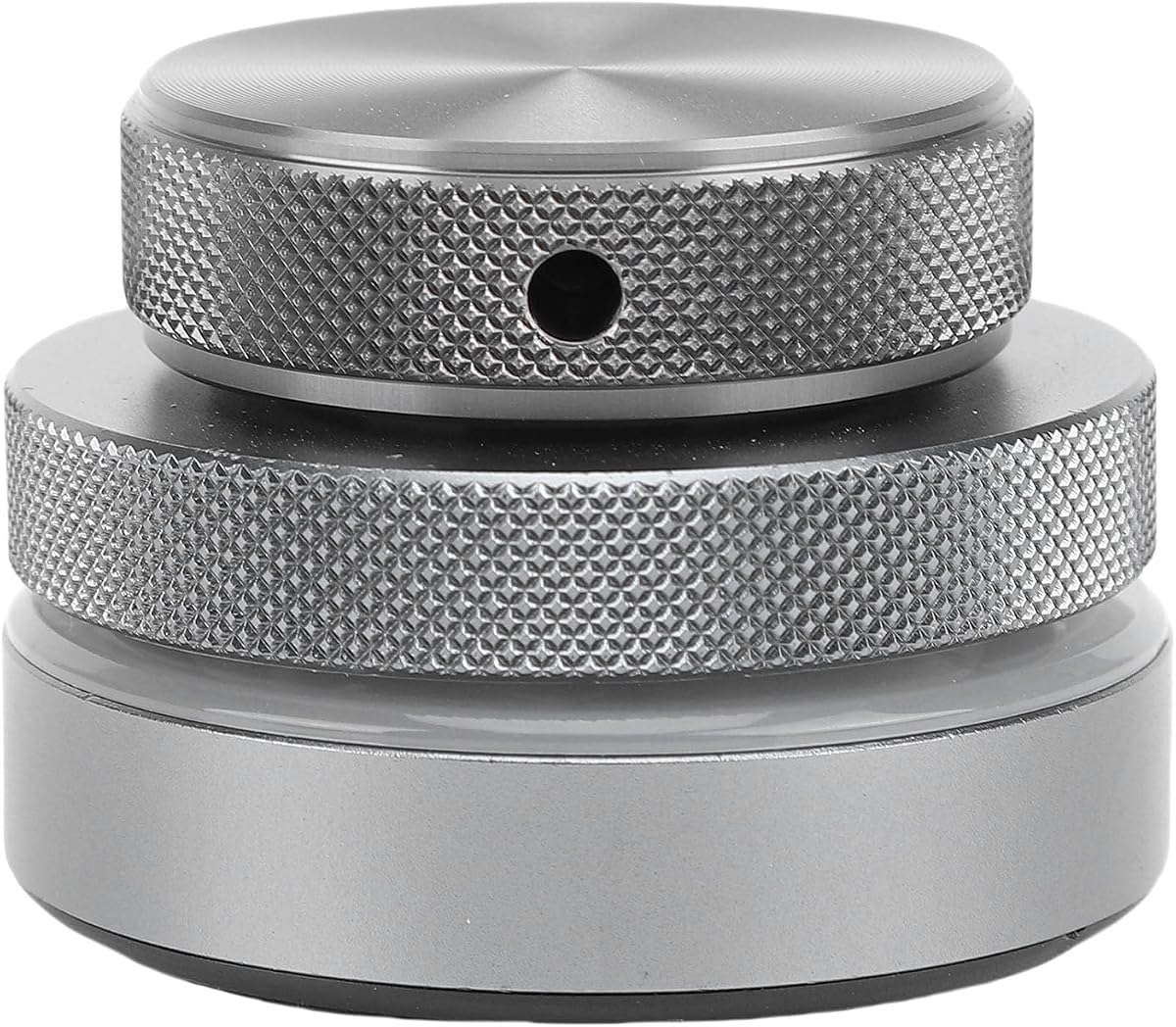
The Anticater VK-01 positions itself as a premium option with its professional grade design and robust construction materials. Users appreciate the high quality feel that comes from its CNC aluminum body which adds a touch of elegance to any workspace environment.
We may earn a commission when you buy through this link, at no additional cost to you.
Its primary strength is the seamless cross platform support that works equally well with both Windows and macOS systems. This makes it an ideal choice for users who operate in mixed OS environments and require consistent performance across different devices without compatibility issues.
The main drawback is the necessity of installing custom macro software to unlock full functionality which can be a hurdle for some users. The higher price tag also means it is less accessible to budget conscious buyers looking for basic volume control features.
This model is best suited for professionals and audiophiles who value build quality and advanced customization capabilities. If you need a durable and visually appealing controller that can integrate deeply with your specific workflow this device delivers on those expectations.
The CNC aluminum construction ensures long lasting durability while the textured grip provides precise control during frequent audio adjustments throughout the day.
Assigning any function through the intuitive macro software allows for a highly personalized user experience tailored to your specific application needs.
We may earn a commission when you buy through this link, at no additional cost to you.
The Jiawu USB Volume Control Knob offers a compelling blend of style and functionality that appeals to tech enthusiasts seeking more than basic audio control. It allows users to tailor the device to their preferences through a range of programmable features.
We may earn a commission when you buy through this link, at no additional cost to you.
Its key strength lies in the ability to customize up to five different functions providing a personalized experience that goes beyond simple volume adjustment. The dual connectivity options ensure flexibility for users who switch between wired and wireless setups regularly.
One consideration is the lack of extensive user rating data which makes it harder to gauge long term reliability based on community feedback. Additionally setting up the RGB lighting effects requires interaction with an application that may add complexity to the initial setup.
This device is a strong candidate for users who prioritize aesthetic customization and need a portable solution for managing sound on the go. Its sophisticated look and functional versatility make it a worthwhile option for those who enjoy tweaking their tech setup.
Customizing multiple functions allows you to map the knob to your most frequently used actions streamlining your interaction with media applications.
The customizable RGB lighting adds a unique visual element to your desk setup enhancing the overall ambiance while you work or relax.
We may earn a commission when you buy through this link, at no additional cost to you.
The Razer Wireless Control Pod is a specialized device designed to extend the capabilities of compatible Razer audio systems through advanced control features. It offers a unique integration that allows users to manage more than just volume through a single convenient interface.
We may earn a commission when you buy through this link, at no additional cost to you.
Its standout quality is the deep integration with Razer Chroma which lets you control lighting effects and audio presets from one device. This seamless connectivity creates a unified experience for users already invested in the Razer ecosystem enhancing their overall setup coherence.
However the reliance on AAA batteries means you will need to manage battery replacements over time which adds a slight maintenance overhead. The specific compatibility requirements also limit its utility to those who own compatible Razer headphones or speaker systems.
This product is ideal for gamers and Razer fans who want to maximize the potential of their existing hardware. If you value a cohesive system where lighting and audio control are unified this pod offers a sophisticated solution for your battlestation.
Managing Chroma brightness and audio presets from one place simplifies your desk management and keeps your setup looking and sounding its best.
With battery life lasting up to eight months based on typical usage you can enjoy uninterrupted control without frequent maintenance interruptions.
We may earn a commission when you buy through this link, at no additional cost to you.
The Bluetooth Volume Control Knob in Silver offers a straightforward and reliable solution for users who prioritize stability and simplicity over complex features. It delivers a consistent performance profile that ensures your audio controls remain accessible without unnecessary complications.
We may earn a commission when you buy through this link, at no additional cost to you.
Its primary strength is the use of the upgraded Bluetooth 5.3 chip which provides a stable connection with minimal lag during adjustments. The long standby battery life means you can leave it connected for extended periods without worrying about frequent recharges disrupting your workflow.
One trade-off is that it focuses primarily on core media functions rather than offering deep system integration or complex macro programming capabilities. This limits its appeal to power users who require extensive customization options for their specific work environments.
This device is best for casual users who need a dependable way to manage volume and playback from their desktop or laptop. Its solid construction and reliable connectivity make it a practical choice for everyday use in home or office settings.
The Bluetooth 5.3 chip ensures that your volume adjustments happen instantly without the delay or connectivity drops that can interrupt your listening experience.
Crafted from solid zinc alloy the knob is built to withstand daily use and maintain its premium feel over a long period of ownership.
We may earn a commission when you buy through this link, at no additional cost to you.
The VAYDEER Volume Control Knob is a robust wired solution that has earned significant user trust for its reliability and straightforward operation. It focuses on delivering essential audio control functions with a high degree of physical durability and ease of use.
We may earn a commission when you buy through this link, at no additional cost to you.
Its key strength is the one-click mute function which provides immediate silence when needed making it perfect for quick interruptions during meetings or calls. The sturdy metal shell ensures that the device can handle daily handling without showing signs of wear quickly.
While the lack of wireless capability means it requires a physical connection to your computer it eliminates the need for battery charging or pairing issues. This trade-off is acceptable for users who prefer a constant connection and do not need mobile flexibility for their audio controls.
This device is highly recommended for users who want a no fuss audio controller that works immediately upon connection. Its high satisfaction rating and solid build quality make it a safe and effective choice for standard desktop audio management.
Pressing the knob to mute audio instantly ensures you can manage interruptions quickly without having to navigate through software menus or settings.
The non slip base with heavy metal blocks keeps the unit steady on your desk ensuring that accidental bumps do not affect its position or performance.
We may earn a commission when you buy through this link, at no additional cost to you.
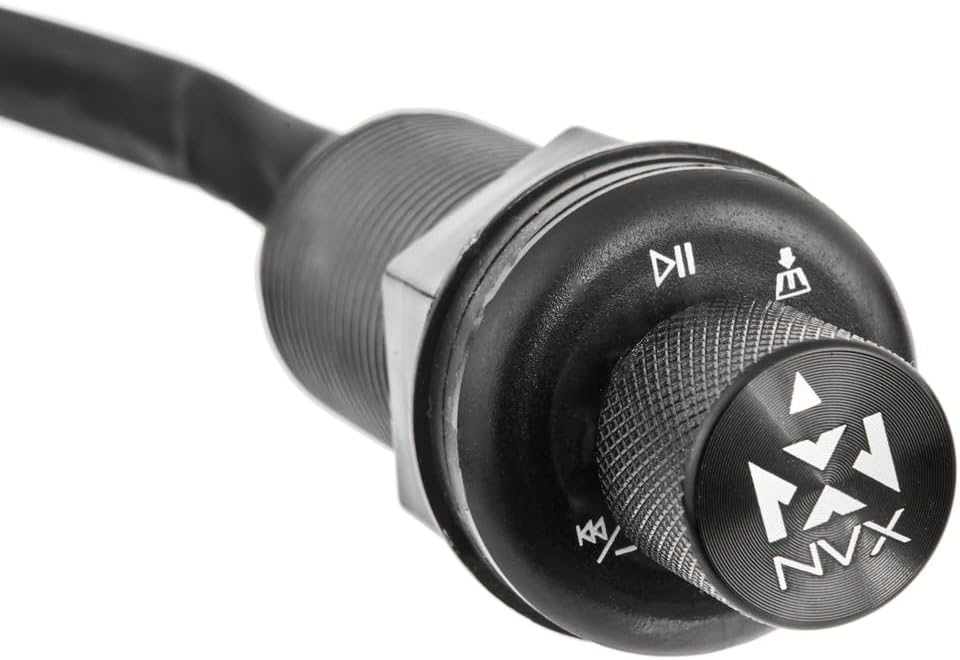
The NVX Universal Bluetooth Audio Receiver is designed to bring modern control features to older audio systems that lack native Bluetooth capabilities. It serves a specific niche where users want to upgrade their existing stereo setup with convenient wireless control.
We may earn a commission when you buy through this link, at no additional cost to you.
Its standout quality is the ability to integrate seamlessly with AUX input systems allowing track pause and volume control through a single knob. The mounting options ensure that it can be installed cleanly in various vehicle dashboards for easy access while driving.
A notable limitation is that it requires an AUX input to function which may not be available on all legacy radio systems without additional wiring. The installation process also involves some vehicle specific steps that may require basic technical knowledge to complete properly.
This product is ideal for car owners who want to modernize their audio experience without replacing the entire stereo system. If you value physical control over your music while on the road this receiver offers a practical and affordable upgrade path.
Adding this receiver to any radio with an AUX input allows you to take advantage of Bluetooth streaming and physical controls without a full system overhaul.
Managing tracks and volume with one knob keeps your focus on the road by reducing the need to interact with your phone while driving.
We may earn a commission when you buy through this link, at no additional cost to you.
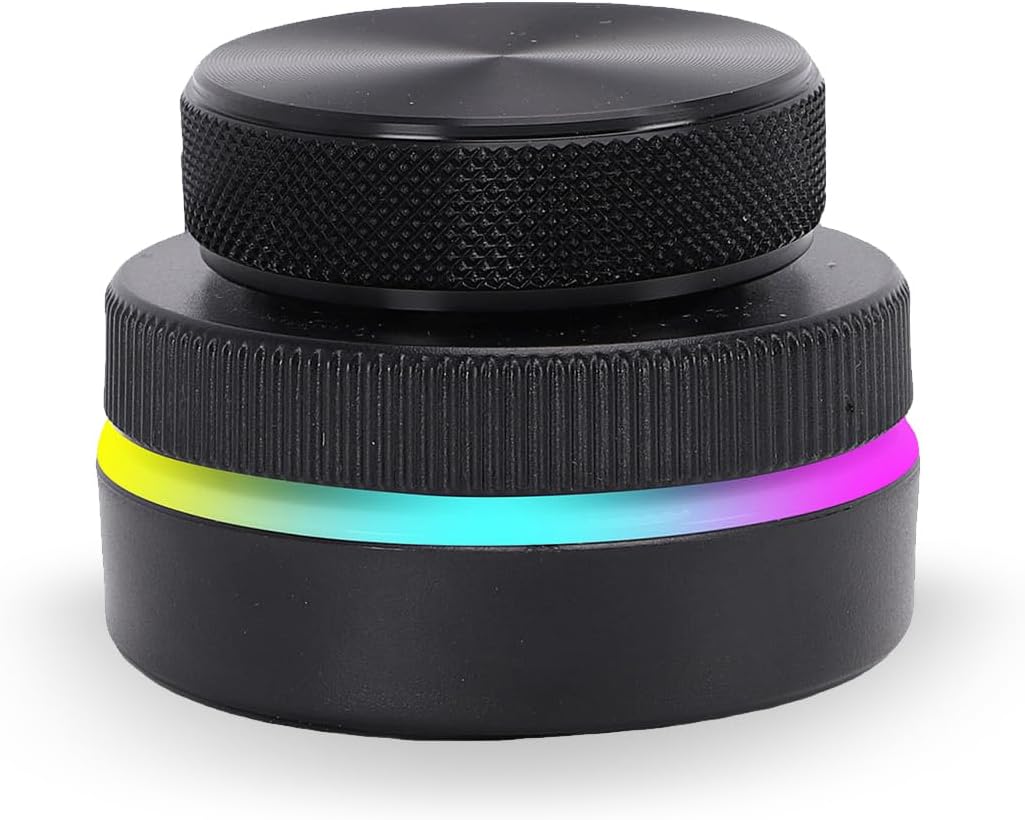
The Volume Control Knob with RGB Lighting offers a balanced approach to audio control with a focus on ease of use and stable connectivity. It supports a range of devices including phones tablets and PCs making it a flexible option for modern users.
We may earn a commission when you buy through this link, at no additional cost to you.
Its key strength lies in the dual mode connection options that provide a stable low latency experience whether you are using wireless or wired modes. The ergonomic design ensures comfortable usage during long sessions without causing hand fatigue or discomfort.
The lack of extensive public rating data means it is harder to predict long term reliability based on peer feedback compared to more established models. Additionally the RGB features are somewhat basic compared to high end customizations which may not appeal to all users.
This device is a strong contender for general users who need a reliable way to manage media across multiple devices easily. Its broad compatibility and user friendly design make it a practical choice for both work and entertainment setups.
Supporting major operating systems ensures that this knob works seamlessly with your existing devices without requiring special drivers or configurations.
The aluminum alloy knob and non slip base provide a tactile feel that makes adjusting volume a pleasant experience even after extended use.
We may earn a commission when you buy through this link, at no additional cost to you.
The Bluetooth 5.1 USB Volume Control Knob is designed for users who want more control over how their audio device interacts with their software. It offers programming capabilities that allow for a tailored experience beyond simple volume adjustments.
We may earn a commission when you buy through this link, at no additional cost to you.
Its standout quality is the ability to output characters and function keys through specific rotation and press combinations which adds significant utility for typing shortcuts. The single press mute function ensures you can stop audio instantly when needed for privacy or focus.
Users should note that achieving the full benefits of this device requires interaction with a specific app to program the functions effectively. This adds a step to the setup process that might be inconvenient for those who prefer instant plug and play solutions.
This device is best for power users who appreciate the ability to script complex commands into a single physical control. If you need a compact controller that can handle both audio and text input tasks this model provides a versatile solution.
The app-based customization allows you to map specific actions to the knob that streamline your workflow across various applications and tools.
Pausing and resuming playback with a single press ensures you can manage your media effortlessly without interrupting your focus on the task at hand.
We may earn a commission when you buy through this link, at no additional cost to you.
The VBESTLIFE USB Volume Control Knob provides a comprehensive set of connection options that allow users to adapt the device to different environments. Its focus on compatibility ensures that it can work with a wide array of operating systems and devices.
We may earn a commission when you buy through this link, at no additional cost to you.
Its key strength is the built-in memory which stores customized key mappings allowing you to take your preferences with you across different computers without reprogramming. The page turning feature adds specific utility for readers who want to navigate documents using a physical control.
One consideration is the lower user rating score which may indicate variability in product quality or consistency across production units. The requirement for an additional receiver for the 2.4G mode adds a small component to manage which might be a minor inconvenience for some users.
This device is suitable for users who need a versatile controller that can handle page navigation as well as volume adjustments. If you work across multiple systems and want to keep your settings consistent this knob offers a flexible solution.
Saving your custom mappings in built-in memory ensures that your preferred settings are ready immediately when you plug the device into a new computer.
Using the knob to turn electronic book pages allows for a more immersive reading experience without needing to reach for a mouse or keyboard.
We may earn a commission when you buy through this link, at no additional cost to you.
Selecting the right Bluetooth volume control knob involves considering several key factors that influence both performance and user satisfaction. Understanding these elements will help you narrow down your choices to find a device that fits your specific needs and budget.
The most important factor to consider is how the device connects to your hardware. Look for models that offer the connectivity modes you need such as Bluetooth for wireless freedom or USB-C for a stable wired connection. Some units provide hybrid options that allow you to switch between modes depending on your current environment.
Prioritize a device that supports at least one reliable wireless protocol like Bluetooth 5.0 or higher for minimal latency. Having a wired fallback option is also beneficial to ensure you can still control audio if wireless signals are unstable.
Since this device will be used frequently, the materials and construction quality are critical. Aluminum alloy and CNC machined bodies tend to be more durable and provide a better tactile feel than plastic alternatives. A weighted base or non-slip mats are also important to keep the device stable on your desk during rotation.
Choose a design that complements your workspace aesthetics and feels comfortable in your hand. A high-quality build ensures that the mechanical parts like the shaft and button remain responsive over years of daily use without developing looseness.
Determine what functions you need beyond basic volume adjustment. Many modern knobs support media playback controls such as play, pause, and track skipping which can save you from using keyboard shortcuts. Advanced models allow you to program macros or custom key mappings for specific applications like photo editing or streaming.
Evaluate whether the device supports muting functionality and if it can control system-wide settings or just media apps. More features often require additional software setup, so decide if you prefer a simple plug-and-play experience or are willing to configure complex settings.
Ensure the device is compatible with your operating system and the specific applications you use most. While many devices support Windows and macOS, some may have limited functionality with Linux or mobile platforms like iOS and Android. Checking the product specifications for official OS support is a necessary step before buying.
Consider if the device works across multiple platforms without needing different drivers for each. Universal compatibility ensures you can use the same controller whether you are on a work laptop or a personal desktop without technical hurdles.
For wireless models, battery life is a crucial metric that affects usability. Look for devices with a capacity that supports days or weeks of standby time between charges. Models with rechargeable USB-C batteries are generally more convenient and cost-effective in the long run compared to those requiring replaceable cells.
Check the estimated usage hours and charging time to ensure it fits your routine. A low-power indicator or auto-sleep feature is also valuable to prevent unexpected power loss during critical tasks.
If you plan to use advanced features like macro programming, the quality of the accompanying software is vital. A well-designed application should be intuitive and allow you to map functions easily without needing deep technical knowledge. Poor software can limit the utility of an otherwise capable hardware device.
Ensure that the software is updated regularly to support new operating system versions. Compatibility with the current version of your OS is essential to avoid functionality issues after a system update.
While cost is always a consideration, prioritize the overall value provided by the device. A higher price often correlates with better build quality and more features, but basic models can still be effective for simple needs. Compare the feature set against the price point to see if you are paying for capabilities you do not need.
Consider the warranty and customer support provided by the manufacturer as part of the overall value. Good support can save you time and money if you encounter issues with the device after purchase.
Reading reviews from other users gives you insight into real-world performance and potential issues. Look for comments about long-term reliability, connection stability, and comfort during extended use. Consistent praise or complaints across multiple reviews can highlight important pros and cons that specifications do not cover.
Be cautious of products with very few reviews as it may be difficult to judge their quality. Aim for models that have a reasonable number of user experiences to back up their claims and help you make an informed decision.
To begin using your device, ensure it is fully charged or has fresh batteries installed. Turn it on and enter pairing mode by pressing and holding the designated button until the LED indicator flashes. Open the Bluetooth settings on your computer or phone and select the device from the list of available connections to establish a link.
Once connected, test the knob by rotating it to adjust the volume on your default audio device. If your model supports additional features, download the companion software from the manufacturer's website to customize the button press actions. This software allows you to map functions like mute, track skip, or custom shortcuts to the physical button.
To maintain your device, wipe the surface with a soft dry cloth to remove dust and fingerprints. Avoid exposing the unit to liquids or extreme temperatures which could damage the internal electronics. Periodically check for software updates to ensure your device remains compatible with your operating system and functions correctly over time.
Most modern Bluetooth volume control knobs are designed to work with Windows and macOS systems. However, you should verify the specific product specifications to ensure compatibility with your version of the operating system. Some advanced features may require specific software that is not available for all platforms.
Yes, many models are compatible with iOS and Android devices as long as they support Bluetooth audio profiles. You may need to check if the device requires a specific connection app to function correctly on mobile platforms. Always review the supported device list before purchasing for mobile use.
Many Bluetooth volume knobs are plug and play and do not require any driver installation for basic volume control. However, if you want to use advanced features like custom macro programming you will likely need to install the manufacturer's software. This is usually optional for core functionality.
If the battery runs out, the device will stop functioning until it is recharged or the batteries are replaced. Some models have a low battery indicator that gives you a warning before it shuts down completely. Ensure you keep a charging cable handy to restore power quickly.
Most devices control the system master volume which affects all audio sources playing on the computer simultaneously. To control specific apps individually you may need to use software settings in your OS. Some advanced models allow for more granular control through their custom software.
Yes, the metal and plastic surfaces used in these devices are generally easy to clean with a soft cloth. Avoid using harsh chemicals or abrasive materials that could scratch the finish or damage the buttons. Regular dusting is usually sufficient to keep them looking new.
Typically, the effective range is around 30 to 33 feet in an open area without obstructions. Physical barriers like walls or interference from other electronic devices can reduce this range. Keeping the device relatively close to your computer ensures the most stable connection.
Devices with built-in rechargeable batteries require a USB cable for power and cannot be easily opened to replace cells. Some models do use standard AAA batteries which can be swapped out when they run low. Check the product description to see which power method your chosen unit uses.
We have explored ten diverse options ranging from premium CNC aluminum models to versatile programmable units. Whether you prioritize build quality or customizable functions, the list provides a strong selection to suit various needs and budgets.
When making your final choice, consider your primary use case and how often you will adjust audio settings. A device that aligns with your specific workflow will provide the most value and improve your daily interaction with your computer.
Prices and availability can change rapidly in the tech market so verify the current details on the product pages before purchasing. We hope this guide helps you find the perfect volume control solution to enhance your audio experience today.