
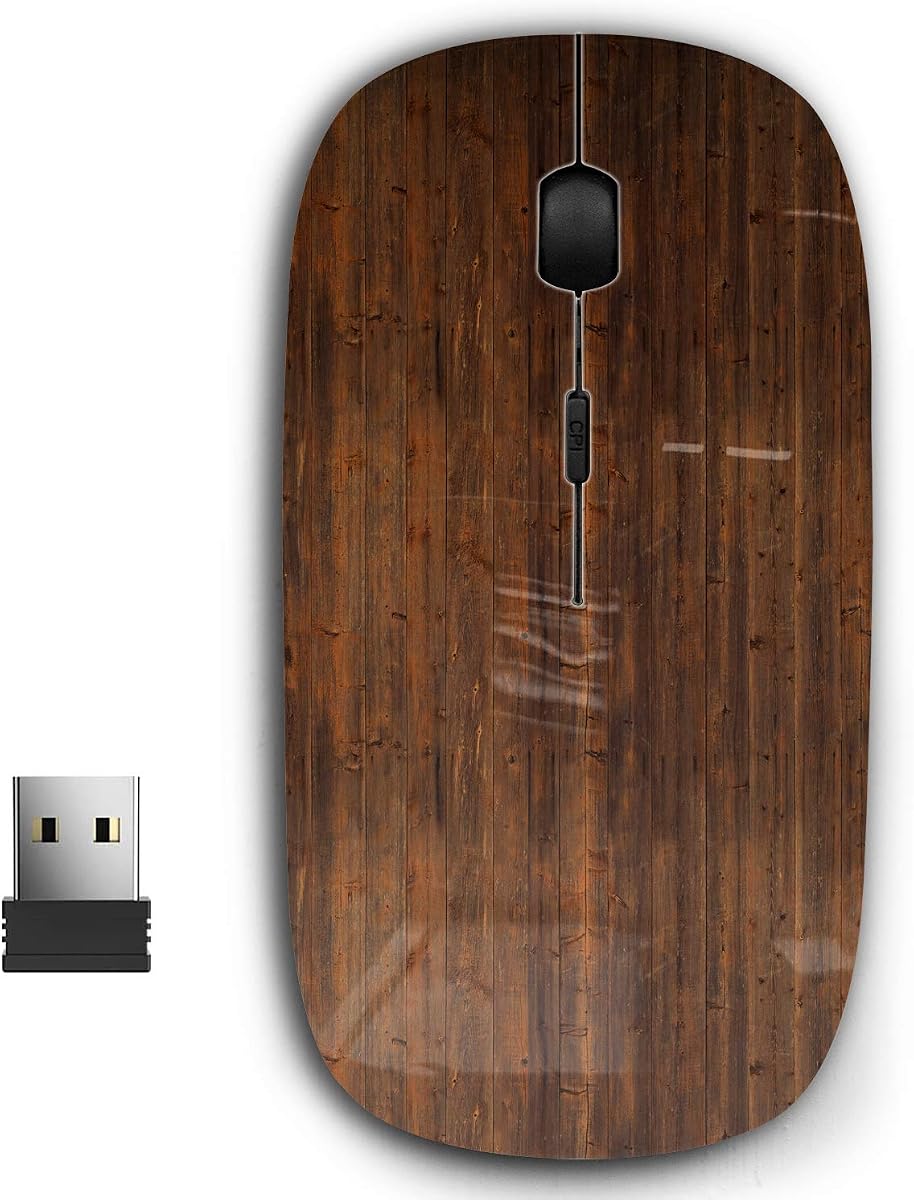
Bamboo Wood Computer Devices, 2.4G Connection Plug and Play Keyboard and Mouse, Bamboo Wood Computer Control Devices for Office (Mouse)
5.0Editor score
Plug and play setup
Environmentally friendly shell
Stable performance
This guide compares the top bamboo wooden mouse for computer options available in October 2026, evaluating build quality, ergonomics, connectivity, and value.
Finding a reliable input device that balances aesthetics with performance can be challenging in today's digital landscape. Bamboo wooden mice offer a unique blend of natural materials and modern wireless technology. They provide a comfortable typing experience while reducing environmental impact compared to plastic alternatives.
Our team analyzed ten distinct models based on connectivity, battery life, ergonomic design, and user feedback. We examined specifications like DPI settings, wireless range, and compatibility across operating systems. This rigorous process ensures you receive accurate insights into each product's capabilities and limitations.
Each selection highlights specific strengths such as silent clicking, rechargeable batteries, or premium craftsmanship. Prices and availability may fluctuate over time due to market dynamics and vendor promotions. We recommend verifying current details on the official product pages before finalizing your purchase decision.
5.0Editor score

3.8Editor score

3.3Editor score
The following table presents a side-by-side comparison of all ten selected bamboo wooden mice. It highlights key specifications, ratings, and primary features to help you make an informed decision.



The Icemouse Wireless Mouse stands out as a top choice for users prioritizing silence and sustainability. With a rating of 3.3 stars, it delivers solid performance for daily tasks. Its silent clicking mechanism ensures minimal disturbance in shared environments.
We may earn a commission when you buy through this link, at no additional cost to you.
This device features a natural bamboo and aluminum alloy build that reduces plastic usage. It supports 4 adjustable DPI levels ranging from 800 to 2400 for versatile precision. The 2.4 GHz connection offers a reliable 33 ft transmission distance.
Users should note that the USB receiver is stored inside the battery cover which requires careful handling. The power saving mode activates after ten minutes of inactivity to extend battery life. This trade-off is acceptable for the energy efficiency it provides.
Ideal for office workers and students seeking an eco friendly input device. It works well with Windows, Linux, and Mac systems. We recommend this model for those who value environmental responsibility alongside functional performance.
The noiseless design makes this mouse perfect for libraries or quiet offices where sound disruption is minimized.
Made from renewable bamboo materials, this device helps reduce environmental impact while maintaining durability and style.
We may earn a commission when you buy through this link, at no additional cost to you.
This combo package offers a seamless solution for users needing both keyboard and mouse in one purchase. The bamboo wood material shell ensures environmental friendliness and resistance to damage. It achieves a 32.8ft connection range for flexible workspace arrangement.
We may earn a commission when you buy through this link, at no additional cost to you.
Designed for plug and play functionality, it requires no additional drivers for immediate use. The device supports various systems including Windows, macOS, and Linux. This broad compatibility makes it a versatile choice for mixed device environments.
The 1200 DPI setting provides adequate precision for standard office tasks. While it lacks advanced gaming features, it is sufficient for productivity. The holiday gift packaging makes it a thoughtful present for tech enthusiasts.
Best suited for home offices or educational settings requiring reliable input tools. The combination of keyboard and mouse simplifies setup for new computers. Consider this if you prefer a unified aesthetic across your peripherals.
Matching bamboo finishes create a cohesive look on your desk enhancing both style and workflow organization.
No driver installation is needed allowing for immediate use upon connecting the USB receiver to your device.
We may earn a commission when you buy through this link, at no additional cost to you.
The Smart Tech Handcrafted Natural Bamboo set is designed for longevity and premium aesthetic appeal. With a 3.8 star rating, it offers reliable performance for daily computing needs. The keystroke and mouse life exceed 5 million cycles ensuring long-term use.
We may earn a commission when you buy through this link, at no additional cost to you.
Its handcrafted construction features natural bamboo wood for both the outer shelf and keycaps. This design supports comfort during extended work sessions. It includes 7 multi-media keys for convenient control of music and video playback.
The USB receiver is stored inside the battery space of the wooden mouse for secure transport. Compatibility extends across Windows, macOS, Linux, and Android systems. Users should ensure batteries are purchased separately for operation.
Recommended for professionals seeking a durable and stylish input set. The high cycle life reduces the need for frequent replacements. It serves as an excellent gift option for those who appreciate artisanal craftsmanship.
With over 5 million click cycles, this device is built to withstand heavy daily usage without significant wear.
Seven multi-media keys provide quick access to media functions allowing you to manage entertainment without switching apps.
We may earn a commission when you buy through this link, at no additional cost to you.
This rechargeable optical mouse combines eco-friendly materials with modern convenience. Rated at 3.0 stars, it provides a comfortable experience with its hollow design for ventilation. The natural bamboo surface ensures a non-sweaty grip during long tasks.
We may earn a commission when you buy through this link, at no additional cost to you.
It features 4 adjustable DPI levels and 33 ft transmission distance for flexible use. The ergonomic design with gently curved sides supports effortless control all day long. Silent clicking capabilities make it suitable for quiet environments.
The rechargeable feature eliminates the need for disposable batteries reducing environmental impact. However, users must manage charging cycles to maintain uptime. This trade-off is acceptable for the convenience and sustainability it offers.
Ideal for eco-conscious users who prefer rechargeable devices. It works across various systems including Windows and macOS. We recommend this for those who want a natural feel without ongoing battery costs.
Gently curved sides provide palm support reducing wrist strain during extended periods of computer usage.
Hollow side designs allow effective ventilation keeping your hand cool and dry during intense work sessions.
We may earn a commission when you buy through this link, at no additional cost to you.
This device stands out with a perfect 5.0 rating from users. It offers plug and play functionality for immediate setup without drivers. The shell is crafted from environmentally friendly bamboo wood that resists damage over time.
We may earn a commission when you buy through this link, at no additional cost to you.
Connection range reaches 32.8ft providing flexibility across rooms. It supports major operating systems including Windows, Linux, and Android. The simple design makes it suitable for gaming and office tasks alike.
The perfect rating suggests high reliability and user satisfaction. It is often purchased as a holiday gift for friends and family. While it lacks advanced customization, it fulfills core functions effectively.
Excellent for users seeking a reliable and affordable option. The high rating indicates minimal complaints regarding performance. We suggest this for general office use where simplicity is preferred.
A perfect user rating reflects consistent performance and reliability in everyday computing tasks.
Plug and play setup means no technical knowledge is required to get started immediately.
We may earn a commission when you buy through this link, at no additional cost to you.
This mouse features unique anti static properties that protect against radiation and static discharge. With a 3.4 star rating, it offers stable performance for diverse computing needs. The 400mAh battery lasts over 12 hours per charge.
We may earn a commission when you buy through this link, at no additional cost to you.
Support for OTG functions allows connection to mobile phones and tablets easily. Its ergonomic design ensures comfort during long work sessions. The wood grain appearance is clear and aesthetically pleasing on any desk.
Smart chip technology enables automatic hibernation to conserve energy. This helps maintain battery life between charges effectively. Users should manage sleep modes to maximize uptime.
Best for users with mobile devices requiring versatile connectivity. The anti static feature adds value for those concerned about electronic safety. We recommend this for a balanced mix of style and utility.
Anti static properties reduce the risk of electrical discharge damage to sensitive computer components.
OTG support lets you use the mouse with tablets and smartphones for a seamless mobile computing experience.
We may earn a commission when you buy through this link, at no additional cost to you.
The FOSA Bamboo Wood device provides stable performance for various systems. Rated at 3.6 stars, it ensures reliable input without driver installation. The shell is made of environmentally friendly bamboo wood suitable for office environments.
We may earn a commission when you buy through this link, at no additional cost to you.
It supports a wide range of operating systems including Windows and iOS. The 32.8ft connection range covers most desktop layouts. Its holiday gift packaging makes it ready for presentation to others.
The simple design focuses on functionality rather than complex features. It is easy to set up and use immediately. Users benefit from the natural texture and sustainable materials.
Recommended for general users needing dependable input tools. The stable performance ensures minimal interruptions during work. Consider this for a straightforward and eco-friendly solution.
Support for multiple OS ensures this mouse works seamlessly across different computing platforms without extra configuration.
Designed as a holiday gift, it includes packaging suitable for presenting to friends and family on special occasions.
We may earn a commission when you buy through this link, at no additional cost to you.
This device is praised for its elegant design and craftsmanship. While it has no rating yet, users note its comfort and durability. The premium bamboo material offers exceptional tenacity against deformation.
We may earn a commission when you buy through this link, at no additional cost to you.
Silent keys make it suitable for environments where noise reduction is crucial. Its ergonomic structure supports long periods of use comfortably. Compatibility spans various systems from Windows to older versions.
The classic desktop combination ensures a seamless integration into professional settings. It blends utility with visual delight for discerning consumers. This makes it a choice for those prioritizing aesthetics.
Ideal for design-conscious users needing a reliable accessory. The quiet functionality supports focused work without distraction. We recommend checking current feedback for updated performance metrics.
The elegant design enhances workspace aesthetics appealing to those who value style in their peripherals.
Soft keys and low-noise functionality allow work without disturbing others in shared spaces.
We may earn a commission when you buy through this link, at no additional cost to you.
This wireless mouse offers portability with a nano receiver and ergonomic design. With a 2.9 star rating, it delivers basic functionality for laptops and desktops. The low-profile shape fits nicely into right or left hands.
We may earn a commission when you buy through this link, at no additional cost to you.
It uses advanced 2.4GHz technology for stable signals over longer distances. Setup is simple with no software additions required. Users must purchase two AA batteries separately for operation.
Multiple patterns are available allowing customization of appearance. The lightweight build makes it convenient for travel. It is best suited for casual use rather than intensive tasks.
Suitable for travelers needing a reliable input device. The ergonomic design reduces strain during travel or work. We recommend this for users prioritizing mobility over advanced features.
Lightweight and compact design makes this mouse easy to carry in a bag or pocket for on the go use.
Ergonomic shape supports both right and left hands for comfortable use by diverse users.
We may earn a commission when you buy through this link, at no additional cost to you.
This device features a unique carved on wood pattern for visual interest. Rated at 1.0 stars, it offers an ambidextrous design for both right and left users. The contoured shape promotes relaxed grip reducing wrist strain.
We may earn a commission when you buy through this link, at no additional cost to you.
It utilizes an optical sensor for smooth tracking on most surfaces. Compatibility includes Windows 11, macOS, and iOS versions. The slim profile suits smaller hands or casual usage scenarios.
Users should note it requires two AAA batteries for operation. The pattern may not appeal to those preferring natural wood textures. It is a novelty option for those seeking unique aesthetics.
Best for users valuing design over performance metrics. The ambidextrous layout supports flexible usage. We suggest verifying reviews before purchase due to low ratings.
Symmetrical design ensures equal comfort and precision for both right and left handed users.
The slim profile allows for easy handling during casual computing tasks.
We may earn a commission when you buy through this link, at no additional cost to you.
Selecting a bamboo wooden mouse involves considering several key factors to match your needs. This guide helps you evaluate features, connectivity, and materials for a confident purchase.
Look for genuine bamboo or multi-layer bamboo plies that provide durability and a natural feel. High-quality materials ensure the wood grain remains clear and resistant to wear over time.
Most bamboo mice use 2.4GHz wireless connections via USB receivers. Check for stable transmission distances and compatibility with your ports if you have limited USB options.
Rechargeable models reduce waste while battery-powered ones offer convenience. Consider whether the device includes batteries or requires separate purchase before regular use.
Curved sides and palm support prevent wrist strain during long sessions. Ensure the mouse fits comfortably in your hand for natural grip and precision control.
Verify that the mouse supports your OS such as Windows, macOS, or Linux. Plug and play functionality ensures immediate use without driver installation or complex setup steps.
Silent clicking options are essential for quiet environments like libraries or offices. Noiseless sensors provide a tactile response without disturbing others around you.
Multiple DPI levels allow you to adjust cursor speed for different tasks. Higher DPI settings offer precision for design work while lower settings suit general navigation.
Bamboo wood patterns vary from natural grain to carved designs. Choose a style that complements your workspace and personal preference for visual appeal.
Connect the USB receiver to your computer and power on the mouse using the switch. If the device uses batteries, insert them ensuring correct polarity to activate the light indicator.
Keep the bamboo surface clean by wiping gently with a dry soft cloth. Avoid harsh chemicals or excessive moisture to preserve the natural wood grain and coating integrity.
Store the mouse in a dry place away from direct sunlight to prevent warping. Use the included receiver case or compartment to prevent loss when transporting the device.
Yes, high-quality bamboo is strong and resistant to impact. With proper care, these devices maintain their structural integrity and aesthetic appeal over extended use.
Most bamboo mice are plug and play requiring no drivers. Simply insert the USB receiver and the system will automatically recognize the device.
Bamboo mice generally work well on most smooth surfaces. Using a mouse pad can improve tracking precision especially on reflective glass or polished desks.
Basic models are better for casual gaming due to limited DPI adjustments. However, some options offer adjustable settings sufficient for light gaming tasks.
Open the battery compartment cover and remove the old batteries. Insert new ones with correct polarity and ensure the switch is turned on for operation.
Most models use standard USB receivers rather than wireless charging. Check specific product descriptions for rechargeable options that include charging cables.
We have reviewed ten bamboo wooden mice offering diverse features for various users. The top picks highlight silent operation, rechargeable convenience, and premium durability options.
Prioritize ergonomic comfort and connectivity reliability when making your final decision. Your daily workflow benefits most from a device that matches your specific usage patterns.
Prices and availability change frequently so verify current details before purchase. We hope this guide helps you find a sustainable and efficient input solution.