
HP OfficeJet Pro 8125
3.9Editor score
AI optimization for web pages
Dual band Wi-Fi connectivity
Instant Ink trial included
This guide compares the top AI printers for home and office use, evaluating features like smart formatting, wireless connectivity, and ink efficiency to help
Modern printing has evolved beyond simple document output. Today AI printers offer intelligent features that streamline workflows and enhance productivity for users at home or in professional environments.
We evaluated ten leading models based on performance AI integration, reliability, and cost efficiency. Each product was selected for its ability to deliver high-quality prints while reducing manual intervention through smart technology.
Our detailed reviews highlight key strengths and limitations for every pick. Prices may change over time so check current listings before purchasing to ensure you get the best value available today.
3.9Editor score

4.0Editor score

3.9Editor score
The following table provides a side by side overview of all ten products reviewed in this guide. Each entry highlights core specifications and capabilities to assist you in making an informed decision quickly.






The HP OfficeJet Pro 8125 stands out as an affordable option for those seeking intelligent printing capabilities. It offers solid performance for home offices with its dual-band Wi-Fi and AI-driven formatting tools that save paper and time.
We may earn a commission when you buy through this link, at no additional cost to you.
This model shines in its ability to optimize web pages and emails before printing. The HP AI feature removes unwanted content automatically ensuring you get clean professional outputs without manual editing. The instant Ink trial also helps manage ongoing costs effectively.
While the color print speed is moderate at ten pages per minute the black speed is competitive for its price point. Users should note that only official HP cartridges are supported which ensures quality but limits third-party options.
For small business owners or remote workers needing reliable color documents this printer delivers consistent results. Its sleek design and intuitive touchscreen make daily tasks straightforward making it a smart investment for productivity.
HP AI automatically removes navigation bars and ads from web pages before printing ensuring clean professional documents.
Built-in Wolf Essential Security helps protect your network from cyber threats during print jobs.
We may earn a commission when you buy through this link, at no additional cost to you.
The HP Smart Tank 5003 is designed for users who print frequently and want to avoid constant cartridge replacements. With up to three years of ink included right out of the box it offers exceptional value for families and home offices.
We may earn a commission when you buy through this link, at no additional cost to you.
Its refillable tank system is a game changer for convenience. You simply plug in the ink bottles and let them drain without squeezing or spilling. This mess-free approach makes maintenance simple and reduces waste significantly.
While it may not be the fastest printer on the market its reliability is top notch. The borderless print feature allows you to create photos and documents that look polished and professional without extra trimming.
If you need a printer that can handle high volumes without breaking the bank this model is ideal. It combines practicality with smart technology ensuring you stay connected and efficient in your daily printing tasks.
Up to three years of ink included reduces long-term costs significantly compared to cartridge based printers.
Refillable tanks eliminate the need for frequent cartridge changes saving time and effort.
We may earn a commission when you buy through this link, at no additional cost to you.
The HP Envy 6155 brings vibrant color quality to home printing tasks. Its True-to-Screen technology ensures photos and documents look as rich on paper as they do on your device screen.
We may earn a commission when you buy through this link, at no additional cost to you.
Navigating settings is easy with the 2.4 inch touchscreen interface. Combined with the HP app you can print scan or copy from your smartphone effortlessly. The dual-band Wi-Fi keeps connections stable even in busy households.
While it is not the fastest model it excels in quality and user experience. The AI formatting tools help avoid wasted paper by optimizing layouts before printing. Sustainability is also prioritized with at least sixty percent recycled plastic content.
For families or home users who value photo quality and ease of use this printer is a strong contender. It balances performance with practical features that make everyday printing seamless and enjoyable.
HP P3 technology ensures vibrant accurate colors that match what you see on your screen.
Made with at least 60% recycled plastic content to reduce environmental impact.
We may earn a commission when you buy through this link, at no additional cost to you.
The Bambu Lab P2S Combo represents the cutting edge of AI integrated manufacturing. With speeds up to six hundred millimeters per second it delivers professional-grade 3D prints with remarkable efficiency and accuracy.
We may earn a commission when you buy through this link, at no additional cost to you.
AI failure detection and automatic calibration make this system accessible even for those new to 3D printing. The AMS 2 Pro module enables seamless multi-color projects without manual intervention saving significant time on complex designs.
The adaptive airflow system ensures overhangs stay crisp while maintaining chamber heat for engineering-grade materials. This versatility allows users to tackle a wide range of projects from prototypes to functional parts.
If you are serious about creativity and innovation this printer offers limitless possibilities. While it requires a larger investment the speed precision and smart features provide unmatched value for makers and professionals.
Up to 600 mm/s printing speed allows you to iterate designs faster than ever before.
AMS 2 Pro enables automatic filament changes for vibrant multi-color prints without user intervention.
We may earn a commission when you buy through this link, at no additional cost to you.
The HP OfficeJet Pro 9135 is designed for demanding office environments where speed and security are critical. It combines rapid printing capabilities with advanced AI tools to streamline document workflows effectively.
We may earn a commission when you buy through this link, at no additional cost to you.
With twenty-five pages per minute black speed this printer keeps up with busy workloads. The large 4.3 inch touchscreen makes navigation intuitive while Wolf Pro Security protects sensitive data from cyber threats.
AI features optimize web pages and emails to reduce wasted paper. The single-pass duplex scanning and high capacity trays minimize downtime allowing teams to stay focused on core tasks.
For small to medium businesses this model provides the reliability and features needed to run efficiently. Its professional output quality ensures your business documents always make a great impression.
Wolf Pro Security bolsters protection for sensitive business data during network printing.
Two 250-sheet trays reduce refill frequency keeping workflows uninterrupted.
We may earn a commission when you buy through this link, at no additional cost to you.
The HP Smart Tank 7603 delivers exceptional capacity for home offices needing volume printing. With up to eight thousand color pages included it reduces the frequency of ink purchases significantly.
We may earn a commission when you buy through this link, at no additional cost to you.
Its mess-free refill system ensures you can replenish ink without spills or complicated tools. The magic touch control panel simplifies daily tasks making operation straightforward for all users.
Fax functionality adds value for businesses that still rely on traditional document transmission. Wireless connectivity allows remote printing from any device in the home or office network.
For those prioritizing cost efficiency and reliability this model is a top choice. It balances essential features with smart convenience ensuring you get more for your investment.
Built-in fax capabilities eliminate the need for a separate fax machine in your office.
Cartridge-free design lets you refill ink quickly without tools or mess.
We may earn a commission when you buy through this link, at no additional cost to you.
The HP OfficeJet Pro 8139 stands out with an extended one year Instant Ink trial. This long-term benefit helps new users manage costs while they integrate the printer into their workflow.
We may earn a commission when you buy through this link, at no additional cost to you.
It offers a balanced mix of fax ADF and wireless features suitable for home offices. The 2.7 inch touchscreen makes navigation easy ensuring you can adjust settings quickly.
Security features like Wolf Essential Security protect your data during printing tasks. AI tools optimize layouts to prevent wasted paper ensuring every job is efficient.
For users wanting reliable performance with extended support this model is ideal. It provides all essential office functions in a compact design that fits well on any desk.
A full year of Instant Ink trial allows you to test the service without immediate subscription costs.
Wolf Essential Security ensures your sensitive documents are protected from cyber threats.
We may earn a commission when you buy through this link, at no additional cost to you.
The HP Smart Tank 7603 offers versatile functionality for home offices needing multiple capabilities. With up to three years of ink included it minimizes long term expenses significantly.
We may earn a commission when you buy through this link, at no additional cost to you.
Its magic touch control panel simplifies complex tasks like scanning and faxing. Borderless printing ensures photos and documents look professional without extra trimming.
Mess free refill system allows quick ink top ups without tools or spills. Wireless connectivity keeps you connected for seamless printing from any device in your network.
For users valuing convenience and capacity this model is a strong option. It balances essential office tools with cost effective design for reliable daily performance.
Create professional looking photos and flyers with edge to edge printing capabilities.
Mobile printing support allows you to print from your phone or tablet anywhere.
We may earn a commission when you buy through this link, at no additional cost to you.
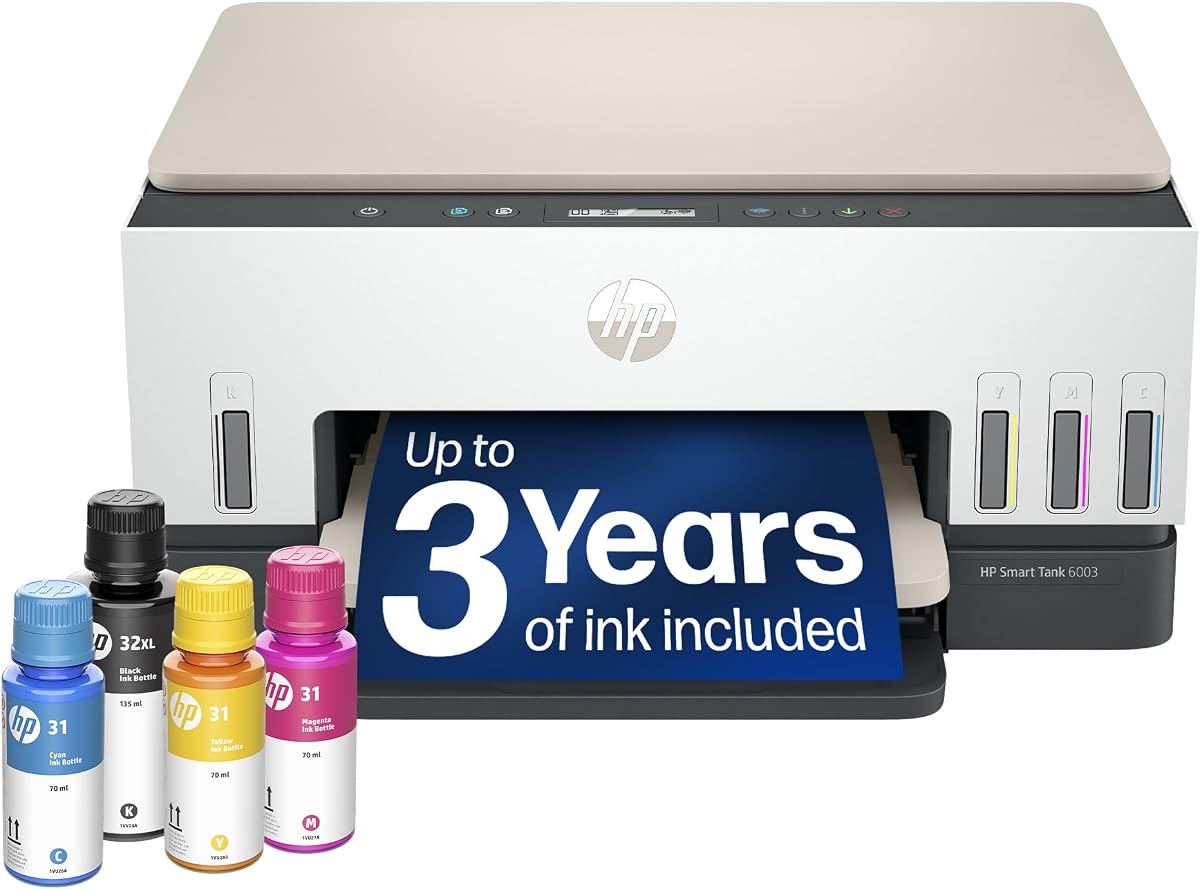
The HP Smart Tank 6003 provides a straightforward solution for home printing needs. Its refillable tank system offers substantial savings compared to traditional cartridge printers.
We may earn a commission when you buy through this link, at no additional cost to you.
Borderless printing allows you to create vibrant photos and documents without extra effort. Setup is intuitive ensuring you can start printing within minutes of unboxing.
Wireless connectivity ensures seamless integration with your home network. While it lacks advanced fax features it covers all essential tasks for daily home use.
For families or individuals needing a budget friendly reliable printer this model works well. It delivers quality output with minimal maintenance for hassle free operation.
Cartridge-free design reduces ongoing costs significantly for high volume home printing.
User-friendly interface makes daily printing tasks accessible for all ages.
We may earn a commission when you buy through this link, at no additional cost to you.
The Liene PixCut S1 is a unique AI enabled device designed for creative enthusiasts. It integrates printing and cutting into one machine allowing you to create custom stickers and labels effortlessly.
We may earn a commission when you buy through this link, at no additional cost to you.
AI image extraction lets you upload photos and have the system isolate subjects automatically. The thermal dye-sublimation technology ensures vibrant true-to-life colors that resist fading over time.
Precision AI cutting follows every edge accurately ensuring professional results. With fifty thousand free images and templates available in the app you can start creating immediately without extra costs.
For hobbyists or small businesses needing custom labels this printer is unmatched. Its durability and ease of use make it a top choice for personalized creative projects.
Upload any photo and use AI to extract subjects for custom stickers instantly.
Four-layer thermal lamination ensures stickers are waterproof and scratch resistant.
We may earn a commission when you buy through this link, at no additional cost to you.
Selecting the right printer depends on understanding your specific needs. This section outlines critical factors to consider before purchasing.
Print speed determines how quickly documents are output measured in pages per minute. For high-volume offices look for models exceeding 20 ppm to avoid workflow interruptions.
Consider your typical daily volume and prioritize models that match your workload requirements.
Modern AI printers offer smart formatting removal of ads from web pages and auto-correcting layouts. These tools save time and reduce paper waste.
Ensure the printer you choose has AI tools that address your specific document challenges.
Dual-band Wi-Fi ensures stable connections in busy networks. Look for mobile printing apps that work on both Android and iOS.
Wireless capability allows printing from any device within your network range.
Ink cartridges can be expensive over time. Ink tank models offer lower costs per page for high-volume users.
Check the included trial periods for services like Instant Ink to estimate ongoing expenses.
Automatic document feeders and duplex printing streamline scanning and double-sided output. This is vital for offices processing many pages daily.
Prioritize models with sufficient input trays to reduce refill frequency.
Security features like Wolf Essential Security protect data from cyber threats during printing. This is crucial for businesses handling sensitive information.
Ensure the printer includes network protection features relevant to your industry.
Borderless printing and photo capabilities are essential for creative projects. If you need stickers or labels check for specialized cutting features.
Match the media size capabilities with your typical document or photo requirements.
Manufacturers are using recycled plastic in designs to reduce waste. Look for sustainability claims on the packaging.
Choose models that align with your eco-friendly goals.
Always keep firmware updated to access the latest AI features and security patches. Check the manufacturer's app periodically for updates.
Use genuine or recommended ink cartridges to prevent clogging. If using tank systems refill carefully to avoid air bubbles.
Clean the print heads occasionally using the built-in maintenance menu. This ensures crisp text and vibrant colors for every job.
An AI-capable printer uses machine learning to optimize layouts and remove unwanted content before printing. This saves paper and ensures professional results automatically.
Yes for frequent users. Smart tools save time and paper which often offsets the higher initial price over time.
Most basic AI functions work without a subscription. Advanced features may require an app login but not a paid plan.
Many HP and Liene models support glossy photo paper. Check the specs to confirm supported paper types before buying.
Enable WPA3 encryption and use the manufacturer's security tools. Keep the firmware updated to block potential vulnerabilities.
It is a subscription service that delivers ink before you run out. It can save up to fifty percent compared to standard purchasing.
We highlighted ten top models ranging from budget-friendly home printers to high-performance office solutions. Each offers unique AI features to simplify your workflow.
Prioritize features like speed ink capacity and security based on your primary use case. This ensures you get the best value for your needs.
Always check current prices before buying since offers may change. We hope this guide helps you find the perfect printer for your home or office.