
Office Desk Accessories 2pcs
4.3Editor score
Transparent acrylic memo boards
Fits most monitor edges
Easy peel and stick install
This guide compares the top ten Adhd Desk Accessories for 2026 including timers planners and organizers designed to boost focus and reduce stress.
Finding the right Adhd Desk Accessories can transform a chaotic workspace into a productive sanctuary. The best tools minimize distractions while helping you manage tasks and time effectively throughout your busy day.
We evaluated ten highly rated products based on user feedback, design functionality, and specific features that support neurodivergent work styles. Our analysis focuses on practicality visual cues and ease of use for maximum impact.
Each pick below highlights unique strengths from budget friendly organizers to premium timers. Note that product availability and pricing may fluctuate so verify details before purchasing to ensure you get the latest version.
4.3Editor score

4.8Editor score

4.5Editor score
The table below provides a side-by-side comparison of all ten products to help you quickly identify which tools match your specific workspace needs and organizational preferences for enhanced daily focus.


This notepad stands out as a reliable tool for organizing daily tasks and goals. With a strong rating from users it offers a clear structure that helps reduce cognitive load when planning your day.
We may earn a commission when you buy through this link, at no additional cost to you.
The undated design means you can start anytime without worrying about wasted pages. High quality 100gsm paper ensures writing feels smooth and ink does not bleed through to the next page.
While it lacks digital features which some modern users prefer the tactile experience is beneficial for focus. The transparent cover adds durability but may show fingerprints if not cleaned regularly.
Anyone looking for a simple effective analog planner will find this ideal. It supports consistent routine building and helps keep priorities visible throughout busy work or school environments.
Start your planning journey whenever you are ready without worrying about specific calendar dates or unused pages in the middle of a month.
The thick paper and protected pages ensure a pleasant writing surface that resists tearing and keeps your notes looking professional over time.
We may earn a commission when you buy through this link, at no additional cost to you.
This set offers an inexpensive way to add quick access notes to your workspace. Users appreciate the simple installation and clear acrylic design that keeps reminders visible without cluttering the desk surface.
We may earn a commission when you buy through this link, at no additional cost to you.
The boards stick to the side edges of monitors making them perfect for urgent to-dos or contact info. Acrylic material is durable and waterproof ensuring longevity even in busy office environments.
The adhesive is strong but caution is needed as it should not touch the screen itself. On some textured monitor edges it may require extra care to ensure a secure fit initially.
For those needing a quick cheap solution to organize memos this is an excellent choice. It works well for students or remote workers needing extra visual reminders near their primary screen.
Peel off the protective film and attach the board to the monitor edge for instant access to notes without tools or screws.
The transparent acrylic allows you to see sticky notes easily while keeping them protected from dust and accidental bumps.
We may earn a commission when you buy through this link, at no additional cost to you.
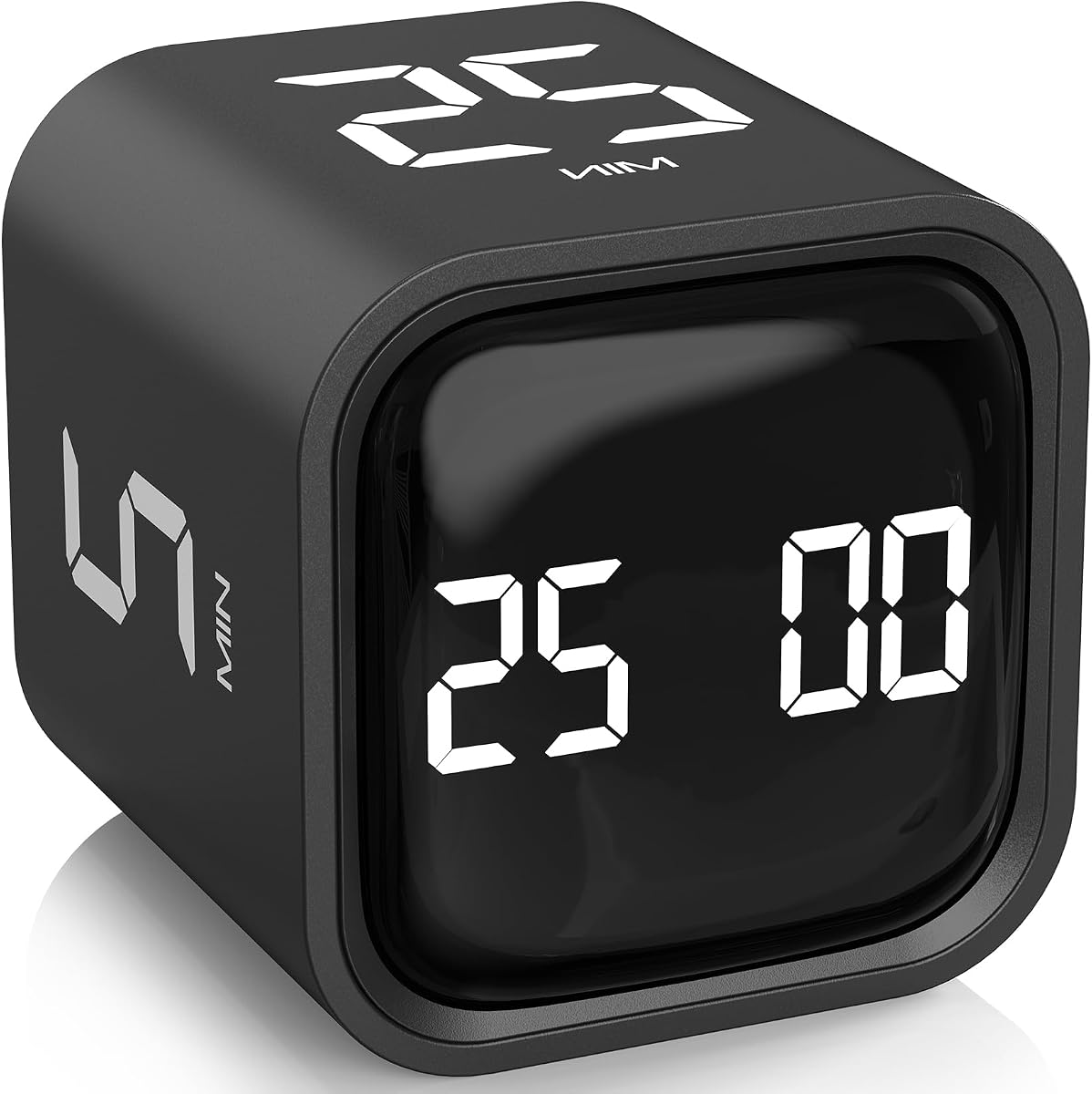
This timer uses gravity sensing to start countdowns making it easy to integrate into work flows. It supports the popular 5/25 technique helping users maintain focus during study or work sessions.
We may earn a commission when you buy through this link, at no additional cost to you.
You can flip the timer to select preset times like 25 minutes for work and 5 for breaks. The digital display is clear and vibration alerts ensure you notice the end of a session.
While it offers great functionality the lack of included batteries means you need to buy them separately. Some users might find the gravity sensor slightly sensitive requiring steady placement for accuracy.
If you value physical interaction with your time tools this is a strong option. It encourages intentional breaks and helps structure your day without complex app setup.
Built-in 25 and 5 minute settings align with proven work methods to help you maintain focus and rest effectively.
Choose from silent vibration to loud alerts depending on your environment to stay on track without disturbing others.
We may earn a commission when you buy through this link, at no additional cost to you.
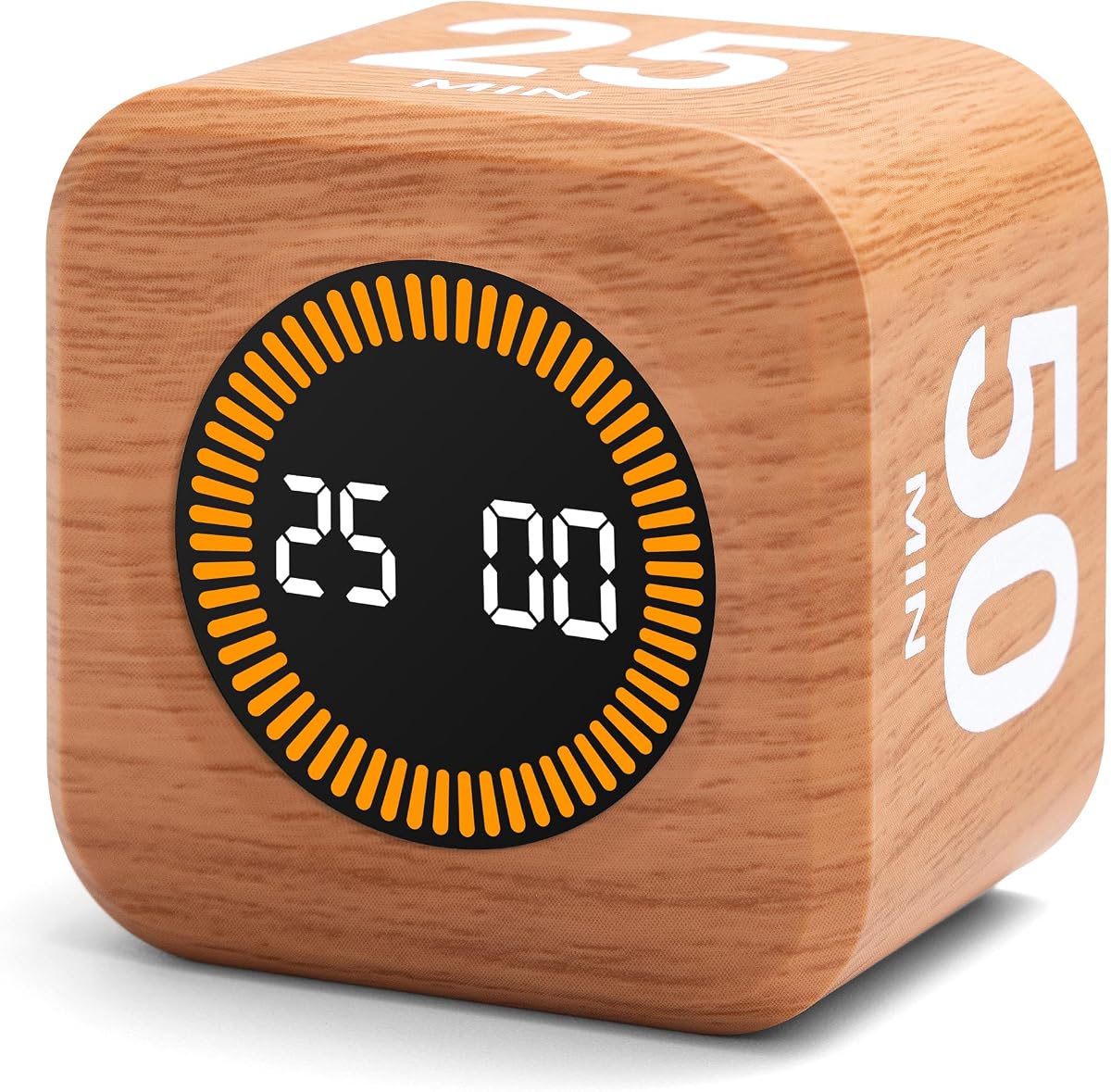
This timer combines functionality with a stylish wood grain finish that enhances any desk setup. It offers the same gravity sensing features as other models but with a more premium look.
We may earn a commission when you buy through this link, at no additional cost to you.
The USB-C charging makes it eco-friendly and convenient for daily use. You can customize preset times to fit your unique workflow ensuring flexibility for various tasks.
The bright screen ensures visibility in low light but may require adjustment if you prefer softer light. Some users report the casing is sturdy but scratches slightly with heavy handling.
Ideal for those who want a timer that doubles as desk decor. It supports focus and organization while adding a natural touch to your workspace environment.
The exclusive wood grain design adds elegance to your office while serving as a functional tool for time management.
Built-in rechargeable battery via USB-C reduces waste and ensures the timer lasts through long study or work sessions.
We may earn a commission when you buy through this link, at no additional cost to you.
This system provides a tangible way to manage tasks using index cards instead of apps. With over 130 cards and a wooden box it offers a complete solution for organizing daily work.
We may earn a commission when you buy through this link, at no additional cost to you.
Cards are thick and sturdy allowing you to write goals and tasks without worry of tearing. The magnetic divider helps separate in-progress items from completed ones visually.
Some users might find the wooden box bulky for small desks but it adds a premium touch. Sorting manually takes time but helps reinforce memory and commitment to tasks.
Anyone preferring analog systems will appreciate the freedom to arrange tasks physically. It reduces digital fatigue and helps you visualize progress throughout the day effectively.
High GSM paper ensures cards withstand folding and handling making them ideal for frequent use in daily planning.
A metal divider with magnets allows you to easily distinguish between active and finished tasks without extra effort.
We may earn a commission when you buy through this link, at no additional cost to you.
This visual timer helps everyone understand time passage at a glance. The red disc disappearing as time passes offers clear feedback which is particularly helpful for those with attention challenges.
We may earn a commission when you buy through this link, at no additional cost to you.
Silent operation makes it perfect for classrooms or quiet offices where noise is disruptive. You can also attach colorful silicone covers to mark different tasks like work or breaks.
The need for AA batteries means recurring cost but the timer is durable and long lasting. Some users prefer digital timers for precision but this offers a simpler more calming experience.
Ideal for families or educators needing a shared tool for time management. It supports smooth transitions between activities without relying on complex digital interfaces.
The disappearing disc shows exactly how much time remains helping users stay focused and prepared for transitions.
Silicone covers let you assign colors to different activities making it easy to identify the current task at a glance.
We may earn a commission when you buy through this link, at no additional cost to you.
This notepad is explicitly designed to help neurodivergent adults stay organized. It includes sections for prioritizing tasks and brain dumping ideas to reduce mental clutter during the day.
We may earn a commission when you buy through this link, at no additional cost to you.
The reward checklist adds a motivational element encouraging users to celebrate small wins. Undated pages mean you can reuse or skip days based on your current productivity level.
Some may find the paper standard weight but it works well for daily notes. The layout is straightforward which helps reduce decision fatigue when planning your schedule.
If you need a planner that understands your specific focus challenges this is highly recommended. It supports structured flexibility to help maintain momentum throughout the week.
Dedicated spaces for important tasks and brain dumps help separate critical work from distractions effectively.
Checklist rewards encourage completion of tasks and build positive habits over time for better daily organization.
We may earn a commission when you buy through this link, at no additional cost to you.
This weekly planner offers a broad view of your schedule making it easy to plan ahead. The large size allows for detailed notes and multiple task lists on a single sheet.
We may earn a commission when you buy through this link, at no additional cost to you.
Priority sections help you focus on what matters most while lower priority items wait. Spiral binding makes tearing off finished weeks easy for continuous use throughout the year.
The pink cover adds a touch of color but some might prefer neutral tones. The paper quality is decent though heavier pens might bleed slightly on standard sheets.
Great for those who prefer planning on a desk rather than a notebook. It keeps your week visible and organized without needing digital tools or apps.
See your entire week at once to balance tasks and appointments without flipping through multiple pages.
Dedicated sections for priorities ensure important items get attention before moving to secondary tasks.
We may earn a commission when you buy through this link, at no additional cost to you.
This holder provides a stable place for notes without damaging your screen. The wooden base supports the panel so you can place it on the edge or stand it separately.
We may earn a commission when you buy through this link, at no additional cost to you.
It includes 100 sticky notes which is convenient for starting out. The acrylic panel lets you see notes clearly while keeping them protected from clutter.
Some curved monitors might not support the slots so check compatibility before buying. The logo adds humor which can lighten the mood during stressful work sessions.
Ideal for those needing a temporary spot for quick references near the screen. It is versatile enough to stand alone or attach depending on your layout.
The removable base ensures stability without risking adhesive damage to your monitor surface.
Comes with 100 notes so you can start organizing right away without extra purchases.
We may earn a commission when you buy through this link, at no additional cost to you.
This footrest helps improve posture and comfort while working from a desk. The swinging feature allows you to adjust your position without lifting your legs manually.
We may earn a commission when you buy through this link, at no additional cost to you.
Massage rollers on the surface promote circulation which can reduce fatigue. The non-slip pads ensure stability so the footrest stays put during use.
The plastic material is durable but less cushioned than foam options. Some users might find the rollers make slight noise when shifting weight.
If you sit for long periods this accessory helps maintain ergonomic health. It keeps feet supported and reduces strain on legs and back throughout the day.
Swing forward or backward to find the most comfortable angle for your feet and posture.
Textured rollers massage feet to promote blood flow and reduce fatigue during long work sessions.
We may earn a commission when you buy through this link, at no additional cost to you.
Choosing the right accessories depends on your specific workspace needs and how you interact with tools. This guide covers key factors to consider before making a decision.
Look for tools with clear visibility like bright timers or transparent organizers. Visual cues help reduce cognitive load when checking what needs to be done next.
Choose items with high contrast or light displays for better readability during focus sessions.
Simpler tools often work better because they require less setup. Items that start with one motion like flipping a timer help you begin tasks quickly.
Prioritize products with intuitive controls that do not demand complex configuration.
Since you will use these items daily they should withstand wear and tear. Materials like acrylic or thick paper resist damage from constant handling.
Check product reviews for feedback on long-term durability before purchasing.
If you move between rooms or offices portable items are more useful. Compact planners or rechargeable timers can be carried in a bag easily.
Select tools that fit in standard bags or pockets for flexibility.
Some tools offer specific structures like checklists or time blocks which help organize workflows. Choose a format that matches how you naturally think about tasks.
Ensure the product supports your preferred method of breaking down work.
If you work in shared spaces ensure alerts or timers are silent or low volume. Vibrations or soft sounds prevent disturbing others while keeping you on track.
Look for silent modes or vibration features in time management tools.
Tools that match your desk style encourage consistent use. Choose colors or designs that feel pleasant rather than distracting to your environment.
Personal preference matters because you will look at these items constantly.
Budget friendly options can be just as effective as expensive ones. Compare features to find the best balance between cost and utility for your needs.
Focus on functionality rather than brand name when comparing prices.
Always place timers and organizers within your direct line of sight so they remain visible. Avoid hiding them away in drawers where they will not serve their purpose of reminding you.
Clean acrylic and plastic surfaces with a soft cloth to prevent scratches. Use mild soap for sticky residue to ensure tools look clean and function properly.
Review and update your planners or task cards daily. Replace completed items and clear old notes to keep the workspace organized and clutter free.
Yes tools like visual timers and structured planners are designed to reduce distractions. They provide clear cues for tasks and breaks which supports consistent focus throughout the workday.
Absolutely most items are compact and work in both home and professional settings. They can be placed on any flat surface to support better organization.
Wipe down acrylic and plastic organizers weekly to remove dust. This prevents buildup that could damage surfaces or make sticky notes harder to use effectively.
Yes students benefit from task planners and timers just as much as professionals. They help break study sessions into manageable chunks to improve retention.
Check the return policy on the product page before purchasing. Most sellers offer a window for returns if the item arrives damaged or does not meet expectations.
Some timers need batteries or charging while others like paper planners do not. Verify the power requirements in the product specs before you buy.
The products reviewed here offer a range of options from simple sticky holders to sophisticated timers. Each addresses different needs to help you stay organized and focused.
Prioritize tools that fit your workflow naturally rather than forcing a system that feels difficult. Consistency comes from ease of use rather than complex features.
Remember to check current pricing and availability before purchasing. Small details may change so confirm the latest version suits your needs.