
NETGEAR Nighthawk R7450
4.3Editor score
AC2600 speeds
Dual-core processor
Gaming QoS
Compare the top AC2600 WiFi Router models for speed coverage and features to find the best wireless networking solution for your home or office.
Finding a reliable wireless network starts with choosing the right router. AC2600 models offer high speeds and strong signals for modern homes. They handle multiple devices without slowing down. A good router ensures smooth streaming gaming and work from home.
We compared ten leading AC2600 WiFi Router options based on performance range and features. Each model brings unique strengths for different needs. Some focus on gaming while others prioritize family safety or ease of use. Our analysis highlights what matters most for your setup.
Each pick shows key specs pros and cons to help you decide quickly. Real user feedback and technical details guide our recommendations. Remember that prices change often so check current listings before buying. This guide keeps you informed on the best choices available today.
4.3Editor score
4.5Editor score
4.4Editor score
This table compares all ten AC2600 WiFi Router models side by side. Look at speed specs features and ratings to find the right fit for your network needs and budget.


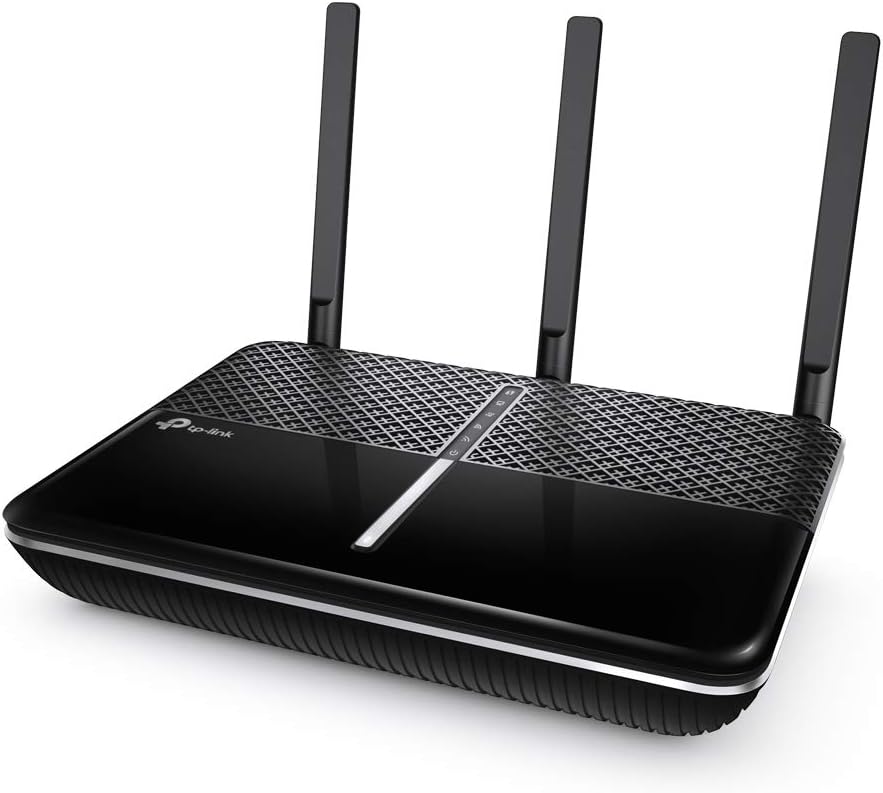
The TP-Link Archer A10 stands out as a top choice for home networks needing reliable speed. It earns a high rating for its balanced performance and smart features. Users praise its ability to handle multiple devices without dropping connections. The design includes external antennas that help reach every corner of your house.
We may earn a commission when you buy through this link, at no additional cost to you.
Its speed reaches 1733 Mbps on the 5GHz band plus 800 Mbps on 2.4GHz. This mix ensures fast downloads and smooth streaming. MU-MIMO allows data to go to several devices at once reducing wait times. The Tether app makes setup simple so you can start quickly. Voice control with Alexa adds convenience for managing guest access.
While the router is large it fits well on a shelf. The VPN server feature is useful for secure remote access to your home files. Some users note the setup takes a few minutes but the guide is clear. Overall it offers great value for a powerful wireless solution.
This router fits families with many devices or those who work from home. If you want steady internet and easy management the Archer A10 is a solid pick. It covers a good area and keeps speeds high. Check current listings to confirm it matches your needs before buying.
The three external antennas and one internal antenna work together to amplify signals. Beamforming focuses the connection directly to your devices for stronger links.
Open and PPTP VPN server options let you connect safely from anywhere. This feature protects your data when accessing home networks over the internet.
We may earn a commission when you buy through this link, at no additional cost to you.
The NETGEAR Nighthawk R7800 delivers top-tier performance for large homes and busy networks. It supports up to 45 devices which is rare in this class. The coverage reaches 2500 square feet ensuring strong signals everywhere. Users love the extra USB ports for sharing printers or drives easily.
We may earn a commission when you buy through this link, at no additional cost to you.
Speeds hit 2600 Mbps across dual bands with simultaneous 4×4 streams. The 1.7GHz dual-core processor handles heavy traffic without lag. Dynamic QoS prioritizes gaming or streaming apps to prevent buffering. Setup uses the Nighthawk app which guides you step by step. Alexa voice control adds a modern touch for quick adjustments.
The build feels premium with four high-gain antennas. You can set up a personal cloud for remote access to files. Some users find the cost high but the features justify it for power users. It is ideal for homes with many smart gadgets and heavy users.
Choose this router if you need maximum range and device support. It excels at keeping networks fast even when many people are online. The USB features add extra value for file sharing. Review current prices to see if it fits your budget today.
Designed for up to 45 devices this router manages connections smoothly. You can stream video game and browse at the same time without slowdowns.
Two USB 3.0 ports and one eSATA port let you connect drives and printers. Share files with any device on the network for a personal cloud.
We may earn a commission when you buy through this link, at no additional cost to you.
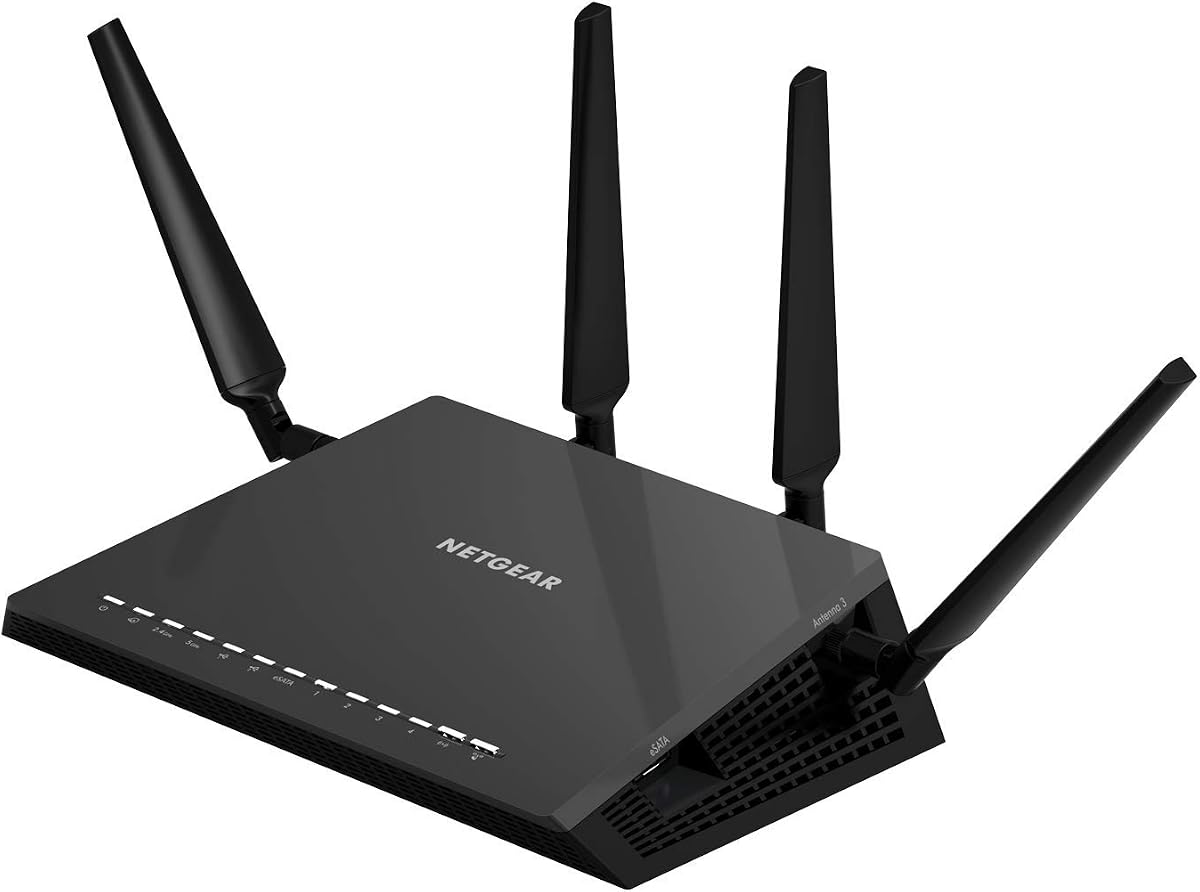
The NETGEAR Nighthawk R7450 offers excellent performance at a friendly price. It hits 2.6Gbps total speed across dual bands. Gamers appreciate the advanced QoS that reduces lag during play. Three external amplifiers help cover a good area of your home effectively.
We may earn a commission when you buy through this link, at no additional cost to you.
Speeds are consistent with 800Mbps on 2.4GHz and 1733Mbps on 5GHz. The dual-core processor boosts both wired and wireless performance well. MU-MIMO ensures multiple devices get data at once. Setup is straightforward using the app or web interface. It works well with most internet service providers out of the box.
While it lacks extra USB ports it focuses on core speed and stability. The design is sleek and fits on any desk or shelf. Some users note the signal strength is strong but not as wide as premium models. It balances cost and power well for typical households.
This pick suits families or gamers who want reliable speed without spending too much. It handles streaming and gaming together without issues. Check if you need USB sharing before deciding. Compare current prices to ensure you get the best deal available.
Advanced QoS helps lag-free gaming and smoother streaming. It prioritizes traffic so games stay fast even when others download.
The dual-core processor improves wireless wired and WAN-to-LAN speeds. This keeps data moving fast across all connected devices.
We may earn a commission when you buy through this link, at no additional cost to you.
The D-Link DIR-2640 brings smart mesh capabilities to the AC2600 class. It supports fast speeds for movies gaming and chat. A powerful dual-core processor keeps the network running smoothly. Parental controls let you set rules for each family member easily.
We may earn a commission when you buy through this link, at no additional cost to you.
Speeds are high with plenty of bandwidth for 4K video. Smart Connect merges bands to simplify device connections. You can create profiles to limit internet access for games or TVs. The D-Link app helps manage settings from your phone quickly. Wired ports provide reliable links for consoles or TVs.
Mesh setup is flexible so you can extend the network later. Some users find the initial config takes time to understand fully. The design fits neatly on a shelf. It is a good middle choice for families needing control.
Pick this if you want parental tools and room to grow with mesh. It handles daily tasks well and offers solid performance. Review the app features to see if they match your needs. Check current availability before ordering to avoid delays.
Create profiles for each person and associate devices to them. You can control when and how they access the network easily.
Connect four devices to enjoy a strong wired connection. Minimal latency makes it perfect for consoles and smart TVs.
We may earn a commission when you buy through this link, at no additional cost to you.
The ASUS Blue Cave stands out for its built-in security features. It uses Intel Wi-Fi tech for solid throughput and speeds. Lifetime protection blocks threats to keep devices safe. Alexa integration lets you control network settings with voice commands.
We may earn a commission when you buy through this link, at no additional cost to you.
Speeds reach 2600 Mbps with 4×4 802.11ac tech. AiMesh support allows you to add more routers for wider coverage. Parental controls help manage family internet and app usage. The app makes setup and management simple for most users. MU-MIMO works best with compatible client devices.
The white design looks clean on a desk. Security features are strong and require no extra subscription. Some users report mixed connectivity results compared to others. It remains a unique option for those valuing protection.
Choose this router if security and design are top priorities. It fits well in a modern home setup. Ensure your devices support MU-MIMO for best results. Check current listings to see if it suits your network plan.
AiProtection powered by Trend Micro blocks external threats. This protects devices connected to your home network from attacks.
Alexa and Echo integration allows control using voice commands. You can turn on guest WiFi or pause devices easily.
We may earn a commission when you buy through this link, at no additional cost to you.
The TP-Link AXE75 pushes beyond AC2600 with WiFi 6E features. It offers tri-band speeds reaching 5400 Mbps total. The 6GHz band brings near-zero latency for gaming and calls. A dual-core CPU and 512 MB RAM support long-term performance.
We may earn a commission when you buy through this link, at no additional cost to you.
Tri-band design increases capacity four times via OFDMA. You can connect more devices without slowdowns. The housing aids heat dissipation keeping it cool. EasyMesh allows adding extenders for whole home coverage. It works with all major internet service providers easily.
This router is a bridge to future networks. It supports VPN server and client for secure access. HomeShield provides basic security and parental tools for free. Some users note the price is higher but features justify it for advanced needs.
Pick this if you want top speed and future proofing. It handles heavy loads well and supports many devices. Ensure your home has 6GHz capable gadgets. Review current pricing to confirm value for your setup.
The 6 GHz band brings more bandwidth and faster speeds. This enables responsive gaming and video chatting with low latency.
Extend network range by adding EasyMesh routers or extenders. This eliminates dead zones and drops across your home.
We may earn a commission when you buy through this link, at no additional cost to you.
The NETGEAR RS90 delivers WiFi 7 power for the busiest homes. Speeds reach 3.6 Gbps across dual bands. It covers up to 2000 sq ft with strong signals. A 2.5 Gig WAN port unlocks faster internet plans.
We may earn a commission when you buy through this link, at no additional cost to you.
MU-MIMO and OFDMA let multiple devices send data simultaneously. You can stream video game and call without lag. The Nighthawk app manages everything from your phone. Automatic updates keep your system safe from threats. Compatible with most cable and fiber providers.
This router is a step up from older AC2600 models. It supports 50 devices in your home easily. Some users note the price is high but the tech is advanced. Ideal for tech enthusiasts needing maximum throughput.
Choose this if you want top speed and future proofing. It keeps up with everyone online without issues. Ensure you have a modem that supports multi-gig speeds. Check current deals before buying to save money.
WiFi 7 keeps up with a busy home. It is 1.2x faster than WiFi 6 for better performance.
Plug your modem into the 2.5 Gig WAN port to unlock multi-gig plans. This boosts your total bandwidth for the home.
We may earn a commission when you buy through this link, at no additional cost to you.
The NETGEAR R6700AX provides solid WiFi 6 speeds for small homes. It covers up to 1500 sq ft reliably. Devices run at the same time without slowing each other. The app guides you through setup quickly and safely.
We may earn a commission when you buy through this link, at no additional cost to you.
Speeds reach 1.8 Gbps across 2.4 and 5GHz. It works with your existing internet service via Ethernet. Four gigabit ports let you connect gaming consoles or storage. Security features like WPA3 are enabled out of the box. It stays fast even with multiple phones and TVs.
This model is great for apartments or small houses. Some users find it limits device counts compared to larger ones. The design is compact and fits anywhere. It offers reliable service with good support.
Pick this if you need dependable WiFi for a smaller space. It handles common tasks well and stays secure. Check if you need more device support before buying. Compare current prices to confirm it is the best fit.
WiFi 6 delivers speeds up to 1.8 Gbps across bands. It is backward compatible with older devices easily.
WPA3 encryption keeps your devices and data safe. Guest networks help protect your main connection.
We may earn a commission when you buy through this link, at no additional cost to you.
The NETGEAR XR500 is built for gamers who need low ping. It delivers speeds up to 2.6 Gbps across AC2600 bands. Geo-filtering connects you to nearby servers to reduce lag. The dual-core processor boosts efficiency for smooth online play.
We may earn a commission when you buy through this link, at no additional cost to you.
Advanced QoS puts gaming traffic in a priority lane. This bypasses congestion so jumps and jitters drop. Four Gigabit ports give you wired options for consoles. Renewed units offer great value while keeping full features. Users report solid stability during long sessions.
The renewed label means it may show signs of use. Ensure you get warranty support when ordering. Some users find the interface a bit complex. It suits those who game often and need control.
Choose this if reducing lag is your main goal. It helps competitive players connect to closer servers. Check if the renewed deal fits your needs. Compare new and renewed prices before deciding.
Put your gaming traffic in a designated express lane. This bypasses congestion and reduces lag spikes.
Connect to the closest servers and players to respond faster. You can dominate matches with better latency.
We may earn a commission when you buy through this link, at no additional cost to you.
The TP-Link Archer C2600 offers strong value for basic needs. It supports 4K HD video and online games well. MU-MIMO ensures every device gets faster Wi-Fi in traffic. A dual-core processor keeps speeds high during heavy use.
We may earn a commission when you buy through this link, at no additional cost to you.
Wired connections are lightning-fast via four Gigabit ports. Four antennas with amplifiers boost the signal strength. Beamforming sends targeted signals to individual devices. Parental controls let you set time limits safely. The company provides a 2-year warranty and 24/7 support.
While the rating is lower the features are solid. Some users report mixed setup experiences. The design is compact for easy shelf placement. It works well for average families or small offices.
Pick this if you want a budget router with good support. It handles common tasks well with strong wired links. Check current prices to see if it matches your budget. Review user feedback for latest experiences.
Faster Wi-Fi for every device with MU-MIMO. It reduces lag during heavy traffic usage well.
Enjoy 2-year warranty and 24/7 technical support. The team helps with setup and configuration needs.
We may earn a commission when you buy through this link, at no additional cost to you.
Choosing the right router depends on your home size device count and internet plan. These factors help you narrow down the best AC2600 model.
AC2600 means combined speeds up to 2600 Mbps across dual bands. Look for 5GHz speeds around 1733 Mbps for high data needs. 2.4GHz supports longer range for basic devices.
Check that the router supports simultaneous dual band for best results. Higher speeds ensure smooth 4K streaming without drops.
Coverage depends on antenna count and gain. More antennas with beamforming help signals reach further. Consider your square footage to avoid dead zones.
For larger homes pick models with 450 square ft or more. External antennas usually offer better range than internal ones.
Modern homes have many gadgets like phones and smart speakers. Choose a router that supports at least 20 to 45 devices. MU-MIMO helps manage data to multiple devices at once.
If you have many smart tools pick a high capacity model. This prevents slowdowns when everyone is online at the same time.
Gamers need low latency and priority data streams. Look for Quality of Service features that prioritize traffic. Geo-filtering helps connect to closer servers for better play.
Enable QoS for gaming apps to avoid lag spikes. This keeps your connection steady during intense online matches.
Security keeps your network safe from threats. Look for built-in protection or parental tools. Features like WPA3 encryption add strong defense.
Use parental controls to set rules for family access. Security features protect your personal data and devices.
Gigabit Ethernet ports provide fast wired connections. Check that the router has at least four ports for consoles or PCs. USB ports let you share printers or drives easily.
Use wired links for devices that need stability. USB ports add extra value for local file sharing.
Easy setup saves time when installing the router. Look for mobile apps that guide you through steps. Voice control options add convenience for quick changes.
Choose a model with an intuitive app for daily use. Voice commands help manage guest access or pauses.
Prices vary based on features and brand reputation. Set a budget that fits your needs and home size. Warranty and support add safety if issues occur.
Look for at least a one-year warranty for peace of mind. Support teams help with setup if problems arise.
Place your router in a central spot away from walls to spread signals. Avoid putting it inside a cabinet which blocks wireless waves. Keep it on a shelf where antennas can reach freely.
Update the router firmware regularly to keep it secure and fast. Most apps allow you to check for updates automatically. This ensures you get the latest performance and security patches.
Monitor connected devices and remove those you do not use. Limit the number of devices to prevent slowdowns. Use parental or security settings to manage access easily.
AC2600 refers to a dual-band router with combined speeds up to 2600 Mbps. It usually offers 1733 Mbps on 5GHz and 800 Mbps on 2.4GHz. This ensures smooth streaming for multiple devices.
MU-MIMO allows the router to send data to multiple devices at once. This reduces wait time and improves speed for all users. It is a valuable feature for busy households.
Most AC2600 routers work with any internet service provider. You will need a modem from your provider for connection. Check if bridge mode is needed for your gateway.
AC2600 routers vary from 20 to 45 devices depending on the model. Look for higher capacity if you have many smart gadgets. MU-MIMO helps manage them better.
Yes most routers need a modem from your internet provider. The router connects to the modem via Ethernet. Some gateways may require bridge mode for full use.
Most routers offer a mobile app to manage parental settings. Create profiles and set limits for internet access. This helps keep kids safe online easily.
Place the router in a central and high spot. Avoid corners or cabinets where signals can weaken. Keep it away from large metal objects for best results.
Yes AC2600 routers have enough speed for 4K streaming. The 5GHz band handles high data needs well. Ensure your devices also support 4K playback.
The TP-Link Archer A10 NETGEAR R7800 and R7450 lead as top picks for value and power. Each brings strong speeds and features for different homes.
Prioritize coverage speed and device support when choosing. Security and parental tools also matter for family safety and privacy.
Always check current prices and listings before buying. Prices change often and deals may help you save on the best model.