
Dell Wired Mouse MS116
4.6Editor score
Reliable wired connection
Simple plug and play
Compact and lightweight
This guide compares the top external mouse for Dell laptop options to help you find the perfect wireless or wired accessory for productivity and comfort.
Finding the right external mouse for your Dell laptop can transform your daily workflow and comfort levels significantly. Whether you need precision for creative work or simplicity for everyday tasks, the right accessory matters.
We have evaluated ten top-rated mice based on connectivity, battery life, ergonomics, and compatibility with Dell systems. Our analysis focuses on real-world performance and user feedback to ensure reliable recommendations.
Each pick highlights key strengths and potential trade-offs to help you decide based on your specific needs. Please note that product availability and pricing may change over time.
4.6Editor score

4.9Editor score

4.5Editor score
Here is a side-by-side comparison of all ten featured mice to help you quickly identify which model fits your requirements for Dell laptops.






This Dell Advanced Wireless Compact Mouse stands out as a top choice for Dell users seeking reliability and performance. With a stellar rating of 4.9, it promises a seamless experience for everyday work and productivity tasks.
We may earn a commission when you buy through this link, at no additional cost to you.
Its dual-mode connectivity allows you to switch between 2.4GHz wireless and Bluetooth 5.0 effortlessly. The inclusion of Microsoft Swift Pair simplifies connection on Windows laptops, while the Dell Display and Peripheral Manager optimizes performance across your workspace.
The primary trade-off is the dependency on AA batteries, which are not rechargeable, but the 36-month battery life significantly reduces replacement frequency. Most users find the long-term convenience outweighs the need for occasional battery changes.
If you own a Dell laptop and want a mouse that integrates well with the ecosystem, this model is highly recommended. Its robust build and extended battery make it a reliable partner for both work and travel.
Dual-mode options ensure you stay connected whether you prefer Bluetooth or a wireless receiver.
Dell software tools help maximize the mouse efficiency and comfort on supported PCs.
We may earn a commission when you buy through this link, at no additional cost to you.
The Dell Wireless Gaming Mouse MS5120W is designed for users who need precision and speed. Rated 4.6, it offers robust features like a 4000 DPI sensor and 7 buttons that appeal to gamers and power users alike.
We may earn a commission when you buy through this link, at no additional cost to you.
Connectivity is seamless with dual-mode support, allowing quick switching between devices. The Dell Peripheral Manager software lets you tailor the mouse to your workflow, enhancing productivity beyond typical gaming scenarios.
While the battery life is excellent at 36 months, the design might feel large for those with smaller hands. However, for general users seeking a versatile peripheral, this model delivers strong performance across various tasks.
Consider this if you value high DPI and customizable controls on your Dell setup. It is a reliable option that bridges the gap between productivity and gaming needs effectively.
The 4000 DPI sensor ensures smooth cursor movement on high-resolution displays.
Shortcut buttons and software help streamline your daily digital workflows.
We may earn a commission when you buy through this link, at no additional cost to you.
The Dell Wired Mouse MS116 offers a straightforward solution for Dell laptop users who prefer simplicity. With a rating of 4.6, it is a no-fuss accessory that works immediately upon connection.
We may earn a commission when you buy through this link, at no additional cost to you.
Because it is wired, there are no battery concerns or connectivity issues to worry about. This makes it ideal for stationary workstations where mobility is not a primary requirement.
The limitation is obvious: you are tethered by a cable which restricts movement compared to wireless options. However, for budget-conscious buyers needing reliable pointing, this remains a solid choice.
Choose this mouse if you want a dependable, affordable peripheral that just works without extra setup. It is perfect for office environments or desktop setups where wireless is not essential.
A wired connection ensures consistent performance without signal interruptions.
Plug and play design saves time on configuration and setup.
We may earn a commission when you buy through this link, at no additional cost to you.
The VssoPlor Wireless Mouse brings a quiet and stylish option to the list with a 4.5 rating. Its slim black and gold design appeals to users who value aesthetics alongside functionality.
We may earn a commission when you buy through this link, at no additional cost to you.
Features like intelligent sleep mode help extend battery life by activating only when in use. The 2.4GHz wireless connection ensures stability, making it suitable for office environments where noise is a concern.
While the sensor lacks high DPI settings, it is sufficient for general browsing and work. The quiet clicks prevent distractions, which is a significant plus for shared workspaces.
This model is ideal for those prioritizing silence and style over advanced features. It serves as a reliable companion for daily tasks without disrupting others around you.
Silent clicks make this perfect for libraries or shared office spaces.
Auto sleep mode ensures the mouse lasts longer on a single battery.
We may earn a commission when you buy through this link, at no additional cost to you.
The Logitech M510 Full Size is known for its ergonomic comfort and productivity features. With a 4.6 rating, it supports effortless control for right-handers and features versatile buttons for navigation.
We may earn a commission when you buy through this link, at no additional cost to you.
Its side-to-side scrolling is a standout feature for navigating wide spreadsheets or maps. The Unifying receiver allows multiple devices to share one USB port, reducing clutter on your laptop.
The battery life lasts two years, which minimizes the need for replacements. However, users with larger hands might find it bulky, and some features require Logitech software to unlock.
Choose this mouse if comfort and horizontal navigation are priorities. It is a robust tool designed for those who spend long hours working at their computer.
Programmable buttons and side scrolling help streamline complex tasks.
Soft rubber grips and contoured shape reduce hand strain.
We may earn a commission when you buy through this link, at no additional cost to you.
The Logitech M185 Compact is designed for portability and ease of use. With a 4.4 rating, it fits well in smaller hands and bags, making it a favorite for travelers.
We may earn a commission when you buy through this link, at no additional cost to you.
Its compact size does not compromise reliability, offering a strong wireless connection and a durable build. The nano receiver stores inside the mouse, ensuring you never lose the key to connectivity.
The only downside is the lack of extra buttons and a smaller grip for extended use. However, for quick tasks or travel, this model balances size and function effectively.
Select this if you need a lightweight mouse that works well on the go. It is an efficient choice for users who move frequently between locations.
Small size and internal receiver make it easy to carry anywhere.
Made with recycled plastic to reduce environmental impact.
We may earn a commission when you buy through this link, at no additional cost to you.
The TECKNET Compact Mouse offers a unique mint green style that stands out with a 4.6 rating. Its compact design is tailored for small to medium hands, making it easy to hold for long periods.
We may earn a commission when you buy through this link, at no additional cost to you.
Features like soft quiet clicks ensure a peaceful environment, while three adjustable DPI levels provide flexibility for different tasks. The battery life supports up to 15 months of regular use.
The main trade-off is its focus on smaller hands, which may not suit everyone. However, for those seeking a colorful and quiet device, it delivers good value.
This mouse is perfect for users wanting a bit of personality in their workspace. It combines practicality with a cheerful design that brightens up your desk.
Compact form factor and unique color make it visually appealing.
Soft clicks prevent noise disturbance during work or study sessions.
We may earn a commission when you buy through this link, at no additional cost to you.
The Logitech M330 Silent Plus excels in reducing noise while maintaining performance with a 4.5 rating. Its SilentTouch technology cuts click sounds significantly, making it ideal for quiet environments.
We may earn a commission when you buy through this link, at no additional cost to you.
Designed specifically for right-handed users, the contoured plastic grips provide natural comfort. The optical tracking works well on most surfaces, and the battery lasts up to 18 months on a single charge.
Left-handed users might find it less comfortable due to the ergonomic design. Despite this, the silent nature of the clicks is a major benefit for collaborative settings.
If noise reduction is your main goal, this is a top-tier option. It ensures you can work without disturbing colleagues while maintaining precision and comfort.
SilentTouch technology drastically lowers the volume of every click.
18-month life minimizes interruptions for battery replacements.
We may earn a commission when you buy through this link, at no additional cost to you.
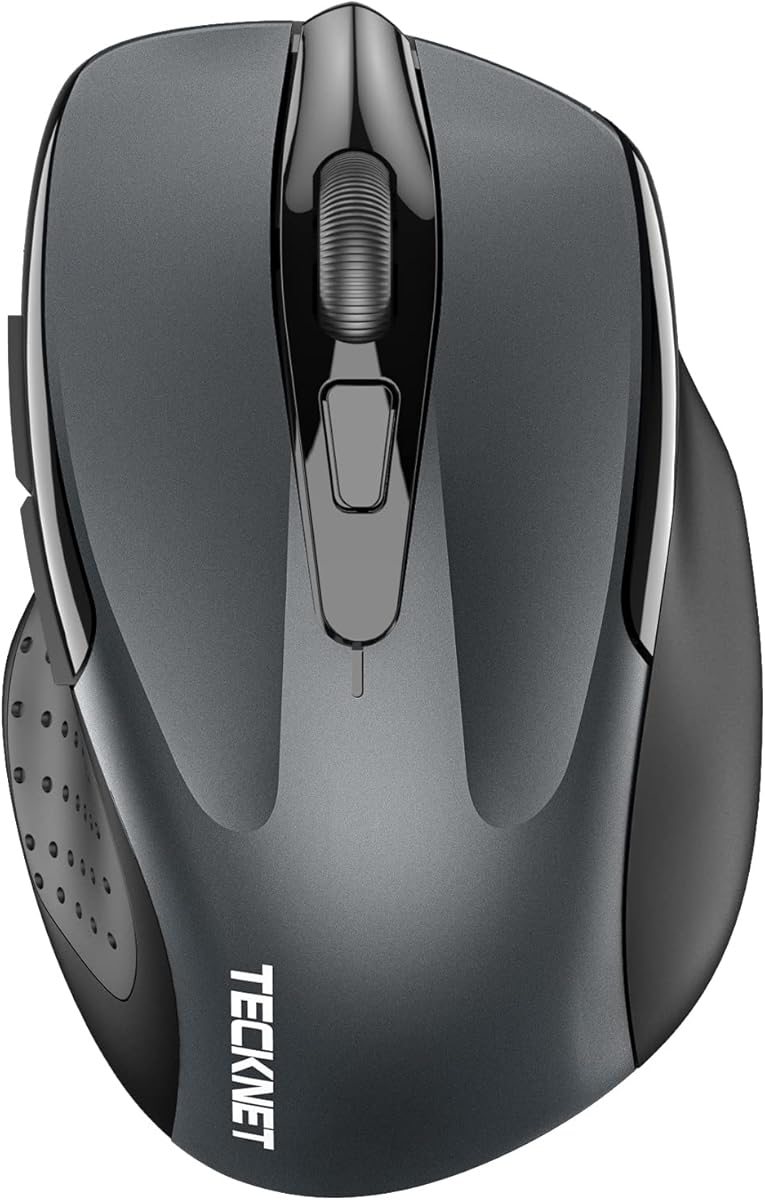
The TECKNET Wireless Mouse BT 5.0 offers great versatility with a 4.5 rating. It supports Bluetooth and USB connections, allowing you to switch between two devices effortlessly for improved productivity.
We may earn a commission when you buy through this link, at no additional cost to you.
Six adjustable DPI levels let you customize sensitivity for different tasks, from browsing to detailed work. The silent click feature adds to its appeal in quiet environments like offices or libraries.
It is a compact device that may feel small for those with large hands. However, the ability to pair multiple devices makes it a valuable tool for multitaskers.
Pick this if you need a budget-friendly mouse that handles multiple systems. It balances performance, quiet operation, and convenience effectively for everyday use.
Dual connection modes enable easy transitions between work and personal devices.
Multiple DPI levels ensure precision and speed across various applications.
We may earn a commission when you buy through this link, at no additional cost to you.
The TECKNET Rechargeable Wireless Mouse stands out for its eco-friendly design with a 4.6 rating. It charges in just 1.5 to 2 hours and offers 3 months of use per charge.
We may earn a commission when you buy through this link, at no additional cost to you.
Like its non-rechargeable sibling, it supports multiple DPI levels and silent clicks. This makes it versatile for various tasks while reducing waste from disposable batteries.
The need to carry a cable for charging may be inconvenient for some travelers. However, the long-term savings and environmental benefits often outweigh this minor inconvenience.
Choose this model if sustainability and cost-efficiency are important to you. It provides a reliable and versatile experience with modern charging capabilities.
Rechargeable design reduces waste from disposable batteries over time.
Three months of daily use per charge minimizes downtime.
We may earn a commission when you buy through this link, at no additional cost to you.
Selecting the right mouse involves weighing several factors to ensure it complements your Dell laptop setup effectively.
Wireless mice offer freedom of movement while wired ones ensure stability without battery concerns. Bluetooth 5.0 provides a direct connection without a receiver, whereas 2.4GHz often needs a USB dongle.
Choose wireless for portability and wired for reliability in stationary setups.
DPI determines cursor sensitivity and should match your screen resolution and working style. Higher DPI values are useful for large monitors or precise design work.
Ensure the sensor tracks smoothly across different surfaces to avoid frustration.
A comfortable shape reduces strain during long sessions. Look for contoured designs and soft grips that fit your hand size naturally.
Test different sizes to find one that supports your palm without fatigue.
Battery life varies significantly between models, from months to years. Rechargeable options eliminate the need for disposable batteries but require charging.
Consider how often you are willing to change or recharge batteries.
Features like silent clicks, programmable buttons, and multi-device pairing add value depending on your needs. Some mice include specific software for customization.
Identify which extra functions will genuinely improve your workflow.
Most mice work across Windows, macOS, and Linux, but some features may require specific software. Ensure the mouse supports your Dell laptop operating system fully.
Check for any OS restrictions before purchasing.
Prices vary from affordable wired options to premium wireless models. Set a budget that balances cost with the features you need for productivity.
You can often find quality devices within a reasonable price range.
A solid warranty reflects confidence in the product. Brands like Dell and Logitech often offer extended services or exchange programs for faulty units.
Prioritize brands with reliable customer service and support options.
First, pair your mouse with your Dell laptop by following the manufacturer instructions. For Bluetooth models, enable Bluetooth settings and search for available devices.
Second, customize buttons using compatible software like Dell Peripheral Manager or Logitech Options if available. This allows you to tailor shortcuts for your specific workflow.
Third, maintain cleanliness by wiping the surface with a soft cloth and keeping it away from extreme temperatures to prolong lifespan and accuracy.
The Dell Advanced Wireless Compact Mouse MS510 is often the top pick due to seamless integration and Swift Pair support. However, Logitech models are also widely compatible.
Most of these mice are universal and work with Windows, macOS, Chrome OS, and Linux. Just ensure the connectivity method matches your device's ports.
Enable Bluetooth in your Dell settings and put the mouse in pairing mode. Click Add Device and select the mouse from the list to establish a connection.
Lag can be caused by low batteries or interference. Try replacing batteries, moving closer to the receiver, or updating your drivers to fix the issue.
Yes, silent mice use special switches that reduce click noise significantly, often by 90%. They are ideal for shared spaces where noise is a concern.
Battery life varies but many models last 12 to 36 months on a single set of AA batteries. Rechargeable options offer 3 to 6 months per charge.
We have reviewed ten top external mice that cater to various needs from budget-friendly options to premium ergonomic choices. The Dell MS510 leads with seamless connectivity and long battery life.
When choosing, prioritize features like ergonomic shape, connectivity type, and battery longevity to match your daily usage. A good mouse should disappear into your workflow without distraction.
Always verify current availability and pricing as models may update over time. Investing in the right accessory ensures a comfortable and productive experience with your Dell laptop.