
msi Gaming GeForce GT 1030 4GB DDR4
4.5Editor score
Low power consumption design
Single fan cooling solution
HDMI and DP outputs
This guide compares the top GPUs for Optiplex systems including low profile cards like RTX 3050 and professional options for gaming or workstation tasks.
Upgrading your Dell Optiplex with a dedicated graphics card can transform its capabilities for gaming or professional work. Selecting the right GPU requires considering physical size and power needs to ensure a successful fit in these compact chassis.
We have analyzed ten top options ranging from entry level cards to powerful professional solutions. Our comparison focuses on compatibility with small form factors and real world performance in demanding applications for Optiplex users.
Each pick highlights key features and potential trade offs to help you decide based on your specific workload. Remember that prices and availability change frequently so check current listings before making your final purchase decision.
4.5Editor score

4.7Editor score

4.3Editor score
This table provides a side by side overview of all ten graphics cards evaluated for Optiplex systems to help you quickly identify the best fit for your hardware constraints.
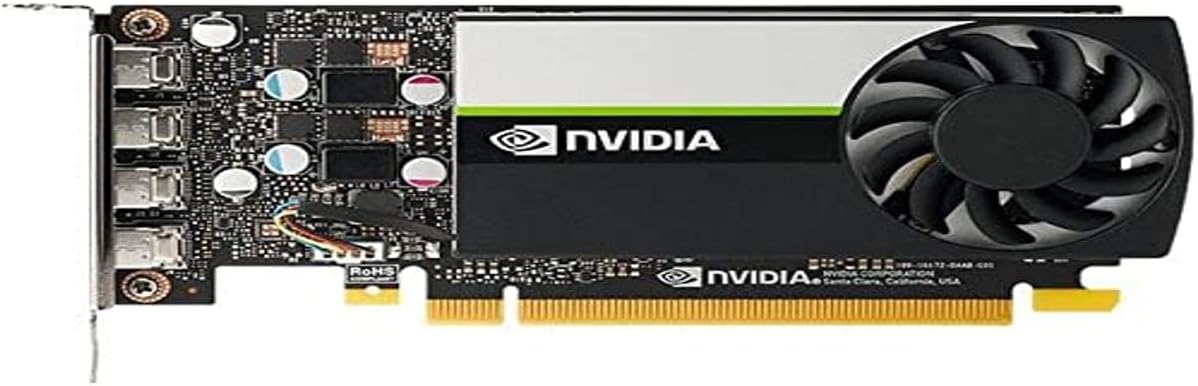


The PNY Nvidia RTX A400 stands out as a top choice for professional Optiplex users needing reliable performance without bulk. It achieves a high rating due to its efficient single slot design and powerful Ampere architecture.
We may earn a commission when you buy through this link, at no additional cost to you.
This card delivers exceptional compute power for AI and modeling tasks thanks to its 768 CUDA cores. The 4GB GDDR6 memory ensures high speed data transfer for demanding applications like video production.
One trade off is its focus on professional workflows rather than gaming which may limit use cases for casual gamers. However the energy efficient 50W operation ensures reliability for extended use.
Buyers seeking a stable workstation upgrade for business systems should prioritize this option. It balances performance and physical constraints perfectly for small form factor PCs.
The single slot low profile footprint ensures seamless integration into tight chassis space.
Four Mini DisplayPort 1.4a outputs enable connecting multiple high-resolution monitors for productivity.
We may earn a commission when you buy through this link, at no additional cost to you.
The maxsun GeForce RTX 3050 is built with the powerful graphics performance of the NV Ampere architecture for gaming. It offers a performance boost with NV DLSS AI specialized Tensor Cores giving games a speed boost.
We may earn a commission when you buy through this link, at no additional cost to you.
Integrated with 6GB GDDR6 memory it helps meet the needs of demanding games with solid clock speeds. The slim low profile design makes it perfect in Mini Small Form Factor SFF computer pc cases.
Trade offs include potential thermal constraints due to the compact form factor affecting peak performance. But it supports multi monitors for wider audio and video entertainment experiences.
Gamers with small Optiplex systems should choose this for high end features in a tiny package. It balances physical size with robust performance for modern titles.
NV DLSS and Tensor cores deliver faster frame rates with uncompromised image quality.
HDMI 2.1 and DisplayPort 1.4a ensure compatibility with high refresh and high resolution displays.
We may earn a commission when you buy through this link, at no additional cost to you.
The msi Gaming GeForce GT 1030 offers a chipset with 4GB DDR4 memory and HDCP support. It features a single fan design and DP/HDMI outputs making it simple to integrate.
We may earn a commission when you buy through this link, at no additional cost to you.
Its boost clock of 1430 MHz provides a noticeable upgrade over integrated graphics for basic tasks. This makes it ideal for users needing a straightforward solution without complex power requirements.
The DDR4 memory interface is slower than GDDR6 which impacts high end performance. However the low power draw ensures it works with most Optiplex power supplies.
Users seeking an affordable entry level solution should consider this card for daily tasks. It proves practical for basic multimedia and light gaming needs.
Low power design means no external power connectors are needed for most systems.
DisplayPort and HDMI outputs allow connecting to modern monitors for better visuals.
We may earn a commission when you buy through this link, at no additional cost to you.
The PNY NVIDIA T600 delivers more than double the performance of the previous generation for 3D graphics workloads. It allows you to work with larger models and assemblies with higher interactivity.
We may earn a commission when you buy through this link, at no additional cost to you.
Ensures hardware compatibility and stability through NVIDIA support of OpenGL DirectX and Vulkan standards. It enables creation and playback of H.264 and HEVC video with dedicated engines.
While expensive compared to basic cards it ensures stability for professional design. The cost is justified by reliability and ISV engagement for critical workflows.
Professionals needing stable visualization tools for large projects will find this reliable. It offers robust features for rendering and assembly management.
Certification with over 100 professional applications ensures reliable operation in critical software.
Can drive up to four 5K displays or two 8K displays for immersive environments.
We may earn a commission when you buy through this link, at no additional cost to you.
The ASUS Dual GeForce RTX 3050 features NVIDIA Ampere Streaming Multiprocessors for throughput. Its Axial-tech fan design increases downward air pressure to cool better.
We may earn a commission when you buy through this link, at no additional cost to you.
It includes a 2-slot Design maximizes compatibility and cooling efficiency for small chassis. IP5X Dust Resistance offers protection from particle ingress for better durability.
A stainless steel bracket adds hardness and corrosion resistance. The dual slot size might challenge very small SFF cases compared to single slot options.
Users prioritizing cooling in compact spaces should look at this option. It balances physical size with strong thermal protection.
Axial-tech fans with barrier ring improve cooling efficiency in restricted airflows.
Dust resistant design and stainless steel bracket protect the card over time.
We may earn a commission when you buy through this link, at no additional cost to you.
This card features chipset GeForce RTX 3050 with a boost clock of 1492 MHz. It includes 6GB GDDR6 and supports DisplayPort and HDMI outputs.
We may earn a commission when you buy through this link, at no additional cost to you.
The low profile design ensures fit in narrow chassis. It is built for gaming but maintains compatibility with small cases.
Fan cooling may vary and performance is limited to 1080p mostly. However the memory interface ensures smooth data transfer.
Gamers needing a true low profile fit should consider this option. It balances size with adequate power for entry level gaming.
Low profile form factor enables installation in tight SFF chassis without mods.
HDMI 2.1a outputs provide modern bandwidth for high refresh gaming displays.
We may earn a commission when you buy through this link, at no additional cost to you.
Powered by GeForce RTX 3050 this card integrates 6GB GDDR6 and Ampere architecture. It features 2X WINDFORCE Fans and 2nd Gen RT Cores.
We may earn a commission when you buy through this link, at no additional cost to you.
The dual fan design improves cooling but requires a 2-slot fit. It is less suitable for narrow cases than low profile models.
Trade offs include slightly larger dimensions but better thermal performance. It offers solid specs for gaming within the right chassis.
Users with slightly larger cases will appreciate the dual fan cooling. It provides better sustained performance under load.
Dual WINDFORCE fans ensure better heat dissipation compared to single fan models.
3rd Generation Tensor cores provide AI algorithms such as DLSS for speed.
We may earn a commission when you buy through this link, at no additional cost to you.
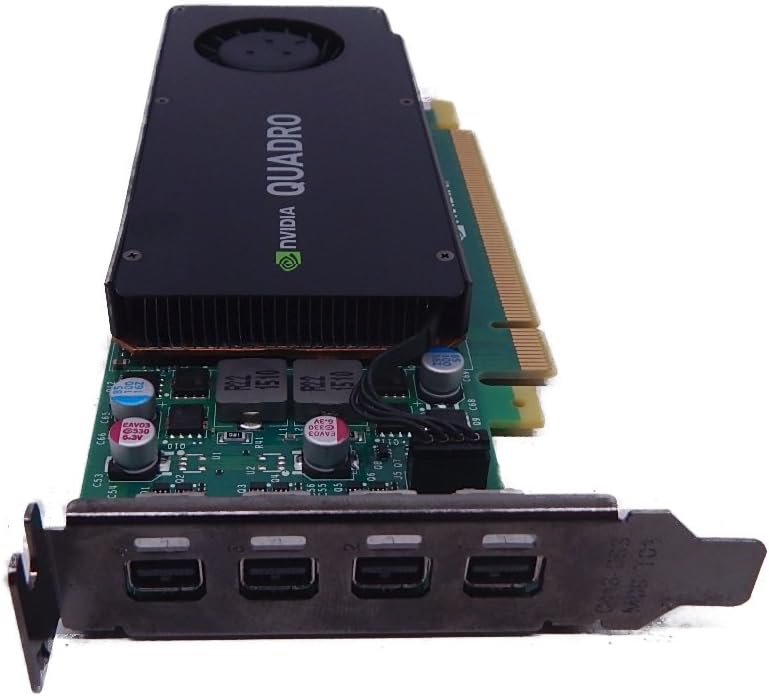
The NVIDIA Quadra K1200 offers incredible 3D application performance in a compact footprint. It supports four Mini DisplayPort 1.2 Connectors.
We may earn a commission when you buy through this link, at no additional cost to you.
It runs on PCIE 2.0 which limits bandwidth. But it offers reliability and stability for basic tasks.
Warranty coverage adds value for businesses. The older tech is less suited for modern heavy workflows.
Users with legacy systems needing basic CAD support may find this useful. It fits older slots perfectly.
PCIE 2.0 support ensures operation on older motherboard architectures.
3-Year Warranty provides assurance for business deployment longevity.
We may earn a commission when you buy through this link, at no additional cost to you.
The NVIDIA Quadro P1000 combines the latest GPU architecture and display technologies. It delivers up to 60% better performance than the previous generation.
We may earn a commission when you buy through this link, at no additional cost to you.
Powered by NVIDIA Quadro Pascal GPU technology it provides professional users with the most memory in a small form factor. An expansive visual workspace of up to four 4K displays.
GDDR5 memory is slower than GDDR6 but the stability is unmatched. It is ideal for professional applications requiring reliability.
Buyers needing professional stability for small chassis should consider this. It balances power and form factor well.
Pascal architecture delivers efficiency and stability for professional applications.
Support for four 4K displays lets professionals view designs in detail.
We may earn a commission when you buy through this link, at no additional cost to you.
This card features NVIDIA Quadro K1200 and 4GB GDDR5. It supports PCI Express 2.0 x16 with DVI connectivity.
We may earn a commission when you buy through this link, at no additional cost to you.
It offers low power and fits legacy monitors. But bandwidth is limited compared to newer cards.
Trade offs include slower data rates which limit high res use. However it serves budget upgrades.
Users with older displays may find this useful. It provides basic compatibility for legacy hardware.
DVI connector support ensures operation with older non digital displays.
Cost effective solution for systems needing minimal graphics improvements.
We may earn a commission when you buy through this link, at no additional cost to you.
Choosing a graphics card for Optiplex requires attention to size and power to ensure the system works correctly.
Optiplex systems often use small form factor cases so the card must fit inside. Low profile and single slot designs are safest for narrow chassis.
Always check the case height and width limits before purchasing to avoid fit issues.
Some cards need external power connectors while others draw enough power from the slot. Optiplex systems often have low wattage PSUs.
Select a card that matches your system's power capacity to ensure stable operation.
Identify if you need gaming performance or professional stability. Gaming cards use more power while professional cards offer stability for CAD.
Match the card to your specific workloads to maximize efficiency.
Small cases restrict airflow so passive or low fan cards work best. Overheating can occur if the card blocks the system fans.
Choose models designed for compact spaces to maintain safe temperatures.
Check the ports on the card match your monitors. Some cards use mini ports requiring adapters which add cost.
Ensure HDMI or DisplayPort connectors match your setup before buying.
Prices vary widely between basic and high end models. Decide how much you can spend on the upgrade.
Lower tier cards provide basic improvements while high tier offer more power.
Professional cards often include certification for enterprise software. Consumer cards work for general use but lack some stability.
Select a card that supports your software needs fully.
PCI Express 4.0 offers more bandwidth than older versions. Opt for newer interfaces if your system supports them.
Newer standards ensure longer compatibility with upcoming software and displays.
Before installation shut down the system and unplug the power cable. Ground yourself to prevent static damage to components.
Insert the card into the correct slot and secure it with screws. Connect the display cables to the card instead of the motherboard.
Install the latest drivers from the manufacturer website to ensure full performance. Clean dust regularly to maintain cooling.
No you must consider the physical size and power supply. Low profile cards are often required for SFF models.
Many low wattage PSUs require cards with no external power connectors. Check your PSU rating before buying.
Not necessarily performance depends on the model. Low profile cards may throttle under load due to heat.
Quadro focuses on professional stability while GeForce targets gaming. Both fit Optiplex cases.
Some models like the 3060 MFF support PCIe 4.0 while others may be limited. Verify your motherboard specs.
If the card needs external connectors you may need a new PSU. Most Optiplex PSUs do not support them easily.
Yes but you may need adapters for mini ports. Ensure your display inputs match the card outputs.
We compared ten options ranging from low profile gaming to professional cards for Optiplex. The top picks balance power and fit.
Prioritize physical size and power draw before choosing performance. Small cases limit cooling options significantly.
Check current prices and availability before purchase since listings change regularly. Confirm compatibility with your specific model.