
TRENDnet Ethernet Over Coax MoCA 2.5 Adapter
4.3Editor score
Gigabit LAN Port
Compact Design
3 Years Protection
This guide compares the top coax to Ethernet adapters for home networking, highlighting MoCA 2.5 performance, compatibility, and ease of setup for reliable
Finding the right coax to Ethernet adapter can transform your home network by leveraging existing wiring for faster speeds. These devices bridge the gap between legacy coax infrastructure and modern Ethernet needs without requiring new cables.
We evaluated ten top-rated models based on speed, compatibility, and ease of installation. Our analysis focuses on MoCA 2.5 standards and real-world performance metrics to help you choose the best solution for your setup.
Each pick highlights specific strengths like dual ports or PoE support to match different user needs. Keep in mind that prices and availability change frequently so verify current details before purchasing your adapter kit today.
4.3Editor score

4.8Editor score

4.6Editor score
This side-by-side comparison outlines the key specifications and features of the top coax to Ethernet adapters available this month. Reviewing these details helps you match the right adapter to your specific networking requirements.



This TRENDnet 2-pack delivers exceptional performance with 2.5Gbps speeds over existing coax wiring. It earned the Editor's Choice badge for combining high throughput with reliable standards compliance in a compact design.
We may earn a commission when you buy through this link, at no additional cost to you.
The MoCA 2.5 technology ensures consistent voice and video bandwidth with lowered latency. You get a dedicated 2.5GBASE-T RJ45 port that supports up to 16 nodes on one network for whole-home coverage.
While it requires interconnected coax outlets and excludes satellite TV setups, the trade-off is worth the stability. Government customers appreciate the NDAA and TAA compliance for secure networking solutions.
Home office users and gamers will find this kit ideal for eliminating dead zones. The compact design fits easily in entertainment centers and the plug-and-play setup means no configuration is required.
The 2.5Gbps port allows for seamless streaming and file transfers without bottlenecks.
NDAA and TAA compliance ensures this adapter meets strict government security requirements.
We may earn a commission when you buy through this link, at no additional cost to you.
The ScreenBeam ECB7250 Starter Kit leverages bonded MoCA 2.5 to deliver internet speeds up to 2.5 Gbps over coax. It stands out for its comprehensive kit including splitters and cables for immediate deployment.
We may earn a commission when you buy through this link, at no additional cost to you.
Its ethernet port supports 4K streaming, gaming, and remote work with high bandwidth. The system allows up to 16 nodes on one network enabling connections for multiple remote access points.
Users should check MoCA compatibility as some DOCSIS 3.1 modems might cause disconnects. It is not compatible with direct satellite services or specific AT&T internet networks.
This kit is perfect for FiOS users looking to skip Wi-Fi entirely. By using existing coax cables you get wired Ethernet connections in every room without running new lines.
Everything from adapters to coax splitters is included to streamline installation.
Supports up to 16 nodes ensuring scalability for large multi-device homes.
We may earn a commission when you buy through this link, at no additional cost to you.
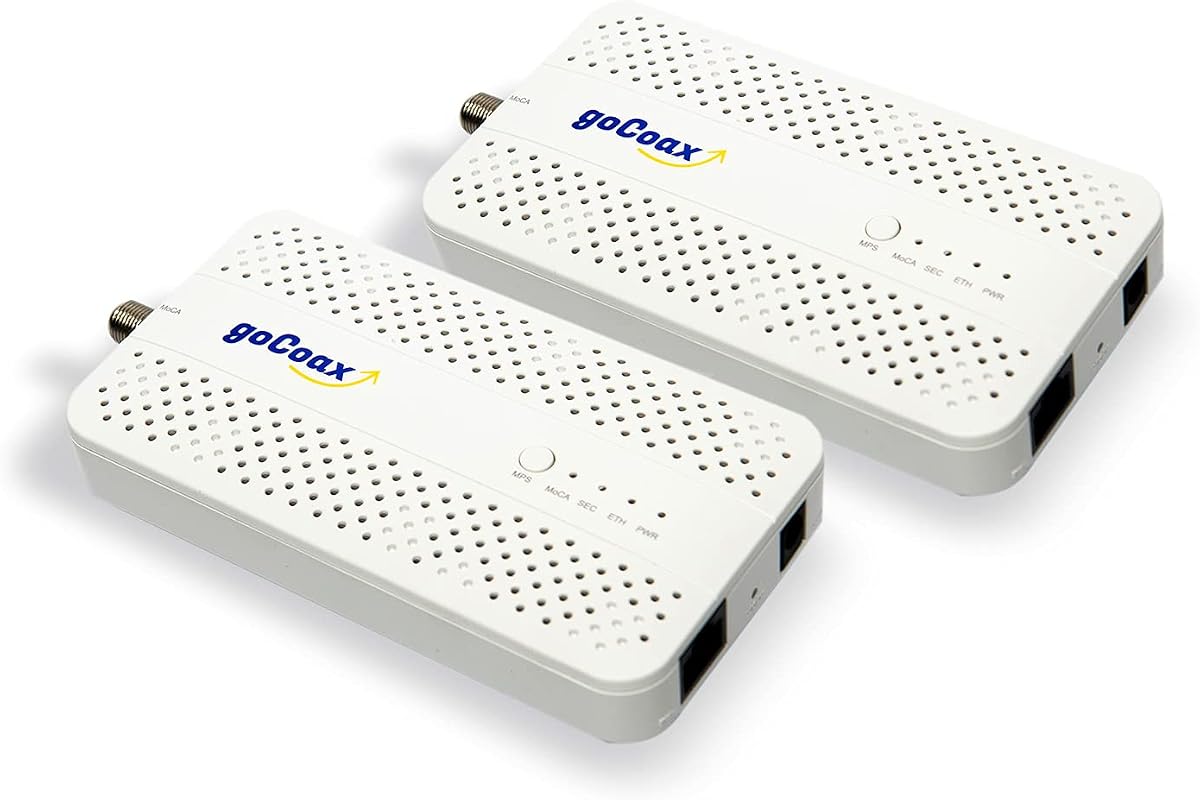
goCoax brings specialized MoCA expertise to this 2.5Gbps adapter kit designed for lag-free gaming and streaming. It uses shielded coaxial cables to create a rock-solid wired backbone with minimal latency.
We may earn a commission when you buy through this link, at no additional cost to you.
The dedicated 2.5GbE Ethernet port delivers the full bandwidth of MoCA 2.5 to connected devices. This setup is ideal for streaming 4K or 8K content in multiple rooms simultaneously without buffering.
Note that you must have existing coaxial wiring connected through a splitter for it to work. A PoE filter is recommended for optimal security but is sold separately.
Gamers and streamers will benefit from the under 3ms latency compared to Wi-Fi. Its plug and play design means you can get started right out of the box.
Low latency ensures competitive gameplay without the lag typical of wireless networks.
Compatible with major providers like Comcast Spectrum Cox and Verizon Fios.
We may earn a commission when you buy through this link, at no additional cost to you.
This Kiwee adapter stands out as the only MoCA 2.5 adapter with dual ultra-fast ports per unit. It earns the Best Premium badge for its unique ability to connect multiple devices at full speed.
We may earn a commission when you buy through this link, at no additional cost to you.
The dual 2.5 Gigabit Ethernet ports allow seamless gaming and streaming across devices without bandwidth sharing. It harnesses the latest MoCA 2.5 standard for ultra-fast interference-free wired networking.
Building with high-grade components ensures years of reliable performance. While it is an investment the future-proof design protects your network as bandwidth needs grow.
Tech-savvy users will appreciate the ability to daisy-chain devices or split connections easily. The all-inclusive kit means you get everything needed to set up the wired network instantly.
Two Ethernet ports on each adapter allow direct connection of multiple devices.
High-grade components ensure reliability for years of high-speed networking needs.
We may earn a commission when you buy through this link, at no additional cost to you.
The TRENDnet TMO-312C offers a solid entry point into MoCA 2.5 networking with a Gigabit port. It is our Best Budget pick for users needing reliable wired connections without spending heavily.
We may earn a commission when you buy through this link, at no additional cost to you.
Despite the lower price it includes a 3-year manufacturer protection and technical support. The compact design makes it well-suited for entertainment centers or desktop installations.
While the port is capped at 1Gbps it is sufficient for most standard internet plans. It supports up to 16 nodes on one network ensuring scalability if you upgrade later.
Budget-conscious users will find this adapter delivers great value. Just ensure your internet plan uses full 1Gbps or less to avoid bottlenecks on the port.
The 3-year manufacturer protection provides peace of mind for long-term use.
A lightweight housing fits easily into tight spaces behind TVs or consoles.
We may earn a commission when you buy through this link, at no additional cost to you.
The Hitron HTEM5 2-Pack extends your network via coax with up to 2.5 Gbps speeds. It is explicitly designed for cable and fiber providers excluding AT&T which interferes with the signal.
We may earn a commission when you buy through this link, at no additional cost to you.
This adapter does not provide internet service so you must have an existing router. The complete kit includes coax and Ethernet cables for quick setup once wiring is verified.
Verify your coax outlets are interconnected and not isolated by previous satellite service. Free technical support is available to help troubleshoot any configuration issues.
Fiber users like Google Fiber or Verizon Fios will find this kit reliable for whole-home coverage. The smart guide helps you count locations before purchasing additional units.
Verify coax connectivity is interconnected rather than isolated for proper operation.
The 2-pack provides all necessary cables to start using immediately.
We may earn a commission when you buy through this link, at no additional cost to you.
This LNOVISION converter is distinct for supporting PoE over existing coaxial cables. It is designed for security systems upgrading from analog to IP cameras without new cabling.
We may earn a commission when you buy through this link, at no additional cost to you.
The device supports 802.3af and 802.3at standards for power and data transmission over 330ft. It uses a built-in heat sink to ensure reliability during continuous operation.
Note that this is a point-to-point connection and requires a PoE switch or injector. The bandwidth is limited to 100Mbps which may not suit high-speed internet needs.
Security installers will find this tool invaluable for leveraging existing coax wiring. It simplifies the installation of IP cameras in locations where Ethernet is not feasible.
Delivers both power and data over coax to simplify camera installations.
Built-in heat sink ensures stability during long hours of continuous operation.
We may earn a commission when you buy through this link, at no additional cost to you.
This G.hn kit transforms unused or dark coax networks into a reliable wired connection. It is unique because it is intended for coax lines not shared with cable TV or internet.
We may earn a commission when you buy through this link, at no additional cost to you.
With speeds up to 1.2Gbps across 800 meters it offers a secure alternative for gaming and streaming. It simplifies setup by using existing infrastructure without rewiring.
Be cautious as it will not work with active Cable TV or Internet services. It is best used when coax lines are physically present but inactive for TV services.
Homeowners with spare coax drops can use this to extend networks to distant rooms. The secure wired connection prevents the interference often seen with Wi-Fi.
Specifically designed for coax wiring that is not currently carrying TV signals.
Achieves up to 1.2Gbps speeds over long distances without new cables.
We may earn a commission when you buy through this link, at no additional cost to you.
This Kit includes two adapters that combine 2.5Gbps data with 30W PoE+ over Ethernet. It is ideal for powering Wi-Fi 6E/7 access points and cameras without extra outlets.
We may earn a commission when you buy through this link, at no additional cost to you.
The true multi-gig speeds support high-demand applications like 4K/8K streaming. The integrated PoE+ capability simplifies installation by reducing the need for power bricks.
While it is not for satellite TV it works with most MoCA 2.0/2.5 devices. The setup is plug and play ensuring quick network expansion without technical configuration.
Users wanting to power access points remotely will find this kit highly useful. It reduces cable clutter and ensures stable connectivity for smart home devices.
Provides 30W of power over Ethernet for high-performance devices.
Ensures data throughput matches modern high-speed network requirements.
We may earn a commission when you buy through this link, at no additional cost to you.
The ScreenBeam ECB6200S02 is an add-on adapter for existing MoCA 2.0 networks. It provides a cost-effective way to boost connections to 1Gbps without starting from scratch.
We may earn a commission when you buy through this link, at no additional cost to you.
It works with routers that already have MoCA capability and supports up to 16 nodes. This kit includes a coax cable and Ethernet cable for immediate use in your setup.
Keep in mind it only supports MoCA 2.0 which is slower than 2.5. It is best for expanding a network where you already have a starter kit.
Users looking to add one or two rooms to an existing network will find this ideal. It ensures top 4K/HD performance without the cost of a full 2.5Gbps kit.
Extends existing 2.0 networks affordably compared to buying a full new kit.
Designed to expand a starter kit rather than serve as a primary hub.
We may earn a commission when you buy through this link, at no additional cost to you.
Choosing the right adapter involves checking your home wiring and provider compatibility. This guide breaks down the key factors to ensure you get reliable high-speed performance.
MoCA 2.5 adapters offer up to 2.5Gbps speeds while 2.0 is capped at 1Gbps. If your internet plan exceeds 1Gbps look for MoCA 2.5 adapters like the TRENDnet or Kiwee models.
For faster networks ensure your router also supports 2.5Gbps ports to avoid bottlenecks.
Check your ISP compatibility as most adapters work with Cable and Fiber but exclude AT&T and Satellite TV. If you have satellite wiring your coax network may be isolated.
Contact your provider to verify your coax outlets are interconnected before buying a kit.
Adapters come with Gigabit or 2.5Gbps ports depending on the model. Choose a 2.5Gbps port if you have fast fiber internet to fully utilize your connection speed.
For standard plans a Gigabit port is sufficient and often more affordable.
Most kits support up to 16 nodes so consider how many rooms you want to connect. Larger homes may need multiple adapters to cover dead zones effectively.
Ensure you have a coax outlet in the target room and near your router.
Many kits include coax and Ethernet cables but verify this to avoid extra costs. A complete kit saves time and ensures you have the right connectors.
If cables are not included buy high quality coax cables rated for your speeds.
Some adapters offer PoE+ to power access points or cameras without extra plugs. This is useful if you need to power devices at distant coax outlets.
Check your devices power requirements to ensure compatibility with the adapter.
Look for adapters with industrial designs or heat sinks for long-term reliability. Government-grade compliance like NDAA and TAA ensures security and durability.
Higher build quality often means fewer connectivity issues over time.
A longer warranty period such as 3 years provides peace of mind for networking gear. Support teams can help troubleshoot wiring issues specific to your setup.
Always check the manufacturer protection before making your final decision.
Start by verifying your coax outlets are interconnected using a coax tester or app. If outlets are isolated due to previous satellite cuts you may need a technician to reconnect the wiring.
Plug one adapter near your router and connect it via Ethernet and coax. Plug the second adapter near your target device and power both units on to allow auto-configuration.
Regularly check for firmware updates to maintain optimal performance and security. Ensure the area around the adapter is cool and free of obstructions for ventilation.
No, most adapters do not work with AT&T Fiber because their implementation causes signal interference. However they are compatible with other ISPs like Xfinity Spectrum Cox and Verizon Fios.
Generally no because satellite providers often isolate coax wiring. If your home was wired for satellite your outlets might not connect to a main splitter needed for MoCA.
Yes you need a splitter rated for the frequencies used by MoCA 2.5. Some kits include splitters so check what is included before buying additional parts.
No they are designed to boost speeds by providing wired connections over coax. MoCA 2.5 adapters can deliver up to 2.5Gbps which is faster than most Wi-Fi networks.
Most adapters support up to 16 nodes on one network so you can connect many devices. You can use Ethernet switches to add more devices to a single coax outlet.
Yes most are plug and play requiring no configuration. You simply connect the coax and Ethernet cables and the network auto-configures in seconds.
MoCA 2.5 supports up to 2.5Gbps speeds while 2.0 is capped at 1Gbps. The newer standard is better for high bandwidth needs like 4K streaming and large file transfers.
A PoE filter is recommended for optimal security and performance but is often sold separately. It helps prevent signal leakage at the entry point of your coax system.
The TRENDnet Kiwee and goCoax adapters stand out for their speed reliability and feature sets. Choosing the right one depends on your internet plan and home wiring setup.
Prioritize MoCA 2.5 support if you have gigabit internet to avoid bottlenecks. Ensure your ISP is compatible and your coax outlets are interconnected for seamless operation.
Always check current prices and availability before purchasing as deals change frequently. Investing in quality adapters ensures your network performance keeps pace with modern demands.