
HP OfficeJet Pro 9135
4.0Editor score
Fast color print speeds
Single-pass duplex scanning
Large touchscreen interface
This guide compares the top all in one printer with fax models for home and office use, evaluating performance, features, and reliability to help you choose.
Finding the right all in one printer with fax can streamline your workflow by combining printing, scanning, copying, and faxing into one device. These machines are essential for small businesses and home offices that need reliable communication tools without cluttering your desk with multiple devices.
We evaluated ten top models based on print quality, speed, connectivity options, and ease of use. Our analysis considers real-world performance metrics and user feedback to ensure you get a printer that meets your specific needs. Whether you need color or monochrome, there is a fit here.
Each pick highlights unique strengths and potential drawbacks so you can make an informed decision. Product availability and features may change over time, so always verify details before purchasing. We update our recommendations regularly to reflect the latest advancements in printer technology and consumer expectations.
4.0Editor score

4.3Editor score

3.9Editor score
This side-by-side comparison highlights key specifications across all ten models to help you identify the best fit for your workspace. We focus on core functionalities like speed, tray capacity, and connectivity to streamline your decision process.






The Brother MFC-L2820DW stands out as a top performer for users prioritizing speed and reliability. With a high rating and laser technology, it delivers crisp documents quickly. Its compact footprint makes it ideal for smaller offices needing efficient fax and scan capabilities.
We may earn a commission when you buy through this link, at no additional cost to you.
This model excels in workflow efficiency with speeds up to 36 ppm. The dual-band wireless and Ethernet options ensure stable connections for multiple devices. The auto document feeder simplifies multi-page faxing and scanning tasks without constant manual input.
While it lacks color printing, this trade-off ensures lower operational costs for text-heavy environments. The subscription trial helps manage toner levels effectively. Users should consider if monochrome meets their needs before purchasing.
Ideal for small offices focused on document processing, this printer balances performance and value. It is a strong choice for businesses needing robust fax and print functions without color overhead. We recommend verifying toner availability in your region.
Laser technology ensures fast warm-up times and consistent output quality for high-volume tasks.
Multiple connection methods protect your data while allowing flexible device integration in any workspace.
We may earn a commission when you buy through this link, at no additional cost to you.
The HP OfficeJet Pro 9135 offers top-tier performance for demanding office environments. Its robust build supports high-volume color printing and faxing. The inclusion of AI capabilities enhances formatting precision for professional documents and web pages.
We may earn a commission when you buy through this link, at no additional cost to you.
Key strengths include single-pass duplex scanning which saves significant time on multi-page tasks. The dual-band Wi-Fi ensures reliable connectivity while HP Wolf Pro Security protects sensitive business data. The 4.3-inch touchscreen simplifies navigation and settings adjustments.
While the price reflects its premium features, the Instant Ink trial helps manage ongoing costs. Users must decide if the subscription model fits their budget long-term. The recycled plastic design adds to its sustainability appeal for eco-conscious buyers.
This printer is best suited for offices needing speed and high-quality color output. It handles brochures and presentations with ease. We suggest comparing it against other models if budget is a primary concern.
HP AI optimizes print layouts automatically to reduce waste and ensure professional-looking documents every time.
Two 250-sheet trays reduce refilling frequency and support continuous operation for busy workdays.
We may earn a commission when you buy through this link, at no additional cost to you.
The Canon PIXMA TR4720 provides essential all-in-one functionality at an accessible price point. It is designed for home users who need fax and print capabilities without complex features. The compact design fits well in residential spaces.
We may earn a commission when you buy through this link, at no additional cost to you.
Smart features like Alexa integration allow voice commands and low ink alerts. This ensures you never run out unexpectedly. The auto document feeder handles multi-page faxing efficiently for occasional office tasks.
Print speeds are moderate compared to higher-end models which may affect large jobs. The 100-sheet capacity requires more frequent refills during busy periods. However, the ease of use outweighs these minor limitations for light users.
This model is perfect for home offices with moderate printing needs. It balances cost and functionality effectively. We recommend it for users prioritizing convenience and smart home integration over raw speed.
Alexa connectivity allows automatic notifications and orders to keep your printer supplied without manual checks.
Energy Star certification helps reduce power consumption while maintaining reliable performance for daily tasks.
We may earn a commission when you buy through this link, at no additional cost to you.
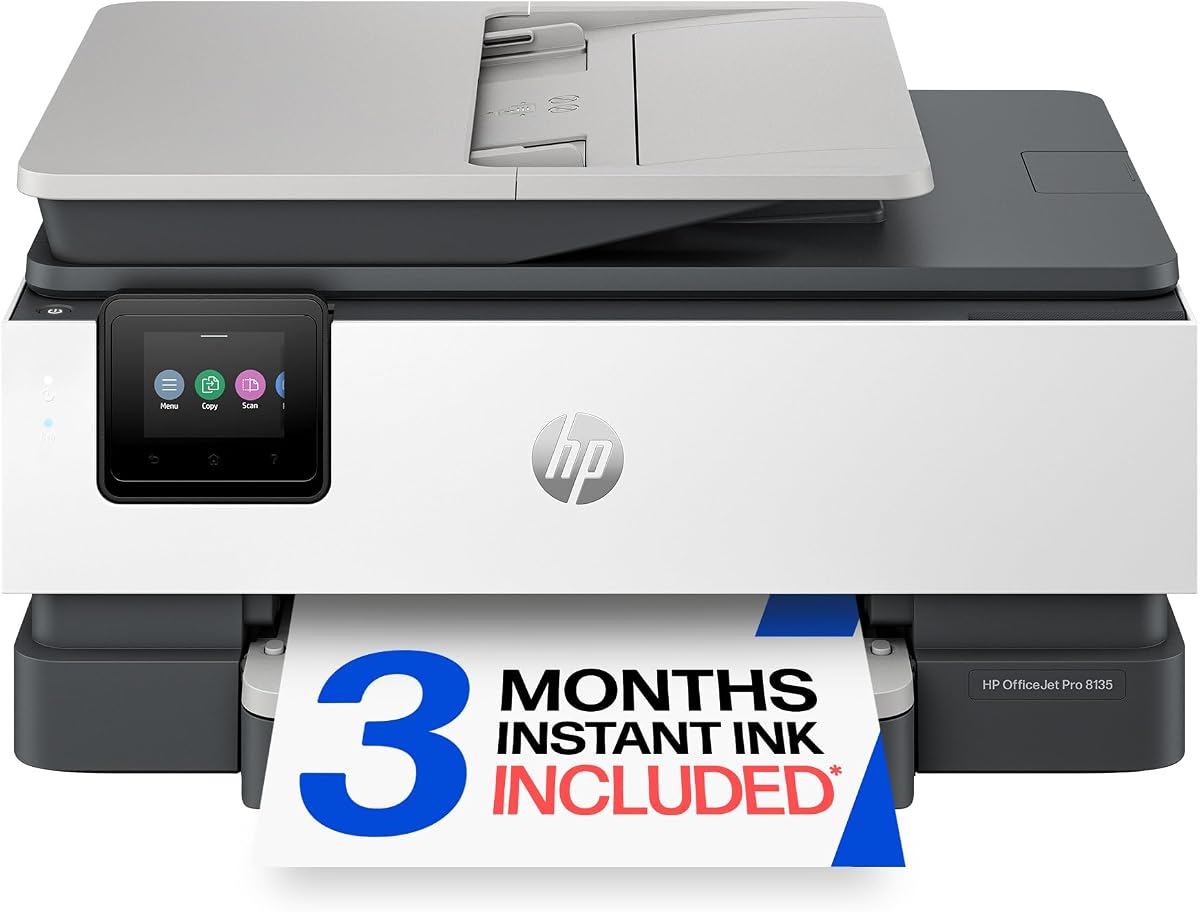
The HP OfficeJet Pro 8135 is tailored for home offices needing reliable color printing and fax. It delivers professional documents quickly with a user-friendly design. The large touchscreen simplifies navigation for all users.
We may earn a commission when you buy through this link, at no additional cost to you.
With up to 20 ppm black print speed it handles business documents efficiently. The dual-band Wi-Fi ensures a stable connection for wireless tasks. HP AI helps optimize web pages to prevent wasted paper.
Color speeds are slightly lower than the premium models which may impact large graphic jobs. The single input tray limits capacity compared to higher-end units. However, it remains a strong choice for typical home use.
This printer is ideal for remote workers and small business owners. It balances performance and sustainability well. We suggest considering it if you need a reliable color fax printer for daily tasks.
A phone-like interface makes setting up fax jobs or scanning documents quick and straightforward.
More than 45% recycled plastic content reduces environmental impact without compromising performance.
We may earn a commission when you buy through this link, at no additional cost to you.
The HP OfficeJet Pro 9125 delivers robust performance for small businesses. It supports high-volume printing with professional color output. The 250-sheet input tray reduces interruptions during busy workflows.
We may earn a commission when you buy through this link, at no additional cost to you.
HP Wolf Pro Security protects networked devices from cyber threats which is crucial for business data. The AI feature removes unwanted content from web pages to save time. The touchscreen interface is easy to navigate.
While the printer requires Instant Ink for optimal function this adds to the total cost of ownership. It is best suited for offices with consistent printing needs. Ensure your workflow can accommodate the subscription model.
This model is excellent for small offices needing security and speed. It handles brochures and flyers effectively. We recommend checking the Instant Ink terms before committing to this purchase.
Advanced security measures keep your sensitive business data safe from external cyber threats and vulnerabilities.
HP AI adjusts layouts automatically to prevent awkward printing and maximize paper efficiency.
We may earn a commission when you buy through this link, at no additional cost to you.
The HP OfficeJet Pro 8139 offers a significant advantage with a one-year Instant Ink trial. This makes it a smart choice for new home offices setting up quickly. It combines standard performance with extended support.
We may earn a commission when you buy through this link, at no additional cost to you.
Print speeds reach up to 20 ppm for black documents which is efficient for most users. The HP app allows easy management from smartphones. The touchscreen ensures intuitive control over fax and copy tasks.
While color speeds are moderate this model handles text heavy tasks well. The one-year trial helps users decide if the service suits their needs. However, budget must be considered after the trial ends.
This printer is best for users wanting long-term ink savings. It balances speed and connectivity effectively. We suggest checking the trial details to understand ongoing costs after the year ends.
A full year of ink delivery helps you test the service before committing to monthly fees.
The HP app provides remote access to print, scan, and monitor status from any smartphone.
We may earn a commission when you buy through this link, at no additional cost to you.
The HP OfficeJet Pro 8125 is a solid mid-range option for home offices. It provides reliable color printing and fax capabilities without unnecessary bulk. The design focuses on efficiency and ease of use.
We may earn a commission when you buy through this link, at no additional cost to you.
With speeds up to 20 ppm it handles daily business documents well. The HP app enables easy mobile access. The auto document feeder simplifies scanning multiple pages quickly.
Color printing is slower than top-tier models which may affect larger jobs. However, for typical use it is quite capable. The touchscreen makes navigating settings simple for all users.
This model is ideal for users wanting balance between cost and features. It is a strong contender for home offices. We suggest comparing its trial terms with other models.
Simplify scanning and faxing by feeding multiple pages at once without manual reloading.
Print or scan from your smartphone using the HP app for convenient remote operation.
We may earn a commission when you buy through this link, at no additional cost to you.
The Canon PIXMA TR8620a is designed for users who need quality photos alongside documents. It supports 200-sheet capacity which is generous for its class. Alexa voice commands make operation even simpler.
We may earn a commission when you buy through this link, at no additional cost to you.
It features a Micro SD slot for direct image printing without a computer. The auto duplex printing helps save paper on large documents. Smart reorder ensures you stay supplied without manual checks.
Print speeds are moderate compared to business laser units but excellent for photos. The rear feed option provides flexibility for different media types. It is a versatile choice for creative home offices.
This printer is perfect for users needing high-quality color output. It balances photo quality and document handling well. We recommend it for home users focusing on visual content.
Supports direct printing via Micro SD and offers rear feed options for various paper types.
Alexa compatibility allows hands-free printing and management of printer status for convenience.
We may earn a commission when you buy through this link, at no additional cost to you.
The HP Smart Tank 7603 provides unmatched ink economy with up to three years included. It eliminates cartridges entirely to reduce waste and costs. The refill system is designed to be mess-free and simple.
We may earn a commission when you buy through this link, at no additional cost to you.
Users get up to 8000 color pages out of the box. This supports high-volume needs without frequent purchases. The AI capabilities optimize print layout to save paper during busy tasks.
The higher upfront cost is offset by long-term savings. Refilling requires space near the printer but is straightforward. This makes it ideal for busy households needing constant reliable supply.
This printer is best for users prioritizing low running costs. It supports consistent fax and print output. We recommend checking local ink availability before committing to this model.
Plug-and-play bottles drain directly into tanks without squeezing or spilling for easy maintenance.
Massive ink capacity reduces interruptions and supports continuous printing for demanding workloads.
We may earn a commission when you buy through this link, at no additional cost to you.
The Epson EcoTank ET-4800 uses a cartridge-free Supertank system to reduce waste. It delivers sharp text and photos using Micro Piezo heat-free technology. The design focuses on sustainability and cost efficiency.
We may earn a commission when you buy through this link, at no additional cost to you.
Ink bottles are easy to fill and support high volume printing. It reduces landfill waste by eliminating disposable cartridges. The color display allows easy navigation of all functions.
The initial cost is higher than standard printers but long-term savings are significant. Users must ensure they have space for the tank system. It is a strong choice for eco-conscious buyers.
This model is best for users seeking sustainable printing solutions. It handles color needs well without cartridge hassles. We recommend verifying refill availability for your specific region.
Micro Piezo technology ensures energy efficient printing without heating elements for reliable performance.
Eliminating cartridges significantly reduces environmental impact while supporting high volume output.
We may earn a commission when you buy through this link, at no additional cost to you.
Selecting the right model requires considering specific needs like speed, volume, and connectivity. This guide outlines key factors to evaluate before purchasing.
Print speed significantly impacts workflow efficiency especially in busy environments. Models vary from around 8 pages per minute to over 30. Consider your typical volume to avoid bottlenecks.
Look for wireless options like Wi-Fi and Bluetooth for mobile access. Ethernet ports provide stability for office networks. USB allows direct local connections if needed.
Higher capacity trays reduce how often you refill paper during work. A225 to 250 sheet input is ideal for offices. Lower capacities suit light home use.
Built-in faxing eliminates the need for a separate line. Check if it supports sending and receiving with confirmation. Automatic document feeders help fax multi-page files easily.
Traditional cartridges are easy to replace but cost more over time. Ink tanks offer better value for high volume. Subscription services provide regular deliveries.
Network security is vital for protecting business data. Look for encryption and secure print options. Trusted brands offer robust protection against cyber threats.
Measure your available workspace before buying. Compact models fit in small desks while larger units support high capacity. Consider depth for cord placement.
A solid warranty protects your investment against defects. Check for customer support availability and resources. Online communities can help resolve setup issues quickly.
Clean the glass scanner regularly with a soft cloth to prevent streaks. Check ink levels via the mobile app and replace when needed. Update firmware to maintain security and performance.
Most modern all in one printers with fax require a standard phone line connection. Some models support VoIP which may need specific adapters. Verify your line type before setup to ensure compatibility.
Transmission speed depends on your phone line quality and document size. Most models send a standard page in a few seconds. High-resolution settings may take longer to transmit.
Many models offer mobile apps allowing fax from smartphones. You can scan a document and send it via email or direct fax. Check the manufacturer app features for details.
Most featured models include automatic duplex printing to save paper. This feature prints on both sides of the sheet automatically. Confirm specs as not all budget units support this.
Ink tank systems are best for long term use due to lower cost per page. Subscriptions offer convenience but require a fee. Traditional cartridges suit light usage needs.
Networked printers use encryption to protect data. Brands like HP and Brother offer security suites. Keep firmware updated to prevent vulnerabilities and protect sensitive info.
Yes, several models use recycled plastic and tank systems. These reduce cartridge waste significantly. Look for Energy Star certified units for better efficiency.
Many models include USB ports for direct printing without a computer. Simply plug in a drive and select the file on the screen. This is useful for offline document access.
Prices and availability change frequently so check current listings before purchase. Always review warranty terms to ensure long-term satisfaction. We hope this guide helps you choose confidently.