
MAYFLASH F300 Arcade Fight Stick
4.5Editor score
Wide platform compatibility
Sanwa parts compatible
Affordable entry price
This guide compares the top arcade fight sticks for Switch 2 including connectivity compatibility and build quality to help you choose the perfect controller
Finding the right arcade fight stick for Switch 2 is essential for competitive gaming. A quality controller offers precise inputs, durable construction, and seamless compatibility with your console for an authentic arcade experience.
We evaluated ten leading fight sticks based on connectivity options, build quality, customization features, and platform support. Each product was assessed for its ability to deliver responsive controls and long-term value for serious gamers.
Each review highlights key strengths, trade-offs, and ideal use cases to help you decide. Keep in mind that availability and pricing can change over time so always check current details before purchasing your next controller.
4.5Editor score
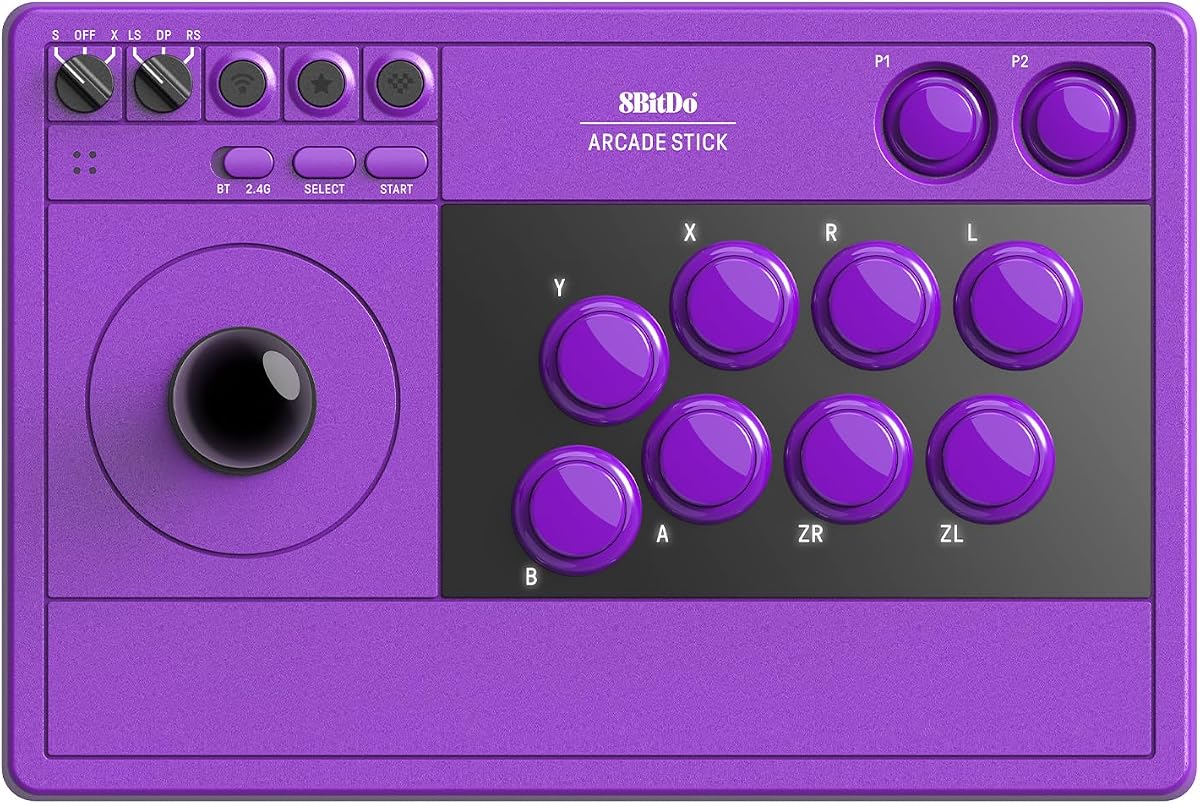
4.7Editor score

4.6Editor score
This side-by-side comparison shows key details for each fight stick to help you evaluate connectivity options build quality and platform support at a glance before making your final decision.




This 8BitDo Arcade Stick stands out with its premium tempered glass faceplate and seamless compatibility with Switch 2. It delivers responsive inputs and a sleek look that feels right at home in any setup.
We may earn a commission when you buy through this link, at no additional cost to you.
The dynamic button layout feature is a major strength since it updates visual labels instantly when switching between Switch and PC modes. You can also customize controls extensively using the Ultimate Software and access macros with dedicated P1 and P2 buttons.
While it lacks deep modding potential compared to open frames, the tempered glass is durable and easy to clean. The wireless options are stable and the hidden compartment for the 2.4G adapter keeps everything organized during play.
Competitive players and collectors alike will appreciate the polished design and reliable performance. If you value aesthetics alongside function and want a controller that works seamlessly on Switch 2 this is a top recommendation.
The stick automatically adjusts button labels on the faceplate when you switch between console and PC modes reducing confusion during multitasking.
Use the Ultimate Software to remap buttons create complex macros and save profiles for different games with two dedicated macro buttons for quick access.
We may earn a commission when you buy through this link, at no additional cost to you.
The MAYFLASH F300 is an excellent entry-level stick that works across nearly every major platform including Switch 2. It delivers consistent performance without breaking the bank and is ideal for players new to fighting sticks.
We may earn a commission when you buy through this link, at no additional cost to you.
Its open frame design accepts standard Sanwa parts making it easy to upgrade buttons and sticks later. On PC it supports both XINPUT and DINPUT modes while turbo functions let you automate rapid inputs for combo-heavy games.
While it only works via a wired connection and uses basic plastic construction it remains solid for the price. You might wish for wireless capabilities but the value and versatility make it a strong budget pick.
If you want a reliable and customizable fight stick that covers multiple consoles this model is a smart choice. It offers a great balance of cost performance and upgrade potential for beginners.
The F300 works with Switch 2 PS4 Xbox and PC out of the box ensuring you can use one controller across most of your gaming systems.
Its universal mounting plate accepts standard arcade parts so you can swap components over time to tailor the feel to your preferences.
We may earn a commission when you buy through this link, at no additional cost to you.
The MAYFLASH F700 Elite delivers flagship quality with genuine Sanwa buttons and joystick included in the box. It offers premium tactile feedback and wide platform compatibility that suits competitive players on Switch 2 and beyond.
We may earn a commission when you buy through this link, at no additional cost to you.
Its wireless Bluetooth connection provides freedom while the anti-slip mat ensures the stick stays put during intense sessions. You can also output chat audio through wired headsets on supported platforms and adjust turbo speeds to your liking.
The main limitation is that it works only with fighting games so it won function function as a general controller for other genres. The price is also steep but the build quality and included parts justify the investment.
For serious fighters who want top-tier components without custom building this stick is ideal. It combines performance build quality and connectivity in one polished package built to last.
The stick ships with eight responsive Sanwa buttons and a precision four-way joystick delivering the exact feel experienced in arcades.
An included full-size anti-slip rubber mat keeps the fight stick firmly anchored on any surface during long competitive matches.
We may earn a commission when you buy through this link, at no additional cost to you.
This 8BitDo Arcade Stick provides versatile wireless options through Bluetooth and a compact 2.4G receiver alongside a wired USB-C connection. It is a reliable choice for players who value flexibility and clean setups.
We may earn a commission when you buy through this link, at no additional cost to you.
The Ultimate Software allows deep customization of button mapping and macros while the dynamic layout adjusts visually when you switch modes. The universal mounting plate lets you swap in third-party arcade parts whenever you want.
It does not feature the newer tempered glass design and its support is primarily limited to Switch and Windows. However the hidden receiver compartment and responsive build make it a strong all-around option.
If you want wireless convenience with solid performance and some customization this stick delivers. It is well suited for casual and competitive players alike who need reliable inputs.
Use Bluetooth or the included 2.4G receiver to play without wires and store the receiver safely inside the built-in compartment when not in use.
Swap buttons and sticks easily thanks to the universal mounting plate and use the Ultimate Software to tailor controls to your needs.
We may earn a commission when you buy through this link, at no additional cost to you.
The 8BitDo Retro Wireless offers up to forty hours of play on a single charge using the 2.4G connection. It combines that endurance with a dynamic button layout that changes visuals when you switch modes.
We may earn a commission when you buy through this link, at no additional cost to you.
Customization is robust thanks to the Ultimate Software which lets you create macros and swap controller profiles easily. The hidden receiver keeps your desk tidy while the wireless options provide freedom during play.
It is restricted to Switch and PC platforms and costs more than some alternatives. Still the long battery life and responsive controls make it a great choice for players who travel or prefer wireless setups.
If you need a reliable wireless stick with excellent battery life this model fits well. It delivers performance and convenience for serious Switch and PC gamers.
Enjoy up to forty hours of playtime on a 2.4G connection and thirty hours on Bluetooth before needing to recharge the internal battery.
The faceplate buttons refresh their visual labels automatically as you switch between Switch and PC modes to keep your controls intuitive.
We may earn a commission when you buy through this link, at no additional cost to you.
The Saitake Wireless stand out with a built-in display screen that shows settings and lets you adjust volume lighting and brightness on the fly. It also includes a 3.5mm headphone jack for audio flexibility.
We may earn a commission when you buy through this link, at no additional cost to you.
Its macro function can record up to eighteen keystrokes with timestamps and its turbo modes handle rapid inputs smoothly. The display and battery capacity offer a distinct feature set not found on most other sticks.
Its bulkier shape and need for firmware updates may not appeal to everyone. Still the visual feedback and audio options provide unique value especially for players who manage multiple settings during play.
If you want a stick with visual and audio customization this model delivers. It is a standout choice for those who like hands-on control over their setup.
The onboard display lets you adjust volume brightness and lighting effects in real time while showing you battery and connection status.
Record up to eighteen keystrokes with timestamps to automate complex combos and save them for quick use during matches.
We may earn a commission when you buy through this link, at no additional cost to you.
The MAYFLASH F700 offers broad platform support including Switch 2 PS4 and PC for a versatile setup. Its wired headset output lets you manage chat and music on supported systems easily.
We may earn a commission when you buy through this link, at no additional cost to you.
You can swap in Sanwa components to tailor the feel and use multiple wireless options to play without cables. Turbo settings allow you to adjust input speeds for different game styles.
It is limited to fighting games and does not support Xbox platforms which may limit some players. Still the broad compatibility and customization make it a strong contender for multi-console households.
If you need a stick that works across most platforms this model is practical. It balances performance and convenience for players who switch between consoles often.
This stick works with Switch 2 PS4 PS3 Windows and more ensuring you can use one controller across most gaming systems.
Connect a wired headset to output background music and online chat on supported consoles for a more immersive experience.
We may earn a commission when you buy through this link, at no additional cost to you.
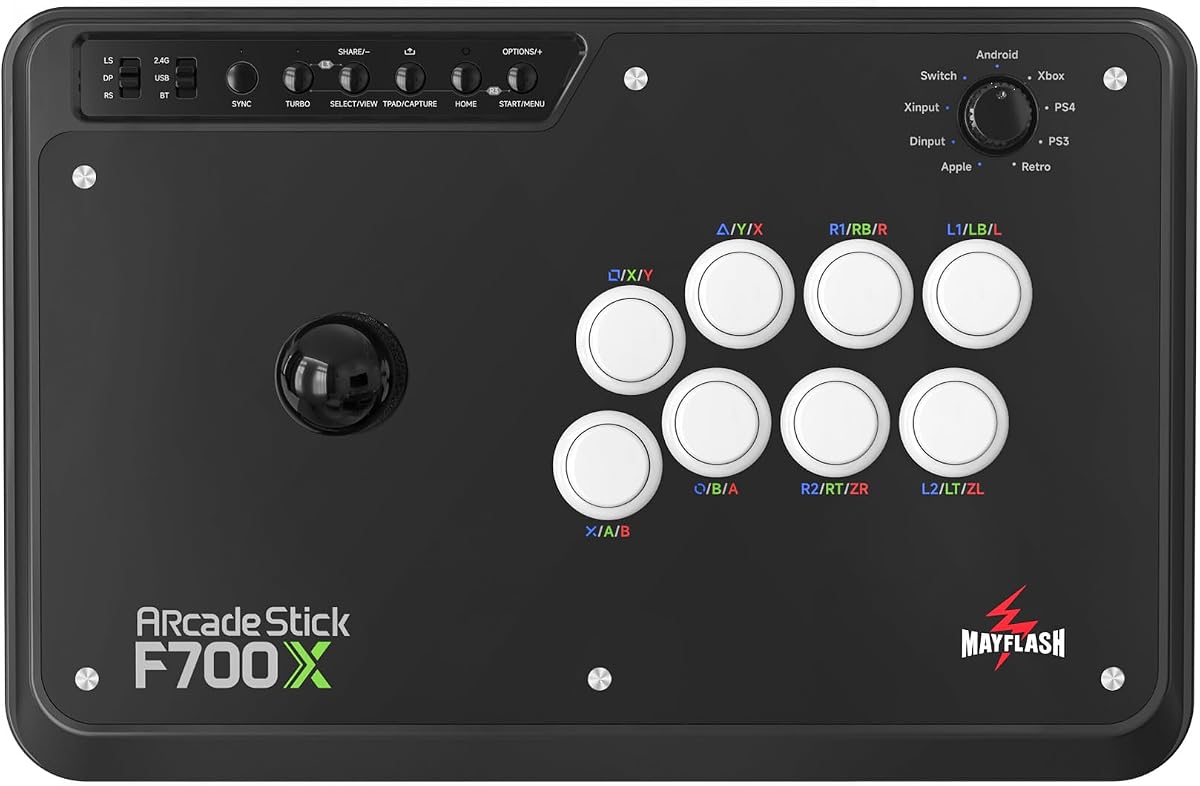
The MAYFLASH F700X is designed to work with Xbox Series X and S alongside Switch 2 and other platforms. It is one of the few sticks that support Xbox wirelessly for a complete setup.
We may earn a commission when you buy through this link, at no additional cost to you.
It accepts Sanwa components for customization and supports wired headsets for chat audio on Xbox and PC. Turbo functions let you automate rapid inputs while multiple wireless modes offer connection flexibility.
It does not work with PS5 which may be a dealbreaker for some. The slightly lower rating suggests occasional connectivity issues but overall it fills a niche for Xbox players.
If you play on Xbox Series X or S and want a dedicated stick this model fits well. It provides essential Xbox support that few others offer at this tier.
This stick supports Xbox Series X and S out of the box so you can play wireless on Xbox without additional adapters.
Connect a wired headset to output background music and online chat on Xbox Series and PC for smoother communication.
We may earn a commission when you buy through this link, at no additional cost to you.
The POWER A Fusion is officially licensed for Nintendo Switch and Lite delivering a secure fit and reliable performance. It supports custom face cards and has a metal base for improved stability during play.
We may earn a commission when you buy through this link, at no additional cost to you.
Its wireless mode runs up to thirty hours on AA batteries and includes a long USB-C cable for wired tournament play. The official warranty provides peace of mind for fans who prefer licensed gear.
Using AA batteries can be inconvenient for some and the overall rating is lower than premium sticks. Still the official support and customization make it a good choice for dedicated Switch owners.
If you want an officially licensed controller with customizable design this stick fits well. It delivers solid performance and security for Switch players.
As an officially licensed product it is designed to work reliably with Nintendo Switch systems and includes a two-year limited warranty.
Download a template and print your own face card to personalize the look of your fight stick without extra costs.
We may earn a commission when you buy through this link, at no additional cost to you.
The 8BitDo V3 Edition delivers a sleek tempered glass faceplate and dynamic button layout that updates when you switch modes. It combines premium materials with deep customization for a polished experience.
We may earn a commission when you buy through this link, at no additional cost to you.
You can create macros and save profiles using the Ultimate Software while two dedicated macro buttons give you instant access to combos. The high capacity battery supports long sessions without frequent recharges.
It is limited to Switch and PC platforms and costs more than entry level sticks. However the durable glass and responsive controls make it a great choice for players who value premium design.
If you want a stylish and high-performance stick this model excels. It is a solid pick for competitive players who appreciate thoughtful design details.
The scratch-resistant tempered glass faceplate provides a smooth durable surface that retains its sleek look through heavy use.
With a 1000mAh rechargeable battery you get up to forty hours of play on a 2.4G connection and thirty hours on Bluetooth.
We may earn a commission when you buy through this link, at no additional cost to you.
Selecting the right fight stick depends on how you play what platforms you use and how much you want to customize your setup.
Ensure the stick works with Switch 2 and any other consoles you own. Some models support only fighting games while others are broader. Check for official licenses and firmware updates for Switch 2 support.
Choose a stick that covers all your platforms to avoid buying multiple controllers for different systems.
Wired connections offer the lowest latency but wireless provides flexibility. Look for models with Bluetooth 2.4G and USB-C options. Check battery life and how you store the receiver when not in use.
Select the connection type that matches your setup and play style for the best balance of performance and convenience.
Durability matters for competitive play. Glass faceplates add style but open frames allow customization. Consider the base weight and materials to ensure the stick stays stable during intense matches.
Invest in a build that matches your environment whether you need portability or a fixed heavy-duty setup.
If you plan to swap buttons or joysticks look for universal mounting plates and compatibility with Sanwa parts. Software tools for macros and remapping are valuable for advanced players.
Choose a model that lets you customize to your preferences so you can fine-tune the controller over time.
Features like displays audio jacks turbo controls and battery indicators add convenience. Some sticks support chat audio output or face-card customization. Decide which extras matter most to you.
Prioritize features that improve your workflow rather than buying a model with tools you will not use.
Prices range widely so determine your spending limit early. Premium models include better components but budget options can be solid for beginners. Balance cost with expected lifespan and needs.
Pick a stick that fits your budget while still meeting your core performance requirements for a good long-term value.
Officially licensed products often come with longer warranties and dedicated support. Check how responsive the manufacturer is for firmware updates or issues to ensure lasting support.
Choose a brand with reliable customer service to minimize downtime if problems arise during use.
Connect the stick to your Switch 2 via USB-C Bluetooth or the 2.4G receiver and ensure firmware is up to date. Navigate system settings to map buttons properly and adjust sensitivity if needed.
Keep the faceplate and buttons clean using a soft cloth and occasional mild cleaner. For wired models check cable integrity and store the stick in a cool dry place when not in use.
For wireless sticks monitor battery levels and recharge before play. Update software regularly and remap buttons as you master new games to keep inputs comfortable and efficient.
Not all sticks are officially supported. Check product listings for Switch 2 compatibility and ensure firmware can be updated. Many third-party sticks work well but official licenses add reliability and peace of mind.
Many models support multiple platforms like PS4 Xbox and PC but some are limited to specific systems. Always check the compatibility list for your console before buying to ensure seamless use.
Wired connections offer the lowest latency and are preferred for tournaments. Wireless is acceptable for casual play if the stick supports Bluetooth or 2.4G with stable response and good battery life.
Most models include software for remapping and creating macros. Use the provided app to assign functions save profiles and adjust settings. Some sticks also have physical buttons for quick profile changes.
Open frame sticks allow easy replacement of buttons and joysticks. Look for universal mounting plates and compatibility with Sanwa parts. Sealed designs do not support swapping components and are less modular.
Aim for thirty hours or more on Bluetooth and forty hours on 2.4G connections. Rechargeable batteries are preferable over disposable ones. Check charging times and whether the stick supports pass-through charging.
Some sticks work natively with PS5 or Xbox while others require adapters. Check product details for native support or included converters to avoid extra costs and compatibility issues.
Many sticks have hidden compartments built into the base to store the receiver. This keeps your desk tidy and protects the adapter when not in use. Always store it securely to avoid loss.
Our top picks include the 8BitDo Arcade Stick for Switch 2 for its premium features the MAYFLASH F300 for budget players and the MAYFLASH F700 Elite for those who want Sanwa quality.
Prioritize platform compatibility connectivity and build quality when making your decision. Consider whether you need customization options or wireless flexibility to match your play style and setup.
Always verify current pricing and availability since they can change over time. With the right fight stick you can enjoy a responsive authentic arcade experience tailored to your needs.