
ASUS Vivobook Go 15
4.3Editor score
AMD Ryzen 3 Processor
8GB DDR5 RAM
Military Grade Durability
Finding a lightweight ASUS laptop that balances portability with performance is essential for modern professionals and students. These devices offer powerful specs without the bulk of traditional machines.
We compared ten models based on processor speed, memory capacity, storage options, and overall build quality. Each selection highlights unique strengths to suit different user needs.
Each pick displays key features and ratings to help you decide quickly. Keep in mind that prices and availability can change frequently across online retailers.
4.3Editor score

4.8Editor score
3.7Editor score
As an Amazon Associate we earn from qualifying purchases.
The following table provides a side-by-side comparison of all ten selected models, highlighting their core specifications and key features for easy reference.





This ASUS Vivobook 14 stands out as a top choice for those seeking a lightweight machine with modern AI capabilities. It boasts a high rating due to its efficient Snapdragon X processor and generous memory.
We may earn a commission when you buy through this link, at no additional cost to you.
The 16GB RAM ensures smooth multitasking even with multiple browser tabs and applications open. Its Snapdragon X architecture delivers impressive performance while maintaining cool operating temperatures during extended use.
While the ARM-based processor offers great efficiency, users should be aware that some legacy Windows applications may need emulation. This trade-off is acceptable for the gains in battery life and portability.
Ideal for students and professionals who need a reliable device for daily tasks and AI-assisted workflows. We recommend this model for its balance of power and lightweight form factor.
The Copilot+ PC capabilities allow for advanced AI tasks like natural language processing and image generation directly on the device.
Weighing less than many competitors, this laptop fits easily into backpacks without adding significant strain to your daily commute.
We may earn a commission when you buy through this link, at no additional cost to you.
The Vivobook Go 15 is an excellent entry-level option for users who need basic computing power without breaking the bank. Its AMD Ryzen 3 processor handles everyday tasks with ease.
We may earn a commission when you buy through this link, at no additional cost to you.
One of its strongest features is the inclusion of DDR5 RAM which provides faster data access than older standards. The military grade durability rating ensures the device can withstand bumps and drops.
The main limitation is the storage capacity which might require external drive usage for large media files. However for many users who store data in the cloud this is a minor inconvenience.
We recommend this laptop for students or home users who prioritize budget and durability over high performance. It is a solid choice for writing and browsing tasks.
This laptop has passed rigorous testing for shock and temperature changes making it reliable for travel and rough handling.
A physical webcam shield allows you to block the camera when not in use protecting your privacy during video calls.
We may earn a commission when you buy through this link, at no additional cost to you.
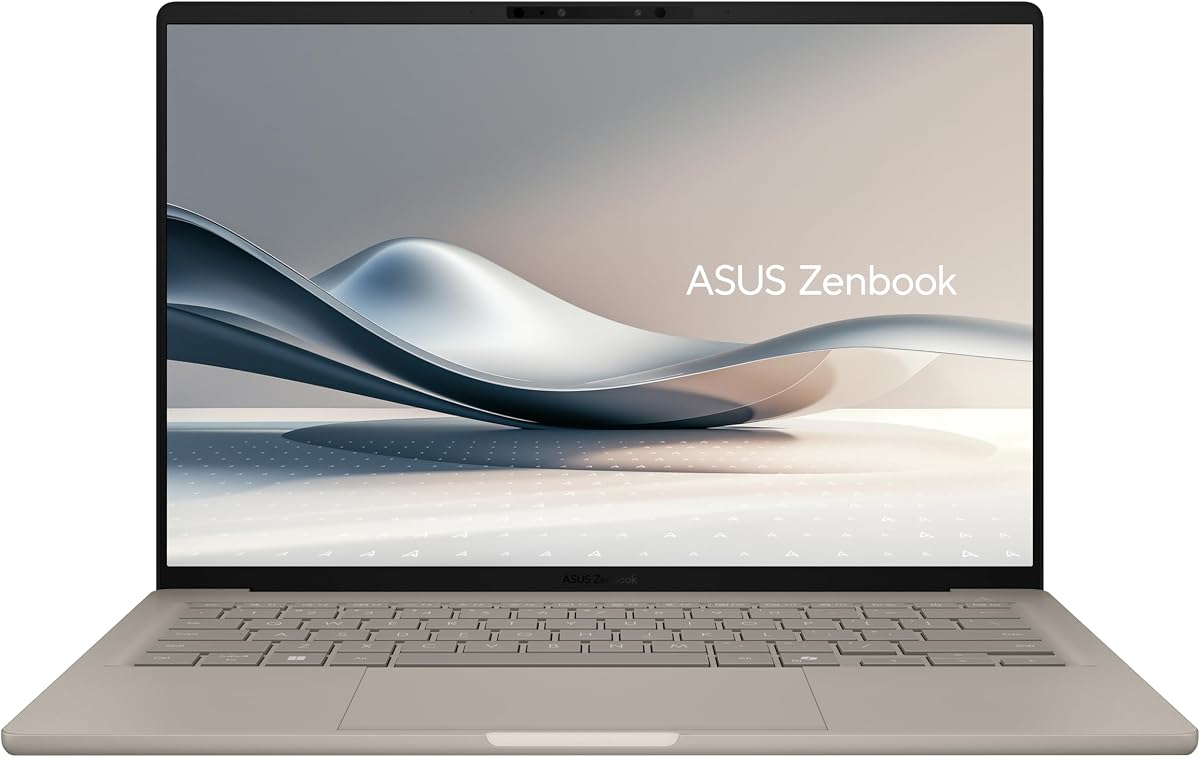
The Zenbook A14 is the ultimate choice for those who demand the lightest possible device without sacrificing premium materials. It uses a unique Ceraluminum blend for strength and texture.
We may earn a commission when you buy through this link, at no additional cost to you.
The OLED screen offers deep blacks and vibrant colors making it perfect for creative work and media consumption. Its weight is incredibly low which makes it easy to carry anywhere.
The higher price and potential OLED power consumption are trade-offs for the stunning visual experience. Users should weigh these factors against their need for portability.
We suggest this for professionals who travel frequently and value build quality. It represents the pinnacle of lightweight design in the ASUS lineup.
This material combines ceramic and aluminum to create a surface that is stronger and lighter than standard aluminum.
The OLED panel ensures accurate color representation which is essential for photo editing and graphic design tasks.
We may earn a commission when you buy through this link, at no additional cost to you.
This model offers a spacious 16 inch display for users who need more screen space for multitasking. The Snapdragon X processor ensures that performance remains efficient even on the larger chassis.
We may earn a commission when you buy through this link, at no additional cost to you.
The 16GB RAM allows for smooth transitions between applications. The display resolution provides sharp text and clear visuals for detailed work.
While it is a larger device it remains portable enough for most travel needs. The extra size offers a comfortable typing experience.
We recommend this for analysts or writers who benefit from wider spreadsheets or document views. It balances size with efficiency well.
The wider aspect ratio allows you to view more columns in a spreadsheet without constant scrolling.
The NPU handles background AI tasks efficiently keeping the system responsive during heavy workloads.
We may earn a commission when you buy through this link, at no additional cost to you.
This is the most affordable option in our list designed for basic web browsing and simple tasks. It features a lightweight design that is easy to carry to class.
We may earn a commission when you buy through this link, at no additional cost to you.
The battery life is impressive for such a low power system. Fast charge technology means you can get back to work quickly.
The limited memory may cause slowdowns if you run many tabs. This is acceptable for a device focused on specific light use cases.
We suggest this for younger students who need a simple tool for homework. It is a practical choice for budget constrained needs.
You can reach a significant charge level in under an hour so short breaks are enough to power up.
Windows 11 S mode restricts apps to the Microsoft Store which reduces the risk of malware infections.
We may earn a commission when you buy through this link, at no additional cost to you.
This laptop provides a solid foundation for users who prefer Intel compatibility and robust connectivity. The i3 processor handles daily office tasks efficiently.
We may earn a commission when you buy through this link, at no additional cost to you.
The 16GB RAM is a standout feature at this price point allowing for heavy multitasking. Wi-Fi 6 support ensures fast and stable internet connections.
Battery life is decent but not as long as ARM based options. The connectivity ports are sufficient for most peripherals.
We recommend this for users who need a balance of legacy support and modern features. It is a safe choice for business use.
The inclusion of HDMI and USB-C ports allows you to connect to external monitors easily.
Wi-Fi 6 ensures you get the fastest speeds from your router for smooth streaming and downloads.
We may earn a commission when you buy through this link, at no additional cost to you.
This variant offers a sleek silver finish for users who prefer a minimalist look. It shares the powerful Snapdragon X platform with other high-end models.
We may earn a commission when you buy through this link, at no additional cost to you.
The display quality is excellent for a 14 inch laptop making it great for visual content. The GPU supports smooth performance for light creative work.
As with many new chips drivers are improving but may not be perfect yet. This is a trade-off for the efficiency gains.
We suggest this for users who value aesthetics and AI. It is a strong contender for modern workflows.
The silver finish offers a professional look that resists smudges and fits well in office environments.
The NPU accelerates image generation tasks allowing for faster content creation in compatible apps.
We may earn a commission when you buy through this link, at no additional cost to you.
This model brings newer Intel technology to a thin package. The 13th Gen processor offers a nice boost in performance over previous generations.
We may earn a commission when you buy through this link, at no additional cost to you.
The PCIe SSD ensures fast boot times and quick file access. It is light enough to carry around all day without strain.
It does not come with a mouse so you may need to provide your own. Battery life is average but sufficient for school hours.
We recommend this for students who want a reliable Intel laptop. It is a practical choice for general use.
The 13th Gen architecture allows for quick handling of modern apps and multitasking needs.
PCIe SSDs load programs faster than traditional storage improving your overall system responsiveness.
We may earn a commission when you buy through this link, at no additional cost to you.
This version offers more storage than the base model making it better for saving files locally. The AMD processor remains efficient for daily tasks.
We may earn a commission when you buy through this link, at no additional cost to you.
The battery life is rated up to 11 hours which is excellent for a 15 inch laptop. Durability features make it suitable for students.
The screen brightness is average so it may be less visible in direct sunlight. This is a minor issue for indoor use.
We suggest this for users who need local storage capacity. It is a solid choice for students on a budget.
The 256GB SSD allows you to store more documents and photos without relying on external drives.
An efficient battery management system keeps your laptop running through long school days or meetings.
We may earn a commission when you buy through this link, at no additional cost to you.
This laptop is the lightest option available making it ideal for travelers who want to reduce load. The build quality is exceptional with a unique material blend.
We may earn a commission when you buy through this link, at no additional cost to you.
The OLED screen offers vibrant visuals but may impact battery life slightly. However the overall endurance is still strong for a premium device.
High cost is the main barrier for many buyers. If budget is not a constraint this device is top tier.
We recommend this for professionals who prioritize weight above all. It is a great investment for frequent flyers.
Reducing laptop weight by even a fraction helps prevent fatigue during long commutes or travel.
OLED panels provide perfect black levels and high contrast ratios for an immersive viewing experience.
We may earn a commission when you buy through this link, at no additional cost to you.
Choosing the right lightweight laptop involves considering several key factors to ensure it meets your specific needs.
The processor determines how fast your laptop runs tasks. AMD Ryzen and Intel Core processors are common for general use while Snapdragon X offers better battery efficiency.
Choose a processor that matches your workload whether it is for browsing or heavy editing.
RAM affects how many applications you can run at once. 16GB is ideal for multitasking while 8GB is sufficient for basic tasks.
Ensure you have enough RAM to avoid lag when switching between windows.
SSD storage is faster and more durable than older hard drives. Consider how many files you keep locally to decide on capacity.
A 512GB drive is recommended for most users to avoid filling up quickly.
Screen resolution and size impact your viewing experience. OLED screens offer better colors but standard IPS panels are brighter for indoor use.
Select a size that fits your portability needs while providing clear visuals.
Weight and dimensions are critical for a lightweight laptop. Aim for under 3 lbs for easy daily carrying in a backpack.
Check the dimensions to ensure it fits in your travel bag comfortably.
Long battery life ensures your device lasts through a full day of work or study. Models with efficient chips like Snapdragon offer extended uptime.
Prioritize models with high-rated battery life if you travel frequently.
Military grade testing indicates resistance to shocks and temperature changes. This is important for laptops that are moved often.
Look for durability ratings if you are rough on your equipment.
Modern laptops need Wi-Fi 6 for fast internet and multiple ports for peripherals. Ensure the model has enough USB and HDMI ports.
Verify you have the necessary connections for your monitor and accessories.
Keep your laptop clean by wiping the screen with a microfiber cloth to avoid scratches. Dust in the keyboard can be removed with compressed air.
Use a padded case when traveling to protect the thin chassis from bumps. Avoid placing heavy items on top of the closed device.
Update your Windows software regularly to ensure security patches are applied. This helps maintain performance and stability over time.
Most models are designed for light gaming or multimedia playback. For heavy gaming consider a dedicated gaming laptop as these focus on portability.
Yes most models include HDMI or USB-C ports to connect to external displays. This allows you to expand your workspace when at a desk.
The keyboards are comfortable for typing with good key travel. They are designed for long sessions of writing and typing tasks.
Many models have soldered components limiting upgrades. Check specific model specs to see if storage can be expanded or replaced.
All models in this guide come with Windows 11 pre-installed. They meet the hardware requirements for the latest operating system features.
Most models come with a standard one year manufacturer warranty. This covers defects in materials and workmanship for peace of mind.
Yes these laptops are excellent for students due to their portability and battery life. They handle homework and research tasks efficiently.
Yes with Windows 11 you can use Android apps on compatible models. This allows for greater flexibility in application usage.
The ASUS Vivobook 14 stands out for its AI features and performance balance. It is a top pick for most users looking for a modern device.
For budget buyers the Vivobook Go 15 offers essential features at a low cost. It is a practical choice for basic needs without high price.
Always check current availability and pricing before making a decision. This ensures you get the best deal on the right model for you.