
Dell 24 240Hz Gaming Monitor – SE2426HG
4.7Editor score
240Hz refresh rate
0.5ms response time
FreeSync Premium support
Finding the right display can transform your gaming experience significantly. A high refresh rate panel ensures smooth visuals while adaptive sync technology eliminates distracting screen tearing during intense sessions.
We have carefully analyzed ten leading models to identify the best options available today. Each product offers unique strengths ranging from budget friendly pricing to premium features designed for competitive play.
This guide highlights top picks with detailed breakdowns of specs and real world performance. Keep in mind that market conditions can shift so always verify current availability before making a final decision.
4.7Editor score

4.5Editor score

4.4Editor score
As an Amazon Associate we earn from qualifying purchases.
This side by side comparison outlines key specifications across all ten selected models to help you quickly identify which display aligns best with your specific gaming needs.


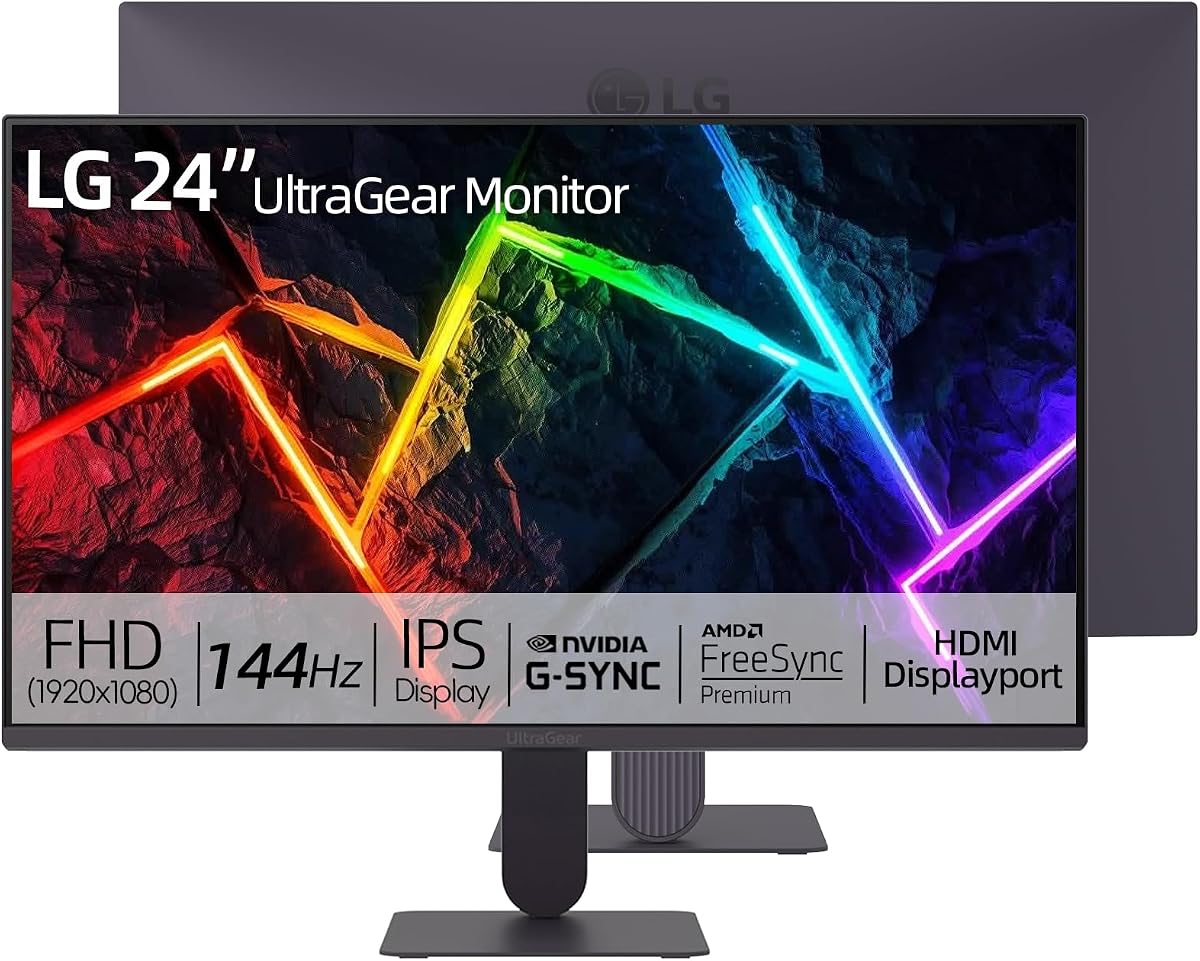


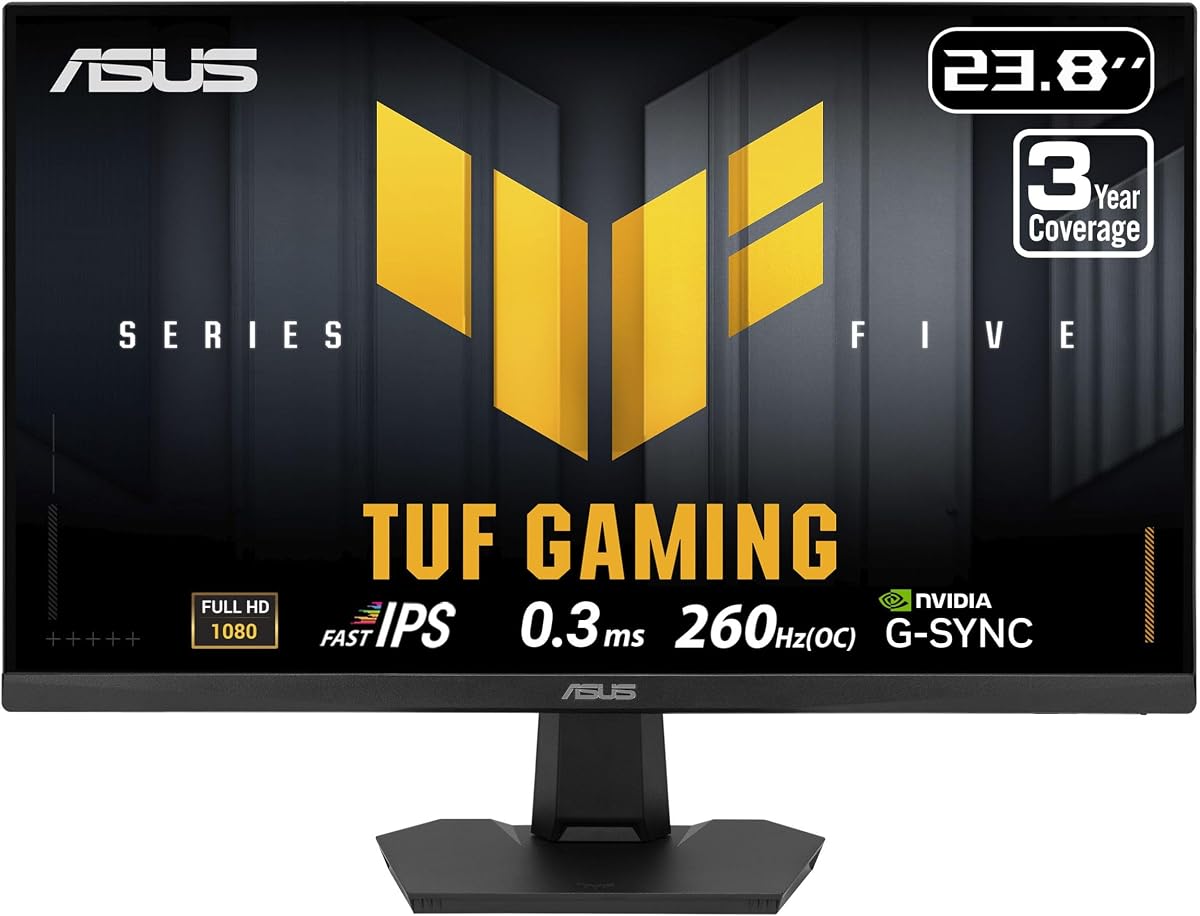
The LG 24G411A-B stands out as a top contender for competitive gamers seeking reliable performance. With a 4.5 star rating it delivers smooth visuals that match its technical promises.
We may earn a commission when you buy through this link, at no additional cost to you.
Its Fast IPS panel ensures rich colors while the 144Hz refresh rate keeps motion crisp. Features like Black Stabilizer and Crosshair enhance gameplay precision significantly.
While the stand only tilts rather than adjusting height the sleek design maximizes screen real estate. The lack of a USB hub might inconvenience users with many peripherals.
Anyone prioritizing visual fidelity and responsiveness should consider this model. It balances cost with high end features effectively making it a strong recommendation for most setups.
Dynamic Action Sync reduces input lag ensuring your commands register instantly for tighter control.
The 99 percent sRGB coverage delivers accurate tones ideal for both gaming and content creation tasks.
We may earn a commission when you buy through this link, at no additional cost to you.
The Dell SE2426HG offers incredible speed at a budget friendly price point. Its high rating reflects user satisfaction with the smooth 240Hz performance it provides.
We may earn a commission when you buy through this link, at no additional cost to you.
Fast IPS technology delivers excellent color accuracy while the 0.5ms response time minimizes motion blur effectively. FreeSync Premium ensures tear free gaming across supported hardware.
The stand is minimal and only tilts which might require a separate arm for ergonomic adjustments. On screen menus are functional but lack advanced customization options.
Gamers on a tight budget will find this monitor hard to beat. It prioritizes raw performance and eye comfort making it a smart entry point for competitive play.
The 240Hz refresh rate provides fluid motion essential for fast paced competitive titles like shooters.
TUV Rheinland certification confirms reduced blue light to help prevent eye strain during long sessions.
We may earn a commission when you buy through this link, at no additional cost to you.
The ASUS TUF Gaming VG249QML5A targets serious gamers who demand the absolute fastest performance available. Its rating confirms reliable quality alongside its impressive speed metrics.
We may earn a commission when you buy through this link, at no additional cost to you.
The 0.3ms minimum response time is among the fastest available while ELMB SYNC eliminates ghosting during high refresh rates. A full ergonomic stand allows precise positioning for comfort.
Higher cost may deter casual users though the build quality justifies the investment. The OSD menu is comprehensive but takes time to master initially for all settings.
Prospective buyers seeking premium features and durability will appreciate this model. It combines top tier speed with robust construction for a superior competitive gaming experience.
DisplayWidget Center software simplifies adjustments allowing quick changes via mouse instead of monitor buttons.
A three year warranty with accidental damage protection offers peace of mind for long term ownership.
We may earn a commission when you buy through this link, at no additional cost to you.
The LG 24G414B-B combines gaming performance with practical utility through its integrated audio. It holds a solid rating for balancing multiple features well in one unit.
We may earn a commission when you buy through this link, at no additional cost to you.
Its HDR10 support enhances contrast while 1ms MBR ensures crisp visuals during fast movement. The slim bezel design maximizes immersion for single or dual monitor setups.
Integrated speakers provide convenience but lack depth compared to dedicated audio gear. Hidden cable management keeps the desk tidy though routing cables requires some effort.
This monitor suits users wanting an all in one solution without extra peripherals. It delivers strong performance with added convenience for streaming and casual gaming needs.
Built-in stereo speakers deliver clear balanced sound perfect for quick gaming sessions without headset use.
NVIDIA G-Sync Compatible and AMD FreeSync ensure smooth gameplay across various graphics card configurations.
We may earn a commission when you buy through this link, at no additional cost to you.
The ASUS TUF Gaming 24 Inch delivers high speed visuals tailored for competitive play. Its performance metrics reflect a focus on responsiveness and fluid motion rendering.
We may earn a commission when you buy through this link, at no additional cost to you.
A 200Hz refresh rate paired with 0.3ms response time minimizes blur effectively. Anti-glare matte finish ensures visibility even under bright room lighting conditions.
Lack of HDR support limits contrast performance in darker scenes. Color mode options are fewer compared to models with richer creative feature sets.
Competitive gamers prioritizing speed will find this model appealing. It provides a high refresh experience essential for fast reaction gaming without extra bells or whistles.
Compatibility with Windows Mac Chrome OS and Linux makes this a versatile choice for mixed office setups.
The matte screen reduces reflections significantly helping maintain focus during intense gaming sessions.
We may earn a commission when you buy through this link, at no additional cost to you.
The LG 24 Ultragear V1 enjoys a near perfect rating due to its consistent performance. Users appreciate its balance of visual fidelity and gaming specific features.
We may earn a commission when you buy through this link, at no additional cost to you.
Its IPS display delivers lifelike colors while 144Hz refresh rate ensures fluid motion. Pro gaming tools like Dynamic Action Sync reduce input lag effectively.
The stand is limited to tilt adjustment which may hinder ergonomic comfort for taller users. Missing USB-C connectivity limits modern laptop compatibility for some workflows.
Buyers seeking reliable performance without compromises will love this model. It offers strong visual quality and responsive gaming features suitable for diverse play styles.
Ultra-slim bezel design maximizes the field of view creating a seamless visual experience.
Official G-Sync compatibility ensures low latency gameplay free from stuttering even in heavy load games.
We may earn a commission when you buy through this link, at no additional cost to you.
The LG 24 Ultragear V2 boasts a perfect rating from users praising its color accuracy and speed. It delivers immersive visuals that meet high standards for quality.
We may earn a commission when you buy through this link, at no additional cost to you.
Native 120Hz boosts to 144Hz ensuring fluidity while 99 percent sRGB coverage delivers authentic natural visual performance. Gaming grade tools aid targeting in complex environments.
Connectivity options are standard without USB hubs which limits peripheral management. Basic eye care features lack advanced settings found in higher end creative displays.
Gamers valuing precise colors will find this monitor exceptional. Its combination of speed and fidelity makes it a top pick for visually demanding games.
99 percent sRGB coverage ensures vibrant and accurate color reproduction for immersive and professional work.
Dynamic Action Sync reduces input lag for faster precise responses during critical gameplay moments.
We may earn a commission when you buy through this link, at no additional cost to you.
The ASUS 24 Inch FHD delivers ultra-smooth competitive play with a strong user rating. Its Fast IPS panel ensures rapid color transitions for immersive gameplay.
We may earn a commission when you buy through this link, at no additional cost to you.
A 200Hz refresh rate paired with 0.3ms response time minimizes motion blur significantly. Low Blue Light and Flicker-Free technologies reduce eye strain during extended sessions.
The stand is fixed requiring a separate arm for ergonomic adjustments. OSD controls are basic making deep customization more challenging than on advanced models.
Speed focused gamers will appreciate this monitor's performance. It provides vibrant colors and rapid response times essential for demanding competitive titles.
Wide 178 degree viewing angles ensure consistent colors and details from any viewing position.
Flicker-Free technology minimizes screen flicker to reduce eye fatigue over long periods of use.
We may earn a commission when you buy through this link, at no additional cost to you.
The LG 24 Ultragear V3 receives a high rating for its sleek design and reliable performance. Its bezel is designed to maximize visibility for dual monitor configurations.
We may earn a commission when you buy through this link, at no additional cost to you.
Gaming tools like Black Stabilizer boost visibility in dark areas while G-Sync compatibility ensures tear-free gameplay. The slim bezel reduces visual distractions effectively.
The stand offers limited tilt only which may not suit all ergonomic needs. Missing USB hub functionality limits connectivity for USB devices directly on the screen.
Users wanting seamless multi-monitor setups will find this ideal. It combines speed with a clean design that minimizes gaps between screens effectively.
Ultra-narrow bezels and a sleek stand deliver an immersive visual experience across multiple screens.
Support for screen partitioning and customizable layouts helps boost productivity alongside gaming sessions.
We may earn a commission when you buy through this link, at no additional cost to you.
The ASUS TUF VG249QM5F pushes speed limits with an elite 260Hz refresh rate. Its high rating confirms reliable performance despite its aggressive technical specs.
We may earn a commission when you buy through this link, at no additional cost to you.
ELMB SYNC technology eliminates ghosting while vivid color performance ensures rich accurate visuals. Smart gaming features like Shadow Boost enhance visibility in dark scenes.
The price reflects its top tier performance may be overkill for casual gamers. High refresh rates demand powerful hardware to fully utilize the monitor's capabilities.
Competitive players seeking maximum speed will love this model. It delivers unparalleled fluidity for those pushing the limits of competitive gaming hardware.
A 260Hz refresh rate delivers ultra-sharp fluid visuals essential for top tier competitive gaming.
Shadow Boost technology enhances visibility in dark areas helping players spot threats earlier.
We may earn a commission when you buy through this link, at no additional cost to you.
Selecting the right monitor involves balancing refresh rate response time and panel technology to match your specific gaming style.
Refresh rate determines how many frames per second the screen displays affecting smoothness during motion. Higher rates like 144Hz or 240Hz provide fluid visuals essential for competitive games.
Look for models offering at least 144Hz for a noticeable improvement over standard displays.
Response time measures how quickly pixels change color impacting motion blur during fast action. Lower times like 1ms or 0.3ms ensure sharper moving images.
Prioritize 1ms or lower response times to minimize ghosting in fast-paced scenarios.
Adaptive sync technologies like G-Sync Compatible and FreeSync prevent screen tearing by syncing refresh rates with GPU output. This ensures seamless visuals without stuttering or artifacting.
Choose a monitor that supports NVIDIA G-Sync Compatible for seamless tear-free gaming.
IPS panels offer superior color accuracy and wide viewing angles making them ideal for immersive experiences. TN panels may be faster but sacrifice visual quality compared to IPS options.
Select an IPS panel for balanced performance combining speed with vivid color reproduction.
Adjustable stands allowing height tilt and swivel improve comfort during long sessions. VESA mount compatibility offers flexibility for custom mounting solutions when stands lack features.
Ensure the monitor offers tilt and VESA mounting for flexible ergonomic setups.
Sufficient ports like HDMI and DisplayPort are vital for connecting various devices. Consider USB hubs or USB-C ports if you need to connect multiple peripherals to the screen.
Verify the presence of DisplayPort 1.4 or HDMI 2.0 for high bandwidth connections.
Features like Flicker-Free technology and Low Blue Light reduce strain during extended use. Certifications from independent labs add reliability to these comfort claims.
Look for TUV certified eye comfort features to maintain health during long sessions.
Tools like Crosshair and Black Stabilizer offer practical advantages in competitive scenarios. These features enhance gameplay functionality beyond basic display performance and utility.
Consider monitors with built-in tools like Black Stabilizer for visibility in dark areas.
Start by connecting the monitor via DisplayPort or HDMI ensuring the cable supports the necessary bandwidth for high refresh rates and adjust settings through the on-screen menu.
Clean the screen regularly with a microfiber cloth avoiding harsh chemicals that can damage the anti-glare coating on the panel surface.
Use adaptive sync features whenever possible to prevent tearing and lower brightness levels during dark use to reduce eye strain over time.
NVIDIA G-Sync Compatible means the monitor has been validated to work with NVIDIA GPUs to reduce screen tearing without requiring proprietary hardware. This technology synchronizes the refresh rate with frame rates for smoother gameplay.
Yes 24 inch monitors are ideal for competitive gaming as they offer high pixel density allowing the entire screen to be within your field of view. This reduces eye movement and helps maintain focus during fast-paced matches.
Yes to fully utilize high refresh rates like 240Hz you need a powerful GPU capable of pushing matching frame rates. Without it you will not experience the full smoothness the monitor offers.
MBR reduces motion blur using frame manipulation while response time measures how fast pixels change color. MBR helps clear moving objects whereas response time prevents ghosting artifacts during fast transitions.
Many of these monitors offer high sRGB coverage and accurate color reproduction making them suitable for creative work alongside gaming. Their color fidelity supports tasks like photo editing effectively.
Enable FreeSync in your graphics control panel and ensure the monitor supports it. Verify cables are connected properly and adjust in-game settings for optimal adaptive sync performance.
The reviewed models offer a range of features tailored to different gaming needs from budget friendly speed to premium visual fidelity.
Prioritize refresh rate and response time based on your play style while considering ergonomic adjustments for long-term comfort during sessions.
Always check current availability and verify specific features to ensure the monitor meets your requirements before purchasing.