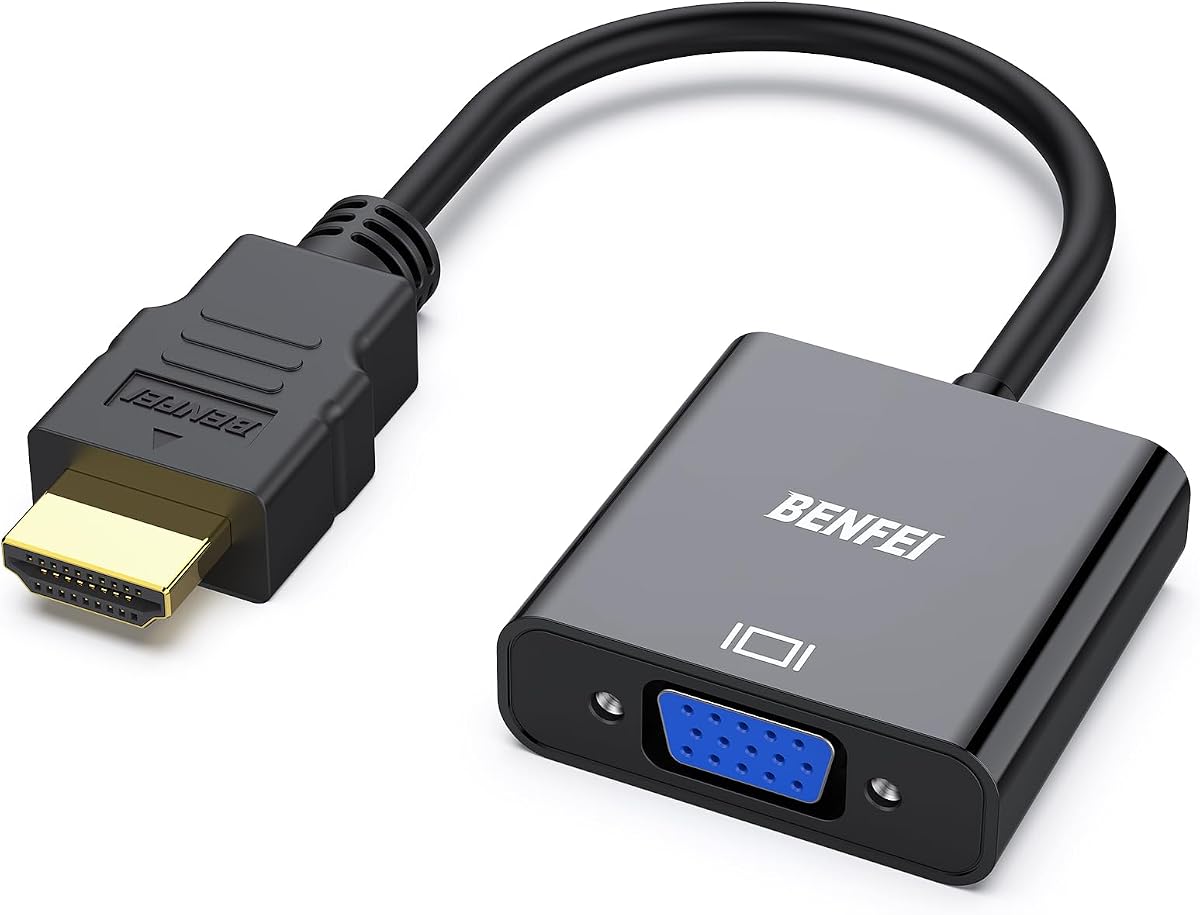
BENFEI HDMI to VGA Adapter
4.6Editor score
Compact portable design
Supports 1080p resolution
Gold plated connectors
This guide compares the top HDMI to VGA converter adapters for reliable signal conversion, audio support, and broad device compatibility in modern setups.
Finding the right HDMI to VGA converter adapter is essential for connecting modern devices to legacy displays. These tools bridge the gap between digital HDMI outputs and analog VGA inputs found on older monitors and projectors. Choosing a high-quality adapter ensures stable video transmission and prevents signal loss during critical presentations.
We evaluated ten leading products based on build quality, signal stability, audio capabilities, and user feedback. Our analysis focuses on unidirectional converters that reliably transform HDMI digital signals into VGA analog outputs. Each selection offers distinct advantages for different use cases ranging from home entertainment to professional business environments.
Every pick below highlights specific strengths like portability or audio support to help you decide quickly. Remember that prices and availability can fluctuate over time so check current listings before purchasing. This guide aims to simplify your search for a reliable adapter that meets your specific connectivity needs effectively.
4.6Editor score

4.6Editor score

4.5Editor score
The following table provides a side-by-side comparison of all ten selected adapters to help you identify key differences in specifications and features at a glance.


The BENFEI HDMI to VGA adapter stands out as a top budget choice with a strong 4.6 rating from users. It offers reliable signal conversion for connecting modern HDMI sources to legacy VGA displays like monitors and projectors. Its compact design makes it easy to carry for business presentations or home use.
We may earn a commission when you buy through this link, at no additional cost to you.
Built with an advanced IC chip, this adapter ensures superior stability by converting digital HDMI signals to analog VGA outputs effectively. The gold-plated HDMI connector resists corrosion and improves signal transmission performance for clear images. It supports resolutions up to 1920×1080 at 60Hz which covers most standard display needs.
While it lacks bidirectional capability and requires a separate VGA cable, these trade-offs are acceptable for its price. The 18-month warranty provides peace of mind for long-term satisfaction. Friendly customer service is available to solve any setup issues you might encounter during installation.
Buy this if you need a cost-effective solution for occasional presentations or home entertainment setups. It works well with computers laptops and gaming consoles that have HDMI ports. Check current availability and pricing before purchasing to ensure you get the best deal available now.
The built-in IC chip ensures stable conversion from digital HDMI to analog VGA without signal loss.
Gold-plated connectors and molded strain relief enhance durability and protect against corrosion over time.
We may earn a commission when you buy through this link, at no additional cost to you.
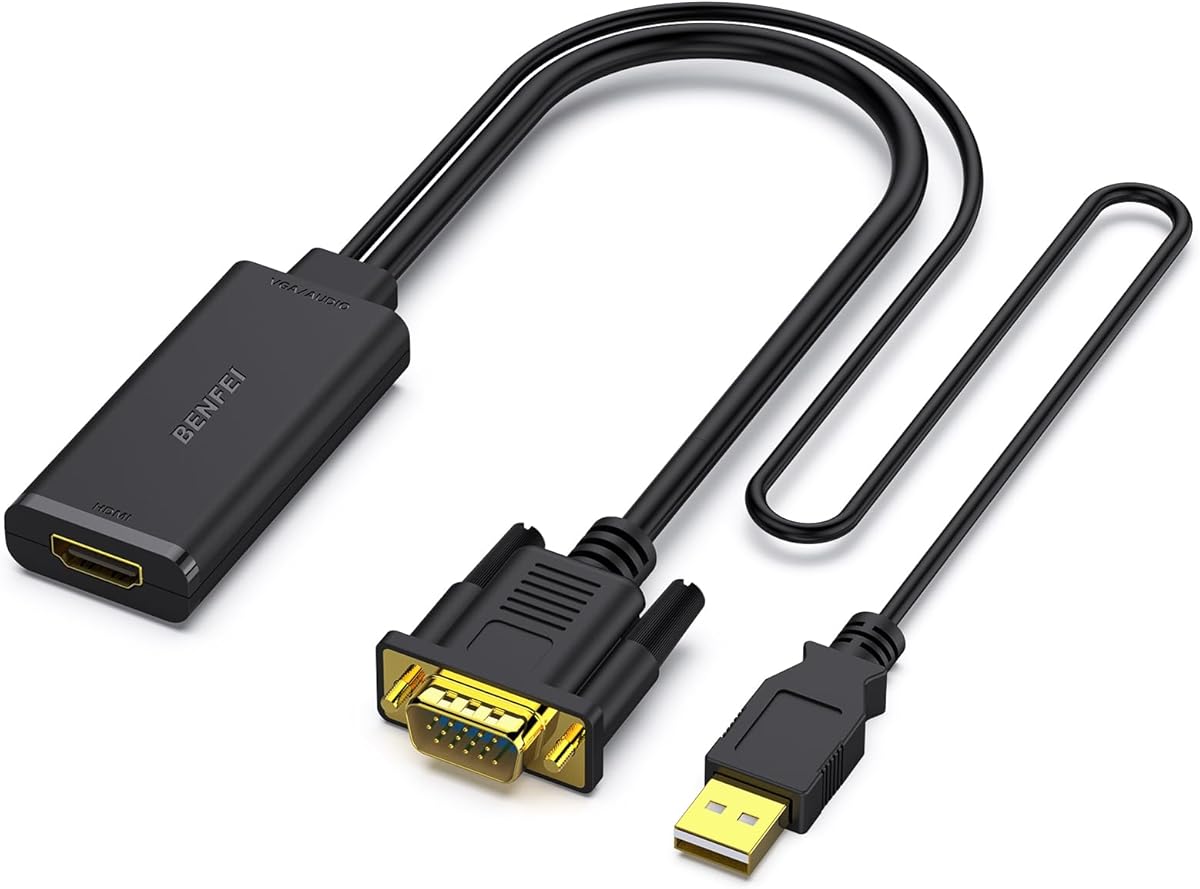
This BENFEI adapter reverses the direction to convert VGA signals from older computers to modern HDMI displays. It achieves a 4.5 rating thanks to its stable performance and integrated USB audio feature. The compact design allows easy transport for users connecting laptops to HDTVs or monitors.
We may earn a commission when you buy through this link, at no additional cost to you.
The built-in IC chip converts analog VGA signals to digital HDMI outputs reliably without requiring external drivers. USB audio support allows you to configure sound output through the Windows sound menu for a complete experience. It supports up to 1080p resolution which delivers clear visuals on high definition screens.
Keep in mind that you will need to purchase an HDMI cable separately as it is not included with the adapter. Also note that it cannot convert HDMI to VGA so ensure your setup matches the VGA source to HDMI display requirement. The 18-month warranty ensures long-term satisfaction for your purchase.
Choose this adapter if you need to connect older desktops or laptops with VGA ports to modern televisions. It works well for presentations extending desktop screens on home entertainment setups. Verify your device ports before buying to avoid compatibility issues with your specific hardware configuration.
The embedded USB cable enables audio transmission alongside video for a complete multimedia experience.
Lightweight and compact construction makes it easy to pack in a bag for travel or presentations.
We may earn a commission when you buy through this link, at no additional cost to you.
The Moread HDMI to VGA adapter earns our Editor's Choice with its robust build and exceptional five-year warranty. It consistently delivers clear video quality up to 1080p resolution for presentations and media viewing. Users appreciate its reliable performance and the peace of mind provided by the extended warranty coverage.
We may earn a commission when you buy through this link, at no additional cost to you.
Like other top converters it uses an advanced IC chip to transform HDMI digital signals into VGA analog outputs smoothly. The gold-plated connector resists corrosion while the molded strain relief increases overall cable durability significantly. It supports various resolutions including 720p and 1280×1024 for flexible display options.
Compatibility is broad covering computers laptops and gaming consoles though it excludes some low-power HDMI devices like MacBooks. The adapter requires a separate VGA cable which is sold separately so ensure you have one ready. Its compact design makes it ideal for pocketing in a bag for on-the-go use.
We recommend this for anyone seeking a long-term reliable solution for HDMI to VGA conversion needs. The five-year warranty sets it apart from competitors offering better value over time. Check current pricing and availability to secure this top-rated adapter for your specific connectivity requirements today.
A five-year unconditional warranty ensures long-term satisfaction and protection for your purchase.
Supports 1920×1080 resolution at 60Hz for crisp high-definition visuals on compatible monitors.
We may earn a commission when you buy through this link, at no additional cost to you.
StarTech delivers a premium experience with this active adapter that requires no external power or software drivers. It stands out for its universal compatibility across Windows macOS Linux and ChromeOS environments seamlessly. The professional build quality ensures reliable performance for business critical presentations and industrial applications.
We may earn a commission when you buy through this link, at no additional cost to you.
This adapter uses the integrated GPU for minimal CPU usage making it efficient for workstation environments. The compact design reduces clutter by eliminating the need for USB power connections or external adapters. VGA screw-locking cables prevent accidental disconnections which is vital for stable long-duration presentations or events.
While it costs more than basic models the reliability and lack of external power requirements justify the investment. Note that it does not include audio output so you may need separate speakers if sound is required. The technical specs support resolutions up to 1920×1080 at 60Hz for clear visuals.
Select this adapter if you need a robust solution for professional environments or complex setups. Its plug-and-play nature and universal OS support make it ideal for diverse hardware configurations. Verify your display needs and current pricing to ensure it meets your specific business or technical requirements.
Eliminates the need for additional power adapters reducing setup clutter and improving portability.
Supports VGA screw-locking cables to prevent accidental disconnection during presentations or use.
We may earn a commission when you buy through this link, at no additional cost to you.
This BENFEI product offers an integrated solution with a six-foot cable eliminating the need for separate connectors. It combines the converter and cable into one unit for simpler setup and reduced clutter in your workspace. The built-in IC chip ensures reliable conversion from HDMI digital to VGA analog signals effectively.
We may earn a commission when you buy through this link, at no additional cost to you.
Supporting resolutions up to 1920×1080 at 60Hz it delivers clear Full HD visuals for monitors and projectors. The gold-plated HDMI connector resists corrosion while molded strain relief increases durability over time significantly. It fits well for presentations where a bit of extra length helps position devices flexibly.
The main limitation is the fixed six-foot length which may not suit all setup distances. Also note that you will need separate audio options since this focuses on video conversion only. The 18-month warranty provides assurance for long-term satisfaction and friendly customer service support.
Buy this if you prefer an all-in-one cable for easy plug-and-play convenience without separate adapters. It works well with computers and gaming consoles that have HDMI ports. Verify your distance needs and current pricing to ensure this integrated option suits your specific setup requirements.
Combines adapter and cable into one unit reducing setup steps and cable clutter in your workspace.
Gold-plated connectors and strain relief enhance durability against wear and tear over time.
We may earn a commission when you buy through this link, at no additional cost to you.
This adapter is specially designed for TV sticks and devices with low-power HDMI ports requiring external power. It includes a 3.5mm audio jack allowing simultaneous audio and video playback for a complete multimedia experience. The integrated Micro USB port ensures stable performance when powering streaming devices like Roku or Amazon Fire Stick.
We may earn a commission when you buy through this link, at no additional cost to you.
Supporting up to 1080p resolution at 60Hz it delivers clear visuals on monitors and projectors reliably. The gold-plated connector and molded strain relief improve signal transmission performance and cable durability significantly. It supports broad compatibility across desktops laptops tablets and set-top boxes with HDMI ports.
Be mindful that low-power devices require the Micro USB power connection for stable operation otherwise you may face signal issues. The adapter is uni-directional only converting HDMI to VGA so ensure your setup matches this requirement. The 18-month warranty ensures long-term satisfaction and friendly customer service is available.
Choose this if you stream content from a TV stick to a legacy VGA display needing audio output. It solves power limitations that often prevent TV sticks from working with passive adapters. Check current availability and confirm your device requirements before purchasing to ensure full compatibility and performance.
Independent 3.5mm audio output enables simultaneous audio and video playback for complete media viewing.
Integrated Micro USB port provides essential power for low-power HDMI devices like streaming sticks.
We may earn a commission when you buy through this link, at no additional cost to you.
UGREEN provides a reliable active converter that includes a micro USB cable for optional power needs. It features a 3.5mm audio jack so you can connect external speakers for sound alongside your video signal. The active chipset ensures smooth conversion from HDMI digital to VGA analog outputs without distortion.
We may earn a commission when you buy through this link, at no additional cost to you.
Supporting up to 1920×1080 at 60Hz it delivers clear Full HD video quality for presentations or media. The compact design makes it easy to carry in laptop cases or bags for travel use. It works well with a wide range of devices including MacBooks Chromebooks and Raspberry Pi units.
Note that you will need to purchase a separate VGA cable since it is not included with this adapter. The micro USB cable is optional but recommended for low-power devices to ensure stable performance. This balance of features and portability makes it a strong contender in the mid-range market.
Buy this if you need audio output and flexibility for powering different types of HDMI sources. It is especially useful for older MacBooks or streaming devices that struggle with passive adapters. Verify your VGA cable availability and current pricing to ensure you have all necessary components ready.
Includes a micro USB cable to optimize compatibility with devices that have low-power HDMI ports.
3.5mm line-out jack lets you connect to external speakers or headphones for better sound.
We may earn a commission when you buy through this link, at no additional cost to you.
JideTech offers a robust solution designed for industrial and commercial AV installations requiring stable long-distance transmission. The external 5V power input ensures reliable performance even with demanding HDMI source devices or long cables. It includes a 3.5mm audio output port so you can connect to external speakers or amplifiers easily.
We may earn a commission when you buy through this link, at no additional cost to you.
The built-in active conversion chipset provides reliable HDMI to VGA signal conversion up to 1080p Full HD. This adapter is ideal for conference rooms educational systems surveillance displays and other legacy VGA setups. Its one-way design ensures clear transmission from HDMI sources to VGA displays without confusion.
Keep in mind that this unit requires an external DC power adapter which adds to setup complexity. The higher price reflects its industrial-grade stability and power capabilities for professional environments. Verify your power supply needs and confirm availability before purchasing to ensure full compatibility with your setup.
Choose this if you need a stable reliable converter for professional or commercial environments where performance matters. The external power ensures consistent results even with sensitive or high-demand HDMI sources. Check current pricing to see if this premium option fits your budget for your specific installation needs.
Powered by 5V DC input to provide stable performance for long-distance transmission and compatibility.
Built-in active chipset ensures reliable signal conversion with support for up to 1080p Full HD.
We may earn a commission when you buy through this link, at no additional cost to you.
This StarTech adapter is designed to be compact and lightweight making it ideal for business travel and presentations. It features an integrated audio port allowing you to connect speakers for optimal sound quality alongside the video signal. The crystal-clear picture quality supports up to 1920×1200 resolution for crisp visuals on monitors.
We may earn a commission when you buy through this link, at no additional cost to you.
Setup is simple with no installation software or drivers required for a user-friendly plug-and-play experience. The lightweight build fits perfectly in a laptop carrying case so you can take it anywhere effortlessly. It works seamlessly with Apple TV and VGA projectors for home or office use.
While it has a slightly lower rating than some competitors it still provides reliable performance for most users. The price point is higher than budget options which may be a factor if you need simple casual use. The audio integration adds convenience if you need sound from your VGA display setup.
Buy this if you prioritize portability and ease of use for business or personal travel scenarios. The integrated audio saves you from needing external solutions for sound in many cases. Check current pricing and reviews to confirm this fits your specific budget and setup requirements before purchase.
Integrated audio port on the adapter enables you to connect speakers for optimal sound quality.
Lightweight and compact build fits perfectly in laptop cases for easy travel and presentations.
We may earn a commission when you buy through this link, at no additional cost to you.
The Dell HDMI to VGA adapter provides a trusted brand option for users needing reliable signal conversion. It features a standard connector dongle design that fits well with Dell laptops and other HDMI sources easily. The adapter ensures stable video transmission from HDMI outputs to legacy VGA monitors or projectors.
We may earn a commission when you buy through this link, at no additional cost to you.
As a brand-specific product it aligns with Dell hardware standards ensuring compatibility with their devices without issues. The simple plug-and-play setup eliminates the need for extra drivers or complex configuration steps. It offers a solid build quality typical of Dell accessories for long-term use.
Limited detailed specifications are publicly available compared to other models which may require checking with support. The price is higher than generic options but reflects the brand trust and build quality. Ensure your specific device port type matches before purchasing to avoid any interface issues during setup.
Choose this if you prefer using accessories from the same manufacturer as your Dell computer or workstation. The reliable build quality and brand trust make it a safe bet for business environments. Verify availability and current pricing to see if this aligns with your specific hardware setup needs.
Dell accessories typically align well with Dell hardware standards ensuring seamless integration with their devices.
Standard plug-and-play design eliminates the need for extra drivers or complex configuration steps.
We may earn a commission when you buy through this link, at no additional cost to you.
Selecting the right adapter requires considering several factors including directionality power needs and audio support to ensure compatibility with your setup.
HDMI to VGA adapters are unidirectional and convert digital HDMI signals to analog VGA outputs only. You cannot use them to connect a VGA source to an HDMI display so check your device ports carefully before buying.
Ensure your source device has an HDMI port and your display has a VGA input to avoid compatibility issues.
Some adapters need external power via USB or DC inputs especially for low-power HDMI sources like MacBooks or streaming sticks. Others draw power directly from the HDMI port which works for standard devices but might fail with high-demand ones.
Check if your adapter includes a power cable or port if you plan to use it with devices known for limited HDMI power output.
VGA ports do not carry audio so you may need an adapter with a 3.5mm audio jack to connect speakers or headphones. Some models include this feature while others rely on separate audio solutions which can add clutter to your setup.
Choose an adapter with built-in audio output if you want a single cable solution for both video and sound transmission.
Most adapters support up to 1080p Full HD at 60Hz but some may have lower limits that affect display quality. Ensure the adapter supports the native resolution of your monitor or projector to avoid scaling issues or blurry images.
Look for explicit mentions of 1920×1080 support in the product description to guarantee high-definition video performance.
Gold-plated connectors and molded strain relief help protect against corrosion and physical wear over time. Higher quality materials ensure better signal transmission and longer lifespan for your adapter investment in demanding environments.
Prioritize adapters with robust construction if you plan to use them frequently or carry them in bags for travel.
A longer warranty period like one year or more provides peace of mind against defects or performance issues. Accessible customer service can help resolve setup problems quickly ensuring minimal downtime for your presentations or projects.
Check the warranty length and terms before buying to ensure adequate protection for your purchase over time.
Not all devices work well with passive adapters so some require active IC chips for stable signal conversion. Devices like Apple TV or low-power HDMI sources may need powered adapters to function correctly without signal drops.
Verify that the adapter explicitly lists compatibility with your specific device models to avoid purchasing the wrong type.
Some products include a VGA cable while others require you to purchase one separately which affects total cost. Integrated solutions combine the converter and cable for convenience but may have fixed lengths that limit setup flexibility.
Decide if you need a standalone adapter or an integrated cable solution based on your existing cable inventory.
Connect the HDMI end of the adapter to your source device like a laptop or gaming console then attach a VGA cable to the VGA port on the adapter. Ensure the VGA cable is secured tightly to avoid signal loss or accidental disconnections during use.
If your adapter requires external power connect the USB or DC cable to a power source before turning on your devices. This step ensures stable performance especially with low-power HDMI sources that cannot supply enough energy on their own.
Store the adapter in a protective case or bag to prevent physical damage when not in use. Avoid bending the connectors excessively and keep them away from moisture to maintain signal quality and longevity over time.
No HDMI to VGA adapters are not bidirectional. They only convert HDMI digital signals to VGA analog outputs and cannot work in reverse. To connect a VGA source to an HDMI display you need a different adapter designed for that direction.
Most standalone adapters require a separate VGA cable which is sold separately. Check the product description to confirm if a cable is included with your adapter. You will need a male to male VGA cable to connect the adapter to your monitor or projector.
VGA ports do not carry audio so sound will not be transmitted through the VGA cable alone. Choose an adapter with a 3.5mm audio jack or use separate audio connections for speakers. This ensures you can hear sound alongside your video output.
Some HDMI sources like MacBooks or streaming sticks have low-power HDMI ports that cannot supply enough energy for signal conversion. Adapters with external power ports use USB or DC connections to provide stable performance and prevent signal drops during use.
Most modern adapters support up to 1080p Full HD at 60Hz ensuring clear video quality. Check the product specs to confirm the maximum resolution your specific adapter handles. Higher resolutions like 4K are not supported on standard VGA adapters.
Apple MacBooks and iMacs often need active adapters with external power because their HDMI ports supply limited power. Standard passive adapters may not work reliably with these devices. Check compatibility notes specifically for Apple MacBooks or similar low-power sources.
Yes HDMI to VGA adapters work well with projectors that have VGA inputs for presentations or home theater setups. Ensure your projector supports the resolution your adapter outputs for the best image quality. Many models explicitly list projector compatibility in their product descriptions.
Most adapters are plug-and-play and do not require driver installations for basic video conversion. Simply connect the adapter and your cable then configure your display settings in your operating system. Some advanced models might need specific setup but most work without extra software.
We reviewed ten top HDMI to VGA adapters highlighting the BENFEI and Moread models as top picks for their balance of reliability and features. Whether you need a budget option or a premium solution for business use this guide provides options to suit different needs effectively.
Prioritize directionality power requirements and audio support when selecting an adapter to ensure full compatibility with your devices. A well-chosen adapter will provide stable signal conversion for presentations home entertainment and connecting older displays to modern sources easily.
Always check current prices and availability before purchasing since these can fluctuate over time on online stores. Reviewing recent customer feedback can also help ensure the adapter meets your specific needs before you commit to buying it.