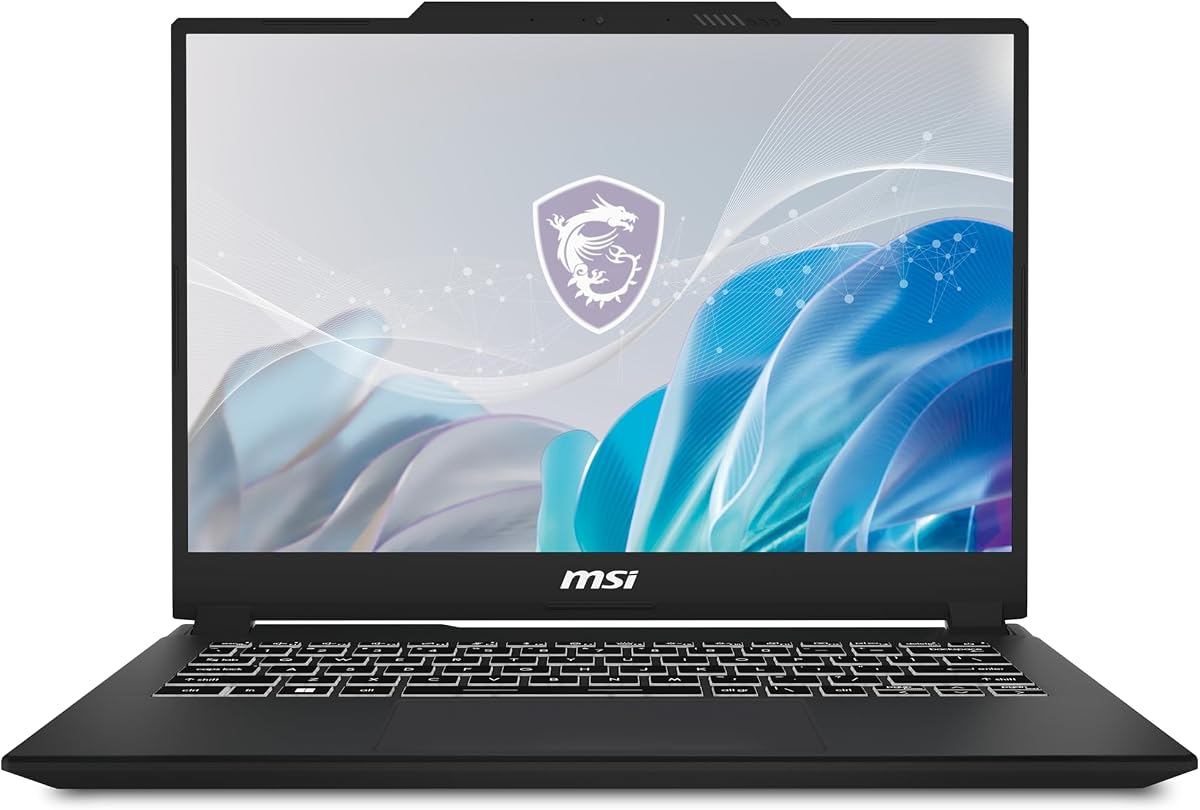
MSI Creator M14
4.7Editor score
Intel Core i7-13620H
NVIDIA RTX 4050 GPU
14 Inch QHD+ Screen
Editing high-resolution video requires powerful hardware that can handle complex timelines and effects without lag. Finding the right laptop means balancing processor speed, graphics capability, and memory capacity to ensure smooth playback and fast rendering times.
We have evaluated ten top-rated machines ranging from professional workstations to versatile consumer laptops. Each option was selected based on its performance specs, display quality, and suitability for demanding creative tasks like color grading and multitasking.
Every pick highlights key strengths and potential trade-offs so you can make an informed decision. Prices and availability change frequently so please verify current details before purchasing to ensure you get the best value for your needs.
4.7Editor score

4.4Editor score

4.7Editor score
As an Amazon Associate we earn from qualifying purchases.
This side-by-side comparison highlights the core specifications and key features of each laptop to help you quickly identify which model best fits your video editing requirements and budget constraints.


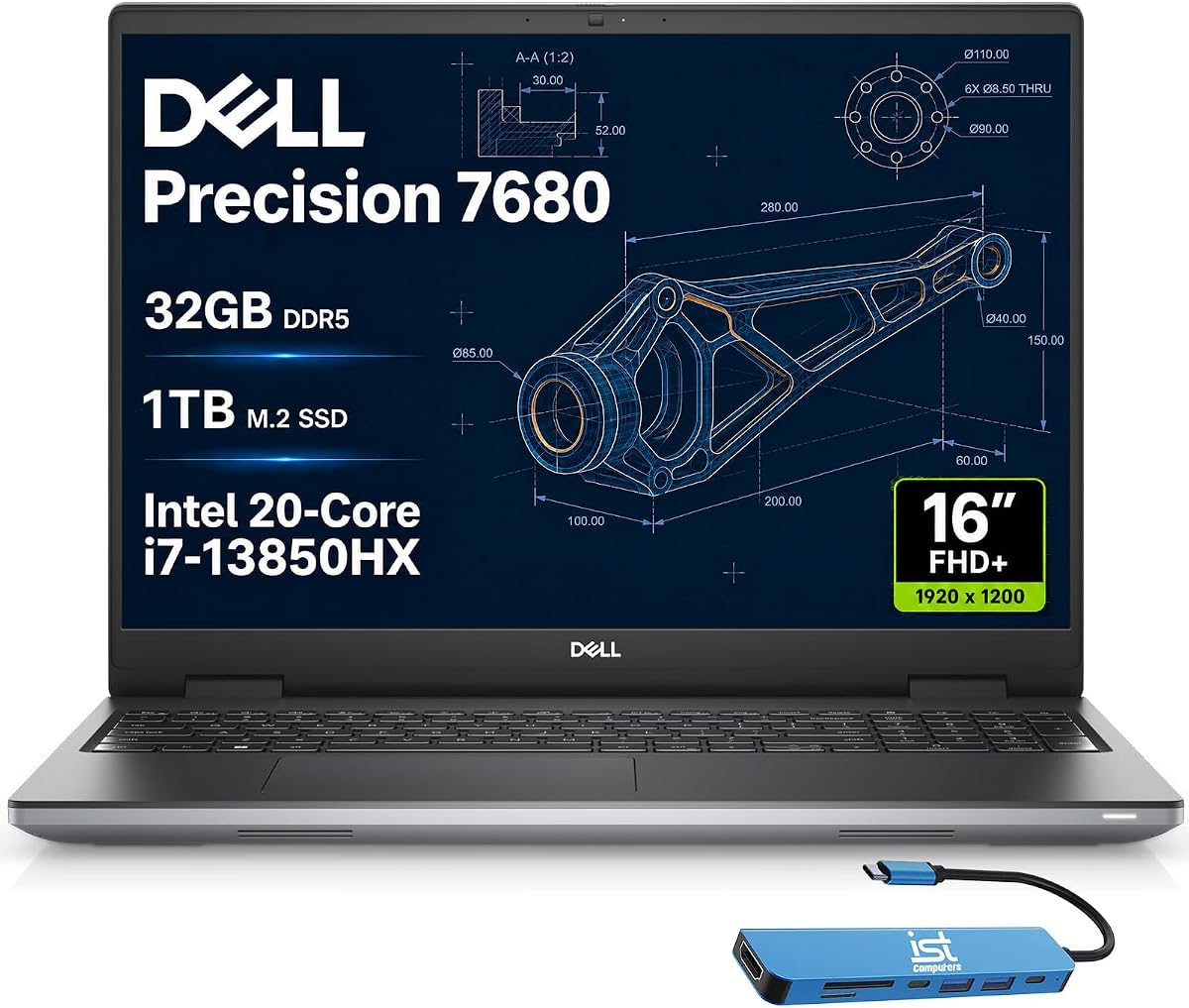


The Dell Precision 7680 stands out as a top contender for serious video editors seeking reliability and power. It features the latest Intel Core i9 processor and substantial DDR5 memory to handle complex timelines with ease.
We may earn a commission when you buy through this link, at no additional cost to you.
Its workstation-grade components ensure smooth playback of 4K footage and efficient rendering times. The display offers crisp visuals while connectivity options like Thunderbolt 4 support high-speed external drives and multiple monitors.
While it is more expensive than consumer laptops, the investment pays off in stability and longevity for professional environments. The system also undergoes rigorous testing to withstand daily use in various working conditions.
This laptop is ideal for professionals who need a dependable machine for client work and long editing sessions. It balances performance with practical features that enhance productivity across demanding creative workflows.
ISV certifications ensure compatibility with Adobe Premiere Pro and other professional applications.
Multiple ports including HDMI and Thunderbolt 4 allow flexible setup for external displays.
We may earn a commission when you buy through this link, at no additional cost to you.
The MSI Creator M14 offers a compelling balance of performance and affordability for entry-level editors. It includes a dedicated graphics card and a high-resolution screen that make it suitable for color grading tasks.
We may earn a commission when you buy through this link, at no additional cost to you.
Despite its lower price, the laptop handles multitasking well and provides fast storage for project files. The cooling system helps maintain performance during long rendering sessions without excessive noise.
Users should note that upgrading memory may be necessary for very large projects. However for the initial configuration provides enough power for most 1080p and light 4K editing needs.
This model is perfect for students or freelancers looking to start professional work without breaking the bank. Its portability makes it easy to take to meetings or client sites as needed.
The slim profile allows you to carry the laptop easily to different locations for work.
The QHD+ display provides rich colors that help with accurate video editing and grading.
We may earn a commission when you buy through this link, at no additional cost to you.
The Apple MacBook Pro M5 delivers top-tier performance with its next-generation M5 chip and unified memory architecture. It handles demanding workflows smoothly while offering all-day battery life that is rare in this class.
We may earn a commission when you buy through this link, at no additional cost to you.
The Liquid Retina XDR display offers stunning brightness and contrast which is crucial for accurate color work. The operating system is optimized for creative apps ensuring that you experience minimal lag during intensive editing.
While the upfront cost is high, the efficiency and reliability justify the investment for many professionals. Users appreciate the seamless integration with other Apple devices which simplifies file sharing and communication.
This laptop is best suited for editors who prioritize battery life and display quality above all else. It remains a gold standard for mobile professional workstations in creative industries.
You can work for hours without needing to plug in thanks to the efficient silicon design.
The XDR screen supports extreme dynamic range for viewing HDR video content accurately.
We may earn a commission when you buy through this link, at no additional cost to you.
The Dell Precision 3581 offers powerful workstation specs at a reduced price through renewed availability. It provides ample RAM and a dedicated GPU that are essential for smooth video editing performance.
We may earn a commission when you buy through this link, at no additional cost to you.
This model includes a 14-core processor that handles multitasking well during export and rendering tasks. The renewed status ensures you get a tested device with warranty coverage without the premium cost.
The display is standard FHD which is adequate for editing but not ideal for critical color grading work. Overall the machine delivers solid performance for those needing hardware power on a tighter budget.
It is a smart choice for small studios or individuals looking for professional hardware without new pricing. The combination of speed and capacity makes it a reliable tool for daily creative production.
The RTX A500 provides certified performance for professional creative software applications.
The NVMe SSD ensures fast loading times for large video files and project libraries.
We may earn a commission when you buy through this link, at no additional cost to you.
This variation of the Precision 7680 offers similar build quality and connectivity with a slightly different processor. It maintains the high standards of the 7000 series with reliable enterprise-level support.
We may earn a commission when you buy through this link, at no additional cost to you.
The system is designed to handle complex workflows while providing security features that protect sensitive project data. It supports multiple external monitors which is useful for extending your editing workspace.
While it lacks a discrete GPU in some configurations it still handles basic editing tasks efficiently. The focus here is on stability and expandability for long-term professional use in corporate environments.
It is best for organizations that need standardized hardware with strong IT support. The performance remains robust for most standard editing requirements without needing specialized graphics acceleration.
Built-in security and manageability features help businesses maintain control over their devices.
Multiple ports allow you to connect external storage and display devices as needed.
We may earn a commission when you buy through this link, at no additional cost to you.
The Dell Precision 7780 represents the peak of mobile workstation power with extraordinary memory and graphics capabilities. It is built for users who need to run multiple heavy applications simultaneously.
We may earn a commission when you buy through this link, at no additional cost to you.
The 128GB RAM allows for complex projects with dozens of layers without system slowdowns. The dedicated professional GPU ensures that rendering and visualization tasks are completed efficiently.
Portability is compromised for performance so this unit is best used as a desktop replacement. The larger screen also provides more room for timelines and panels during editing.
It is ideal for high-end production studios or architects working with massive data sets. The investment is justified by the ability to handle virtually any workload you might throw at it.
Huge RAM allows you to keep huge datasets and project files in memory.
Professional grade VRAM supports advanced rendering and visualization workloads.
We may earn a commission when you buy through this link, at no additional cost to you.
This configuration of the Precision 7680 offers a balanced mix of speed and storage for professionals. The included support plan ensures minimal downtime if hardware issues arise during critical projects.
We may earn a commission when you buy through this link, at no additional cost to you.
Having 2TB of storage means you can keep many projects local without needing external drives constantly. The dedicated GPU helps with playback and rendering while the RAM handles background processes smoothly.
While not the most powerful option it provides a solid foundation for consistent daily work. The build quality and warranty coverage add significant value for business users who need reliability.
It is best for professionals who need both local storage and GPU acceleration for their workflow. The setup offers a reliable middle ground between entry-level laptops and top-tier heavyweights.
ProSupport Plus offers priority issue resolution to keep your system running smoothly.
A 2TB drive provides enough room for extensive libraries and project archives.
We may earn a commission when you buy through this link, at no additional cost to you.
The Dell Precision 5550 brings workstation capabilities to a lower price point through renewed availability. It features a solid processor and ample memory for handling standard editing tasks effectively.
We may earn a commission when you buy through this link, at no additional cost to you.
While it is an older model it still delivers reliable performance for everyday creative work. The renewed status ensures you get a device that has been inspected and tested for quality.
This laptop is a practical choice for small businesses or freelancers on a tight budget. It balances cost with the robustness needed for a professional editing environment.
Ideal for those who do not need the latest specs but require a durable machine. It remains a capable tool for editing projects without the latest advanced features found in newer models.
Renewed models provide access to workstation features at a more accessible price point.
The chassis design ensures durability for regular travel and daily use.
We may earn a commission when you buy through this link, at no additional cost to you.
The HP 17 Laptop offers a large screen and new memory technology at a very low price. It can handle basic editing needs but may struggle with complex timelines or high-resolution projects.
We may earn a commission when you buy through this link, at no additional cost to you.
The Ryzen 5 processor provides decent speed for everyday tasks and light editing work. The large display helps in viewing timelines but performance is limited by the RAM and graphics.
Users should expect to close other apps to run editing software smoothly. It is a good starting point for students who need a larger screen without spending much money.
This machine is best for simple cuts and straightforward projects without heavy effects. For professional work you will likely need to upgrade hardware or move to a more powerful device.
The large 17-inch display gives more room for viewing video clips clearly.
An affordable option for those just beginning their journey into video editing.
We may earn a commission when you buy through this link, at no additional cost to you.
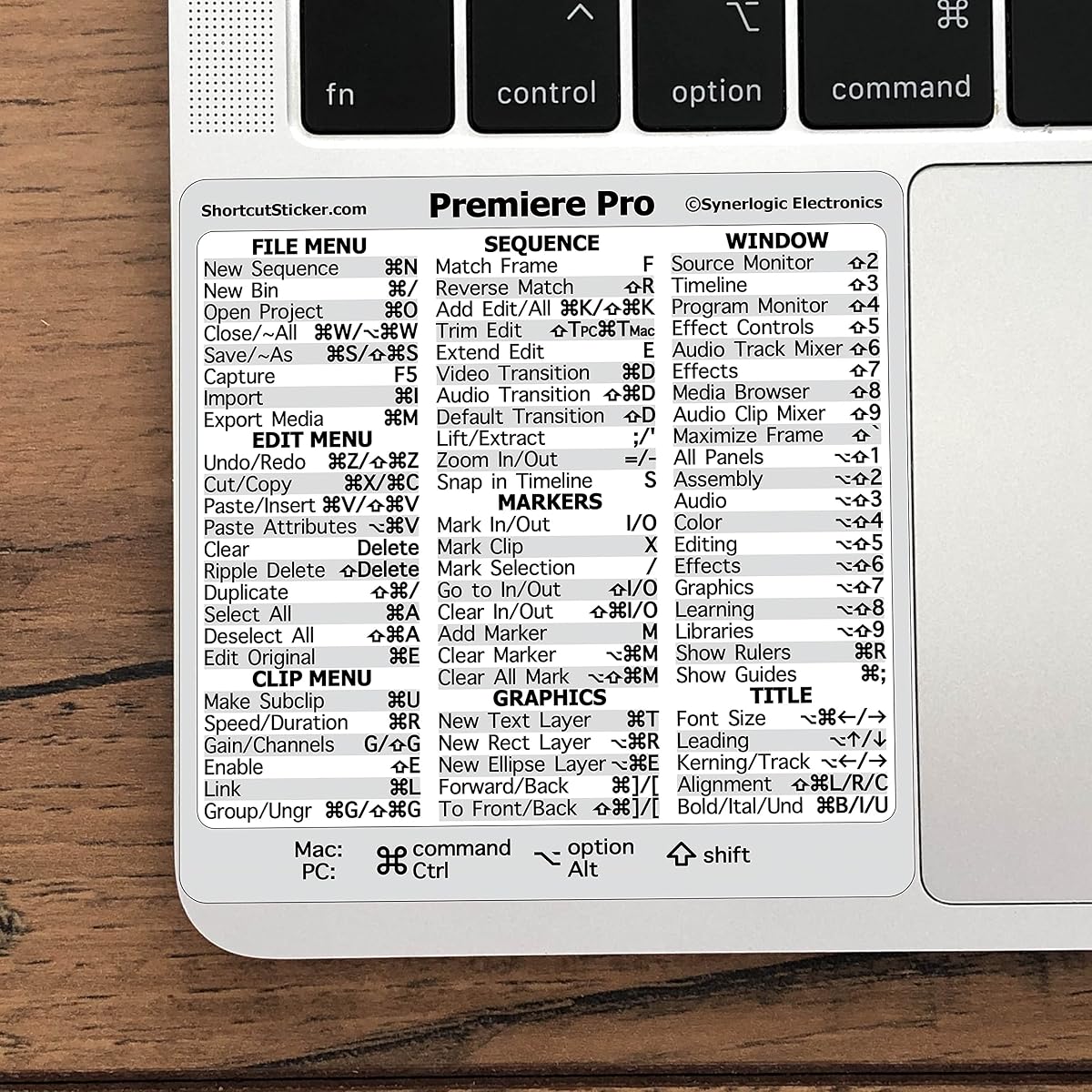
This keyboard sticker is a practical accessory that helps users learn essential shortcuts faster. It is placed directly on the keyboard so you can look down and execute commands quickly.
We may earn a commission when you buy through this link, at no additional cost to you.
Using this tool reduces the need to pause your workflow to search for commands online. Over time this leads to a more efficient editing process and less time spent on manual key combos.
The sticker is durable and fits most keyboards so it is a flexible option for any setup. While it does not boost performance it significantly boosts productivity through better workflow habits.
It is a great companion for any laptop used for video editing regardless of the model. The low cost and high utility make it a recommended addition to your editing toolkit.
Access to shortcuts increases speed and reduces fatigue during long editing sessions.
Compatible with both Windows and Mac so it works with any laptop system.
We may earn a commission when you buy through this link, at no additional cost to you.
Choosing the right laptop for video editing involves evaluating several key hardware components that directly impact performance and workflow efficiency.
The CPU handles most of the processing tasks during playback and export so you need a multi-core processor to manage complex timelines efficiently.
Look for high-end Core i7 or i9 models or equivalent Ryzen chips that offer strong multi-threaded performance for smooth editing.
A dedicated graphics card accelerates rendering and effects processing which is essential for 4K or higher resolution work.
Choose laptops with professional or consumer GPUs that have ample VRAM to handle texture heavy projects without stuttering.
RAM allows your computer to hold active data for editing so more memory means you can run more apps and layers without lag.
Aim for at least 32GB of DDR5 memory to ensure smooth multitasking and stable performance during long projects.
Fast storage ensures that your project files and media load quickly which reduces waiting time during your workflow.
Select models with NVMe SSDs and enough capacity to keep your active projects stored locally for quick access.
Accurate colors and high resolution are critical for grading and editing so you need a screen that represents your footage correctly.
Prioritize laptops with 100 percent color gamut coverage and sufficient resolution to see fine details in your video.
If you plan to edit on the go you need a machine that balances weight and battery life with performance capabilities.
Lighter laptops may offer less power so choose based on whether you need desktop replacement or true mobility.
You will need enough ports to connect external drives and monitors which helps expand your workspace beyond the laptop screen.
Ensure the device has Thunderbolt or USB-C ports that support fast data transfer and high-resolution external displays.
Video editing generates heat so a system with good cooling will maintain performance levels without slowing down under load.
Look for models with effective ventilation systems to prevent thermal throttling during rendering or export tasks.
To maintain performance keep your storage organized by using external drives for large media archives instead of filling the internal SSD. This helps prevent slowdowns and ensures your laptop stays responsive during editing.
Clean your screen and keyboard regularly to maintain visual clarity and prevent dust from entering ports. Using a soft cloth and avoiding liquids ensures that your hardware stays in good condition for longer.
Update your graphics drivers and operating system frequently to ensure compatibility with the latest editing software features. This practice helps avoid bugs and ensures you get the best performance from your hardware.
For smooth 4K editing you should aim for at least 32GB of RAM. This amount allows the system to handle high-resolution frames without lag. More memory is beneficial for complex timelines with many layers.
While basic editing can work on integrated graphics a dedicated GPU is highly recommended for performance. It accelerates effects and rendering which saves time. Most professional workflows require one.
A screen size of 15 inches or larger provides enough space for timelines and panels. Larger screens allow you to see more context which improves accuracy. Consider dual monitors if space allows.
Yes MacBooks are popular for video editing due to their optimized software integration. They offer excellent battery life and display quality. Many professionals rely on them for efficient workflows.
SSD speed directly impacts how fast your files load and how quickly you can save projects. Faster drives reduce wait times during playback and export. NVMe SSDs are the best choice for this.
Upgrading RAM first helps if your system struggles with multitasking and lag. If you run out of space for files storage upgrades are more important. Balance based on your current workflow needs.
We reviewed ten options ranging from powerhouse workstations to affordable consumer models to suit different editing needs and budgets. The Dell Precision 7680 and Apple MacBook Pro M5 stand out for professional reliability and performance.
When making your decision prioritize the hardware that matches your specific video resolution and workflow complexity. Investing in sufficient RAM and storage now will prevent bottlenecks as your projects grow in size.
Please check the current prices and availability on the provided links as these figures may change. Selecting the right laptop ensures a smooth editing experience and helps you deliver high-quality content.