
Switch 2 Pro Controller Charging Station, LED Indicator Dual Charger Stand
3.5Editor score
Charges two pro controllers simultaneously
Simple LED charging indicators
Compact space-saving design
We compare the top 10 controller charging dock for Switch 2 options to help you find the best match for your gaming setup and needs.
Finding the right controller charging dock for Switch 2 ensures your gaming sessions remain uninterrupted. A good station charges multiple controllers quickly while protecting ports and keeping your desk organized.
We evaluated ten leading models based on charging speed, safety features, build quality, and compatibility. Each option supports the new Joy Con controllers and offers unique benefits for different gaming environments.
Each pick highlights key strengths and trade-offs so you can choose confidently. Prices and availability change frequently so check the latest details before making your final purchase decision today.
3.5Editor score

4.7Editor score

4.7Editor score
This table provides a quick side-by-side overview of all ten models including their key specifications to help you compare features at a glance.



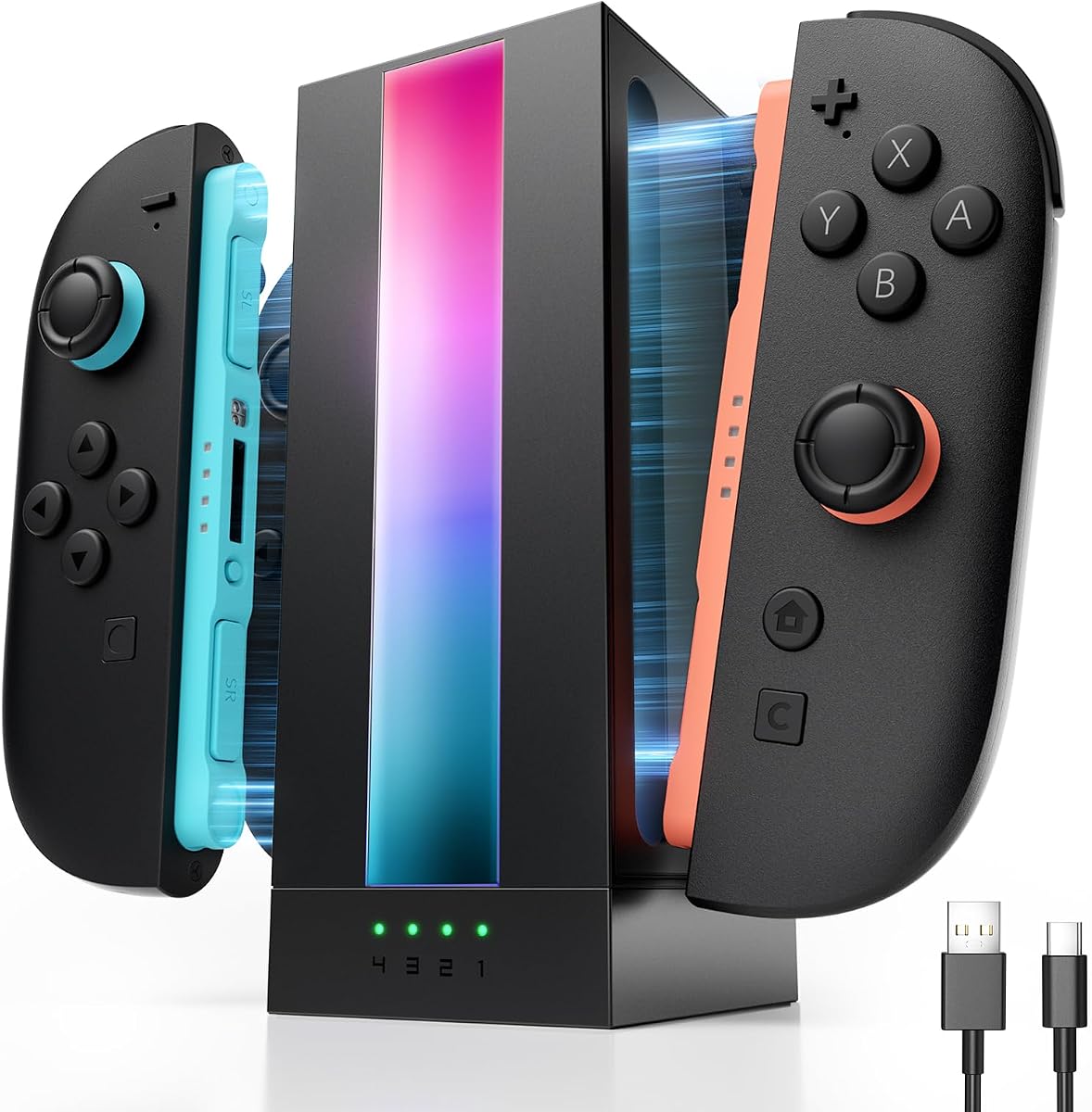
This charging dock by FASTSNAIL receives strong praise for its magnetic design and simultaneous charging capabilities. Users appreciate the ability to charge up to four Joycons without worrying about port wear.
We may earn a commission when you buy through this link, at no additional cost to you.
The magnetic alignment ensures controllers snap into place securely reducing the risk of damage from repeated plugging. Clear LED indicators show charging status clearly so you always know when your devices are ready.
While it requires you to have your own console and Joycons the value is high for its organization features. The customizable RGB lighting adds a modern touch to your gaming setup.
It is a top recommendation for anyone seeking a reliable and feature-rich charging solution for the Switch 2. The combination of safety features and aesthetic customization makes it a standout choice.
The magnetic design allows for easy placement and secure charging without aligning ports manually every time.
Nine lighting modes including static colors and dynamic effects let you personalize your gaming space.
We may earn a commission when you buy through this link, at no additional cost to you.
SUPCASE delivers a premium charging experience with its robust design and magnetic technology. The dock supports four charging slots making it ideal for families or groups playing together.
We may earn a commission when you buy through this link, at no additional cost to you.
Its dual-side charging feature ensures stable power delivery regardless of how the Joycons are placed. This flexibility reduces wear on connectors and improves overall charging efficiency.
The built-in smart chip prevents overcharging and overheating protecting your valuable controllers from potential damage. The RGB lighting adds a stylish element to your entertainment center.
This dock is perfect for users who want maximum capacity and premium features. The combination of safety and style justifies its position as a top-tier option.
Place Joycons either way and the dock adjusts automatically for stable and efficient charging every time.
Built-in chips detect status and stop charging when full to ensure safety and extend controller lifespan.
We may earn a commission when you buy through this link, at no additional cost to you.
This budget-friendly station offers essential charging features without unnecessary complexity. It focuses on keeping two Pro controllers powered up efficiently for casual or professional gamers.
We may earn a commission when you buy through this link, at no additional cost to you.
The LED indicators provide clear feedback on charging status allowing you to monitor progress at a glance. The compact design ensures it fits neatly on any desk without taking up extra space.
While it lacks advanced features like RGB lighting it delivers reliable performance for its price. It is a practical choice for those who need a simple solution.
Users seeking affordability and functionality will find this model appealing. It serves well as a dedicated Pro controller station without extra costs.
A straightforward design focused on charging two controllers effectively without extra cost or complexity.
The compact footprint keeps your gaming area neat while providing quick access to your controllers.
We may earn a commission when you buy through this link, at no additional cost to you.
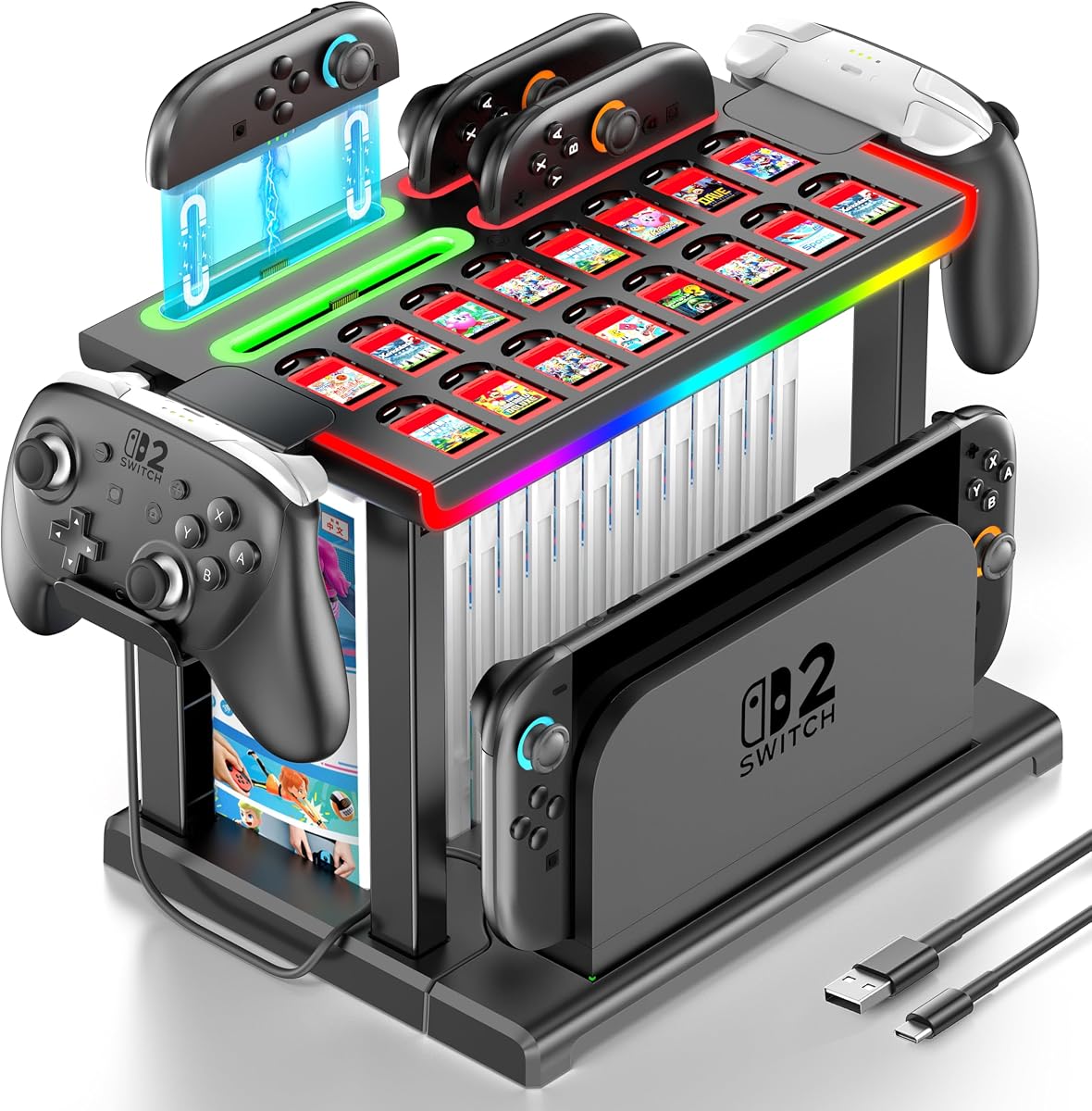
This organizer station combines charging with extensive storage capabilities for a complete gaming hub. It keeps your setup tidy by holding consoles controllers and game cases in one place.
We may earn a commission when you buy through this link, at no additional cost to you.
The ability to charge four Joycons simultaneously ensures multiplayer sessions run smoothly without battery interruptions. RGB lighting adds a dynamic visual element to your desk setup.
Non-slip base pads keep the unit secure on your desk preventing accidental movement during intense play. It is a comprehensive solution for players who need organization and charging.
Ideal for collectors or families this station reduces clutter and keeps accessories accessible. It offers excellent value by combining multiple functions into one unit.
Holds TV dock game cases and cards while charging controllers to keep your gaming area clutter free.
Seven single color and multi-color lighting modes sync with gaming rhythm to enhance the experience.
We may earn a commission when you buy through this link, at no additional cost to you.
This versatile dock supports controllers from multiple systems including Switch 2 PS5 and Xbox. It is ideal for households with diverse gaming setups needing a single charging solution.
We may earn a commission when you buy through this link, at no additional cost to you.
The USB-C adapters reduce wear on controller ports during insertion making it easy to drop in and charge. LED indicators clearly show when charging is complete for convenience.
It includes smart chip protection to ensure safe charging and prevent power issues during operation. You must use a recommended wall adapter for best results.
This dock is a great choice for gamers who use multiple consoles. It simplifies your setup by handling various controller types in one unit.
Designed to work with Switch PS5 and Xbox controllers offering broad compatibility for varied setups.
Removable USB-C adapters minimize physical wear on controller ports during daily charging cycles.
We may earn a commission when you buy through this link, at no additional cost to you.
This charger offers an impressive six-in-one design capable of handling multiple controller types. It is a solid option for users who want flexibility without buying multiple stations.
We may earn a commission when you buy through this link, at no additional cost to you.
The USB-C port design simplifies power connections allowing you to use consoles or hubs easily. Safety features include overcharge and short-circuit protection to keep devices secure.
It comes with a cable ready for immediate setup and promises a year of quality support. The brand focuses on delivering quality accessories for gaming enthusiasts.
For gamers seeking a reliable and affordable multi controller solution this model fits well. Its features provide strong value for the price.
Supports Switch joycons Pro and PS5 controllers making it adaptable for diverse gaming needs.
Built-in smart IC chip protects against overvoltage and short circuits ensuring safe charging sessions.
We may earn a commission when you buy through this link, at no additional cost to you.
This dual USB-C dock offers a clean and straightforward charging solution for Switch Pro and other controllers. It is designed for users who prefer simplicity in their gaming accessories.
We may earn a commission when you buy through this link, at no additional cost to you.
The compact design ensures it fits easily on smaller desks or entertainment centers without taking up much space. LED indicators provide quick feedback on power status for convenience.
It includes adapters to protect your controller ports from damage during repeated connections. Ensure you use a suitable power source for stable performance.
For those needing a reliable dual controller station this model delivers essential features. Its design prioritizes ease of use and space efficiency.
Two USB-C ports allow simultaneous charging of two controllers for efficient power delivery.
A low-standby design fits neatly on desks without interfering with other gaming equipment.
We may earn a commission when you buy through this link, at no additional cost to you.
PowerA provides a reliable base for charging both Joycons and wireless controllers. It is well known for its quality accessories that integrate smoothly with Nintendo systems.
We may earn a commission when you buy through this link, at no additional cost to you.
LED lights indicate when controllers are charged making it easy to manage battery levels during downtime. The design is bold and intended to look great on any gaming setup.
It is fully compatible with Pro controllers ensuring broad utility for standard controllers. This brand is trusted for its consistency in quality and support.
Users looking for an established brand will feel confident with this model. It offers practical charging features that meet everyday needs effectively.
PowerA is known for quality gaming accessories that integrate well with Nintendo systems and controllers.
Charges both Joycon and wireless controllers simultaneously ensuring all devices stay powered up.
We may earn a commission when you buy through this link, at no additional cost to you.
This high-capacity dock features ten charging slots to accommodate multiple Joycons and Pro controllers at once. It is ideal for large households or events with many players.
We may earn a commission when you buy through this link, at no additional cost to you.
The lighting modes are extensive with multiple options to customize your setup aesthetic. Extra USB ports allow you to charge other devices simultaneously for added convenience.
It includes safety chips to prevent overcharging and overheating ensuring your controllers remain safe during use. A Y-Type cable is included to connect to your console.
This model is perfect for users who need maximum charging capacity. Its features make it a versatile center for any gaming environment.
Ten slots allow simultaneous charging of many controllers keeping everyone ready for multiplayer.
Two USB ports let you charge other devices or transfer data without extra hubs.
We may earn a commission when you buy through this link, at no additional cost to you.
This dock is designed specifically for Switch 2 Joycons offering high speed charging for four units at once. It ensures your controllers are ready quickly for long gaming sessions.
We may earn a commission when you buy through this link, at no additional cost to you.
The immersive RGB lighting bar adds a modern touch to your desk setup enhancing your visual experience. Multi-level safety features protect against overheating and overvoltage risks.
Each port has independent indicators so you can monitor power levels at a glance. The design is sleek and fits well in any entertainment center.
Ideal for users focused on efficiency and style this dock performs well. It combines speed with protection to deliver a reliable charging experience.
Charges four Joycons efficiently reducing waiting time and keeping batteries ready for play.
Immersive RGB bar provides dynamic lighting that enhances the overall gaming atmosphere.
We may earn a commission when you buy through this link, at no additional cost to you.
Selecting the right dock depends on your specific needs and gaming habits. Consider these factors to find a unit that keeps your controllers charged and your setup organized.
Check whether the dock supports Switch 2 Joycons and Pro controllers. Some units may only work with specific versions or require adapters for older models.
Always verify the product details before purchasing to ensure it matches your current devices.
Decide how many controllers you need to charge at once. Options range from dual stations to units that hold four or more simultaneously.
Choose a dock that matches the size of your household and gaming needs.
Look for docks with built-in smart chips that prevent overcharging and overheating. These features protect your expensive controllers from potential damage.
Safe charging is essential for the long-term health of your devices.
Visual indicators help you monitor charging status without checking battery levels manually. Look for clear lights that show charging and full states.
Indicators provide quick feedback and reduce guesswork during setup.
A sturdy build ensures the dock stays in place during use. Non-slip pads can prevent sliding on smooth surfaces.
Choose a design that complements your desk aesthetic and fits your space.
Confirm the dock supports standard USB inputs like USB-C or USB-A. Using the correct power adapter ensures stable charging performance.
Units that include cables add convenience and save extra cost.
Some docks offer RGB lighting or storage for game cards. These features add value but may not be essential for everyone.
Decide if you want additional customization or storage capabilities.
Prices vary by feature set and build quality. Set a budget that balances your needs with the cost of the unit.
Higher cost does not always mean better performance so read reviews carefully.
Place the dock on a stable and flat surface near your console. Ensure the unit is connected to a reliable power source as specified.
Insert your controllers carefully into the designated slots until they snap into place. Avoid forcing them to prevent damage to the ports.
Clean the dock regularly with a dry cloth to remove dust. Keep it away from moisture to ensure safe operation.
Yes most modern docks support both Joycons and Pro controllers. Always check the product specifications to confirm compatibility before purchase.
Charging time varies but most docks take around two to three hours to fully charge a unit. Faster models may reduce this time significantly.
Some units include a cable but the wall adapter may need to be purchased separately. Check what is included in the package before buying.
Compatibility with third-party controllers depends on the brand. Most official docks focus on original devices to ensure reliable performance.
LED indicators on the dock change color when charging is complete. Green or blue lights typically show that controllers are ready to use.
Using the recommended power adapter is best for safety and performance. Other adapters may cause slow charging or potential device issues.
Most modern docks have safety chips that stop charging when full. This makes it safe to leave devices in the dock overnight.
Yes many docks include storage for game cases and cables. This helps keep your desk neat and prevents clutter.
We have reviewed ten top options to help you find the ideal controller charging dock for Switch 2. Each offers unique benefits for organization and charging efficiency.
Prioritize features like compatibility capacity and safety to match your specific needs. Choose a model that fits your budget and setup requirements.
Always check the current details before purchasing since features and prices may vary. Your gaming setup deserves reliable power support for endless sessions.