
EMEET C960 1080P Webcam
4.4Editor score
1080P video with privacy cover
Dual omnidirectional microphones
Automatic light adjustment feature
This guide compares the top 1080p webcams for streaming and meetings, evaluating image quality, audio performance, privacy features, and compatibility to help
Finding the right webcam is crucial for clear video calls and professional streaming. A good 1080p webcam ensures sharp images, reliable autofocus, and built-in microphones that capture your voice clearly without extra gear.
We evaluated ten leading 1080p webcams based on video quality, ease of setup, privacy features, and compatibility with major platforms like Zoom, Teams, and Meet. Each model offers unique strengths for different budgets and needs.
Each pick highlights specific features like auto-light correction, privacy shutters, and lens quality. Prices and availability change frequently, so check current listings before purchasing to ensure you get the best deal available today.
4.4Editor score

4.6Editor score

4.4Editor score
This side-by-side comparison highlights key specifications and features across all ten selected 1080p webcams to help you quickly identify the model that best fits your specific workflow and budget requirements.





The EMEET S600 stands out as a premium choice with its 4K streaming capability and Sony sensor technology. While marketed as a 4K camera, it delivers exceptional 1080p performance at 60fps which is ideal for smooth video conferencing and streaming.
We may earn a commission when you buy through this link, at no additional cost to you.
Its Phase Detection Autofocus (PDAF) ensures rapid and precise focusing even in changing light conditions. The auto light adjustment balances shadows and highlights effectively. You can customize the Field of View between 40 to 73 degrees at 1080p to fit your framing needs.
The audio is enhanced by a proprietary algorithm that filters background noise by default. A privacy cover is integrated directly into the lens design so it cannot be accidentally opened. The build quality feels durable with adjustable tilting for finding the perfect angle.
This webcam is best for streamers or professionals who need top-tier visual quality and flexible setup options. If you want a camera that looks sharp in bright or low light and offers control over your image frame the S600 is a strong recommendation.
The high-definition sensor delivers crisp images that exceed typical webcam quality with options for smooth motion or ultra detail.
Noise-canceling filters ensure voice clarity while the integrated privacy cover offers peace of mind against accidental lens exposure.
We may earn a commission when you buy through this link, at no additional cost to you.
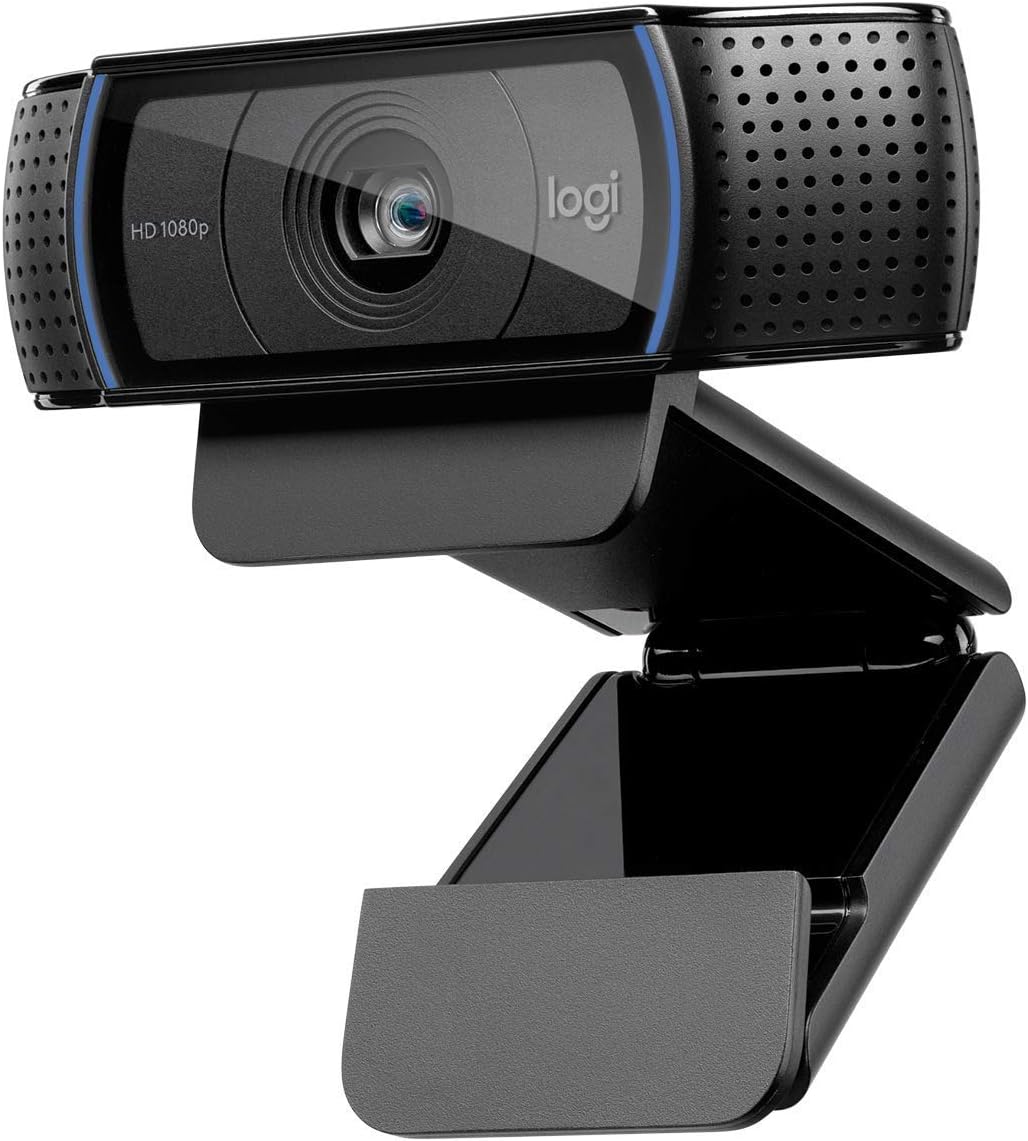
The Logitech C920x HD Pro is a trusted workhorse known for consistent performance across various environments. It captures Full HD video at 30fps with crisp detail and vibrant colors. The autofocus system ensures you remain sharp even when moving during a meeting.
We may earn a commission when you buy through this link, at no additional cost to you.
A key strength is its HD lighting adjustment which automatically fine-tunes brightness to handle low-light conditions better than many competitors. The stereo audio with dual microphones captures natural sound without needing a separate mic. It also comes with a three-month XSplit VCam license to blur backgrounds digitally.
While it lacks a physical privacy shutter which is a common omission in this class the optical clarity is impressive. The camera works seamlessly with desktop computers and laptops making it a versatile desktop camera. Its compatibility with Windows 11 is fully supported out of the box.
For those seeking a dependable camera for streaming or frequent video calls without paying premium prices this model is ideal. If you value optical quality and built-in software benefits and don't need a shutter shutter it remains a top recommendation in its class.
Automatic fine-tuning of lighting and autofocus ensures bright razor-sharp images even when ambient light is suboptimal or dim.
Dual mics provide natural stereo sound while the included XSplit VCam license offers virtual background options without green screen.
We may earn a commission when you buy through this link, at no additional cost to you.
The EMEET C960 offers a compelling balance of features and affordability for budget-conscious buyers. It delivers realistic 1920 by 1080p video with a 90 degree wide angle that captures more participants. The automatic light adjustment helps stabilize image performance in typical room lighting.
We may earn a commission when you buy through this link, at no additional cost to you.
Its dual built-in omnidirectional microphones pick up voice clearly for communication. A privacy cover is included and can be removed automatically to meet privacy needs. The camera supports both USB Type-A and A-to-C adapter connections ensuring wider compatibility with modern devices.
While the fixed focus limits the optimal distance to between 11 to 118 inches the clarity is sufficient for standard video calls. For optimal performance it is recommended to use in a well-lit environment. It works with major platforms like Zoom and Teams without additional drivers.
This webcam is perfect for casual users or home offices looking for reliable functionality without overspending. If you need a straightforward camera that includes privacy features and supports multiple connection types the C960 is an excellent value choice.
A 90 degree lens captures more participants without frequent adjustments making it ideal for small group calls.
Support for both USB A and C connectors allows flexible integration with various laptops and docking stations.
We may earn a commission when you buy through this link, at no additional cost to you.
The Logitech C920S builds on the classic C920 design with the addition of a privacy shutter. It delivers Full HD 1080P video calls and recording with a glass lens and full HD optics that ensure crisp vibrant colors. The autofocus and light correction adjust instantly to environments.
We may earn a commission when you buy through this link, at no additional cost to you.
The dual microphones capture natural sound on calls and recorded videos making it suitable for professional settings. The privacy shutter lets you control exactly when the lens is active providing extra confidence during work from home sessions. It does not include the XSplit VCam license found in other models.
Performance is consistent with previous generations offering a stable and familiar user experience. The glass lens contributes to better light transmission and image fidelity compared to plastic alternatives. It is easy to set up and works seamlessly with video calling platforms.
Choose this model if you prioritize privacy protection and proven optical quality at a standard price. It is ideal for professionals who need a dependable camera that balances privacy features with high-quality audio and video performance.
A snug fitting privacy shutter gives you total control over when your video feed is active during meetings.
The glass lens and full HD resolution ensure recorded videos are crisp and vibrantly colored.
We may earn a commission when you buy through this link, at no additional cost to you.
The Logitech C920e is engineered for business environments with certifications for Zoom and Microsoft Teams. Its 78 degree fixed field of view displays users in a well-balanced frame while allowing room to share projects. The camera includes attachable privacy screen for quick privacy checks.
We may earn a commission when you buy through this link, at no additional cost to you.
Two integrated omnidirectional microphones capture audio clearly from up to one meter away ensuring your voice sounds natural. Automatic light correction helps you look good in all video meetings. It features a sturdy adjustable clip and 1/4 inch threads for versatile mounting on monitors or tripods.
Device management software supports remote deployment and ensures all devices stay updated for enterprise workflows. While it is designed for professional use it works seamlessly on home office setups as well. The privacy screen flips up and down to expose or cover the lens easily.
Select this model if you work in a corporate environment or need certified compatibility for specific platforms. It is robust reliable and designed to keep teams connected with consistent video and audio quality across various office settings.
Certified for Zoom and Microsoft Teams ensures seamless integration and compatibility in workplace video calling applications.
An adjustable clip and standard 1/4 inch threads allow flexible mounting on laptops monitors or tripods.
We may earn a commission when you buy through this link, at no additional cost to you.
The Logitech Brio 101 focuses on ease of use and environmental responsibility. RightLight technology boosts brightness by up to 50% reducing shadows so you look your best compared to previous generations. The integrated slide cover makes privacy simple and reliable during meetings.
We may earn a commission when you buy through this link, at no additional cost to you.
It is made with a minimum of 77% post-consumer plastic reducing environmental impact. You can customize zoom framing and settings via the Logi Options+ app for tailored views. Plug and play works seamlessly with Teams Zoom and Google Meet without drivers.
The built-in microphone lets others hear you clearly and the USB A connection ensures a reliable wired link. Available in fun colors to coordinate with your setup it combines performance with a sleek look. It is compatible with modern platforms and offers strong brightness correction.
This webcam is great for home office users who want reliable performance with a focus on privacy and sustainability. If you prefer a simple setup that looks good and handles low light well the Brio 101 is a thoughtful choice.
Constructed with at least 77% post-consumer plastic to reduce environmental impact without compromising on video quality.
RightLight technology boosts brightness significantly reducing shadows so you look your best in any lighting condition.
We may earn a commission when you buy through this link, at no additional cost to you.
The Logitech Brio 105 offers great value with Full HD 1080p resolution at an affordable price point. It uses RightLight 2 technology to automatically improve image quality in suboptimal conditions making meetings feel natural. An integrated privacy shutter gives employees confidence when working from home.
We may earn a commission when you buy through this link, at no additional cost to you.
It is compatible with major operating systems and certified for Google Meet. Logitech Sync supports remote deployment for IT teams managing multiple devices. Just plug into an available USB-A port and start video calls with the built-in mic. It is supported and simple to use.
The design is sleek and functional focusing on essential features without extra complexity. It works with Chromebooks and is supported by Logitech Sync for better management. The privacy shutter helps maintain security during off hours when the camera is not in use.
Choose this model for business deployments where budget and reliability are key priorities. It is an excellent option for employees needing a straightforward secure webcam that ensures clear video quality and meets standard meeting requirements.
Certified for Google Meet and supported by Logitech Sync for remote deployment in enterprise environments.
RightLight 2 technology automatically improves image quality in suboptimal conditions for a clear natural look.
We may earn a commission when you buy through this link, at no additional cost to you.
The Logitech HD Pro C920 is a classic webcam known for its Full HD 1080p video quality. It supports widescreen video calling and recording making it versatile for desktop or laptop use. The sturdy clip allows easy mounting on monitors while its reliability is proven over time.
We may earn a commission when you buy through this link, at no additional cost to you.
Despite being an older model it continues to perform well for standard video calls. It delivers clear video and basic audio features sufficient for general use. The design is simple yet functional allowing it to blend into various setups without issues.
It is a safe choice for users who want a standard experience without complex settings. The mounting clip works well for most monitors and laptops ensuring a secure position. While newer models offer advanced features this one remains a solid option for basic needs.
Pick this camera if you prefer a simple and proven device for routine video meetings. It is ideal for general users who need consistent performance and do not require advanced customization or high-speed motion handling.
A sturdy clip makes it easy to mount on monitors laptops and desktops for flexible placement.
Proven legacy technology ensures reliable Full HD video for standard calling and recording needs.
We may earn a commission when you buy through this link, at no additional cost to you.
The NexiGo N60 is powered by a 1080p two-MP CMOS sensor producing sharp clear videos at 30fps. Its 3.6mm glass lens provides crisp images optimized for distances between 19.6 inches to 13 feet. The built-in noise-cancelling microphone reduces ambient noise for better sound quality.
We may earn a commission when you buy through this link, at no additional cost to you.
A privacy protection cover blocks the lens when not in use for added security. It works with USB 2.0 and 3.0 without additional drivers and is compatible with most operating systems including Windows and Mac. It is ready to use in approximately one minute.
Software control allows for adjustments and enhancements beyond default settings. The privacy cover helps provide peace of mind for individuals and companies alike. For any audio delays contacting support for firmware updates is recommended to maintain performance.
This webcam is suitable for general users seeking balanced performance with privacy options. If you need a reliable camera with noise-cancelling audio and software control options the N60 is a good fit for daily conferencing and streaming.
A physical cover blocks the lens when idle and a noise-cancelling microphone reduces ambient noise for clear calls.
Supports Windows Mac and Linux with plug and play setup requiring no additional drivers for immediate use.
We may earn a commission when you buy through this link, at no additional cost to you.
The Logitech Brio 100 renewed version offers Full HD 1080p resolution at 30fps for smooth streaming and recording. Its 58 degree diagonal field of view captures more surroundings during calls. Plug and play compatibility works seamlessly with popular video conferencing applications without extra steps.
We may earn a commission when you buy through this link, at no additional cost to you.
A built-in microphone ensures convenient all-in-one functionality without additional equipment. The renewed status provides a cost-effective way to access reliable quality. It is easy to connect via USB and works with various software platforms for daily meetings.
The fixed 58 degree view is sufficient for individual use but may not capture large groups. Performance is consistent with original specs delivering clear and smooth video. Renewed units undergo checks to ensure quality similar to new products.
Choose this model if you are looking for a budget-friendly option that still delivers Full HD results. It is best for individuals needing a straightforward camera for daily calls without complex features or premium pricing.
A renewed option delivering Full HD quality and built-in microphone for an affordable price point.
Plug and Play USB connection works seamlessly with popular conferencing apps for immediate use.
We may earn a commission when you buy through this link, at no additional cost to you.
Selecting the right 1080p webcam depends on several key factors that affect video quality and usability. This guide outlines the essential considerations to help you find a model that fits your specific needs.
While the keyword focuses on 1080p webcams ensure the model offers true Full HD resolution at 30fps or higher. Some cameras may claim 1080p but deliver it at lower frame rates which can cause choppy motion during active meetings.
Look for cameras that maintain 30fps or higher for smooth video. Higher frame rates like 60fps are beneficial for streaming but less critical for standard calls.
Automatic light correction features adjust the image brightness to handle varying room lighting. Good autofocus ensures you remain sharp when moving around during your call.
Check if the webcam has HD autofocus and light adjustment capabilities to avoid blurry images in dim environments.
Built-in microphones vary in quality. Dual microphones or omnidirectional mics generally capture clearer sound and reduce background noise.
If you need clear audio without an external mic prioritize models with dual mic setups or noise cancellation features.
Privacy shutters or covers protect your privacy when the camera is not in use. Look for integrated shutters that are easy to slide or flip.
Ensure the camera includes a physical privacy shutter if you often work in shared spaces or want extra security.
The field of view determines how much of your surroundings the camera captures. Wide angles around 90 degrees are great for multiple people.
For individual meetings a narrower 78 degree view may be better to keep focus on you and your face.
Ensure the camera has a sturdy clip that fits your laptop or monitor. Some models offer tripod threads for flexible mounting.
Check for versatile mounting clips and standard tripod threads to place the camera at the ideal height.
Most cameras use USB A connectors but USB C compatibility is useful for modern devices. Ensure you have the right adapter if needed.
Choose a camera that supports your computer's available USB ports or includes necessary adapters for seamless connection.
Check compatibility with your preferred platforms like Zoom Teams or Meet. Some cameras offer additional software for background replacement.
Confirm the camera is certified for your main platforms to avoid integration issues during important meetings.
Start by connecting the camera to a USB port directly on your computer for stable power. Avoid using unpowered hubs that might cause connection drops.
Install any provided software to access advanced settings like zoom or background removal. Ensure your operating system has the latest updates for compatibility.
Clean the lens gently with a soft microfiber cloth to remove dust. Avoid harsh chemicals and store the camera in a safe place when not in use.
Most modern 1080p webcams are plug and play and do not require special drivers. They work directly with Windows and macOS out of the box. Software may be optional for advanced features.
Yes privacy shutters provide peace of mind and prevent accidental activation. They are essential if you work in shared spaces or need extra security. A physical cover is more reliable than software toggles.
The ideal field of view depends on your use. A 78 to 90 degree view is standard. Wide angles work for groups while narrower ones keep focus on you during solo calls.
Yes many 1080p webcams are suitable for streaming. Look for models with good lighting correction and autofocus. Higher frame rates can improve motion clarity for content creation.
Add extra lighting near your camera or face a window. Many cameras have automatic light correction to help. Ensure your room is evenly lit to avoid shadows on your face.
Most modern 1080p webcams are compatible with Mac. Ensure the model supports macOS 10.14 or higher. Drivers may be needed for some features but basic video works out of the box.
The top picks like the Logitech C920x and EMEET C960 offer excellent value for different needs. Budget options provide great basic performance while premium models add advanced features.
Prioritize autofocus and light correction for the best image quality in any room. Privacy features and microphone quality also play key roles in choosing the right camera.
Prices and availability change frequently so verify current listings before purchasing. Check for any bundled software or deals that may add extra value to your selection today.