
ASUS ExpertBook B3
4.5Editor score
Intel Core Ultra 5 225H
AI Boost NPU for workloads
Military-grade durability and recycled plastic
Finding the right ASUS Business Laptop is essential for modern professionals who need reliability, security, and performance in a portable form factor. These devices are designed to handle demanding enterprise tasks while maintaining a sleek profile suitable for travel and daily office use.
We have analyzed ten top-rated models ranging from budget-friendly options to premium ultralight machines. Each product was evaluated based on processor power, memory capacity, display quality, and specific business features like security chips and military-grade durability certifications.
Each pick below highlights key strengths and trade-offs to help you decide which model fits your specific needs. Please note that prices and availability can change frequently, so verify current details before making your final purchase decision.
4.5Editor score

5.0Editor score

4.8Editor score
As an Amazon Associate we earn from qualifying purchases.
The following comparison table provides a side-by-side overview of the ten selected ASUS Business Laptop models. Review the specifications below to quickly identify which device matches your performance requirements and budget constraints for enterprise computing.




The ASUS ExpertBook B9 OLED stands out as a premium choice for business users who prioritize portability and visual fidelity. With a perfect rating in user feedback, this device delivers exceptional performance through its latest Intel Core 7 processor and vibrant OLED screen.
We may earn a commission when you buy through this link, at no additional cost to you.
Its standout quality is the combination of weight and display quality. Weighing just 2.18 pounds, it is easy to carry during commutes. The 14-inch OLED panel offers deep blacks and rich colors, making it ideal for presentations and media consumption on the go.
While it offers top-tier performance, the price is higher than budget options. However, the durability and screen quality justify the investment for professionals who value their time and visual output. The lack of extensive ports means you may need adapters.
This laptop is best suited for executives and mobile workers who need a reliable, high-end machine. If you want the lightest OLED business laptop available, this model is the clear recommendation for your next purchase.
The 2.18-pound chassis makes this the lightest 14-inch OLED business laptop in the world, ensuring you never feel weighed down during travel.
The OLED display provides true blacks and wide color gamuts, enhancing the viewing experience for documents, spreadsheets, and videos.
We may earn a commission when you buy through this link, at no additional cost to you.
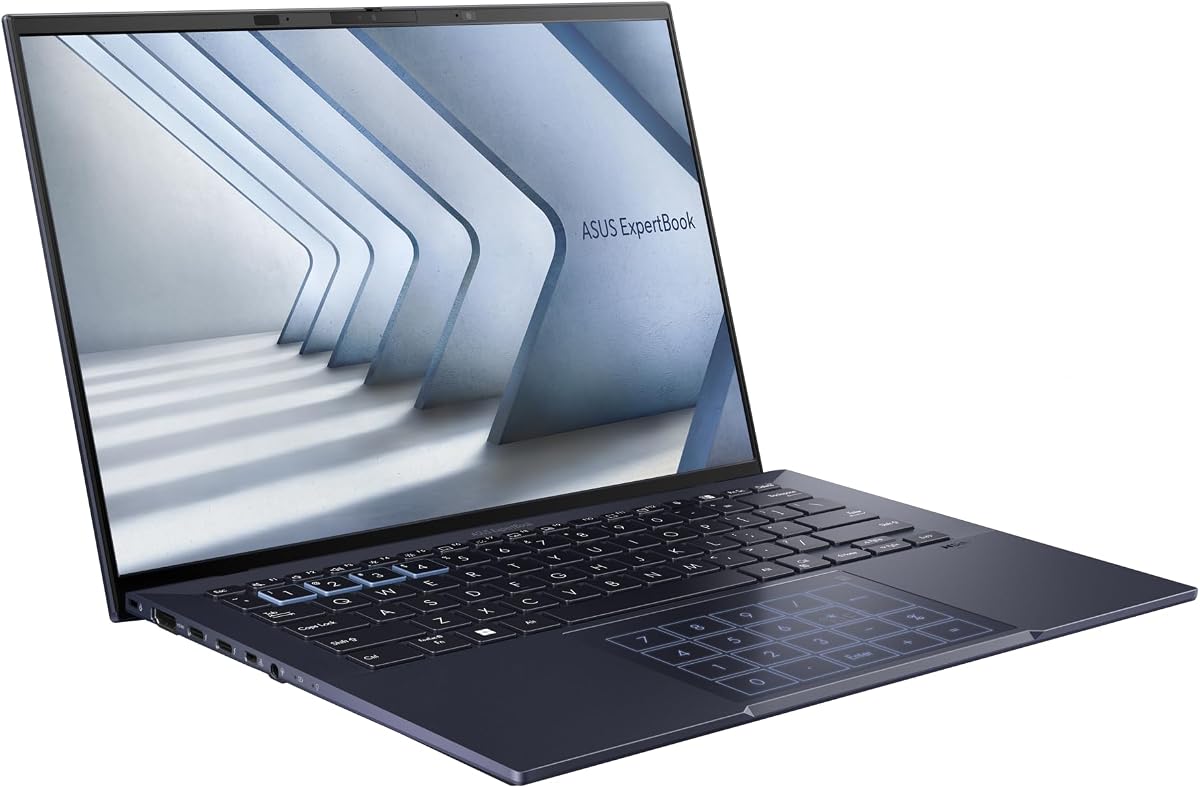
The ExpertBook B3 is engineered for enterprise environments that demand high security and AI integration. Its Intel Core Ultra 5 processor includes a dedicated NPU for AI workloads, making it a forward-looking choice for modern businesses.
We may earn a commission when you buy through this link, at no additional cost to you.
Key strengths include comprehensive security features like TPM 2.0 and a privacy shutter. The 16-inch display offers ample workspace for multitasking. Additionally, the device meets military durability standards, ensuring it can withstand daily transport wear and tear.
Trade-offs include its size and weight, which may reduce portability compared to smaller models. The higher price is also a consideration. However, for those who need enterprise-grade security and durability, these compromises are acceptable.
Buy this if you need a rugged, secure machine for field work or enterprise IT. It is a strong fit for businesses deploying devices that must last and protect sensitive data against unauthorized access.
The built-in Intel AI Boost NPU handles AI-for-work workloads efficiently, optimizing office multitasking and conference performance.
Built with TPM 2.0 and Secured-core PC support, this laptop safeguards confidential data against unauthorized access for business-critical security.
We may earn a commission when you buy through this link, at no additional cost to you.
The Vivobook 16 offers excellent value for professionals who need robust specs without a high price tag. With an Intel Core i7 processor and 16GB of RAM, it handles multitasking and productivity apps with ease and efficiency.
We may earn a commission when you buy through this link, at no additional cost to you.
A major highlight is the included bundle, which features a USB-C docking station and external drive. This adds significant utility for a business setup. The 16-inch display provides a comfortable workspace for daily document editing and web browsing tasks.
It is not the most portable option due to its size. Battery life is average compared to some competitors. However, the performance and included accessories make it a compelling choice for home offices or fixed workstations.
This model is ideal for small business owners or freelancers on a budget. If you want powerful performance and useful peripherals without overspending, this laptop is a smart investment for your workflow.
The authorized MarxsolAccessory bundle includes a 6-in-1 USB-C Docking Station and external drive, adding immediate value to your purchase.
With 16GB RAM and a 512GB SSD plus 500GB external storage, you get ample space for programs and files without lag.
We may earn a commission when you buy through this link, at no additional cost to you.
This Vivobook model focuses on providing a complete productivity package right out of the box. The inclusion of a lifetime Microsoft Office license makes it attractive for businesses looking to reduce software costs immediately upon purchase.
We may earn a commission when you buy through this link, at no additional cost to you.
Performance is supported by 24GB of RAM, which allows for smooth multitasking across browser tabs and applications. The NanoEdge display offers a modern look with slim bezels. The privacy shield on the webcam adds a physical layer of security.
The main trade-off is the mid-range processor, which may struggle with heavy workloads. The display resolution is also standard rather than high-end. However, for general office work, this balance of cost and features is well managed.
Buy this if you need a ready-to-go office machine with essential software. It is a good choice for students or small business users who want reliability and a complete toolset without extra setup costs.
The bundle includes free Microsoft Office Professional Plus with a lifetime license, covering Word, Excel, and Outlook for long-term use.
An integrated privacy shield slides over the webcam for instant privacy during online classes and remote learning sessions.
We may earn a commission when you buy through this link, at no additional cost to you.
This ExpertBook combines premium display technology with a rugged build. The 2.8K OLED HDR display delivers stunning visuals for media and design tasks. The magnesium-lithium alloy chassis keeps the device light while maintaining structural integrity.
We may earn a commission when you buy through this link, at no additional cost to you.
Key strengths include the visual clarity of the screen and the robust durability. The 180-degree hinge allows for versatile viewing angles during meetings. It is a strong option for professionals who value both aesthetics and reliability.
The cost is higher than standard LCD models. The screen is non-touch, which some might prefer anyway. However, the visual quality and build strength make it a worthwhile investment for those seeking a high-end experience.
Ideal for creatives or managers who need clear visuals and durability. If you want an OLED screen in a business chassis without compromising on weight, this model is a top contender.
The 14-inch 2.8K OLED HDR display provides narrow bezels and deep contrast for comfortable viewing during long work sessions.
The magnesium-lithium alloy chassis is ultralight yet durable, meeting Military Grade 810H standards for resilience.
We may earn a commission when you buy through this link, at no additional cost to you.
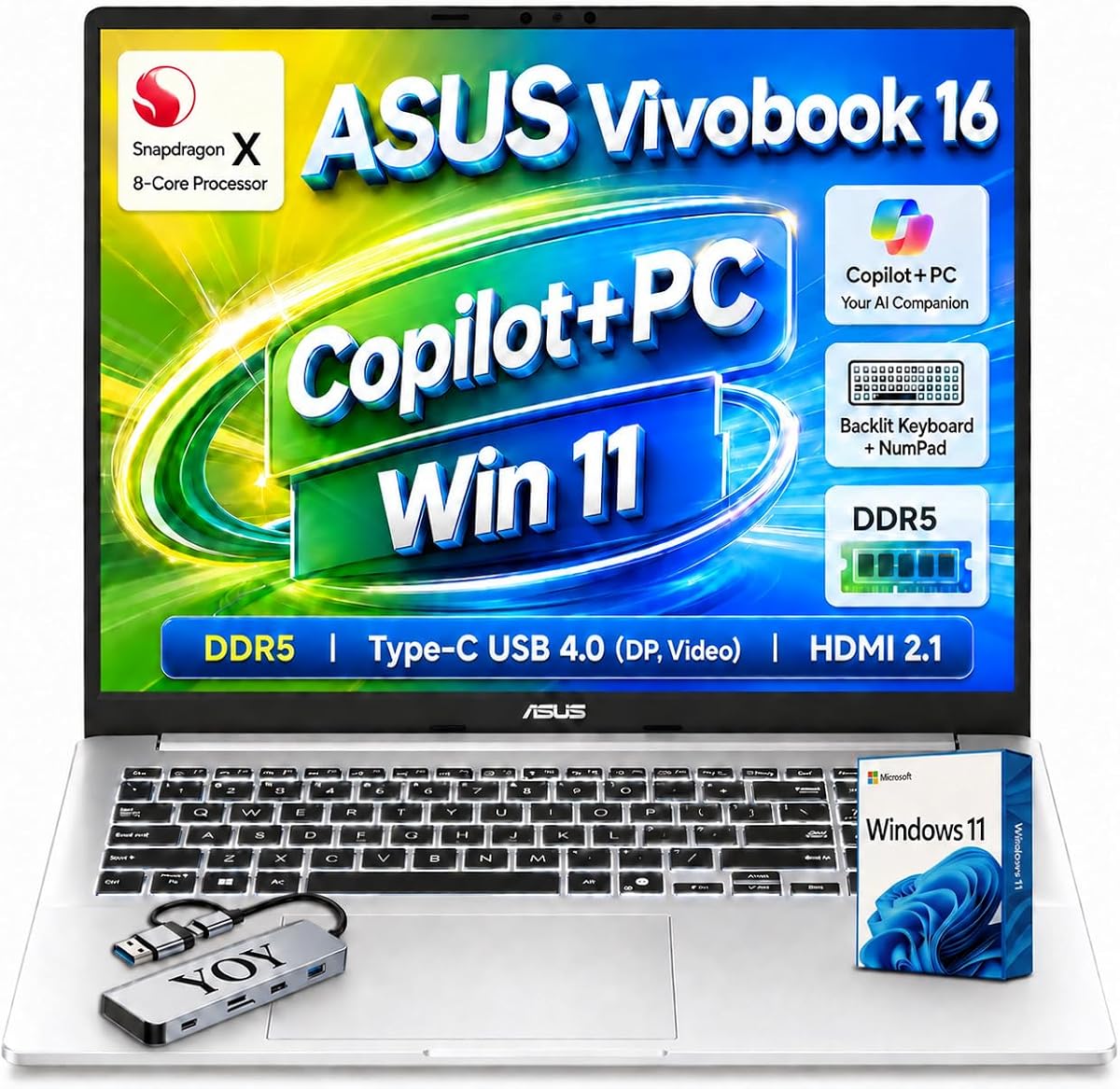
This Vivobook features the new Snapdragon X processor, bringing advanced AI capabilities to the business space. As a Copilot+ PC, it supports next-generation AI features that can streamline workflows. The 16-inch display offers a spacious workspace for complex documents.
We may earn a commission when you buy through this link, at no additional cost to you.
The LPDDR5X memory ensures fast application loading and multitasking. USB4 and HDMI 2.1 ports provide robust connectivity for multiple monitors. Windows Hello facial recognition adds convenient and secure login options for the user.
The main trade-off is adapting to a new processor architecture. While performance is strong, some legacy software may need verification. For most productivity tasks, however, it performs well and offers future-proofing through AI integration.
Buy this if you want the latest AI technology in a laptop. It suits forward-thinking professionals who want to leverage Copilot+ features for enhanced computing efficiency and secure facial sign-in access.
This laptop combines Windows 11 with the Copilot+ PC experience and next-generation AI capabilities for smarter everyday computing.
It features two USB4 ports with display and power delivery support, plus HDMI 2.1 for connecting external monitors and devices.
We may earn a commission when you buy through this link, at no additional cost to you.
The ExpertBook B1 is built to handle heavy multitasking workloads with its 32GB of RAM. This allows for running numerous applications simultaneously without slowdowns. The ExpertCool thermal system ensures stable performance under prolonged business operation conditions.
We may earn a commission when you buy through this link, at no additional cost to you.
Key strengths include enterprise security features like TPM 2.0 and BIOS protection. The full set of I/O ports means you rarely need dongles for connecting peripherals. This makes it practical for users who rely on multiple external devices daily.
The absence of a fingerprint reader is a minor drawback compared to other models. However, the password protection and camera shutter still offer solid security. The thermal design helps prevent overheating during intensive tasks.
This model is perfect for power users who run many tools at once. If you need high memory and a wide variety of ports for your desk setup, this is a reliable and efficient choice for your office.
With 32GB RAM, this laptop handles diverse business tasks efficiently, avoiding slowdowns when running multiple programs at once.
The ExpertCool system maintains stable temperature under prolonged operation, avoiding overheating issues during continuous business work.
We may earn a commission when you buy through this link, at no additional cost to you.
This Ryzen-powered Vivobook offers a balanced mix of performance and value. The AMD Ryzen 7 processor is known for efficiency, making it a strong choice for daily office tasks. It has received high user ratings for reliability and ease of use.
We may earn a commission when you buy through this link, at no additional cost to you.
A full-size keyboard with backlighting ensures comfortable typing in various lighting conditions. The 16-inch display provides plenty of screen real estate. The fingerprint reader adds a layer of convenience and security for logging into your system.
The memory is DDR4, which is older than DDR5 but still sufficient for most workflows. Battery life is standard. For the price, the overall package is compelling for small businesses or individuals looking for a solid machine.
Buy this if you want a proven workhorse with good ratings. It is suitable for users who need a dependable laptop with a comfortable keyboard and efficient processing power for their daily operations.
The AMD Ryzen 7 7730U processor delivers powerful performance for business tasks, enhancing productivity with its 8 cores.
A standard backlit keyboard and fingerprint reader support comfortable navigation and secure data entry for professional use.
We may earn a commission when you buy through this link, at no additional cost to you.
This variant offers similar specs to the previous model but at a different price point. It retains the powerful Ryzen 7 processor and 16GB of RAM for daily productivity. The large SSD ensures you have ample space for documents and media storage.
We may earn a commission when you buy through this link, at no additional cost to you.
While it shares features with the other Ryzen model, user feedback has been mixed. The lower rating suggests some quality control or software issues. However, the core hardware remains capable for standard business needs and multitasking.
The trade-off is the risk of lower reliability compared to higher-rated models. Still, for those on a tight budget, the specs offer good value. It is an alternative if you find it at a discount.
Consider this if you need basic Ryzen performance at a lower cost. It suits users who prioritize hardware specs over perfect user ratings and are comfortable troubleshooting minor issues.
The 1TB PCIe NVMe SSD provides fast access to files and ample space for professional software and creative projects.
It includes USB-C and HDMI ports, enabling convenient connection to external monitors and storage devices for flexible expansion.
We may earn a commission when you buy through this link, at no additional cost to you.
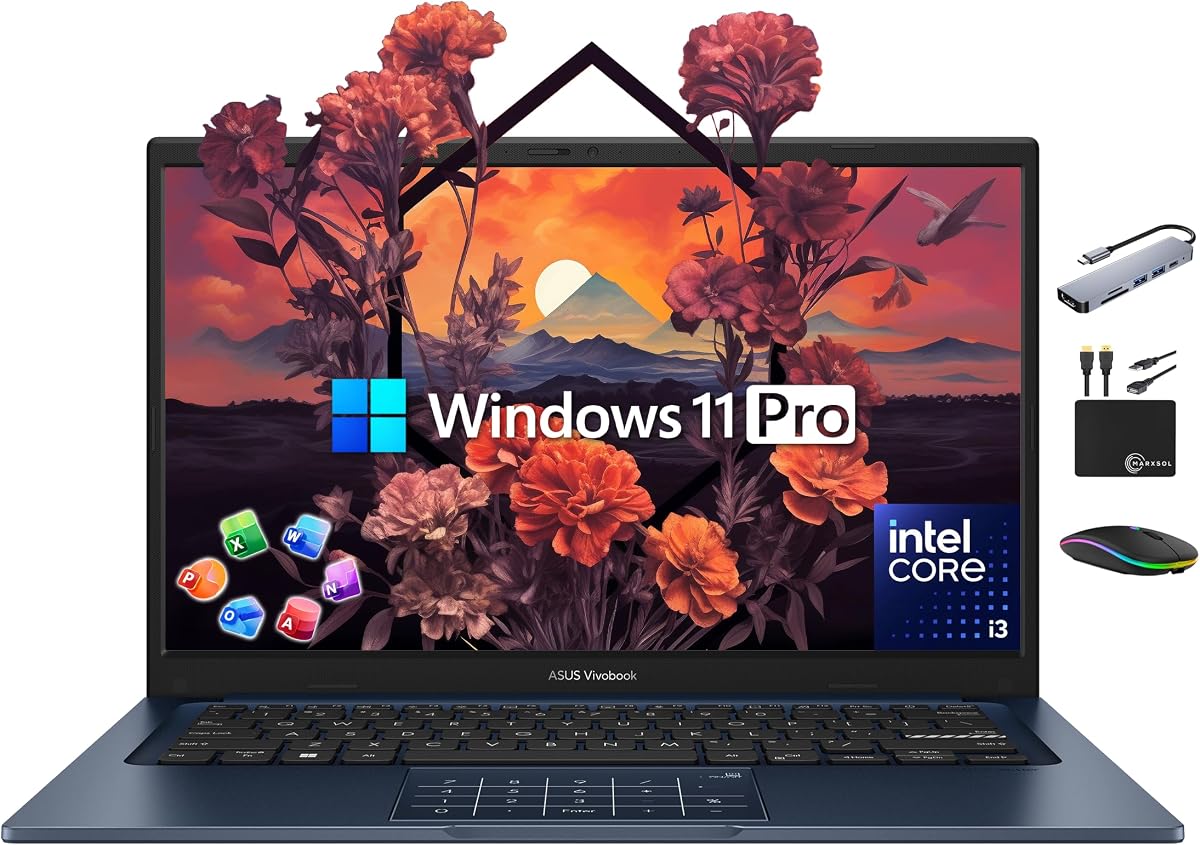
This model is an entry-level option that does not skimp on RAM. With 24GB of memory, it handles basic multitasking better than typical budget laptops. The i3 processor is suitable for web browsing and document editing tasks.
We may earn a commission when you buy through this link, at no additional cost to you.
It includes a lifetime Office 2024 license, which is a major value add. The 14-inch form factor keeps it portable for students and casual users. Accessories like the USB-C dock add utility for connecting peripherals and displays.
The processor is the main limitation for heavy tasks. It is not designed for gaming or heavy editing. For standard office work, however, it performs adequately and offers a complete package with necessary tools included.
Buy this if you need a cost-effective machine for light work. It is ideal for students or home users who want more RAM than usual and a ready-to-use office suite without monthly subscriptions.
The bundle includes a 6-in-1 USB-C Docking Station and external drive, adding immediate utility to the purchase.
Free Microsoft Office Professional 2024 Plus with a lifetime license covers Word, Excel, and Outlook for long-term use.
We may earn a commission when you buy through this link, at no additional cost to you.
Selecting the right business laptop involves balancing performance, portability, and security. This guide breaks down the key factors you should consider to ensure you get a machine that fits your professional needs.
The processor is the brain of your laptop. For business tasks, look for Intel Core i5 or i7 models. These offer enough power for multitasking, video calls, and running complex applications without slowdowns.
Prioritize a processor with multiple cores to handle background tasks efficiently.
Memory is crucial for keeping applications running smoothly. Aim for at least 16GB of RAM for modern business workflows. This allows you to switch between programs easily without performance drops or lag times.
If you run many apps at once, consider 32GB for better future-proofing.
Solid-state drives (SSDs) provide faster boot times and file access. Look for 1TB storage to keep all your files locally. NVMe SSDs are faster and more reliable than traditional hard drives for daily use.
Ensure you have enough space for backups and local data storage.
A good screen reduces eye strain during long work hours. An anti-glare finish is helpful for office environments. OLED displays offer better colors but consume more power than standard IPS panels.
Choose a resolution that supports crisp text and clear images for work.
If you travel often, weight matters significantly. Models under 3 pounds are easier to carry. The ExpertBook B9 is a prime example of a lightweight option for business professionals on the move daily.
Balance the screen size with the weight for your daily commute.
Business laptops need robust security. Look for TPM 2.0 chips and privacy shutters for webcams. Fingerprint readers and secure boot options help protect sensitive data from unauthorized access or theft.
Security should be a top priority for enterprise deployments.
Long battery life ensures you can work through meetings without a charger. Look for models that last at least 8 hours on a single charge. This is vital for travel or working in locations without easy power access.
Real-world usage often varies, so check reviews for accuracy.
Check the ports available. A mix of USB-A, USB-C, and HDMI is useful. If a laptop lacks ports, ensure it supports docking stations for external monitors and peripherals to connect smoothly.
Versatile I/O options save you from buying extra adapters.
To get the most out of your ASUS Business Laptop, start by updating the Windows 11 Pro system to the latest build. This ensures you have all the necessary security patches and performance enhancements for daily business tasks.
Protect your hardware by using the included privacy shutter when video conferencing. Regularly clean the keyboard and screen with a soft, lint-free cloth to prevent dust buildup and maintain visibility.
For long-term reliability, avoid exposing the device to extreme temperatures. Store it in a dry place and use the provided USB-C dock to minimize wear on the laptop's internal ports during daily office work.
The ASUS ExpertBook B3 and B1 models offer excellent security with TPM 2.0 chips and webcam privacy shutters. These features are essential for protecting sensitive business data against unauthorized access in any professional environment.
Yes, most models include Windows 11 Pro and Copilot features that enhance remote collaboration. Features like privacy shutters and high-quality webcams make them ideal for remote workers who need secure and clear communication channels.
Battery life varies by usage, but the Vivobook 16 and ExpertBook B9 are known for good endurance. Users report stable performance throughout the day, making them reliable choices for those who move around frequently without access to power.
Several models in this list include a lifetime Microsoft Office bundle. This is a significant value add for small businesses that want to avoid recurring subscription costs for essential productivity software like Word and Excel.
OLED screens offer deeper blacks and higher contrast for better visuals, but they may use more power. IPS screens provide consistent viewing angles and are often more affordable. Both are suitable for business tasks depending on your visual needs.
Some models like the Vivobook 16 allow for RAM upgrades, while others have soldered memory. Always check the specific product details to see if the RAM is upgradeable before purchasing if you anticipate future needs.
We reviewed ten excellent ASUS Business Laptop models that cover a wide range of needs. Whether you need an OLED screen, heavy-duty durability, or just basic office features, there is a device here for you.
When deciding, prioritize the factors that matter most to your daily workflow. Security and portability should be top of mind if you travel often. Performance and memory are key if you run complex applications regularly.
Remember to check current prices and availability before making a purchase. Prices can change quickly, so verifying the latest details ensures you get the best deal on the model that fits your professional needs best.