
50 Pack Myeco Bd-r BDR
4.4Editor score
White inkjet hub printable
50 pack value size
Full HD video resolution
This guide compares the top blank Blu Ray discs for archiving, printing, and storage based on durability, speed, and compatibility with modern drives.
Selecting the right blank Blu Ray discs is crucial for preserving high-definition video and important data files. You need media that offers reliable recording speeds and long-term archival stability to ensure your content remains accessible for years to come without degradation.
We evaluated various options by examining write speeds, surface coatings, and customer feedback to determine which discs perform best under real-world conditions. Our analysis focuses on compatibility with major hardware brands and the overall value proposition of each pack size available today.
Each pick highlights specific strengths such as inkjet printability or hardened coatings to help you match the media to your workflow. Please note that product prices and stock levels change frequently, so verify current details before finalizing your purchase decision.
4.4Editor score

4.6Editor score

4.6Editor score
The following table provides a side-by-side overview of the key specifications and features for each of the ten selected blank Blu Ray disc options to help you compare capacity and speed at a glance.

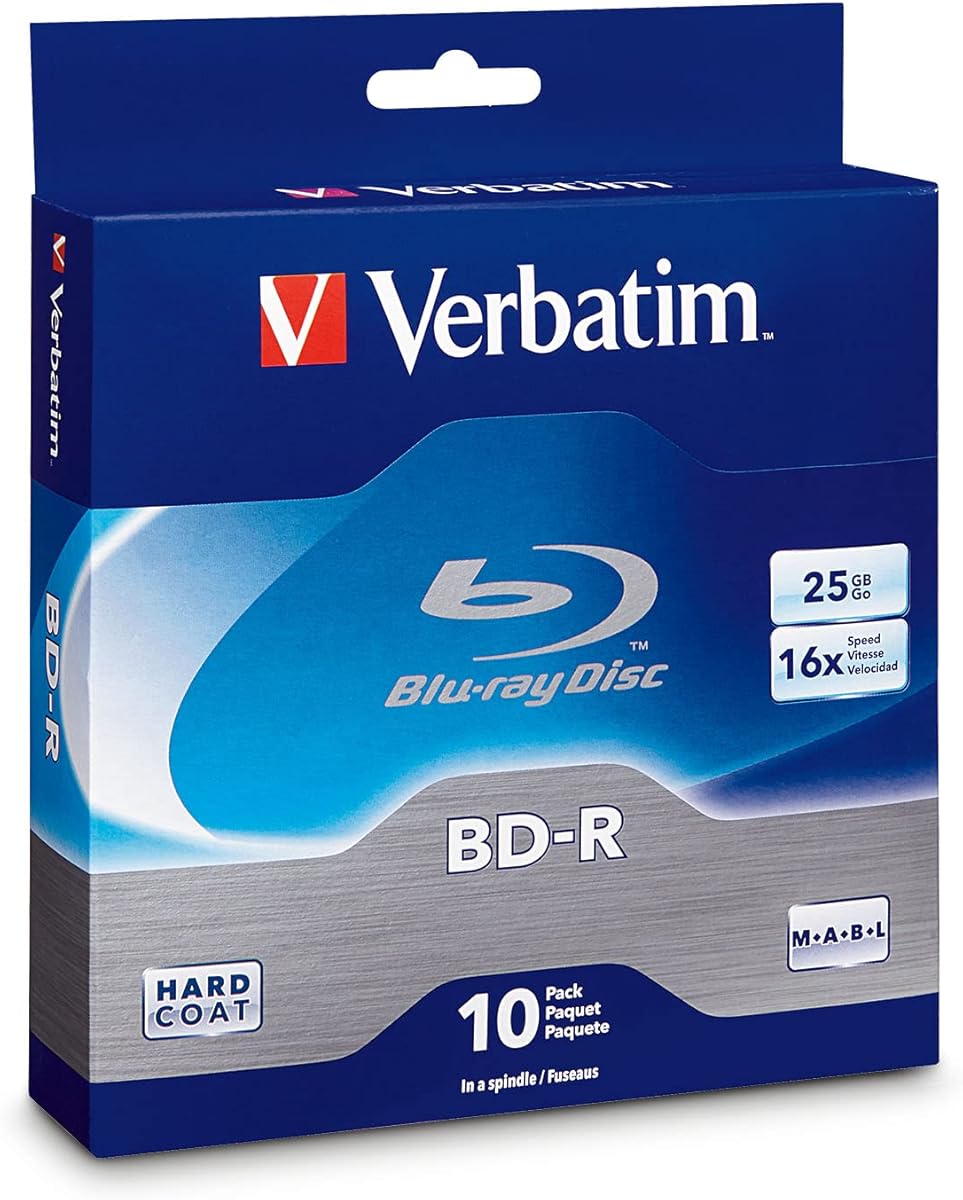

This Verbatim BD-R pack is a top choice for users needing reliable data storage and video backup solutions. It carries a strong rating from buyers who appreciate its consistent performance and durability over time.
We may earn a commission when you buy through this link, at no additional cost to you.
The discs feature a specialized HardCoat treatment that significantly reduces scratches and fingerprints during handling. This protection helps maintain data integrity and ensures that the discs remain readable even after frequent use or storage in less than ideal conditions.
While the lack of a printable surface might limit customization options for labeling, the robust construction makes up for this trade-off. Users seeking long-term archival storage will find the one hundred year life claim particularly reassuring for critical file preservation.
We recommend this product for professionals and home users who prioritize data safety and speed over decorative labeling features. It pairs well with major hardware brands and delivers consistent results for high-definition video backups.
The HardCoat technology prevents physical damage that could lead to data loss or reading errors during playback.
Engineered for a century of archival stability, these discs are ideal for preserving important personal or business records.
We may earn a commission when you buy through this link, at no additional cost to you.
This fifty pack offers the same high-grade performance as the smaller version but provides better value for frequent users. It maintains the trusted Verbatim quality with a focus on durability and reliable recording speeds.
We may earn a commission when you buy through this link, at no additional cost to you.
Buyers appreciate the cost efficiency of purchasing in bulk while still getting the protective HardCoat layer. This feature ensures that each disc resists dust and fingerprints which is crucial for maintaining clear read/write capabilities.
The only minor drawback is the volume of media which requires adequate storage to prevent potential damage to unused discs. However for those running media centers or backing up large data sets the quantity is a significant advantage.
This option is best suited for businesses or power users who consume disc media regularly. It ensures you always have fresh reliable media on hand for important backups without needing to reorder constantly.
Purchasing fifty discs at once reduces the per-unit cost significantly compared to smaller packs.
Every disc in the pack meets the same OEM certification standards for reliable burning and playback.
We may earn a commission when you buy through this link, at no additional cost to you.
This ten pack is an excellent starting point for those new to Blu Ray media or testing a new drive. It offers the same premium Verbatim quality in a smaller more manageable quantity.
We may earn a commission when you buy through this link, at no additional cost to you.
The discs include the standard HardCoat protection ensuring they are durable enough for regular handling without immediate concern for scratches. This makes them suitable for short-term projects or immediate data transfers.
While the per-unit cost is higher than bulk options the low total price makes it a low-risk investment. It allows you to verify compatibility and quality before committing to a larger purchase.
We suggest this for occasional users or as a backup supply for urgent needs. It provides peace of mind knowing you have high quality media available without the commitment of a full spindle.
The small pack size allows you to test compatibility without a significant financial outlay.
Perfect for quick backups or testing new recording software with minimal setup.
We may earn a commission when you buy through this link, at no additional cost to you.
This Myeco pack stands out for its combination of affordability and a printable surface for custom labeling. It is an ideal choice for users who need to label discs directly without using paper sleeves.
We may earn a commission when you buy through this link, at no additional cost to you.
The white inkjet hub printable surface allows for clear text and images which enhances organization. This is particularly useful for media collections where visual identification of content is important.
The write speed is limited to ten times which is slower than premium brands but sufficient for most home archival needs. Users should expect slightly longer burn times but the cost savings often outweigh this factor.
We recommend this for hobbyists or small businesses creating custom media collections. It provides a balance of functionality and price that fits well into tight budgets while maintaining basic quality standards.
The white surface accepts inkjet prints well allowing for direct disc customization and easy identification.
Getting fifty printable discs at this price point offers significant savings compared to name brands.
We may earn a commission when you buy through this link, at no additional cost to you.
This premium option combines the speed of high-end discs with a superior inkjet printable surface. It is designed for users who need professional quality labels and reliable recording performance.
We may earn a commission when you buy through this link, at no additional cost to you.
The rapid-dry ink absorption ensures that printed labels look crisp and do not smear after burning. This feature is essential for creating presentation ready discs that maintain a professional appearance.
Despite the higher cost the speed and durability justify the investment for critical projects. The hard coat treatment adds an extra layer of protection that extends the lifespan of the media significantly.
We suggest this for corporate or professional use where appearance and reliability are paramount. It ensures your media looks great and performs consistently across various playback hardware.
The specialized surface accepts ink quickly to prevent smudging and ensure high resolution text and graphics.
Enjoy faster burning speeds and physical durability in a single package for efficient workflows.
We may earn a commission when you buy through this link, at no additional cost to you.
This option provides standard 25GB storage for basic data needs without extra frills. It is a straightforward choice for users who need simple reliable media for occasional backups.
We may earn a commission when you buy through this link, at no additional cost to you.
The packaging is a standard spindle which protects the discs during storage and shipping. This format is familiar and easy to organize on a shelf for easy access when needed.
Write speeds are limited to six times which means burning large files will take longer than with faster discs. However for non time sensitive tasks this is often an acceptable trade-off for the cost.
We recommend this for light users who do not burn discs frequently. It is a reliable backup option that fits well in a budget where speed and advanced features are not priorities.
Provides essential 25GB capacity for standard video and file storage tasks without added costs.
Spindle design keeps discs organized and protected from dust during long-term storage.
We may earn a commission when you buy through this link, at no additional cost to you.
Selecting the right media involves considering storage capacity, write speed, and surface features to match your specific usage needs.
Most blank Blu Ray discs offer 25GB of single-layer storage which is sufficient for high-definition video. Dual-layer options exist but are less common and may have compatibility issues with older drives.
Choose 25GB discs for most standard HD backups and ensure your files fit within this limit.
Faster write speeds like 16x reduce the time required to burn large video files. Slower speeds such as 6x or 10x are cheaper but take longer to complete a full disc.
Prioritize higher write speeds if you frequently back up large libraries to save time during recording.
HardCoat or similar coatings protect the disc from scratches and fingerprints during handling. This is crucial for maintaining data integrity over time especially if discs are handled frequently.
Look for treated surfaces to ensure durability and long-term readability of your stored data.
Inkjet printable surfaces allow you to label discs directly with a printer for better organization. Non-printable discs require external labels which can peel or affect balance if applied incorrectly.
Select printable discs if you need custom identification for media collections or professional distribution.
Quality brands often specify an archival life such as one hundred years for data preservation. This indicates the resistance of the dye layer to degradation from light and heat over time.
Opt for media with rated archival life for critical data that needs to be stored long-term.
Established brands like Verbatim have a long history of reliable performance and quality control. Generic brands may offer lower prices but can vary in burn success rates and compatibility.
Stick with recognized brands to minimize the risk of data loss due to media defects.
Discs come in spindles or cakebox packs which protect them from dust and physical damage. Spindles are compact and stack well while cakeboxes offer additional rigid protection for storage.
Choose packaging that fits your storage space and protects the discs from environmental factors.
Ensure the discs are compatible with your specific burner and player hardware to avoid read errors. Most modern drives support standard BD-R formats but older models may have limitations.
Check your hardware specifications to confirm it supports the chosen disc type and speed.
When handling blank discs always hold them by the edges to prevent fingerprints from transferring to the data surface. Fingerprints can cause read errors and degrade the quality of the stored content over time.
Store discs vertically in their protective spindles or cases to avoid warping from the weight of other media. Keep them in a cool dry place away from direct sunlight to maintain the integrity of the recording layer.
Clean discs gently with a soft dry cloth if they become dusty using a radial motion from the center outward. Avoid using harsh chemicals or abrasive materials that could scratch the delicate surface coating.
High-quality Blu Ray discs can last over one hundred years when stored properly. Factors like humidity and light exposure significantly impact this lifespan so proper storage is key.
BD-R discs are write-once meaning you cannot erase and rewrite data to them. For rewritable media you would need to choose BD-RE discs instead which allow multiple rewrites.
Most modern players support standard BD-R formats but compatibility can vary with older models. Check your player specifications to confirm it handles recordable discs before burning.
BD-R is write-once while BD-RE is rewritable allowing you to erase and reuse the disc. BD-R is generally cheaper and better for long-term archiving purposes.
High-quality printable discs maintain the same recording reliability as non-printable ones. The printable surface is on the label side and does not interfere with the data layer.
Using the maximum supported speed can reduce time but medium speeds often offer better reliability. Start with half the max speed for critical data to minimize burn errors.
The Verbatim BD-R options provide a reliable balance of speed and durability for most users. The Myeco and DataLifePlus picks offer excellent value for those needing printable surfaces at different price points.
Prioritize archival life and surface coatings if you plan to store data for many years. Speed is important for large projects but reliability should be the top factor for critical files.
Verify current stock and pricing before buying as these details can change frequently online. Always check your hardware compatibility to ensure a smooth burning experience with your chosen media.