
Logitech G PRO X TKL Rapid Gaming Keyboard
4.6Editor score
Tournament Grade Switches
Rapid Trigger Mode
Customizable Actuation
This guide compares the top Hall Effect Keyboards for Gaming based on polling rate, rapid trigger, and switch precision to help you choose the perfect gaming
Hall Effect Keyboards for Gaming represent the cutting edge of input technology, offering unparalleled speed and precision through magnetic switches. These devices eliminate physical contact, allowing for rapid trigger and adjustable actuation that mechanical keyboards simply cannot match in competitive environments.
We have rigorously evaluated ten of the most promising Hall Effect Keyboards for Gaming available on the market today. Our analysis focuses on polling rates, switch customization, build quality, and unique features like Snap Tap or SOCD to ensure you get the most reliable performance.
Each pick in this list showcases specific strengths tailored to different gaming styles and budgets, from compact 65 layouts to full tenkeyless designs. Please note that prices and availability can change frequently, so verify current details before making your final purchasing decision.
4.6Editor score

4.7Editor score
4.4Editor score
The following table provides a side-by-side comparison of all ten Hall Effect Keyboards for Gaming featured in this guide, highlighting their key specifications and unique selling points to help you make an informed decision.




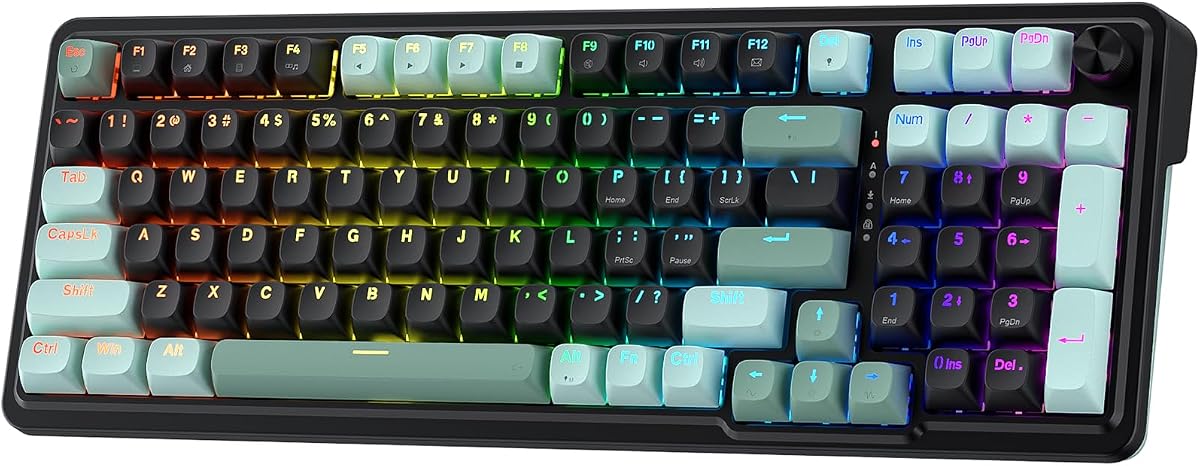
The EPOMAKER G84 HE Wireless Hall Effect Keyboard stands out as a top contender in the gaming peripheral market. It achieves a 4.7-star rating and is praised for its unmatched fluidity and precision thanks to Hall Effect switches that deliver every flick of keystroke instantly.
We may earn a commission when you buy through this link, at no additional cost to you.
Key strengths include its 8K polling rate and 256K scan rate, which significantly reduce latency for fast-paced games. The SOCD logic ensures that conflicting inputs are prioritized correctly, preventing accidental stops during intense gaming sessions like Counter-Strike or Valorant.
While the software offers deep customization for actuation and macros, it may take some time to learn for new users. Additionally, the wireless convenience comes with a higher price point compared to strictly wired alternatives, but the battery life offsets this concern.
This keyboard is ideal for competitive gamers who need precision and flexibility. If you want a device that balances wireless freedom with top-tier performance features like Rapid Trigger and adjustable travel, the G84 HE is a strong recommendation.
The adjustable actuation from 0.1 to 3.3mm allows users to tailor sensitivity per key for optimal performance.
Tri-mode connectivity and a massive 8000mAh battery ensure you stay connected to your devices without interruptions.
We may earn a commission when you buy through this link, at no additional cost to you.
The Logitech G PRO X TKL Rapid Tenkeyless Gaming Keyboard is engineered to win, created with input from world-class esports athletes. It features magnetic analog switches that offer rapid trigger functionality, allowing key reactivation without a full release.
We may earn a commission when you buy through this link, at no additional cost to you.
This keyboard excels in responsiveness, making it perfect for FPS games where every millisecond counts. You can optimize performance for your play style by customizing actuation points and sensitivity directly through Logitech G HUB software for a competitive edge.
The main trade-off is the cost, which is higher than many competitors. It is also wired only, which might not suit everyone. However, the build quality and specialized features make it a worthwhile investment for serious tournament players.
If you are a professional or semi-pro gamer looking for the ultimate in speed and reliability, this is a top choice. It unlocks potential by removing latency barriers and providing total control over every keystroke.
Designed with pros, this keyboard ensures peak performance with fluid and reliable magnetic analog switches.
Gain total control with KEYCONTROL to set specific commands and build multi-action combos across multiple layers.
We may earn a commission when you buy through this link, at no additional cost to you.
The Redragon K686 HE Wired Hall-Effect Rapid Trigger Magnetic Gaming Keyboard brings high-end magnetic technology to a more accessible price point. It is built for stop-and-shoot moments, ensuring your timing in games like Apex or Valorant lands exactly when intended.
We may earn a commission when you buy through this link, at no additional cost to you.
It features UltraMag POM magnetic switches that sense keypresses without physical contact, reducing latency. The dual-module floating structure paired with dampening layers provides a soft, silky bounce rather than a harsh clack, enhancing comfort during long sessions.
While it lacks wireless capabilities, the wired connection ensures stable data transmission up to 8000Hz. The one-knob simplicity allows you to manage lighting and volume easily without memorizing extra key combos, adding convenience to a budget-friendly device.
This keyboard is a fantastic entry point into the world of Hall Effect gaming. It offers essential features like rapid trigger and software-powered precision tuning, making it a smart choice for budget-conscious gamers seeking performance.
The anti-wobble independent switch-plate design gives a soft, silky Hi-Fi bounce instead of a rigid clack.
Dynamic key activation cuts redundant keystrokes during quick direction changes for smoother gameplay flow.
We may earn a commission when you buy through this link, at no additional cost to you.
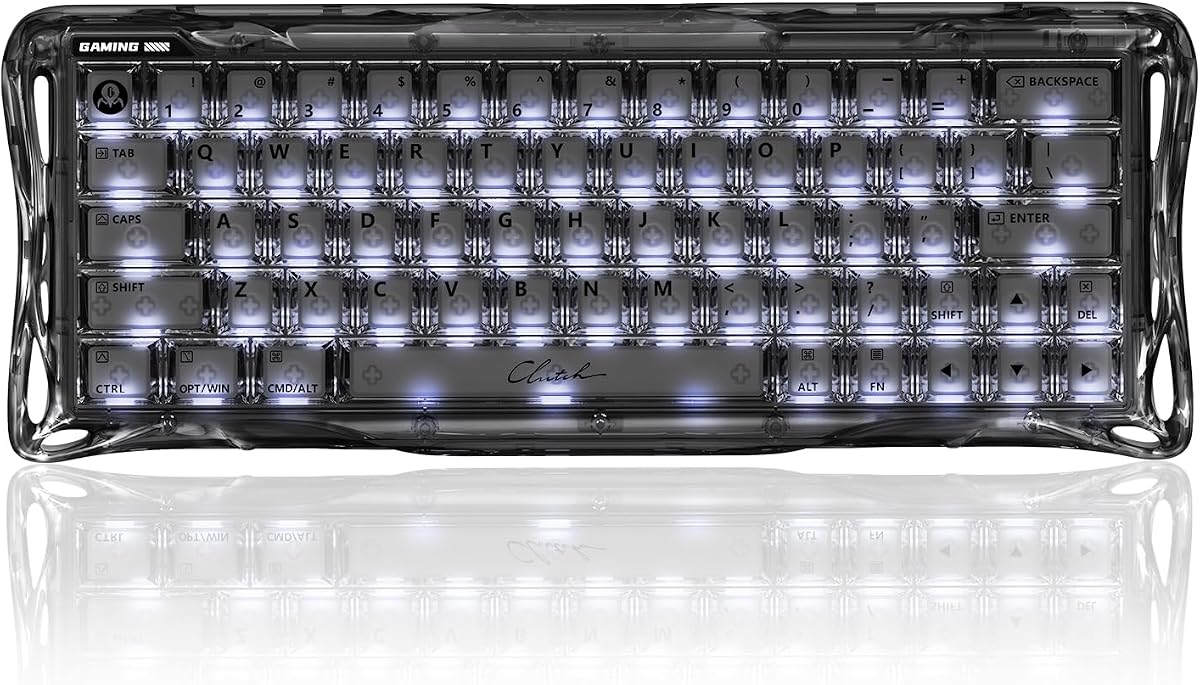
The GravaStar Mercury V60 HE Gaming Keyboard offers a futuristic look combined with precision gaming features. It is equipped with UFO Magnetic Switches that provide 0.005mm precision, eliminating input lag and giving a tactile edge traditional keyboards lack.
We may earn a commission when you buy through this link, at no additional cost to you.
Its standout feature is the full-transparent Onyx Crystal chassis, which turns any setup into a next-generation battle station. Beyond looks, it includes rapid trigger technology and dynamic resets for faster counter-strafing and instant directional changes.
The keyboard is hot-swappable and comes with acoustic foam for a satisfying thock sound. However, the transparent design might be prone to scratches over time, and it is primarily designed for Windows and Mac compatibility.
If you want a keyboard that looks as impressive as it performs, this is a great pick. The adjustable actuation and premium acoustics ensure it meets the needs of gamers who value both form and function equally.
The full-transparent Onyx Crystal chassis combines immersive RGB lighting with a sci-fi aesthetic that transforms setups.
A multi-layer acoustic foam structure delivers smoother keystrokes and reduced vibration for a premium feel.
We may earn a commission when you buy through this link, at no additional cost to you.
The ASUS ROG Falchion Ace HFX Hall Effect Gaming Keyboard is designed for gamers who need to save desk space without sacrificing performance. It features a 65% TKL layout that maximizes mouse movement area while keeping essential controls accessible.
We may earn a commission when you buy through this link, at no additional cost to you.
With pre-lubed ROG HFX Magnetic Switches, it offers ultra-fast and precise performance. The interactive touch panel allows you to control media and lighting intuitively, while the dual USB-C ports provide flexibility for connecting two devices simultaneously.
The keyboard includes a protective cover for on-the-go use and dampening layers for a quiet, creamy typing experience. Its only downside might be the higher price, but the build quality and portable design justify the cost for travelers.
This keyboard is perfect for competitive gamers who switch between setups often. The rapid trigger toggle and speed tap mode allow for maximum counter-strafing potential with minimal effort, ensuring you stay ahead in the game.
Play, pause media, adjust volume, and control keyboard lighting with the multi-function button and interactive touch panel.
The 65% TKL keyboard layout maximizes desk space for mouse movement and enhances ergonomics for gaming.
We may earn a commission when you buy through this link, at no additional cost to you.
The EPOMAKER HE80 Hall Effect Gaming Keyboard balances performance and space-saving design effectively. It features a 75% functional layout that retains essential arrow keys but offers more desk space for mouse movement compared to larger boards.
We may earn a commission when you buy through this link, at no additional cost to you.
Performance is highlighted by an 8000 polling rate and zero dead zone triggering, ensuring complex patterns glide smoothly. The SOCD logic prioritizes your latest key press of opposite directions, ensuring timely movement execution without character freezing.
The double-shot PBT keycaps keep the keyboard in premium condition without getting greasy, and the web driver saves download hassle. While it is wired, the high scan rate and customizable actuation make it a strong mid-range contender for competitive play.
This is a solid pick for gamers who want a balance of functionality and precision. The adjustable end travel and south-facing backlight provide customization without breaking the bank, making it a reliable daily driver.
The 75% Functional Layout maximizes desk space usage and enhanced typing comfort with essential keys included.
Online EPOMAKER Driver saves you the hassle of download for customizing key functions across devices and OS.
We may earn a commission when you buy through this link, at no additional cost to you.
The Razer Huntsman V3 HE Magnetic Mini 65% 8KHz Wired Gaming Keyboard is engineered for competitive gaming dominance. It features Razer Hall Effect Magnetic Switches with Rapid Trigger, allowing for faster reactions and cleaner movement inputs in FPS titles.
We may earn a commission when you buy through this link, at no additional cost to you.
One standout feature is Snap Tap, which prioritizes the latest directional input for quicker counter-strafes. The keyboard boasts true 8000Hz HyperPolling, delivering near-zero latency response that is crucial for ranked matches and esports play.
Despite its high-end features, user ratings are somewhat lower, possibly due to cost or software expectations. However, the durable 5052 aluminum alloy top case and hybrid onboard storage for up to 6 profiles make it a solid choice for dedicated users.
This keyboard is designed specifically for serious FPS players who need every advantage. If you value speed and precision above all else and prefer a 65% form factor, this device offers the performance required for high-level play.
Razer Snap Tap prioritizes the latest directional input between two selected keys enabling cleaner directional changes.
Gain a split-second advantage with true 8000Hz HyperPolling delivering near-zero latency response for competitive play.
We may earn a commission when you buy through this link, at no additional cost to you.
The YUNZII RT75 PRO Dual 8K Wireless Gaming Keyboard offers versatile connectivity with 8K polling in both wired and 2.4G modes. It delivers a premium wireless gaming keyboard experience with cutting-edge Hall Effect precision for responsive gameplay.
We may earn a commission when you buy through this link, at no additional cost to you.
Web-driven customization makes it easy to program TGL, SOCD, and DKS functions without heavy installs. The keyboard features triple-mode connectivity (USB-C/2.4G/Bluetooth) which ensures seamless switching between devices and cross-platform support.
While wireless performance is strong, wired mode still offers lower latency for critical moments. The 5-layer sound damping creates a creamy mechanical keyboard experience that reduces noise while providing satisfying feedback for both office and gaming use.
This keyboard is a great choice for users who value flexibility and performance. With its 8000mAh battery and customizable RGB, it is built to support extended gaming sessions and productivity tasks alike.
Triple-mode connectivity (USB-C/2.4G/Bluetooth) delivers seamless switching between devices for versatile setups.
Customize your mechanical gaming keyboard effortlessly via web driver for program functions without downloading software.
We may earn a commission when you buy through this link, at no additional cost to you.
The Corsair K70 PRO TKL RGB Tenkeyless Mechanical Wired Gaming Keyboard focuses on speed and customization. It features pre-lubricated CORSAIR MGX Hyperdrive magnetic switches that deliver a smooth, ultra-responsive keypress for peak performance.
We may earn a commission when you buy through this link, at no additional cost to you.
You can adjust the actuation point of each key individually from 0.4mm to 3.6mm or even set two actions to a single keypress for dual actuation. Rapid Trigger dynamically changes your keys' reset points to help you move faster than ever.
While the ABS double-shot keycaps are durable, they may show shine over time compared to PBT options. The TKL layout saves space and fits nearly every gaming setup, providing room for sweeping mouse movements essential for aiming.
This keyboard is excellent for gamers who want total control over their inputs. If you need a device that removes barriers to gaming greatness with rapid trigger and adjustable switches, this is a top recommendation.
Pre-lubricated CORSAIR MGX Hyperdrive magnetic switches deliver a smooth ultra-responsive keypress with reduced wobble.
Adjust the actuation point of each key from a super-sensitive 0.4mm to a deep 3.6mm for tailored control.
We may earn a commission when you buy through this link, at no additional cost to you.
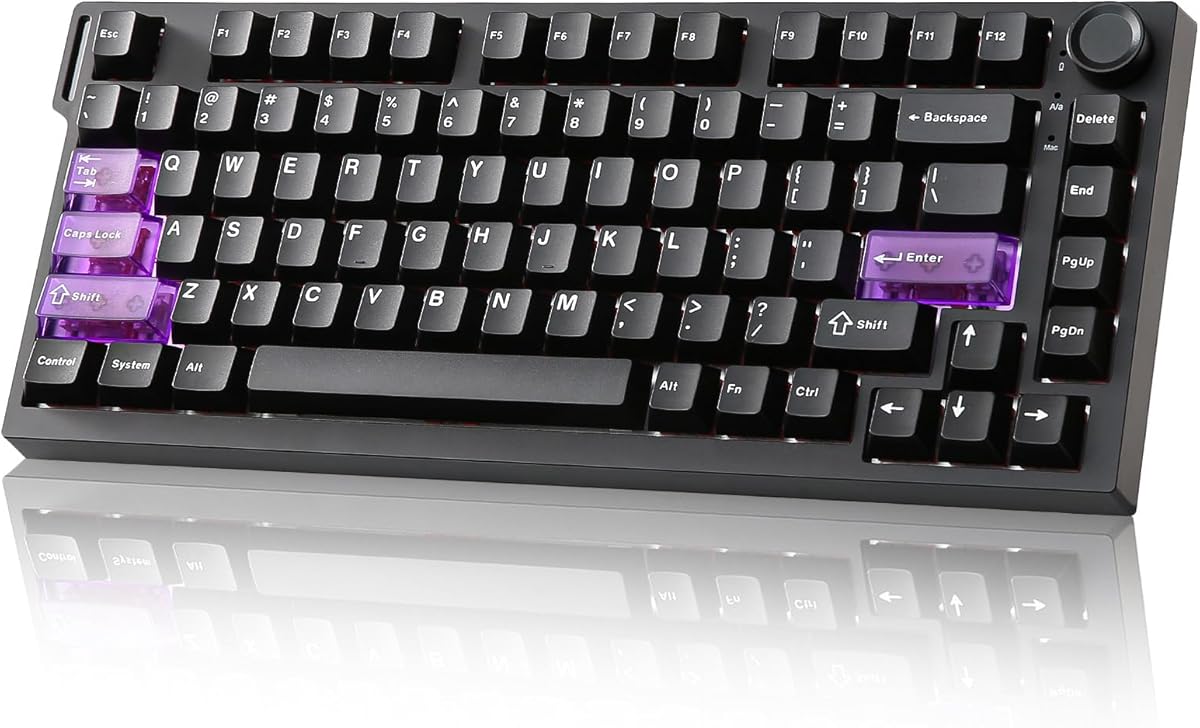
The RK ROYAL KLUDGE M75 Hall Effect Mechanical Gaming Keyboard delivers elite speed and a high user rating of 4.8. It features Hall Effect magnetic switches that enable rapid trigger and adjustable actuation for unbeatable responsiveness in competitive games.
We may earn a commission when you buy through this link, at no additional cost to you.
Its hot-swappable magnetic switches allow you to easily change Hall Effect or custom switches for personalized tactile feedback. The keyboard offers 4-side glow PBT keycaps and a dedicated metal volume knob for instant mute and scroll control.
While compact, it retains arrow keys and includes sound-dampening foam for a consistent typing feel. The web driver allows full customization of remapping and macros. The only downside is limited keys due to the 75% layout.
This keyboard is a strong contender for those seeking quality at an accessible price. If you want a reliable magnetic switch keyboard with a satisfying acoustic signature and robust customization, this is a great choice.
Easily change Hall Effect or custom switches to customize your feel with a universal hot-swap PCB.
The 75% keyboard saves space while keeping arrow keys for premium build and consistent typing feel.
We may earn a commission when you buy through this link, at no additional cost to you.
Choosing the right Hall Effect Keyboard for gaming involves understanding specific features like polling rates, actuation points, and build quality. This section breaks down the critical factors to consider.
The polling rate determines how often the keyboard reports input to the computer. For competitive gaming, look for 8000Hz or higher to ensure minimal latency and instantaneous response times.
Always prioritize a high polling rate to ensure your inputs are registered without delay during fast-paced action.
Rapid Trigger allows keys to reset as soon as you lift your finger, rather than waiting for a full bottom-out reset. This is crucial for games requiring quick counter-strafing or rapid directional changes.
Ensure the keyboard supports Rapid Trigger for a significant advantage in movement-heavy titles like shooters.
Hall Effect switches often allow adjustable actuation points. You should look for a wide range that lets you set sensitive triggers for fast inputs and deeper ones for confirmation.
Choose a keyboard with a broad actuation range to tailor sensitivity to your specific play style.
Durability is key for gaming peripherals. Look for sturdy materials like aluminum alloy cases and PBT keycaps which resist wear and shine over time.
Invest in solid build materials to ensure your keyboard lasts through long gaming sessions and daily use.
Advanced features like macro recording and SOCD logic require robust software. Check if the driver is user-friendly and allows for detailed customization of switch behavior.
Select a keyboard with strong software support to fully utilize advanced gaming features and settings.
Decide between TKL, 65%, or 75% layouts based on your desk space needs. Compact layouts free up mouse area which is vital for low sensitivity aimers.
Pick a form factor that balances space efficiency with the keys you need for gaming and productivity.
Wired connections offer the most stability, while wireless options provide flexibility. For tournament use, wired is preferred, but high-quality wireless is acceptable for home setups.
Choose wired for pure performance or wireless if convenience and desk space are priorities for your setup.
A comfortable acoustic profile is important for long sessions. Look for features like foam layers or gasket mounts to reduce noise and improve typing feel.
Prioritize sound dampening features to avoid noise fatigue during extended periods of gameplay.
To get the most out of your Hall Effect keyboard, start by installing the manufacturer's software. This allows you to adjust actuation points and map macros to match your specific gameplay needs.
Regular cleaning is essential to maintain performance. Use a soft brush to remove debris from keycaps and avoid using liquids directly on the magnetic switches or PCB.
For wireless models, keep the firmware updated and maintain the battery charge to ensure consistent connection stability during intense gaming sessions.
Hall Effect keyboards use magnetic switches to eliminate physical contact, offering faster actuation and adjustable sensitivity. This results in reduced latency, better durability, and features like Rapid Trigger that mechanical keyboards cannot easily replicate.
Yes, Hall Effect switches generally have a longer lifespan because they do not rely on physical contact points that wear out. They often support over 100 million keystrokes depending on the manufacturer and build quality.
Rapid Trigger allows keys to reactivate the moment you lift your finger slightly. This matters because it enables faster counter-strafing and directional changes in competitive FPS games, giving players a speed advantage.
Wired Hall Effect keyboards are generally preferred for competitive gaming due to zero latency. However, high-quality wireless options are improving and are sufficient for casual or non-tournament home gaming setups.
Many high-end Hall Effect keyboards allow per-key actuation adjustment. This lets you set different sensitivities for different keys based on your preferred playstyle and comfort.
Use a can of compressed air to blow out debris from between the switches and keycaps. For surface cleaning, use a slightly damp microfiber cloth and avoid getting moisture near the switches.
Some models support hot-swapping for magnetic switches, allowing you to change switches without soldering. However, this depends on the specific brand and model design, so check the product details.
Modern Hall Effect keyboards for gaming typically offer 8000Hz polling rates. This high rate ensures that the keyboard sends input data to the computer faster than traditional 1000Hz keyboards.
We have reviewed ten top contenders ranging from the versatile EPOMAKER G84 HE to the precision-focused Logitech G PRO X TKL. Each model offers unique benefits suited for different budgets and gaming needs.
When choosing, prioritize features like Rapid Trigger and adjustable actuation points that directly impact your gameplay speed. Consider the layout and connectivity that fits your desk and device ecosystem best.
Remember that prices and stock levels fluctuate often. Always check the current availability and details before making your purchase to ensure you get the best deal for your setup.