
SANSUI 24 Inch Curved 160Hz Gaming Monitor
4.4Editor score
1500R curved design
160Hz refresh rate
110% sRGB coverage
Finding the right curved 160Hz gaming monitor can transform your gaming setup significantly. These displays offer immersive visuals and smooth motion that flat screens simply cannot match for competitive play.
We evaluated ten top models based on panel quality, response times, connectivity options, and overall value. Our analysis focuses on real-world performance metrics that matter most to gamers today.
Each pick highlights specific strengths and ideal use cases to help you decide. Please note that prices and availability fluctuate frequently so verify current deals before purchasing.
4.4Editor score
4.5Editor score

4.6Editor score
As an Amazon Associate we earn from qualifying purchases.
The following table provides a side-by-side comparison of all ten models ranked by performance and value. Review key specifications like resolution, curvature, and refresh rates to find your perfect match.






This SANSUI monitor delivers exceptional value for budget-conscious gamers seeking a curved 160Hz experience. With a 24-inch display and strong color performance it brings competitive gaming within easy reach.
We may earn a commission when you buy through this link, at no additional cost to you.
Its 160Hz refresh rate ensures smooth motion while the 1500R curve wraps visuals around your field of view. The 110% sRGB coverage provides vibrant colors suitable for both gaming and media consumption.
Trade-offs include the lack of built-in speakers and limited stand adjustments. However the strong performance-to-price ratio makes these acceptable compromises for those prioritizing refresh rate and curve over audio features.
Ideal for entry-level setups or secondary gaming stations this monitor offers a solid foundation. Its comprehensive gaming modes and connectivity options make it a versatile choice for casual and competitive players alike.
The 1500R curvature draws you into the action reducing eye strain during long sessions while enhancing peripheral awareness in fast-paced games.
At 160Hz you get smoother frame transitions than standard 60Hz displays significantly reducing motion blur and improving reaction times in competitive titles.
We may earn a commission when you buy through this link, at no additional cost to you.
Moving up to 27 inches provides more screen space for multitasking and gameplay. This SANSUI model maintains the 160Hz refresh rate while offering additional gamer-centric features like crosshair and timer tools.
We may earn a commission when you buy through this link, at no additional cost to you.
The 4000:1 contrast ratio delivers deep blacks and vibrant visuals. HDR mode enhances scenes when connected via HDMI though it requires manual enablement through the OSD menu for optimal viewing.
While 1080P on a 27-inch screen is less sharp than higher resolutions the performance benefits remain strong. Eye comfort features like Low Blue Light help reduce fatigue during extended gaming sessions.
Best suited for users wanting a bigger view without premium pricing this monitor balances size and speed. Its flexible refresh rate support accommodates various hardware setups making it adaptable for different PC configurations.
Built-in game assistant tools including crosshair and timers give competitive players tactical advantages without needing external software or overlays.
Low Blue Light and anti-flicker technologies protect your eyes during long sessions ensuring comfort remains a priority alongside high performance specs.
We may earn a commission when you buy through this link, at no additional cost to you.
This variant emphasizes color accuracy with 97% DCI-P3 coverage making it viable for content creation alongside gaming. The 160Hz refresh rate ensures fluid visuals while the flicker-free tech reduces eye strain.
We may earn a commission when you buy through this link, at no additional cost to you.
Its design balances work and play with features like Kensington Lock for security in shared environments. The wide viewing angle allows multiple people to view the screen clearly from different positions.
While not offering extensive port options it covers essentials with HDMI and DisplayPort. The lifetime technical support adds peace of mind for buyers seeking reliable long-term assistance.
An excellent choice for home offices that double as gaming setups this monitor delivers versatility. Its balance of color fidelity and refresh speed meets diverse user needs effectively within a compact footprint.
Whether editing photos or streaming games the high color gamut and refresh rate make this monitor suitable for multiple professional and leisure activities.
Kensington Lock support protects hardware in shared spaces while the lifetime technical support ensures you have help whenever technical issues arise.
We may earn a commission when you buy through this link, at no additional cost to you.
True 4K resolution on a 32-inch curved panel offers stunning detail for both gaming and media. The 160Hz refresh rate maintains smoothness even at this high resolution for supported hardware.
We may earn a commission when you buy through this link, at no additional cost to you.
Built-in speakers reduce cable clutter while the high contrast ratio ensures deep blacks. HDMI 2.1 and DP 1.4 support next-gen consoles and high-performance PCs effectively.
A powerful graphics card is necessary to drive 4K at high refresh rates. Without this the benefits of resolution may be limited by system bottlenecks in demanding titles.
For users with capable hardware this monitor delivers a premium visual experience. Its blend of resolution speed and convenience features makes it an all-in-one solution for modern entertainment setups.
4K resolution provides razor-sharp images perfect for open-world games where environmental detail enhances immersion and storytelling.
Integrated speakers and multiple ports minimize desk clutter allowing a cleaner setup while maintaining high performance for audio and video output.
We may earn a commission when you buy through this link, at no additional cost to you.
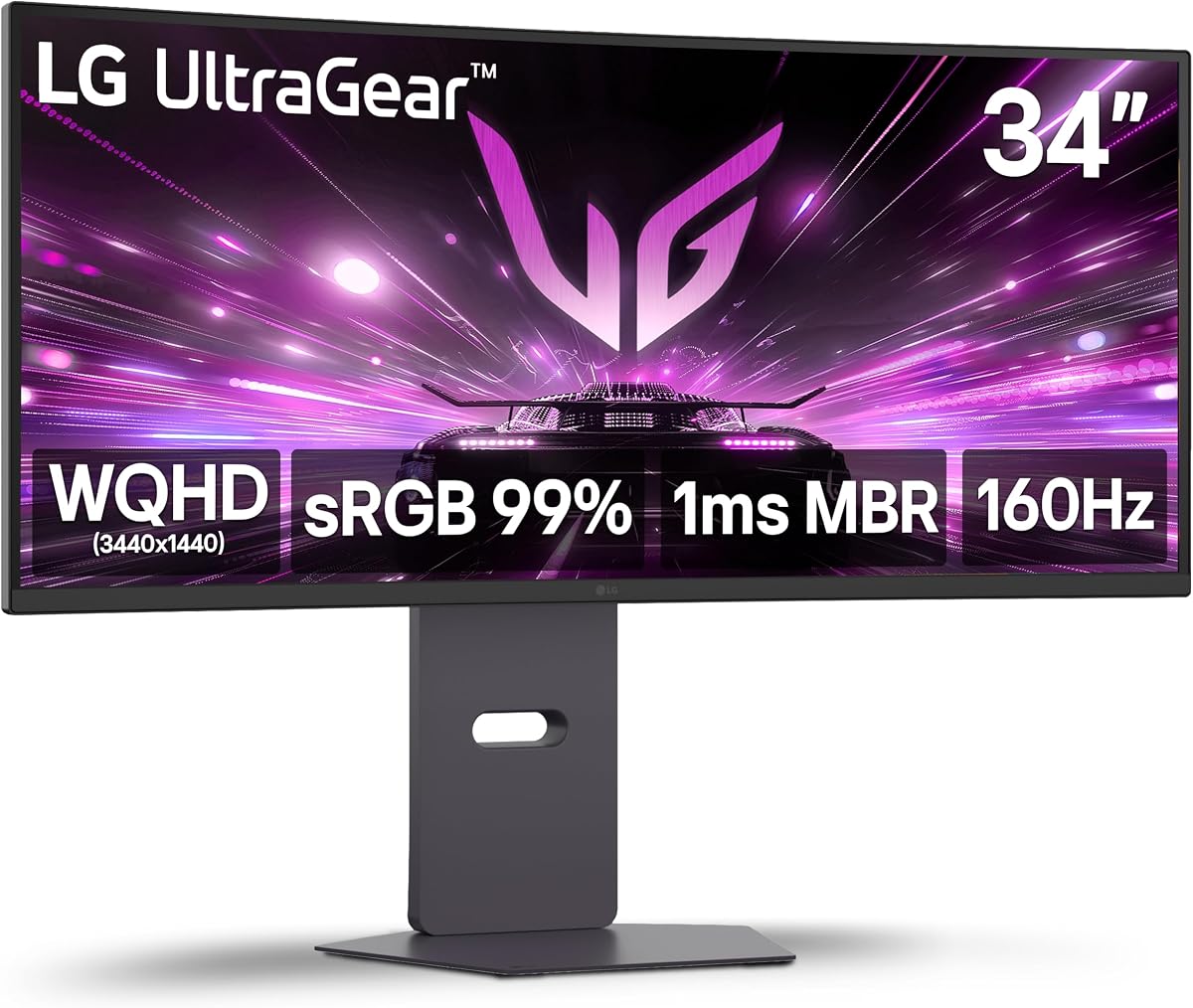
This LG model sets a high bar for ultrawide gaming monitors with its 34-inch WQHD panel and robust feature set. The 1800R curve provides natural immersion without extreme distortion for daily use.
We may earn a commission when you buy through this link, at no additional cost to you.
AMD FreeSync Premium ensures tear-free visuals while the Black Stabilizer helps spot enemies in dark scenes. Height adjustable stand offers ergonomic comfort reducing neck strain during long sessions.
The wider aspect ratio and higher resolution require more desktop space and a capable GPU. However the productivity gains and gameplay immersion justify the investment for serious enthusiasts.
Top-tier for competitive and creative workflows this monitor excels in versatility. Its combination of speed color accuracy and ergonomic design makes it a standout choice in the premium segment.
The 21:9 aspect ratio expands your field of view in games and allows more windows open side-by-side for multitasking productivity.
Features like Black Stabilizer and Crosshair provide tactical advantages in shooters while maintaining visual fidelity in cinematic moments.
We may earn a commission when you buy through this link, at no additional cost to you.
Buying renewed offers significant savings on high-end monitors while maintaining premium features. This LG model delivers the same ultrawide performance and ergonomics as the new version at a lower cost.
We may earn a commission when you buy through this link, at no additional cost to you.
Renewed units undergo quality checks to ensure functionality matches new standards. The perfect customer rating indicates strong reliability and satisfaction among buyers seeking value without compromise.
Availability may fluctuate more than new stock and cosmetic condition can vary slightly. However these factors are outweighed by the price savings and environmental benefits of refurbished electronics.
Ideal for budget-conscious buyers wanting premium specs this choice delivers. It combines the performance of the top-rated LG model with the financial flexibility of a renewed purchase.
Renewed products reduce electronic waste and offer access to high-end monitors at accessible price points without sacrificing performance or warranty protection.
Refurbished units typically undergo rigorous testing and inspection to meet manufacturer standards ensuring reliable operation comparable to brand-new devices.
We may earn a commission when you buy through this link, at no additional cost to you.
The 1000R curvature creates unparalleled immersion by matching the natural curve of the human eye. This Samsung model wraps content around your peripheral vision for a truly enveloping experience.
We may earn a commission when you buy through this link, at no additional cost to you.
QHD resolution provides sharp detail while HDR10 enhances contrast in supported titles. Eye Saver Mode reduces blue light ensuring comfort during extended use without compromising image quality.
Some users may find the deep curve unusual for non-gaming tasks like reading or coding. The stand offers tilt but lacks height adjustment which may affect ergonomic positioning for some users.
Perfect for immersive gaming and media consumption this monitor excels at wrapping visuals around you. Its strong refresh rate and color performance make it a favorite for dedicated gaming rooms.
The 1000R curve maximizes peripheral engagement making racing and flight sims feel more authentic and physically immersive than flatter screens.
Eye Saver Mode and flicker reduction technologies minimize strain allowing longer sessions without fatigue while maintaining accurate and vibrant colors.
We may earn a commission when you buy through this link, at no additional cost to you.
This Sceptre model stands out with its 180Hz refresh rate option and ultrawide format at a competitive price. LED backcover lights add a unique modern aesthetic to any gaming desk setup.
We may earn a commission when you buy through this link, at no additional cost to you.
Dual DisplayPort inputs offer flexibility for multi-system users while built-in speakers handle audio without extra peripherals. The 99% sRGB ensures decent color accuracy for general content consumption.
User experiences vary regarding build quality and consistency. While performance is strong the overall satisfaction score suggests checking recent reviews for current production quality before buying.
A strong value option for those needing speed and width this monitor delivers. Its feature set and pricing make it accessible for gamers seeking ultrawide immersion without premium costs.
LED backcover lighting adds customizable style to your setup creating ambiance that matches your gaming room theme or mood.
Multiple DisplayPort inputs allow connecting multiple computers or consoles simultaneously facilitating easy switching between devices without cable swapping.
We may earn a commission when you buy through this link, at no additional cost to you.
Alienware brings elite performance with this 180Hz WQHD panel and 1ms gray-to-gray response. HDR 400 certification and 95% DCI-P3 coverage ensure stunning visuals for both gaming and content creation.
We may earn a commission when you buy through this link, at no additional cost to you.
Hardware-based low blue light technology preserves color while reducing eye strain. The dedicated console mode optimizes settings for console gaming making it versatile across platforms.
Build quality and design command a premium price point. While the weight and dimensions require a sturdy desk the superior performance justifies the cost for enthusiasts.
For those seeking the best available technology this monitor leads the pack. Its combination of speed color fidelity and comfort features makes it a benchmark for high-end ultrawide displays.
95% DCI-P3 coverage ensures vibrant accurate colors ideal for HDR content and creative work where precision matters alongside gaming performance.
Console mode and Adaptive Sync deliver seamless gameplay across platforms reducing input lag and tearing for responsive action in competitive titles.
We may earn a commission when you buy through this link, at no additional cost to you.
AOC leads with a blistering 200Hz refresh rate and 0.3ms response time for ultra-smooth motion. This ultrawide panel ensures competitive players can track fast action without motion blur.
We may earn a commission when you buy through this link, at no additional cost to you.
The ergonomic stand includes height swivel and tilt adjustments for perfect positioning. Dual HDMI 2.0 inputs make it easy to connect consoles alongside PCs without constant cable changes.
While the high refresh rate excels HDR features remain limited compared to higher-end models. For most gaming scenarios however speed takes priority over HDR brightness capabilities.
Best for competitive gamers seeking raw speed this monitor stands out. Its robust ergonomic support and fast response make it ideal for marathon sessions requiring precision and comfort.
At 200Hz frame transitions are incredibly fluid eliminating ghosting and blur for maximum clarity in fast-paced competitive gaming scenarios.
Full height swivel and tilt adjustments ensure you can position the screen perfectly reducing strain and improving posture during extended usage.
We may earn a commission when you buy through this link, at no additional cost to you.
Selecting the right monitor requires balancing resolution, refresh rate, size, and ergonomics. This guide outlines key factors to help you find the perfect match for your needs.
Higher resolutions like WQHD and 4K offer sharper images but require powerful GPUs. FHD on 24 inches is sharp enough for competitive play while QHD and WQHD provide better immersion on 32 to 34 inches.
Consider your graphics card capabilities and desk space before choosing resolution to avoid performance bottlenecks or cramped setups.
A 160Hz refresh rate ensures smoother motion than standard 60Hz displays. Look for response times under 1ms to reduce motion blur and ghosting during fast action scenes.
Prioritize high refresh rates and low response times for competitive shooters where every millisecond counts.
Curved displays wrap visuals around your field of view reducing eye strain and increasing immersion. Ratings like 1000R to 1800R indicate curve intensity with lower numbers being more curved.
Choose deeper curves for immersive gaming and flatter curves for mixed use including productivity.
VA panels offer deep blacks and high contrast ideal for dark scenes. IPS panels provide better color accuracy and viewing angles for creative work.
Check sRGB or DCI-P3 coverage to ensure colors appear vibrant and accurate for your intended use.
AMD FreeSync and NVIDIA G-Sync reduce screen tearing and stuttering by syncing the monitor's refresh rate with the GPU. FreeSync Premium enhances HDR performance and low framerate compensation.
Ensure your GPU supports the sync technology offered by the monitor for optimal performance.
Adjustable stands with height swivel and tilt improve comfort during long sessions. VESA mount compatibility offers flexibility for alternative mounting solutions.
Prioritize stands with full adjustability to reduce neck and eye strain over time.
Multiple HDMI and DisplayPort inputs allow connecting several devices easily. HDMI 2.1 and DP 1.4 support higher bandwidth for 4K and high refresh rates.
Check ports match your devices to avoid bottlenecks or unnecessary adapters.
Features like speakers, HDR support, and gaming tools enhance convenience. Built-in speakers reduce cable clutter while gaming modes optimize visuals for specific titles.
Consider which extras matter most to avoid paying for features you won't use.
Calibrate your monitor settings immediately after setup to ensure accurate colors and brightness. Use the OSD menu to adjust gamma and contrast based on your room lighting conditions.
Clean the screen regularly with a microfiber cloth and distilled water to avoid scratches. Avoid harsh chemicals that might damage the anti-glare coating or panel finish.
Adjust the stand height so the top of the screen is at eye level to maintain good posture. Take regular breaks to reduce eye strain and maintain focus during long gaming sessions.
While not strictly necessary 160Hz provides noticeably smoother visuals than 60Hz or 144Hz. Casual gamers may appreciate the reduced motion blur and enhanced responsiveness even in single-player titles.
Yes most models support HDMI 2.0 or HDMI 2.1 for current-gen consoles. Check refresh rate and resolution support to ensure your console can output at the desired settings effectively.
Curved monitors reduce eye strain and improve immersion by matching the natural curve of the human eye. They provide a more engaging experience especially in racing or simulation games.
Use a soft microfiber cloth lightly dampened with distilled water. Wipe gently in circular motions avoiding excessive pressure to prevent scratches or damage to the panel.
Most models offer multiple HDMI and DisplayPort inputs allowing you to connect PCs and consoles simultaneously. This flexibility makes switching between devices easy without cable swapping.
AMD FreeSync synchronizes the monitor refresh rate with the GPU to reduce screen tearing and stuttering. It matters significantly for smooth gameplay especially in fast-paced competitive titles.
We explored ten models ranging from budget 24-inch displays to premium 34-inch ultrawides. Each offers unique strengths for specific gaming styles and productivity needs within the curved 160Hz category.
Prioritize refresh rate and resolution based on your GPU capabilities. Ergonomic stand features and color accuracy matter most for long-term comfort and visual fidelity.
Prices and stock change frequently so verify current deals before purchasing. Check reviews for the latest batch quality and compatibility with your specific setup.