
Dell SE2426HG
4.7Editor score
240Hz refresh rate
0.5ms response time
FreeSync Premium support
Competitive Valorant demands precision and speed, making your display choice critical for success. A 240Hz monitor delivers ultra-smooth motion and minimal input lag, giving you a tangible edge in fast-paced gunfights and rotations. Choosing the right model involves balancing refresh rate, response time, and color accuracy to match your gameplay style.
We evaluated ten leading 240Hz gaming monitors based on panel technology, adaptive sync support, and ergonomic design. Our analysis focuses on how each display performs under intense gaming conditions, ensuring smooth visuals without tearing or ghosting. This list covers a range of prices and sizes to fit various setups and budget constraints.
Each pick highlights key specifications, pros, cons, and real-world performance insights for Valorant players. You will find options ranging from budget-friendly FHD panels to premium models with advanced motion blur reduction. Prices and availability change frequently, so verify current details before making your final purchase decision today.
4.7Editor score
4.5Editor score

4.6Editor score
As an Amazon Associate we earn from qualifying purchases.
This side-by-side comparison highlights the core specifications of each 240Hz monitor to help you identify the best fit for your Valorant setup. We examine screen size, resolution, panel type, and key gaming features like adaptive sync and response times across all ten models.


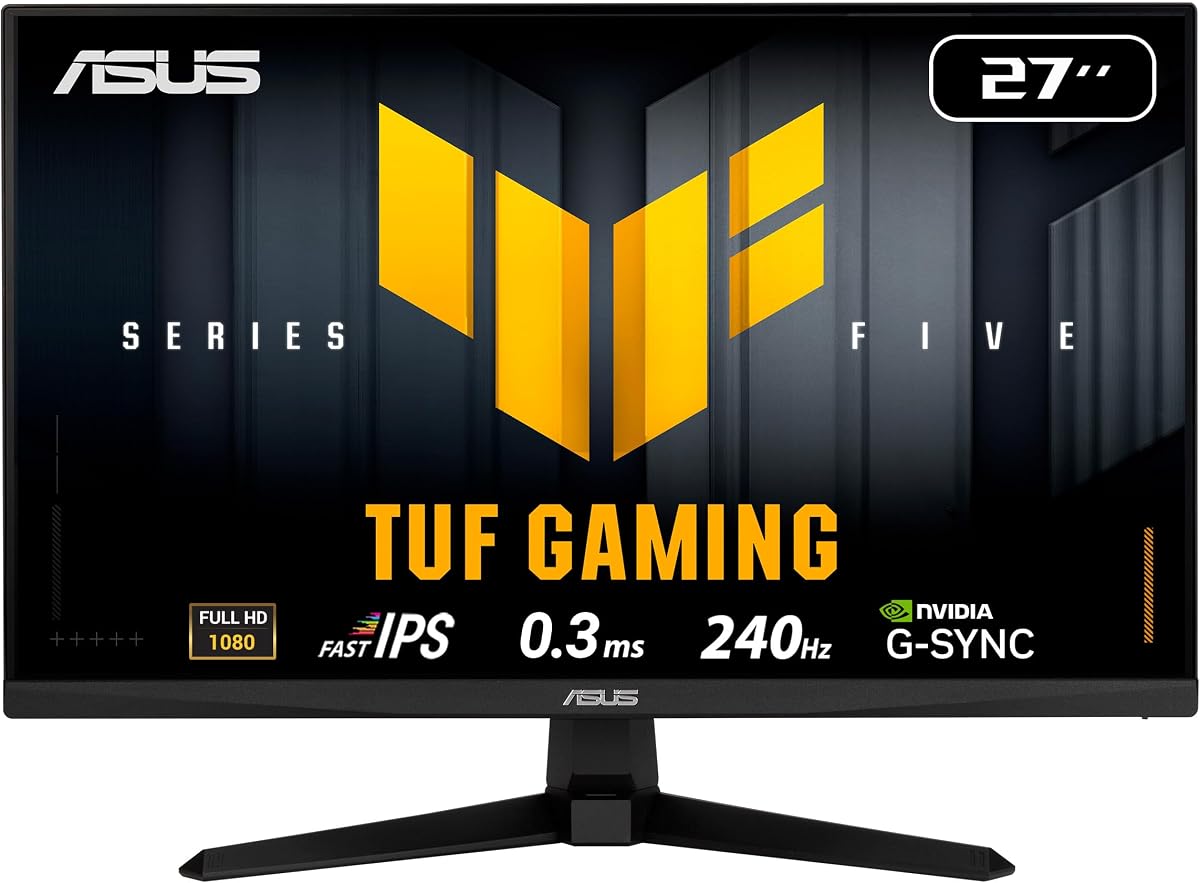
The ASUS TUF VG279QM5A stands out as a top contender for competitive Valorant players seeking a reliable 240Hz monitor. With its 27-inch Fast IPS panel and 0.3ms response time, it delivers sharp visuals with minimal motion blur. This model is highly rated for its balance of speed and color fidelity.
We may earn a commission when you buy through this link, at no additional cost to you.
Its Fast IPS technology ensures vibrant colors and wide viewing angles, which is rare at this price point. The G-Sync compatibility and FreeSync Premium support eliminate screen tearing, keeping gameplay smooth during intense matches. Additionally, the ELMB SYNC feature reduces ghosting without sacrificing refresh rate.
While the monitor lacks a USB hub and carries a slightly higher price than some rivals, these trade-offs are minor compared to its performance benefits. The ergonomic stand allows for tilt and swivel adjustments, enhancing comfort during long sessions. Its build quality reflects durability and attention to detail.
For Valorant players who prioritize responsiveness and visual clarity, this monitor is a strong recommendation. It offers the perfect blend of gaming features and everyday usability for both work and play. Investing in this display will likely improve your in-game performance significantly.
The 0.3ms response time ensures that fast-moving targets like enemies or abilities remain sharp without trailing effects.
With 99% sRGB coverage, you enjoy accurate colors that help distinguish between different agents and environments easily.
We may earn a commission when you buy through this link, at no additional cost to you.
The Dell SE2426HG offers an accessible entry into high refresh rate gaming with its 240Hz IPS panel. At a competitive price, it provides smooth motion and reduced input lag crucial for fast-paced shooters. Users praise its reliable performance and solid build quality for daily use.
We may earn a commission when you buy through this link, at no additional cost to you.
Its 0.5ms response time is quick enough to minimize ghosting during rapid movements in Valorant. The IPS technology ensures consistent colors even from angled views, making it versatile for various desk setups. Furthermore, the TUV 3-Star certification indicates good eye comfort for extended sessions.
While the stand is basic and lacks additional ports like USB, the core gaming experience remains strong. You get essential connectivity options and adaptive sync support without breaking the bank. This simplicity ensures the focus stays on performance rather than extra features.
Budget-conscious gamers looking for a reliable 240Hz monitor will find this model an excellent choice. It delivers the speed needed for competitive play while maintaining decent visual quality. If you want value without compromising on refresh rate, this is it.
You get a genuine 240Hz IPS panel at a price that undercuts many competitors with similar specs.
Certified low blue light technology helps reduce strain during marathon gaming or work sessions.
We may earn a commission when you buy through this link, at no additional cost to you.
The AOC Q27G41ZE brings premium features to competitive gaming with its QHD resolution and overclockable refresh rate. It offers exceptional sharpness and detail, perfect for spotting enemies at distance. With a 0.3ms response time, it meets the demands of high-level Valorant play.
We may earn a commission when you buy through this link, at no additional cost to you.
Its 27-inch IPS panel delivers vibrant colors and deep blacks, enhancing visual immersion during games. The adaptive sync support works seamlessly with both AMD and NVIDIA GPUs to prevent screen tearing. Additionally, the tilt adjustment helps optimize viewing angles for ergonomic comfort.
While driving QHD at 240Hz requires a powerful GPU and increases power usage, the visual upgrade is significant. You get a more detailed image compared to standard FHD monitors without sacrificing speed. The frameless design also looks sleek on any modern desk setup.
For players who have high-end hardware and want the best possible visual fidelity, this monitor is ideal. It combines speed, resolution, and build quality in a way few rivals match. If budget allows, this is a top-tier choice for serious competitors.
The QHD resolution provides sharper edges and clearer textures, helping you identify enemies faster.
The stand allows tilt adjustments to reduce neck strain during long ranked matches.
We may earn a commission when you buy through this link, at no additional cost to you.
The SANSUI 24.5-inch monitor offers an impressive 300Hz refresh rate that goes beyond standard 240Hz models. It provides fluid motion that is beneficial for rapid tracking in Valorant. Users appreciate its straightforward gaming features and solid performance for the price.
We may earn a commission when you buy through this link, at no additional cost to you.
With a 1ms response time and FreeSync Premium support, this display minimizes lag and tearing effectively. The IPS panel ensures wide viewing angles and decent color reproduction. It includes specialized game modes like Crosshair and FPS, which can aid aiming accuracy.
While the brand may not have the same reputation as major players and stand adjustability is limited, the raw speed is compelling. You get a high refresh rate experience without a premium price tag. The included cable simplifies setup for immediate use.
Gamers who prioritize refresh rate above all else will find this model very appealing. It's a great option if you want maximum smoothness on a budget. Just ensure your system can push high frame rates to take full advantage of the 300Hz capability.
The 300Hz refresh rate delivers ultra-fluid motion that can give you a split-second edge.
Pre-configured FPS presets help optimize brightness and contrast for better target visibility.
We may earn a commission when you buy through this link, at no additional cost to you.
The Amzfast 24-inch curved monitor brings a unique immersive experience with its 1500R curvature. This design wraps visuals around your peripheral vision, potentially improving focus during gameplay. It supports a 240Hz refresh rate for smooth motion and fast responses.
We may earn a commission when you buy through this link, at no additional cost to you.
Its high contrast ratio enhances dark areas in maps, making it easier to spot hidden threats. The ultra-slim base allows more desk space and even under-keyboard storage. A dedicated joystick makes OSD navigation intuitive and quick during sessions.
However, it lacks adaptive sync support which might lead to tearing on some systems. The color accuracy is decent but not as vibrant as IPS panels. If you prefer curved screens and need desk space, these trade-offs might be acceptable.
This monitor suits players who value immersion and desk efficiency over peak color performance. It offers a distinct aesthetic and functional design for budget setups. Consider it if you want a curved gaming experience with high refresh rates at an affordable cost.
The 1500R curve creates a more engaging visual field that can help with situational awareness.
The slim base reduces footprint, allowing you to keep your keyboard close or underneath.
We may earn a commission when you buy through this link, at no additional cost to you.
The msi MAG 274CF X24 features a 27-inch Rapid VA panel designed for high contrast and fast performance. It achieves a 0.5ms response time and 240Hz refresh rate to support competitive gaming needs. Users rate it highly for its value and visual clarity.
We may earn a commission when you buy through this link, at no additional cost to you.
AI Vision technology enhances brightness and saturates colors for a vibrant picture. The FreeSync Premium support ensures smooth gameplay by adapting to frame rate fluctuations. Additionally, the low blue light features contribute to eye comfort during extended use.
While VA panels typically have slower response times than IPS, this model mitigates that well. Tilt adjustment is basic compared to ergonomic stands. If you prioritize deep blacks and high contrast in dark scenes, this monitor is a strong contender.
Gamers looking for a large display with deep blacks and solid speed should consider this MSI option. It balances performance and features effectively for most Valorant players. Check your GPU settings to ensure adaptive sync is enabled for best results.
VA panel technology provides superior contrast ratios, making dark shadows and objects stand out clearly.
Built-in AI adjusts image parameters automatically for better visibility in various lighting conditions.
We may earn a commission when you buy through this link, at no additional cost to you.
The AOC 27G51Z pushes boundaries with an overclocked 260Hz refresh rate for ultra-smooth visuals. It is G-Sync compatible, providing seamless gameplay with NVIDIA GPUs to eliminate tearing. Its fast response time ensures clarity during rapid movements in Valorant matches.
We may earn a commission when you buy through this link, at no additional cost to you.
Flicker-free technology reduces eye strain significantly during long gaming sessions. The frameless design gives a modern look and supports multi-monitor setups easily. Connectivity includes HDMI and DisplayPort options for various system configurations.
The stand offers tilt but lacks height adjustment, which may limit ergonomic customization. There are no USB ports for peripherals, requiring alternative connections. Despite these minor issues, the core gaming performance remains impressive for the price.
If you want an overclocked refresh rate and G-Sync compatibility without a high price tag, this model fits well. It is suitable for players who prioritize speed and visual consistency. Ensure your GPU can handle the extra frames to fully utilize this feature.
The 260Hz overclock provides smoother motion than standard 240Hz if your system supports it.
Flicker-free tech helps maintain comfort during hours of intense ranked play sessions.
We may earn a commission when you buy through this link, at no additional cost to you.
This SANSUI 24-inch curved monitor offers a budget-friendly way to access high refresh rate gaming. Its 240Hz rate ensures smooth motion, and the 1500R curve adds a level of immersion. Users find it reliable for entry-level competitive setups.
We may earn a commission when you buy through this link, at no additional cost to you.
With a wide color gamut and HDR support, visuals appear vibrant and detailed. Game modes include shadow booster to enhance visibility in darker areas. The design supports VESA mounts for flexible installation options on walls or arms.
The stand is basic and may wobble slightly during intense movements. Warranty terms are standard but could be more comprehensive compared to major brands. For those seeking value and immersion, these compromises are often acceptable.
Budget gamers who want a curved screen and high refresh rate will appreciate this option. It delivers essential performance features without extras that drive up costs. Verify current warranty terms before buying to ensure adequate protection.
The curved panel brings content closer, helping maintain focus on fast-paced action.
Shadow booster adjustments help reveal enemies hiding in darker corners of maps.
We may earn a commission when you buy through this link, at no additional cost to you.
The ASUS TUF VG249QML5A is a compact 24-inch monitor designed for precision in competitive games. Its Fast IPS panel delivers excellent color accuracy alongside a 240Hz refresh rate. G-Sync compatibility ensures tear-free gaming with supported GPUs.
We may earn a commission when you buy through this link, at no additional cost to you.
ELMB SYNC technology reduces motion blur while maintaining variable refresh rates. The ergonomic stand allows height adjustments for comfortable viewing positions. It includes a DisplayPort cable and essential accessories for immediate setup.
While the price is a bit higher than budget options, the build quality and features justify it. There is no USB hub for peripherals which may be inconvenient for some. If you value precision and ergonomics in a smaller form factor, it is a strong pick.
Players with smaller desks or those who prefer 24-inch screens will find this ideal. It balances performance with usability for both gaming and productivity. Check current offers to see if the price matches your budget requirements.
A 24-inch panel keeps targets large and easy to track without needing eye movement.
ELMB SYNC helps keep visuals sharp even during rapid camera sweeps.
We may earn a commission when you buy through this link, at no additional cost to you.
The ASUS TUF VG259QM5A offers a 25-inch panel that strikes a balance between size and performance. It features a Fast IPS panel with 240Hz refresh rate for smooth and accurate visuals. G-Sync compatibility ensures a seamless experience across different frame rates.
We may earn a commission when you buy through this link, at no additional cost to you.
Response times are incredibly fast at 0.3ms to minimize lag and ghosting. The stand supports height adjustments for ergonomic comfort during extended sessions. It comes with necessary cables and a three-year warranty for peace of mind.
Like other models, it lacks a USB hub and requires significant GPU power to drive high frame rates. The price point is moderate but includes solid brand support. This model is great for those needing a versatile size between standard 24 and 27 inches.
Gamers seeking a middle-ground screen size with top-tier speed will appreciate this choice. It offers reliable performance and build quality for long-term use. Review current availability to ensure it meets your specific setup requirements.
A 25-inch display provides more space than 24-inch without overwhelming your field of view.
Fast IPS technology ensures minimal ghosting and accurate color transitions.
We may earn a commission when you buy through this link, at no additional cost to you.
Selecting the right monitor involves weighing several technical factors that affect gameplay performance and comfort. This section breaks down the key considerations to help you find a display that matches your needs.
The refresh rate determines how many times the screen updates per second, measured in Hz. For Valorant, 240Hz is ideal as it offers ultra-smooth motion and reduced motion blur compared to lower rates. Ensure your GPU can consistently push high frame rates to take full advantage of this spec.
Aim for at least 240Hz for competitive play, but remember that higher refresh rates require strong system performance to be noticeable.
Response time indicates how quickly a pixel can change color, which impacts motion clarity. Lower values like 0.5ms or less are critical for avoiding ghosting and ensuring sharp visuals during fast movements. Always check the minimum response time rather than average figures.
Look for response times under 1ms to maintain visual clarity when tracking moving targets in-game.
IPS panels offer better color accuracy and viewing angles compared to VA or TN panels. While TN panels historically had faster response times, modern IPS technology has closed this gap significantly. For Valorant, IPS is generally preferred for its balance of speed and image quality.
Choose IPS for the best color fidelity and viewing angles, unless budget constraints push you to VA options with high refresh rates.
Adaptive sync technologies like G-Sync and FreeSync synchronize the monitor's refresh rate with the GPU to prevent tearing. This ensures smoother gameplay especially when frame rates fluctuate during intense scenes. Check compatibility with your graphics card brand before buying.
Select a monitor that supports FreeSync Premium or G-Sync compatible features to eliminate screen tearing effectively.
Screen size impacts how much detail you can see, while resolution defines pixel density. Most competitive players prefer 24 to 25 inches at 1080p for a balance of clarity and performance. Larger screens with 1440p demand more GPU power to reach high frame rates.
Stick to 24-25 inches with 1080p resolution for the best mix of speed and affordability in Valorant.
An ergonomic stand with height, tilt, and swivel adjustments helps reduce physical strain over time. Look for VESA mount compatibility if you plan to use an arm or wall mount. Comfort is vital for long ranked sessions to maintain focus.
Ensure the stand allows proper viewing height and angle to prevent neck or back pain during play.
Proper ports like DisplayPort 1.4 are essential for achieving maximum refresh rates without compromises. HDMI versions should also support the desired resolution and Hz. Additional USB ports can simplify peripheral connections though are often optional.
Prioritize DisplayPort 1.4 or higher to guarantee full 240Hz performance with your system.
Prices vary widely based on brand reputation and additional features. A longer warranty provides peace of mind against manufacturing defects or hardware failures. Consider whether extras like RGB or speakers justify the cost.
Balance your budget against the warranty length and brand support to ensure long-term reliability and satisfaction.
To optimize performance, connect your monitor using DisplayPort rather than HDMI to ensure full 240Hz capability without bandwidth limits. This ensures smooth motion and minimal input lag during gameplay.
Adjust your monitor settings to enable adaptive sync and set the refresh rate manually in your graphics control panel. This prevents screen tearing and keeps gameplay consistent even during frame rate drops.
Clean the screen regularly with a soft microfiber cloth to avoid scratches and maintain clear visuals. Avoid harsh chemicals or excessive moisture that could damage the coating or internal components over time.
While not strictly necessary, 240Hz provides significantly smoother motion and reduced input lag compared to lower refresh rates. Competitive players often notice improved reaction times and target tracking. If your hardware supports it, it is a worthwhile investment for serious gameplay.
Yes, achieving 240 frames per second requires a capable GPU and CPU combination. Without sufficient performance, the monitor cannot display at full capacity and you may not notice the difference. Upgrade your hardware if needed to fully utilize the refresh rate.
Adaptive sync synchronizes the monitor's refresh rate with your GPU's output to eliminate screen tearing and stuttering. This creates a smoother visual experience that helps maintain focus during fast-paced fights. It is especially helpful when frame rates fluctuate unexpectedly.
IPS panels are generally preferred for gaming due to superior color accuracy and viewing angles without sacrificing speed. VA panels offer deeper blacks and higher contrast but may have slower response times. For competitive shooters, IPS is typically the better choice.
A DisplayPort 1.4 cable is usually required to achieve 240Hz at full resolution. Some monitors support HDMI 2.1 for similar results, but check your model's specs. Always use the included cable or purchase certified high-quality cables to ensure stable signal transmission.
You can use a 240Hz monitor with lower performance PCs but may not reach full refresh rates. This setup still offers decent image quality but the primary benefits of 240Hz will be limited. Consider upgrading your system to maximize the monitor's capabilities over time.
The ASUS TUF VG279QM5A and Dell SE2426HG stand out as top choices for most players seeking speed and reliability. Their combination of high refresh rates and solid build quality makes them ideal for competitive environments.
Prioritize response time and adaptive sync features to ensure smooth visuals during intense matches. Investing in a monitor with ergonomic adjustments also helps maintain comfort during long sessions.
Always verify current pricing and availability before buying to get the best deal. Prices fluctuate frequently so checking deals can help you save money on these essential gaming upgrades.