
E1000 Heat Shrink Label Maker, Wire Label Maker Waterproof-Labels
4.4Editor score
QWERTY keyboard input
Three cable modes
Heat shrink support
Discover the top label maker for network cables compared by durability, speed, and tape options to streamline your IT and electrical organization projects
Organizing network cables is essential for maintaining efficient systems and ensuring safety in any environment. A reliable label maker for network cables helps technicians and hobbyists create clear, durable identifiers that withstand harsh conditions.
This guide compares ten highly rated label makers designed specifically for network and electrical applications. We evaluated each device on print quality, tape compatibility, battery life, and ease of use to find the best options for your needs.
Each selection highlights key features and real-world performance to help you choose the right tool. Prices and availability may change so please verify details before purchasing to ensure you get the best value for your investment.
4.4Editor score

4.6Editor score

4.8Editor score
The following table provides a side-by-side comparison of all ten products to help you quickly identify the right tool for your specific labeling tasks and budget requirements.


The Makeid P31S is a robust industrial label maker designed for professionals who need high-quality prints. It achieves a rating of 4.6 stars and stands out for its thermal transfer technology.
We may earn a commission when you buy through this link, at no additional cost to you.
This device supports over thirty label sizes including heat shrink and self-laminating wraps. The 300 DPI print head ensures sharp text and barcodes even in challenging environments.
While it is more expensive than consumer models the durability and battery life justify the cost for field work. The battery lasts up to ninety days on standby.
IT professionals and electricians should buy this for reliable compliance with ANSI and TIA standards. It is the top choice for serious network cable labeling projects.
The thermal transfer technology creates labels that resist oil water and extreme temperatures for up to ten years.
It meets ANSI and TIA/EIA-606-A standards ensuring your network labels are professional and universally understood.
We may earn a commission when you buy through this link, at no additional cost to you.
The E1000 offers an affordable entry point for network cable labeling with a friendly user interface. It holds a 4.4 rating and features a standard QWERTY keyboard for easy text entry.
We may earn a commission when you buy through this link, at no additional cost to you.
It specializes in heat shrink tubes and flexible-ID labels which are ideal for wire identification. The device has three cable modes for wrapping flags and general labels.
Users may need to buy batteries separately but the USB option provides flexibility. The waste reduction feature saves tape over long projects.
This is perfect for budget-conscious users who need specific heat shrink capabilities. It simplifies network organization without requiring advanced technical skills.
The dedicated heat shrink mode ensures secure fits with a 2:1 shrink ratio for reliable cable protection.
You can power the device via USB or six AAA cells allowing continuous operation in any location.
We may earn a commission when you buy through this link, at no additional cost to you.
The DYMO 5200 is a top rated industrial label maker known for its robust build and extensive features. It has achieved a 4.8 rating from users who value precision and speed.
We may earn a commission when you buy through this link, at no additional cost to you.
Its exclusive hot keys automate formatting tasks which saves time during large projects. The display supports five lines of text for complex labels.
Some users find the setup slightly complex but the functionality is worth the learning curve. It is heavier than portable models but built for durability.
Enterprise IT teams should choose this for high volume industrial labeling. It delivers consistent results that meet strict industry standards.
Hot keys automatically size space and format text which reduces manual entry errors significantly.
The device prints Code 39 and Code 128 barcodes essential for asset tracking in network cabinets.
We may earn a commission when you buy through this link, at no additional cost to you.
This VolenGo label maker balances ease of use with solid performance for small to medium projects. It features a backlit LCD which helps in dimly lit server rooms.
We may earn a commission when you buy through this link, at no additional cost to you.
It comes with four tapes including waterproof laminated options that resist oil and abrasion. The interface is user friendly with intuitive menus.
The print quality is lower than industrial models but sufficient for standard network cables. It lacks heavy duty ruggedness but handles office needs well.
Office managers or home users will appreciate its simplicity and included accessories. It is a practical tool for basic network organization tasks.
The backlit LCD allows you to work in low light conditions without straining your eyes.
Laminated tapes provide protection against water and oil ensuring labels stay readable over time.
We may earn a commission when you buy through this link, at no additional cost to you.
The Brother P-Touch Pro is a standard choice for general workspace labeling including network panels. It receives a 4.6 rating for its reliability and one touch convenience.
We may earn a commission when you buy through this link, at no additional cost to you.
Specific keys for cable wrap and flags simplify electrical identification tasks. The preview screen helps you avoid errors before cutting tape.
It uses four tape widths which cover most small to medium cable needs. The power adapter is sold separately which adds to the initial cost.
General users and electricians who value brand reliability will find this suitable. It is a solid all-rounder for mixed environments.
Dedicated keys for cable wrap and flags speed up common electrical labeling tasks efficiently.
The graphical LCD lets you preview labels before printing to ensure accuracy every time.
We may earn a commission when you buy through this link, at no additional cost to you.
The Brady M210 is a compact handheld labeler built for industrial environments. It shares the high 4.6 rating with its larger counterparts for consistent quality.
We may earn a commission when you buy through this link, at no additional cost to you.
It integrates well with the Brady tape ecosystem which is trusted in many industrial settings. The design prioritizes portability for on-site work.
Tape costs can be higher due to proprietary formats but the durability is proven. The screen is small but functional for basic text.
Professionals already invested in Brady products will find this a logical addition. It is reliable for quick labeling needs on the go.
Brady labels are trusted in industry for their longevity and resistance to harsh conditions.
The lightweight form factor makes it easy to carry in a tool bag for immediate use.
We may earn a commission when you buy through this link, at no additional cost to you.
The Epson LW-PX700 offers a complete kit for industrial labeling including a carry case and adapter. It holds a 4.4 rating for its versatile tape compatibility.
We may earn a commission when you buy through this link, at no additional cost to you.
It supports heat shrink and wide tape up to one inch which covers many cable types. The auto rewind feature saves time during high volume jobs.
Epson provides a lifetime warranty which adds significant value for long term use. The unit is bulkier than some competitors but well equipped.
Users who want a complete solution with warranty support should consider this. It is suitable for both office and field environments.
Epson offers a full service lifetime warranty ensuring your investment is protected against any defects.
Support for multiple tape types allows one machine to handle diverse labeling needs efficiently.
We may earn a commission when you buy through this link, at no additional cost to you.
The Brady M211 allows you to print labels directly from a mobile device using Bluetooth. It receives a 4.3 rating for its convenience and rugged design.
We may earn a commission when you buy through this link, at no additional cost to you.
An attachable magnet lets you stick the printer to metal surfaces for hands free use. It includes a hard case to protect the device in transit.
The price is high compared to standard labelers but the mobility is unique. It relies on mobile apps for text entry which some may find less intuitive.
Tech-savvy users who value convenience and portability will enjoy this device. It is excellent for labeling while moving around a large facility.
The attachable magnet allows for hands-free printing which is useful when holding tools.
It withstands military grade shocks and drops ensuring it survives tough jobsite conditions.
We may earn a commission when you buy through this link, at no additional cost to you.
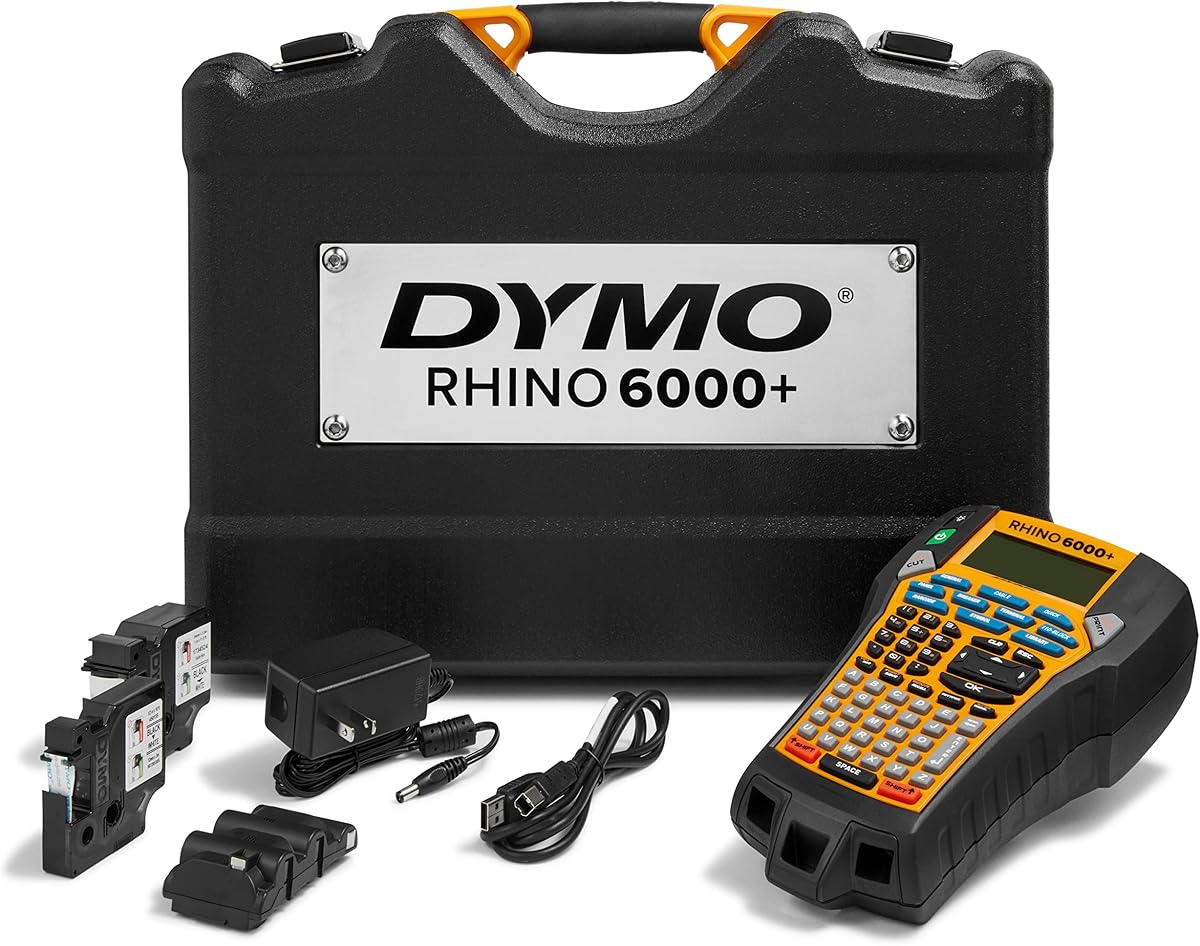
The DYMO Rhino 6000 blends on-device printing with powerful PC design software for complex labels. It gets a 4.3 rating for its robust feature set.
We may earn a commission when you buy through this link, at no additional cost to you.
You can design complex layouts and barcodes on your computer and print them on-site. The device comes with a hard case and various tapes ready to use.
It meets key ANSI and TIA standards which is vital for IT compliance. The rechargeable battery offers convenience but adds to the weight.
Teams needing complex data labels will appreciate the PC connectivity. It is a strong choice for systematic network documentation.
Designing labels on a PC allows for bulk data import and complex layouts easily.
It meets key industry standards ensuring your labels are professional and accepted.
We may earn a commission when you buy through this link, at no additional cost to you.
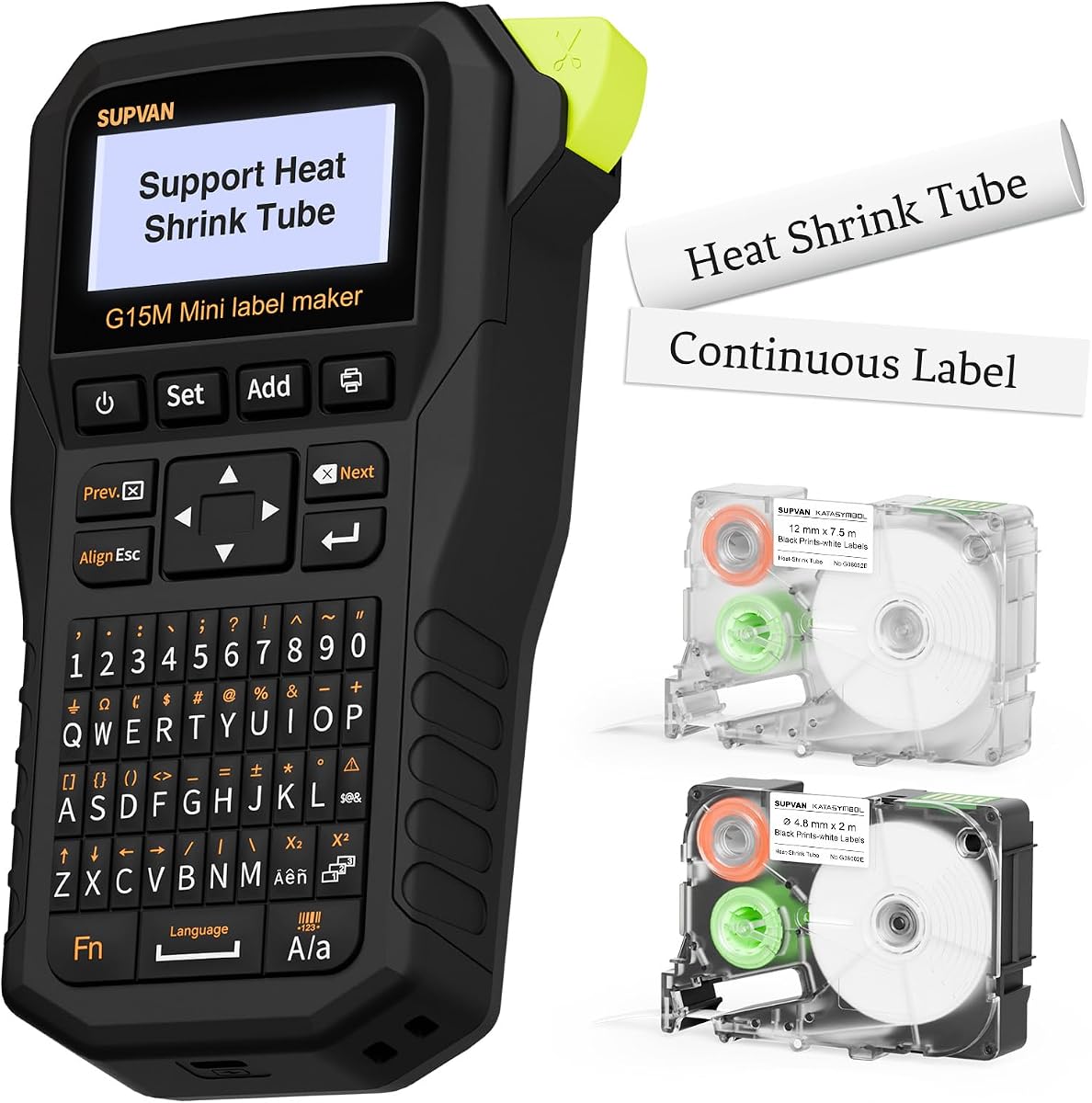
The SUPVAN G15M is a compact option specifically including heat shrink tubes for cable labeling. It holds a 4.3 rating for its efficiency and portability.
We may earn a commission when you buy through this link, at no additional cost to you.
It supports minimal margin printing which saves material waste over time. The rechargeable battery lasts up to three months on a single charge.
While the screen is small and features are basic it covers essential labeling needs. The thermal transfer technology ensures labels remain durable for a decade.
Users needing a small tool for heat shrink labeling will find it practical. It is ideal for home garages and small offices.
Minimal margin printing reduces waste by printing closer to the edge than standard printers.
Thermal transfer technology ensures labels resist water and UV rays for ten years.
We may earn a commission when you buy through this link, at no additional cost to you.
Choosing the right label maker depends on your specific needs and budget. This section covers the key factors to consider.
Print quality is measured in dots per inch (DPI). Higher DPI means sharper text and barcodes which is vital for reading small labels on cables.
Look for at least 200 DPI for standard tasks and 300 DPI for professional or industrial needs.
Ensure the device supports the tape types you need such as heat shrink or self-laminating wraps.
Check if the brand uses proprietary tapes or standard ones which affects long term costs.
Network cables often live in harsh environments so labels must resist water oil and temperature extremes.
Look for thermal transfer labels or laminated tapes that guarantee longevity in demanding settings.
Consider whether you need a rechargeable battery or standard dry cells for your workspace.
Rechargeable units offer convenience while dry cells ensure you can work anywhere without charging.
Interfaces vary from QWERTY keyboards to simple menu navigation which impacts your speed.
Choose a model that matches your comfort level to reduce errors during labeling.
For professional IT work labels should meet ANSI and TIA standards for consistency.
Verify that the model supports these standards to ensure your network is properly documented.
Factor in the cost of consumables like tapes which add up over time.
Choose a device that fits your budget while ensuring tape costs remain affordable.
If you work across multiple rooms or sites a lightweight handheld unit is essential.
Look for wrist straps and cases that make transport easy and protect the device.
Start by inserting the correct tape cartridge and ensuring the label head is clean for optimal print quality.
Use the preview function to check your text before printing to avoid wasting tape and time.
Store your label maker in a dry place and clean the print head periodically with a soft cloth.
Heat shrink labels wrap around the cable and stay secure even when cables bend. They are ideal for thick bundles where standard tape might fall off.
Thermal labels use heat sensitive paper which fades over time. Thermal transfer uses ink ribbons for permanent durable labels that resist harsh conditions.
Clean the print head every few months or when print quality drops. Use a soft cloth and alcohol to remove dust residue.
Most models work standalone without a computer. Advanced models connect to PCs for complex designs but basic ones are self-contained.
Battery life varies by usage. Rechargeable units can last months on standby while dry cells depend on how often you print labels.
For professional setups aim for ANSI TIA/EIA standards. These ensure labels are readable consistent and compatible with industry practices.
Many industrial models support Code 39 or Code 128 barcodes. Check specs to ensure the model supports the barcode type you need.
If you use it often a lifetime warranty adds peace of mind. It covers defects and ensures long-term value for your investment.
We have reviewed ten top-rated label makers for network cables ranging from budget friendly to industrial models.
Prioritize print quality tape durability and power needs to ensure your labels last in any environment.
Check current prices and availability before purchasing to secure the best deal for your project needs.