
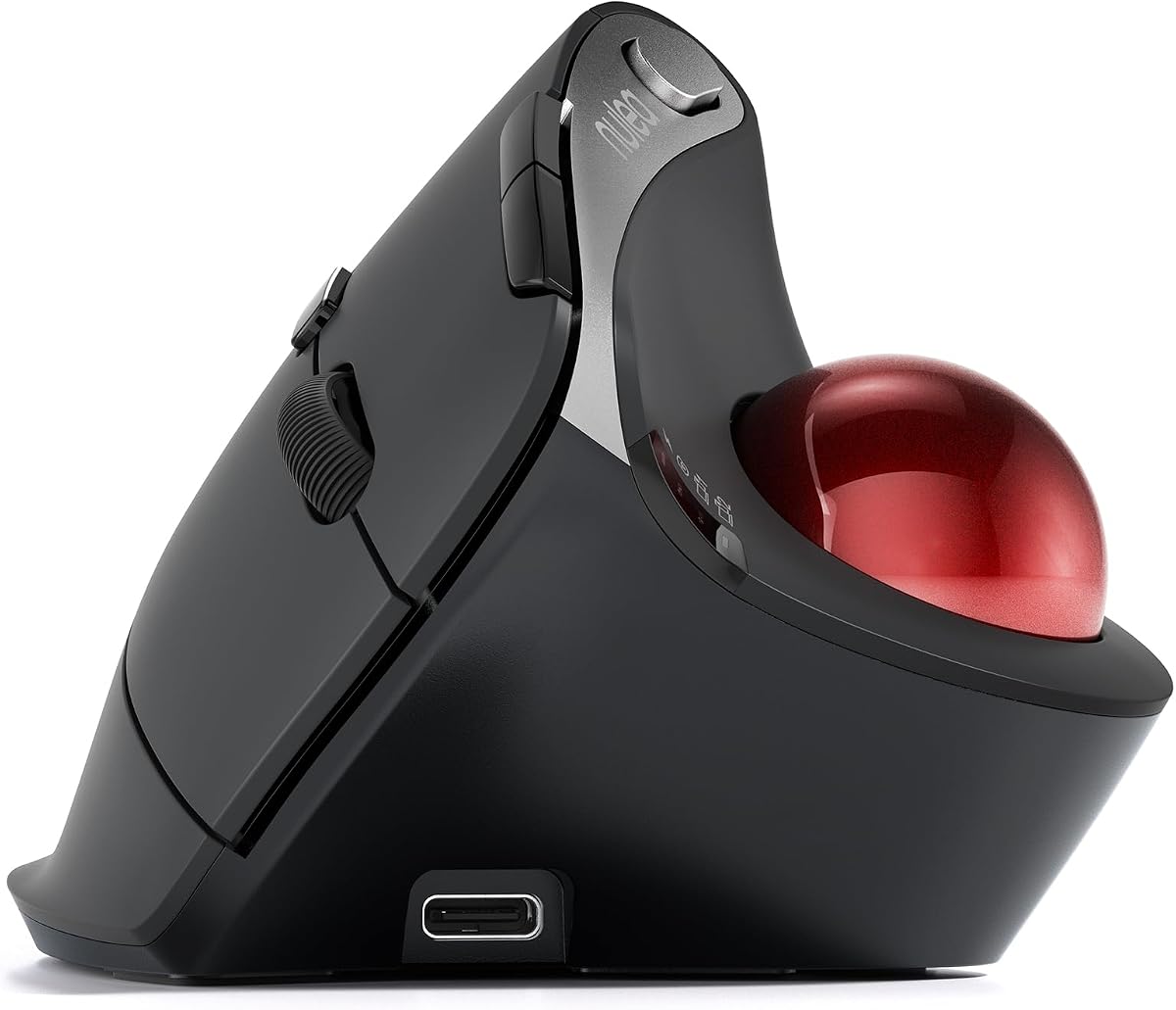
Nulea M501 Wireless Trackball Mouse
4.4Editor score
Rechargeable battery included
Smooth thumb control design
Connects to 3 devices easily
This guide compares the top ergonomic trackball mice for comfort and precision, helping you choose the best wireless or rechargeable model for your workspace
Ergonomic trackball mice offer a unique solution for users seeking comfort during long work sessions. By using a thumb-controlled ball, these devices reduce wrist movement and strain significantly. They are ideal for tight spaces and those prone to repetitive stress injuries.
We evaluated ten top-rated models based on design, connectivity, battery life, and user feedback. Each product was analyzed for ergonomic features, tracking precision, and overall build quality. Our goal is to help you find the perfect match for your daily computing tasks.
Each pick highlights specific strengths like quiet clicks, customizable buttons, or rechargeable batteries. Prices and availability can change quickly, so verify details before purchasing. We focus on factual specifications and verified ratings to ensure reliable recommendations for your setup.
4.4Editor score
4.5Editor score

4.4Editor score
This table provides a side-by-side overview of key specifications for all ten models. Compare features like connectivity, battery type, and ergonomic angles to find the right fit.




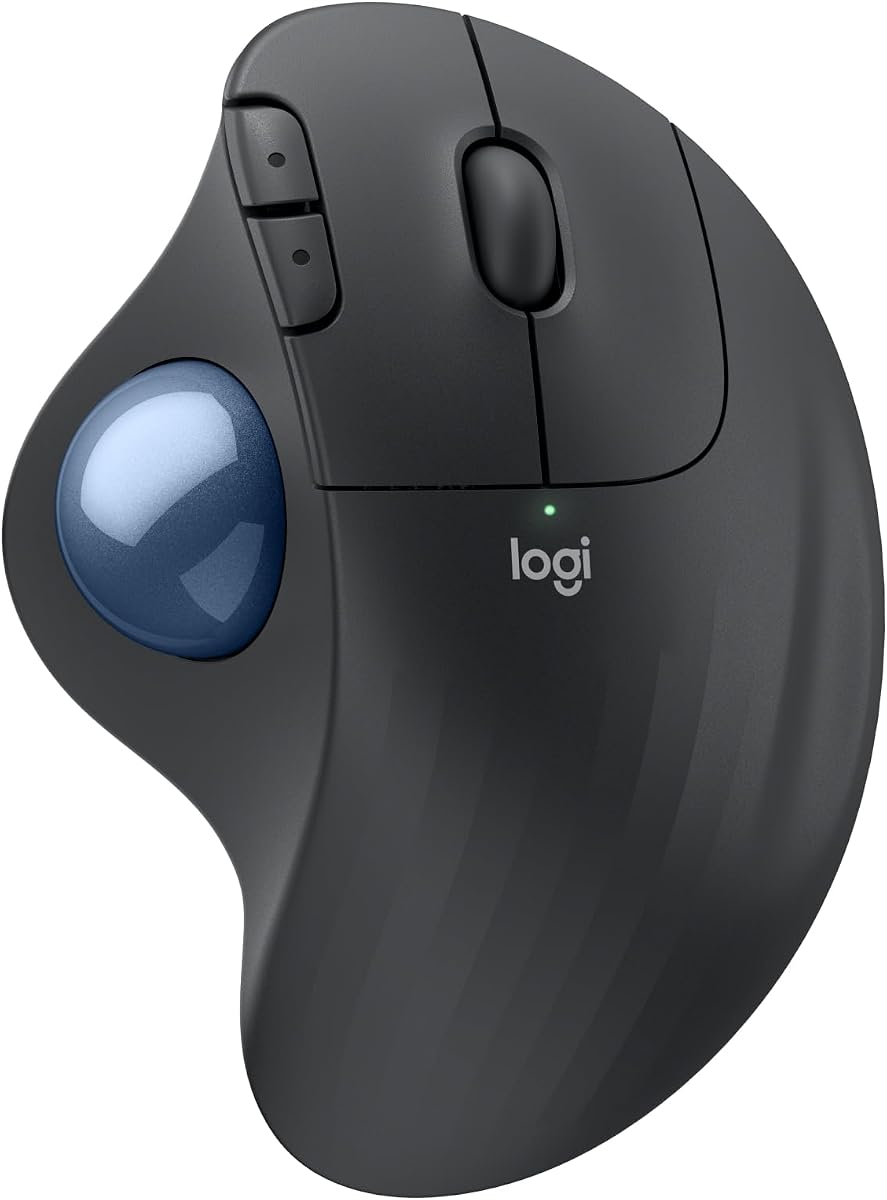
The Logitech Ergo M575S stands out as a top choice for ergonomic trackball mice. With a 4.5 rating, it offers a sculpted shape that keeps your hand relaxed. The thumb control allows precise tracking without moving your hand much.
We may earn a commission when you buy through this link, at no additional cost to you.
Its design reduces forearm strain by 25 percent according to ergonomist testing. The quiet clicks are perfect for shared offices. You can connect via Bluetooth or USB receiver and enjoy a long battery life.
While it lacks full button programmability for advanced macros, the standard shortcuts cover most needs. Battery dependency is a minor trade-off given the long runtime. The build quality feels solid and durable.
This mouse is ideal for users seeking comfort without breaking the bank. It pairs well with ergonomic keyboards for a full setup. We recommend it for daily work tasks requiring sustained use.
The sculpted shape supports natural hand positioning. This realigns your forearm to reduce strain throughout the day.
Smart Actions and customizable buttons save time. Adjust cursor speed easily using the Logi Options+ App.
We may earn a commission when you buy through this link, at no additional cost to you.
The Nulea M501 delivers excellent value for budget-conscious buyers. It features a smooth trackball that reduces wrist movement. The ergonomic angle keeps your palm in a natural position comfortably.
We may earn a commission when you buy through this link, at no additional cost to you.
You can connect up to three devices via Bluetooth or USB. Switching between them is simple with the bottom button. The rechargeable battery eliminates the need for disposable cells.
While buttons are fixed and not programmable, they cover essential navigation needs. Be sure to use the provided cable and avoid fast chargers to protect the battery. This model is great for general office tasks.
Ideal for students or home users needing reliable wireless track. The build quality is impressive for the price. We suggest it for anyone wanting ergonomics without a premium cost.
Supports Bluetooth and USB connections. Switch seamlessly between computers or tablets for efficient workflows.
The curved shape fits naturally in your palm. Thumb control minimizes arm movement and reduces fatigue.
We may earn a commission when you buy through this link, at no additional cost to you.
This black variant of the M575S focuses on ergonomic posture improvements. It supports the hand to realign the forearm naturally. With a 4.6 rating, users appreciate its comfort and reliability.
We may earn a commission when you buy through this link, at no additional cost to you.
The wireless connection offers freedom of movement. Battery life remains strong for months on a single AA cell. Thumb control allows you to navigate without moving your entire hand.
It lacks advanced software customization compared to higher-end models. However, the core ergonomic benefits are well executed. The design is compact and ideal for smaller desks.
We recommend this for users prioritizing posture and simplicity. It is a solid choice for daily office work. Consider it if you want a proven trackball from a trusted brand.
The shape aligns your forearm for better health. This reduces the risk of strain during long sessions.
Thumb control eliminates the need for surface movement. Perfect for cramped workspaces or travel setups.
We may earn a commission when you buy through this link, at no additional cost to you.
The MX Ergo S represents a premium upgrade in trackball technology. It features a 20-degree tilt to reduce muscle strain significantly. Advanced thumb control allows switching between speed and precision instantly.
We may earn a commission when you buy through this link, at no additional cost to you.
Charging is handled via USB-C with quick top-up capabilities. The clicks are 80 percent quieter than standard models. You get six customizable buttons for enhanced productivity workflows.
The higher price reflects the added features and build quality. Ensure you have a USB-C cable ready for charging. It is designed for medium to large hands specifically.
Ideal for professionals needing top-tier ergonomics and customization. Pair it with other Logitech accessories for a complete setup. We recommend this for demanding daily use cases.
The tilt angle improves forearm alignment significantly. This reduces strain by up to 27 percent during work.
Logi Options+ App allows smart actions. Customize buttons to streamline complex daily tasks easily.
We may earn a commission when you buy through this link, at no additional cost to you.
TECKNET offers a unique vertical angle design for forearm health. The 16-degree tilt promotes a natural palm position. Users report up to 50 percent strain reduction compared to standard mice.
We may earn a commission when you buy through this link, at no additional cost to you.
The 500mAh battery provides quick charging and long use. It supports three device connections for flexible switching. DPI settings adjust sensitivity for various tasks and surfaces.
Larger hands may need a week to adjust fully. The button layout is fixed and not programmable for macros. However, the ergonomic benefits are substantial for daily use.
We suggest this for users seeking vertical ergonomic features. It balances price and performance well. Ideal for those needing significant wrist relief at a moderate cost.
The angled design mimics a handshake position. This keeps wrists and forearms relaxed during typing.
Fifteen minutes of charge powers a full day. Enjoy consistent performance without frequent battery swaps.
We may earn a commission when you buy through this link, at no additional cost to you.
The Nulea M506 boasts the highest rating in our list. Its 54-degree vertical structure keeps wrists in a natural position. The contoured shell offers a steady grip for creative work.
We may earn a commission when you buy through this link, at no additional cost to you.
All essential controls are reachable without moving fingers much. The detachable trackball makes cleaning easy. It supports dual Bluetooth and one USB for multi-device use.
The 4 DPI levels suit various workflows from browsing to design. Some buttons are not programmable for advanced scripts. However, the ergonomics are top-notch for comfort.
We recommend this for users with wrist discomfort. It is perfect for design work and browsing. Ensure you spend time adapting to the vertical shape for best results.
The 54-degree angle relaxes wrists fully. This reduces burden and helps prevent fatigue effectively.
The trackball removes easily without tools. Clear dust to ensure smooth rolling and precise control.
We may earn a commission when you buy through this link, at no additional cost to you.
Nulea offers a vertical trackball with unique scrolling features. The 65-degree angle ensures a relaxed arm position. The infinite scroll wheel switches between modes based on speed automatically.
We may earn a commission when you buy through this link, at no additional cost to you.
Every button operates silently for focused environments. It pairs with three devices for seamless workflow transitions. The wave-textured surface fits the palm seamlessly for comfort.
The scroll feature helps with long documents efficiently. The battery type may differ from rechargeable alternatives. Still, the silent operation is a major plus for shared spaces.
Ideal for users prioritizing quiet and scrolling ease. It works well for long hours at a desk. We suggest it for anyone valuing noise-free performance.
The wheel adapts to your scrolling speed. Navigate long pages effortlessly without manual mode changes.
Noise-free clicks benefit shared offices. Enjoy total focus without distractions from typing or clicking.
We may earn a commission when you buy through this link, at no additional cost to you.
This model features a built-in tilt stand for wrist comfort. The 21.7-degree angle provides a natural position. Silent operation benefits shared environments and late-night work.
We may earn a commission when you buy through this link, at no additional cost to you.
Six buttons offer functional performance for daily tasks. The 4 DPI levels adjust precision for drawing or editing. It connects to three devices for easy switching.
The tilt stand is fixed and not adjustable by the user. Button programmability is limited compared to premium models. However, the ergonomic tilt adds distinct comfort value.
We recommend this for those needing a tilted setup. It is ideal for multitasking with different screens. Check the tilt angle fits your wrist preference.
The elevated stand fits the palm precisely. Deliver a more comfortable grip for long sessions.
Six buttons cover essential navigation needs. Add comfort and productivity to your workflow efficiently.
We may earn a commission when you buy through this link, at no additional cost to you.
Designed for business scale, this mouse offers remote monitoring. It reduces muscle activity by 25 percent for comfort. Logitech Sync allows IT to deploy and track usage easily.
We may earn a commission when you buy through this link, at no additional cost to you.
The shape keeps hands relaxed and promotes better posture. Smooth tracking works on any surface reliably. Shortcuts can be personalized via the Logi Options+ app.
Enterprise features may not be needed for home users. It shares core traits with the consumer version. Battery life remains consistent at up to 18 months.
Ideal for companies needing ergonomic standards. It ensures comfort for employees working long hours. We suggest this for corporate procurement teams.
Sync allows remote deployment and monitoring. Manage multiple devices efficiently across large teams.
Built with recycled plastic components. Supports eco-friendly initiatives while delivering performance.
We may earn a commission when you buy through this link, at no additional cost to you.
This advanced variant offers full customization and rechargeability. Six buttons are programmable for complex workflows. The USB-C charging provides up to 120 days on a full charge.
We may earn a commission when you buy through this link, at no additional cost to you.
A 20-degree tilt improves forearm posture significantly. It supports Bluetooth and an encrypted dongle for security. Quiet clicks reduce noise for focus.
The cost is higher but offers advanced features. Ensure your setup supports USB-C charging. It suits power users needing precise control and customization.
We recommend this for demanding technical work. It combines ergonomics with high-end performance. Consider it if battery flexibility is a priority.
USB-C charging supports up to 120 days. Quick 1-minute charge gives 24 hours of use.
Six buttons allow advanced shortcuts. Customize actions via the Logi Options+ app easily.
We may earn a commission when you buy through this link, at no additional cost to you.
Selecting the right trackball mouse requires evaluating specific ergonomic and technical features. This guide breaks down the key factors to consider for your setup.
The physical shape of the mouse determines comfort. Look for vertical angles like 16, 54, or 65 degrees to reduce wrist strain. A tilted design helps align forearms naturally.
Choose an angle that feels natural for your palm size. Test the grip before committing to ensure long-term comfort.
Most models offer Bluetooth or USB dongle connections. Some support multi-device switching which is useful for multiple screens. Check compatibility with your operating system.
Ensure the connection type matches your devices. Bluetooth is convenient while dongles offer stable signals.
Battery duration impacts convenience. Rechargeable models save money long-term but need charging cables. AA batteries are easy to replace but require buying new ones.
Prioritize long battery life if you dislike frequent charging. Check if fast charging features are available.
Programmable buttons allow shortcuts for productivity. Some models lock buttons to defaults which limits flexibility. Look for software support like Logi Options+.
Decide if you need macros or just basic navigation. Customization adds value for power users.
Adjustable DPI affects cursor speed and precision. Higher DPI is better for detailed design work. Lower DPI helps with stability during general tasks.
Look for models with multiple DPI settings. This allows switching based on your current task needs.
Quality materials ensure durability over time. Textured grips prevent slipping during use. Some models use recycled plastics for sustainability.
Check user reviews regarding long-term wear. A solid build reduces the need for replacements.
Trackballs can accumulate dust over time. Detachable models allow easy cleaning to maintain smooth rolling. Regular maintenance extends the device lifespan.
Choose a model with easy cleaning features. This ensures consistent precision throughout the life.
Prices range from budget-friendly to premium. Higher cost often brings better build and features. Determine your needs to avoid overspending.
Balance features against your budget. Often mid-range options offer the best value.
Place the mouse on a flat, stable surface. Your hand should rest naturally on the shape without reaching too far. Use your thumb to rotate the ball for movement.
Clean the trackball every few weeks. Remove the ball if possible and wipe away dust. This prevents skipping and ensures smooth tracking.
Update software for your mouse buttons. Customize shortcuts to speed up daily tasks. Adjust DPI settings based on your screen resolution.
Yes, they significantly reduce wrist movement by using thumb control. This helps prevent strain and repetitive stress injuries. Many users find relief after switching.
Eject the ball from the cage and wipe it clean. Use a soft cloth to remove dust and oils from the sensors. Replace it once it is dry.
Most models listed work with both PC and Mac. Check the specifications for driver compatibility. Some require software that supports macOS.
Yes, they do not rely on surface friction like optical mice. You can use them on cloth, wood, or glass easily. This makes them versatile for travel.
Battery life varies by model from weeks to months. Rechargeable units typically last months per charge. AA models may last up to 18 months.
They are not typically designed for fast gaming. However, some offer high precision for strategy games. We recommend them for work over gaming.
We reviewed ten top ergonomic trackball mice to help you decide. The Logitech M575S and MX Ergo S lead in comfort and features. Budget options like Nulea offer great value.
Prioritize ergonomic angles and battery life for your needs. Comfort should be your main goal during long sessions. Customization adds value if you need shortcuts.
Prices and availability change frequently so check current details. Invest in a model that supports your health and workflow. We hope this guide simplifies your choice.