
Calibrite Display 123
4.0Editor score
Easy 1-2-3 workflow
Supports up to 2 displays
Built-in before after check
This guide compares the top colorimeter for monitor calibration tools to help creators achieve accurate screen colors for photo and video editing workflows.
Accurate screen color is essential for professional creators. A good colorimeter ensures your display matches final output across devices and print.
We compared ten leading calibration tools based on sensor accuracy, software features, and support for modern display technologies like OLED and Mini LED.
Each pick shows unique strengths for different workflows. Prices and availability change often, so check current listings before purchasing your next calibration tool.
4.0Editor score
4.5Editor score

4.0Editor score
This side-by-side comparison highlights the key specifications and capabilities of every top-rated colorimeter available this month.


The Calibrite Display 123 is a practical colorimeter designed for entry-level photographers and casual creators. With a 4.0 rating it offers straightforward calibration without complex settings.
We may earn a commission when you buy through this link, at no additional cost to you.
Its standout feature is the Easy 1-2-3 workflow which guides users step by step. It supports up to two displays allowing consistent color across dual screen setups.
While it lacks advanced video standards, it handles photo editing needs well. The compact body and adjustable counterweight make placement on any monitor easy.
Buy this if you need a reliable, affordable tool to fix color shifts. It is ideal for those who prioritize ease of use over deep customization.
The guided setup process ensures anyone can calibrate their screen in minutes without reading complex manuals.
Matching two screens prevents color confusion when moving projects between primary and secondary monitors during edits.
We may earn a commission when you buy through this link, at no additional cost to you.
The Calibrite Display Plus HL is built for high-end video editors and professionals working with super bright displays. Its HL sensor measures up to 10000 nits ensuring accurate HDR calibration.
We may earn a commission when you buy through this link, at no additional cost to you.
It comes with PROFILER software offering Basic and Advanced modes. This supports custom patch sets and shared presets which are vital for team workflows.
Broadcast standards like Rec.709 are supported ensuring your work translates correctly to industry pipelines. The built-in tripod mount adds versatility for projector calibration.
Choose this if you require precise control over luminance and video grading. It is a robust tool for creators who need absolute accuracy on high-end screens.
The HL sensor ensures no highlights are lost even on the brightest Apple XDR or OLED panels.
Features like Profile Validation and Uniformity Check allow teams to maintain consistent color across multiple editing stations.
We may earn a commission when you buy through this link, at no additional cost to you.
The datacolor Spyder is a versatile tool that brings professional calibration to a wider range of users. With a 4.2 rating it supports modern displays like OLED and Mini LED.
We may earn a commission when you buy through this link, at no additional cost to you.
Its DevicePreview feature simulates how photos look on other devices directly on your calibrated screen. This is a unique advantage for creators sharing work across platforms.
Calibration takes about 90 seconds ensuring fast workflow. The ambient light sensor tracks room light to adjust brightness automatically keeping your setup comfortable.
Pick this if you need a quick and reliable calibration tool that works seamlessly with the latest operating systems. It balances speed and accuracy for daily use.
DevicePreview helps you anticipate client reactions by showing exactly how your edits will appear on different phones or tablets.
The ambient light sensor reduces eye strain by adjusting your display brightness to match changing room conditions.
We may earn a commission when you buy through this link, at no additional cost to you.
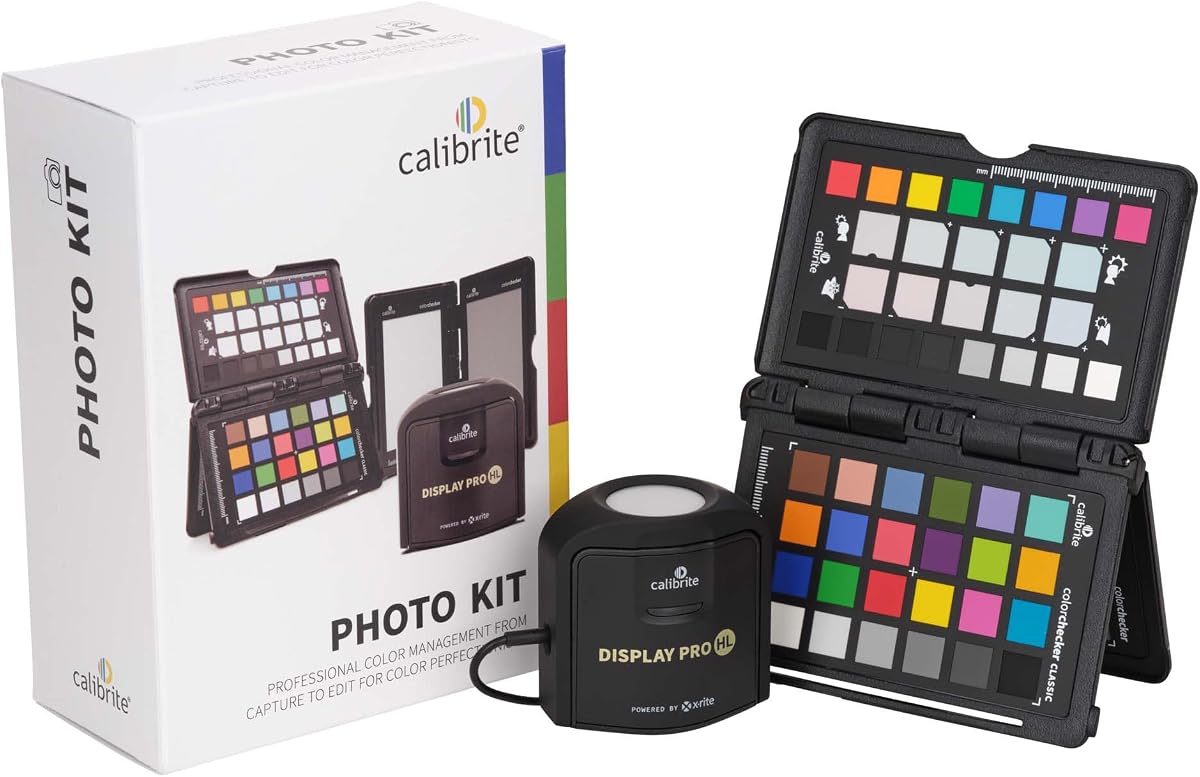
The Calibrite Photo Kit combines a high-performance colorimeter with a camera profiling tool. It provides a complete system for photographers who need accuracy from capture to final edit.
We may earn a commission when you buy through this link, at no additional cost to you.
The Display Pro HL handles modern monitors including Apple XDR panels. This ensures what you see during editing matches your client's view.
Passport Photo 2 enables custom camera profiles for RAW files. This reduces guesswork on white balance and exposure making your post-production faster and more consistent.
Buy this kit if you want a unified solution for both your camera and your screen. It is a strong choice for pros who refuse to compromise on color fidelity.
Combining screen and camera tools eliminates the disconnect between what you shoot and what you see later.
Custom camera profiles ensure consistent color rendering across different lighting scenarios in your shoots.
We may earn a commission when you buy through this link, at no additional cost to you.
The Calibrite Creator Kit received a perfect 5.0 rating for its focus on hybrid content creators. It includes the Display 123 and Passport Video 2 for reliable color management.
We may earn a commission when you buy through this link, at no additional cost to you.
Passport Video 2 helps filmmakers set accurate white balance and verify exposure on set. This is crucial for maintaining consistent footage across different lighting conditions.
The Display 123 provides an easy workflow for screen calibration. While basic it ensures your grading monitor is trustworthy for delivering final projects.
Choose this if you shoot both video and photos and need a simple reliable tool. It is the best value for creators who prioritize consistency over advanced technical features.
Passport Video 2 ensures every shot matches your reference card so grading is faster in post-production.
The easy 1-2-3 workflow ensures non-technical team members can check display accuracy quickly.
We may earn a commission when you buy through this link, at no additional cost to you.
The Calibrite ColorChecker Display Pro is known for its stable optical design. With a 4.2 rating it offers high repeatability across different display types.
We may earn a commission when you buy through this link, at no additional cost to you.
Its rotatable diffuser arm acts as a stand for tabletop projector profiling. This versatility makes it useful for both screens and larger venue projectors.
The integrated tripod mount is perfect for projecting profiles in large spaces. It supports X-Rite software which is widely used in professional environments.
Buy this if you need a robust tool for both monitors and projectors. It is a solid choice for environments that require consistent long-term performance.
The diffuser arm allows you to profile projectors effectively without needing a dedicated external stand.
Support for i1Profiler ensures seamless integration into existing professional color management workflows.
We may earn a commission when you buy through this link, at no additional cost to you.
The Datacolor Spyder5PRO is designed for serious photographers. It focuses on ensuring your prints match your screen using advanced room light monitoring.
We may earn a commission when you buy through this link, at no additional cost to you.
Its analysis feature lets you evaluate performance with your own images. This practical approach helps you focus on details that matter to your work.
The before and after evaluation helps visualize the improvement immediately. It is a classic tool that saves ink and paper by ensuring prints are correct on the first try.
Choose this if you print regularly and want reliable print-to-screen matching. It is a great option for traditional photographers who value physical output.
Room light monitoring ensures your brightness matches your viewing environment for accurate print previews.
Using your own photos for evaluation makes the calibration process more relevant to your specific workflow.
We may earn a commission when you buy through this link, at no additional cost to you.
The ASUS ProArt CaliControl is a unique 3-in-1 tool designed for users already invested in the ProArt ecosystem. It includes hardware calibration and a built-in dial.
We may earn a commission when you buy through this link, at no additional cost to you.
Its 5-way navigator allows quick control of your display OSD directly from the device. This reduces the need to use on-screen menu buttons constantly.
The device supports calibration up to 10000 nits ensuring HDR compatibility. However the low user rating suggests potential software friction or complexity.
Buy this only if you need deep integration with ASUS hardware. For general users, a more standard colorimeter might offer better stability and support.
Hardware calibration adjusts the display card itself rather than software for more permanent color accuracy.
The integrated dial offers shortcuts for creative apps when used with compatible ASUS monitors.
We may earn a commission when you buy through this link, at no additional cost to you.
The Datacolor Spyder4Pro was built for speed and stability. With a 4.2 rating it features a full-spectrum sensor that calibrates multiple displays quickly.
We may earn a commission when you buy through this link, at no additional cost to you.
Its ReCAL feature allows for quick recalibration to compensate for changes over time. This ensures your display stays accurate without running a full profile.
The fourth-generation design improved accuracy by 26%. This stability makes it a reliable choice for those who need consistent color without frequent full recalibrations.
Choose this if you need a cost-effective option for multiple displays. It is a practical tool for teams where consistent color is needed across several screens.
The ReCAL assistant allows you to check and correct drift in minutes without a full process.
A single sensor can calibrate multiple displays ensuring color remains uniform across your workspace.
We may earn a commission when you buy through this link, at no additional cost to you.
The Datacolor Spyder X Pro is a top-rated tool with a 4.4 rating. It features a lens-based color engine that provides high precision for accurate screen color.
We may earn a commission when you buy through this link, at no additional cost to you.
It offers 12 predefined calibration targets making it ideal for beginners. The SpyderProof function lets you see the difference using your own images after calibration.
Room-light monitoring and automatic profile changing ensure your display stays accurate. It supports multiple displays making it versatile for various setups.
Buy this if you want a user-friendly yet professional tool. It is perfect for photographers and designers who need reliable color without a steep learning curve.
The 12 predefined targets simplify the process for users who want professional results without complex settings.
SpyderProof gives you confidence by showing the improved color accuracy directly on your own photos.
We may earn a commission when you buy through this link, at no additional cost to you.
Selecting the right colorimeter depends on your specific workflow and display technology. Here are key factors to consider.
Ensure the tool supports your monitor type. Modern colorimeters must handle OLED and Mini LED which have different brightness profiles.
Always check that the device supports your specific panel technology before purchasing.
High-end models offer better accuracy and repeatability. This is vital for professional work where slight color shifts can ruin a project.
Look for optical designs that ensure consistency across multiple sessions and environments.
Software should offer presets and customization. Good tools provide before and after comparisons to validate the calibration results effectively.
Choose software that integrates well with your editing apps for a smooth workflow.
Built-in sensors adjust display brightness based on room light. This maintains visual consistency and reduces eye strain during long work hours.
A tool with light sensing is essential for users who work in changing environments.
Video creators need support for Rec.709 and BT.1886. These ensure your work meets broadcast and streaming requirements accurately.
Confirm video standard support if you produce content for professional pipelines.
Hardware calibration adjusts the monitor LUT directly. This is more reliable than software-only calibration for complex workflows.
Hardware calibration is recommended for high-end setups requiring precise color control.
Photographers may need camera profiling kits. Video editors require tools that support HDR and high brightness displays.
Match the tool to your specific capture or edit workflow for best results.
Beginners benefit from guided workflows like 1-2-3 steps. Complex tools require more knowledge to set up correctly.
Choose an interface that matches your technical comfort level.
Place the colorimeter on your screen using the provided counterweight or hang method. Ensure the device faces the display directly and is not tilted.
Run the software workflow step by step. Keep the room lights on during calibration if you have an ambient light sensor.
Store the device in its pouch when not in use. Clean the glass sensor gently with a soft cloth to avoid scratches or dust.
It is recommended to calibrate your monitor every four weeks. For professional work calibrate every two weeks to ensure consistent color accuracy over time.
No it cannot fix a defective panel. It only adjusts color output. If the display has physical damage or uneven lighting calibration cannot fix those issues.
Most modern tools support both systems. Always check the specific software requirements for your operating system before purchasing.
Hardware calibration changes the monitor LUT directly. It ensures more accurate color than software adjustment alone.
Yes many tools support dual monitors. This ensures consistency across your entire workspace.
Yes new displays have factory shifts. Calibration ensures the colors are accurate from the start.
It is a standard color space for HD video. Support ensures your work meets professional broadcast requirements.
Yes room light changes perception. Tools with ambient sensors adjust brightness automatically for consistency.
Our top picks include the Calibrite Display 123 for budget and the Display Plus HL for high-end work. The datacolor Spyder offers great all-around performance.
Prioritize sensor accuracy and software features that match your specific editing needs. Video editors require different standards than photographers.
Always check current prices and availability before buying to ensure you get the best deal for your workflow.