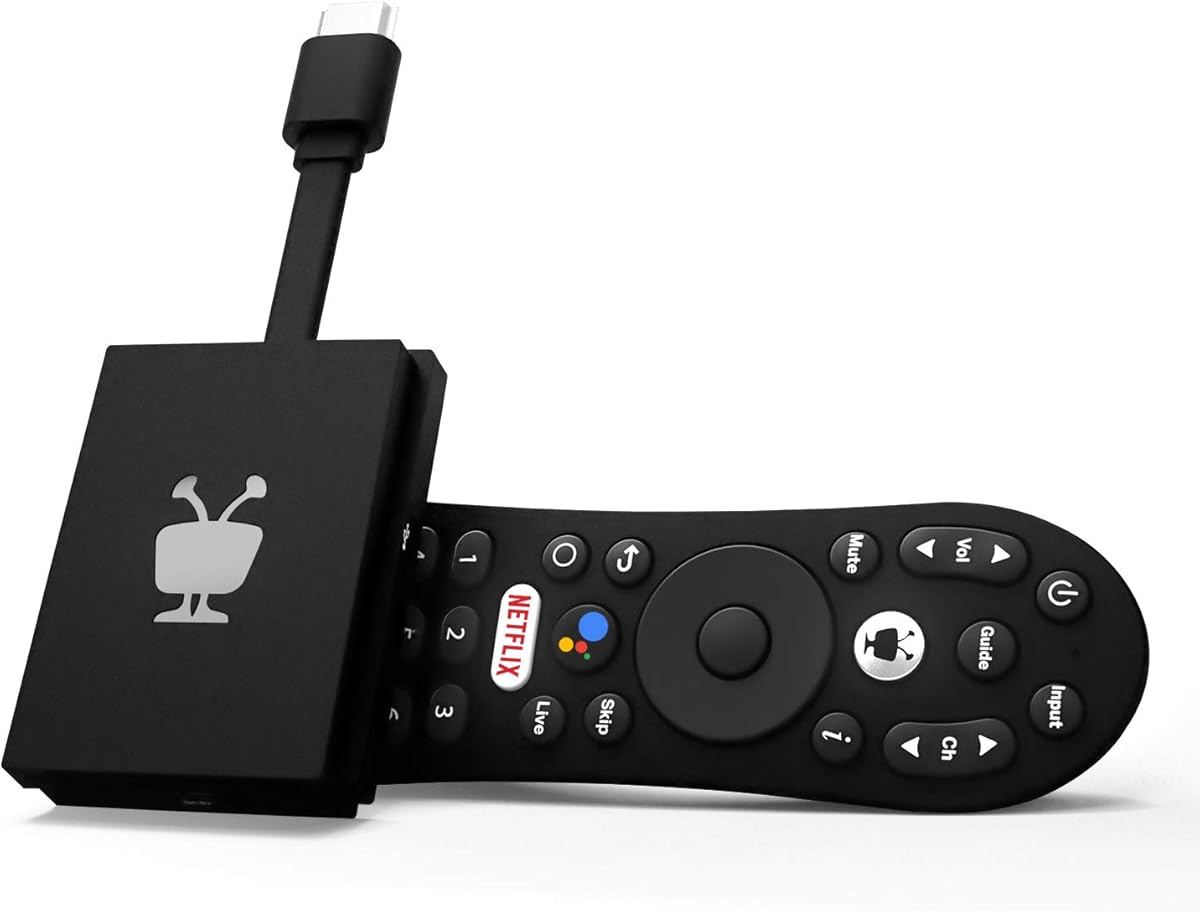
TiVo Stream 4K
4.2Editor score
Centralized app search
Google Assistant voice control
Compact plug-in design
Compare the top 10 Android TV Box models of 2026 for 4K streaming, performance, and smart features to upgrade your home theater experience effectively.
An Android TV Box transforms any standard television into a powerful smart entertainment hub. It gives you access to streaming apps, games, and media playback with enhanced hardware performance.
We evaluated ten leading models based on processing power, video quality, connectivity options, and user experience to ensure you get the best value for your home setup today.
Each selection highlights key strengths and potential trade-offs so you can choose confidently. Keep in mind that product availability and pricing may change frequently on retailer sites.
4.2Editor score

4.4Editor score

4.3Editor score
This side-by-side comparison highlights the key specifications and capabilities of each model to help you identify the most suitable device for your specific viewing needs.


The Xiaomi TV Box S 3rd Gen delivers an exceptional streaming experience with its robust hardware and polished software integration. It earns our Editor's Choice award for balancing high-end performance with an intuitive user interface that works well for any household.
We may earn a commission when you buy through this link, at no additional cost to you.
Its support for 4K resolution at 60FPS combined with Dolby Vision and HDR10+ ensures that your favorite movies look vibrant and detailed on any modern TV. The Quad-Core processor and 2GB RAM handle multitasking smoothly, allowing you to switch between apps without noticeable lag.
While the 32GB of internal storage is decent, power users who plan to download many large games or files might find it slightly limited compared to devices offering 64GB or more. However, the speed of the Wi-Fi 6 connection mitigates buffering issues significantly.
This device is ideal for users who want a reliable, future-proof box that integrates seamlessly with the Google ecosystem. It stands out as the top recommendation for anyone seeking a premium streaming experience without overcomplicating the setup process.
Dolby Atmos and DTS:X surround sound create an immersive auditory environment that complements the sharp 4K visuals perfectly.
Personalized content recommendations from Google TV make discovering new shows effortless and keep your home screen organized.
We may earn a commission when you buy through this link, at no additional cost to you.
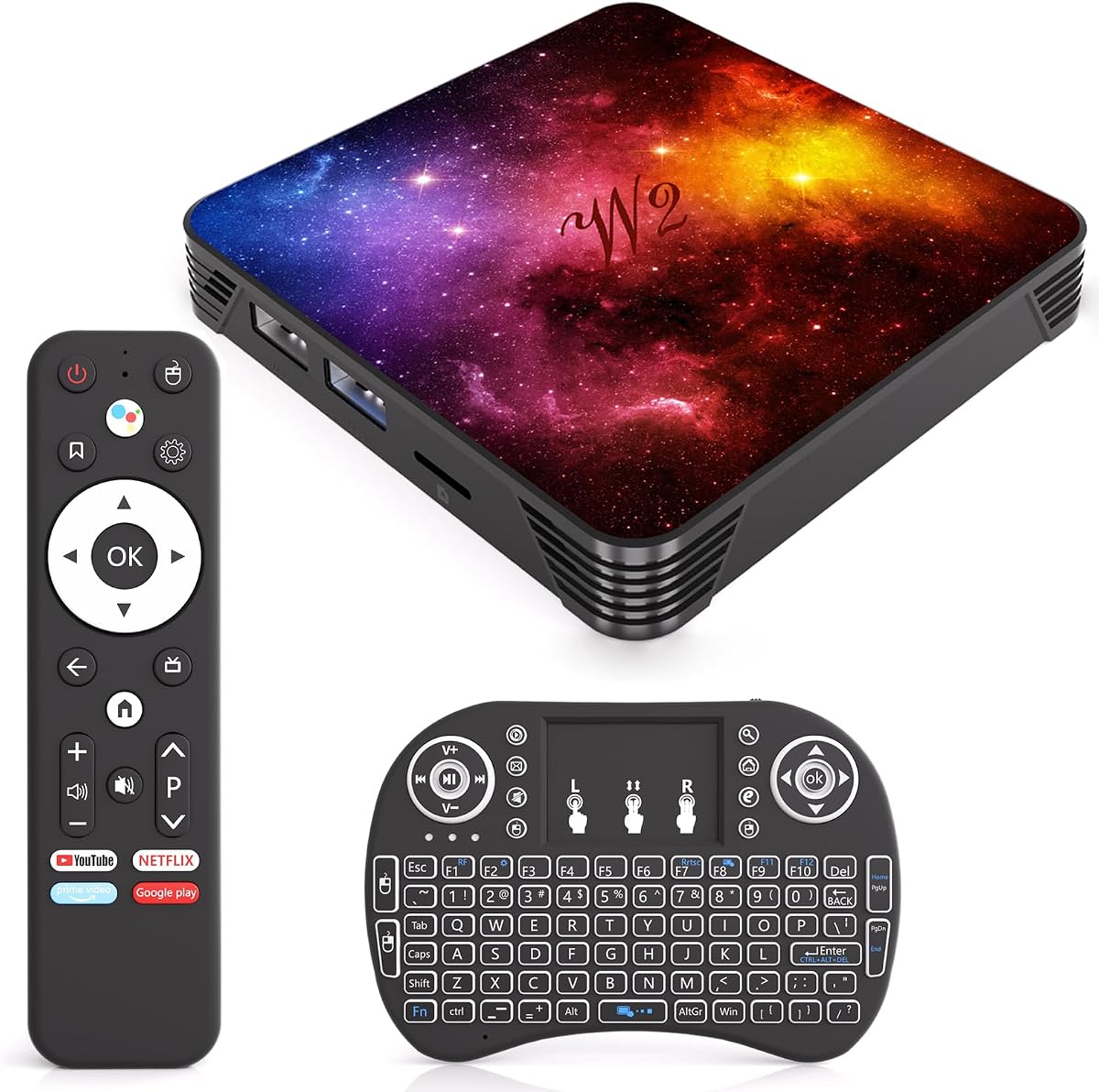
This Android TV Box impresses with a massive amount of RAM and storage for its price bracket, making it a top contender for budget-conscious buyers. It offers a smooth interface and supports the latest Android 14.0 system, which is rare in this category.
We may earn a commission when you buy through this link, at no additional cost to you.
The inclusion of a mini keyboard is a significant plus for text input and navigation, which can be tedious with a standard remote. The 4GB of RAM ensures that heavy apps and games run without stuttering, providing a desktop-like feel on your television.
While it lacks the premium build quality of major brands, its performance metrics are solid. The 4K Ultra HD support ensures that you do not sacrifice visual fidelity despite the lower cost. It is a great choice for tech-savvy users who value raw specs.
We recommend this box for anyone looking to upgrade a standard TV without breaking the bank. The sheer volume of storage and memory ensures longevity, making it a practical long-term investment for a home media setup.
The 64GB of ROM allows you to download numerous apps and games without worrying about running out of space quickly.
The included mini keyboard simplifies typing searches and passwords, enhancing the overall usability of the device.
We may earn a commission when you buy through this link, at no additional cost to you.
This variant of the Xiaomi Box highlights the advantages of a tight integration with Google services. The 360-degree Bluetooth remote and voice control features make navigation effortless and modern. It is designed for users who rely heavily on Google Assistant.
We may earn a commission when you buy through this link, at no additional cost to you.
The platform performance is driven by a 6nm chip, ensuring that animations and transitions are buttery smooth. With Wi-Fi 6, you get significantly faster data transmission which is crucial for high-bitrate 4K content streaming without buffering interruptions.
One limitation is the 32GB storage, which might not be enough for large offline libraries. However, the speed and reliability of the connection compensate for this. It remains a strong contender for households already invested in Google smart home devices.
We suggest this box for users who prioritize voice control and app recommendations. It simplifies the search experience and allows for quick casting from your smartphone or tablet to the television screen.
Use the voice button on the remote to search for content or control smart home devices without typing on the screen.
Find what you want to watch across multiple subscriptions instantly with the built-in cross-app search feature.
We may earn a commission when you buy through this link, at no additional cost to you.
This model stands out primarily for its huge storage capacity, which is rare in this segment. It offers 128GB of internal memory allowing you to store a vast library of apps and offline files without constant management.
We may earn a commission when you buy through this link, at no additional cost to you.
The 8K HDR visual performance claims promise a level of detail that is forward-looking. While most current content is still 4K, having a device that can decode higher resolutions ensures you are ready for the next generation of media.
The inclusion of USB 3.0 ports is a significant advantage for transferring large files quickly. It allows for easy connection to external hard drives, making it versatile for users who prefer local media playback over streaming.
We recommend this box for power users who need storage space above all else. It is particularly useful for those who download games and high-resolution media files regularly and want a device that will not fill up quickly.
USB 3.0 support ensures that moving files to and from external drives is fast and efficient.
Support for 8K decoding prepares your setup for the upcoming wave of ultra high resolution content releases.
We may earn a commission when you buy through this link, at no additional cost to you.
Reiterating the strengths of the Xiaomi brand, this model offers a consistent and reliable experience for daily use. It is a solid choice for those who want a no-fuss device that just works out of the box with minimal configuration.
We may earn a commission when you buy through this link, at no additional cost to you.
The 6nm platform ensures energy efficiency and thermal stability during long streaming sessions. You are less likely to experience overheating issues compared to cheaper alternatives that rely on older or less efficient chips.
Voice control is implemented effectively here, allowing for quick app launches and smart home management. The integration with Google TV provides a clean interface that updates regularly to keep content fresh and relevant for your viewing habits.
We suggest this box for average households looking for an upgrade from a basic smart TV interface. It provides a better remote and more flexibility than most built-in TV operating systems.
The efficient processor design helps keep the device cool even during extended hours of video playback.
Seamless connection with your Google account allows for instant access to your content across all devices.
We may earn a commission when you buy through this link, at no additional cost to you.
TiVo brings its reputation for unified content management to the Android TV space. This device allows you to search across different apps from a single interface, reducing the need to switch between multiple platforms constantly.
We may earn a commission when you buy through this link, at no additional cost to you.
Its compact plug-in design means it does not require extra space on your shelf. This aesthetic appeal is a major plus for users who want a clean and minimalistic entertainment setup without visible boxes or wires.
The audio quality is enhanced by Dolby Atmos support, ensuring that sound matches the visual clarity of 4K content. It is a well-rounded performer that balances size and capability effectively for small living spaces.
We recommend this device for viewers who are frustrated by having to navigate different interfaces for every app. It simplifies the discovery process and brings all your favorite shows into one easy-to-use list.
Create and manage watch lists across all your streaming services from one centralized location effortlessly.
The integrated Google Assistant makes it easy to find specific shows or movies without typing.
We may earn a commission when you buy through this link, at no additional cost to you.
As the official hardware from Google, this streamer offers the most authentic and optimized experience for the Google TV OS. It is built to leverage the full potential of the platform with a sleek design and premium materials.
We may earn a commission when you buy through this link, at no additional cost to you.
The smart home control capabilities are deeply integrated, allowing you to manage lights and thermostats directly from the remote. This turns your entertainment center into a hub for both media and home management tasks.
Although it comes at a higher price point, the build quality and software support justify the cost for many users. It provides a stable and polished interface that feels more refined than generic Android TV boxes.
We suggest this box for those who want a guaranteed compatibility experience with Google services. It is a reliable choice for a modern home theater that values quality and integration over raw specs.
The high-quality build and compact form factor make it look great in any living room setting.
Watch live TV and access free channels from various providers directly from the home screen.
We may earn a commission when you buy through this link, at no additional cost to you.
This box is a favorite among tech enthusiasts due to its powerful Amlogic chipset and robust cooling design. The Hexa-core CPU ensures that it handles demanding tasks like high-bitrate local playback without dropping frames.
We may earn a commission when you buy through this link, at no additional cost to you.
It supports WiFi6 and Bluetooth 5.0 which provides stable connections even in crowded networks. The presence of multiple USB ports makes it easy to connect external storage or other peripherals for expanded functionality.
While the Android version is older, the hardware is powerful enough to run most apps smoothly. The device is engineered for stability and long-term use, making it a workhorse for media servers and high-performance setups.
We recommend this box for users who know how to optimize their settings. It offers a level of control and performance that general consumer boxes often lack.
The Hexa-core processor provides the power needed for complex multitasking and heavy media playback.
Gigabit Ethernet and WiFi6 ensure that you never run into network bottlenecks during streaming.
We may earn a commission when you buy through this link, at no additional cost to you.
This box is marketed with high resolution decoding capabilities that appeal to gamers and media enthusiasts. It runs Android 12.0 which provides a relatively modern interface for most apps and games.
We may earn a commission when you buy through this link, at no additional cost to you.
The 4GB of RAM helps in handling multiple background processes which is beneficial for gaming. The Allwinner processor provides a balance of cost and performance that fits well in budget gaming setups.
Bluetooth 5.0 connectivity allows for easy pairing with controllers and headphones. This makes it a flexible option for wireless gaming and audio streaming from your television setup.
We suggest this box for casual gamers who want to test cloud gaming services. It offers a good entry point into console-style gaming on a standard TV.
Pair controllers easily with Bluetooth 5.0 to ensure low latency and stable connections for gaming.
Support for 6K ensures that high bitrate video files play smoothly without stuttering.
We may earn a commission when you buy through this link, at no additional cost to you.
This model is designed for users who want to stay ahead of the curve with the latest operating system and video standards. The Android 13.0 OS provides a smooth and secure environment for streaming and browsing.
We may earn a commission when you buy through this link, at no additional cost to you.
The RK3528 processor supports 8K decoding which future proofs your investment. Even if current content is mostly 4K, having this capability ensures your device remains relevant as new formats become available.
The included mini keyboard makes navigation easier than on other boxes. It is a thoughtful addition that improves usability for text entry and complex menus on the screen.
We recommend this box for early adopters who want the latest software features. It offers a modern experience that balances current utility with future compatibility.
Android 13.0 brings enhanced privacy controls and a more polished interface for daily use.
Cast content from mobile phones to TV easily to expand your viewing options beyond apps.
We may earn a commission when you buy through this link, at no additional cost to you.
Selecting the right device requires understanding your specific needs regarding resolution, storage, and software support. This guide breaks down the most critical factors to help you make an informed decision.
The CPU and RAM determine how quickly your box responds to commands and how smoothly it handles multitasking. Aim for at least 4GB of RAM if you plan to run heavy apps or games.
A faster processor ensures that navigation is fluid and buffering is minimized during high quality video playback.
Internal storage is crucial for installing apps and saving offline files. Most boxes offer between 16GB and 128GB depending on the model.
Choose a model with ample space to avoid constant uninstalling of unused apps as your library grows.
Look for support of 4K resolution and HDR standards like HDR10+ or Dolby Vision. These technologies significantly improve the visual quality of your content.
Audio formats like Dolby Atmos also contribute to an immersive experience that enhances your home theater setup.
Modern boxes should include Wi-Fi 6 and Bluetooth 5.0 or better for stable wireless connections. Ethernet ports are also valuable for reliable wired internet access.
USB 3.0 ports allow for fast data transfer from external drives and support various peripherals like keyboards or mice.
Newer versions of Android provide better security, app compatibility, and user interface improvements. Check if the device runs the latest available OS or supports updates.
An up to date system ensures that your device remains secure and supports the latest streaming applications effectively.
Consider how intuitive the remote control is and whether voice search is available. A clean interface helps you find content quickly without frustration.
Look for features like screen casting that make it easy to share content from your mobile devices to the television.
A well-built device dissipates heat better and lasts longer under regular use. Compact designs are preferable if you have limited shelf space.
Durability is key for long term value so prioritize brands that offer reliable hardware and customer support.
Determine your budget and look for a device that offers the best specs within that range. Higher prices do not always mean better performance if the hardware is outdated.
Compare features carefully to ensure you are paying for capabilities that you will actually use in your daily routine.
Begin by connecting the box to your television via HDMI and plugging it into a power source. Follow the on-screen setup instructions to connect to your Wi-Fi network and sign in with your Google account to unlock full functionality.
Install your preferred streaming apps from the Google Play Store and organize them on your home screen. Use voice commands to search for shows and movies quickly which saves time and simplifies navigation.
Keep the device in a well ventilated area to prevent overheating. Regularly clear the cache of unused apps to maintain smooth performance and check for system updates to ensure security and stability.
Yes, a stable internet connection is essential for streaming apps and software updates. However, you can also play offline content stored on external drives if your device supports local media playback.
Absolutely, most Android TV Boxes support gaming. You can download games from the Play Store or use cloud gaming services. A Bluetooth controller is recommended for the best experience.
An Android TV Box is often better if you already have a standard TV or are unhappy with your smart TV's software. It offers faster performance and more frequent updates than built-in TV systems.
Buffering is usually caused by slow internet or network congestion. Try switching to a wired Ethernet connection or ensuring your Wi-Fi signal is strong. Closing background apps can also free up resources.
Most modern models support 4K UHD. Ensure your TV also supports 4K and HDR for the best results. Check the specifications of your device to confirm compatibility with specific resolutions.
Yes, you can connect a USB or Bluetooth keyboard and mouse. This is particularly useful for typing searches or navigating menus on a large screen.
We have reviewed ten top options ranging from budget-friendly picks to premium models. Each device offers unique strengths that cater to different needs from storage capacity to audio quality.
Prioritize what matters most to you whether it is high RAM for gaming, voice control for convenience, or raw speed for streaming. The right choice depends on how you plan to use your entertainment system.
Keep in mind that prices and availability change frequently. Check current deals and read recent user reviews before making your final purchase to ensure you get the best value today.