
havit HV-F2056 Laptop Cooling Pad
4.4Editor score
Ultra-quiet three fans
Ergonomic height settings
Metal mesh surface
Keeping your MSI gaming laptop cool is essential for maintaining peak performance and extending hardware life. A quality cooling fan helps prevent thermal throttling and ensures smooth gameplay.
We have analyzed ten highly rated cooling solutions designed to work seamlessly with MSI laptops. Each option offers unique features like adjustable fans, RGB lighting, and ergonomic designs.
Every pick includes detailed specifications and real user feedback to guide your decision. Keep in mind that product availability and pricing may change over time.
4.4Editor score

4.4Editor score

5.0Editor score
As an Amazon Associate we earn from qualifying purchases.
This comparison table lists all ten selected cooling fans with key specifications. Use it to quickly evaluate differences in fan count, size compatibility, and extra features.


This cooling pad stands out with its intelligent adaptive fan control that changes speeds automatically based on system load. It has a solid 4.4 rating and delivers consistent performance for MSI gaming laptops.
We may earn a commission when you buy through this link, at no additional cost to you.
The airtight pressure chamber ensures no cool air leaks, maximizing the efficiency of its 140mm brushless fan spinning up to 3000 RPM. You can fine-tune fan curves via Razer Synapse to balance noise and cooling needs effectively.
While it costs more than basic options, the included 3-port USB hub and remappable buttons add real functionality. The main trade-off is reliance on software, though presets work well without it.
Gamers seeking smart thermal management should choose this pad. Its ability to integrate with Razer Blades makes it a top pick for enhancing sustained performance.
The adaptive system monitors internal temperatures to adjust fan speeds automatically, reducing noise during idle and boosting cooling during gaming.
Three USB Type A ports allow you to connect peripherals like webcams or controllers without using up your laptop's native ports.
We may earn a commission when you buy through this link, at no additional cost to you.
This pad is ideal for budget-conscious buyers who still want reliable cooling. It has a 4.4 rating and features three ultra-quiet fans that provide effective airflow without disrupting your focus.
We may earn a commission when you buy through this link, at no additional cost to you.
Its slim and portable design makes it easy to carry between locations. The two adjustable height settings offer ergonomic benefits, while the metal mesh provides a stable surface for your laptop.
The lack of RGB lighting or smart controls is acceptable given the price. Users should note the USB cable uses USB to USB, so Type-C devices may need an adapter.
Students and casual gamers will appreciate its simplicity and cost efficiency. It delivers solid cooling for everyday tasks and light gaming sessions.
Lightweight construction allows you to take this cooler anywhere, protecting your laptop from overheating during travel or study sessions.
Two height settings let you raise the screen to a comfortable angle, reducing strain on your neck and back during long usage periods.
We may earn a commission when you buy through this link, at no additional cost to you.
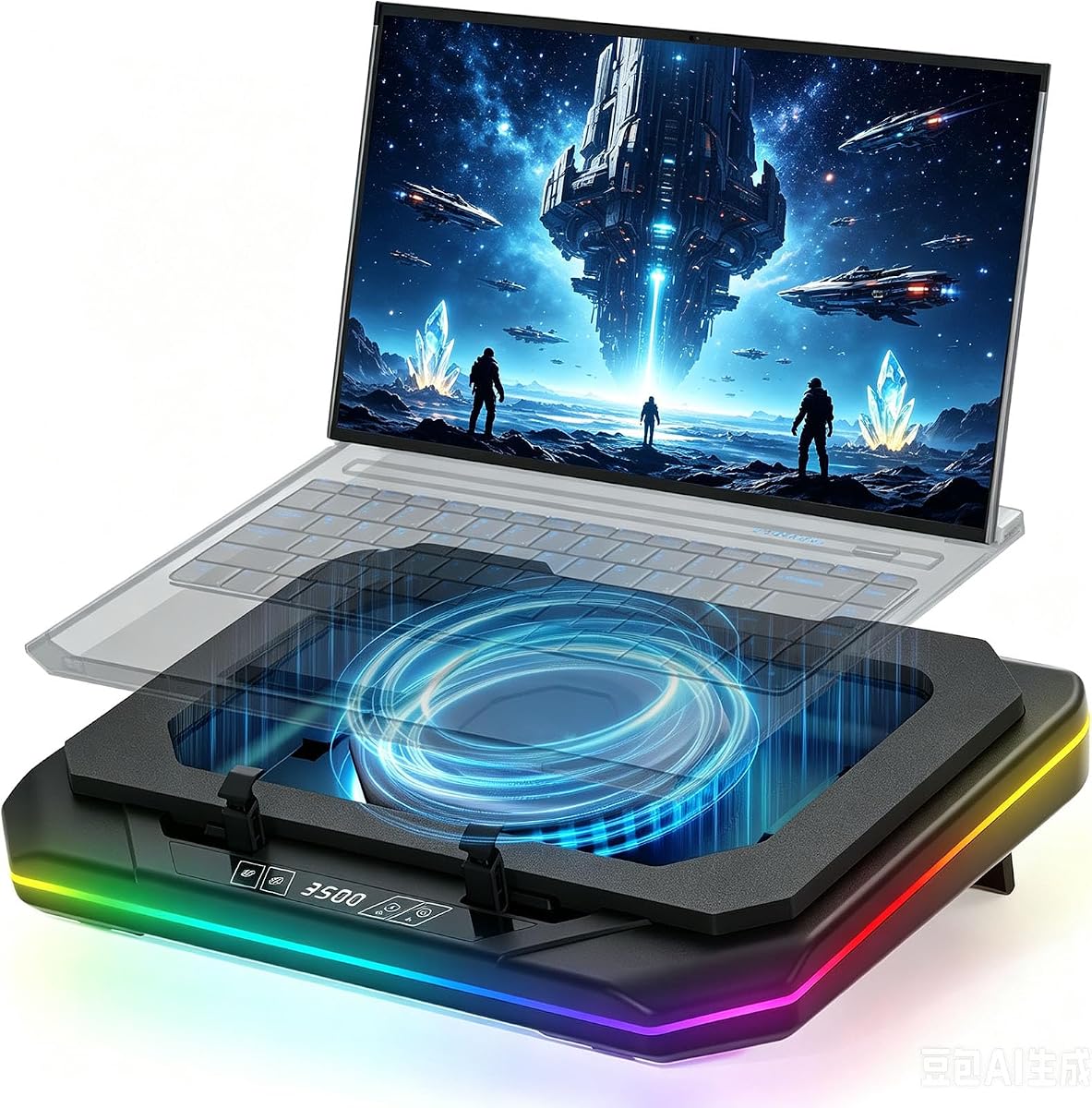
Designed specifically for MSI gaming laptops, this pad earns a perfect 5.0 rating for its targeted thermal performance. Its turbofan reaches up to 3500 RPM for powerful cooling during intense gaming.
We may earn a commission when you buy through this link, at no additional cost to you.
The sealed wind pressure design reduces CPU and GPU temperatures significantly in short timeframes. Retractable panels and foldable footrests ensure compatibility with laptops from 14 to 18 inches.
Noise levels can reach 60 dB at maximum speed, which may bother sensitive users. However, lowering the speed keeps it quiet for regular work while still providing cooling.
Owners of MSI Raider or GE series laptops will find this tailored fit invaluable. It combines premium cooling power with RGB aesthetics and essential dust protection.
The design matches airflow intakes on MSI Raider models, ensuring directed cooling where it is needed most for optimal thermal results.
Six adjustable lighting modes create a customizable gaming environment, letting you match the pad to your other RGB peripherals.
We may earn a commission when you buy through this link, at no additional cost to you.
This cooling pad targets MSI Vector and Creator laptops with a tailored airflow design. It shares a 5.0 rating with similar models and uses a turbofan to handle high-performance thermal loads.
We may earn a commission when you buy through this link, at no additional cost to you.
Its sealed pressure design cuts CPU and GPU temperatures quickly under load. Multiple USB hubs allow connecting peripherals, while retractable panels prevent slipping during movement.
Like other high-performance options, noise can increase at full speed. Users can adjust to quieter settings for daily use without losing all cooling benefits.
Vector and Creator laptop owners should consider this for precise airflow alignment. It balances cooling efficiency with RGB aesthetics and essential dust protection.
The structure aligns with laptop intake vents to maximize fan efficiency, delivering better thermal results than generic cooling pads.
Built-in USB hubs support keyboards, mice, and drives, expanding your setup without needing extra adapters.
We may earn a commission when you buy through this link, at no additional cost to you.
With five built-in fans, this pad offers versatile airflow options for cooling various laptop sizes. It has a 4.4 rating and emphasizes quiet operation, making it suitable for shared workspaces.
We may earn a commission when you buy through this link, at no additional cost to you.
The dual USB hub expands connectivity, while six height settings provide ergonomic flexibility. Fans can be controlled via switches to run one, four, or all five together.
Build materials are functional but basic. Lack of RGB or advanced control means it focuses purely on cooling and stability without extra features.
Users wanting multiple fan zones without high cost will find this appealing. It serves well for long study sessions or gaming requiring steady cooling.
Switches let you run individual fans or the full set, giving you control over noise and airflow based on immediate needs.
Six adjustable heights let you customize screen angle to reduce neck strain during extended use or content creation.
We may earn a commission when you buy through this link, at no additional cost to you.
Featuring nine fans, this pad targets maximum airflow coverage for larger laptops. It holds a 4.2 rating and includes an LCD display for monitoring fan speed in real time.
We may earn a commission when you buy through this link, at no additional cost to you.
Users can select from eight height settings to match ergonomic needs. The RGB system offers ten modes, creating a dynamic visual experience during gaming.
Managing nine fans can require more power and careful cable routing. Noise stays low even at higher settings due to added capacitor components.
Those wanting extensive fan coverage and visual flair should consider this. It suits large-format gaming laptops needing broad cooling across the chassis.
The LCD readout shows current fan speed, helping you adjust cooling without guesswork or relying on software tools.
Ten lighting modes let you personalize the pad's appearance to match your setup, enhancing overall gaming ambiance.
We may earn a commission when you buy through this link, at no additional cost to you.
This pad uses intelligent software to auto-adjust fan speeds based on workload. It has a 4.5 rating and offers lab-tested cooling that cuts CPU temperatures by up to 22°C.
We may earn a commission when you buy through this link, at no additional cost to you.
A 5.5-inch turbo fan pushes pressurized airflow into bottom intakes. The removable dust filter simplifies maintenance, and RGB lighting adds style without needing extra hubs.
Downloading Myth.cool software unlocks full features but adds setup time. However, the built-in scroller allows manual control without relying on the app.
Owners of high-end laptops like Alienware or MSI Titan will benefit from its targeted cooling. It blends smart automation with powerful turbo performance.
Three smart modes adjust fan speed automatically, ensuring efficient cooling during gaming while maintaining quiet operation during idle tasks.
A detachable dust filter traps debris without tools, extending the lifespan of both the cooler and your gaming laptop.
We may earn a commission when you buy through this link, at no additional cost to you.
This upgraded version focuses on quieter performance while delivering strong cooling. It holds a 4.4 rating and promises temperature drops of up to 44°C during demanding tasks.
We may earn a commission when you buy through this link, at no additional cost to you.
A 5.5-inch turbo booster with sealed foam ensures efficient pressurized airflow. The scroll wheel allows precise adjustments, and RGB lights save preferences automatically upon power-on.
The dust filter effectively prevents buildup that shortens laptop life. Users must note that USB ports support peripherals but not charging devices.
Gaming and creative professionals needing stable performance will find this suitable. It balances power, control, and design in a reliable package.
The scroll wheel lets you adjust fan speed instantly, giving fine control over noise and cooling without complex menus.
RGB lighting remembers your last setting, so it returns to your preferred mode when powered on, saving time daily.
We may earn a commission when you buy through this link, at no additional cost to you.
This pad balances cooling power with whisper-quiet operation, making it ideal for noise-sensitive users. It has a 4.5 rating and can run as low as 35 dBA while still reducing temps by 20°C.
We may earn a commission when you buy through this link, at no additional cost to you.
Its design adapts to both gaming laptops and MacBooks by using memory foam when needed. RGB modes and a spring-loaded bracket add convenience without compromising stability.
USB-C power is convenient, but the adapter is not included. Users may need a separate charger for full turbo power on some setups.
Anyone valuing low noise alongside solid cooling should consider this option. It delivers reliable performance across a wide laptop range with minimal distraction.
Patented airflow design cools efficiently at lower speeds, keeping noise minimal during gaming while maintaining thermal performance.
Sealed foam adapts for gaming laptops, while removing it suits MacBooks, offering versatility across different device types.
We may earn a commission when you buy through this link, at no additional cost to you.
This cooler targets larger gaming laptops with a wide compatibility range. It holds a 4.4 rating and features an LED display to monitor fan speed in real time.
We may earn a commission when you buy through this link, at no additional cost to you.
The 5.5-inch turbo fan delivers rapid cooling within 90 seconds, and sturdy baffles prevent slipping. An extra dust filter and mouse pad come included in the package.
While height adjustment is limited, the double non-slip baffles ensure stability. It focuses on raw cooling power and durability for heavy laptops.
Users with 20-inch or larger machines will find this reliable. It delivers steady performance for intense gaming without unnecessary complexity.
Designed for laptops up to 21 inches, this pad ensures enough surface area and airflow to cool oversized gaming rigs.
An additional dust filter and mouse pad are included, providing extra convenience and value right out of the box.
We may earn a commission when you buy through this link, at no additional cost to you.
Choosing the right cooling fan involves considering size, fan type, and extra features. This section outlines key factors to help you make an informed decision.
Ensure the cooling pad supports your laptop's screen size. Models vary from 12 inches to 21 inches, so check dimensions before buying to avoid fit issues.
Always confirm the product specifies support for your exact laptop model or size range for best results.
More fans do not always mean better cooling. Look for turbo fans or pressurized airflow designs that target your laptop's intake vents efficiently.
Turbo fans with sealed air ducts often outperform multiple small fans by delivering focused airflow where it is needed.
Noise can vary significantly between products. Check decibel ratings, especially if you plan to use the cooling fan in quiet spaces like libraries or offices.
Select options with adjustable fan speeds to balance cooling power with acceptable noise during daily tasks.
Cooling pads that include ergonomic stands improve posture. Multiple height settings let you customize the screen angle to reduce neck strain.
Choose models with stable footrests and anti-slip baffles to keep your laptop secure during gaming.
Some cooling pads include USB hubs for extra connectivity. This can be useful if your laptop lacks available ports for peripherals.
Check if the USB ports support data transfer or only power to ensure they meet your device needs.
Built-in dust filters help prevent debris from entering your laptop's vents. This reduces maintenance and extends hardware lifespan.
Opt for washable or removable filters for easier long-term care.
RGB lighting is common in gaming-focused models. While purely aesthetic, it can enhance your gaming setup's overall look.
If you prefer minimalism, choose pads with basic LED or no lighting to reduce cost and complexity.
Most cooling fans need external power via USB or wall adapters. Ensure your laptop has enough USB ports to support data and power.
For maximum cooling, models with dedicated power adapters perform better than USB-only units.
Place the cooling pad on a flat, stable surface. Connect it to your laptop using USB and any required power adapters before turning on the fans.
Adjust fan speeds based on your usage. High speeds work best during gaming, while lower settings suit everyday tasks to reduce noise.
Clean the dust filter regularly to maintain airflow efficiency. Remove and wipe it gently with a soft cloth or vacuum occasionally.
Yes, it helps by actively cooling the lower casing, reducing internal heat buildup. This can lower CPU and GPU temperatures, preventing throttling and improving performance.
Most universal pads fit MSI laptops from 15 to 18 inches. Always check the product's size range to ensure compatibility with your specific model.
Noise levels vary by model. Basic fans often run under 40 dB, while turbo fans can reach 60 dB at full speed. Adjustable speeds help manage noise.
Yes, by keeping internal components cooler, they reduce stress on the motherboard and battery. Dust protection also prevents debris buildup.
Most cooling pads draw power from USB or a separate adapter, allowing you to charge your laptop simultaneously. Verify power requirements before purchase.
Select a fan size that matches your laptop's vent placement. Turbo fans are ideal for gaming laptops needing focused airflow for better cooling.
The Razer, havit, and Msi Raider-specific pads lead our list for their balanced features and cooling power. Each offers unique strengths depending on your needs.
Prioritize fan type, noise levels, and ergonomic features when making your choice. Larger MSI laptops benefit most from turbo-focused cooling solutions.
Prices and availability may change, so check current listings before buying. A reliable cooling fan is a smart investment for protecting your gaming laptop.