
Lenovo ThinkPad L14 Ryzen 5 PRO 7530U
3.9Editor score
AMD Ryzen 5 7530U Processor
16GB DDR4 RAM
Compact 14-inch Form Factor
The Lenovo Thinkpad series stands as a benchmark for business computing, offering durability, security, and performance tailored for modern professionals.
We compared ten distinct models ranging from budget-friendly entry-level machines to high-performance workstations, evaluating specs, build quality, and user feedback.
Each pick highlights key strengths and ideal use cases, helping you find the right fit for your workflow while keeping in mind that prices may fluctuate.
3.9Editor score

4.1Editor score

5.0Editor score
As an Amazon Associate we earn from qualifying purchases.
The following table provides a side-by-side overview of the top Lenovo Thinkpad models available today, highlighting key specifications and features.






The Lenovo ThinkPad L16 stands out as a robust choice for professionals seeking a balance between power and versatility in the Lenovo Thinkpad Laptop lineup.
We may earn a commission when you buy through this link, at no additional cost to you.
Powered by the Intel Core Ultra 5 225U processor and equipped with 32GB of DDR5 RAM, this machine handles demanding multitasking and AI-enhanced workflows with ease.
While the touchscreen adds versatility for presentations and note-taking, it may slightly increase the overall weight compared to non-touch business laptops in the same category.
For small business owners and IT professionals needing reliable hardware with upgrade potential, the L16 offers exceptional value and future-proof performance.
The integrated AI capabilities of the Intel Ultra processor streamline workflows by optimizing resource usage for applications like Copilot and data analysis tools.
The 16-inch IPS touchscreen with anti-glare technology ensures clear visibility, while Thunderbolt 4 ports support up to three external monitors for expanded workspace.
We may earn a commission when you buy through this link, at no additional cost to you.
The Lenovo ThinkPad L14 offers an accessible entry into the business laptop market, delivering essential performance and security features at a competitive price point.
We may earn a commission when you buy through this link, at no additional cost to you.
Despite being a renewed unit, it retains the legendary ThinkPad durability and includes AMD PRO technology for enhanced security and manageability in enterprise environments.
The 256GB SSD provides adequate storage for most office tasks, though users requiring large media libraries might need to rely on external storage solutions.
Students and budget-conscious professionals looking for a reliable, portable machine with enterprise-grade security will find the L14 an excellent value proposition.
Its compact 14-inch form factor makes it ideal for commuting, fitting easily into backpacks while maintaining the classic ThinkPad keyboard and TrackPoint layout.
AMD PRO security ensures your data is protected with hardware-based encryption and remote management capabilities suitable for small business deployment.
We may earn a commission when you buy through this link, at no additional cost to you.
The Lenovo ThinkPad P14s represents the pinnacle of business performance, combining AI-driven processing with professional ISV certification for specialized engineering and design tasks.
We may earn a commission when you buy through this link, at no additional cost to you.
Equipped with the AMD Ryzen AI 7 PRO 450 processor, it enables local Copilot+ AI workflows, significantly reducing dependency on cloud services for sensitive data processing.
While the premium price reflects its high-end components and sustainability features, professionals in architecture or media creation will justify the investment through enhanced productivity.
For users demanding top-tier build quality, reliable security, and certified compatibility with industry software, the P14s is the ultimate Lenovo Thinkpad Laptop choice.
ISV validation ensures seamless operation with applications like AutoCAD and Revit, minimizing crashes and errors during critical project phases.
Constructed with recycled materials and featuring a layered ThinkShield security suite, it meets modern corporate ESG procurement standards while protecting sensitive assets.
We may earn a commission when you buy through this link, at no additional cost to you.
The Lenovo ThinkPad E16 Gen 2 delivers powerful business performance with its AMD Ryzen 7 processor and DDR5 memory, making it suitable for data analysis and multitasking.
We may earn a commission when you buy through this link, at no additional cost to you.
The included 5-in-1 Type-C hub addresses connectivity limitations, allowing users to connect peripherals without needing additional dongles for their daily work routine.
While the display is bright and crisp, the absence of a numeric keypad may be a drawback for users who frequently enter large datasets or financial figures.
This model is ideal for professionals who need a balance of speed and value without compromising on the core reliability associated with the ThinkPad brand.
The bundled hub expands port options significantly, supporting multiple displays and peripheral connections simultaneously for a versatile workstation setup.
The 16-inch WUXGA IPS panel offers 300 nits brightness and anti-glare coating, ensuring comfortable viewing in various lighting conditions throughout the workday.
We may earn a commission when you buy through this link, at no additional cost to you.
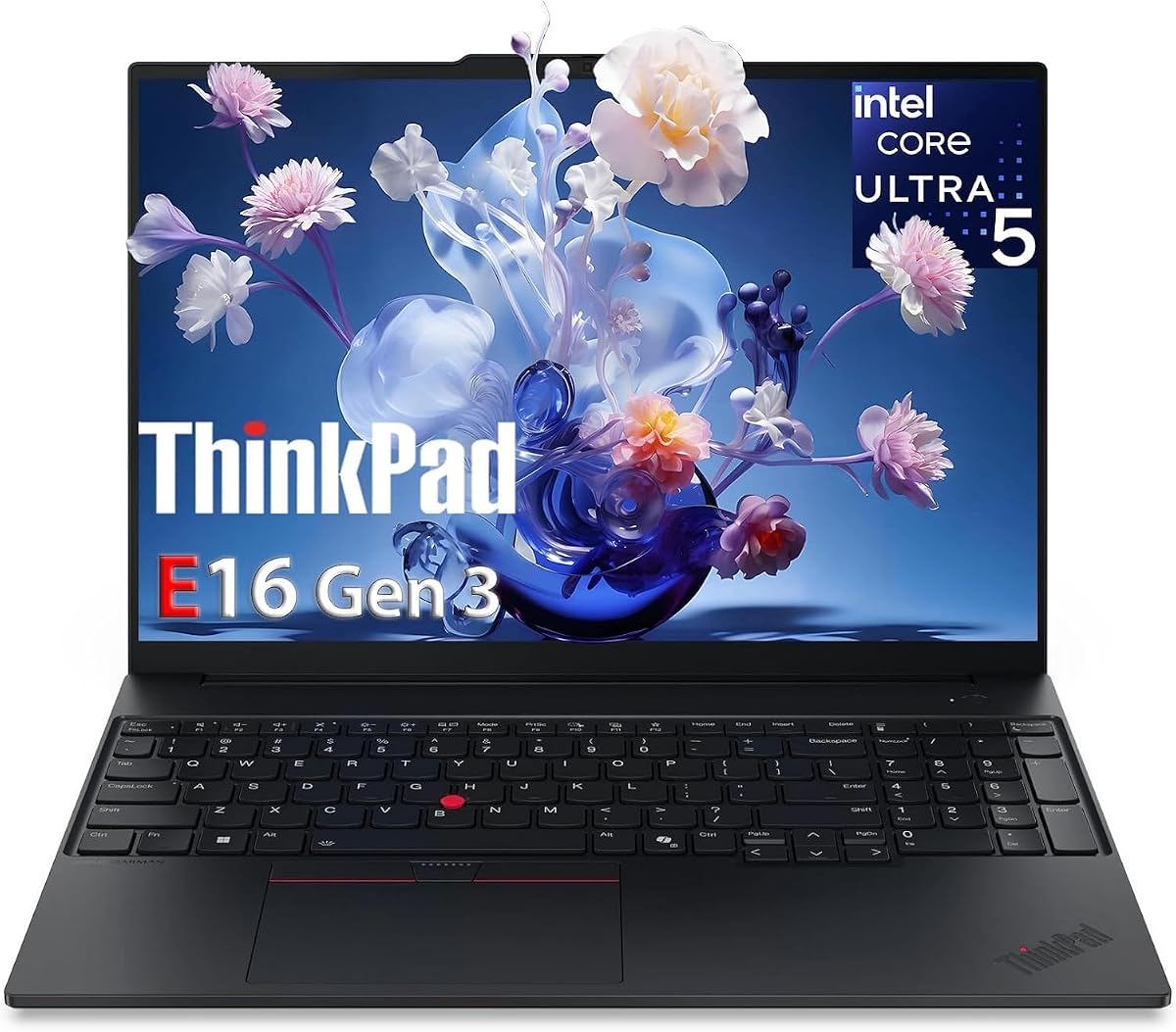
The Lenovo ThinkPad E16 Gen 3 focuses on enterprise performance with an Intel Core Ultra processor designed to handle AI-enhanced productivity tasks efficiently.
We may earn a commission when you buy through this link, at no additional cost to you.
With a 13 TOPS NPU and enterprise-grade security features like TPM 2.0 and fingerprint readers, it provides robust protection for sensitive business data.
The storage configuration offers redundant reliability, ensuring quick boot times and instant file access for professionals working on tight deadlines and complex spreadsheets.
Business executives and analysts requiring a reliable machine with built-in AI capabilities will appreciate the seamless integration of Copilot and Windows 11 Pro features.
The integrated NPU accelerates machine learning tasks locally, improving response times for AI tools without draining the battery excessively during daily use.
Advanced security protocols including BitLocker and hardware fingerprint readers ensure that corporate assets remain protected from unauthorized access in any environment.
We may earn a commission when you buy through this link, at no additional cost to you.
This Lenovo laptop offers a practical solution for home users and students, bundling essential software like Office 365 to provide immediate productivity out of the box.
We may earn a commission when you buy through this link, at no additional cost to you.
The lightweight chassis and anti-glare display make it comfortable for extended use, while the privacy shutter adds a necessary layer of security for video calls.
While the storage capacity is limited, it is sufficient for documents and media streaming, though external storage may be needed for larger file collections.
Budget-conscious users seeking a reliable device for daily computing tasks, school assignments, and media consumption will find this model highly practical and user-friendly.
The inclusion of a full year of Microsoft 365 Personal saves users from additional subscription costs, providing immediate access to Word, Excel, and PowerPoint.
Weighing just 3.42 lbs, this laptop is easy to carry around the house or take to local cafes, making remote work and study sessions convenient.
We may earn a commission when you buy through this link, at no additional cost to you.
The Lenovo ThinkPad E16 strikes a solid balance between performance and portability, making it a strong candidate for professionals who travel frequently.
We may earn a commission when you buy through this link, at no additional cost to you.
With extended battery life and fast charging capabilities, it ensures you stay productive throughout long meetings or business trips without constant power dependency.
The 16-inch screen provides ample workspace for multitasking, though those requiring high color accuracy might prefer a dedicated professional display for creative work.
For entrepreneurs and remote workers needing a dependable machine with advanced security features and efficient power management, the E16 delivers consistent and reliable results.
Advanced battery optimization techniques ensure that you can work for longer periods on a single charge, minimizing interruptions during critical work sessions.
The backlit keyboard and fingerprint reader enhance usability and security, allowing for comfortable typing and quick logins in various lighting conditions.
We may earn a commission when you buy through this link, at no additional cost to you.
This configuration of the Lenovo ThinkPad E16 Gen 3 offers enhanced specifications, including 32GB of RAM and a 1TB SSD, to support more demanding workflows.
We may earn a commission when you buy through this link, at no additional cost to you.
The inclusion of Thunderbolt 4 ports and support for up to three external 4K displays makes it a powerhouse for users who need expansive visual workspaces.
While it commands a higher price, the expandability and performance headroom ensure longevity, making it a smart investment for growing businesses and power users.
Professionals dealing with complex virtual machines, large datasets, or multi-monitor setups will appreciate the robust performance and connectivity options provided by this model.
Support for triple 4K outputs allows you to extend your workspace significantly, improving efficiency when monitoring multiple applications or data streams simultaneously.
With memory expandable to 64GB, this machine grows with your needs, ensuring that you won't need to upgrade hardware as your workload complexity increases.
We may earn a commission when you buy through this link, at no additional cost to you.
The Lenovo 15.6 FHD Laptop is designed for everyday tasks, offering a lightweight and durable option for users who need a reliable device for basic computing.
We may earn a commission when you buy through this link, at no additional cost to you.
Bundled with a 500GB external hard drive, it addresses the storage limitations of the internal drive, allowing for ample space for personal files and media.
While it is not suited for heavy multitasking or gaming, it handles web browsing, document editing, and streaming efficiently, making it ideal for casual users.
Students and home users looking for an affordable, portable, and energy-efficient laptop will find this model meets their needs without unnecessary complexity or cost.
The included external hard drive provides essential additional storage, ensuring you have room for photos, videos, and documents without cluttering internal memory.
Certified Low Blue Light technology helps reduce eye strain during long study or work sessions, promoting better visual health for daily users.
We may earn a commission when you buy through this link, at no additional cost to you.
The Lenovo ThinkPad T14s Gen 1 offers a budget-friendly entry into the premium ThinkPad lineup, combining reliable performance with a slim and professional design.
We may earn a commission when you buy through this link, at no additional cost to you.
As a renewed unit, it provides a cost-effective solution for businesses or individuals needing a high-quality laptop without the price tag of a brand new model.
While the processor is an older generation, it remains capable for standard office productivity, web browsing, and virtual meetings, making it a solid workhorse.
For buyers prioritizing build quality and legacy support over cutting-edge specifications, the T14s delivers the legendary ThinkPad experience at a more accessible price point.
By choosing a renewed model, you save significantly while still accessing enterprise-grade features like TPM security and a high-quality keyboard for daily use.
The T-series is known for its premium magnesium alloy chassis, offering a durable and sleek look that remains professional in any corporate setting.
We may earn a commission when you buy through this link, at no additional cost to you.
Selecting the right Lenovo Thinkpad laptop requires careful consideration of your specific work requirements, budget, and desired features.
The processor is the brain of your laptop, determining how quickly tasks are completed and how many applications can run simultaneously without slowing down.
Look for Intel Core Ultra or AMD Ryzen AI processors for future-proof performance, especially if you plan to use AI tools or run demanding software.
Memory (RAM) impacts multitasking capability; 16GB is a good standard for business use, while 32GB is better for heavy data processing or virtual machines.
Ensure the SSD is fast (NVMe) and large enough (512GB or more) to store your OS, applications, and project files without needing external drives.
A high-quality display reduces eye strain and improves productivity; look for IPS panels with at least 300 nits brightness and anti-glare coatings for office environments.
If you work in variable lighting, consider models with higher brightness or touchscreen options for interactive tasks and presentations.
For professionals on the go, battery life is critical; aim for a laptop that offers at least 8 hours of real-world usage to last through a workday.
Fast charging capabilities are also beneficial, allowing you to get back to work quickly during short breaks between meetings or travel.
Business laptops should include advanced security features like TPM chips, fingerprint readers, and privacy shutters to protect sensitive data from unauthorized access.
Enterprise-grade security ensures compliance with company policies and provides peace of mind when handling confidential information.
Check the available ports to ensure compatibility with your peripherals; Thunderbolt 4, USB-A, HDMI, and Ethernet are valuable for versatile connectivity.
A good selection of ports minimizes the need for dongles and hubs, keeping your workspace organized and functional.
ThinkPad laptops are known for their military-grade durability; look for MIL-STD-810H certification to ensure the laptop can withstand travel and daily wear.
A solid build quality not only protects your investment but also ensures reliability during critical work periods when downtime is unacceptable.
Windows 11 Pro offers advanced security features, BitLocker encryption, and remote desktop capabilities that are essential for professional environments.
Ensure the OS version supports the software you need to run and provides necessary security tools for your specific use case.
To maximize battery life, adjust power settings and close unused applications when not in use, as modern operating systems like Windows 11 offer optimized battery profiles.
Keep the laptop clean by using compressed air to remove dust from vents and keyboard areas, and use a soft microfiber cloth for the screen to avoid scratches.
Update drivers and BIOS regularly through the Lenovo Vantage app to ensure security patches are applied and hardware functions correctly over time.
Yes, higher-end models like the P series offer ISV certification and high-resolution displays suitable for CAD and design. However, for casual creative work, the E or L series provide adequate performance with good color accuracy.
Many ThinkPad models allow upgrades to RAM and storage, though some newer slim models may have soldered components. Always check the specific model's technical specifications before purchasing to confirm upgrade paths.
The ThinkPad keyboard features a TrackPoint pointing stick, spill-resistant design, and excellent tactile feedback. It is widely regarded as one of the best laptop keyboards for productivity and typing comfort.
Renewed ThinkPads often provide excellent value as they have been tested and refurbished to meet performance standards. They offer the same build quality and durability at a lower price point than brand new units.
Most models do not include a full version of Microsoft Office permanently, but some bundle a trial or a 1-year subscription. Check the product details or bundle information to confirm what software is included.
Battery life varies by model and usage, but most modern ThinkPads offer between 8 to 12 hours on a single charge. Power settings and screen brightness can significantly impact actual battery duration.
We recommend the ThinkPad L16 for its balance of AI performance and features, while the L14 remains a strong budget choice and the P14s leads in premium capability.
Prioritize specs that match your workflow, such as RAM for multitasking and screen quality for visual tasks, while ensuring security features meet your professional needs.
Always verify current prices and availability before purchasing, as deals fluctuate and refurbished options may offer additional savings for budget-conscious buyers.