
VOYEE Switch Controllers
4.4Editor score
RGB lighting modes
10 to 15 hour runtime
Programmable turbo buttons
This guide compares the top 10 gaming controllers for Apple TV to help you find the best option for seamless wireless gaming, comfort, and performance.
Gaming on Apple TV offers a unique experience that combines the comfort of your living room with the depth of modern console games. To fully enjoy this ecosystem, you need a controller that pairs effortlessly, responds instantly, and feels comfortable during long sessions. Without the right hardware, even the best games can feel sluggish and frustrating to play.
We have analyzed the market to identify controllers that support tvOS natively or through reliable Bluetooth connections. Our selection includes options ranging from budget-friendly picks to premium models designed specifically for Apple devices. Each product was evaluated on battery life, build quality, and compatibility with popular gaming services available on the platform.
Each pick in this list highlights key strengths and potential trade-offs to help you make an informed decision. We focus on real-world usability rather than just technical specifications to ensure you get a device that works well in your home setup. Please note that product availability and pricing can change over time so check current listings before purchasing.
4.4Editor score
4.5Editor score

4.0Editor score
The following table provides a side-by-side comparison of all ten controllers reviewed in this guide to help you quickly identify key specifications and compatibility features.
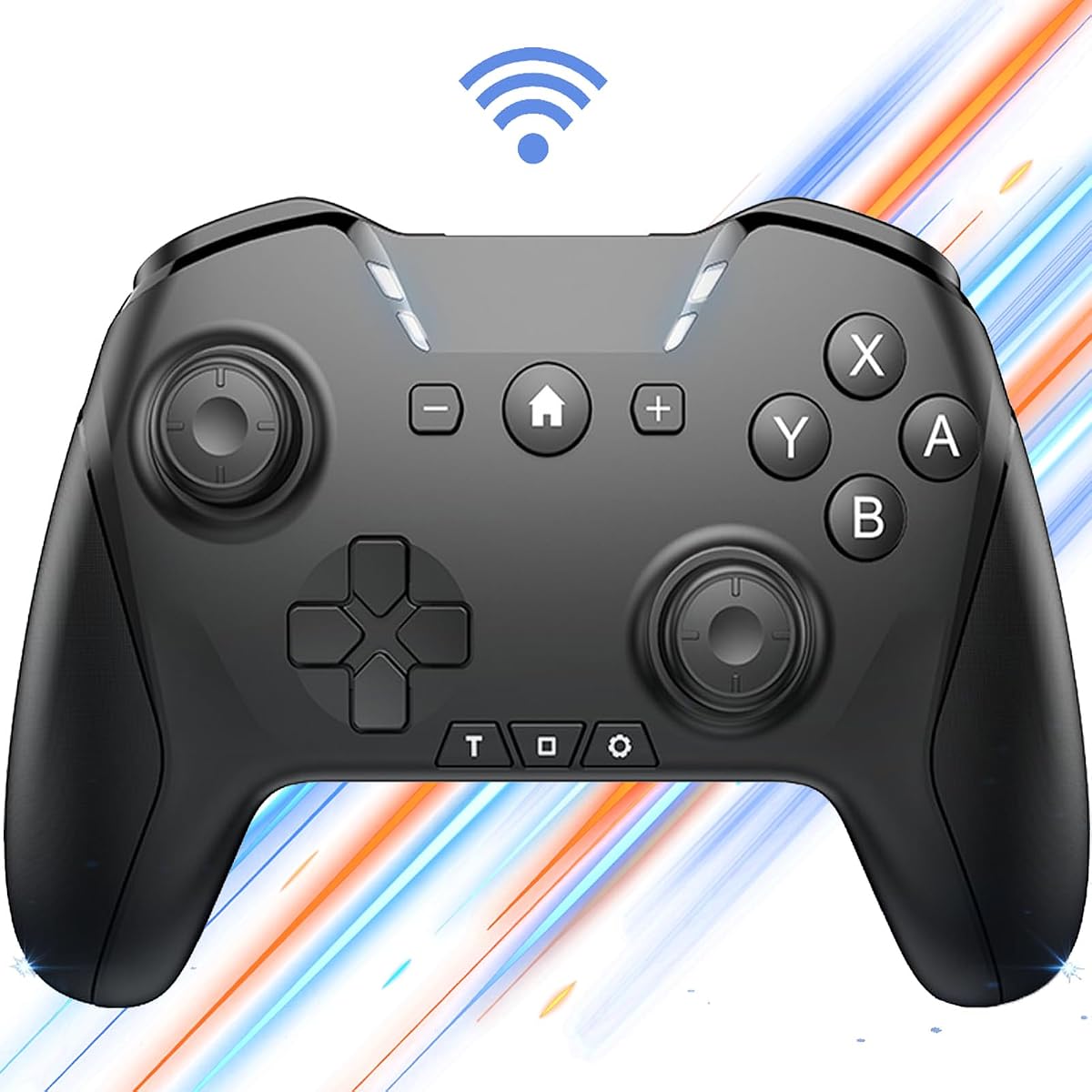


This controller stands out as a versatile option for Apple TV users who also play on other platforms. It holds a rating of 4.0 stars and is designed to support a wide range of games including newer titles like Black Myth: Wukong. Its standout quality lies in its ability to handle complex inputs through programmable macros and customizable button mappings.
We may earn a commission when you buy through this link, at no additional cost to you.
The hardware features a 650mAh battery that supports up to 15 hours of playtime which is excellent for long gaming sessions on the living room screen. The 6-Axis gyro sensor enhances motion controls in supported games while the wake-up function adds convenience by turning on your console directly. You can also interchange button layouts to suit your preference without needing extra software.
While the controller is feature-rich it can be slightly bulky compared to sleeker Apple-specific models. The manual requires some time to understand all the programming features which might be daunting for casual users. However these trade-offs are acceptable given the extensive functionality it offers for a reasonable price point.
If you want a single controller that works across Switch PC and Apple TV this is a strong recommendation. It is ideal for gamers who want to maximize their input options and do not mind spending a few minutes setting up macros. This device provides a professional gaming experience without the premium price tag.
You can record up to 30 seconds of button combinations to automate repetitive actions in games. This feature is particularly useful for grinding or complex combat sequences that require precise timing.
The ability to switch between Switch PC and Apple TV seamlessly means you do not need multiple controllers. This saves space and money while keeping your gaming setup streamlined and organized.
We may earn a commission when you buy through this link, at no additional cost to you.
The SteelSeries Nimbus+ is a top-tier choice for Apple TV users who prioritize official support and reliability. With a rating of 4.0 stars it is built specifically to work with iOS iPadOS and tvOS devices without any compatibility issues. Its standout quality is the massive battery life that ensures you never have to worry about charging during a marathon gaming session.
We may earn a commission when you buy through this link, at no additional cost to you.
Its official Apple license guarantees seamless pairing and stable connectivity across all your Apple devices. The tactile D-Pad buttons provide a satisfying click that enhances precision in platformers and fighting games. Additionally the clickable joysticks offer an extra layer of input which is rare at this price point. The design is ergonomic and fits well in most hands.
The main drawback is the higher price compared to generic controllers and the lack of motion controls which some modern games rely on. However for a dedicated Apple TV gaming setup the reliability and battery performance often outweigh these limitations. It is a premium build that justifies the cost for serious players.
This controller is best for users who want a hassle-free experience with their Apple ecosystem. If you value official certification and battery longevity over extra features like gyros this is the ideal pick. It delivers a polished and consistent experience that feels native to the Apple TV interface.
Being officially licensed means this controller meets strict quality standards for Apple devices. This ensures you get the best possible connection stability and feature support without needing third-party tools.
With over 50 hours of playtime you can game for weeks without charging. This eliminates the frustration of dead batteries and keeps your entertainment system ready whenever you are.
We may earn a commission when you buy through this link, at no additional cost to you.
The VOYEE Switch Controller offers exceptional value for those seeking a budget-friendly option for Apple TV. It has a strong rating of 4.4 stars and is popular among users who want basic features without a high cost. Its standout quality is the inclusion of RGB lighting and programmable buttons which are rarely found at this price point.
We may earn a commission when you buy through this link, at no additional cost to you.
It features a 9-color LED display with four light modes that add a fun aesthetic to your setup. The controller supports one-key pairing and wake-up functionality making it easy to start gaming immediately. You can customize the turbo speed to enhance gameplay in shooters or racing games where rapid inputs are needed. The build quality feels sturdy despite the lower price.
Battery life is shorter than premium models at around 10 to 15 hours but this is acceptable for the cost. The design closely mirrors Switch controllers which might limit wrist comfort during very long sessions. However for casual players these trade-offs are minor and do not detract from the core experience.
This controller is perfect for budget-conscious gamers or as a secondary option for family members. It provides solid performance and reliable connectivity for Apple TV games without breaking the bank. If you want a controller that looks and feels good at a low price this is an excellent choice.
The lighting modes let you personalize your controller to match your room or gaming mood. It adds a fun visual element that enhances the overall entertainment experience.
Even at a lower price this controller includes programmable buttons and turbo functions. This means you do not have to sacrifice important features just to save money.
We may earn a commission when you buy through this link, at no additional cost to you.
The 8Bitdo SN30 Pro combines nostalgia with modern technology to create a unique gaming experience on Apple TV. With a rating of 4.7 stars it is highly praised for its build quality and precision inputs. Its standout quality is the use of Hall Effect joysticks which reduce drift and increase longevity significantly.
We may earn a commission when you buy through this link, at no additional cost to you.
This controller is officially supported on Apple TV ensuring smooth connectivity without extra pairing steps. The compact retro design makes it easy to carry and store while the 18-hour battery life supports long sessions comfortably. It includes features like rumble vibration and turbo which enhance gameplay in both retro and modern titles. The USB-C charging is a convenient modern touch.
The retro layout might take some getting used to if you are accustomed to standard Xbox-style controllers. The D-Pad is designed for 2D games which can be less ideal for complex modern menus. However the precision and build quality make these compromises worthwhile for enthusiasts who appreciate the design.
Ideal for fans of classic games or those who prefer a smaller form factor this controller delivers high performance. It balances style with substance to offer a reliable controller for Apple TV streaming. If you value durability and unique design this is a top contender.
Hall Effect sensors use magnetic fields to detect stick position eliminating physical contact that causes drift. This extends the lifespan of your controller and keeps inputs consistent over time.
Being officially supported ensures that you get full feature support on Apple TV without glitches. You can trust that every button press will register correctly in your games.
We may earn a commission when you buy through this link, at no additional cost to you.
The renewed version of the SteelSeries Nimbus+ offers a cost-effective way to access premium Apple TV gaming. With a rating of 3.6 stars it reflects typical user experiences with refurbished products. Its standout quality is that it provides the same core features as the new model but at a reduced price point.
We may earn a commission when you buy through this link, at no additional cost to you.
It is professionally inspected to meet quality standards ensuring that the battery and connectivity function well. You get stable wireless performance and a rechargeable battery that supports extended play sessions. The design remains ergonomic and compatible with iPhone iPad and Apple TV seamlessly. It is a practical choice for those who want quality without the new price.
Since it is renewed there might be minor cosmetic imperfections and a potentially shorter warranty period. The lower rating suggests some users have encountered wear issues which can affect long-term reliability. However for careful buyers the savings often outweigh the slight risk of defects.
This is an excellent option for budget-conscious shoppers who want brand name quality. If you are comfortable with refurbished items this gives you access to a top-tier controller affordably. It remains a solid pick for casual to moderate Apple TV gaming sessions.
You get the build quality and engineering of a top manufacturer for less money. This makes premium gaming accessible to a wider audience without sacrificing performance.
Amazon Renewed products undergo testing to ensure they meet specific performance criteria. This gives you confidence that the device will work correctly upon arrival.
We may earn a commission when you buy through this link, at no additional cost to you.
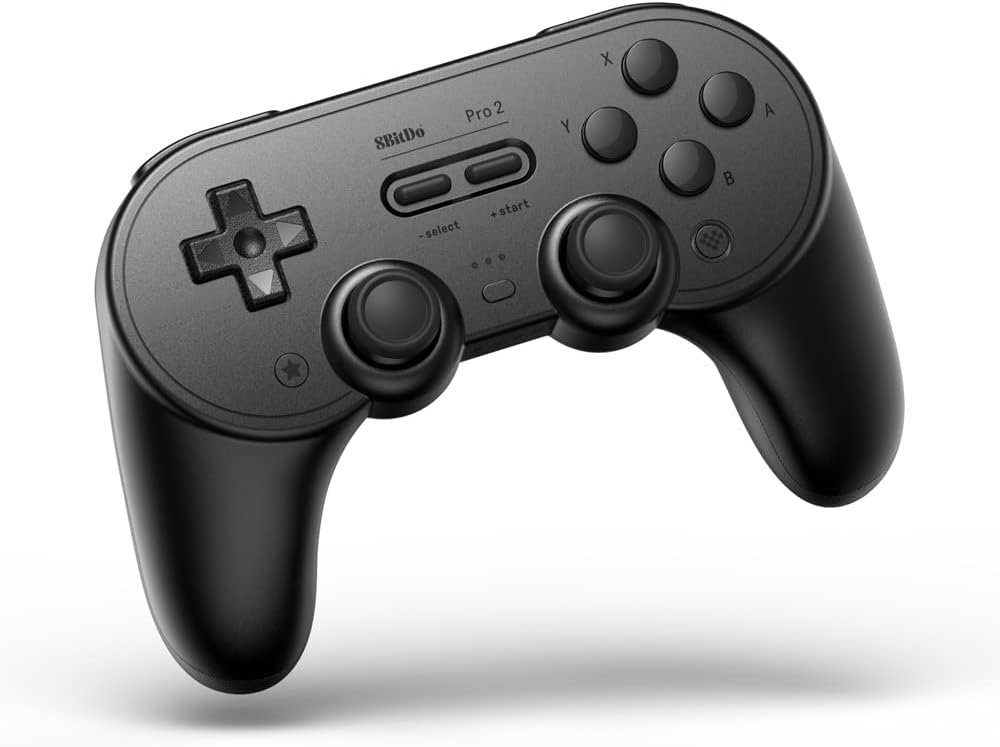
The 8BitDo Pro 2 is a powerhouse for customization and cross-platform support on Apple TV. It holds a 4.5 rating for its robust build and extensive feature set. Its standout quality is the inclusion of two back buttons and a mode switch which allow for advanced gameplay configurations.
We may earn a commission when you buy through this link, at no additional cost to you.
Official Apple support ensures smooth pairing while the software allows you to map back buttons for extra inputs. The 4-Way mode switch lets you easily toggle between systems like Switch PC or iOS. With a 20-hour battery life it keeps you gaming for long periods without interruption. The grip design is comfortable and enhances control during intense sessions.
The customization options can be overwhelming for beginners who want a plug-and-play experience. The extra weight might also be tiring for smaller hands over long sessions. However these are minor issues for those who value flexibility and control over their setup.
This controller is perfect for gamers who want to tweak their setup for optimal performance. If you play multiple systems and need extra inputs this is an ideal choice. It offers a professional grade experience that grows with your gaming needs.
Mapping back buttons allows you to access menus or actions without taking thumbs off the sticks. This provides a competitive edge in fast-paced games and improves reaction times.
The mode switch lets you change connection targets instantly without unplugging cables. This makes it easy to switch between your TV and PC or mobile device.
We may earn a commission when you buy through this link, at no additional cost to you.
The standard version of the SteelSeries Nimbus+ is a reliable workhorse for Apple TV gaming. It holds a rating of 4.1 stars for its consistent performance and build quality. Its standout quality is the simplicity it offers allowing users to connect and play without needing complex software updates.
We may earn a commission when you buy through this link, at no additional cost to you.
It is designed specifically for Apple devices ensuring that pairing is quick and stable. The ergonomics are comfortable for a range of hand sizes making it suitable for family use. The rechargeable battery supports long play sessions so you are not limited by cords. It includes all the basics you need for a great wireless experience.
Lack of motion controls and modern extras like back buttons makes it less feature-rich than newer models. However for basic gameplay it remains a solid and consistent choice. The simplicity is actually a benefit for users who do not want extra configuration steps.
If you prefer a no-fuss controller that just works this is a great recommendation. It is ideal for households that need a reliable controller for streaming games on Apple TV. It delivers a trustworthy experience that meets the needs of most casual gamers.
Sometimes a controller needs to be simple to be effective. This model focuses on delivering stable inputs without extra complications or setup steps.
The design is balanced to fit a wide range of hand sizes comfortably. This makes it easy for different family members to use without fatigue.
We may earn a commission when you buy through this link, at no additional cost to you.
The AceGamer Aurora II distinguishes itself with Hall Effect joysticks at a mid-range price point. It has a 4.2 rating for its accuracy and durability features. Its standout quality is the reduction of stick drift which is common in traditional controllers offering a smoother experience over time.
We may earn a commission when you buy through this link, at no additional cost to you.
The 2.4G wireless mode provides a stable connection that minimizes lag on compatible devices. With a 1000mAh battery it offers long gaming sessions without frequent charging. The back buttons are customizable to suit your playstyle and the RGB adds a nice aesthetic touch. It is a versatile option for those looking for precision inputs.
The software for customization can sometimes be tricky to configure on all devices. The lack of motion controls limits its use in titles that require tilting. However for standard shooting or racing games the precision and battery life make it a strong option.
This controller is great for users who want advanced tech like Hall Effect sensors without paying a premium. It fits well into an Apple TV setup where stability is key. If you value accuracy and battery longevity this is a smart buy.
Hall Effect sensors use magnets to detect position which reduces physical wear. This ensures your stick inputs remain accurate for years of gameplay.
You can choose between Bluetooth or 2.4G to find the best connection for your TV. This flexibility helps minimize latency in various setups.
We may earn a commission when you buy through this link, at no additional cost to you.
The Official Luna Wireless Controller is designed specifically for cloud gaming but works well on Apple TV via Bluetooth. It holds a 4.4 rating for its responsiveness and unique features. Its standout quality is the ability to switch between devices seamlessly allowing you to pause on one screen and resume on another.
We may earn a commission when you buy through this link, at no additional cost to you.
While it is built for Amazon Luna it functions as a standard Bluetooth controller on many devices. The offset thumbsticks provide comfort for long sessions and the design is ergonomic for a wide range of players. It connects via WiFi for cloud play or Bluetooth for local use offering flexibility. The build is solid and reliable for everyday use.
Its true potential is unlocked only with a Luna subscription which may limit use for some. If you do not use Amazon Luna the controller is still functional but less specialized than dedicated options. However the quality remains high regardless of the platform.
This is an ideal pick for Amazon Luna subscribers who want a dedicated controller. It also works well for Apple TV gaming if you want a reliable standard layout. If you are invested in the cloud gaming ecosystem this is a smart investment.
You can start a game on your phone and continue on your TV without losing progress. This feature enhances the cloud gaming experience by removing interruptions.
Connecting directly to game servers reduces latency significantly compared to standard Bluetooth. This ensures your inputs register faster for a smoother experience.
We may earn a commission when you buy through this link, at no additional cost to you.
The GMBACK Wireless Switch 2 Pro brings advanced macro features to Apple TV at an affordable price. It has a 4.1 rating for its functionality and design. Its standout quality is the loop macro function which allows you to record and repeat button sequences automatically for grinding or tasks.
We may earn a commission when you buy through this link, at no additional cost to you.
With a wake-up function and 6-Axis gyro it offers many modern conveniences. The RGB lighting and adjustable vibration add to the immersive experience. You can customize turbo speeds to match your playstyle. The battery supports up to 20 hours which is excellent for extended sessions. It is a feature-packed option for those who want automation.
The software for setting up macros can be less intuitive than on dedicated PC controllers. The compatibility is broad but might require some trial and error on Apple TV. However for repetitive tasks these features are very useful. It offers high value for the money.
This controller is perfect for players who want to automate repetitive tasks in games. It is also great for those who want a modern look with RGB. If you need macros and a wake-up button this is a highly recommended choice.
Record a sequence of actions and replay them to automate grinding. This saves time and reduces the need for constant manual input.
Turn on your console or TV directly from the controller without finding a remote. This adds convenience to your setup and saves time.
We may earn a commission when you buy through this link, at no additional cost to you.
Selecting the right controller requires considering compatibility battery life and specific features that match your gaming habits.
Ensure the controller is explicitly compatible with tvOS or works seamlessly via Bluetooth. Some controllers may require third-party apps for full functionality which can complicate the setup.
Look for models that offer direct pairing to reduce connection issues and latency.
Long battery life is crucial for uninterrupted gaming sessions on your TV. Aim for controllers that offer at least 10 to 15 hours of playtime.
Controllers with USB-C charging are preferable as they offer faster and more universal charging options.
Since you may sit for long periods the controller should fit comfortably in your hands. Check for textured grips and balanced weight distribution.
Test the button feel to ensure it is responsive and does not cause fatigue.
Some modern games rely on gyro sensors for aiming or steering. Check if the controller includes a 6-Axis gyro if you plan to play these titles.
Motion features can enhance immersion but may not be necessary for all game genres.
Programmable buttons and turbo functions allow you to tailor the controller to your preferences. These features can give you a competitive edge in certain games.
Consider how easy the software is to use for mapping inputs if you plan to customize often.
A durable controller will withstand regular use without breaking easily. Look for models made from high-quality plastics and sturdy materials.
Reading user reviews can provide insight into the long-term reliability of the device.
Balance your budget with the features you need. Higher priced models often offer better durability and official licensing.
Budget options may work well but might lack premium features or long-term support.
To pair your controller with Apple TV navigate to the Settings app and select Bluetooth to put the controller in pairing mode. Follow the on-screen instructions to complete the connection and test the inputs.
Keep your controller clean by wiping it with a dry cloth to prevent dirt from affecting the buttons. Store it in a cool dry place to protect the battery from damage.
Charge the controller before long sessions to ensure you are not interrupted. Avoid letting the battery fully drain regularly as this can reduce its lifespan over time.
Most Bluetooth controllers work with Apple TV but some may require additional software or adapters for full compatibility. It is best to check the product specifications to ensure native tvOS support.
Go to Settings on your Apple TV and select Bluetooth. Put your controller in pairing mode by holding the pairing button. Select the controller from the list to connect it.
Ensure the controller is in pairing mode and not connected to another device. Check the battery level and try restarting both the controller and the Apple TV to reset the connection.
MFi controllers are officially licensed by Apple ensuring guaranteed compatibility. Non-MFi controllers may work but could have limited features or connection issues depending on the game.
Yes some USB controllers work with Apple TV but you may need a USB-C to USB adapter depending on your model. Wireless options are generally more convenient for living room setups.
Some games like sports or racing titles benefit from motion controls but most do not strictly require them. It depends on the specific game design and your personal play style.
In this guide we reviewed ten top controllers for Apple TV highlighting their unique features and strengths. The 8BitDo Pro 2 stands out for customization while the SteelSeries Nimbus+ offers premium reliability.
When choosing consider your budget and the types of games you play most often. Features like battery life and motion controls can significantly impact your gaming comfort and experience.
Remember that prices and availability change so always check the latest listings before purchasing. The right controller can transform your Apple TV into a powerful gaming console.