
BUFFALO LinkStation 210
3.9Editor score
6 TB storage capacity
1-Bay design
Subscription-Free Personal Cloud
This guide compares ten Buffalo NAS models for home and business use, evaluating storage capacity, speed, security features, and reliability to help you choose
Network attached storage solutions provide a reliable way to centralize data across multiple devices. Buffalo offers a wide range of NAS units designed for home users and small businesses alike.
We analyzed ten distinct Buffalo NAS models based on their storage capacity, connectivity options, security features, and included hard drive configurations. This comparison helps you find the best fit for your needs.
Each product entry highlights key specifications, pros, and cons to guide your decision. Keep in mind that availability and details may vary over time, so verify current offerings before purchasing.
3.9Editor score

4.8Editor score
4.3Editor score
The following table provides a side-by-side overview of ten Buffalo NAS devices, highlighting their key specifications and core features to simplify your selection process.




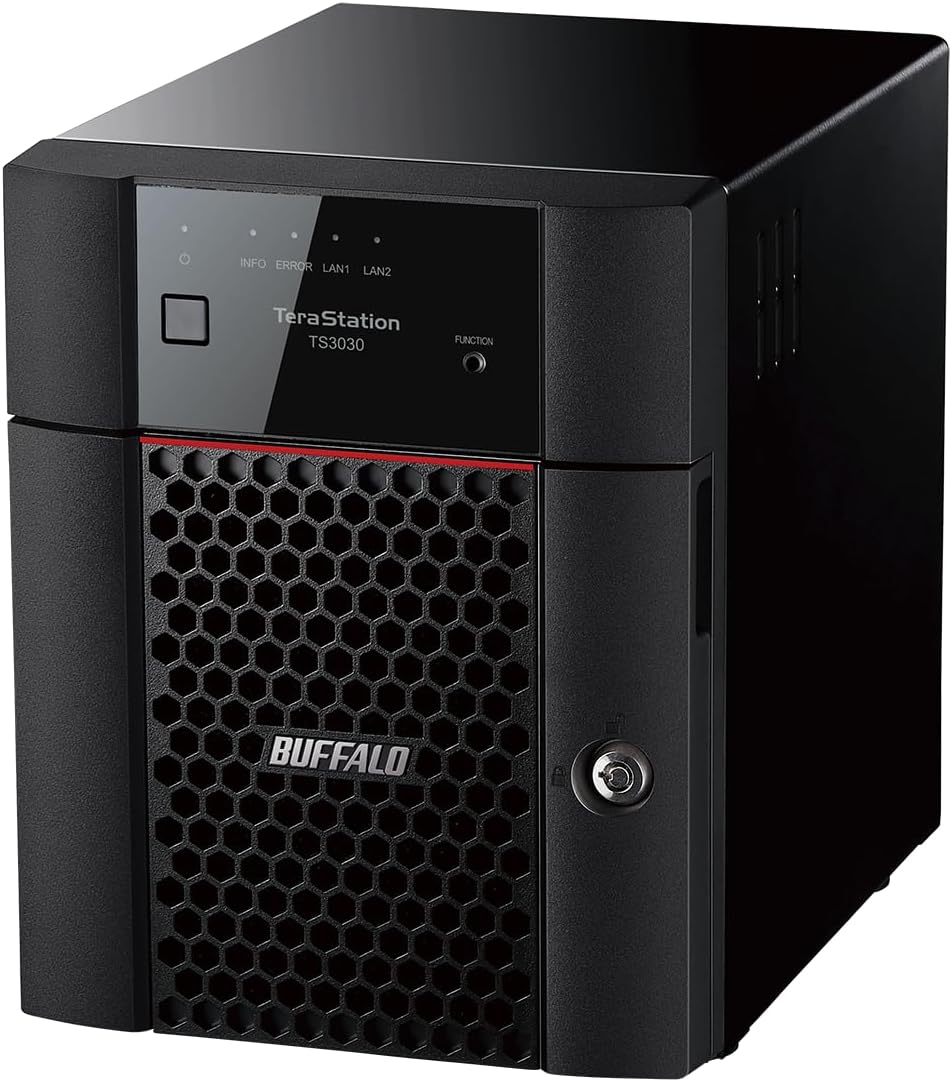
The BUFFALO TeraStation 5420DN stands out as the top choice for professional environments needing robust storage. With a 4.8 rating and business-grade hardware, it delivers stability and security for heavy data loads.
We may earn a commission when you buy through this link, at no additional cost to you.
Its native 10GbE port ensures fast data transfers without cable upgrades. The 32 TB capacity in RAID 5 provides ample usable space while maintaining redundancy for critical business data.
While the price is higher than consumer models, the included 3-year warranty and data recovery service justify the investment. Snapshot features mitigate ransomware risks effectively.
This NAS is ideal for small businesses requiring reliable file servers. Its closed system and encryption ensure data protection, making it a strong recommendation for enterprise use.
256-bit drive encryption and two-factor authentication secure sensitive files against unauthorized access and cyber threats.
Sync with Dropbox, Amazon S3, and Microsoft Azure creates a hybrid cloud for flexible backup and cost savings.
We may earn a commission when you buy through this link, at no additional cost to you.
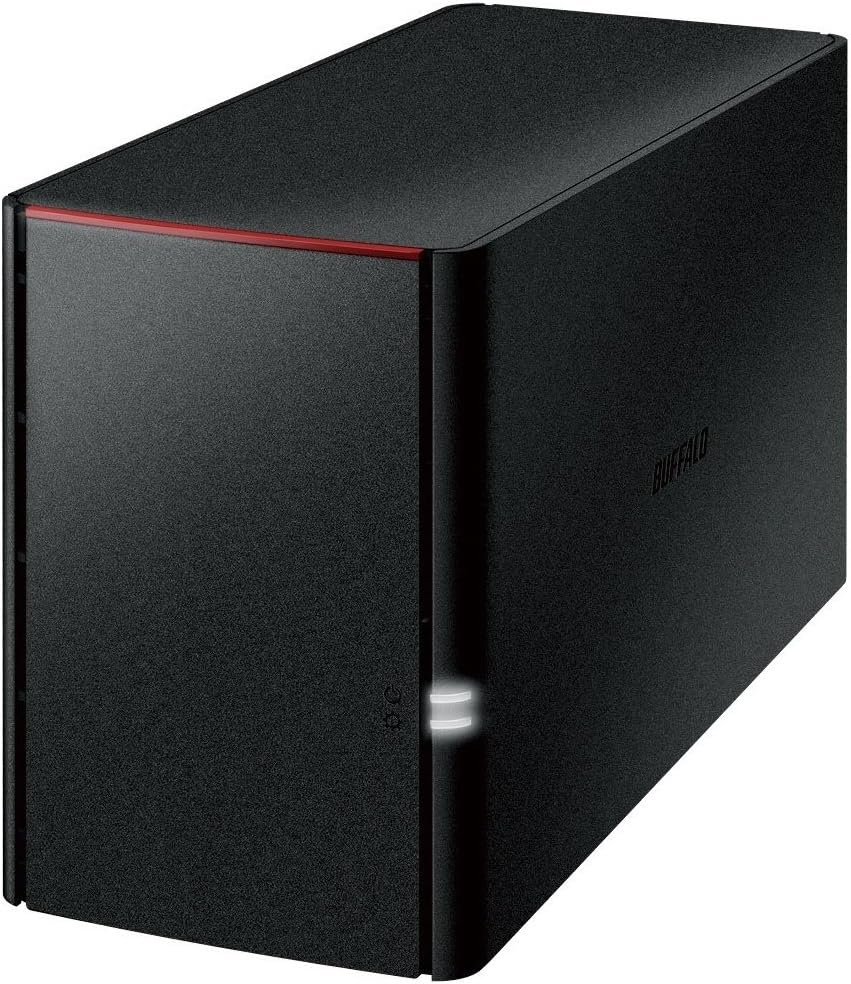
The BUFFALO LinkStation 210 offers an accessible entry into network storage with a 6 TB drive included. It is designed for home users seeking centralized storage without monthly fees.
We may earn a commission when you buy through this link, at no additional cost to you.
Its closed system reduces vulnerabilities from third-party apps, and SSL encryption secures file transfers. The subscription-free cloud lets you access media anywhere.
Limited to one drive bay, it lacks expansion options but fits basic backup needs well. The 24/7 US support adds peace of mind for non-technical users.
Choose this if you need a simple, cost-effective network storage device. It centralizes data for all your devices efficiently without complexity.
Store and manage videos, music, and photos online without paying monthly storage fees through its native cloud features.
Included NAS Navigator software helps schedule automated backups for computers to prevent accidental data loss.
We may earn a commission when you buy through this link, at no additional cost to you.
The BUFFALO TeraStation Essentials 2025 combines professional features with a 24 TB capacity for growing businesses. Its 4.3 rating reflects reliability and ease of setup out of the box.
We may earn a commission when you buy through this link, at no additional cost to you.
The native 2.5GbE port speeds up transfers significantly over Gigabit Ethernet. RAID 5 default ensures data safety while providing 18 TB usable space for files.
Though more involved than home units, its hybrid cloud integration with Amazon S3 and Azure adds backup layers. The 3-year warranty covers hard drives for long-term security.
This is a top pick for offices needing scalable, secure storage. It balances cost and performance better than many competitors in the mid-range tier.
Sync with services like Azure and OneDrive to create a hybrid cloud for extra data security and scalability.
Hard drives included and RAID pre-configured simplify installation for users without IT expertise.
We may earn a commission when you buy through this link, at no additional cost to you.
The BUFFALO LinkStation SoHo 220 targets home offices with a 4 TB capacity across two bays. Its design prioritizes secure storage and file sharing for teams.
We may earn a commission when you buy through this link, at no additional cost to you.
Direct Copy allows backups via USB without a computer, adding convenience. The closed system and encryption keep data safe from vulnerabilities.
While it ships with RAID 1 for only 2 TB usable, switching to RAID 0 doubles capacity. This trade-off suits varied backup strategies.
Ideal for small teams needing secure, shared storage. Its reliability and US support make it a practical choice for office networks.
Back up devices via USB port to copy photos and files without needing a computer connected.
Configure individual access restrictions to share files privately with family and friends.
We may earn a commission when you buy through this link, at no additional cost to you.
This rackmount NAS from Buffalo offers a low-cost professional solution for server rooms. With 8 TB capacity, it organizes and secures everyday files efficiently.
We may earn a commission when you buy through this link, at no additional cost to you.
The 2.5GbE port ensures fast transfers without cable upgrades. RAID 5 default provides redundancy while keeping 4 TB usable for active data.
Though the total capacity is modest, the rack design saves space. Cloud integration adds hybrid security for important business files.
Choose this for small server setups needing reliability. The 3-year warranty and US support ensure long-term stability for IT environments.
Value-focused rackmount design fits standard server racks for organized and space-efficient storage solutions.
Change RAID settings to suit specific redundancy or capacity needs beyond the default configuration.
We may earn a commission when you buy through this link, at no additional cost to you.
The BUFFALO TeraStation WS5220DN runs Windows Server IoT 2025 natively, offering enhanced data management for workgroups. It includes a NovaBACKUP license for professional server backups.
We may earn a commission when you buy through this link, at no additional cost to you.
Without requiring Client-Access Licenses, it reduces costs for small businesses. Azure integration creates a hybrid cloud for added flexibility and security.
The 2 TB usable capacity in RAID 1 limits large-scale needs but suits small teams. The 3-year warranty with recovery service adds safety.
This unit is perfect for Windows-centric networks. It simplifies management and security for small businesses familiar with Microsoft ecosystems.
Runs Windows Server IoT 2025 for seamless integration with existing Windows infrastructure without extra OS costs.
NovaBACKUP software included provides versatile, professional-level server and PC backup capabilities.
We may earn a commission when you buy through this link, at no additional cost to you.
The Buffalo LinkStation 220 is a classic NAS option with a 4 TB capacity. It features Gigabit LAN and DLNA for media streaming across devices.
We may earn a commission when you buy through this link, at no additional cost to you.
USB 2.0 allows basic external drive connections. The Marvell ARMADA processor handles routine network storage tasks smoothly for home use.
While specs are dated compared to newer models, it remains reliable for simple file storage and sharing. It supports up to 11 devices easily.
Choose this if you need basic, no-fuss network storage. It provides centralized access for family photos and documents without complexity.
DLNA support enables easy media streaming to compatible TVs and players over the network.
Space-saving form factor fits discreetly in home offices or living rooms.
We may earn a commission when you buy through this link, at no additional cost to you.
The Buffalo TeraStation 1200D provides an economical storage solution for small offices. Pre-tested hard drives and RAID pre-configured simplify initial setup.
We may earn a commission when you buy through this link, at no additional cost to you.
Business-level backup software helps protect critical files. The personal cloud allows access from any PC or smartphone anywhere.
Though 2 TB usable space limits large media libraries, it suits document storage well. Support is available 24/7 via North America-based service.
Ideal for small teams needing shared storage with backup features. Its reliability and ease of use make it a practical office tool.
Business-level server and PC backup software bundled for easy automated file protection.
Free personal cloud feature allows access to stored files from any device with internet.
We may earn a commission when you buy through this link, at no additional cost to you.
This Buffalo NAS focuses on mobile users with smartphone and tablet compatibility. It mirrors data across two drives to protect important files from loss.
We may earn a commission when you buy through this link, at no additional cost to you.
The mirroring function ensures that photos and music remain safe if a drive fails. USB and LAN ports allow flexible connectivity options.
Though usable capacity halves due to mirroring, data safety is prioritized. It suits users who rely on mobile devices for media storage.
Choose this if mobile access is a priority. It simplifies storing and retrieving files from smartphones without complex configurations.
Mirroring function protects family photos and music by duplicating data across drives for redundancy.
Network HDD access via smartphone and PC apps enables flexible file retrieval anywhere.
We may earn a commission when you buy through this link, at no additional cost to you.
The BUFFALO DriveStation Duo is a Desktop Attached Storage unit offering 8 TB capacity. While not a network NAS, it connects via USB 3.2 Gen 1 for fast access.
We may earn a commission when you buy through this link, at no additional cost to you.
Hot swap allows drive replacement without powering down. Time Machine support makes it ideal for Mac backups with scheduled protection.
Its DAS design limits multi-device sharing compared to NAS but suits single-user workstations. The RAID 1 setup gives 4 TB usable storage.
Pick this for high-speed local storage with redundancy. It is perfect for creative professionals needing reliable direct attached storage.
USB 3.2 Gen 1 offers universal connectivity for PC, Mac, and storage servers at high speeds.
Schedule automatic backups for PCs or use Time Machine support for Mac protection.
We may earn a commission when you buy through this link, at no additional cost to you.
Selecting the right Buffalo NAS involves understanding key factors like capacity, connectivity, and security features tailored to your needs.
Buffalo NAS units vary from 4 TB to 32 TB. Choose based on current and future data needs. Models with included drives simplify setup.
Opt for models offering RAID support to protect against drive failure. Higher capacity suits media-rich users or businesses.
Connectivity ranges from Gigabit LAN to 10GbE. Faster ports ensure quicker transfers for large files. USB ports enable external backups.
Select models with modern ports like 2.5GbE for better performance. Ensure compatibility with your router or switch.
Security features like 256-bit drive encryption protect sensitive data. Closed systems reduce vulnerabilities from third-party apps.
Two-factor authentication adds another layer. Look for models with SSL encryption for secure file transfers over networks.
Most Buffalo NAS support Windows and macOS for easy setup. Some offer Windows Server OS for business workgroups.
Check macOS compatibility details especially for newer versions. Ensure your devices connect seamlessly without extra configuration.
Hybrid cloud sync with Dropbox or Azure extends backup options. It provides offsite security and access flexibility.
Models with built-in cloud apps simplify remote access. This is useful for teams needing shared files outside office networks.
Included software like NovaBACKUP enables automated backups. Snapshot features allow quick data recovery from corruption.
Look for units with recovery services. Ensure regular backup schedules are easy to set up for protection.
Buffalo offers 2 to 3 year warranties with US-based support. Data recovery services add peace of mind for critical data.
Check if hard drives are covered. Extended options provide more security. Reliable support aids troubleshooting and setup.
Home users need simple personal cloud features. Small offices require shared access and redundancy.
Business users may prefer higher-end models with iSCSI and server features. Match the NAS to your specific workflow needs.
Connect the NAS to your router using Ethernet. Power it on and use NAS Navigator to configure basic settings and drives.
Share folders by setting access permissions in the web interface. This controls who can view or edit stored files.
Keep firmware updated via the admin panel. Regular updates patch security flaws and improve performance over time.
A Buffalo NAS is a Network Attached Storage device that connects to your router to store and share files across multiple devices. It serves as a centralized data hub for home or office use.
Yes, most models offer personal cloud features or apps for remote access. Ensure your device is connected to the internet and configured with the proper settings.
Many Buffalo NAS models come with pre-installed hard drives. Always check the product details as some units may be sold without drives.
RAID configures multiple drives for redundancy or speed. Buffalo units support modes like RAID 1 for mirroring or RAID 5 for balanced storage.
Most models are compatible with Windows and macOS. Some newer features may be limited on macOS versions beyond 15, so verify specs.
Buffalo NAS includes tools for automated PC backups and cloud sync. Some models offer NovaBACKUP or Time Machine support for Mac systems.
Buffalo offers a strong range of NAS solutions for varying needs. The TeraStation 5420DN leads for business performance while LinkStation models suit budget home use.
Prioritize capacity and security features based on your data size. Connectivity options like 10GbE ensure future-proofing for faster networks.
Check current availability and details before purchase. Models vary over time so confirm specs match your requirements for long-term satisfaction.