
KNAON Bluetooth
4.4Editor score
Wireless mobile printing
Compact portable design
Massive template library
This guide compares the top ten thermal label printers optimized for FedEx shipping to help you find the best device for your business needs and budget
Choosing the right thermal label printer for FedEx shipping can streamline your logistics operations significantly. Modern devices offer direct thermal technology, ensuring crisp barcodes and addresses without the need for ink or toner. This efficiency is vital for small businesses managing high volumes daily.
We evaluated ten top-rated models based on connectivity, print speed, compatibility, and durability. Each product was analyzed for its ability to handle standard 4×6 labels and integrate smoothly with popular shipping platforms. Our goal is to provide a clear comparison for informed decision-making.
Every review highlights key specifications, pros, cons, and ideal use cases for each printer. We focus on real-world performance and user feedback to ensure accuracy. Please note that product availability and pricing may change over time so verify details before purchasing.
4.4Editor score
4.6Editor score

4.7Editor score
This side-by-side comparison highlights the core capabilities of each thermal printer model listed in our guide. We focus on resolution, speed, connectivity types, and supported label widths to help you visualize the differences between options quickly and easily.







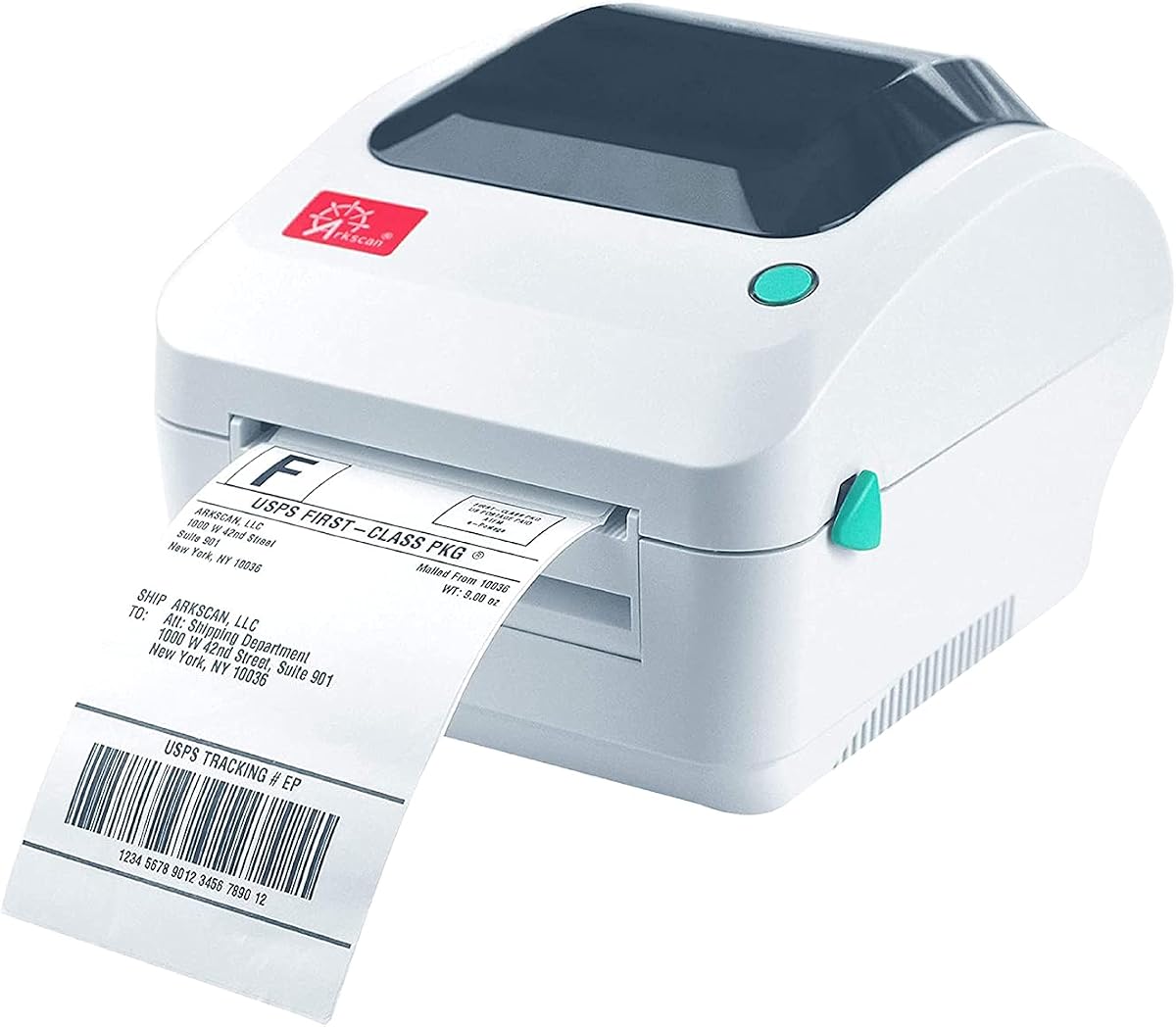
The Arkscan 2054A stands out as the most versatile printer for diverse operating systems and platforms. Its 4.6 rating reflects consistent performance across high-volume shipping tasks. The printer excels in speed and compatibility, making it a top choice for professionals.
We may earn a commission when you buy through this link, at no additional cost to you.
Its standout feature is support for Windows, Mac, Chromebook, and Android via USB. It prints at 5 inches per second and integrates with major carriers like FedEx. The included BarTender UltraLite software adds significant value for custom label creation without extra costs.
The main limitation is the lack of wireless connectivity. Users must rely on a physical cable which can limit desk mobility. Additionally, initial driver installation requires careful attention to instructions. These trade-offs are acceptable given the robust performance.
Businesses needing reliable cross-platform support and fast processing should prioritize this model. Its ability to handle various label sizes ensures future-proofing. We recommend it for offices where wired stability is preferred over wireless convenience.
Unlike many competitors, this unit supports Android and ChromeOS natively. This ensures flexibility for teams using diverse hardware setups in their daily workflow.
The included BarTender software enables complex label designs. Users can add QR codes and custom graphics without needing third-party subscriptions.
We may earn a commission when you buy through this link, at no additional cost to you.
The KNAON Bluetooth offers an exceptional entry point for small businesses seeking efficiency. Its low price point does not compromise core functionality or print quality. The 4.4 rating indicates strong user satisfaction regarding ease of use.
We may earn a commission when you buy through this link, at no additional cost to you.
This printer excels in mobility with Bluetooth support for iOS and Android. It includes the FlashLabel Pro app which provides access to over 3,000 templates. The print speed of 180mm/s ensures rapid label generation for quick shipping.
Users should note that mobile printing requires the specific app rather than direct OS pairing. This can add a layer of complexity for new users. However, the cost savings and portability often outweigh this minor inconvenience for startups.
Ideal for entrepreneurs who ship from home or require a portable solution. Its compact size fits easily on crowded desks. We recommend it for those prioritizing budget and wireless convenience over heavy-duty industrial needs.
Direct Bluetooth pairing for laptops and app usage for phones offers versatile options. This adaptability is crucial for mobile workers on the go.
At the lowest price point, it offers significant value. Users save money on the device and on thermal labels due to efficient design.
We may earn a commission when you buy through this link, at no additional cost to you.
The ZP450 Zebra represents the premium tier of label printing with industrial-grade durability. Its 4.7 rating is the highest among reviewed options, reflecting proven reliability. It is designed for environments where uptime is critical to operations.
We may earn a commission when you buy through this link, at no additional cost to you.
Key strengths include multiple connectivity options like USB, Serial, and Parallel. This ensures integration with legacy systems that newer models may lack. The double-walled construction protects internal components from dust and physical damage in busy warehouses.
The fixed media width simplifies operation but reduces flexibility for custom label sizes. The higher price point may be prohibitive for casual users. However, the long-term reliability often justifies the investment for commercial settings.
Best suited for established businesses or warehouse environments with constant printing needs. It handles high volume efficiently without jamming. We recommend it for users requiring maximum durability and legacy system integration.
Serial and parallel ports allow connection to older computers or POS systems. This compatibility extends the lifecycle of existing hardware.
The heavy-duty casing withstands accidental drops and daily wear. It is built to endure demanding work conditions without performance degradation.
We may earn a commission when you buy through this link, at no additional cost to you.
The NULLTONEX printer balances speed and ease of use for small business owners. It scores a 4.4 rating due to its quick setup and reliable output. Users appreciate the ability to switch between wireless and wired connections.
We may earn a commission when you buy through this link, at no additional cost to you.
Direct thermal technology ensures crisp prints at 203 DPI. The included FlashLabel Pro app offers offline storage which speeds up workflow. Connectivity options are versatile with USB and Bluetooth supporting various devices seamlessly.
Prints are strictly black and white which limits branding options. The app relies on local storage so internet access isn't always needed. These constraints are minor for shipping labels which do not require color.
A great choice for e-commerce sellers needing consistent daily performance. The package includes labels which helps beginners get started. We recommend it for users who value speed and flexibility.
USB and Bluetooth options ensure you can connect to any device. This flexibility is vital for hybrid work environments.
The app simplifies the printing process for non-technical users. Templates and offline storage reduce setup time significantly.
We may earn a commission when you buy through this link, at no additional cost to you.
The D450BT is designed with space efficiency in mind for home offices. It holds paper internally which reduces external clutter. Its 4.2 rating reflects solid performance for moderate shipping volumes.
We may earn a commission when you buy through this link, at no additional cost to you.
The internal compartment holds up to 250 labels eliminating the need for a separate holder. Bluetooth connectivity allows printing from mobile devices or laptops. The design fits neatly on smaller desks without sacrificing functionality.
It supports both roll and folded paper providing versatility for different label types. The print speed is adequate for most small business needs. However, it may feel less rugged than commercial-grade models.
Ideal for sellers with limited workspace who need an organized solution. The integrated bin keeps the area tidy. We recommend it for those prioritizing desk organization.
Internal paper holding reduces clutter on your desk. This design feature is particularly beneficial for compact workspaces.
Bluetooth pairing is instant with most devices. It supports a wide range of operating systems for broad usability.
We may earn a commission when you buy through this link, at no additional cost to you.
This Westinghouse model is built for commercial environments with consistent high-volume use. Its 4.4 rating comes from reliable output and robust construction. Users value the Ethernet capability for networked printing.
We may earn a commission when you buy through this link, at no additional cost to you.
It reaches speeds of 6 inches per second which is faster than many consumer models. The design supports both fanfold and roll labels for flexibility. Ethernet support allows easy integration into office networks.
Connectivity is limited to wired connections. Bluetooth is not available which limits mobile use. The build quality ensures longevity in demanding environments.
Perfect for warehouses or retail locations needing network integration. The commercial build handles continuous operation. We recommend it for businesses prioritizing speed and stability.
Ethernet support allows multiple users to print via one device. This is essential for shared office workspaces.
Processing labels at 6 ips speeds up fulfillment. This efficiency is critical for high-volume shipping days.
We may earn a commission when you buy through this link, at no additional cost to you.
JADENS delivers reliable performance with a focus on usability. The 4.4 rating highlights customer satisfaction with its connectivity options. It works well with major shipping platforms including FedEx and Shopify.
We may earn a commission when you buy through this link, at no additional cost to you.
Its Japanese print head ensures high-quality output without ink. Windows and Mac users can print via Bluetooth while Android and iOS require the app. This flexibility accommodates diverse office setups.
The app requirement for mobile users is a slight barrier compared to universal apps. However, the print quality and support team are strengths. It handles fanfold and roll labels effectively.
Ideal for mixed OS environments needing solid connectivity. The warranty and remote support add confidence. We recommend it for users needing dependable wireless performance.
Support for both Windows and Mac ensures broad compatibility. Users can connect via Bluetooth for seamless operation.
Remote support and video guides help resolve issues. This service ensures minimal downtime for your business operations.
We may earn a commission when you buy through this link, at no additional cost to you.
The Nelko printer is a strong competitor for users seeking efficiency. Its 4.3 rating reflects steady performance for regular shipping tasks. It is designed to be a compact helper for various business needs.
We may earn a commission when you buy through this link, at no additional cost to you.
It offers both Bluetooth and USB connections to suit different workflows. The NELKO app handles printing on mobile devices and Macs. The print speed of 150mm/s supports quick label creation for orders.
Mac users must use the app for Bluetooth which adds steps. The build is standard and not industrial grade. These factors are manageable for typical home business use.
Best for online sellers needing compact and mobile options. The design is small and portable. We recommend it for those valuing a lightweight setup.
Switch between Bluetooth for convenience and USB for stability. This dual approach supports both mobile and desktop workflows.
The small footprint saves valuable desk space. It fits easily into tight areas without sacrificing performance.
We may earn a commission when you buy through this link, at no additional cost to you.
Rollo is a trusted name offering commercial grade performance. Its 4.6 rating comes from high quality and ease of use. It is designed for consistent daily shipping tasks.
We may earn a commission when you buy through this link, at no additional cost to you.
The printer runs at 150mm/s producing clear labels with 203 DPI resolution. The complimentary Rollo Ship app allows direct shipping without third-party fees. It works with most major marketplaces seamlessly.
Connectivity is limited to USB which restricts mobility. The design is utilitarian but effective for workspaces. These limitations are acceptable for users prioritizing stability.
Ideal for businesses needing a reliable workhorse printer. The app integration saves money on shipping fees. We recommend it for steady daily use.
Direct shipping access avoids third-party subscription costs. This saves money while managing your label printing efficiently.
203 DPI resolution ensures readable barcodes. Scanning reliability is critical for smooth logistics.
We may earn a commission when you buy through this link, at no additional cost to you.
This Westinghouse variant focuses on speed and commercial reliability. Its 4.6 rating highlights consistent performance for daily tasks. It is designed for efficient label creation.
We may earn a commission when you buy through this link, at no additional cost to you.
At 6 inches per second it prints sixty labels per minute. The 203 DPI resolution ensures sharp text and barcodes. It supports various label sizes and applications including shipping and warehouse bins.
Bluetooth is not supported which limits wireless use. The design is purely wired for stability. This setup works well for fixed workstations.
Best for commercial settings needing rapid processing. The sample labels help with setup. We recommend it for high-volume stationary environments.
Sixty labels per minute reduces waiting time. This speed is essential for large shipping batches.
203 DPI ensures legible barcodes and text. This clarity is vital for accurate scanning.
We may earn a commission when you buy through this link, at no additional cost to you.
Selecting the right label printer requires evaluating several key factors to ensure it fits your operational needs. We have outlined essential considerations to help you make an informed decision.
Connectivity determines how you interact with the printer. Bluetooth allows wireless printing from phones and laptops while USB offers stable wired connections. Some models include Ethernet for networked office environments.
Choose wireless for mobility or wired for reliability in busy offices.
Speed is crucial for high-volume shipping. Measured in inches per second or millimeters per second, faster printers reduce wait times during peak hours. Look for speeds of 5 ips or higher for commercial needs.
Faster printers improve workflow efficiency during busy periods.
Ensure the printer supports 4×6 labels which are standard for FedEx. Check width ranges to see if it handles custom sizes. Most thermal printers use direct thermal paper which requires no ink.
Verify label width support to match your standard shipping needs.
The printer should integrate with your shipping software like Shopify or ShipStation. Check compatibility with major marketplaces and carriers. Seamless integration reduces manual data entry errors.
Confirm compatibility with your e-commerce tools before buying.
Commercial-grade printers use durable materials to withstand daily use. Look for reinforced coatings and protective features. Higher durability ensures longer lifespan in demanding environments.
Invest in durable models for long-term reliability.
Ensure drivers are available for your OS. Many support Windows and Mac but Android or Chromebook support varies. Cross-platform compatibility is useful for diverse teams.
Check driver availability for your specific operating system.
Easy setup saves time. Look for models with preloaded drivers or video guides. Some include starter labels to help you begin printing immediately.
Prioritize models with simple installation processes.
Consider initial cost versus long-term savings. While cheaper models save money upfront, premium options may offer better speed and durability. Evaluate total cost of ownership including maintenance.
Balance upfront cost with long-term operational benefits.
Begin by installing the printer driver from the included disc or official website. Connect the USB cable or pair via Bluetooth using the app. Run a test print to ensure alignment and visibility.
Load the thermal labels carefully by opening the cover and aligning the roll. Ensure the label edge is straight to prevent jamming. Close the cover securely and calibrate the paper width using the buttons.
Keep the printhead clean by wiping it gently with a cotton swab if prints fade. Store labels in a cool dry place to prevent premature darkening. Avoid exposure to direct sunlight or heat sources.
No, thermal printers use direct thermal technology that heats the label to produce images. This eliminates the need for ink cartridges or toners. It reduces ongoing costs and maintenance for users.
Yes, many models support Bluetooth printing with a dedicated app. You can save the PDF from FedEx and import it into the app. Always check specific model compatibility before purchasing.
Most thermal printers support standard 4×6 inch labels. Some also accommodate smaller widths like 2×1 or 3×2. Always verify the maximum print width in the specifications.
Yes, direct thermal labels can darken if exposed to high heat or sunlight. It is best to ship items in a timely manner. Store spare labels in a cool dark place.
Many models support both roll and fanfold labels. Fanfold labels are loaded from the back while rolls go inside. Check the specific model details for support.
Wireless connections may pause if the signal is weak. USB connections are more stable. Most apps allow reconnection without losing print data.
The Arkscan 2054A and KNAON Bluetooth represent the best choices for professional and budget-conscious users respectively. Each offers unique benefits tailored to different business requirements.
Prioritize connectivity and speed based on your daily volume. If mobility is key, opt for wireless models. If stability is critical, choose wired options with network support.
Always verify current compatibility and features before purchasing. Technology evolves rapidly so ensure the device fits your current workflow. A reliable printer will serve as a vital asset to your logistics operations.